DeltaForge TradeControl
- Utilità
-
Andrei Coelho Freitas
 **DeltForge | Professional Trading Tools**
DeltForge develops practical, robust tools for MetaTrader 5, focused on manual trade execution, risk management, and workflow efficiency. - Versione: 2.20
- Attivazioni: 5
DeltForge TradeControl
Professional Manual Trading & Position Management Panel for MetaTrader 5
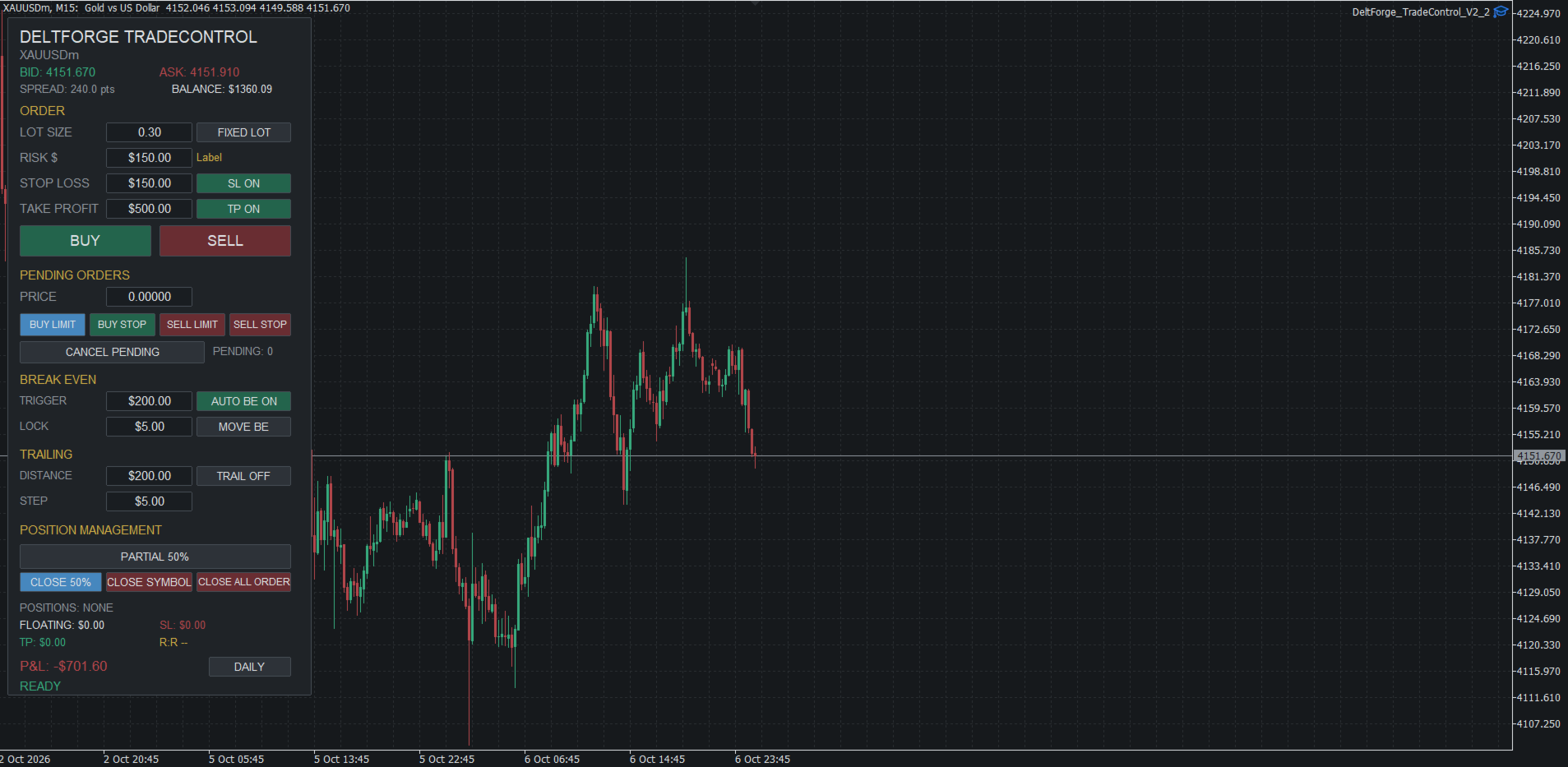
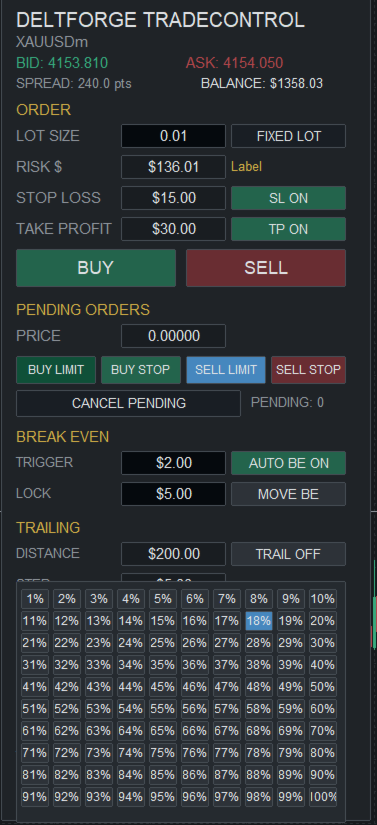
DeltForge TradeControl is a manual trading panel designed for discretionary traders who want to execute and manage positions directly from the chart.
The trader decides when and where to trade. TradeControl provides the execution, risk configuration and position-management controls.
Trading
TradeControl provides direct manual execution for:
- Buy
- Sell
- Buy Limit
- Buy Stop
- Sell Limit
- Sell Stop
The panel allows the trader to configure trade parameters directly on the chart.
Risk Management
Three operating modes are available:
Fixed Lot
Enter the desired trading volume manually.
Risk $
Define the monetary amount to risk and allow the panel to calculate the required volume from the configured stop-loss distance.
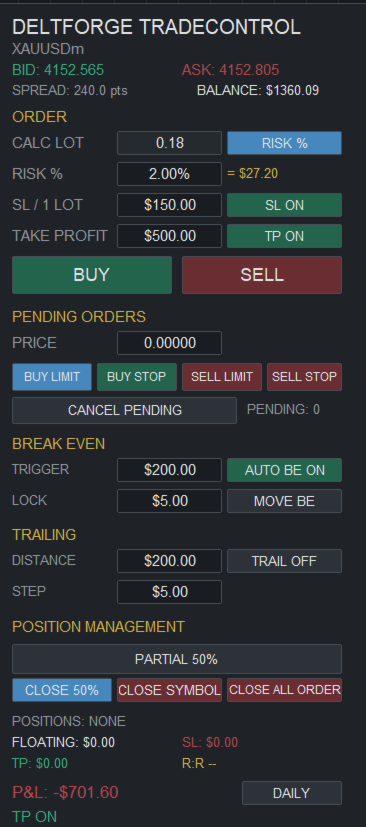
Risk %
Define the percentage of account balance to risk.
For example, a 1% risk setting on a $10,000 balance corresponds to a $100 risk amount.
Stop Loss and Take Profit
Stop Loss and Take Profit can be configured using monetary values rather than requiring the trader to manually calculate price distances.
The panel converts the selected monetary values into the corresponding price levels for the selected volume.
Position Management
TradeControl provides direct management of open positions, including:
- Break-even
- Automatic break-even
- Trailing stop
- Partial close
- Close current symbol positions
- Close all open positions
- Pending-order cancellation
Partial Close
Select the desired percentage first, then execute the partial close separately.
The panel supports percentage-based position reduction while respecting the broker's available trading-volume rules.
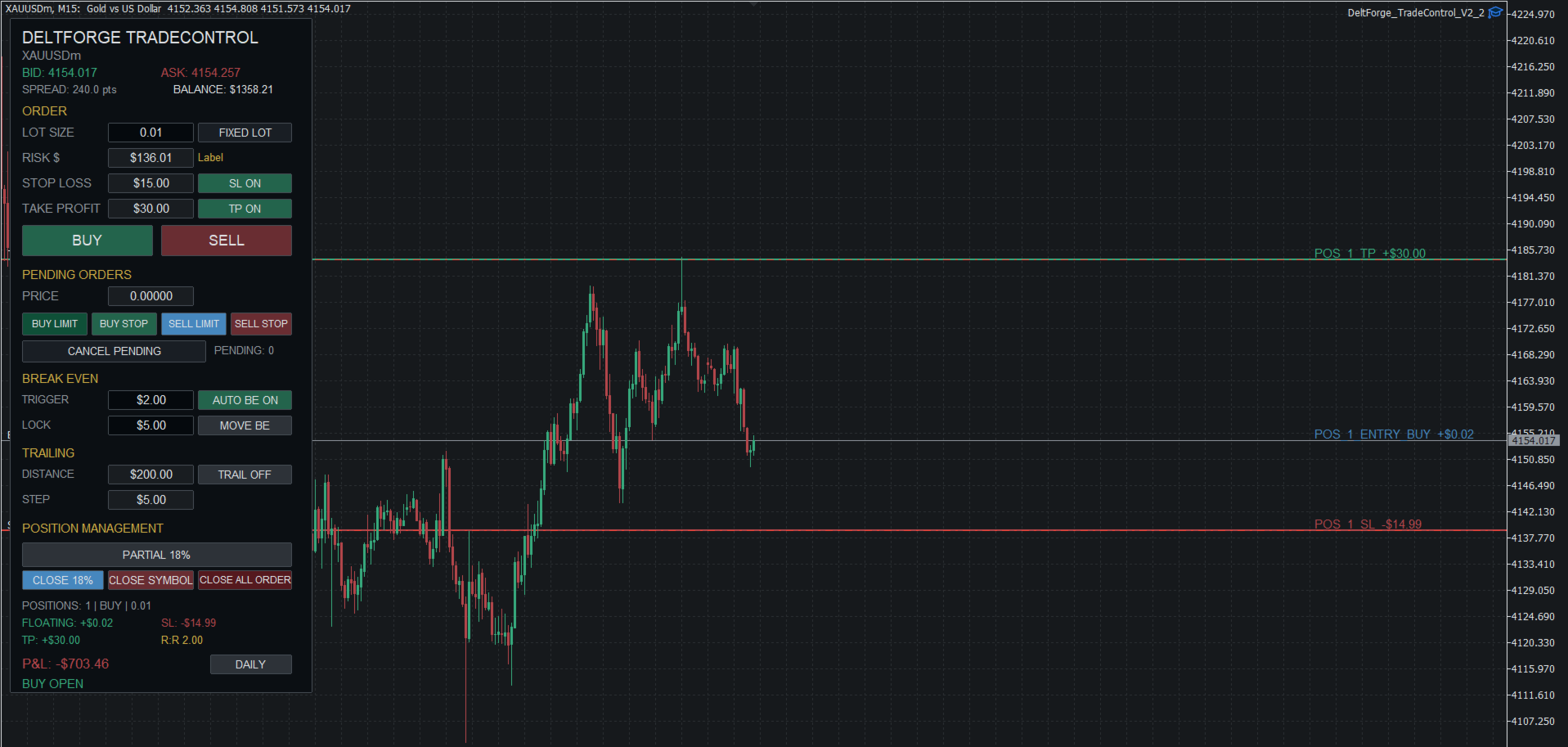
Visual Trade Levels
Open positions are displayed with visual:
- Entry
- Stop Loss
- Take Profit
levels.
Stop Loss and Take Profit levels can be adjusted directly from the chart.
P&L Monitoring
TradeControl separates current-symbol floating P&L from account-wide P&L.
Floating
Displays the floating result for the current chart symbol.
P&L
Displays the account-wide result, including positions across different symbols.
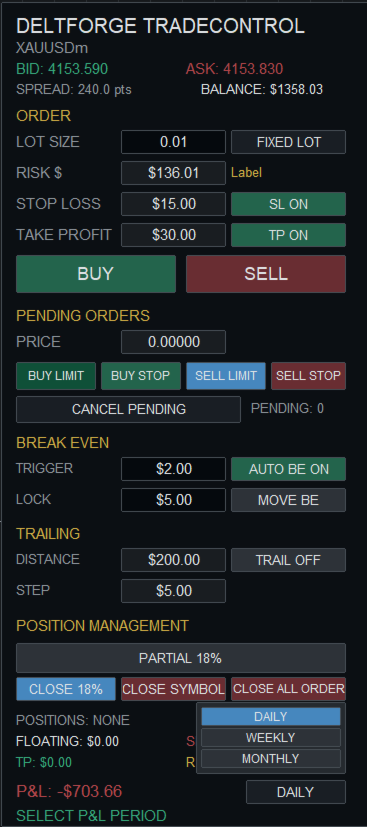
The P&L view supports:
- Daily
- Weekly
- Monthly
periods.
Account Information
The panel also displays the current account balance so that risk settings can be evaluated without leaving the chart.
Multi-Symbol Workflow
TradeControl can be attached to different instruments and used as a manual execution and position-management interface.
The panel does not generate trading signals.
The trader remains responsible for the trading decision, position size and risk.
Core Features
- Manual Buy and Sell execution
- Fixed Lot mode
- Risk $ mode
- Risk % mode
- USD-based Stop Loss
- USD-based Take Profit
- Manual Break Even
- Automatic Break Even
- Trailing Stop
- Partial Close
- Close Current Symbol
- Close All Orders
- Pending Order Management
- Account-wide P&L
- Daily P&L
- Weekly P&L
- Monthly P&L
- Current-symbol Floating P&L
- Account Balance display
- Visual Entry / SL / TP levels
- Draggable SL / TP levels
- Multi-position management
- Editable values directly on the chart
Usage instructions
Fixed Lot Mode
- Select FIXED LOT.
- Enter the desired lot size.
- Set SL and TP monetary values.
- Enable or disable SL/TP as required.
- Press BUY or SELL.
Risk $ Mode
- Select RISK $.
- Enter the desired monetary risk.
- Configure the SL amount/distance.
- TradeControl calculates the required volume.
- Review the displayed parameters.
- Execute the trade.
Risk % Mode
- Select RISK %.
- Enter the desired percentage.
- Review the calculated monetary risk.
- Configure SL/TP.
- Execute the trade.
Break Even
Configure the break-even trigger and lock value, then use the break-even control to move the position's stop.
Trailing
Configure the trailing distance and step, then enable trailing.
Partial Close
- Open the PARTIAL selector.
- Select the required percentage.
- Press CLOSE PARTIAL.
Selecting a percentage does not itself close the position.
Close Symbol
Press CLOSE SYMBOL to close open positions for the current chart symbol.
Close All Order
Press CLOSE ALL ORDER to close the open positions managed by the panel's account-level close function.
Pending Orders
Use the pending-order controls to select the order type, set the pending price and place or cancel pending orders.
Important
TradeControl is an execution and trade-management tool.
It does not guarantee profits and does not provide investment advice.
Broker minimum volume, volume increments, stop-distance requirements, trading permissions, symbol specifications and execution conditions may affect whether an order is accepted.
Always test the product on a demo account before using it with real funds.
Risk Disclaimer
DeltForge TradeControl is a manual trading execution and position-management tool.
It does not provide investment advice, trading signals or guaranteed trading results.
Trading financial markets involves substantial risk of loss. The trader is solely responsible for all trading decisions, position sizes, orders and account risk.
Actual order execution depends on the broker, trading account, symbol specifications, available liquidity, spread, market conditions, minimum volume, volume step, stop-distance requirements and other trading conditions.
The product should be tested on a demo account before being used with real funds.