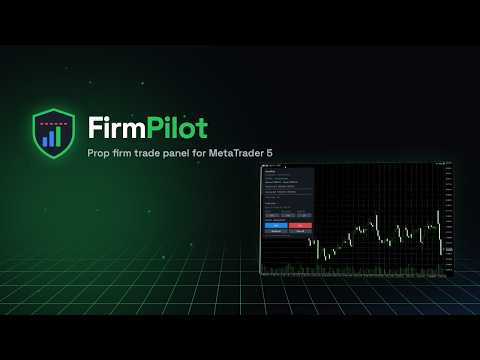
FirmPilot Prop Firm Trade Panel
- Utilità
- Versione: 1.0
- Attivazioni: 5

FIRMPILOT — MQL5 UPLOAD FORM (copy each part into its field)
================================================================
PRODUCT TYPE: Utility (platform: MetaTrader 5)
NAME:
FirmPilot — Prop Firm Trade Panel
SHORT DESCRIPTION:
A one-click trade panel built for prop firm challenges. Every lot is sized from the loss you can still afford today, and the panel closes everything before your daily or max loss rule is broken.
FULL DESCRIPTION:
Most challenges are not failed by bad analysis. They are failed by one oversized trade, a forgotten open position, or a daily loss that was calculated differently from how the firm calculates it.
FirmPilot does three things:
1. Sizes the trade for you. Set risk % and stop distance. FirmPilot calculates the lot and caps it so that, if every open stop is hit, you still stay inside the rules.
2. Guards the account. When equity reaches the safety buffer above your daily or max loss limit, it closes all positions and pending orders on the account and locks trading. Trades opened while locked (manually or by other EAs) are closed immediately (or as soon as the market reopens, if it is closed).
3. Shows where you stand. Daily loss left, max loss left, profit target progress and trading days, updated live.
Presets: FundingPips 2-Step Standard, FundingPips 2-Step Pro, FTMO 2-Step.
Custom rules for any other firm:
- Daily loss % — measured from the initial size or from the day start
- Day start taken from balance, equity, or the higher of the two
- Daily reset at any hour in the firm's own clock: broker server time, UTC, UTC+2, UTC+3, Central European time or New York time (summer time handled for both)
- Max loss % — static, or trailing on equity or on closed balance, with the trailing floor either stopping at the starting size or trailing without limit
- Profit target, Friday close, safety buffer
Firm trading limits (work with any preset): maximum lot per trade and maximum number of open trades. The panel will not open a trade that breaks them. If a trade opened outside the panel breaks them, you get an alert — FirmPilot does not close it for you, because the firm counts the breach when the trade opens and closing it would only add a loss.
Presets use each firm's own daily reset clock (FundingPips 00:00 UTC+3, FTMO 00:00 Prague time with summer time handled), whatever your broker server time.
Status line: if Algo Trading is off, the EA is not allowed to trade, or the terminal is disconnected, the panel turns red with "NOT PROTECTING" and sends an alert — it never shows "protected" when it cannot act.
Important — please read:
- FirmPilot protects only while MT5 is running. Use a VPS for full coverage.
- Attach FirmPilot at the start of the challenge. A trailing max loss on equity can only follow peaks it has seen; a balance peak is rebuilt from trade history.
- Gaps and slippage can move price beyond a stop or the buffer. The buffer reduces this risk; no tool can remove it.
- Prop firm rules change. Presets were checked in September 2026. Always confirm the numbers against your firm's dashboard. Check your firm's rules on third-party tools — risk managers are generally permitted, but you are responsible for compliance.
- FirmPilot is not a trading strategy and does not predict the market.