ForexVisible

5

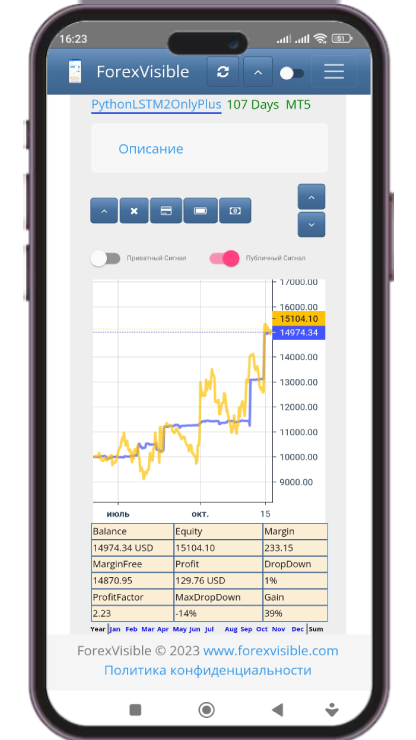
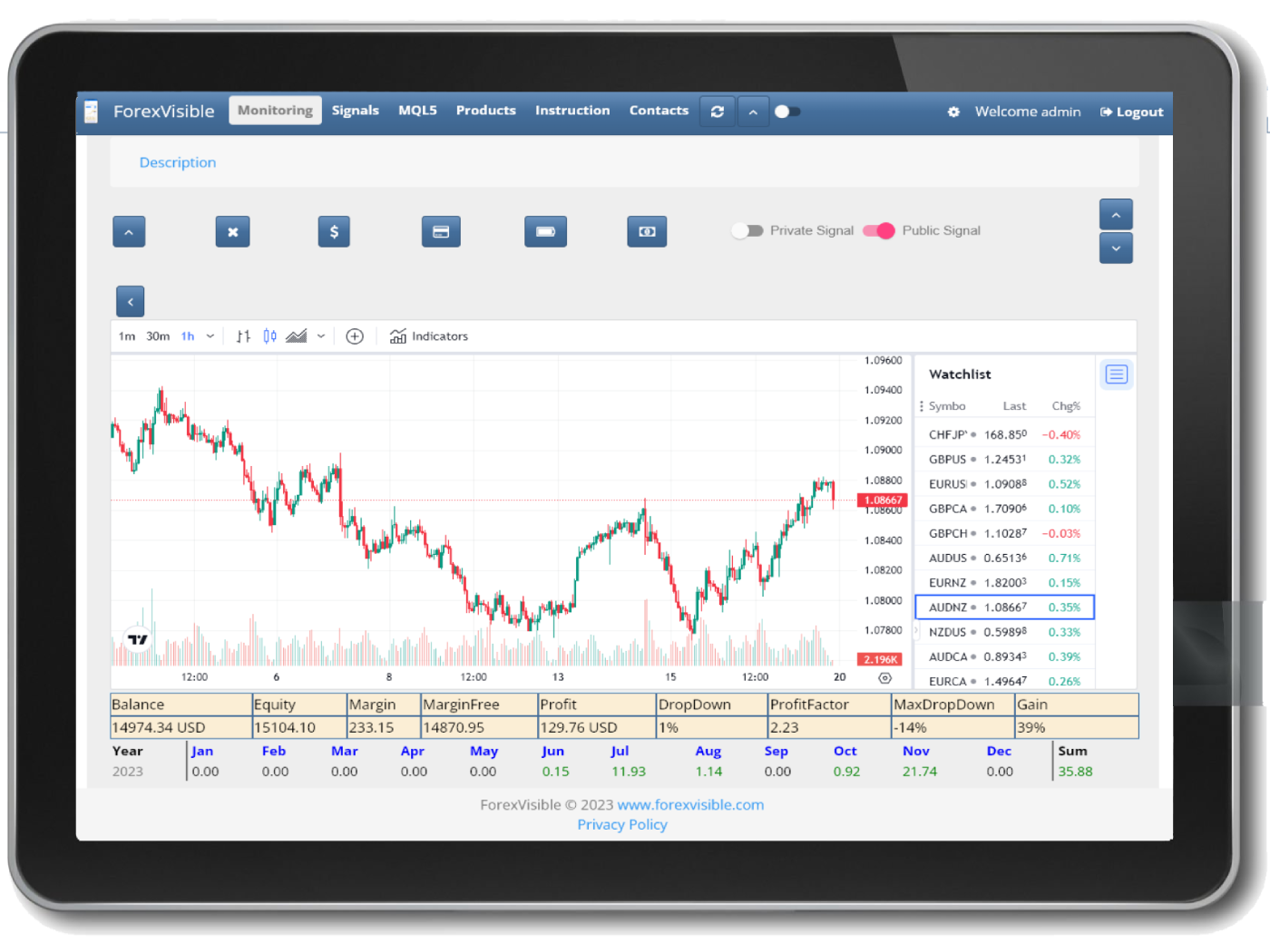
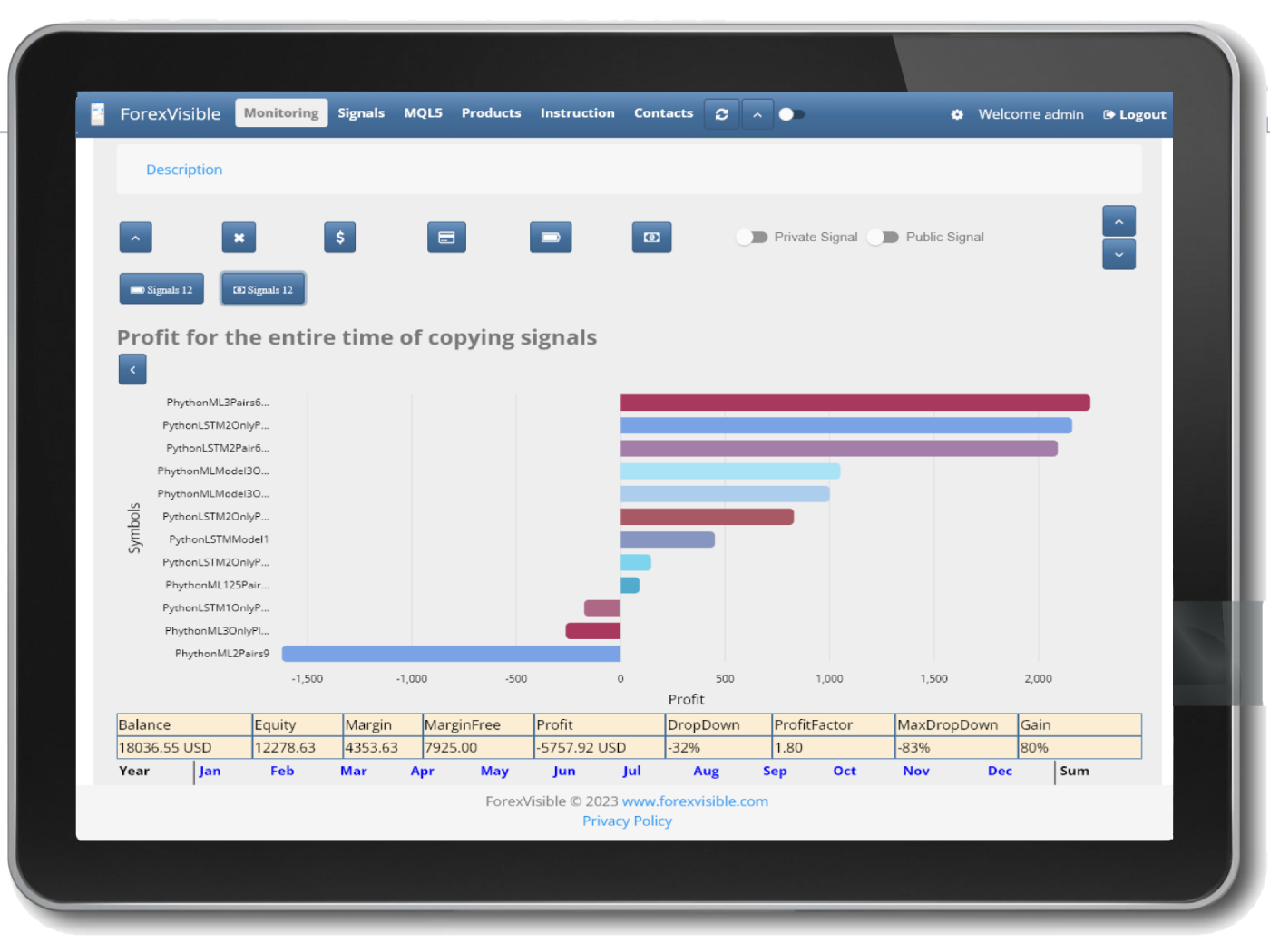
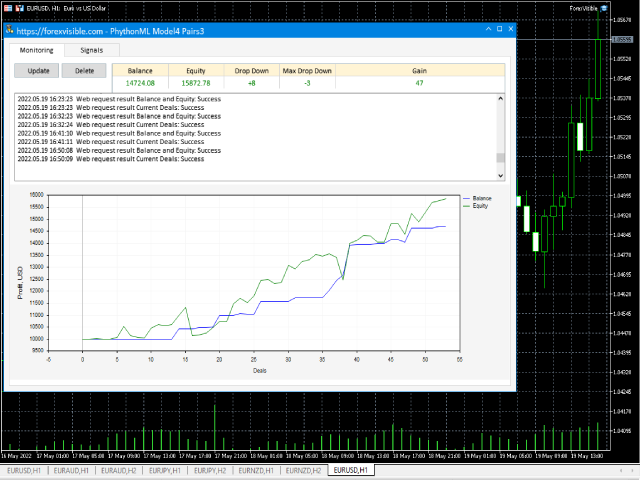
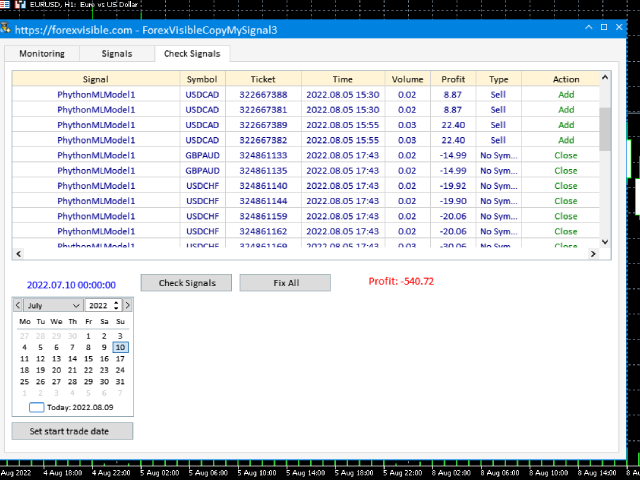
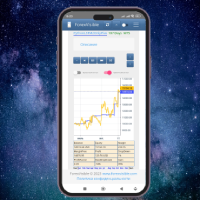
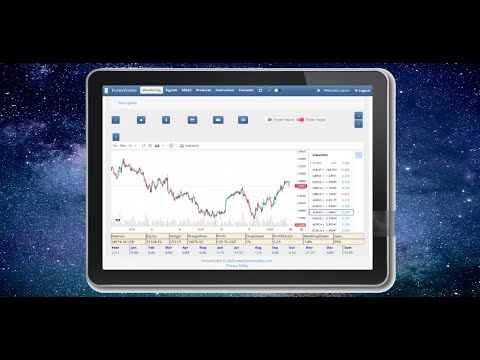
This client utility is intended for sharing and copying signals, as well as for monitoring your Expert Advisor on the site https://forexvisible.com.

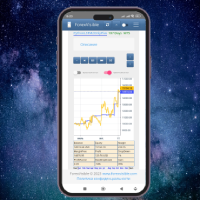
The Android version of the site can be downloaded here

The version for the MT4 terminal can be downloaded here https://www.mql5.com/en/market/product/106509

There are many reasons to use this application in your trading, and these are:

1. If you have many trading advisors and many accounts, it is very difficult to track them and monitor everything in one place, with this application it will be easy to do

2. Since the data on the site is updated every second, it is easy to notice which of the trading advisors has stopped working

3. You will be able to post your signals freely available to other users

4. You can copy signals from other future users completely free of charge

5. You will be able to copy several signals at once to one account in metatrader

6. You will be able to select the best currency pairs for each signal separately

7. You will be able to select the best currency pairs of each signal automatically at certain intervals, sorting them, for example, by profitability for the entire trading period or sorting by the current profit of an open trade of this currency pair

8. You will be able to copy transactions within your accounts in any order from the terminal MT5 -> MT5, MT4 -> MT5, MT5 -> MT4, MT4 -> MT4 and at the same time clearly monitor this process on your smartphone

9. Control of missed transactions, for example due to an Internet failure, is also taken into account, you will not miss more than one transaction

Since I am creating robots based on artificial intelligence, free signals of my 2 best robots are displayed by default. Each signal has a link to a real signal on the website myfxbook.com/members/MUSBREATH , as proof that these signals actually working.

After registering in the application or web site on the monitoring page, my signals will disappear, now only your signals will be there, which you can easily monitor from the website, phone or tablet

For client use:

  • register on the site and remember your login and password
  • add the link in the MetaTrader 5 terminal to allowed - Settings -> Expert Advisors -> Allow WebRequest for the following URLs: -> https://forexvisible.com
  • put the client as a regular adviser on any available or new open chart where there is no other adviser, specifying your username and password for registering on the site in the User and Password parameters ,by default, when you first launch the utility, you are on a general test account User: Test Password: 123456

Description of parameters:

  • Name - optional parameter, the name of the account or advisor, displayed on the site
  • Url - an optional parameter, a link to the EA's signal, if any
  • User - required parameter, registration login on the site
  • Password - a required parameter, password for registration on the site
  • TimeUpdateProfitSec - time to update the balance, funds, etc., by default every 10 second
  • TimeUpdateBalanceSec - time to update charts on the site, by default every 300 seconds. The value must be at least 300 seconds to limit the load on the site, with a large number of users
    Avis 1
    Alexander Prokhorenko
    18
    Alexander Prokhorenko 2022.08.03 18:34 
     

    The idea is very interesting and I would even say very useful, of course there are minor inconveniences and nuances... Updates of this utility are released quite often, it happens almost every day, that is, it is clear that the developer is trying on his product

    Produits recommandés
    EW Close All – Un clic. Tout fermé. EW Close All est un Expert Advisor léger et multilingue qui vous permet de fermer toutes les positions ouvertes et d’annuler toutes les ordres en attente instantanément — en un seul clic. Ferme toutes les positions ouvertes   Annule tous les ordres en attente   Fonctionne sur tous les symboles et tous les timeframes   Interface multilingue   Propre, rapide et fiable Parfait pour les sorties rapides, le contrôle du risque ou le nettoyage en fin de
    FREE
    Telegram Notification Worker (v5.31) Telegram Notification Worker is a high-performance, professional utility designed to bridge the gap between your MetaTrader 5 terminal and Telegram. It acts as a dedicated background worker that forwards custom alerts, trade events, and system status messages from any of your Expert Advisors (EAs) directly to your Telegram chat or channel. Key Technical Features: Asynchronous Messaging Engine: Unlike standard notification scripts, this worker uses an asynchr
    FREE
    Instructions for Using Reverse Copier EA Attach EA to Charts Open MetaTrader and attach the EA to any chart on both accounts (master & slave). Make sure AutoTrading is enabled. Master Account (Signal Sender) Set Mode = Master in EA settings. This account will send trade signals. Slave Account (Signal Receiver) Set Mode = Slave in EA settings. This account will receive trades in reverse (opposite direction). Lot Multiplier In Slave EA settings, set Multiplier to control lot size. Example: 1.0
    FREE
    Fast Copy cp
    Alireza Kalamati
    5 (7)
    FastCopy cp : Professional Offline Local Trade Copier This tool is a 100% Offline-Capable (Local Mode) copier, designed to communicate directly between terminals on your PC/VPS for near-instant execution. [Why FastCopy cp ? v3.0 Update] Instant Execution: Uses "Dirty Flag" logic to detect trades the millisecond they happen. Simple Setup: No complicated URL lists or DLL imports required. [Key Features] Ultra-Low Latency: Direct file exchange ensures copying speeds under 50ms locally. Smart Symbol
    FREE
    Trailing Stop Manager v1.0 — MT5 Expert Advisor Advanced Multi-Mode Trailing Stop for MetaTrader 5 What Is It? Trailing Stop Manager automatically moves your Stop Loss to protect profits as price moves in your favor. Unlike MT5's built-in trailing stop (which only has one mode), this EA offers 4 professional trailing methods that adapt to different trading styles and market conditions. Works on ALL symbols. Attach to any chart and it manages all matching positions. *** Group support:  https://ww
    FREE
    MultiTradeNews
    Leeank Andres Fernandez Molano
    This script is designed for traders who need to quickly place trades across multiple currency pairs during critical news releases, where every second counts. With this tool, you can pre-select your desired currency pairs and assign independent volumes for each one. When a major news event hits, such as Non-Farm Payroll (NFP) or PMI data releases, the script allows you to execute all your trades instantly without the need to open each pair manually. Key Features: Customizable Pairs : Choose from
    FREE
    Time Panel:  Server Time, Local Time and Open and closed clocks for TOKYO, London and New York. Time Panel + Horizontal Bar: Server/Local + Main markets Sessions Example: TIMES    SERVER HH:MM:SS    LOCAL HH:MM:SS   TOKYO    OPEN    00:00 - 09:00 UTC   cls 02:34:15   LONDON    CLOSED  08:00 - 17:00 UTC   opn 05:12:33   NEW YORK OPEN    13:00 - 22:00 UTC   cls 07:45:22 https://t.me/Tonic_Trades_Signals
    FREE
    这款专为MetaTrader 5设计的EA(Expert Advisor),能够在加载后自动关闭所有图表,并立即从当前图表中自行移除。它适合那些希望快速清理所有图表,并避免手动关闭每个图表的用户。 功能特点: 一次性清理: 加载后立即关闭所有打开的图表。 自动移除: 执行完毕后,EA自动从当前图表中移除,无需手动操作。 快速高效: 适用于快速清理交易环境,特别适合在需要快速重置或结束交易日的情境。 使用说明: 只需将此EA添加到任何一个图表上,它将自动执行关闭所有图表的操作并自行移除。使用前,请确保已保存所有重要的图表数据和设置。 风险提示: 请谨慎使用此EA,以防不小心关闭重要图表。 适用于MetaTrader 5平台。 技术支持: 如有任何技术问题或需求,请联系我以获得帮助。
    FREE
    Account Info AS
    Alexandr Saprykin
    Account Info AS est un puissant script d'information pour MetaTrader 5 qui affiche des informations complètes sur votre compte de trading directement sur le graphique. Ce script fournit toutes les données nécessaires à l'analyse du compte, à la gestion des risques et à la prise de décision en matière de trading. Fonctionnalités principales Informations financières complètes Type de compte (Démo/Réel/Concours) Solde, capitaux propres et marge Marge libre (en espèces et en pourcentage) Nive
    FREE
    Click Trading
    Jawad Tauheed
    5 (2)
    One Click Trading – Auto TP SL Developer TraderLinkz Version 1.00 Category Utility What it does Adds missing TP and SL to your manual trades and pending orders Sets them once per ticket Lets you move TP and SL afterward Works on hedging and netting accounts Scans on every tick and reacts on trade events Why you want it You place faster entries You get consistent risk and exit targets You reduce fat finger errors You keep full manual control Quick start Attach the EA to any chart Keep TP and SL e
    FREE
    TradingTimeControl is a utility implemented as an Expert Advisor for MetaTrader 5. It automatically closes all open positions and deletes pending orders at a specified time each day. This tool is designed for traders who need to automate position management with flexible settings. Key Features Closes positions and orders at the specified time ( CloseHour , CloseMinute ) daily. Allows you to change the closing time at any moment, applying new settings immediately. Supports MagicNumber : 0 for al
    FREE
    Trade Manager Pro is a professional MT5 trade management panel designed to simplify and speed up your trading execution. Open, manage, and close trades directly from your chart with one click — no manual calculations or menu navigation required. Key Features Automatic Risk-Based Lot Size Calculates position size automatically based on: Account balance Risk percentage Stop Loss distance Works on all instruments: Forex, Gold, Crypto, Indices One-Click Trade Execution Instantly open BUY a
    FREE
    TradingCoPilot
    Viktor Mitrofanov
    Trading Co-Pilot for MetaTrader 5 Advanced Position Management for Manual Traders Trading Co-Pilot is a professional trade management assistant designed for traders who open positions manually and want precise, automated control over risk and profit handling. It does not open trades. It manages them intelligently. You focus on entries. The Co-Pilot protects and optimizes the exit. How It Works Once you open a manual position, Trading Co-Pilot automatically: • Applies Stop Loss • Sets Take Profit
    FREE
    This indicator is especially for the binary trading. Time frame is 1 minutes and exp time 5 or 3 minutes only. You must be use martingale 3 step. So you must put lots size is 10 % at most. You should use Mt2 trading platform to connect with my indicator to get more signal without human working. This indicator wining rate is over 80% but you may get 100% of profit by using martingale 3 step. You should use MT2 Trading Platform to connect meta trader platform and binary platform . You can get mt2
    FREE
    RegularExpressionsExamples — is an expert, which contains the graphical interface for running examples from the " RegularExpressions in MQL5 " library. The codes of these examples can be found in the library itself. These examples are for demonstration purposes only. They serve only to evaluate the library operation and its capabilities. They can also be found on the official Microsoft‎ website, in the descriptions of classes in the System.Text.RegularExpressions namespace. Each example can be
    FREE
    AQ RiskOptimizer MT5
    HIT HYPERTECH INNOVATIONS LTD
    4 (1)
    Risk Optimizer is the absolute solution for applying risk management on your account. Bad risk management is the main reason that causes traders to lose money. Risk Optimizer calculates and suggests the correct lot size for each position according to your personal, customized risk profile. You can give directly your preferred risk as percentage (%) for each position or you can trust our algorithms to calculate and optimize according to your risk category selection. But it is not only that! Selec
    FREE
    Manual Assistant MT5
    Igor Kotlyarov
    4.75 (4)
    Bonus when buying an indicator or an advisor from my list. Write to me in private messages to receive a bonus. Manual Assistant MT5 is a professional manual trading tool that will make your trading fast and comfortable. It is equipped with all the necessary functions that will allow you to open, maintain and close orders and positions with one click. It has a simple and intuitive interface and is suitable for both professionals and beginners. The panel allows you to place buy and sell orders w
    FREE
    OMG Trading
    OMG FZE LLC
    5 (3)
    [ Mes Produits ] , [ Ma Chaîne ] OMG Trading Panel Désormais, vous pouvez contrôler votre panneau de trading directement depuis votre téléphone. Installez OMG Trading Tool sur votre VPS MQL et tradez confortablement depuis l'application mobile MetaTrader 5 pendant que le panneau fonctionne 24h/24 et 7j/7. J'ai également ajouté deux stratégies utiles : Smart Margin Protection et Grid Strategy. Vous pouvez aussi configurer une alerte qui se déclenche lorsque le prix baisse. Caractéristiques Clés C
    FREE
    Phoenix Quick Trader Panel
    Nigel Nii Darku Narnor Darko
    1. Concept & Premise Institutional Execution: The script transitions from a UI panel to a high-speed execution engine. The use of GetTickCount() to measure execution latency (in milliseconds) is a professional touch used by high-frequency traders to monitor broker slippage and network health [1]. Security Focus: The "Phoenix Spread Security Check" adds a layer of protection by preventing trade entry during low-liquidity periods (e.g., market open/close or high-impact news), which is essential f
    FREE
    Exp Assistant 5
    Vladislav Andruschenko
    4.77 (125)
    Réglage automatique, stop loss, take profit, trailing stop, seuils de rentabilité, permettant un stop loss   virtuel   et un take profit. Exp Assistant   vous aidera à organiser le maintien de vos positions. Ce programme, l'Expert Advisor, est conçu pour définir automatiquement le   réel ou le virtuel       Niveaux   Stop Loss et Take Profit   pour vos positions pendant la négociation. Vous pouvez facilement gérer toutes les opérations de l'Expert Advisor depuis le panneau de contrôle sur la car
    FREE
    The CloseByPercentLossOrProfit Expert Advisor closes all positions as the total profit of loss for the entire account reaches a specified value. The profit or loss is specified as percentage of the account balance. In addition, the Expert Advisor can delete pending orders. Allow AutoTrading before running the Expert Advisor. Instructions: Run the Expert Advisor on the chart. Input parameters: Language of messages displayed (EN, RU, DE, FR, ES) - the language of output messages (English, Russian,
    FREE
    Demo copier of deals from MetaTrader 5 to MetaTrader 5 ( MetaTrader 4<->MetaTrader 4 version is available ; with both versions, you can copy MetaTrader 5<->MetaTrader 4, MetaTrader 4<->MetaTrader 5, MetaTrader 5<->MetaTrader 5, MetaTrader 4<->MetaTrader 4). Works only in the mode of hedging. Spread filter. Select the best price (start copying positions with a profit or loss). Configure the lot size, fixed or ratio-based (provider signals can be copied with an increased lot). Configure order copy
    FREE
    Script Name: Close All Positions Language: MQL5 Type: Utility Script Primary Function: Instantly close all open positions on the current trading account Purpose The “Close All Positions” script is a lightweight and efficient tool designed for traders using MetaTrader 5. Its main purpose is to help users quickly exit all active trades with a single click, especially during volatile market conditions or when risk management requires immediate action. Instead of manually closing each position on
    FREE
    MyFXRoom EA — Smart Position Size Calculator & Trade Execution Tool Overview MyFXRoom EA is a professional semi-automated trading tool designed to remove the guesswork and manual calculation from trade execution. Built for serious traders who manage their own entries and exits but want precision, speed, and consistency in every trade — without the complexity of a fully automated system. The EA does one thing exceptionally well: it calculates the correct position size for your exact risk toleran

    FREE
    Overview The script displays information about the trade account: Information about the trade account: Account - account number and type (Real, Contest or Demo); Name - name of the account owner; Company - name of a company that provide the access to trading; Server - trade server name; Connection State - connection state; Trade Allowed - shows whether trading is allowed on the account at the moment; Experts Allowed - shows whether it is allowed to trade using Expert Advisors; Balance - account
    FREE
    This is a MetaTrader 5 script. It helps to summarize all trades into every symbol. Input Select Period: This is 7-option input. It includes Last Month, This Month, Last Week, This Week, Today, All History, and Date Specified. Specify Starting Date: Enter a date if you selected Date Specified in "Select Period" input. Specify Ending Date: Enter a date if you selected Date Specified in "Select Period" input. The summary is saved into a file in MQL5\Files folder. MT4 Version:   https://www.mql5.co
    FREE
    Introducing our cutting-edge Trade Copier Expert Advisor for MetaTrader 5 (MT5) – the ultimate solution for seamless trade replication across multiple accounts on the same server or computer. Elevate your trading experience and take control of your investment strategy like never before with our professional-grade Trade Copier. Key Features: Effortless Trade Replication: Our Trade Copier effortlessly duplicates trades from a master account to multiple slave accounts, ensuring that you never miss
    FREE
    BuyMarket
    Pietro Caporale
    Simple script for Buy by Market Execution on all financial instruments. Inputs Volume - default: 0.10 Deviation - default: 10 points Stoploss - default: 50 points Takeprofit - default: 50 points Comment - default: Order by Market Confirm - default: false Inputs Details Type Order Buy Order is preset. Deviation Maximum deviation from quoted price in points. Stoploss & Takeprofit In points value, be careful that this value will be added to minimum stop allowed by the broker. For example if you s
    FREE
    SellMarket
    Pietro Caporale
    Simple script for Sell by Market Execution on all financial instruments. Inputs Volume - default: 0.10 Deviation - default: 10 points Stoploss - default: 50 points Takeprofit - default: 50 points Comment - default: Order by Market Confirm - default: false Inputs Details Type Order Sell Order is preset. Deviation Maximum deviation from quoted price in points. Stoploss & Takeprofit In points value, be careful that this value will be added to minimum stop allowed by the broker. For example if you
    FREE
    “One-Click Flatten — Fast, Clean, Reliable”      Close all orders and positions in your account with a single click — no hassle, no fumbling through tabs.      Time-saving tool for traders needing instant exit from the market—especially during volatile moves or news events.      Emotion-free execution reduces human errors and hesitation—just click and it's done.      Easy to use: load the EA in MT5 and let it handle the rest. Perfect for both beginners and seasoned traders.      Fu
    FREE
    Les acheteurs de ce produit ont également acheté
    Trade Assistant MT5
    Evgeniy Kravchenko
    4.42 (211)
    It helps to calculate the risk per trade, the easy installation of a new order, order management with partial closing functions, trailing stop of 7 types and other useful functions. Additional materials and instructions Installation instructions - Application instructions - Trial version of the application for a demo account Line function -   shows on the chart the Opening line, Stop Loss, Take Profit. With this function it is easy to set a new order and see its additional characteristics bef
    Bienvenue sur Trade Manager EA, l’outil ultime de gestion des risques conçu pour rendre le trading plus intuitif, précis et efficace. Ce n’est pas seulement un outil d’exécution d’ordres ; c’est une solution complète pour la planification des trades, la gestion des positions et le contrôle des risques. Que vous soyez débutant, trader expérimenté ou scalpeur ayant besoin d’une exécution rapide, Trade Manager EA s’adapte à vos besoins, offrant une flexibilité sur tous les marchés, des devises et i
    Quant AI Agents is NOT AN Expert Advisor. Quant AI Agents   is a   multi-agent AI trading framework   that turns natural-language strategy prompts into live.  WANT THE SAME RESULTS AS MY LIVE SIGNAL?   Use the exact same brokers I do:   IC MARKETS , IC TRADING   .  Unlike the centralized stock market, Forex has no single, unified price feed.  Every broker sources liquidity from different providers, creating unique data streams. Other brokers can only achieve trading performance equivalent to 60
    Local Trade Copier EA MT5
    Juvenille Emperor Limited
    4.96 (138)
    Découvrez une expérience exceptionnellement rapide de copie de trades avec le   Local Trade Copier EA MT5 . Avec sa configuration facile en 1 minute, ce copieur de trades vous permet de copier des trades entre plusieurs terminaux MetaTrader sur le même ordinateur Windows ou Windows VPS avec des vitesses de copie ultra-rapides de moins de 0.5 seconde. Que vous soyez un trader débutant ou professionnel, le   Local Trade Copier EA MT5   offre une large gamme d'options pour le personnaliser en fonc
    TradePanel MT5
    Alfiya Fazylova
    4.87 (155)
    Trade Panel est un assistant commercial multifonction. L'application contient plus de 50 fonctions de trading pour le trading manuel et permet d'automatiser la plupart des tâches commerciales. Avant l'achat, vous pouvez tester la version de démonstration sur un compte de démonstration. Télécharger la version d'essai de l'application pour un compte de démonstration : https://www.mql5.com/fr/blogs/post/762644 . Instructions complètes ici . Commerce. Permet d'effectuer des opérations commerciales e
    Version Bêta Le Telegram to MT5 Signal Trader est presque prêt pour la sortie officielle en version alpha. Certaines fonctionnalités sont encore en développement et vous pourriez rencontrer de petits bugs. Si vous rencontrez des problèmes, merci de les signaler, vos retours aident à améliorer le logiciel pour tout le monde. Telegram to MT5 Signal Trader est un outil puissant qui copie automatiquement les signaux de trading depuis des chaînes ou groupes Telegram vers votre compte MetaTrader 5 .
    Farmed Hedge Yield Farming | All Markets (Manual - Hybrid - Semi/Automated EA) MULTI-ASSET SUPPORT Trade any asset available on your broker - Forex: Major, Minor, Exotic pairs - Crypto: BTC, ETH, XRP, SOL, BNB - Stocks: Apple, Tesla, Amazon, Google, etc. - Commodities: Gold, Silver, Oil, Gas - Indices: US30, NAS100, SPX500, DAX40 - Any CFD your broker offers VERIFIED TRADING RESULTS - Farmed Hedge Yield Axi Copy:  https://www.mql5.com/en/signals/2356376 - Farmed Hedge Yield Exn Copy:   https:/
    Power Candles Strategy Scanner - Outil de recherche de configurations multi-symboles à optimisation automatique Le Power Candles Strategy Scanner utilise le même moteur d'auto-optimisation que celui qui alimente l'indicateur Power Candles, pour chaque symbole de votre Market Watch, en parallèle. Un panneau vous indique quels symboles sont statistiquement négociables à l'instant, quelle stratégie est la plus performante pour chacun, la paire Stop Loss / Take Profit optimale, et vous alerte dès qu
    YuClusters
    Yury Kulikov
    4.93 (43)
    Attention: You can view the program operation in the free version  YuClusters DEMO .  YuClusters is a professional market analysis system. The trader has unique opportunities to analyze the flow of orders, trade volumes, price movements using various charts, profiles, indicators, and graphical objects. YuClusters operates on data based on Time&Sales or ticks information, depending on what is available in the quotes of a financial instrument. YuClusters allows you to build graphs by combining da
    Premium Trade Manager - Gestion de trades rapide et disciplinée pour MetaTrader 5 Premium Trade Manager est un panneau rapide sur le graphique pour MetaTrader 5 qui prend en charge tout le travail mécanique à chaque trade. Vous décidez de la direction, du symbole et du moment - le panneau calcule la taille de la position selon votre risque, place l'ordre avec son stop et son objectif, réduit en partiels, déplace le stop et surveille le calendrier économique à votre place. Son intelligence de new
    Exp COPYLOT CLIENT for MT5
    Vladislav Andruschenko
    3.91 (33)
    Copieur professionnel de trades pour MetaTrader 5 Un copieur de trades rapide, professionnel et fiable pour MetaTrader . COPYLOT permet de copier des trades Forex entre les terminaux MT4 et MT5 avec prise en charge des comptes Hedge et Netting . La version MT5 de COPYLOT prend en charge : - MT5 Hedge → MT5 Hedge - MT5 Hedge → MT5 Netting - MT5 Netting → MT5 Hedge - MT5 Netting → MT5 Netting - MT4 → MT5 Hedge - MT4 → MT5 Netting Version MT4 Description complète + DEMO + PDF Comment acheter Comme
    Trade Dashboard MT5
    Fatemeh Ameri
    4.94 (125)
    Trade Dashboard simplifies how you open, manage, and control your trades, with built-in lot size calculation. It allows you to execute trades, manage risk, and control positions directly on the chart, with tools such as partial close, breakeven, and trailing stop. Designed to reduce manual work and help you stay focused on your trading decisions. A demo version is available for testing. Detailed explanations of features are provided within the MQL5 platform. Installation instructions are include
    Trade copier MT5
    Alfiya Fazylova
    4.53 (43)
    Trade Copier est un utilitaire professionnel conçu pour copier et synchroniser les commandesentre les comptes de trading. Les commandes sont copiées du compte/terminal du fournisseur vers le compte/terminal du destinataire, qui sont installés sur le même ordinateur ou vps. PROMOTION - Si vous avez déjà acquis le "Trade copier MT5", vous pouvez obtenir le "Trade copier MT4" gratuitement (pour la copie MT4 > MT5 et MT4 < MT5). Pour obtenir des informations plus détaillées sur les conditions, veuil
    AntiOverfit PRO MT5
    Enrique Enguix
    5 (5)
    Avant d’acheter un EA, vérifiez s’il tient vraiment la route ou s’il a simplement eu de la chance en backtest. La plupart des robots se vendent avec un beau backtest. Une courbe qui monte. Un bon profit factor. Très peu de doutes. Et pourtant, beaucoup de ces EA s’effondrent dès que le marché cesse de se comporter comme dans cet historique précis. Pourquoi ? Parce qu’un backtest ne prouve qu’une seule chose : que cette stratégie a fonctionné sur un parcours de prix bien précis. Il ne prouve pas
    MT5 to Telegram Signal Provider est un utilitaire facile à utiliser et entièrement personnalisable qui permet l'envoi de signaux spécifiés vers un chat, un canal ou un groupe Telegram, transformant ainsi votre compte en fournisseur de signaux. Contrairement à la plupart des produits concurrents, il n'utilise pas d'importations DLL. [ Démonstration ] [ Manuel ] [ Version MT4 ] [ Version Discord ] [ Canal Telegram ]  New: [ Telegram To MT5 ] Configuration Un guide utilisateur étape par étape est
    Ultimate Extractor
    Clifton Creath
    5 (9)
    Ultimate Extractor - Professional Trading Analytics for MT5 *****this is the local HTML version of Ultimate Extractor. !!!!!it is not compatible with Cloud!!!! For the online version please reach out to me directly****** Ultimate Extractor transforms your MetaTrader 5 trading history into actionable insights with comprehensive analytics, interactive charts, and real-time performance tracking. What It Does Automatically analyzes your MT5 trading history across all Expert Advisors and generates
    Copy Cat More Trade Copier MT5 (Chat Copieur MT5) est un copieur de trades local et un framework complet de gestion des risques et d'exécution conçu pour les défis commerciaux d'aujourd'hui. Des défis de prop firms à la gestion de portefeuille personnel, il s'adapte à chaque situation avec une combinaison d'exécution robuste, de protection du capital, de configuration flexible et de gestion avancée des trades. Le copieur fonctionne à la fois en mode Master (expéditeur) et Slave (récepteur), avec
    Panneau de trading pour MetaTrader 5 — contrôle professionnel du trading en un clic depuis le graphique et le clavier Un panneau de trading avancé conçu pour les traders actifs, afin d’ouvrir, gérer et clôturer des positions bien plus rapidement qu’avec l’interface standard de MetaTrader. Cette solution s’adresse à ceux qui veulent contrôler positions, ordres en attente, profit global et exécution depuis un seul espace de travail professionnel. Il ne s’agit pas d’un simple utilitaire. C’est un
    Custom Alerts AIO : Surveillez tous les marchés à la fois — sans aucune configuration Présentation Custom Alerts AIO est une solution de surveillance du marché prête à l’emploi, sans configuration nécessaire. Tous les indicateurs requis — FX Power, FX Volume, FX Dynamic, FX Levels, IX Power — sont directement intégrés. Aucun graphique n’est affiché, ce qui rend cet outil idéal pour la génération d’alertes en temps réel. Il prend en charge toutes les classes d’actifs proposées par votre courtie
    Poc Breakout Signal: The Ultimate Institutional Order Flow & Price Action System Elevate your trading with Poc Breakout, a comprehensive technical analysis tool designed to bridge the gap between retail trading and institutional market understanding. This all-in-one system combines powerful Buy/Sell signals, advanced Volume Profile analysis, real-time Order Flow (Depth of Market), and critical macroeconomic data to give you a clear, unambiguous edge in the markets. Poc Breakout Signal decodes c
    Timeless Charts
    Samuel Manoel De Souza
    5 (5)
    Timeless Charts est un utilitaire de trading tout-en-un destiné aux traders professionnels. Il combine des types de graphiques personnalisés tels que les graphiques en secondes et Renko avec une analyse avancée du flux d’ordre s utilisant Footprints , Clusters , Profils de Volume , études VWAP et outils d’analyse ancrés pour une compréhension plus approfondie du marché. Le trading et la gestion des positions sont effectués directement depuis le graphique via un panneau intégré de gestion des ord
    The News Filter MT5
    Leolouiski Gan
    4.77 (22)
    Ce produit filtre tous les conseillers experts et les graphiques manuels pendant les heures de publication des actualités, de sorte que vous n'avez pas à vous soucier des pics de prix soudains qui pourraient détruire vos configurations de trading manuelles ou les transactions entrées par d'autres conseillers experts. Ce produit est également livré avec un système de gestion des ordres complet qui peut gérer vos positions ouvertes et vos ordres en attente avant la publication de toute actualité.
    HINN MagicEntry Extra
    ALGOFLOW OÜ
    4.71 (14)
    HINN MAGIC ENTRY – the ultimate tool for entry and position management! Place orders by selecting a level directly on the chart! full description   ::  demo-version  :: 60-sec-video-description Key features: - Market, limit, and pending orders - Automatic lot size calculation - Automatic spread and commission accounting - Unlimited partitial take-profits  - Breakeven and trailing stop-loss and take-profit  functions - Invalidation leves - Intuitive, adaptive, and customizable interface - Works
    Seconds Chart MT5
    Boris Sedov
    4.59 (17)
    Seconds Chart - un outil unique pour créer des graphiques en secondes dans MetaTrader 5 . Grâce à Seconds Chart , vous pouvez créer un graphique avec une période définie en secondes, offrant une flexibilité et une précision idéales pour l'analyse, indisponibles sur les graphiques standards en minutes ou en heures. Par exemple, la période S15 indique un graphique avec des bougies d'une durée de 15 secondes. Vous pouvez utiliser n'importe quels indicateurs et experts advisors compatibles avec les
    Uber Trade Manager
    Meelis Hynninen
    4.88 (16)
    Le gestionnaire UTM est un outil intuitif et facile à utiliser qui offre une exécution rapide et efficace des transactions. L'une des fonctionnalités les plus remarquables est le mode "Ignore Spread", qui vous permet de négocier au prix des bougies, en ignorant complètement les spreads (par exemple, permet de négocier des paires de spreads plus élevés sur LTF, évitez d'être retiré des transactions par spread). Un autre aspect clé du gestionnaire UTM est son copieur de commerce local unique, perm
    Footprint Chart Pro — Professional OrderFlow EA for MetaTrader 5 Version 6.34 | Professional tool for real traders | Institutional-Grade Visualization DEMO USERS - PLEASE SELECT EVERY TICK / REAL TICK WHEN TESTING AND YOU HAVE DOWNLOADED HISTORICAL DATA. IF YOU SEE A WAITING SCREEN AND IT IS NOT DOWNLOADING, IT MEANS YOU HAVE LOW HISTORICAL DATA. TRY 1 MIN AND 5 MIN FIRST ON 1 DAY DATA. ONE DAY DATA SHOULD BE THE NEWEST AND MOST CURRENT DATE. PLEASE WAIT UNTIL THE MARKET HAS ROLLED OVER PERIOD.
    Telegram to MT5 Multi-Channel Copier copie automatiquement les signaux de trading de vos canaux Telegram directement dans MetaTrader 5. Pas de bots, pas d'extensions de navigateur, pas de copie manuelle. Vous recevez un signal sur Telegram et l'EA ouvre la position sur votre terminal en quelques secondes. Le produit comprend deux composants : une application Windows qui écoute vos canaux Telegram, et cet Expert Advisor qui exécute les signaux sur votre terminal MT5. Une version MT4 est également
    AlgoRadar
    Stephen J Martret
    5 (4)
    AlgoRadar is an on-chart analytics dashboard for MT5 that aggregates Expert Advisor performance across multiple accounts, brokers, and platforms, including both MT4 and MT5 data, into a single live view on your MT5 chart. All analysis runs from the chart interface, with no external applications or manual report processing required. EA Analysis and Ranking For traders running multiple Expert Advisors, AlgoRadar provides a consolidated view of each EA's performance across accounts. Active EAs a
    Anchor Trade Manager
    Kalinskie Gilliam
    5 (2)
    Anchor: The EA Manager Run your full EA portfolio without conflicts, without stacked risk, and without watching every chart yourself. Anchor coordinates up to 64 Expert Advisors on a single account so only one trades at a time. Attach Anchor to any chart. Type your EA names and magic numbers in one line. Anchor handles the rest. Built for portfolios. Built for discipline. Built for prop firms. The Problem Running multiple EAs on the same account creates risk. Two gold EAs can open opposite posit
    Advanced Dashboard Ultra
    Mirel Daniel Gheonu
    5 (2)
    Stats Dashboard & Journal ULTRA pour MT5 Le Centre de Commandement de Trading Complet : Analytique, Automatisation & Intelligence des Actualités. Stats Dashboard ULTRA est l'évolution ultime de l'outil d'analyse Pro. Il transforme MetaTrader 5 en une station de trading professionnelle, combinant une analyse de performance de niveau institutionnel avec une protection automatisée contre les actualités et des métriques psychologiques avancées. Conçu pour les traders manuels et les gestionnaires de
    Plus de l'auteur
    ForexVisibleMT4
    Yevhen Chystiukhin
    This client utility is intended for sharing and copying signals, as well as for monitoring your Expert Advisor on the site   https://forexvisible.com . The Android version of the site can be downloaded   here The version for the MT4 terminal can be downloaded here  https://www.mql5.com/en/market/product/106509 There are many reasons to use this application in your trading, and these are: 1. If you have many trading advisors and many accounts, it is very difficult to track them and monitor everyt
    FREE
    PhythonML MT4
    Yevhen Chystiukhin
    This multicurrency Expert Advisor uses 28 currency pairs. For predictions, the advisor uses models trained by the machine learning algorithm in the Python language environment. All signals of this advisor in real time and download settings for it can be downloaded from my website forexvisible.com - copy and paste into the browser This version for the MT4 terminal can work with one time interval H1, the version for MT5 can work with two time intervals H1 and H2, it can be downloaded here https:
    MultiBolbands
    Yevhen Chystiukhin
    4 (11)
    This multicurrency Expert Advisor uses 28 currency pairs. The predictions are based on two indicators: Bollinger Bands and DEMA.myfxbook.com/members/MUSBREATH Settings for MultiBolbands The default settings are for the EURUSD H1 Algorithm1. Optimization from 2016 year Before testing in the strategy tester or installing the EA on a chart, if you want to speed up the testing process, set the ShowTradePanel advisor setting to false In the strategy tester, set the "Open prices only" trading mode, t
    PhythonML
    Yevhen Chystiukhin
    2.8 (5)
    This multicurrency Expert Advisor uses 28 currency pairs. For predictions, the advisor uses models trained by the machine learning algorithm in the Python language environment. All signals of this advisor in real time and settings for it can be downloaded from my website forexvisible.com - copy and paste into the browser The Expert Advisor can work with two time intervals H1 and H2 together or separately parameters in the Use Time Intervals group The profitability of currency pairs can be view
    PythonLSTM
    Yevhen Chystiukhin
    This multi-currency Expert Advisor uses 28 currency pairs. For forecasts, the EA uses recurrent neural networks of the LSTM type, models trained in the python language environment, and imported into the EA using a new function in mql5 to load ONNX models Finally it happened, mql5 developers have recently introduced the ability to load ONNX models in the mql5 language. And this format supports most modern libraries for training neural networks, and this now opens up an unlimited number of possibi
    QBotAI
    Yevhen Chystiukhin
    QBotAI is a trading robot designed to automate trading in financial markets. It uses a reinforcement learning technique called Q-learning to optimize its trading strategies. Q-learning allows the robot to learn from experience through trial and error. The robot constantly interacts with the trading environment, makes trade transactions and receives a reward or penalty depending on the result of the transaction. Over time, QBotAI learns to choose the optimal actions to maximize the reward receive
    IntervalAI
    Yevhen Chystiukhin
    This multi-currency expert advisor uses 28 currency pairs. For predictions, the advisor uses recurrent neural networks of the LSTM type, models trained in the Python language environment, and imported into the advisor using a new function in MQL5 for loading ONNX models. The algorithm of the advisor works simultaneously with two timeframes H15 and H1. Separate neural network models have been trained for each of the 28 pairs for both timeframes. The idea is that the advisor places orders only whe
    OmegaAI
    Yevhen Chystiukhin
    5 (3)
    This multicurrency expert uses 29 currency pairs. For forecasts, the advisor uses recurrent neural networks of the LSTM type, models trained in the Python language environment using the reinforcement learning algorithm. You can view and download the advisor's performance results and signal settings here: forexvisible.com and myfxbook.com/members/MUSBREATH The advisor uses 4 different packages of neural network models trained for 29 pairs, the first two models work on the H1 interval and the oth
    AlphaAI
    Yevhen Chystiukhin
    AlphaAI — Multi-Currency AI Expert Advisor for MetaTrader AlphaAI is a multi-currency trading expert advisor using LSTM neural networks trained with reinforcement learning to analyze market data and generate trading decisions. The advisor can trade 29 currency pairs simultaneously, distributing trading activity and reducing dependence on a single market. The models were trained in Python using financial time series analysis. AlphaAI Advantages LSTM machine learning models Trading with 29 cur
    BetaAI
    Yevhen Chystiukhin
    BetaAI — Multi-Currency AI Expert Advisor for MetaTrader BetaAI is a multi-currency trading expert advisor that uses machine learning models to analyze market data and generate trading decisions. The advisor can simultaneously work with 29 currency pairs , allowing trading activity to be distributed across multiple instruments and reducing dependence on the behavior of a single market. The system is based on machine learning models built with XGB (gradient boosting) . The models were trained in
    Filtrer:
    Alexander Prokhorenko
    18
    Alexander Prokhorenko 2022.08.03 18:34 
     

    The idea is very interesting and I would even say very useful, of course there are minor inconveniences and nuances... Updates of this utility are released quite often, it happens almost every day, that is, it is clear that the developer is trying on his product

    Répondre à l'avis