
TradeRazor One Click Execution with Risk Manager
- Utilitaires
-
Youssef Abakrim
 Independent trader, software developer and above all, a lifelong learner.
Creator of TradeRazor and two other valuable tools yet to be released.
I build what I use. I believe a few valuable tools is all we need as traders.
''Everything you need and nothing you don't need'' - Version: 2.23
- Mise à jour: 16 août 2026
- Activations: 10
TradeRazor: One-Click Trade Execution Panel
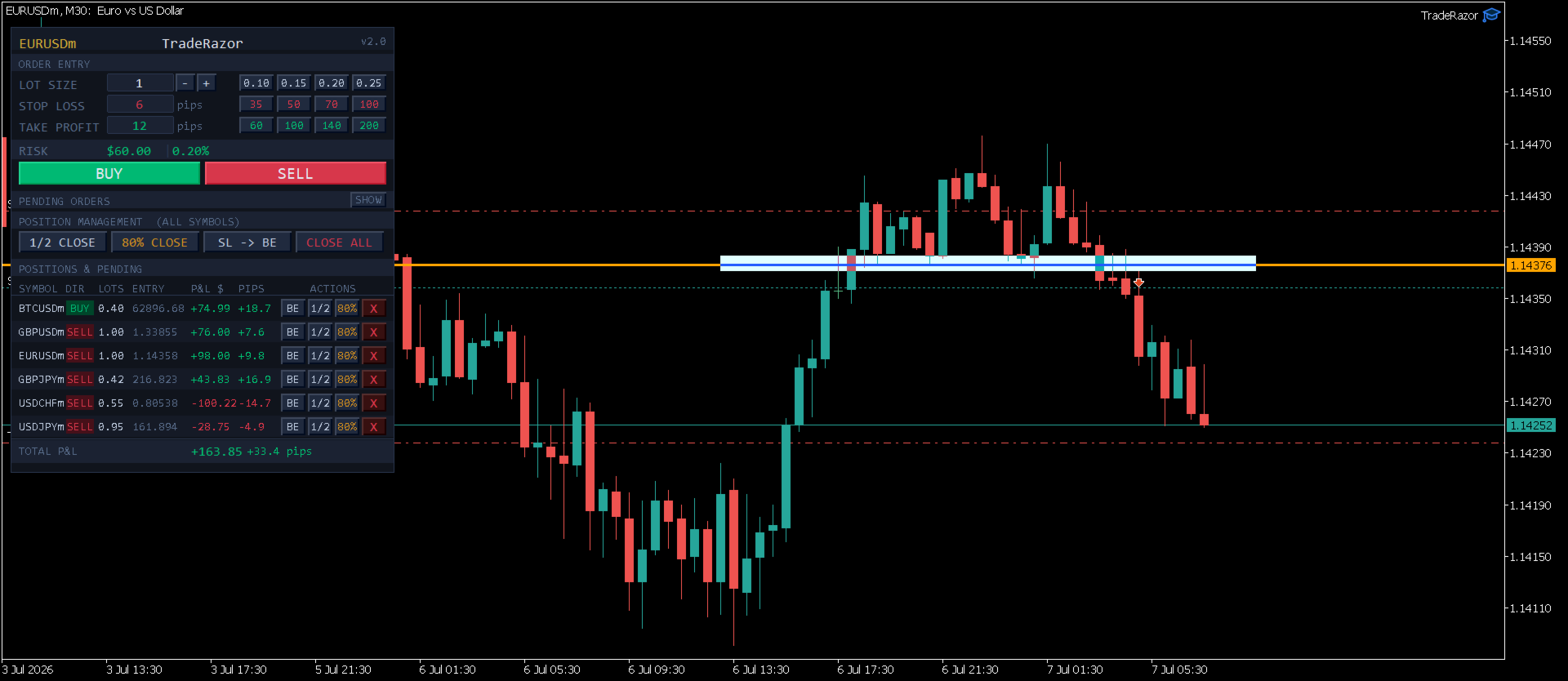
It calculates your risk before every trade, places market and pending orders in one click, and manages open positions with partial closing, breakeven, and close-all functions with one click.
Order Execution
One-Click Execution
Place market Buy or Sell orders instantly. Lot size, stop loss, and take profit are all pre-set before you click.
Preset Buttons
Four customizable lot size, stop loss, and take profit presets each, ready in one click.
Universal Pip Detection
Automatically detects the correct pip size on any broker and prop firm, no manual setup.
Risk & Take Profit
Live Risk Calculator
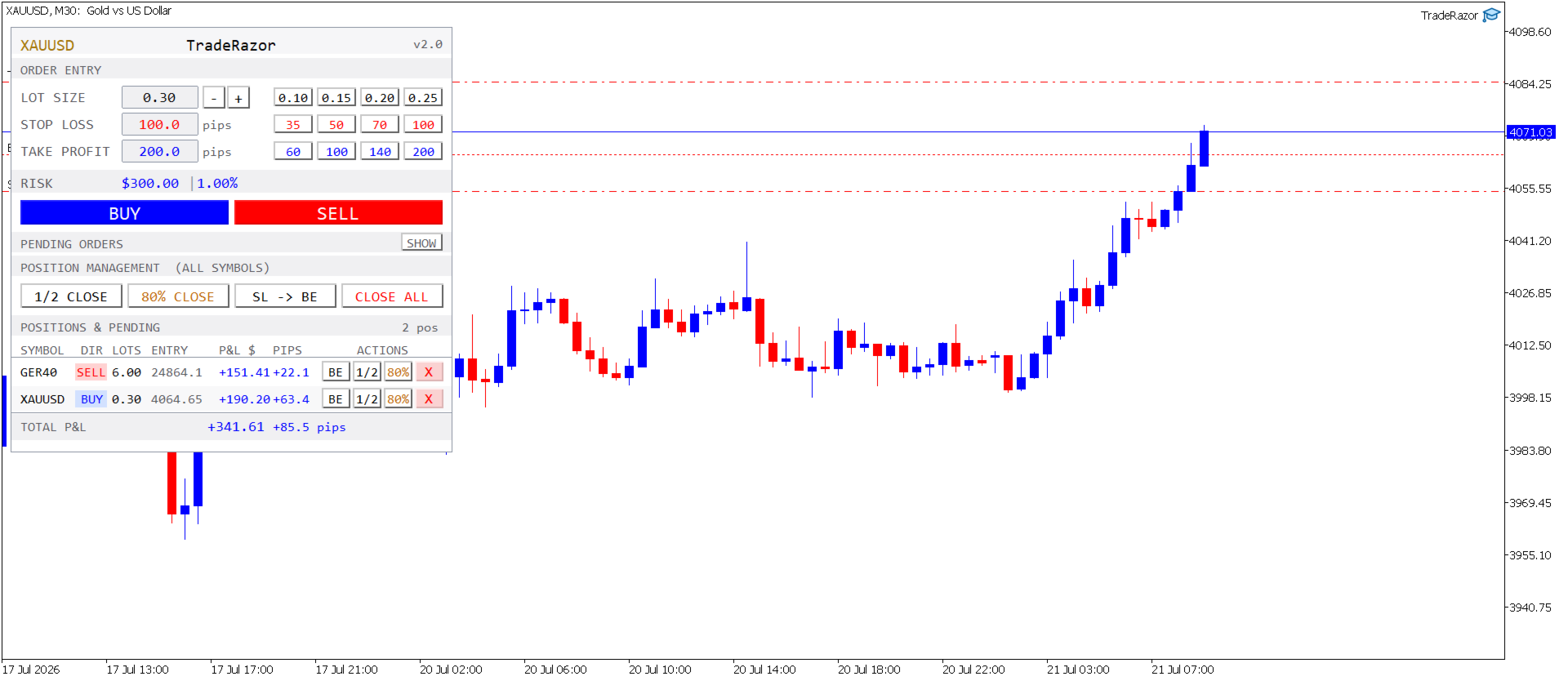
Shows exact dollar risk and account percentage in real time as you adjust stop loss and lot size, before you click, not after.
Smart Take Profit
Sets take profit to 2× your stop loss distance automatically.
Example: SL = 30 pips → TP auto-fills at 60 pips.
Edit the TP field or use one of four TP presets for a custom target instead.
Orders Management
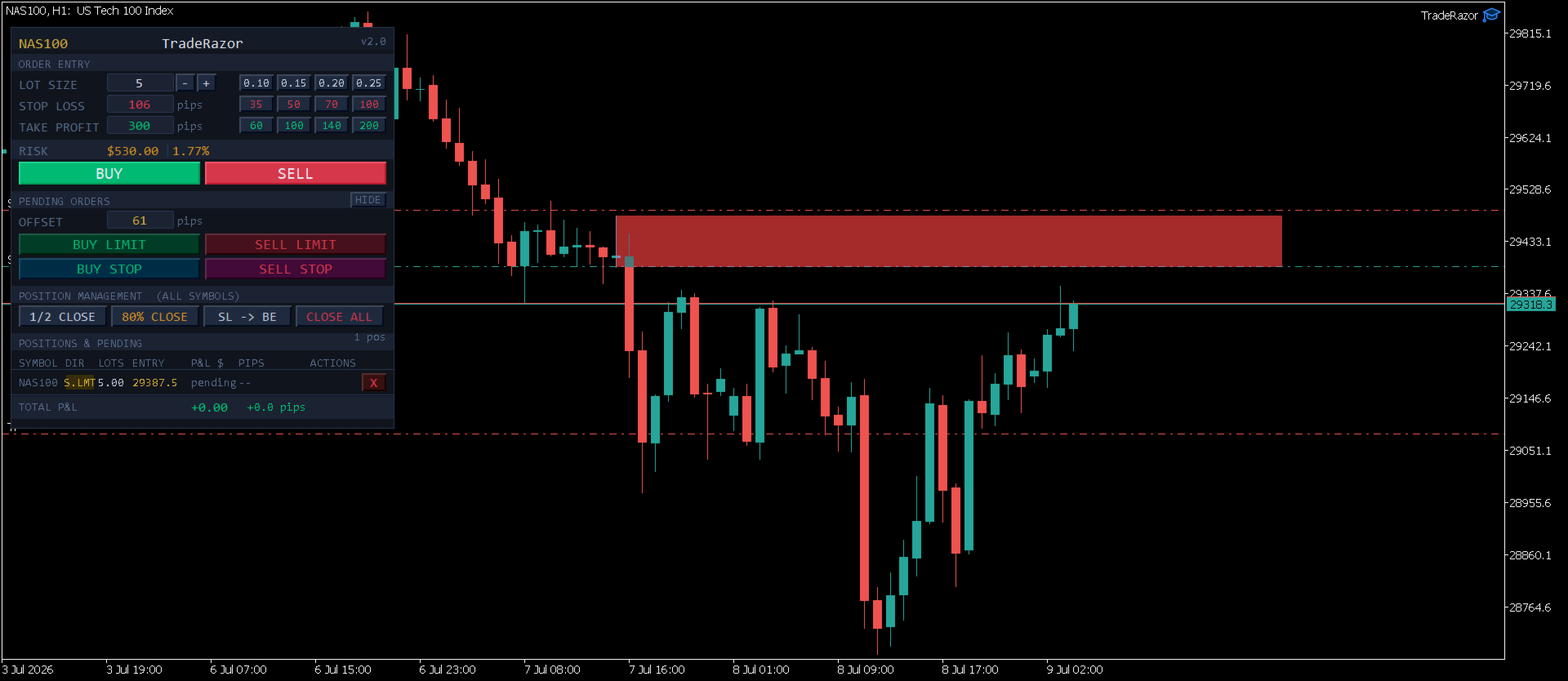
- Market and pending orders (Buy/Sell Limit, Buy/Sell Stop)
- Pending orders by pip offset or exact price, entered independently
- Spread compensation for pending entry/SL accuracy (optional)
- 1/2 Close: close exactly half a position in one click
- Partial Close: close 70%, 80%, or 90% and let the rest run
- SL to Breakeven: move stop loss to entry instantly
- Close All: close every open position across all symbols in one click
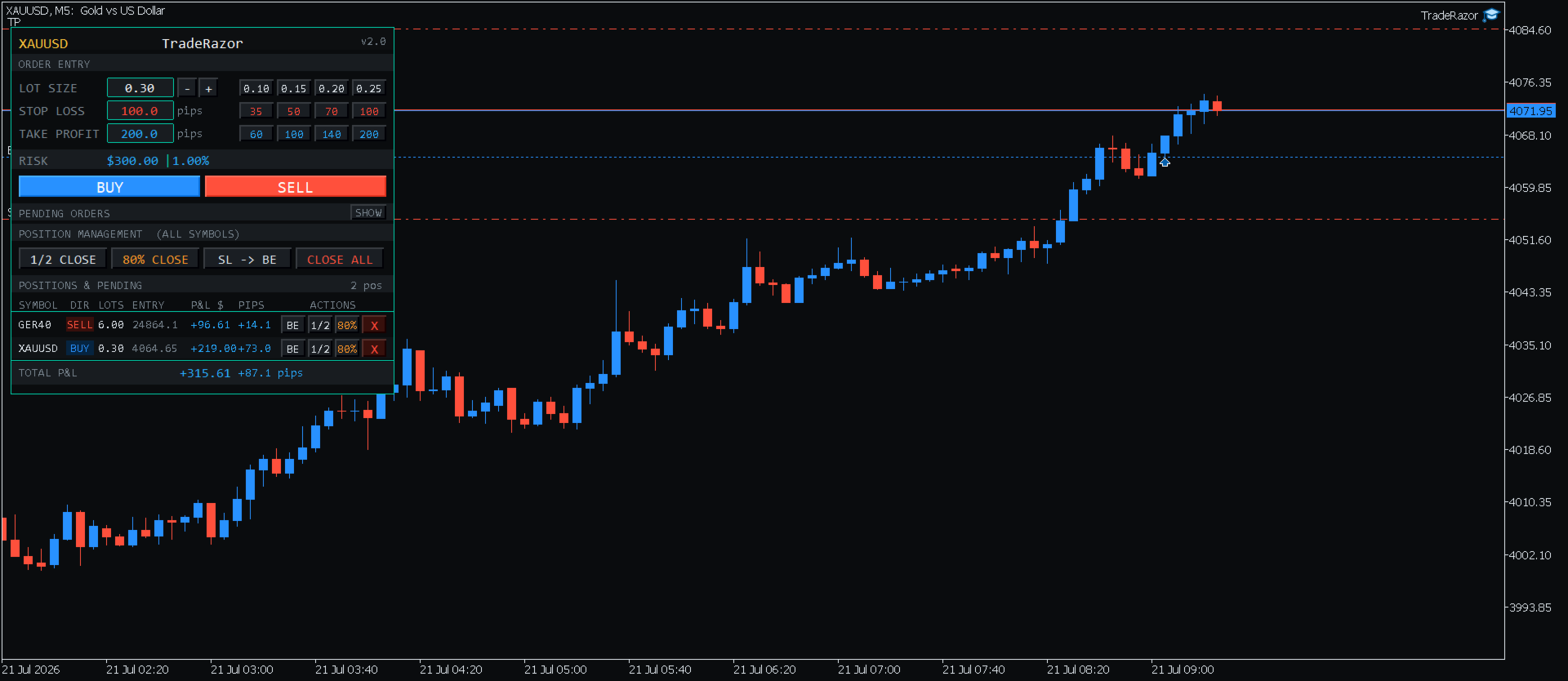
- Position Management Panel: symbol, direction, lots, entry, live P&L for every open position, one place, no chart switching
- P&L display: dollars only, pips only, or both, your choice
- 10+ positions open: list becomes a fixed-height scroller with up/down controls, so the panel stays a consistent size and total P&L is always visible
Additional Functions
- Sound alerts on order placed, take profit hit, and stop loss hit
- Hotkeys - assign your own key to buy, sell, close all, partial close, and breakeven, or disable entirely
- 6 color themes (5 curated + customizable colors for full control), adjustable panel size and shape, automatic chart-background contrast handling
- Pending Orders section is collapsible to keep the workspace clean
Supported Instruments
TradeRazor works on all MT5 instruments including:
- Forex: all major, minor, and exotic pairs
- Commodities: Gold (XAUUSD), Silver (XAGUSD)
- Indices: NAS100, US30, GER40, SP500, UK100 and more
- Crypto: Bitcoin (BTCUSD), Ethereum (ETHUSD)
- Energies: WTI, Brent
- Stocks: major exchange-listed shares available through your broker
- All broker symbol naming variations handled automatically
Broker and Prop Firm Compatibility
Tested and verified across multiple brokers and prop firm platforms. The pip detection engine automatically adapts to each broker's symbol specifications, no manual pip override needed for standard instruments.
Execution speed ultimately depends on your broker's server response time and connection quality, which can vary. TradeRazor sends orders as fast as your broker's infrastructure allows.
Note: Contract sizes for commodities and energies (such as Gold or Oil) vary between brokers. The risk display always reflects the correct dollar risk for your broker's contract size. TradeRazor detects this to help you adjust lot size accordingly.
Input Parameters
- Panel X / Panel Y: position the panel anywhere on your chart
- Panel Size / Panel Shape: customize the panel's scale and shape to fit your layout
- Color Theme: choose from 6 built-in options, including a fully custom palette
- Lot Preset 1-4: set your four lot size quick-select buttons (default: 0.10, 0.15, 0.20, 0.25)
- SL Preset 1-4: set your four stop loss quick-select buttons in pips
- TP Preset 1-4: set your four take profit quick-select buttons in pips
- Partial Close %: choose 70%, 80%, or 90% for the second close button (default: 80%)
- P&L Display Mode: show dollars only, pips only, or both
- Enable Keyboard Shortcuts: toggle hotkey support on or off, and assign your own keys
- Pip Multiplier Override: manual pip size override for unusual instruments (leave at 0 for automatic detection)
- Account for Spread on Pending Entry/SL: automatically compensates pending order entry and stop loss for live spread (off by default)
How to Use
- Attach TradeRazor to any chart in MetaTrader 5
- Access the panel's input settings anytime by pressing F7 (on Mac, if F7 doesn't respond immediately, hold Fn + F7, or enable "Use F1, F2, etc. keys as standard function keys" in System Settings → Keyboard)
- Set your desired lot size or click a preset button
- Enter your stop loss in pips, watch the live risk display update instantly, and your take profit auto-fill at 2× your stop loss
- Adjust your take profit if you want something other than the default, or leave it as is
- Click BUY or SELL to execute immediately
- Manage your open positions from the panel below


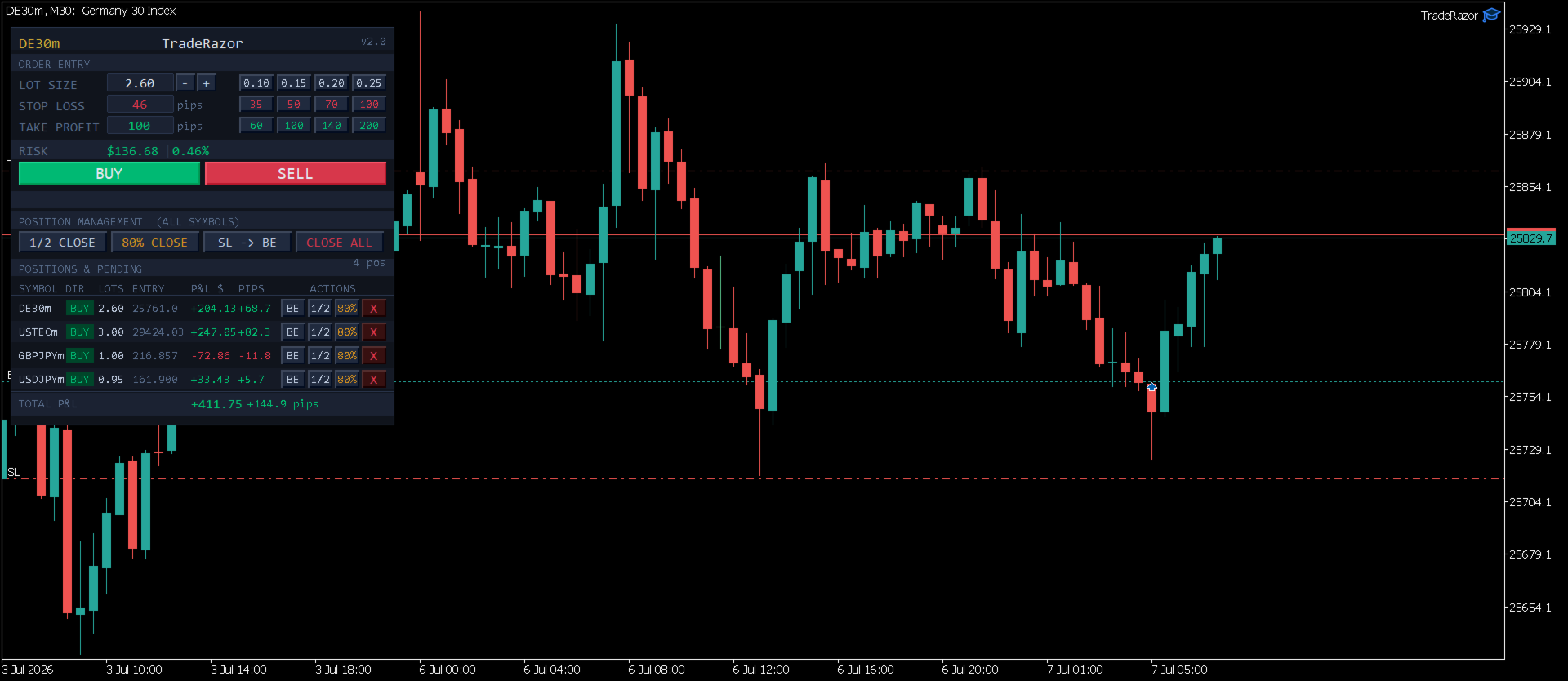
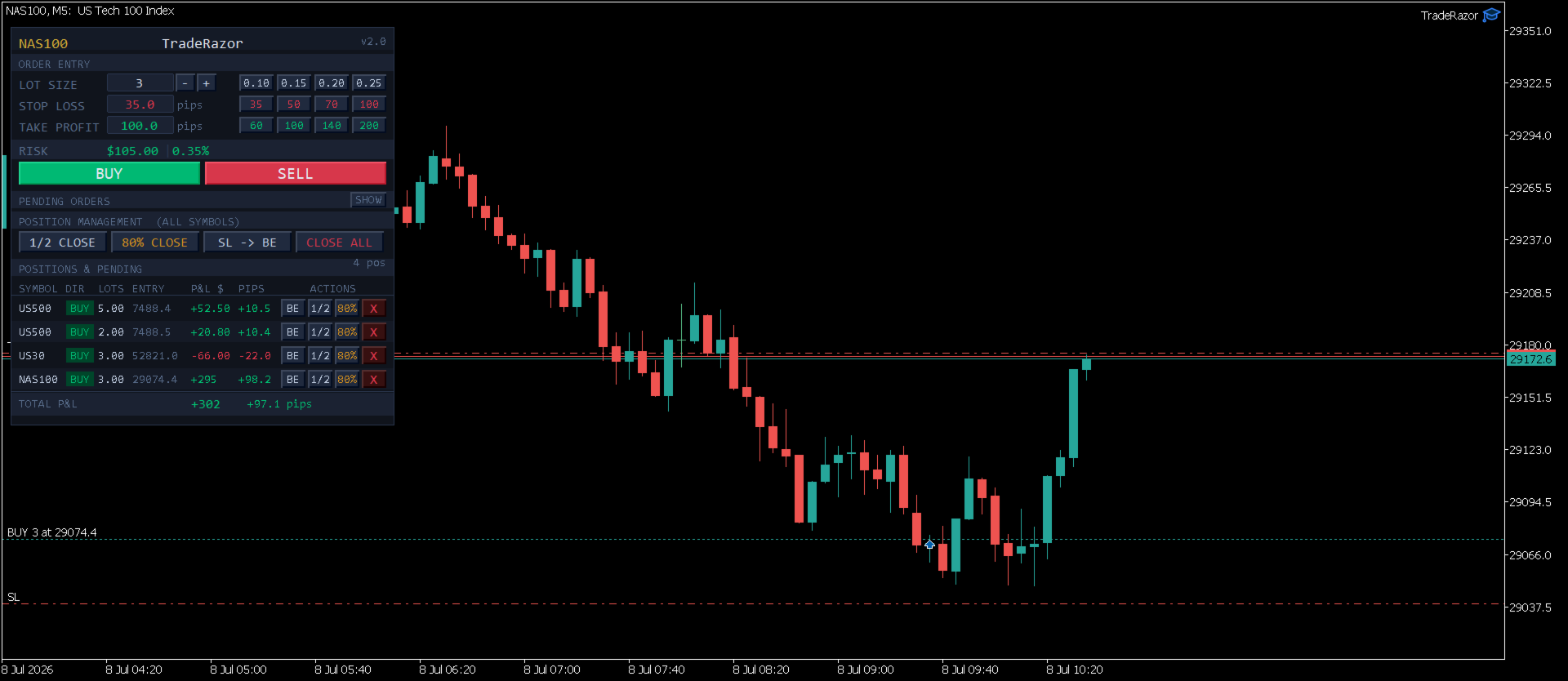














































it's really perfect for scalping and prop firm trading. The fast one click execution and clear risk display let me manage trades quickly without hesitation. Also, the position management tools make handling multiple positions easy. Great tool, highly recommend for anyone scalping or trading prop challenges.