GSL Smart Bottom Adaptive Recovery
- Indicateurs
- Version: 1.20
- Mise à jour: 28 juillet 2026
- Activations: 5

⚡ SPECIAL INTRODUCTORY OFFER:
⚡ First 5 copies available at $59!
⚡ Next price will increase to $149!
--------------------------------------------------
GSL Smart Bottom & Adaptive Recovery System
GSL Smart Bottom & Adaptive Recovery is a professional chart analysis tool engineered for traders who target high-probability market bottoms, trend continuation entries, and active risk mitigation.
Instead of leaving you stranded when a support level breaks, this system provides clear buy alerts alongside a real-time Adaptive Recovery Engine to capture sudden downside market shifts.
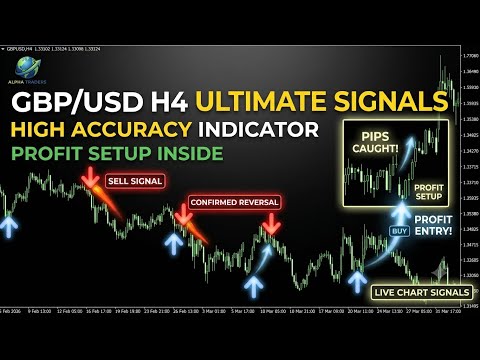
🔥 Visual Signal Guide
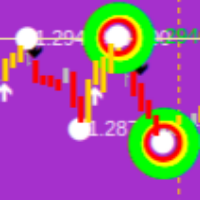
🔵 Main Buy Signal (DodgerBlue Arrow): Highlights primary bullish reversal zones and key structural bottoms.
🟠 Sub Buy Signal (Gold Arrow): Identifies secondary trend-continuation setups along extended swings.
🔴 Main Recovery Signal (Red Arrow): Instant alert triggered when a primary bottom setup is invalidated by strong market pressure.
🟣 Sub Recovery Signal (Magenta Arrow): Fast recovery alert triggered when a secondary buy setup is broken.
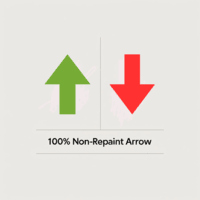
⚡ 100% Non-Repaint & Hard-Lock Execution:
- Bullish signals freeze permanently as soon as the candle closes.
- Recovery signals trigger instantly on Bar 0 in real-time and hard-lock immediately—no flickering, no repainting, and no disappearing arrows.
🛡️ Zero-Setup Design: Fully calibrated internally. Just drop it onto your chart and start trading right away without adjusting complex technical parameters.
🔔 Smart Alerts: Instant mobile push notifications sent directly to your MetaTrader app so you never miss a trade setup.
⚙️ Authorized Assets & Broker Compatibility
🥇 Gold Specialization: XAUUSD / GOLD (H1)
💱 Forex Specialization: GBPUSD (H4)
🏦 Broker Compatibility: Fully tested & optimized for Exness (Raw Spread / Zero / Pro / Standard accounts) and all standard 5-digit ECN/STP brokers.
==================================================
📖 USER MANUAL & PUSH NOTIFICATION SETUP
==================================================
📂 How to Install in MT4:
1. Open MT4 -> File -> Open Data Folder.
2. Navigate to: MQL4 -> Indicators.
3. Copy your compiled indicator (.ex4) file into the Indicators folder.
4. Restart or Refresh the Navigator panel in MT4 (Ctrl + N).
5. Drag and drop the indicator onto your chart.
📱 How to Setup Mobile Push Notifications:
1. Open MT4 App on Mobile -> Settings -> Note down your MetaQuotes ID.
2. On Desktop MT4: Tools -> Options -> Notifications tab.
3. Check "Enable Push notifications" and enter your MetaQuotes ID.
4. Click "Test" to verify, then click OK.
5. In indicator inputs, ensure Enable_Push_Alerts is set to true.
--------------------------------------------------
⚠️ RISK DISCLAIMER:
Trading Forex, Precious Metals, and Financial Instruments involves significant risk of loss and is not suitable for every investor. Past performance of any trading system or indicator does not guarantee future results. The software and content provided are for technical analysis support and educational purposes only.