
Scalper Inside PRO
- Indicateurs
-
Alexey Minkov
 💡 My name is Alexey, but my friends call me Alex. I'm the founder and lead developer at MAFX Solutions. I have been trading and coding since 2004, as a trader, investor and IT developer.
 - Version: 9.0
- Mise à jour: 7 octobre 2026
- Activations: 20
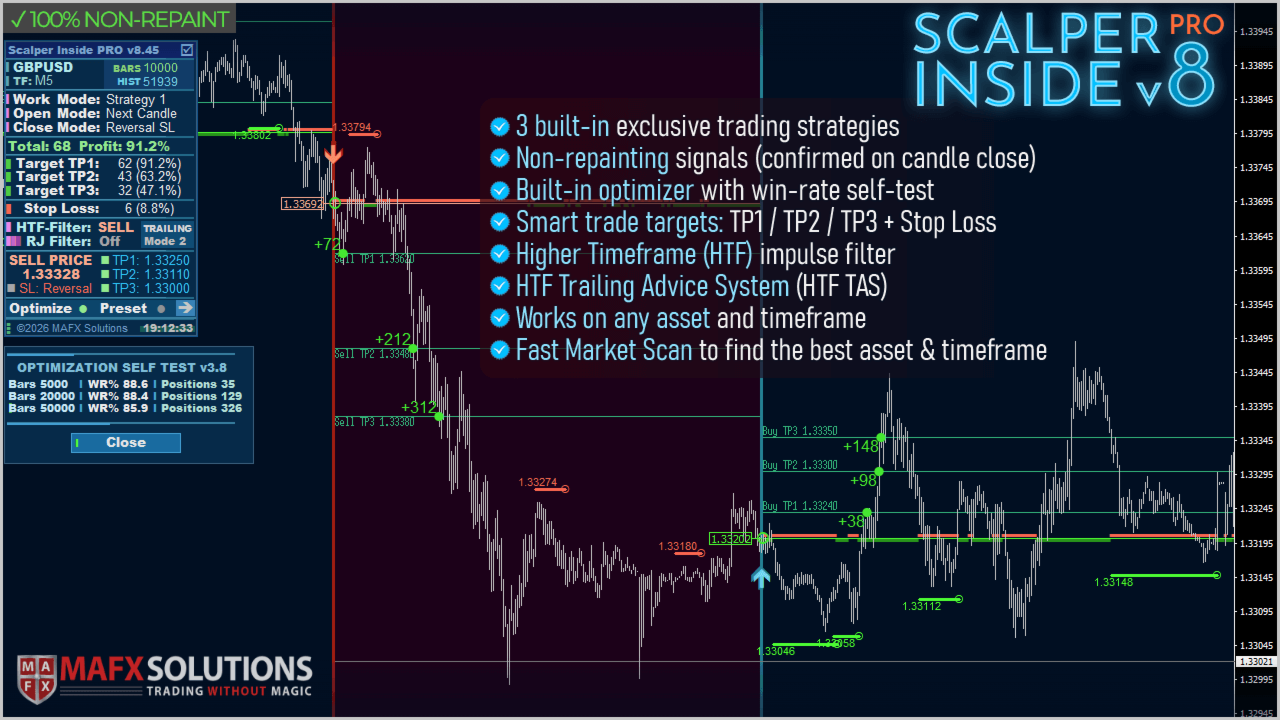
Scalper Inside PRO helps you read the intraday trend and plan a trade before you enter the market. It is built around three exclusive strategies for a sharper read of the market. The moment a signal appears, the indicator evaluates market direction and calculates the key levels, so you see the potential entry, the expected stop-loss and several profit-taking levels in advance. Detailed performance statistics show how different instruments and strategies performed in history and help you pick assets that fit current market conditions. Use it as a standalone scalping tool, as part of your own system, or as a base for your own EAs. Works on the MetaTrader 4 platform.
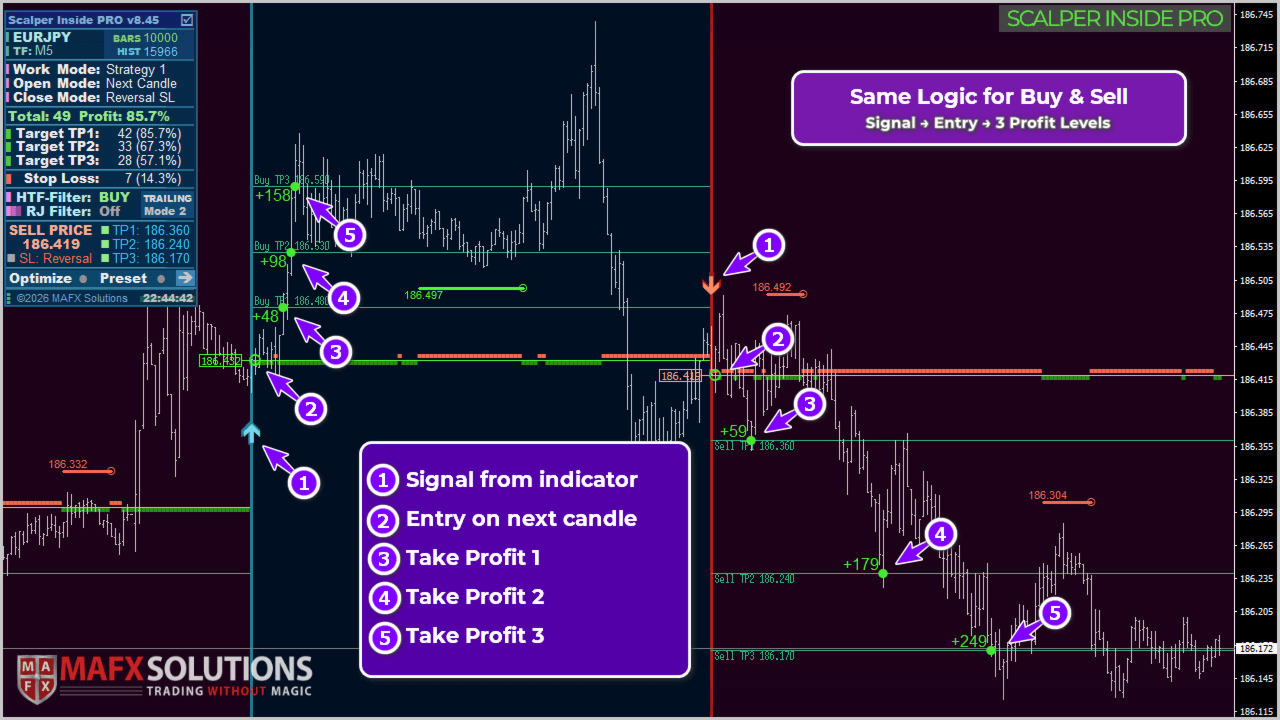
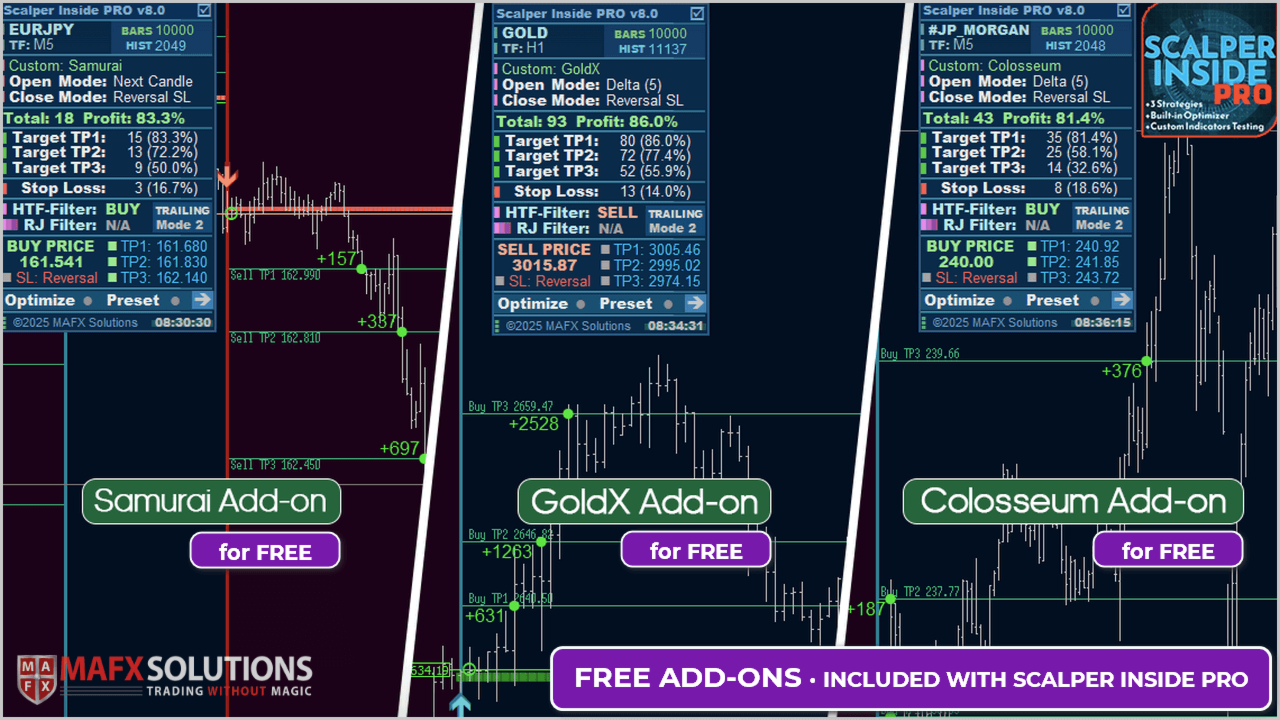
The indicator marks the entry, three profit levels - TP1, TP2, TP3 and an optional stop-loss right on the chart. You can even plug in your own arrow indicators and check their statistics and profitability the same way.
After purchase, message me directly to receive special bonus add-ons for the indicator, extra guidance on using it in trading, and help connecting it correctly to your own trading systems and EAs.
Key features
- Three built-in exclusive trading strategies with instant switching.
- Instant level calculation after an arrow signal: the entry and multi-level targets TP1, TP2, TP3 appear at once, so you can plan the trade in advance. The stop-loss level is shown when manual or automatic calculation is enabled.
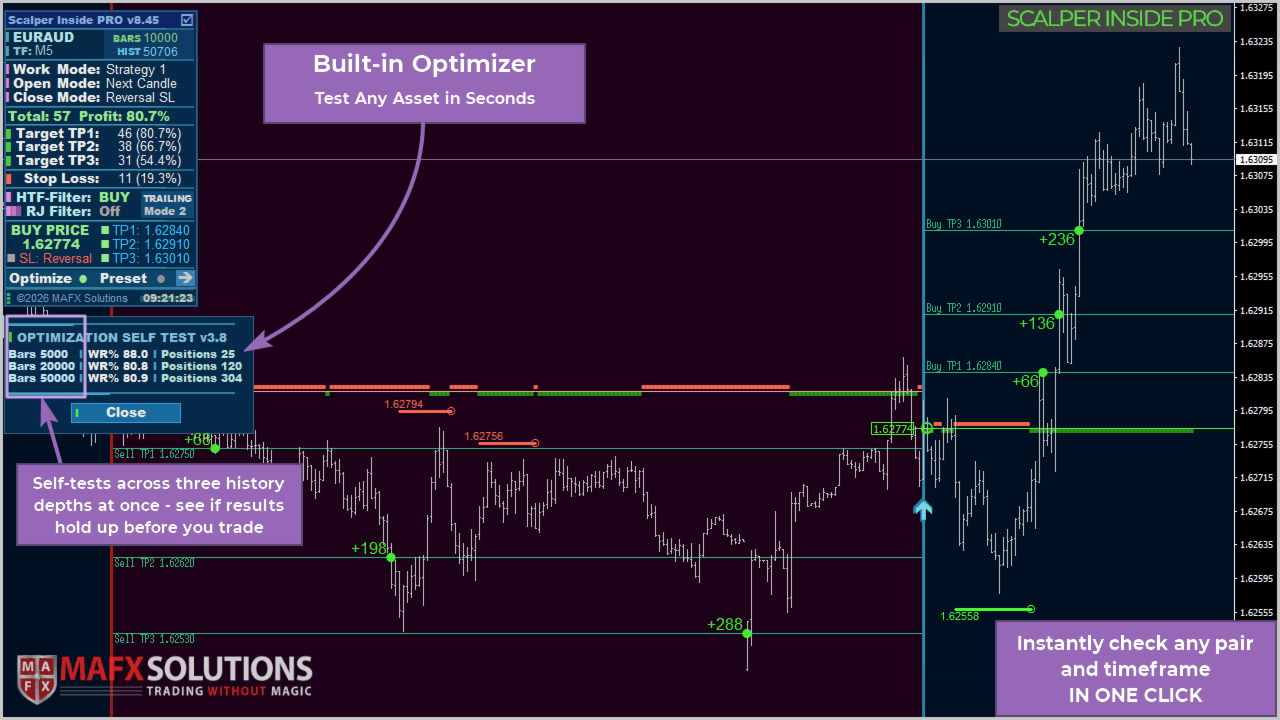
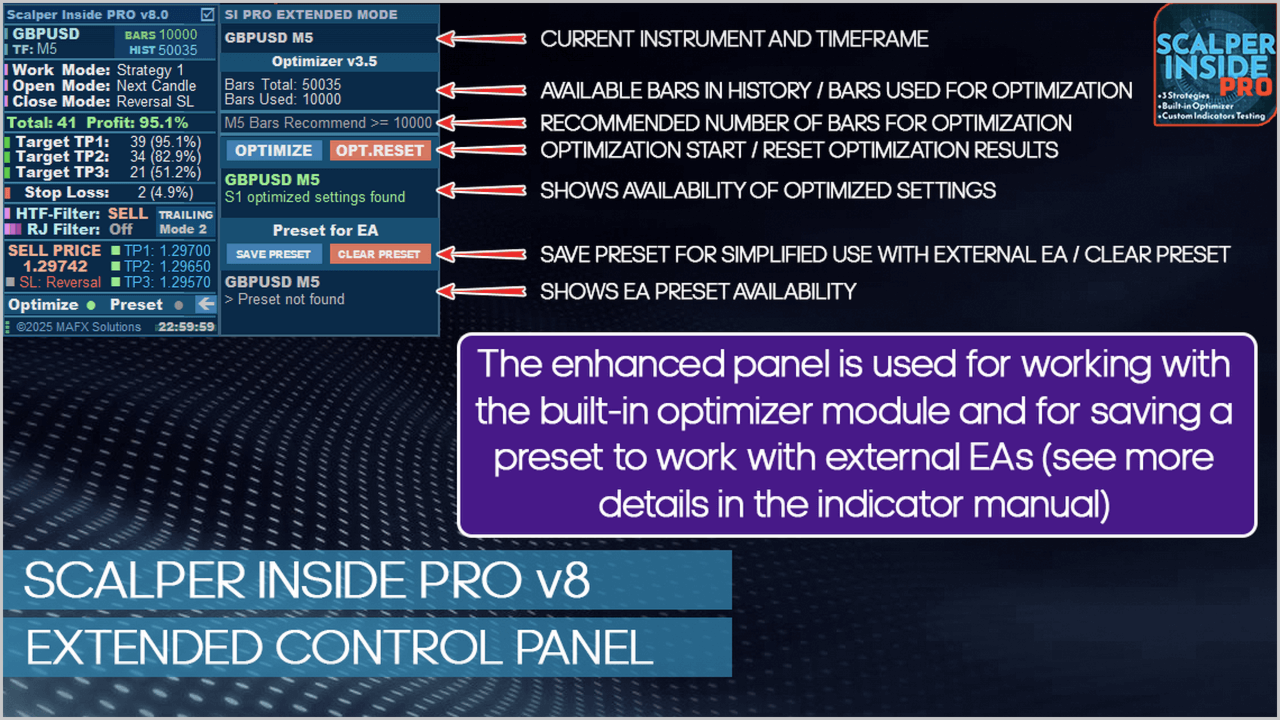
- Built-in optimization module for all three strategies: it automatically tunes settings to the current symbol and timeframe and helps you screen assets quickly (available in real time only).
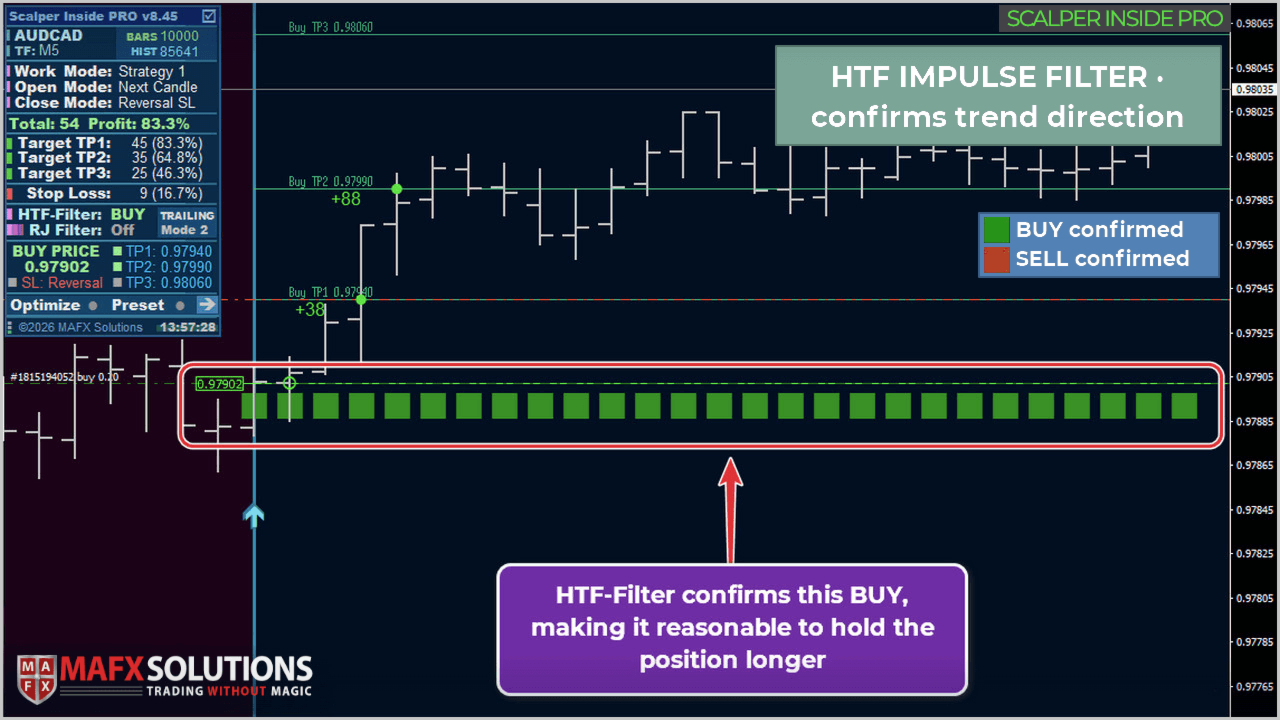
- HTF Impulse Filter: shows the higher timeframe background (bullish and bearish blocks) to confirm signals and filter entries.
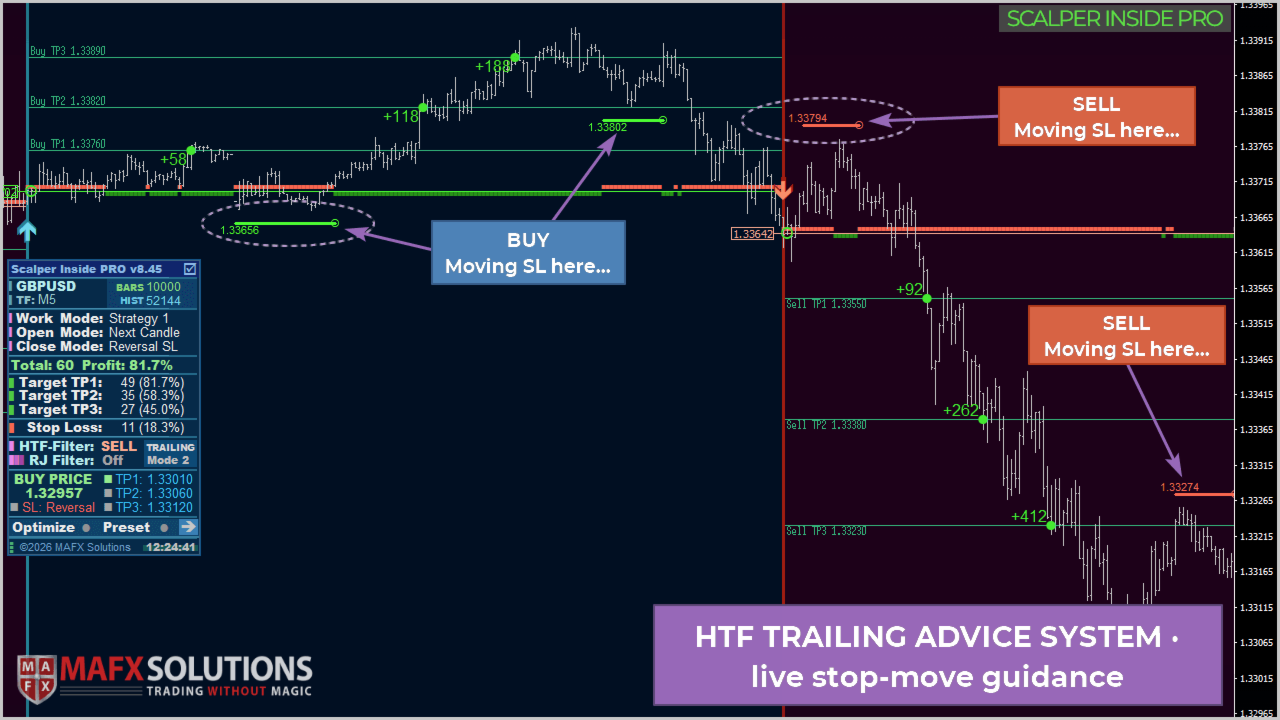
- HTF Trailing Advice System (HTF TAS): suggests strong higher timeframe levels for trailing the stop and managing the trade.
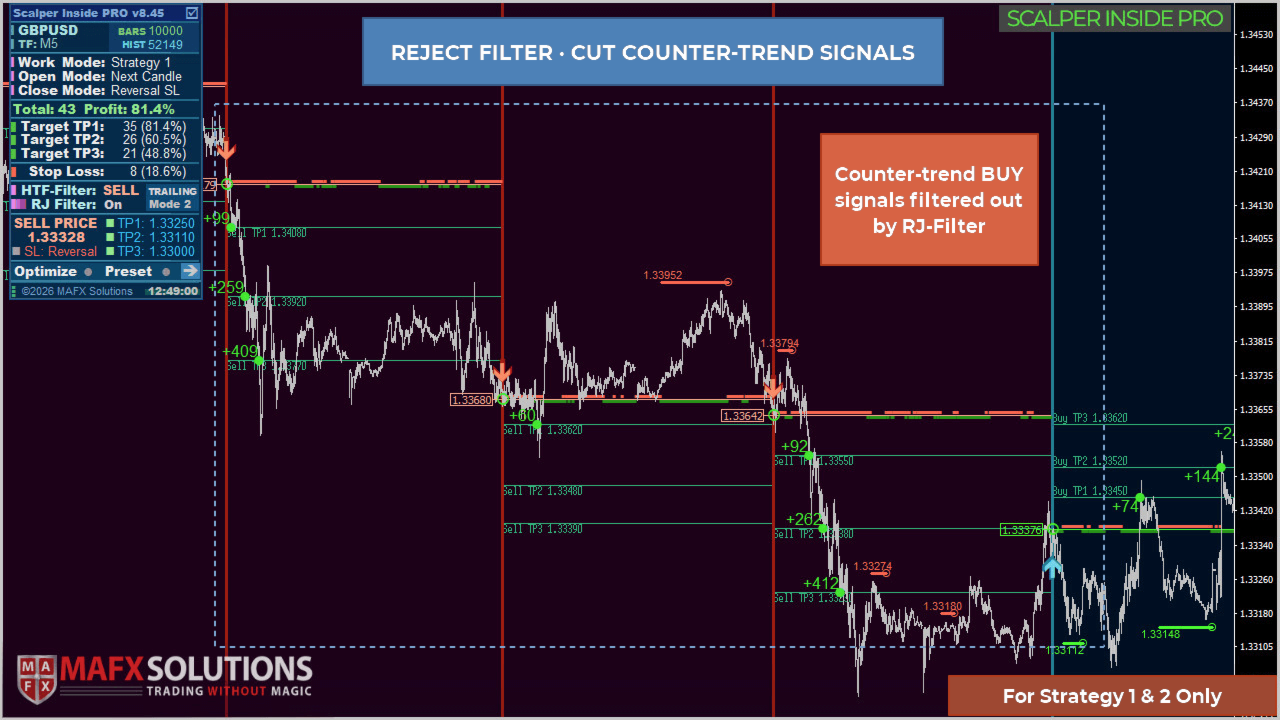
- Reject Filter (RJ): cuts out signals against the higher timeframe trend and keeps trades aligned with the dominant direction (for Strategies 1-2).
- Detailed performance statistics per instrument and strategy on historical data.
- Connect your own arrow indicators and calculate statistics for their signals.
- EA-ready signal buffers and preset saving for building your own systems.
- Does not repaint signals: they are confirmed on candle close.
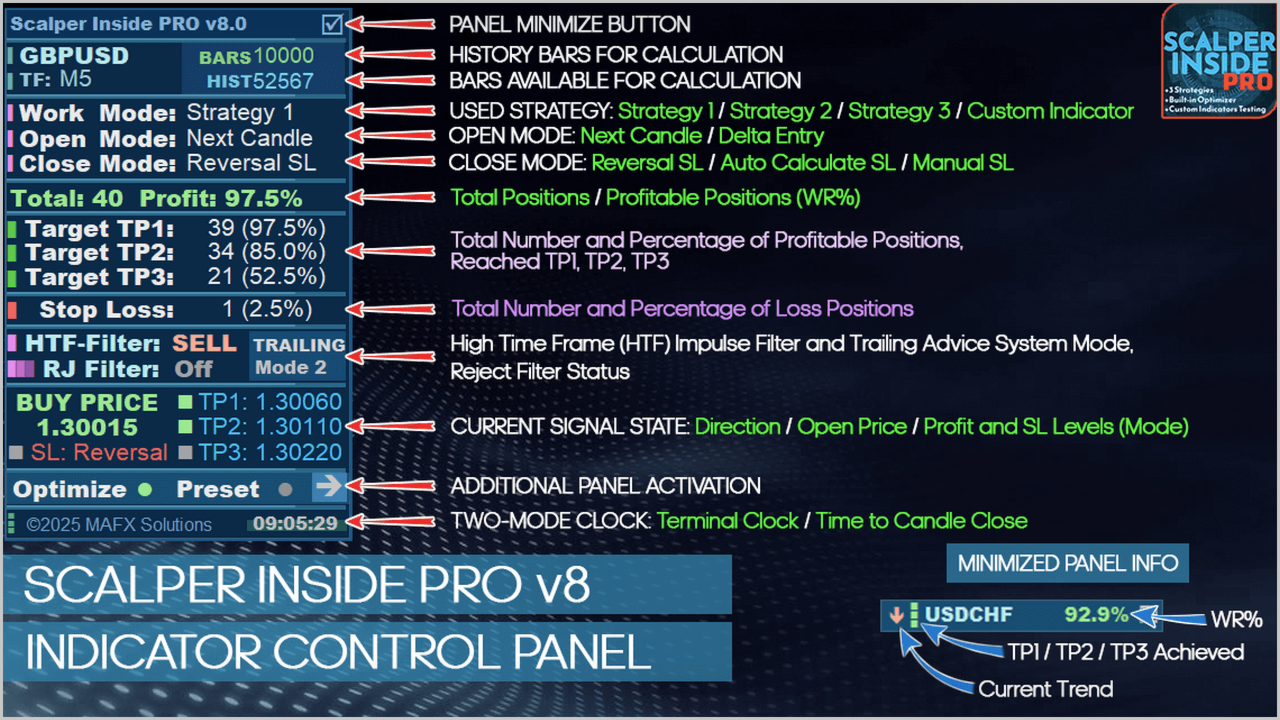
- Control panel with a minimized mode, flexible color themes and adjustable panel scale.
- Works on forex, metals, indices, stocks, commodities, futures and crypto, on any timeframe (M5 recommended).
How it works
Scalper Inside PRO analyzes the market state, identifies the current trend, then looks for an entry point and plots an arrow signal. At the same time it calculates the potential target levels for taking profit. Every signal is fixed strictly on candle close, so signals do not repaint in history. The position is closed partially or fully at TP1, TP2, TP3, and when an opposite signal appears you can exit on the reversal. If a manual stop-loss is set, a stop exit option is added. You can fine-tune the stop-loss for your strategy and instrument and instantly see on the panel how it affects the overall results. HTF Impulse Filter and HTF TAS help you tell when a move is running out of steam and when it is time to tighten the stop or lock in profit.
Built-in optimization module
With one click, the optimization module analyzes the current symbol and timeframe and picks suitable parameters for the selected strategy. Its main value is speed: you can quickly judge whether an instrument is worth trading right now or better left aside. Optimized settings are saved and restored after the terminal restarts. The module is fully optional and lets you adjust its sensitivity. The indicator works fine on default settings, but the optimization module helps you tune its internal parameters more precisely. Try to avoid instruments that show very weak numbers from the start.
HTF Impulse Filter
The HTF Impulse Filter adds higher timeframe context to your signals and shows the overall background as colored blocks:
- Green blocks: bullish background, bulls in control of the market.
- Red blocks: bearish background, bears in control.
When the background matches your signal (for example, green blocks under a Buy signal), it makes sense to hold the position longer and aim for the farther levels. When opposite blocks start appearing against the position, it is an early warning that price is weakening in the current direction and a hint that you can lock in part of the profit, move the stop to breakeven, or tuck it under the last local extreme.
Settings overview
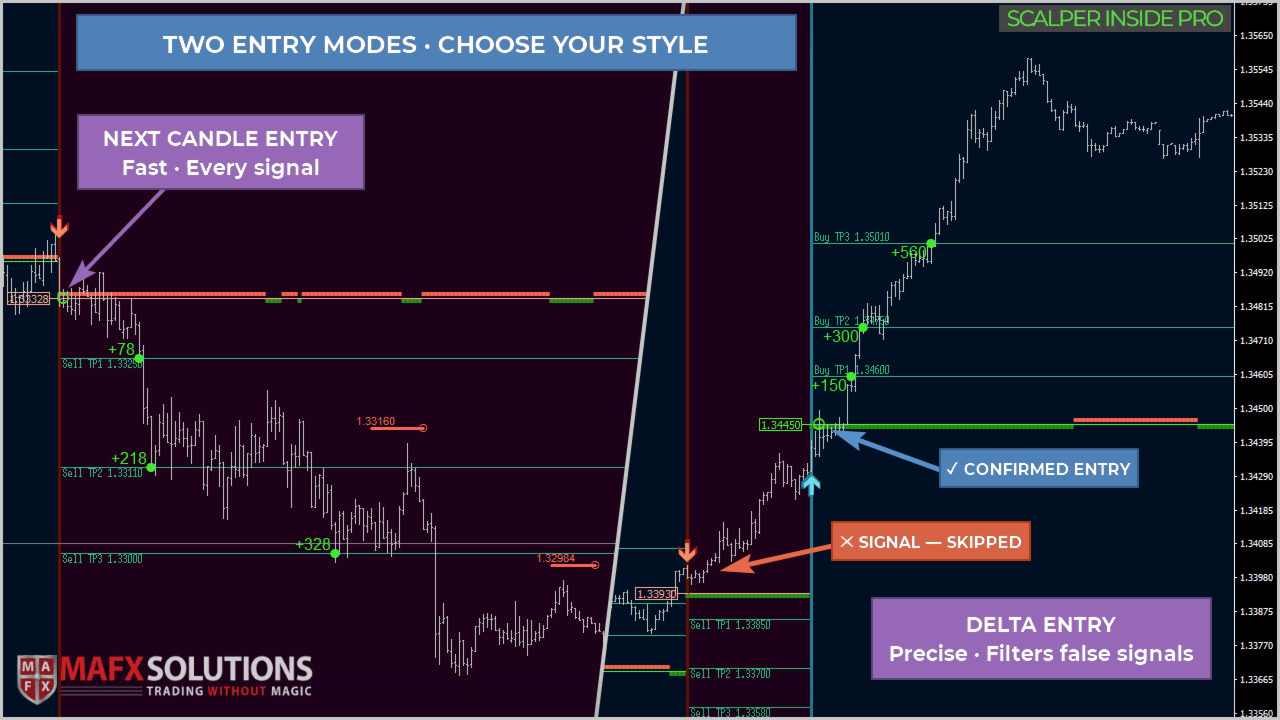
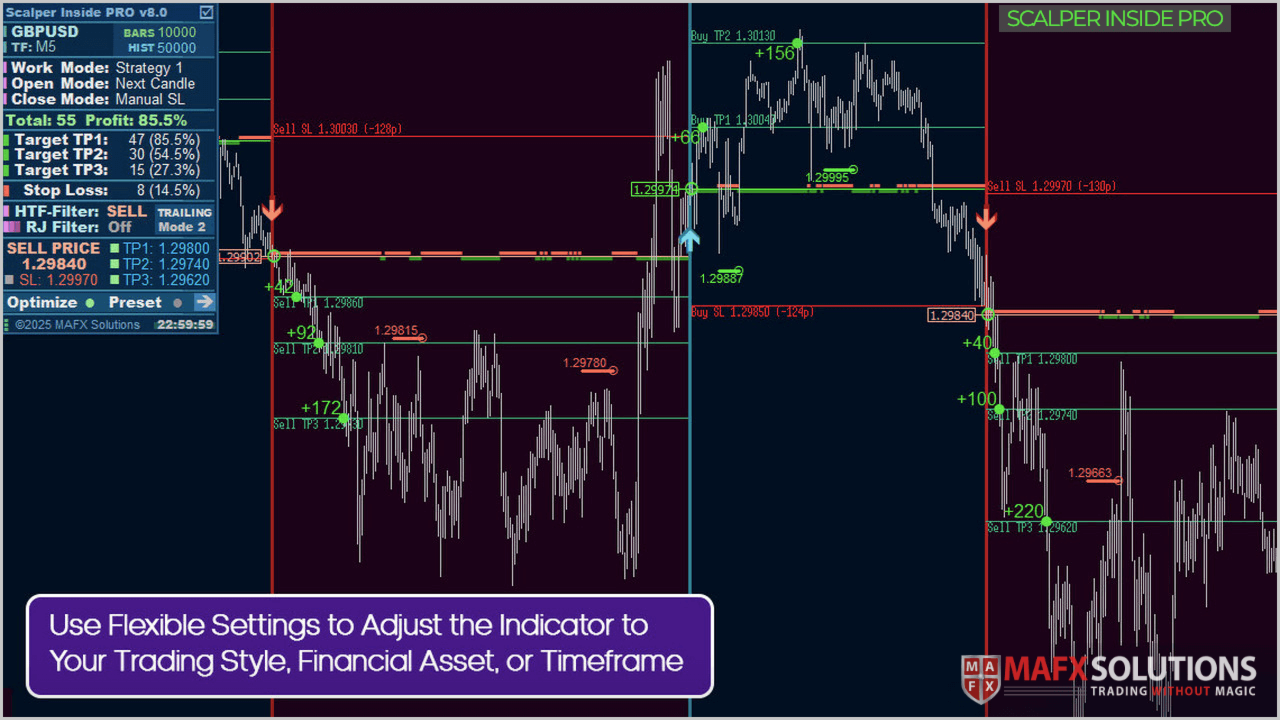
The indicator parameters are grouped into logical blocks: strategy selection and its sensitivity, entry modes (Next Candle Entry / Delta Entry) and position closing, manual or automatic stop-loss and take-profit levels, HTF and Reject filters, custom indicator connection, alerts and visual settings. Each strategy's sensitivity is controlled by a single parameter that packs complex internal calculation logic: a higher value means fewer signals and stronger filtering, a lower value means more signals but weaker filtering of market noise.
Alerts
- Pop-up Alerts. Pop-up windows in the terminal.
- Sound Alerts. Sound notification.
- Push Notifications. Push notifications (requires MetaQuotes ID setup).
- Email Alerts. Email (requires additional setup in the MetaTrader 4 terminal).
Support
Before the first run, load enough historical data (around 10,000 bars is recommended for M5) so the indicator has the full picture for its calculations. Choose instruments with a high WR%, trade during key sessions (London, New York) and on volatile assets to avoid a ranging market. Do not enter right before major news to avoid unpredictable price moves.
Important: Scalper Inside PRO is an analytical tool to support your decisions. Exit signals, trailing levels and the panel statistics are references calculated on historical data, not a promise of future results and not automatic orders. The indicator is not an automated trading system or a signal service. The final outcome depends on your decisions, discipline and risk management. Before buying, download the demo from the Market and check in the tester whether the indicator fits your trading style. For any questions, message me directly.















































There's already been so much praise in the comments, there's no need to repeat myself. I completely agree with the majority. I've purchased three products from Alexey. I rented Scalper before, and now I've bought it. It's beyond praise for me. Keep up the good work, Alexey.