Session Finder
- Indicateurs
- Version: 3.3
- Mise à jour: 16 septembre 2026
- Activations: 5

Session Finder — Professional Multi-Session Market HUD for MetaTrader 5
Stop guessing when volatility will strike. Trade with absolute timing precision.
Session Finder is a premium, high-performance on-chart dashboard engineered for MetaTrader 5. It gives day traders, scalpers, and swing traders real-time visibility into the world's major trading sessions—Sydney, Tokyo, London, and New York. By tracking exact market overlaps and session transitions right on your active chart, you can easily hunt for high-probability setups during peak volume hours and avoid choppy, dead markets.
📊 Maximize Efficiency: Designed with a sleek, non-intrusive HUD (Heads-Up Display) layout, this indicator provides crucial structural market timing without cluttering your price action or lagging your platform.
🔥 Why Timing Dictates Your Trading Success
-
Hunt High Volatility: The biggest market moves happen when major sessions overlap (like the London/New York crossover). Session Finder ensures you are at your desk exactly when liquidity peaks.
-
Avoid Flat Markets: Protect your capital by staying out of the markets during low-volume dead zones where spreads widen and breakouts fail.
-
Master Session Momentum: Easily track session opens to trade opening-range breakouts or identify late-session reversals.
🛠️ Key Features & Advanced Capabilities
1. Live Session Status at a Glance
-
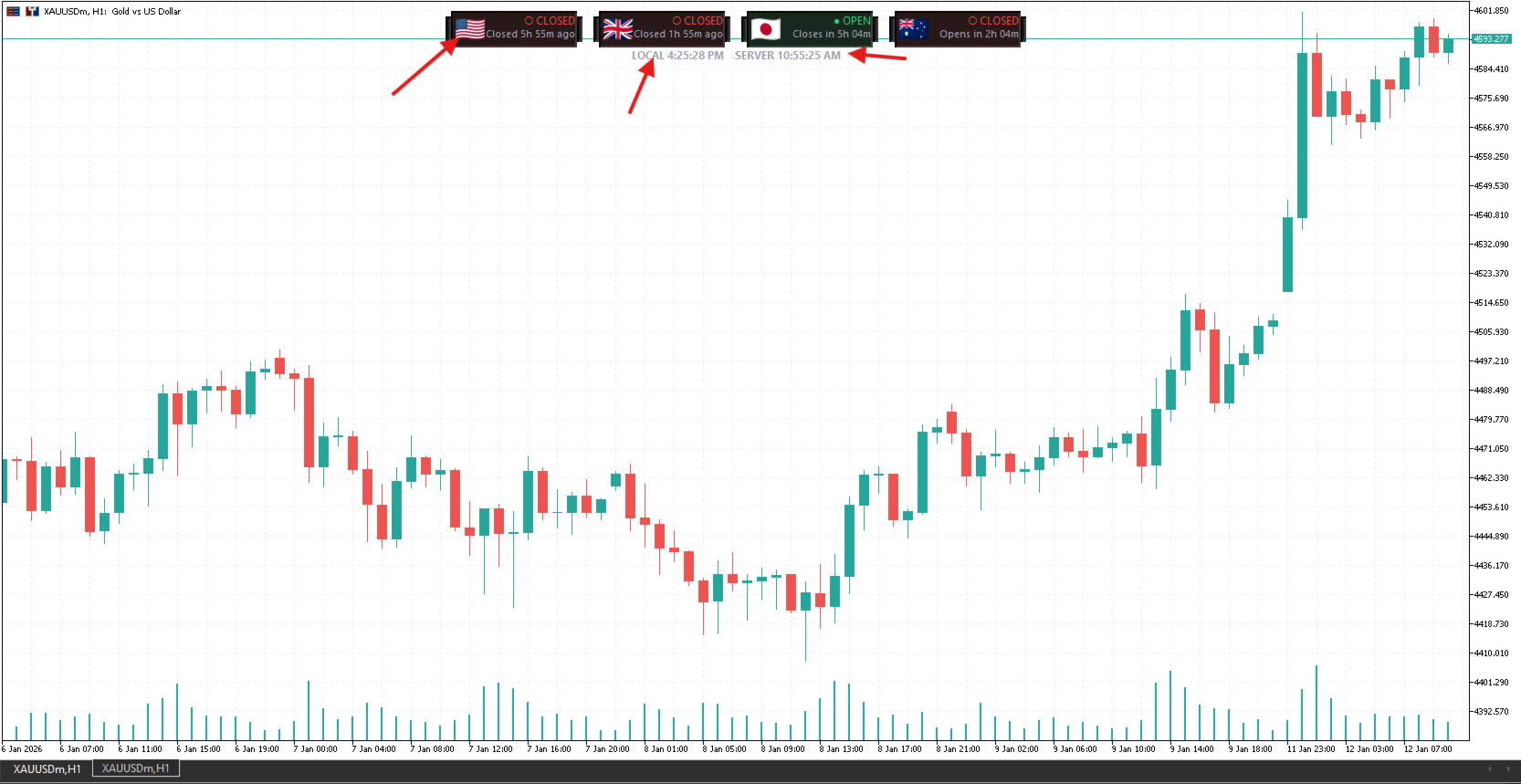
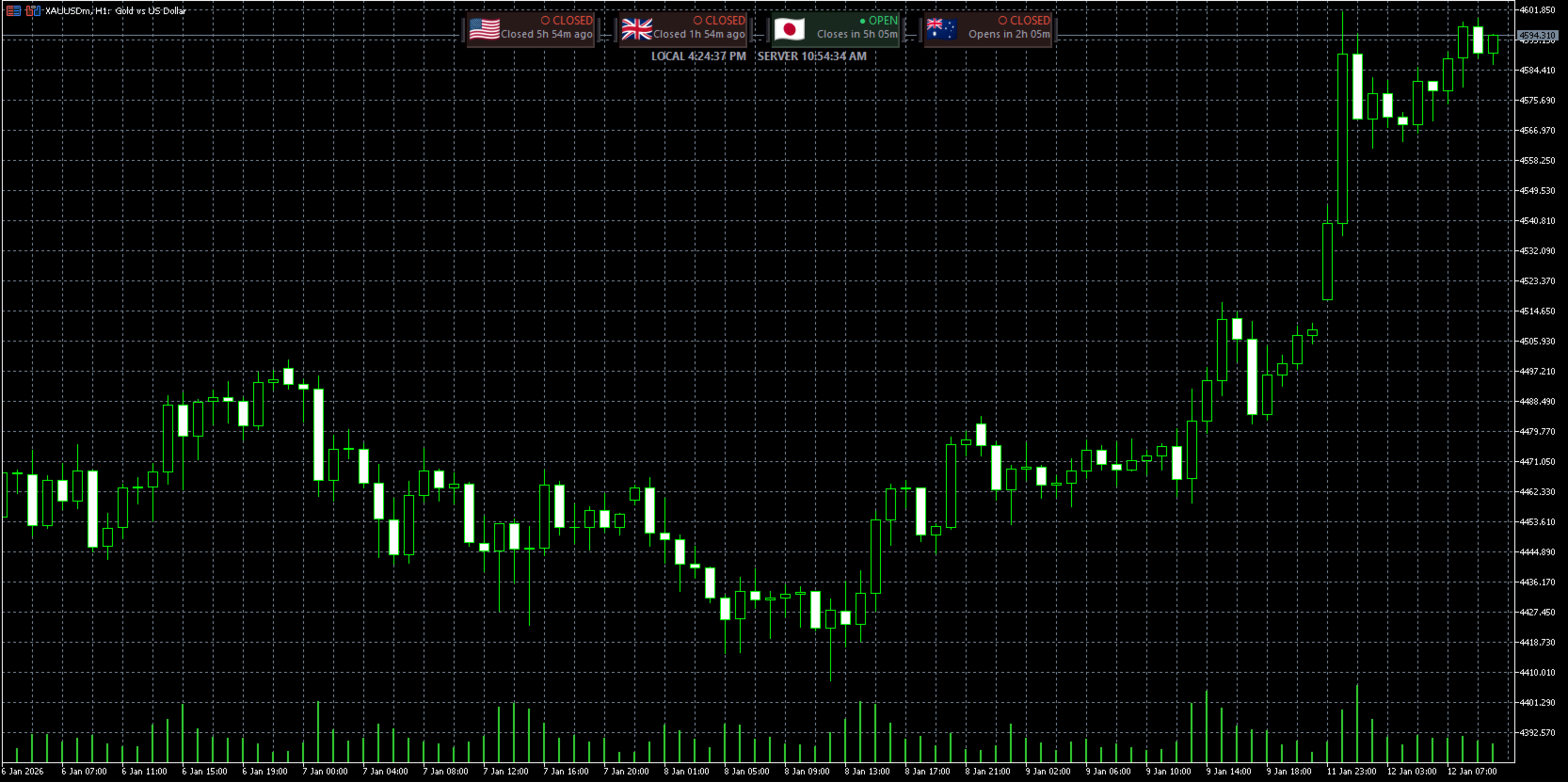
Instant, color-coded visual cues showing exactly which global markets are currently Open or Closed.
-
Eliminate mental timezone math entirely—the panel dynamically calculates global market states relative to your platform.
2. Precision Countdown Timers
-
Displays real-time, ticking countdowns showing exactly how many hours and minutes remain until the next session opens or the current session closes.
-
Perfect for planning your entries and avoiding holding intraday positions too close to a major market close.
3. Dual Time Clock Synchronization
-
Displays both your Local Time and your Broker/Server Time simultaneously on the panel.
-
Never miss an economic news release or a daily candle close again due to server time confusion.
4. Accurate, Rule-Based DST Handling
-
London, New York, and Sydney session times auto-adjust for Daylight Saving Time using real calendar rules (last/nth Sunday transitions)—not a static offset that drifts twice a year.
-
Optional custom local time zone input (e.g. UTC+5:30 ) for traders who don't want to rely on their PC's system clock.
5. Clean, Professional HUD Design
-
Polished dark-themed rounded panels with national flag icons for each session—built to sit quietly at the top of your chart without fighting for attention with your price action.
-
Auto-recenters and rebuilds instantly when you resize the chart window.
6. High-Performance, Zero-Lag Coding
-
Built using optimized MQL5 logic—object-based rendering with change-detection, so the chart only redraws when something actually changes.
-
Runs independently of price data ( OnCalculate does zero work), so it never slows down your other indicators or EAs.
⚙️ Technical Specifications
-
Platform: MetaTrader 5 (MT5)
-
Asset Class: Universal (Forex, Indices, Crypto, Commodities)
-
Chart Types: Compatible with any chart color scheme, candlestick style, or background setting.
-
Lightweight Footprint: Minimal resource use, even across multiple chart windows simultaneously.
⚠️ Clean & Secure Coding Standards
-
No External Dependencies: Does not use prohibited DLL calls, ensuring 100% security for your trading environment.
-
MQL5 Compliant: Fully optimized and validated according to strict MetaQuotes marketplace standards.
🗺️ On the Roadmap
Planned for upcoming updates: user-configurable panel colors/sizing, a session heat-map overlay, and session high/low markers directly on the price chart.
📞 Premium Developer Support
I am committed to providing continuous updates and support for this tool. If you have any feature requests, need optimization help, or encounter any display issues, please message me directly via the MQL5 platform.
For quick troubleshooting, please include:
-
Your current MT5 build version.
-
A screenshot of your chart workspace showing the indicator settings.
Ready to stop missing the moves that matter? Add Session Finder to your chart and always know exactly when the market is about to move.