Grid Percentage Price Oscillator EA
- Experts
-
AL MOOSAWI ABDULLAH JAFFER BAQER
 To trade successfully we need to go through the proven path that others had gone and reached!
Here are 17 quotes from such successful investors:
1- Limit your size in any position so that fear does not become the prevailing instinct guiding your judgment.
Joe Vidich - Version: 3.19
- Activations: 5
Try it free before anything else: load Grid Percentage Price Oscillator EA in the MetaTrader 5 Strategy Tester, turn on visual mode, and watch every PPO crossing it accepts and every one it lets pass.
MOMENTUM IN PERCENT, SO ONE SETTING READS EVERY MARKET.
The Percentage Price Oscillator is MACD's more portable cousin. It takes the same two exponential averages, 12 and 26, but divides their gap by the slow average, so the result is a percentage. A reading of 0.20 means the same thing on EURUSD at 1.08, on gold at 2,600 and on an index at 20,000. That makes one set of guard values travel between symbols far better than raw MACD points. Grid Percentage Price Oscillator EA waits for the PPO to cross its 9 bar signal line on a finished bar, from the stretched side of zero, checks that the market is moving enough to matter and that the bigger trend agrees, and only then lets the grid engine open the first level. After that the engine does the patient work: it banks small group closures and trims heavy old orders one slice at a time.
Five things to know first
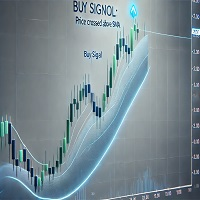
• Entry: the PPO crosses up through its signal line while still below zero (BUY), or down through it while above zero (SELL), read on a closed bar. Accepted signals do not repaint.
• The oscillator is calculated inside the EA from closes: 100 x (EMA 12 - EMA 26) / EMA 26, signal EMA 9. No indicator file, no DLL, no web request.
• A Range Guard skips quiet boxes and an EMA 200 filter keeps entries on the side of the main trend. A zero line cross mode is included for slower, later entries.
• New in this product: the Histogram Guard, which can refuse crossings that only graze the signal line. It ships switched off, and the measured reason is printed below.
• No stop loss and no forced close-all. Limits stop new levels; the open book stays under management.
----------
Start here (5 minutes)
1. Attach it to EURUSD H1 and leave every input at its default (0.01 first lot, additive ladder, ATR spacing).
2. Set RunMode to Scan only for the first session. The panel shows each plan; no order is sent.
3. Look at the grey dots and arrows on the chart: they show which past crossings the guards would have taken or refused.
4. When the plans make sense to you, press ARMED on the panel.
5. Repeat the tester runs below with your own broker's data before any real money; spread, swap and commission all move the result. More than one chart? Give each copy its own EAMagicNumber and HedgeMagicNumber.
----------
Reproduce our numbers
Strategy Tester, default inputs, 1 minute OHLC, leverage 1:100, 2025.01.01 to 2026.09.30, one broker's demo data. Same settings, same period, and you should land close to these:
• EURUSD H1, $10,000: net +631.73, maximal equity drawdown 351.06 (3.46%), 265 trades. No stop-out, no margin refusal.
• EURUSD H1, $1,000,000: net +631.73, maximal equity drawdown 351.06 (0.04%), 265 trades. No stop-out, no margin refusal.
• XAUUSD D1, $10,000: net +15.20, maximal equity drawdown 32.01 (0.32%), 4 trades. No stop-out, no margin refusal.
• XAUUSD D1, $1,000,000: net +15.20, maximal equity drawdown 32.01 (0.00%), 4 trades. No stop-out, no margin refusal.
Read these as one past stretch, not a forecast. The drawdown in money is the same at both deposits because lots do not grow with the balance, so 351.06 is about 3.5% of $10,000 and a bigger share of a smaller account; deposits below $10,000 were not tested. Four gold trades in 21 months is far too few to judge gold. Defaults were set once by judgement on this same period, which flatters them. Netting accounts were not verified.
----------
The Histogram Guard and why it ships off
The idea: a cross where the PPO only just pokes through its signal line is a tie, not a push, so the event bar could be required to show a minimum gap (InpPPOHistMin) between the two lines. We tested it with everything else at default. EURUSD H1, $10,000, gap 0.01: net +92.38, drawdown 131.09 (1.30%), 35 trades. Off: net +631.73, drawdown 351.06 (3.46%), 265 trades. XAUUSD D1, $10,000, gap 0.05: no trade at all (net 0.00), against 4 trades and +15.20 with the guard off. The guard cut drawdown by 63% but net profit by 85%, so profit per unit of drawdown fell from about 1.8 to about 0.7, and on gold it removed every trade. That is not safer, only quieter, so it stays at 0. It is there if you want far fewer, stronger crossings: try a small value such as 0.005 on EURUSD and compare on your own data. Units are PPO percent, so a useful value on gold or indices is larger than on a major currency pair.
----------
Why the Percentage Price Oscillator
A grid needs one clean starting gun, then it needs the engine to work. The PPO is a good gun for three reasons. It reacts to a change in speed, not just a change in price, so the cross comes when a move begins to turn. Its signal line gives a single, unambiguous event on a closed bar. And because it is a percentage, the same thresholds mean roughly the same thing across symbols and across years in which price drifted far from where it started. The honest costs: both averages are built from past closes, so the cross arrives after the turn has begun, and in a flat market the PPO can weave around its signal line. The side rule, the Range Guard, the trend filter and the 30 bar signal gap are there for exactly that.
----------
One cycle, step by step
1. Read. Each new bar rebuilds the two averages, the PPO and its signal line from finished bars.
2. Cross. In the default mode the PPO must cross its signal line, upward below zero for a BUY, downward above zero for a SELL. In zero mode, a cross of the zero line is the event.
3. Histogram Guard, optional. The gap between PPO and signal line on the event bar must be at least InpPPOHistMin.
4. Range Guard. The last 20 bars must span at least 5 ATR, so tight boxes are skipped.
5. Trend filter. By default the close must be on the matching side of the EMA 200. It can also fade that side, or be switched off.
6. Timing. Accepted signals are kept apart by a gap of bars, and a signal may wait a few bars if the level cannot be placed at once.
7. Ladder. Levels follow ATR or fixed points, with a floor, a ceiling and an optional freeze. BUY and SELL grids can run together or alone.
8. Banking. Groups of oldest and newest orders close when their joint result, after swap and commission, clears the target. If the oldest order is too heavy, a slice of it is closed instead.
9. Safety checks. A closure that would reopen a level at once is blocked, each leg is confirmed in deal history, failed legs are retried, and a plan is dropped if the book changed before sending.
10. Hedge cycle, optional. Off by default and not exercised in our tests. When on, it holds a balanced pair on a chosen symbol and retires it in equal slices, paid by a small surcharge on closures the grid already makes.
----------
The panel
The panel sits on the left, so the right side and the price scale stay clear. It lists symbol, magic number, a status pill, grid mode, lot step, spacing, banked result, the book, each side's closing plan and the order table. The PPO PULSE row shows the three lengths, the PPO and signal values on the last closed bar, whether the PPO is rising (UP) or falling (DN), and the bars since the last crossing. The HIST GUARD row shows the side the PPO favours, the mode, the histogram gap with OPEN, HOLD or off, the Range Guard width in ATR with its state, and the EMA side. On the live chart every crossing of the last 150 bars is marked: a small arrow when accepted, a grey dot when a guard refused it. Buttons switch Armed / Scan only, Pause / Resume, chart marks and slicing. The Hedge Vault card docks under the main panel; with the hedge off it stays hidden. Nothing is drawn in a non-visual backtest.
----------
Limits you control
No setting closes the book for you; limits only stop new levels.
Each order passes a free margin check with a safety buffer before it is sent.
Caps on levels per grid, orders per side and lot per order keep the ladder finite. MinMarginLevelPercent and MaxAccountRiskPercent start at off; set them for your own account.
An optional margin-level timeframe safety moves the signal and spacing to a higher timeframe as margin falls. It is off by default and was not exercised in our tests.
Copies are kept apart by symbol and magic number.
Scan only shows every decision without sending a single order.
----------
Who this is for
Traders who prefer to start when momentum turns rather than when price spikes, who are happy with many small closures, who want one rule set they can carry from a currency pair to gold, and who will size lots to their balance.
Who this is NOT for
• Anyone who needs a stop loss on every order. This grid has none by design.
• Anyone expecting a fixed monthly return or a fast doubling. The tested result above is modest, and it is the honest one.
• Small accounts running large lots unattended. A long one-way trend can hold the book open for weeks.
• Traders who will not test first. If you skip the Strategy Tester on your own broker, this is not the right tool for you.
----------
Common questions
Does it repaint? Accepted signals, chart marks and both panel rows use finished bars only.
Is it the classic PPO? Yes, the standard 12 / 26 / 9 settings with exponential averages of closes. Exact values on the first few hundred bars of history can differ slightly from other platforms because of how the averages are seeded; the EA warms them on 400 extra bars.
How is it different from a MACD grid? Same family, different scale. MACD is in price points, so its useful thresholds change with the symbol and with the price level. PPO is in percent, so they mostly do not.
Which markets were tested? EURUSD H1 and XAUUSD D1. Everything else is for you to test.
What should I change first? InpPPOSideRule (off gives many more entries), then InpPPORangeMinATR. One change at a time, and look at drawdown next to net result.
Why so few gold trades? On a daily chart a signal cross on the stretched side of zero with the EMA 200 on the same side is rare, and the 30 bar gap thins it further.
Signal line or zero mode? Signal line mode starts earlier, near the turn; zero mode waits for the averages to cross and starts later. Test both on your symbol.
Netting accounts? A separate margin cap exists for them, but netting behaviour is unverified.
----------
All inputs
Grid levels
TradeMode - two grids, BUY and SELL, by default, or one direction only.
GridSpacePoints - level distance in fixed spacing mode (25).
GridSpaceMultiplier - above 1.0 widens deeper levels (1.0 = even).
MaxGridLevels - most levels in one grid (1000).
UpDirectionIsBuy - which side an up move arms.
EAMagicNumber - number on grid orders (9769250).
GridOrderComment - text on grid orders (GPPO).
OneOrderPerBar - at most one new level per bar.
Lots
InitialLotSize - volume of the first level (0.01).
LotSizingMode - additive by default, multiply as the alternative.
LotMultiplier - factor per level in multiply mode (1.25).
LotAddStep - step per level in additive mode (0.01; 0 uses the starting lot).
MaxOrderVolume - largest single order (1.0).
UseAutoLot - links the starting lot to balance (off).
AutoLotBaseBalance - balance that matches the starting lot (1000).
AutoLotAllowDecrease - lets auto lot go below the starting lot (off).
ATR spacing
GridSpacingMode - ATR by default, fixed points as the alternative.
ATRTimeframe - ATR timeframe (current chart).
ATRPeriod - ATR length (14).
ATRSpacingFactor - spacing as a multiple of ATR (1.0).
ATRBarShift - ATR bar; 1 is the last finished bar.
ATRMinSpacingPts - lowest spacing in points (50; 0 none).
ATRMaxSpacingPts - highest spacing in points (5000; 0 none).
ATRFreezeOnStart - keeps one spacing for the whole cycle (off).
Profit target
DesiredProfitPerClosure - base target in account currency (2.0).
ProfitMultiplier - final scale, 1.00 to 2.00.
ProfitTargetMode - scaled by default: bigger, deeper books aim higher.
ProfitVolumePower - how closing volume lifts the target (1.0; 0 off).
ProfitDepthBonus - extra target per additional open level (0.10).
ProfitMaxMultiple - scaled target ceiling in multiples of the base (50).
ProfitMaxReachFraction - keeps the target inside this share of one grid step (0.50).
Fragment scanner
UseMultiLegScan - checks multi-order groups before the plain pair (on).
MaxOldestLegs - most old orders in one closure (3).
MaxNewestLegs - most new orders in one closure (6).
ScanPriority - ranking of qualifying groups; largest group first by default.
NeverBankLessThanPair - a group must also beat the pair target (on).
RequireCloseVolumeExceedsTarget - newest volume must be above oldest volume (on).
MinCloseVolumeRatio - required ratio of those volumes (1.5).
Target slicing
EnableTargetSlicing - allows part-closing the oldest order (on).
FragProfitWeightPower - profit weight per closing lot (1.5).
FragMinSlicePercent - smallest slice, percent of the target order (20).
FragAllowMultiCloser - several new orders may fund one slice (on).
FragPreferFullClosure - a full closure wins when both are possible (on).
Reopen guard
ReopenGuard - blocks closures that would reopen a level at once (step based).
ReopenGuardCushion - safe distance as a share of one step (0.90).
Account protection
MinMarginLevelPercent - no new levels below this margin level (0 off).
MaxAccountRiskPercent - no new levels beyond this floating loss, percent of balance (0 off).
NetMaxMarginPercent - netting only: cap on net position margin, percent of equity (5.0).
MaxTotalOrders - absolute order cap per side (1000).
Execution and checks
RunMode - Armed or Scan only.
CloseSequence - order in which legs are sent; oldest first by default.
MaxSlippagePoints - allowed slippage (30).
MaxSpreadPoints - no trading above this spread (7500).
MinSecondsBetweenClosures - pause between closures per side (5).
CloseAttemptsPerLeg - attempts before the retry queue (3).
VerifyTimeoutSeconds - how long a stuck leg is followed (90).
DeferWhenMarketClosed - waits for the session instead of halting (on).
MarketClosedRetrySeconds - retry spacing while orders are refused (30).
AutoResumeAfterSeconds - a halt clears itself after this many seconds (300; 0 waits for you).
NoPartialRetryMinutes - partial closes tried again this many minutes after a broker refusal (15; 0 never).
AbortIfBookChanged - drops a plan if a leg changed (on).
UseFullCommission - counts commission on both sides (on).
CommissionPerLot - fallback figure (0 reads history).
CloseOrderComment - text on closing deals.
Hedge cycle
EnableHedgeCycle - main switch (off).
HedgeSymbols - comma list; repeat a symbol for more turns (XAGUSD).
HedgeSymbolRotation - how the next symbol is picked (per cycle).
HedgeMaxSymbolsInTester - rotation cap in the tester only (2; 0 none).
HedgeCycleLots - lots on each side of the pair (0.01).
HedgeSliceLots - lots retired per side each slice (0.01).
HedgeFragmentBonus - bonus over the slice cost (100).
HedgeBonusIsPercent - bonus is a percent; false means money (on).
HedgeMaxSurcharge - money cap per closure (0 none).
HedgeMaxSurchargePercent - largest rise of any closure target, percent (50).
HedgeMagicNumber - number on hedge legs, must differ from the grid (9769251).
HedgeReopenOnFinish - opens a new cycle when one ends (on).
HedgeStartRequiresTrade - first cycle waits for a grid order (on).
HedgeIntegritySeconds - leg balance check interval (5).
HedgeAutoRepair - repairs a lone leg automatically (on).
HedgeNakedAction - what to do with a lone leg; re-hedge by default.
HedgeMaxSpreadPoints - hedge spread limit (0 off).
HedgeSlippagePoints - hedge slippage allowance (30).
HedgeAttemptsPerLeg - attempts per hedge leg (3).
HedgeVerifyTimeout - follow time for a stuck hedge leg (90).
HedgeCommissionPerLot - fallback hedge commission (0 reads history).
HedgeOrderComment - text on hedge deals.
Weekly cash day
WeeklyCashDay - pauses new cycles and slices around withdrawals (off).
CashDayOfWeek - 0 Sunday, 1 Monday and so on (1).
CashCutoffHour - server hour after which no new slice fires (21).
Panel and chart
ShowPanel - panel on or off.
PanelX and PanelY - distance from the chart edge (12, 15).
PanelFontSize - base text size (9).
ShowArabic - second language line (on).
ShowChartMarks - plans and levels drawn on the chart (on).
MaxTableRows - order rows per grid (13).
PanelCorner - corner the panel is anchored to.
Entry trigger
EntryTriggerMode - the PPO strategy by default.
SignalBarShift - 1 is the last finished bar.
SignalBarsDelay - bars between accepted signals (30; 0 every).
SignalValidBars - bars a signal stays usable (3).
SignalAllowBuy and SignalAllowSell - switch each side.
SignalReverse - turns the direction around (off).
Percentage Price Oscillator
InpPPOFast - fast EMA length in bars (12).
InpPPOSlow - slow EMA length in bars, longer than the fast one (26).
InpPPOSignal - EMA length of the signal line drawn on the PPO itself (9).
InpPPOMode - 0 the PPO crosses its signal line, 1 the PPO crosses zero (0).
InpPPOSideRule - signal line mode only: a BUY cross must happen below zero and a SELL cross above zero, so entries come from the stretched side (on).
InpPPOHistMin - Histogram Guard: least gap between PPO and its signal line on the event bar, in PPO percent (0 off; see the test above).
InpPPORangeMinATR - Range Guard: least window width in ATR (5; 0 off).
InpPPORangeBars - Range Guard: window length in bars (20).
InpPPOATRPeriod - ATR length for the Range Guard (14).
InpPPOTrendFilter - 1 with the EMA side, 2 against it, 0 off (1).
InpPPOTrendMAPeriod - trend EMA length (200).
InpShowSignalArrows - arrow where a cycle armed (on).
InpShowPPOOnChart - past crossings on the live chart, arrow or grey dot (on).
Debug
DebugMode - extra journal detail (off).
Margin timeframe safety
UseMarginTFSafety - main switch (off).
Level1MarginPct and Level1TF - at 6000 percent the work moves to M15.
Level2MarginPct and Level2TF - at 5000 percent the work moves to H1.
MarginTFHysteresisPct - recovery needed before stepping back (500).
----------
Risk, plainly
Grid trading is risky. It adds to losing positions, uses no stop loss, and a long trend can keep the book open for a long time or, with lots too big for the balance, end in a stop-out and a heavy loss. The Percentage Price Oscillator is built from past prices and cannot see the next bar. No profit is promised. Pick lots that survive a bad run, test on your own broker, and only risk money you can afford to lose. No DLLs or extra files are needed.
If you use it, please leave an honest review of how it behaved for you, good or bad; it helps the next trader decide.