Impulse System MTF MT4
- Indicators
- Version: 1.26

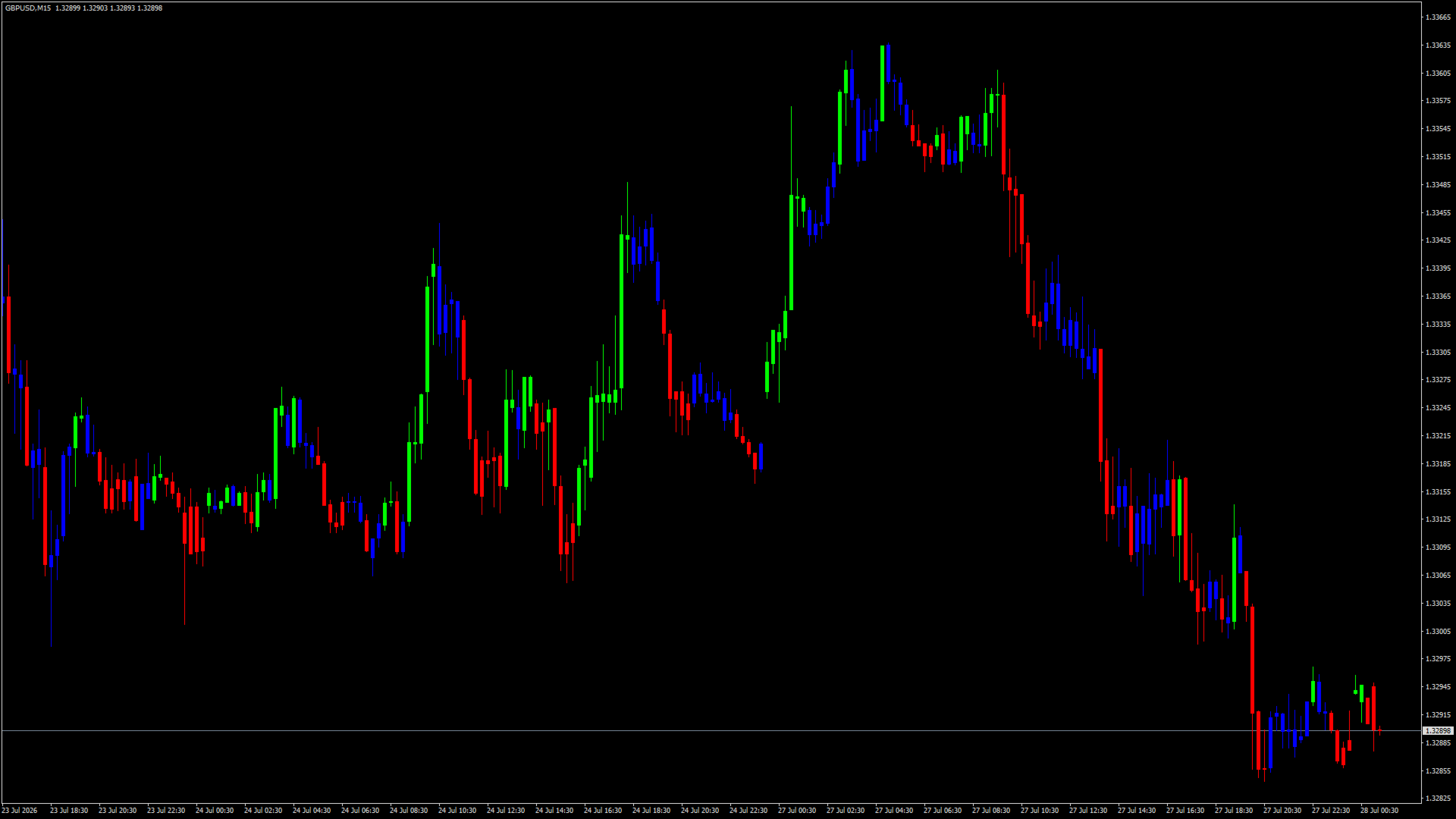
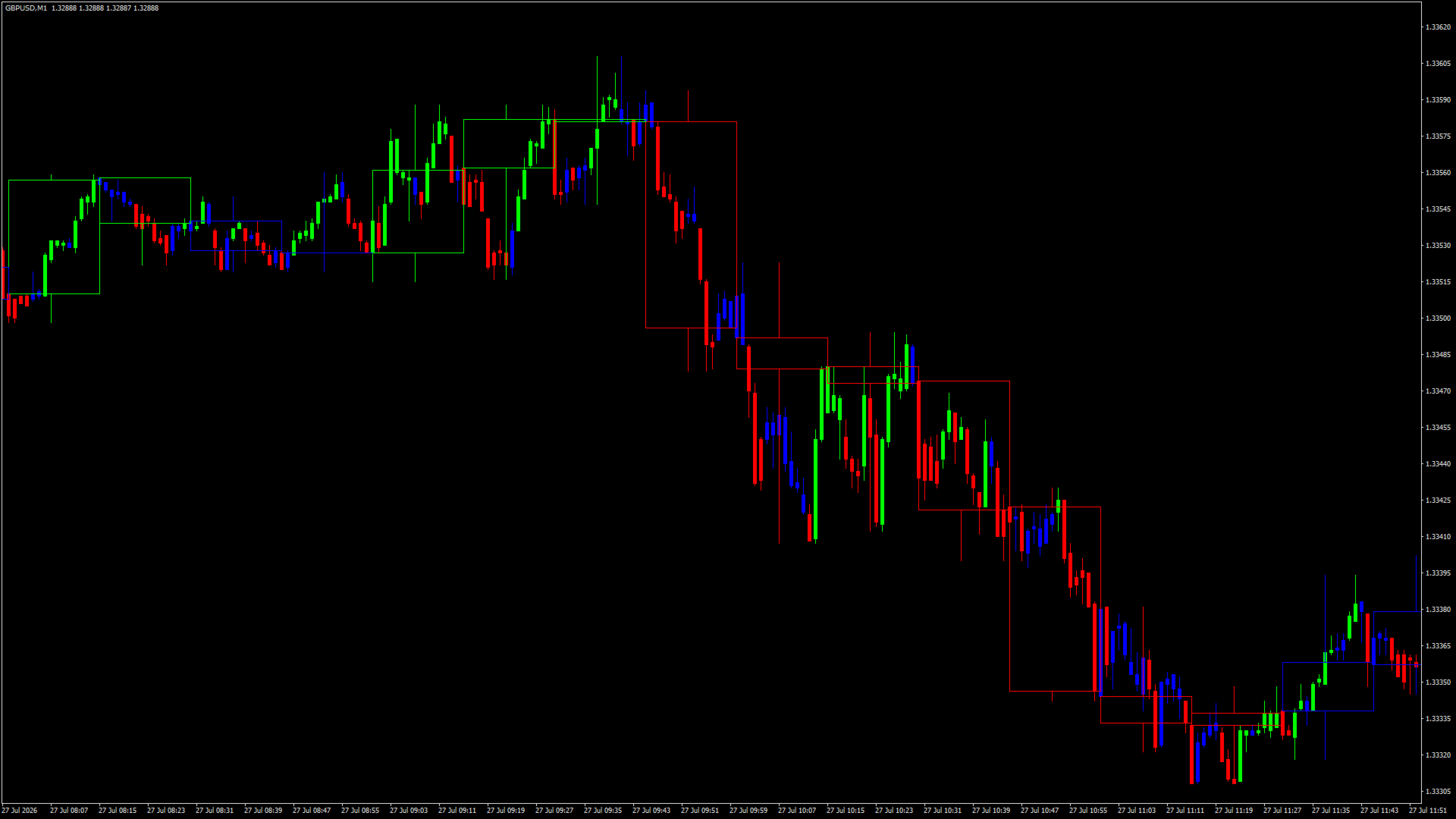
Impulse System MTF colours the candles on your chart according to the Impulse System described by Alexander Elder, and can take that colouring from a higher timeframe instead of the one you are looking at. The Impulse System combines one trend measure and one momentum measure: an exponential moving average of the close, and the histogram of the MACD. When both are rising the bar is green, when both are falling it is red, and when the two disagree it is blue.
What makes the three states useful is the job Elder gave them. The Impulse System is a censorship system rather than a signal generator. Green does not mean buy, it means shorting is forbidden while the bulls hold both trend and momentum. Red does not mean sell, it means buying is forbidden. Blue means neither side is in control and both directions are permitted, which in practice is where trends end and begin. Read this way the colouring is a filter placed over whatever entry method you already use, not a replacement for it.
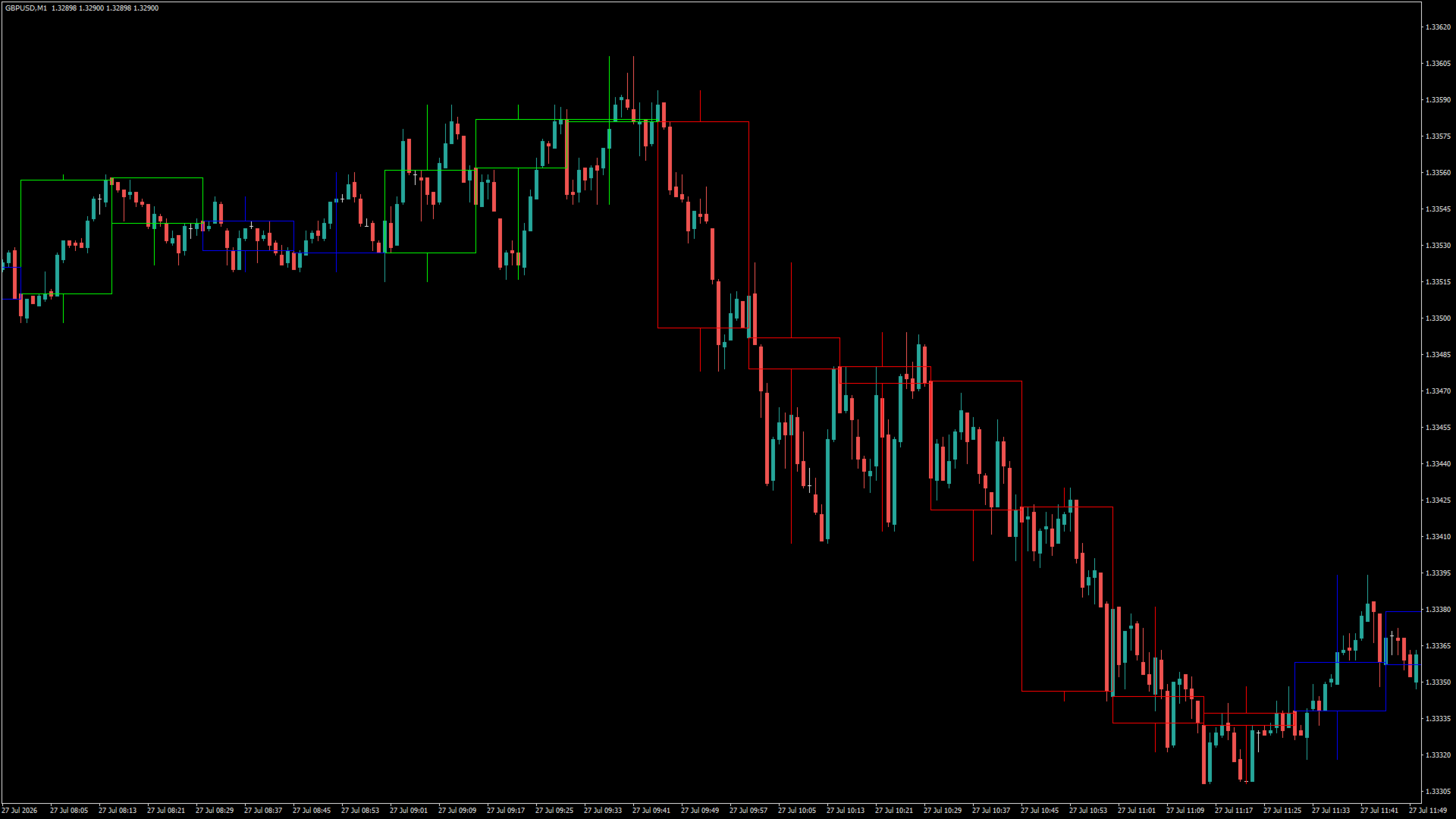
The indicator runs in two modes and chooses between them from the timeframe you select. When the selected timeframe matches the chart, it recolours the chart's own candles in place. When you select a higher timeframe, it draws that timeframe's candles as an overlay on the current chart, so a daily or four hour structure stays visible while you work on five or fifteen minutes. The list of timeframes offered is the one your platform provides, and the choice is made from a single drop-down.
A common way to work with it is to set the timeframe higher than your chart and treat that colour as the direction you are allowed to trade, then wait for the chart's own price action to pull back against it, and look for an entry when momentum turns back in the higher timeframe's direction. None of that sequence is automated here. The indicator states the three colours and leaves the decision, the entry price, the stop and the position size to you.
Alerts fire on colour transitions only. A transition means the last closed bar has turned a colour and the bar before it was a different colour, so a run of ten green bars alerts once, on the first of them, and stays quiet afterwards. Alerts can be restricted to red only, green only, blue only, or red and green together, and delivered as a terminal popup, a sound, an email or a push notification. When a higher timeframe is selected the check follows that timeframe's bars, so one higher-timeframe colour change produces one alert rather than one per bar of your chart.
Alerts are evaluated on closed bars, and the reason is worth stating plainly. The bar currently forming has no final colour: its moving average and its MACD histogram both move with every tick, so the colour can change several times before the bar completes. The indicator never alerts on that bar. It still paints it so you can see the current state, but the colour shown there is provisional until the bar closes.
The remaining settings cover the moving average length, the fast, slow and signal lengths of the MACD, how many bars of history to colour, and the appearance of the candles. Body width follows the chart's zoom level by default so the candles keep their proportions as you zoom in and out, and it can be fixed to a chosen width instead. An optional corner label shows which timeframe is being displayed and takes the colour of the current state.
The Impulse System is the first screen of the Triple Screen method, in which a higher timeframe sets the permitted direction and an oscillator on a faster timeframe handles the timing. The oscillator Elder pairs with it is the Force Index, which is published separately as a free indicator under the name Force Index MTF.
Versions of this indicator are published for both MetaTrader 4 and MetaTrader 5. The MetaTrader 5 build offers the longer timeframe list that platform provides.
Disclaimer: this is an analysis tool. It does not open, modify or close positions, and it makes no forecast of future prices. Test it on a demo account, form your own view of whether the method suits your instrument and timeframe, and manage your own risk. This is an independent implementation of a publicly described method and is not affiliated with, authorised by or endorsed by the author of that method.
If you find this indicator useful, a rating or review is appreciated. For questions or feature requests, please use the Comments section of this product page.