MQL5 access problems in VPS
I had same/similar problem before in my home computer (in Windows) but it was the issue with host file:
Forum on trading, automated trading systems and testing trading strategies
can not login MQL5with my MT4 and Google too
Sergey Golubev, 2024.09.05 06:17
I think it may be related to host file -
- host file (website is showing something wrong): this thread https://www.mql5.com/en/forum/458988
- decision (solved): #8 and #14 and #3
more:
- hosts file: the thread (English),
- post #3 with instruction about HowTo.
---------------------
Besides, I had same issue with external VPS but it was fixed by itself (yesterday).
Anyway, there is one summary blog post about all possible reasons: Summary: Installation Failed - Error 403 and more

- 2025.02.19
- www.mql5.com
hi. like i mentioned in my post, i have already tried changing the host file and all that stuff (i can also see that the host file is exactly the same with the other commenters in the thread)
but it's still not working.
Also, my webview2 has already been installed so i can't install it again (it keeps failing) - > installment date appears to be May 16, 2026
mql5 can be pinged as well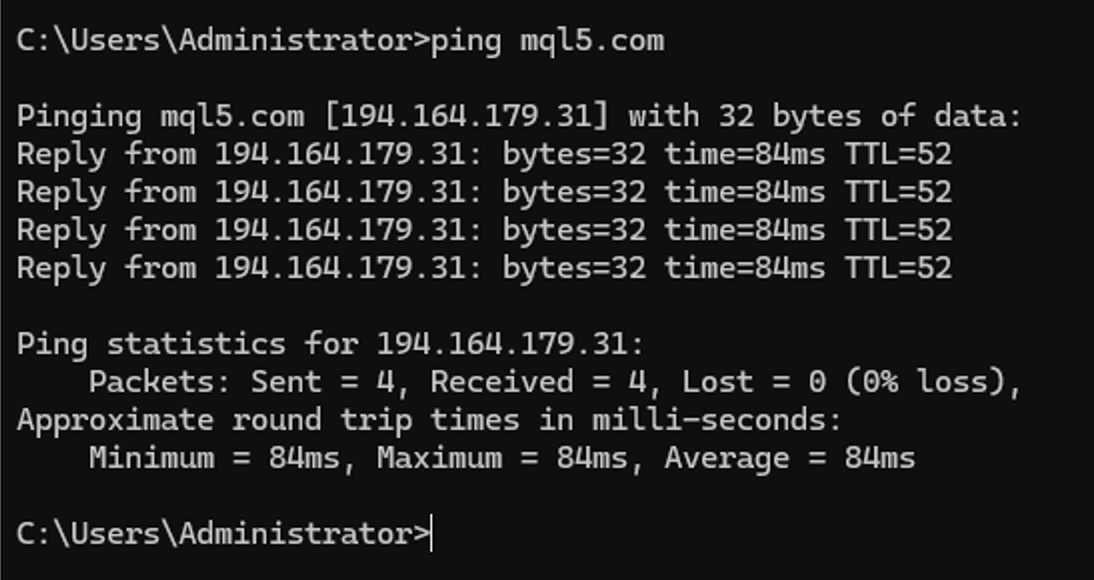
I had same/similar problem before in my home computer (in Windows) but it was the issue with host file:
---------------------
Besides, I had same issue with external VPS but it was fixed by itself (yesterday).
Anyway, there is one summary blog post about all possible reasons: Summary: Installation Failed - Error 403 and more
Several users had same/similar issue in past with their external VPS, but there were the following reasons:
- their VPS provider was banned from MQL5 Market (zomro propvider and so on);
- VPS provider installed the additional security tools/features which prevented to go to MQL5 website;
- any other reason.
--------------------
It is very difficult to find the real reasons for this issue; you can find the reason only - because you only know all the technical details and you trust yourself for example.
i see. is there any way for me to know if mql5 has banned my IP address?
Cause i checked that the provider is not banned (it's not zomro), and VPS features are the same (it used to log in previously without problems).

- 2025.02.19
- www.mql5.com
thanks for the swift answer.
I have already uploaded the mql5 ping in my previous comment, it would be really helpful if you can check the image out. I'll upload it on this comment once again.
I am using a dedicated server from Redswitches, and they told me this is a software problem that they cannot help with. They are not providing further assistance regarding the matter.
They only told me to talk with mql5 support.
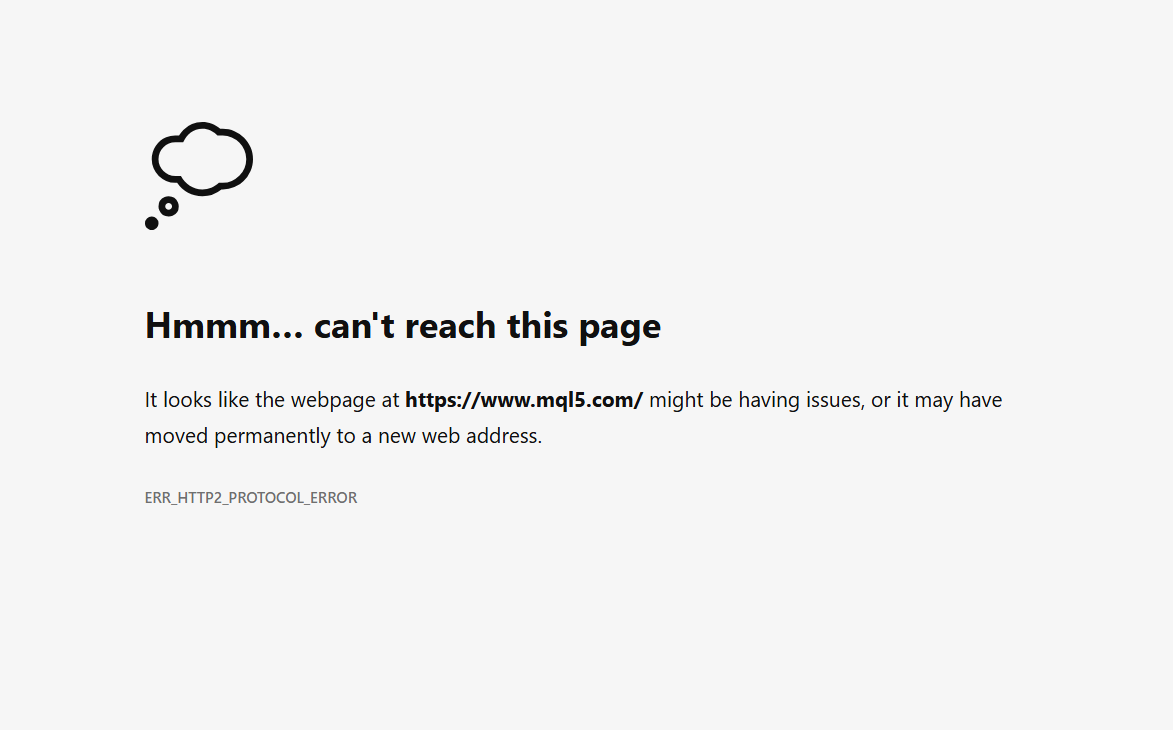
This is the error i'm getting. I unfortunately don't see this error in the summary.
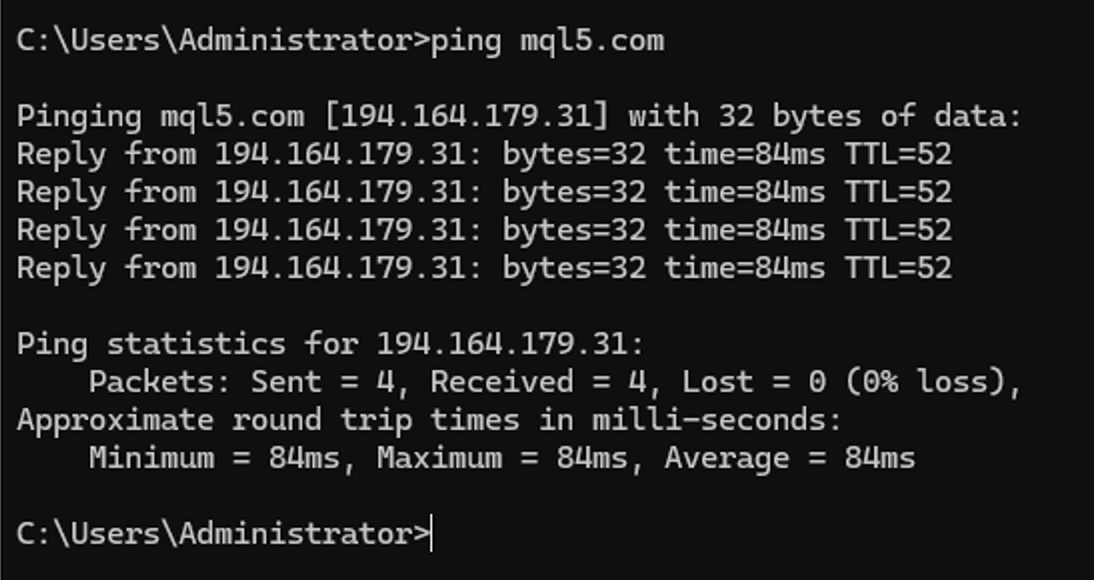
I have already uploaded the mql5 ping in my previous comment, it would be really helpful if you can check the image out.
I am public moderator of the forum (almost same with you) so I can not check and tell about which IP was blocked and why.
You can send it to the service desk (in case they are accepting such a request for example).
--------------------
But I can repeat - most similar issues are going from VPS provider:
Several users had same/similar issue in past with their external VPS, but there were the following reasons:
- their VPS provider was banned from MQL5 Market (zomro propvider and so on);
- VPS provider installed the additional security tools/features which prevented to go to MQL5 website;
- any other reason.
But those features may prevent the access/connect.
The users were solving it by contacting with VPS support, for example (already solved):
post #15 and post #30

- 2023.01.26
- www.mql5.com
DNS resolution is working correctly for all MQL5 domains ( www.mql5.com , c.mql5.com , download.mql5.com ).
- MQL5 login works
- Signal synchronization works
- Market/download functionality works
- Trading operations are unaffected
- schannel: server closed abruptly (missing close_notify)
- local networking
- DNS
- MT5 terminal infrastructure
- general TLS capability
- internet connectivity

- Free trading apps
- Over 8,000 signals for copying
- Economic news for exploring financial markets
You agree to website policy and terms of use
Hi. I can see my mql5 chats on my terminal and see that the signal are connecting.
However, when i try opening mql5 on my microsoft edge, there's an error on the screen.
Also, in the terminal, it says "cannot connect to www.mql5.com".
I have tried the host default file, as well as checked the network connections using the cmd function.
Does anyone have experience with this?
summary:
Mql5 chat and signals working well on terminal but cannot connect to www.mql5.com.
because it cannot connect to mql5, it won't let me install new EAs and renew signal subscriptions.
Thanks.