Introduction
HarmoniPredict gives Expert Advisors two ways to receive its harmonic entry signals. Eight indicator buffers carry the signals of the chart a copy runs on, read with iCustom and CopyBuffer ; they work live and in the Strategy Tester. The signal feed carries the events of every symbol and timeframe the main indicator scans, live only. Each entry signal has an entry price, a stop loss, three profit targets, the pattern type and a quality score, and is never repainted.
This article explains where a signal comes from, what each buffer holds, exactly when the values appear, and how to read them safely. It then covers the signal feed. It ends with two examples you can compile: an Expert Advisor that trades the buffers, and one that follows the feed's log file.
You need HarmoniPredict installed from the Market and a basic knowledge of MQL5 Expert Advisors. Nothing else is required: the article defines every constant it uses, so you don't need any of the indicator's source files.
How a signal is born
A signal is written at exactly one moment: when a pattern becomes Active. Every pattern HarmoniPredict finds moves through a fixed lifecycle, and only the step into Active produces a buffer value.
- Possible: X, A, B and C are in place, and D is projected.
- Probable: price has moved past the midpoint of BC towards D.
- Confirmed: price has reached the Price Reversal Zone (PRZ) inside its time window.
- Active: the entry signal. By default this is price touching the XA level inside the PRZ time window without breaking the PRZ; it fires on the touching tick, so the signal sits on the bar still forming. The alternatives are a reversal candle (pinbar, engulfing, or morning or evening star) that closes inside the PRZ with a minimum size relative to ATR, or whichever of the two comes first. This is the step that writes to the buffers.
- Complete or Failed: the trade's outcome.
A pattern can drop out at any step before Active. Possible and Probable patterns are removed when they break; they never touch the buffers. After Active, the outcome doesn't change what was written: a signal that later fails stays in the buffers exactly as it was.
Figure 1 shows the states and the single point where the buffers are written.
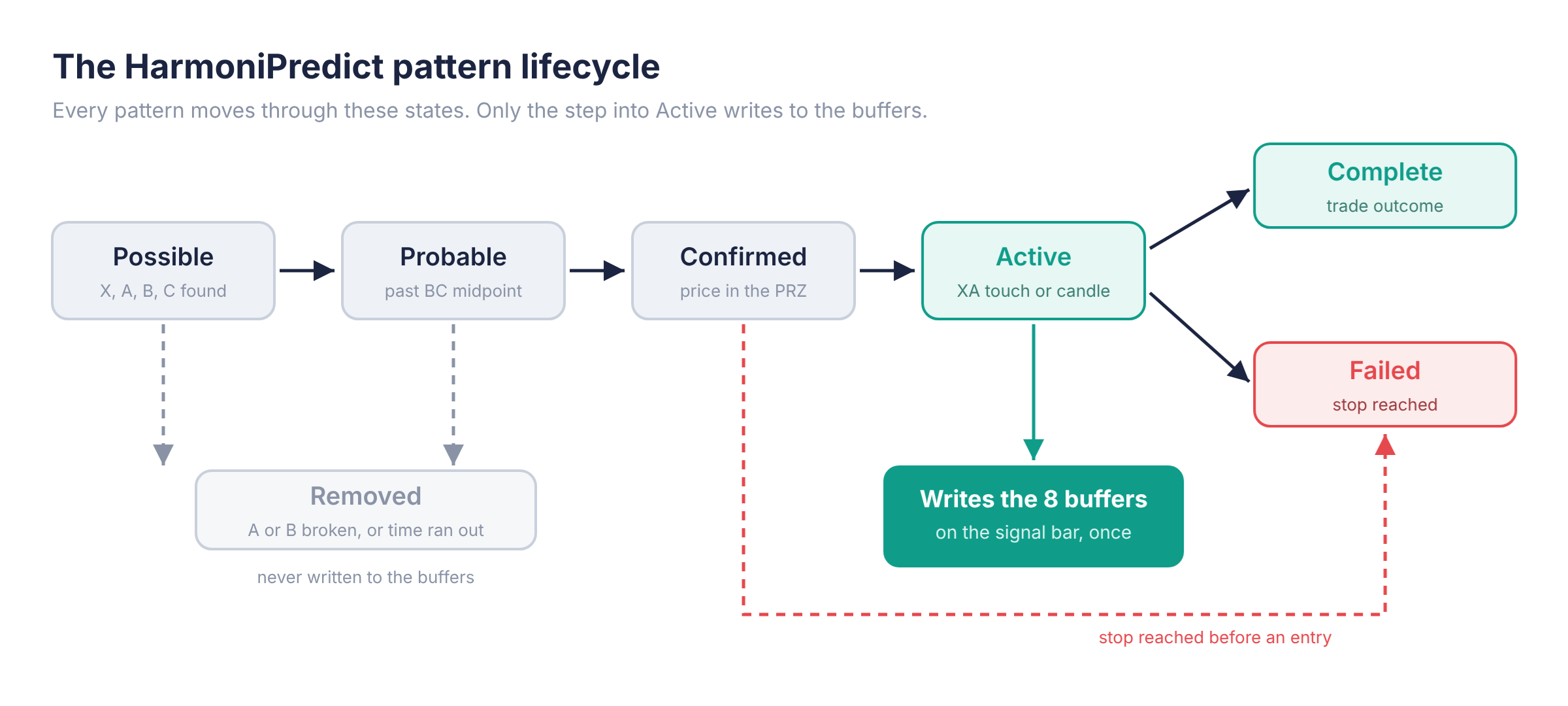
Figure 1. The pattern lifecycle. Only the step into Active writes to the buffers.
The eight buffers
HarmoniPredict has eight buffers. A bar that carries a signal holds values in all of them; every other bar holds EMPTY_VALUE in all of them.
| Index | Name used in this article | Holds |
|---|---|---|
| 0 | HP_BUF_BUY | Entry price of a bullish signal |
| 1 | HP_BUF_SELL | Entry price of a bearish signal |
| 2 | HP_BUF_SL | Stop loss: the far edge of the PRZ plus an ATR buffer |
| 3 | HP_BUF_TP1 | First profit target (default 0.382 of AD) |
| 4 | HP_BUF_TP2 | Second profit target (default 0.618 of AD) |
| 5 | HP_BUF_TP3 | Third profit target (default 0.886 of AD) |
| 6 | HP_BUF_PATTERN | Pattern type, 1–9 (see below) |
| 7 | HP_BUF_QUALITY | Quality score at activation, 0–100 |
Buffers 0–5 are prices, normalised to the symbol's digits. They show in the Data Window but are never drawn on the chart. Buffers 6 and 7 are calculation buffers: CopyBuffer reads them, but they don't appear in the Data Window and don't stretch the chart's price scale.
The pattern codes are 1 Gartley, 2 Bat, 3 Alt Bat, 4 Butterfly, 5 Crab, 6 Deep Crab, 7 Shark, 8 Cypher and 9 Nen-Star.
The entry is the XA level for the default XA-touch activation, or the close of the signal candle for a candle activation. A target buffer holds 0 when the indicator has fewer than three profit-target ratios set; the signals-only copy uses the defaults, so all three are set. The quality score combines how closely the ratios fit, how many PRZ levels agree, and where D sits in the zone.
Two rules make the buffers easy to use:
- One signal per bar. If several patterns activate on the same bar, only the one with the highest quality score is written. BUY and SELL are therefore never set on the same bar, and the stop, targets, pattern and quality always belong to the entry that was written. On the forming bar, a second pattern that activates later in the same bar with a higher score replaces the values; the examples below act on the first signal of each bar.
- The side tells you which entry buffer to read. Check HP_BUF_BUY first, then HP_BUF_SELL . Exactly one of them holds a price on a signal bar.
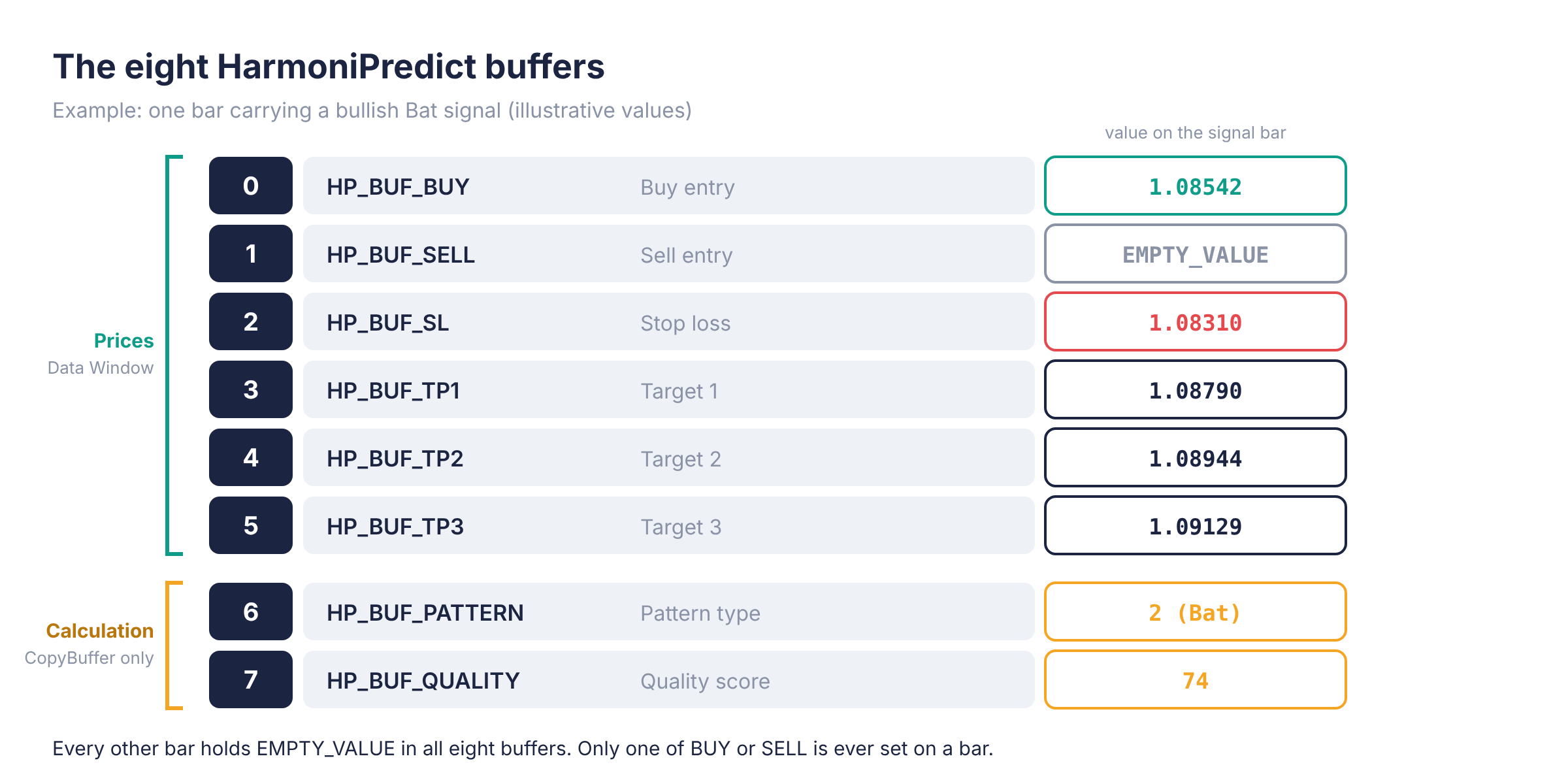
Figure 2. The buffer layout. Buffers 0–5 are prices shown in the Data Window; buffers 6 and 7 are calculation buffers.
Timing and repainting
Read shift 0 on every tick and shift 1 on each new bar, and act on each signal bar once. Where a signal lands depends on the activation strategy:
- XA-level touch (the default). The pattern activates on the tick price touches the XA level, and the values are written on the forming bar, shift 0, at once. A fast bar can touch the level and run to the targets before it closes, so waiting for the close would cost the entry.
- Reversal candle. The rule is about a closed candle, so the values appear on the bar that has just closed. When a new bar opens, that bar is shift 1.
- Found a little late. Sometimes HarmoniPredict finds an activation after its bar: the ZigZag confirms a swing only a bar or two later. If the activation bar is at most two bars before the forming one, the signal is written on the last closed bar when it is found, so the shift-1 read still sees it.
- Found later than that. An activation found more than two bars after its bar is never published. The chart shows it with a grey arrow and "(found late)" in its name, but it is not written to the buffers or the feed. Acting on a move that has already happened is not a signal.
A signal written on the forming bar stays on that bar. On the next new bar it becomes shift 1, which is why the reading code remembers the bar of the last signal it acted on.
After a reload (a terminal restart, a timeframe change, or the first calculation), HarmoniPredict estimates for each pattern the bar a live run would have found it on, and writes history signals where a live run would have published them. Late ones stay out. A reload therefore shows close to what a live run recorded.
No value is removed once written. A signal whose trade later hits its stop stays in the buffers, so they are a faithful record of what the indicator said at the time.
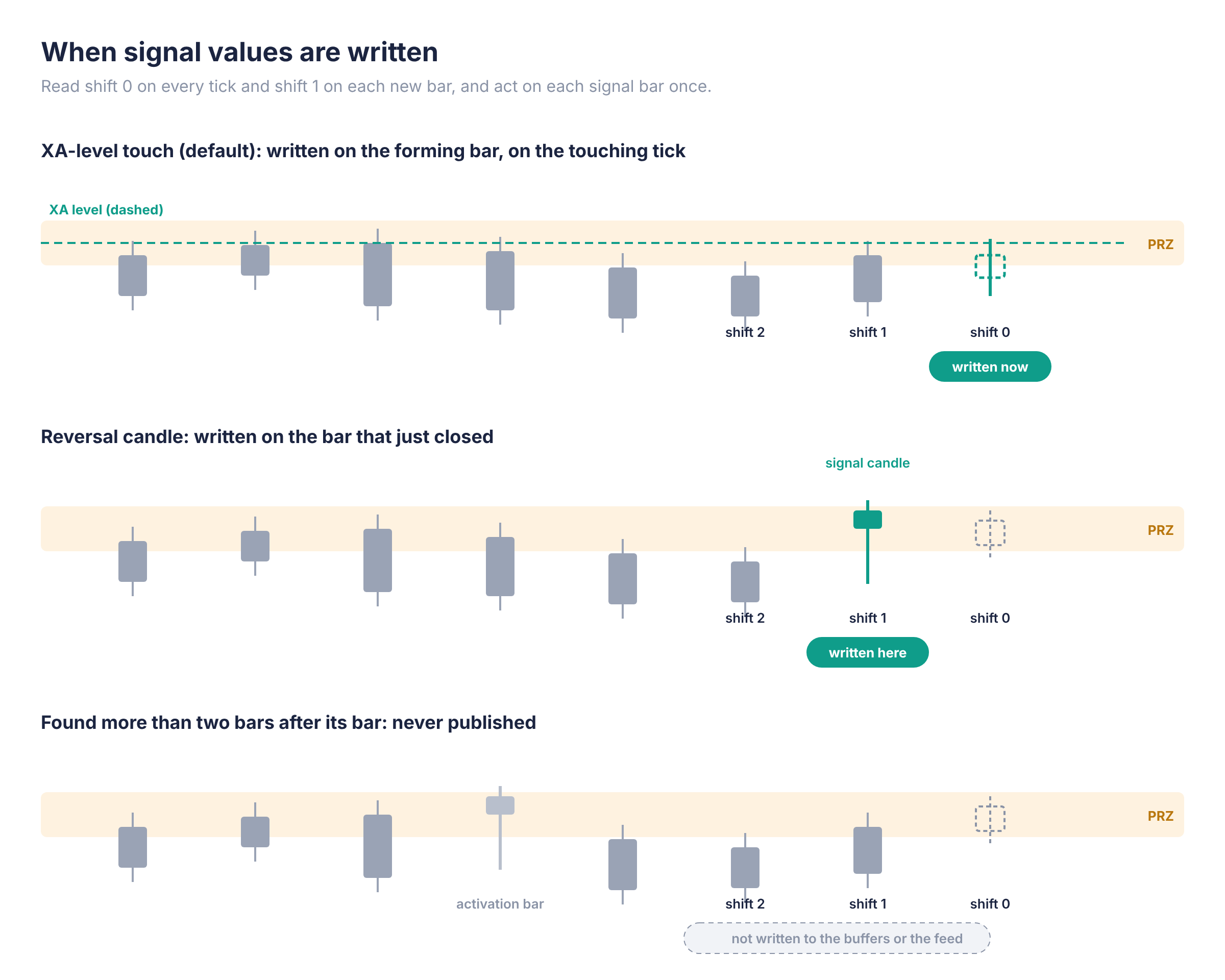
Figure 3. When values are written: an XA touch on the forming bar, a candle on the bar that just closed, and an activation found too late not at all.
Loading the signals-only copy
Load HarmoniPredict with iCustom and pass true as the first parameter. That parameter is the indicator's first input, Signals Only. With it set, the copy your Expert Advisor loads draws nothing, doesn't scan other symbols, shows no panel and sends no alerts. It only calculates and fills the eight buffers.
Signals Only also matters for a second reason. HarmoniPredict normally allows one running copy per terminal, because one copy scans every symbol you choose. The signals-only copy skips that check, so your Expert Advisor works even when the full indicator is running on a chart.
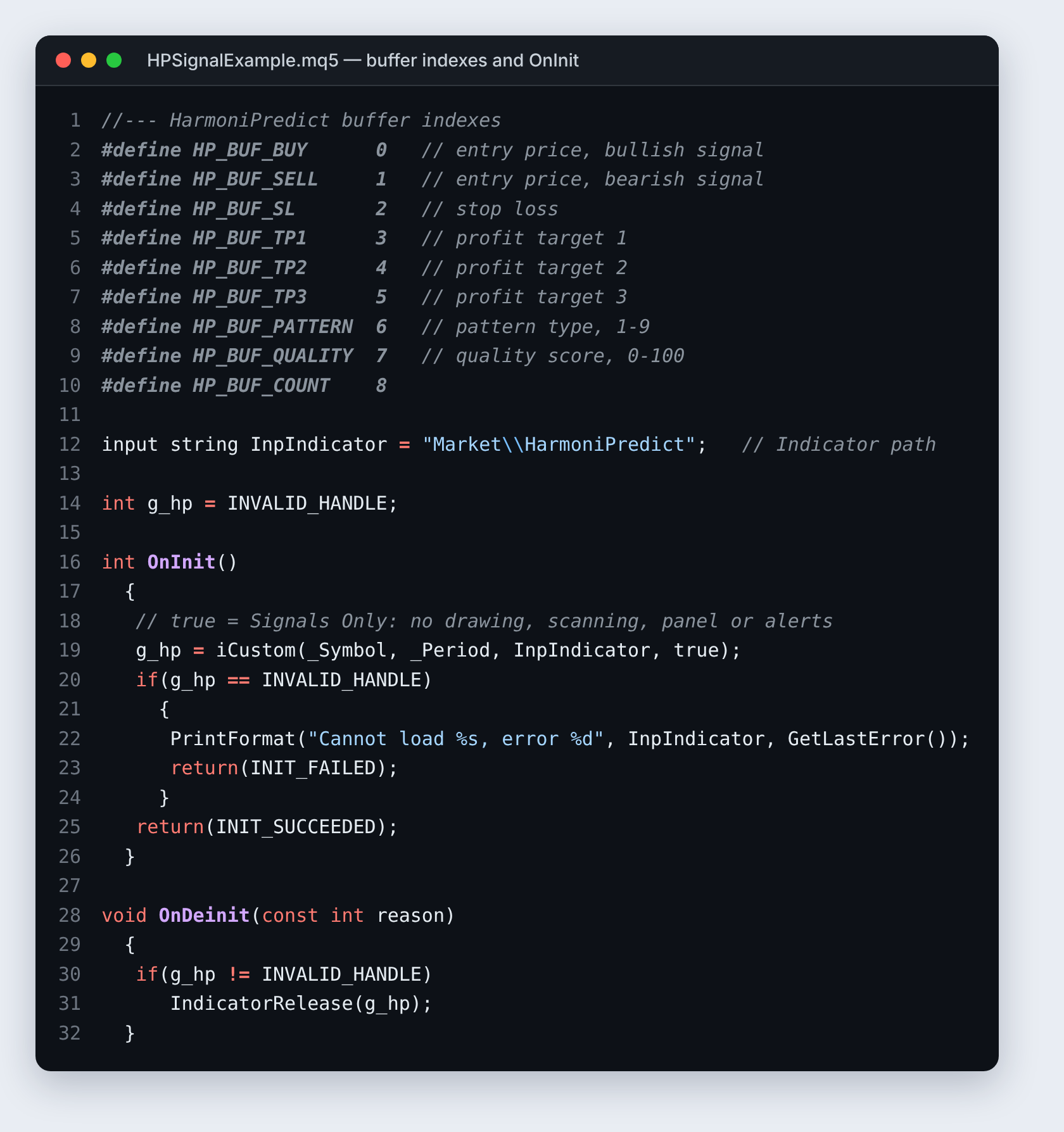
Figure 4. Defining the buffer indexes and loading the signals-only copy in OnInit.
//--- HarmoniPredict buffer indexes
#define HP_BUF_BUY      0   // entry price, bullish signal
#define HP_BUF_SELL     1   // entry price, bearish signal
#define HP_BUF_SL       2   // stop loss
#define HP_BUF_TP1      3   // profit target 1
#define HP_BUF_TP2      4   // profit target 2
#define HP_BUF_TP3      5   // profit target 3
#define HP_BUF_PATTERN  6   // pattern type, 1-9
#define HP_BUF_QUALITY  7   // quality score, 0-100
#define HP_BUF_COUNT    8

input string InpIndicator = "Market\\HarmoniPredict";   // Indicator path

int g_hp = INVALID_HANDLE;

int OnInit()
  {
   // true = Signals Only: no drawing, scanning, panel or alerts
   g_hp = iCustom(_Symbol, _Period, InpIndicator, true);
   if(g_hp == INVALID_HANDLE)
     {
      PrintFormat("Cannot load %s, error %d", InpIndicator, GetLastError());
      return(INIT_FAILED);
     }
   return(INIT_SUCCEEDED);
  }

void OnDeinit(const int reason)
  {
   if(g_hp != INVALID_HANDLE)
      IndicatorRelease(g_hp);
  }
Three details are worth knowing:
- The path. Indicators bought from the Market install under MQL5\Indicators\Market , so the path is Market\\HarmoniPredict (the backslash is doubled inside an MQL5 string). Making it an input lets you point the same Expert Advisor at another location without recompiling.
- Pass only the first parameter. The signals-only copy is meant to run on its default inputs, and the inputs are not ordered for iCustom . Input groups also take parameter slots, so passing later parameters by position is fragile. Leave them out.
- One copy per symbol and timeframe. The copy calculates on the symbol and timeframe you pass. To trade several pairs, create one handle per pair.
Reading a signal on each new bar
Keep the reading in one function that fills a small structure. The rest of your Expert Advisor then works with named fields instead of buffer indexes.
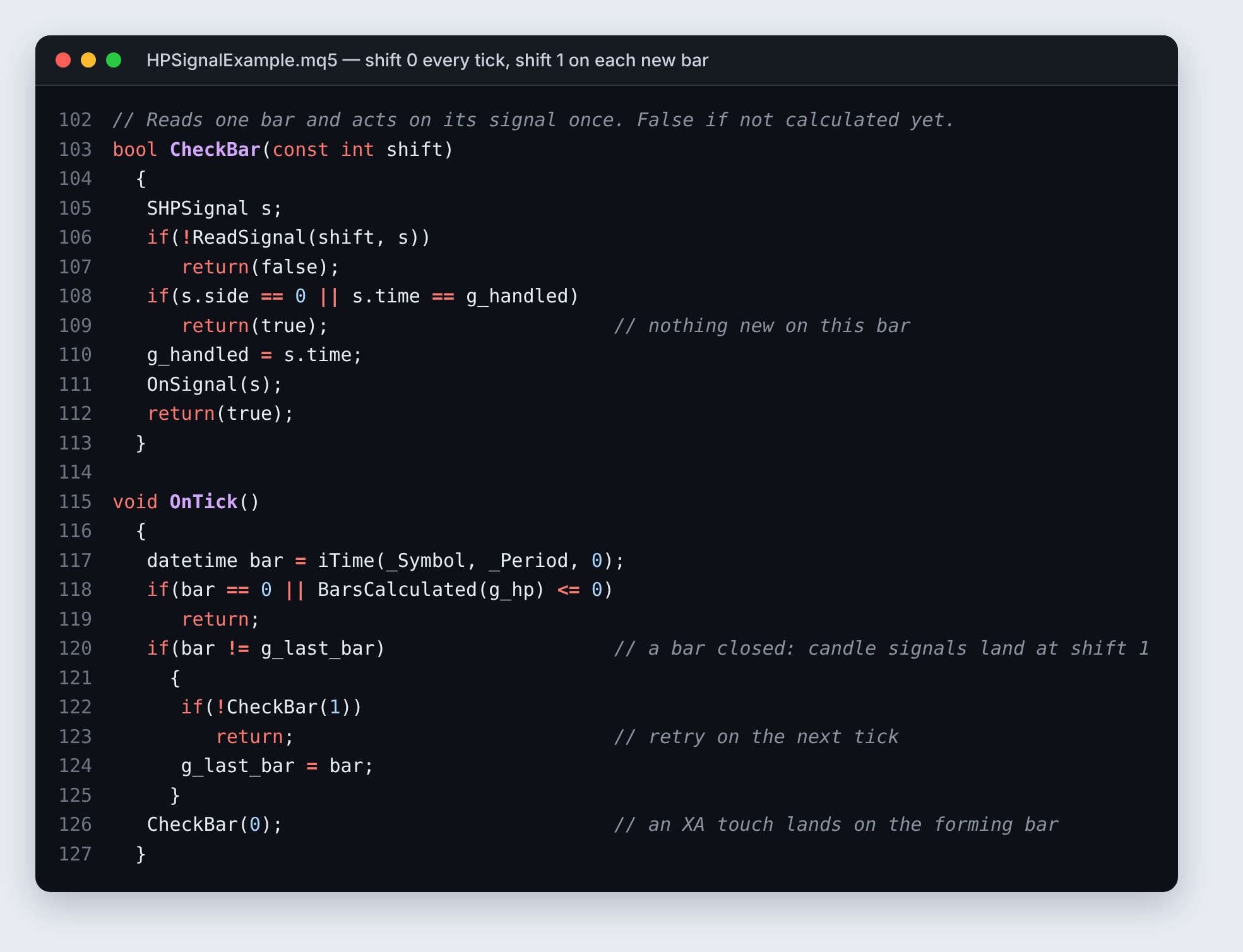
Figure 5. A signal structure and a function that reads one bar from all eight buffers.
struct SHPSignal
  {
   int      side;      // +1 buy, -1 sell, 0 no signal
   double   entry;
   double   sl;
   double   tp1, tp2, tp3;
   int      pattern;   // 1 Gartley ... 9 Nen-Star
   int      quality;   // 0-100
   datetime time;      // the bar the signal belongs to
  };

// Returns false while the indicator hasn't calculated this bar yet.
bool ReadSignal(const int shift, SHPSignal &s)
  {
   ZeroMemory(s);
   double v[HP_BUF_COUNT];
   for(int b = 0; b < HP_BUF_COUNT; b++)
     {
      double one[1];
      if(CopyBuffer(g_hp, b, shift, 1, one) != 1)
         return(false);
      v[b] = one[0];
     }
   if(v[HP_BUF_BUY] != EMPTY_VALUE)       { s.side = +1; s.entry = v[HP_BUF_BUY];  }
   else if(v[HP_BUF_SELL] != EMPTY_VALUE) { s.side = -1; s.entry = v[HP_BUF_SELL]; }
   else
      return(true);                         // read fine, no signal on this bar
   s.sl      = v[HP_BUF_SL];
   s.tp1     = v[HP_BUF_TP1];   // 0 when the indicator has fewer targets
   s.tp2     = v[HP_BUF_TP2];
   s.tp3     = v[HP_BUF_TP3];
   s.pattern = (int)v[HP_BUF_PATTERN];
   s.quality = (int)v[HP_BUF_QUALITY];
   s.time    = iTime(_Symbol, _Period, shift);
   return(true);
  }
The function separates two cases that are easy to confuse. It returns false when a buffer can't be read yet, which happens while the indicator is still calculating after a start or a reconnect. It returns true with side set to 0 when the bar was read and simply has no signal.
Call it on two shifts. On each new bar, read shift 1 first: candle signals and signals found a bar late land there. Then, on every tick, read shift 0 for an XA touch on the forming bar. Remember the bar of the last signal you acted on, because a forming-bar signal shows up again at shift 1 once its bar closes. If the shift-1 read fails, keep the bar unhandled so the next tick tries again:
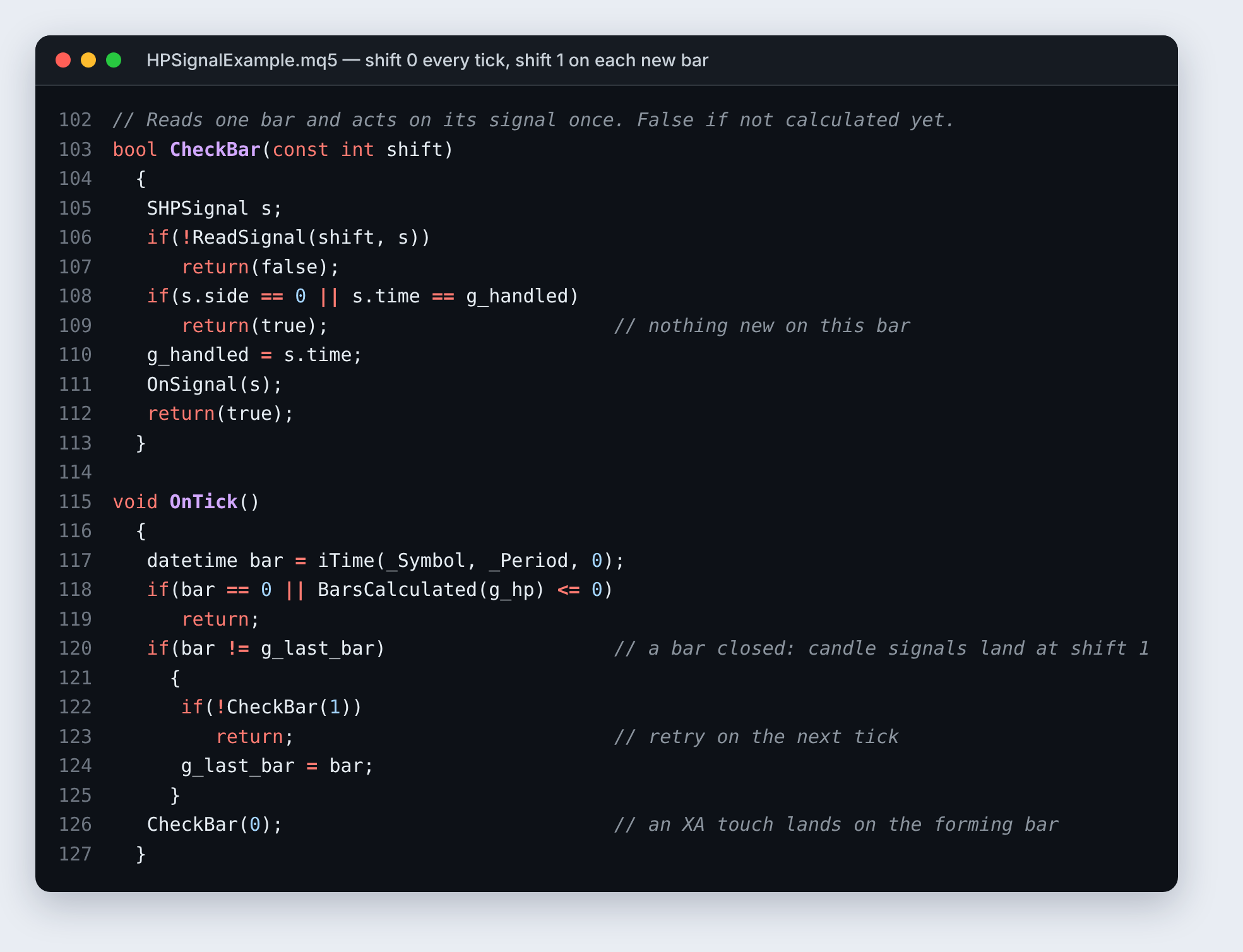
Figure 6. Reading shift 0 on every tick and shift 1 on each new bar, acting on each signal bar once.
datetime g_last_bar = 0;   // the bar whose open we last handled
datetime g_handled  = 0;   // the bar of the last signal acted on

// Reads one bar and acts on its signal once. False if not calculated yet.
bool CheckBar(const int shift)
  {
   SHPSignal s;
   if(!ReadSignal(shift, s))
      return(false);
   if(s.side == 0 || s.time == g_handled)
      return(true);                         // nothing new on this bar
   g_handled = s.time;
   OnSignal(s);
   return(true);
  }

void OnTick()
  {
   datetime bar = iTime(_Symbol, _Period, 0);
   if(bar == 0 || BarsCalculated(g_hp) <= 0)
      return;
   if(bar != g_last_bar)                    // a bar closed: candle signals land at shift 1
     {
      if(!CheckBar(1))
         return;                            // retry on the next tick
      g_last_bar = bar;
     }
   CheckBar(0);                             // an XA touch lands on the forming bar
  }
To name the pattern in a log or a comment, index a small array with the pattern code:
string HP_PATTERNS[] = {"", "Gartley", "Bat", "Alt Bat", "Butterfly",
                        "Crab", "Deep Crab", "Shark", "Cypher", "Nen-Star"};
A complete example Expert Advisor
The pieces above combine into a short Expert Advisor, HPSignalExample.mq5 . It reads shift 1 on each new bar and shift 0 on every tick, logs each signal once, and opens a market order when the signal passes a quality filter and no position is open.
It is an example of how to consume the buffers, not a trading system. Test it on a demo account first, and decide your own risk and position sizing.
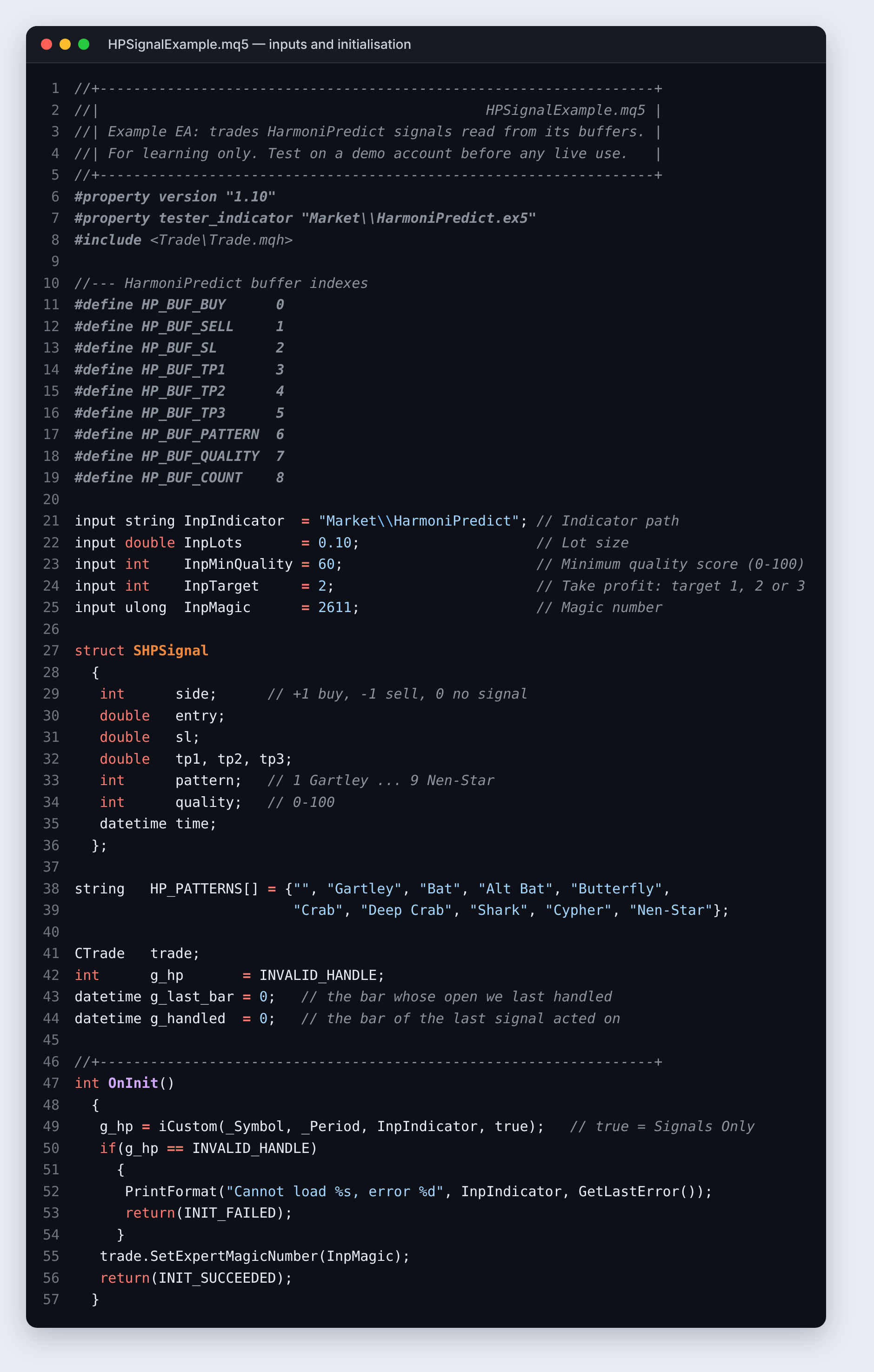
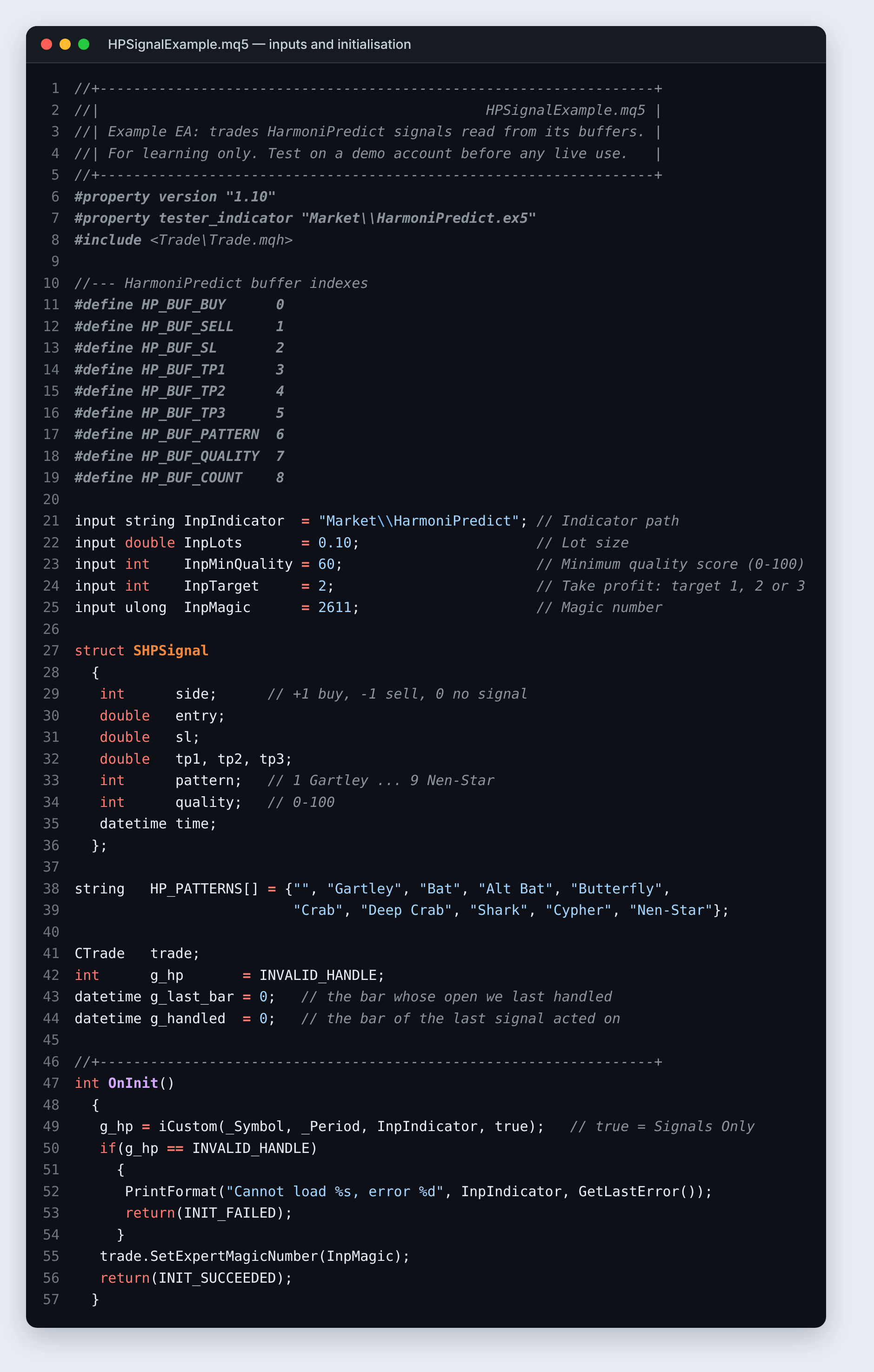
Figure 7. Inputs and initialisation of HPSignalExample.
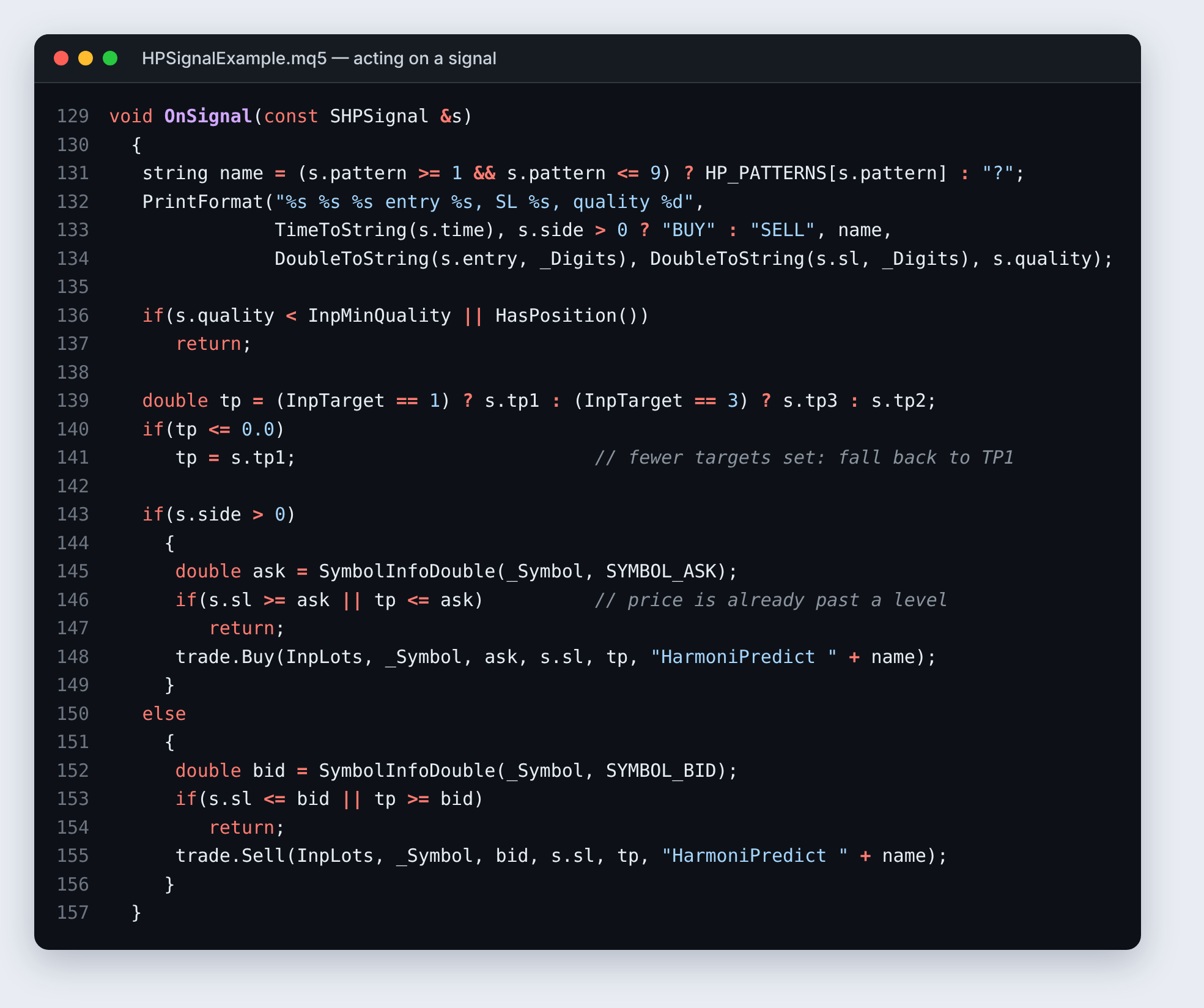
Figure 8. Acting on a signal in OnSignal.
The parts not shown earlier are the tester property, the inputs, the position check and OnSignal, which CheckBar calls once per signal bar:
#property tester_indicator "Market\\HarmoniPredict.ex5"

input string InpIndicator  = "Market\\HarmoniPredict"; // Indicator path
input double InpLots       = 0.10;                     // Lot size
input int    InpMinQuality = 60;                       // Minimum quality score (0-100)
input int    InpTarget     = 2;                        // Take profit: target 1, 2 or 3
input ulong  InpMagic      = 2611;                     // Magic number

bool HasPosition()
  {
   for(int i = PositionsTotal() - 1; i >= 0; i--)
      if(PositionGetSymbol(i) == _Symbol &&
         PositionGetInteger(POSITION_MAGIC) == (long)InpMagic)
         return(true);
   return(false);
  }

void OnSignal(const SHPSignal &s)
  {
   string name = (s.pattern >= 1 && s.pattern <= 9) ? HP_PATTERNS[s.pattern] : "?";
   PrintFormat("%s %s %s entry %s, SL %s, quality %d",
               TimeToString(s.time), s.side > 0 ? "BUY" : "SELL", name,
               DoubleToString(s.entry, _Digits), DoubleToString(s.sl, _Digits), s.quality);

   if(s.quality < InpMinQuality || HasPosition())
      return;

   double tp = (InpTarget == 1) ? s.tp1 : (InpTarget == 3) ? s.tp3 : s.tp2;
   if(tp <= 0.0)
      tp = s.tp1;                           // fewer targets set: fall back to TP1

   if(s.side > 0)
     {
      double ask = SymbolInfoDouble(_Symbol, SYMBOL_ASK);
      if(s.sl >= ask || tp <= ask)          // price is already past a level
         return;
      trade.Buy(InpLots, _Symbol, ask, s.sl, tp, "HarmoniPredict " + name);
     }
   else
     {
      double bid = SymbolInfoDouble(_Symbol, SYMBOL_BID);
      if(s.sl <= bid || tp >= bid)
         return;
      trade.Sell(InpLots, _Symbol, bid, s.sl, tp, "HarmoniPredict " + name);
     }
  }
A few design choices are worth explaining:
- The entry buffer is a reference, not the fill price. With the default XA touch, the Expert Advisor acts on the touching tick, so the market order fills close to the XA level. With a candle activation, a new bar has opened and price has moved since the candle's close. In both cases the example sends a market order at the current price and keeps the indicator's stop and target.
- Check the levels against the current price. After a gap or a fast move, price can already be beyond the target or the stop. The example skips the signal instead of sending an order the server would reject.
- The quality filter is yours to tune. The score is the indicator's own ranking of the setup at activation, from 0 to 100. The example's default of 60 removes weaker setups. Test which value suits your symbols.
- The magic number keeps positions apart. HasPosition only counts this Expert Advisor's positions on this symbol, so other EAs and manual trades don't block it.
- tester_indicator ships the indicator to the tester. The path is an input, so the tester can't see it at compile time; the property tells it which indicator to send to its agents.
The full source file is attached to this article.
Signals from every scanned pair: the signal feed
The buffers carry one symbol and timeframe. The main HarmoniPredict copy, the one with the panel, scans many pairs, and it publishes every live event of every pair it scans through the signal feed. The feed is live only: a signals-only copy and the Strategy Tester publish nothing, so test with the buffers.
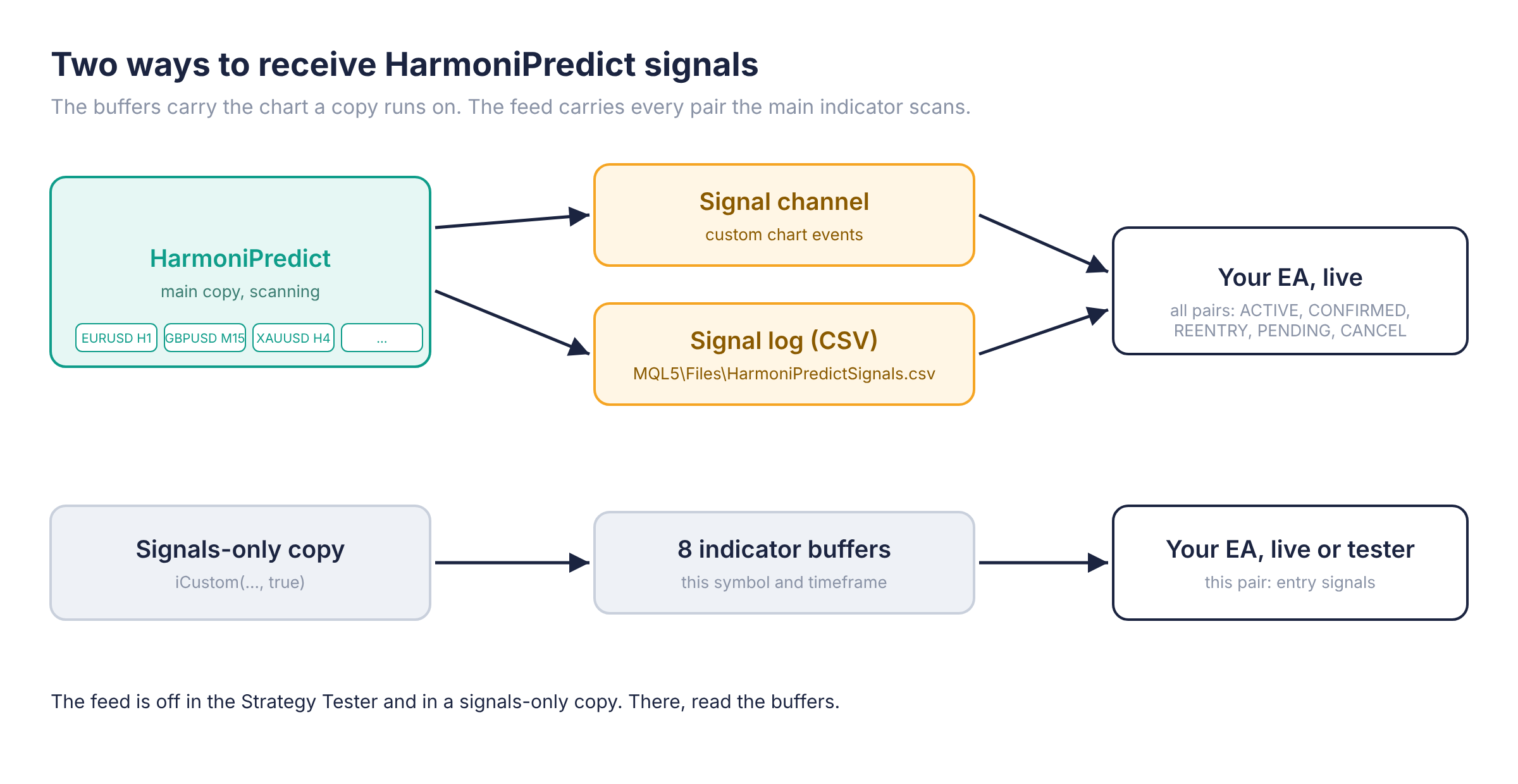
Figure 9. The buffers carry one chart's entry signals; the feed carries every scanned pair's events.
The feed has five events. The buffers carry ACTIVE only.
| Event | When | Entry field |
|---|---|---|
| ACTIVE | The entry signal, as written to the buffers | The XA level or the candle's close |
| CONFIRMED | Price touches the PRZ of a Confirmed pattern, once per pattern | The PRZ's near edge |
| REENTRY | A later reversal candle inside the PRZ of an Active pattern (candle activation only) | The candle's close |
| PENDING | With XA-level activation: the pattern is Probable or Confirmed, inside its PRZ window, and price hasn't reached the XA level yet | The XA level, for a limit order, valid until the PRZ window ends |
| CANCEL | A pattern that sent PENDING turned Invalid or Failed without activating | — |
Each event is one line of ; -separated fields:
written;symbol;timeframe;tf;side;bar;entry;sl;tp1;tp2;tp3;pattern;quality;id;event;until
Times are server time as yyyy.mm.dd hh:mi:ss . timeframe is the ENUM_TIMEFRAMES value and tf its name, side is BUY or SELL, bar is the bar the signal belongs to (as in the buffers), a target is 0 when unset, pattern is the same 1–9 code as the buffer, id identifies the pattern, and until is set for PENDING only. Each event is published once, even across a reload of the indicator.
The feed reaches an Expert Advisor in two ways:
- The signal log. With the indicator input "Write Signals To A Log File" turned on, every event is appended to MQL5\Files\HarmoniPredictSignals.csv in the terminal's data folder. Lines starting with # are comments. A file over 1 MB is deleted when the indicator starts. Any Expert Advisor in the same terminal can follow it with the standard file functions, so this is the simplest way to start.
- The signal channel. The indicator also pushes each event to subscribed Expert Advisors as custom chart events, within milliseconds and without a file. It works inside one terminal, needs no DLLs, and delivers each event once and in order for the session. HarmoniCompanion, the companion trading EA, uses it.
Open question for the author: the channel's client class ( CHPChannelClient in SignalChannel.mqh ) and the line parser ( CHPSignalFeed::Parse in SignalFeed.mqh ) are not part of the Market download. Decide whether to publish them for other developers; if so, add a short client example here. Until then the article points developers to the log.
The second example, HPFeedReader.mq5 , follows the log once a second. It remembers how far it has read, starts at the end so it only sees new events, keeps a half-written last line for the next pass, and splits each line into fields:
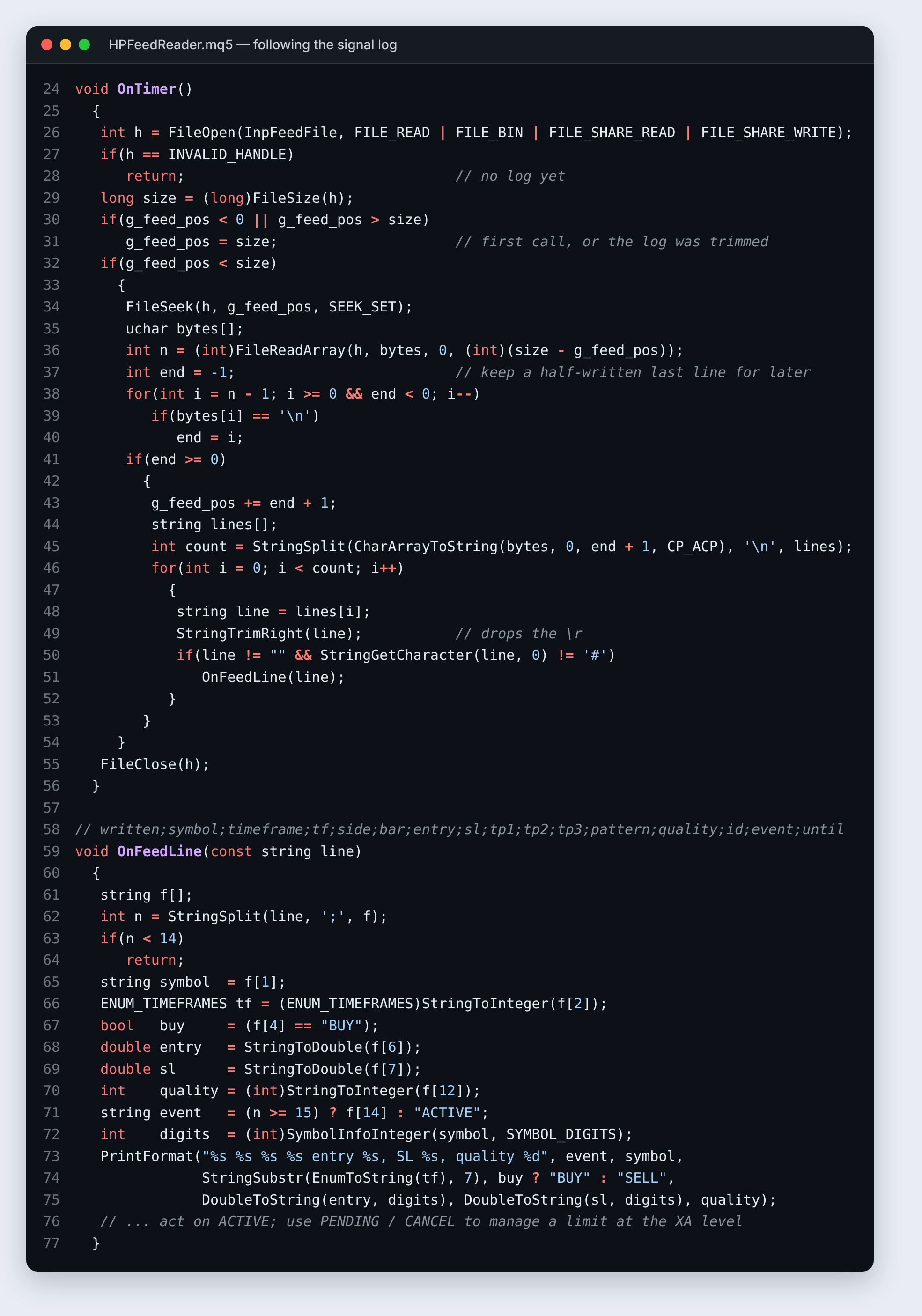
Figure 10. HPFeedReader: following the signal log and splitting each event into fields.
A polled log adds up to a second of delay. If that matters, act only on ACTIVE and PENDING, and check the bar and written times against the server time before sending an order.
Testing and common pitfalls
Run HPSignalExample in the Strategy Tester first. Pick a symbol and timeframe, choose "Every tick based on real ticks" or "Every tick" (an XA touch needs ticks inside the bar), and watch the Journal for the signal lines the Expert Advisor prints. In the tester every signal is found live, tick by tick, so the shift-0 and shift-1 reads behave as they will on a real chart. The signal feed doesn't run in the tester, so HPFeedReader can only be tried live, on a demo account.
The signals-only copy draws nothing, so visual mode shows the Expert Advisor's trades but no patterns. To see the patterns too, add the full HarmoniPredict to the tester chart through a tester.tpl template.
These are the mistakes that come up most often:
| Mistake | What happens | Fix |
|---|---|---|
| Reading only shift 1 | XA-touch signals are seen one bar late, after price has left the level | Read shift 0 on every tick as well |
| Reading shift 0 without remembering the bar | The same signal is acted on every tick, and again at shift 1 | Remember the bar of the last signal you acted on |
| Testing for 0 instead of EMPTY_VALUE | Every bar looks like a signal | Compare the entry buffers with EMPTY_VALUE |
| Using a target of 0 | An order with a take profit of 0, or a rejected order | Treat 0 as unset and fall back to another target |
| Ignoring a failed CopyBuffer | Signals are missed while the indicator calculates after start-up | Return false and retry on the next tick |
| Passing more iCustom parameters | Values land in the wrong inputs, because input groups take slots | Pass only true for Signals Only |
| Testing with "Open prices only" | XA touches inside the bar are never seen | Use an every-tick model |
| Expecting the feed in the tester | No events arrive | Test with the buffers; try the feed live |
| Placing stops too close | The server rejects the order | Check SYMBOL_TRADE_STOPS_LEVEL before sending |
If you update HarmoniPredict while a tester agent is running, restart the terminal before the next test. The agent can keep the previous build of the indicator in memory.