

Real signal: https://www.mql5.com/en/signals/2388322
📊 Installation instructions
After your purchase, please send me a private
message (https://www.mql5.com/en/users/bossik2810) and send me your trading account number (this is a standard security measure against fraudsters).
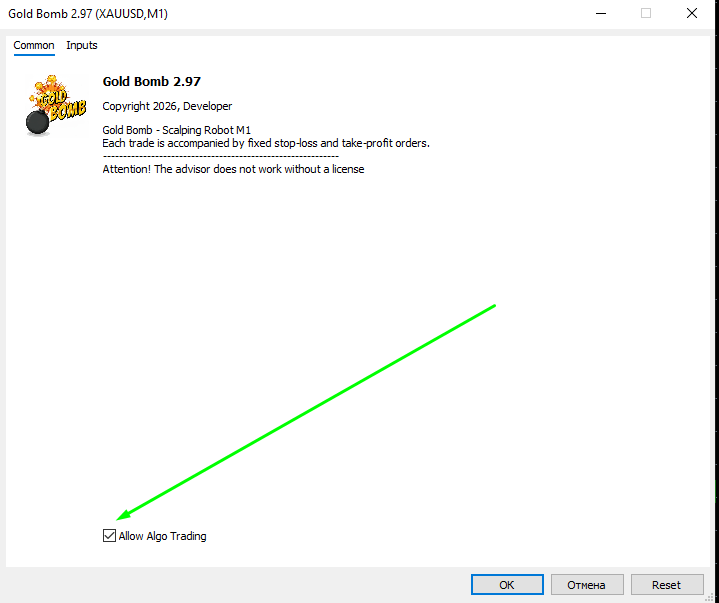
Open the XAUUSD M1 currency pair and drag the advisor onto the chart.
Click the checkbox to allow Algo trading
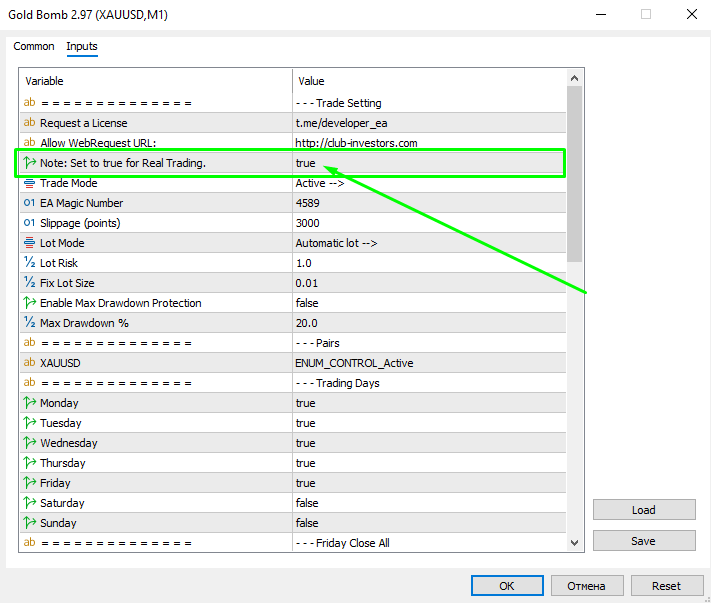
Go to Settings:
Switch to True Real Trading mode
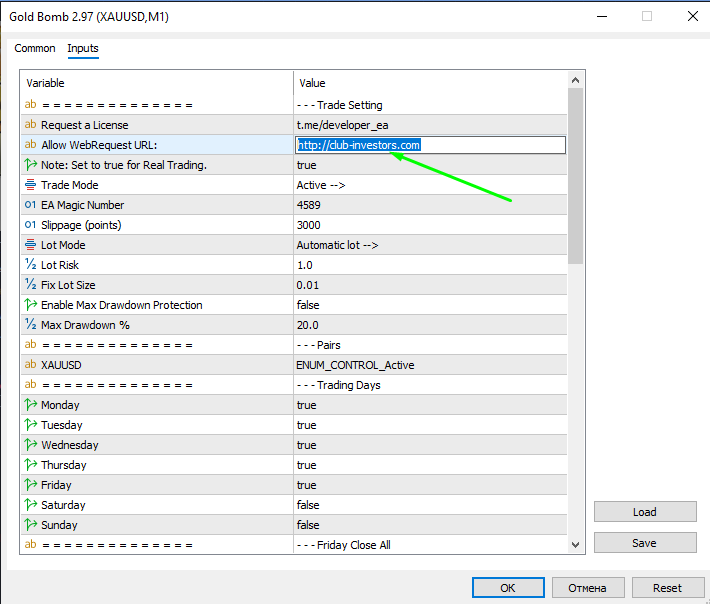
Copy the WebRequest URL: http://club-investors.com
Go to the terminal settings, add your address, and check the boxes for automatic trading.
(Tools -> Options -> Expert Advisors -> Allow WebRequest for listed URL)
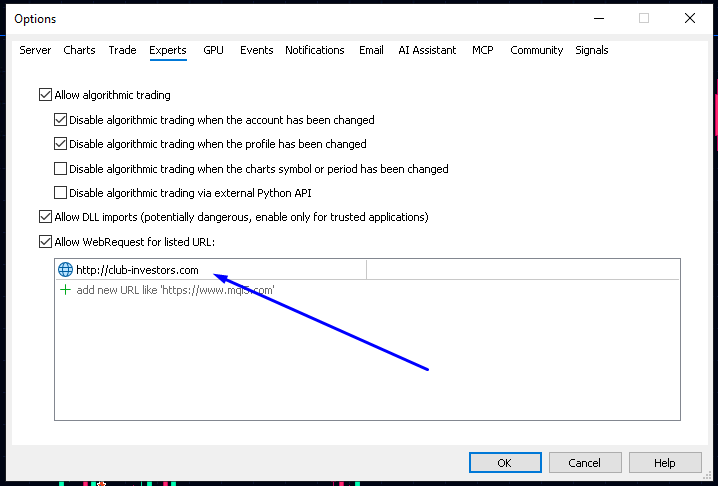
Click OK.
Go to the "Expert Advisor" tab.
I recommend leaving all the default settings as they don't require any changes.
In the "Capital Management" section, make sure "Automatic Lot" is selected.
Alternatively, select a fixed lot and set it manually.
Important! Before launching the Expert Advisor, be sure to switch to live trading mode.
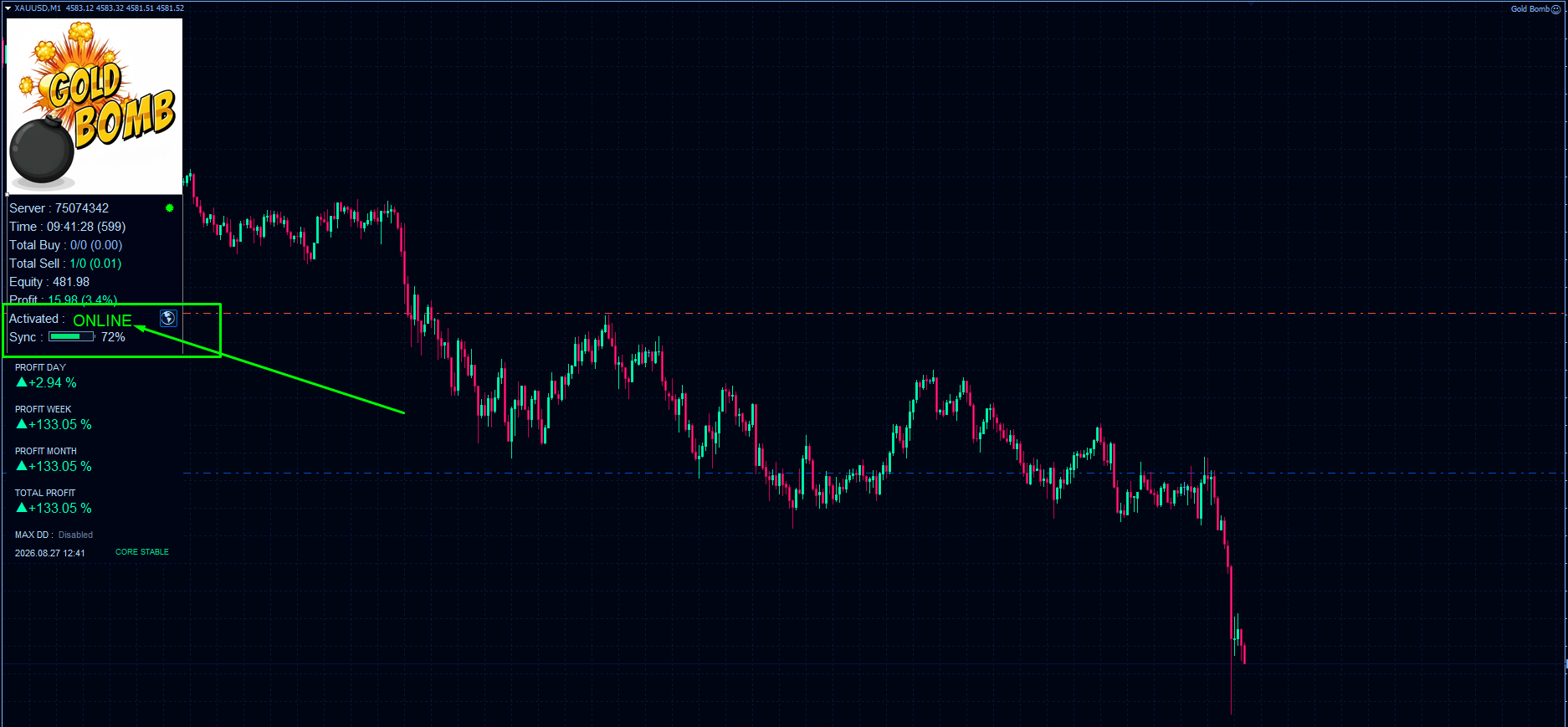
If you've done everything correctly, you'll see the "Online" status in the info panel and synchronization will begin.