Recommended Set Files — SuperScalp Pro indicator + SuperScalp Pro Auto Trader EA
📥 All recommended set files are attached below this blog post.
These set files are provided for the SuperScalp Pro Indicator and Auto Trader EA, including recommended configurations for different symbols and timeframes.
⚠️ Important: The Indicator Set File and EA Set File are different files.
Load the Indicator Set File into SuperScalp Pro Indicator, and load the EA Set File into Auto Trader EA.
Do not load the Indicator set file into the EA or the EA set file into the Indicator.
📊 SuperScalp Pro Indicator — Recommended Set Files
🥇 XAUUSD — Recommended
Indicator Set File:
📁 SuperScalp_Pro_XAUUSD_Fibo.set
EA Set File:
📁 AutoTrader_Mode2_SuperScalpProSync.set
Timeframes: M1/ M5 / M15 / H1
⭐ Recommended timeframe: M5
💱 Major Forex Pairs
Indicator Set File:
📁 SuperScalpPro_Forex_Fibo.set
EA Set File:
📁 AutoTrader_Mode2_SuperScalpProSync.set
Timeframes: M5 / M15 / H1
Symbols: EURUSD / EURCHF / EURGBP / USDCHF / AUDUSD / USDCAD / NZDUSD / GBPUSD / USDJPY
⭐ Recommended timeframe: M15
₿ BTCUSD
Indicator Set File:
📁 SuperScalp_Pro_BTCUSD_Fibo.set
EA Set File:
📁 AutoTrader_Mode2_SuperScalpProSync.set
Timeframes: M5 / M15 / H1
⭐ Recommended timeframe: M15
📊 Indices — US30 / NAS100
Indicator Set File:
📁 SuperScalp_Pro_Indices_Fibo.set
EA Set File:
📁 AutoTrader_Mode2_SuperScalpProSync.set
Timeframes: M5 / M15 / H1
⭐ Recommended timeframe: M5
🤖 SuperScalp Pro Auto Trader EA — Mode 2
SuperScalp Pro Auto Trader EA Mode 2 allows the EA to automatically execute trading signals generated by the SuperScalp Pro Indicator.
📁 Recommended EA Set File
AutoTrader_Mode2_SuperScalpProSync.set
Mode: SuperScalp Pro Sync
DynamicLotRiskPercent: 0.5%
🔄 How to Use Mode 2
To use Mode 2, follow these steps:
Step 1 — Attach the Indicator
- Open the chart for the symbol and timeframe you want to trade.
- Attach the SuperScalp Pro Indicator to the chart.
- Load the appropriate Indicator Set File for the symbol and timeframe.
For example:
XAUUSD M1:
SuperScalp_Pro_XAUUSD_Fibo.set
Step 2 — Attach the EA
- Attach the Auto Trader EA to the same chart.
- Load the appropriate EA Set File.
- Make sure the EA is set to:
signalmode = signal_mode_superscalp_pro_sync
- Enable AutoTrading / Algo Trading in MetaTrader 5 (MT5).
💡 The recommended EA set files already contain the appropriate Mode 2 configuration.
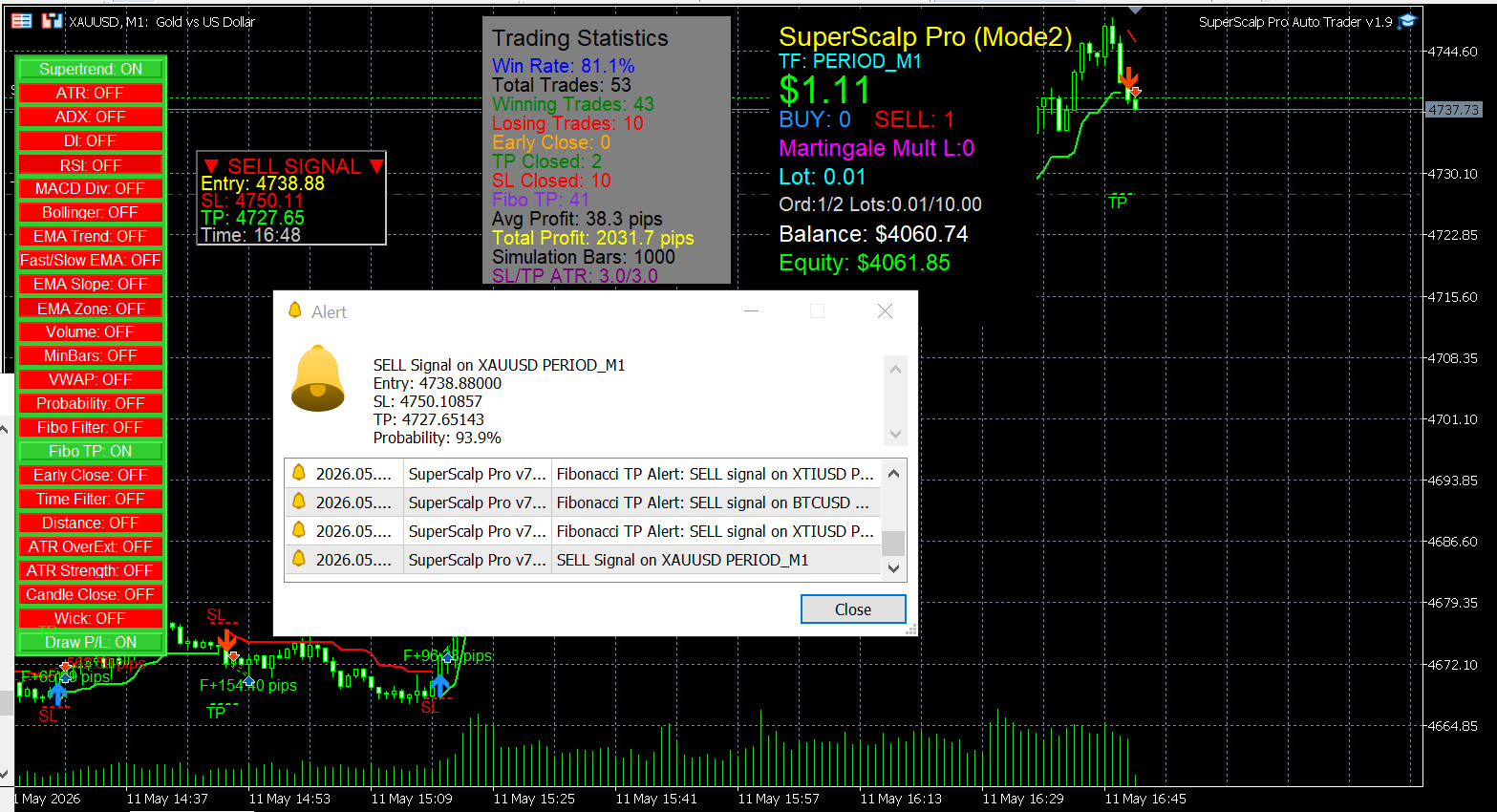
Step 3 — Check the Chart
Before starting the EA, make sure:
- ✅ The SuperScalp Pro Indicator and Auto Trader EA are attached to the same chart.
- ✅ Both use the same symbol.
- ✅ Both use the same timeframe.
- ✅ The correct Indicator Set File is loaded into the Indicator.
- ✅ The correct EA Set File is loaded into the EA.
- ✅ AutoTrading / Algo Trading is enabled.
⚠️ Important — How Mode 2 Works
In Mode 2, the SuperScalp Pro Indicator generates the trading signals, while the Auto Trader EA reads those signals and automatically executes and manages the trades.
Therefore, the SuperScalp Pro Indicator and Auto Trader EA must be running on the same chart, symbol, and timeframe.
For example:
XAUUSD M1
→ SuperScalp Pro Indicator
SuperScalp_Pro_XAUUSD_Fibo.set
→ Auto Trader EA
AutoTrader_Mode2_SuperScalpProSync.set
Both must be attached to the same XAUUSD M1 chart.
After the setup is completed correctly, please be patient and wait for the SuperScalp Pro Indicator to generate a valid trading signal. The EA will automatically execute the trade based on that signal.
📌 Important Notes
- Choose the set files according to the symbol and timeframe you are trading.
- Indicator Set Files and EA Set Files are different. Make sure each file is loaded into the correct product.
- The Indicator Set File is loaded into SuperScalp Pro Indicator.
- The EA Set File is loaded into Auto Trader EA.
- These are recommended configurations, not guaranteed settings. Trading performance can vary depending on the broker, spread, market conditions, and account type.
- Always test the setup on a demo account or in the MT5 Strategy Tester before using it on a live account.
- For Mode 2, the SuperScalp Pro Indicator and Auto Trader EA must be attached to the same chart, symbol, and timeframe.
- Make sure AutoTrading / Algo Trading is enabled before expecting the EA to execute trades.
📥 All recommended set files are attached below this blog post for quick access.
💬 Need help with setup? Please contact me via MQL5 Messages.
📌 Support:
https://www.mql5.com/en/users/minhnguyen1504