
Download the demo version:
Chart Copilot Demo - Download
After downloading, follow the installation steps below.
Install the demo trial version
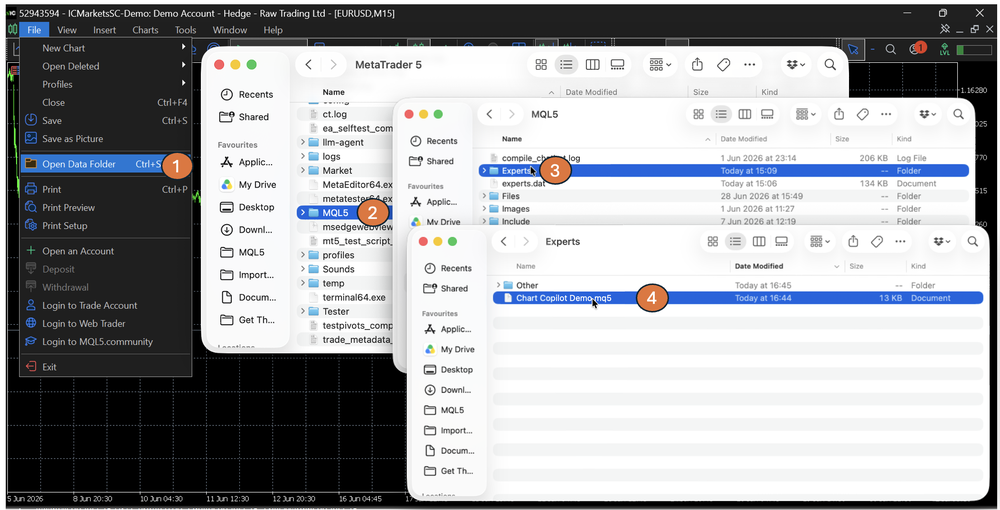
Open the MetaTrader 5 platform, in the top menu select the "File" tab. Click "Open Data Folder ", Navigate MQL5 > Experts. Copy the downloaded application to the folder.
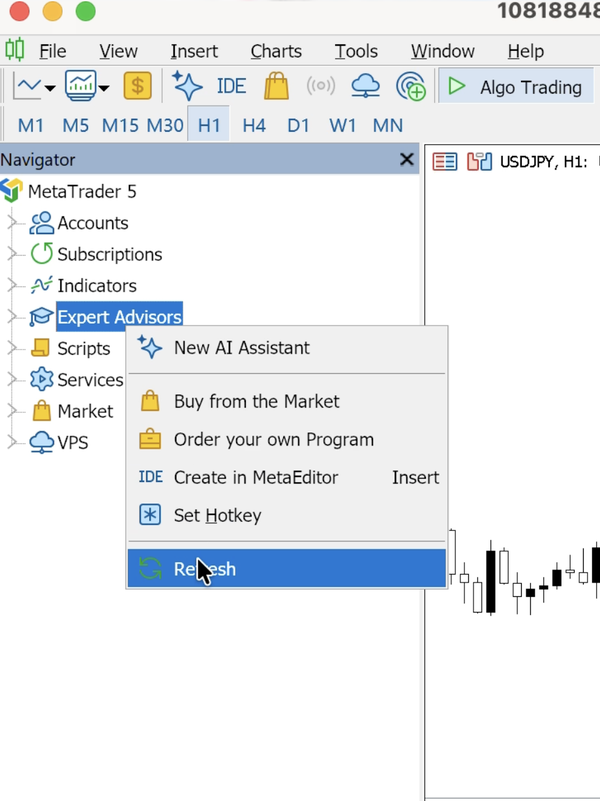
Then Refresh the loaded experts
Click on "Tools" > "Options" and navigate to the expert tab. Check "Allow WebRequest for listed URL:" and paste the URL below.
Required — whitelist this URL for WebRequest:
https://api.chart-copilot.uk
Without this step the assistant cannot connect and will not respond.



