

Welcome to StealthTrade Commander, the ultimate hybrid trading panel designed for both precision snipers and high-speed scalpers. This manual will guide you through all the features, hotkeys, and management tools to maximize your trading efficiency.
⌨️ 1. Essential Hotkeys (Speed up your workflow)
You don't need to click buttons all the time. Use your keyboard to control the EA instantly:
-
[ L ] - Show / Hide Tactical Lines on the chart.
-
[ E ] - Execute Trade (in Tactical Mode).
-
[ M ] - Toggle Price Magnet (snaps lines to candle Highs/Lows).
-
[ X ] - PANIC BUTTON: Close ALL open trades and delete pending orders immediately.
🎯 2. TACTICAL Mode (For Precision & Swing Trading)
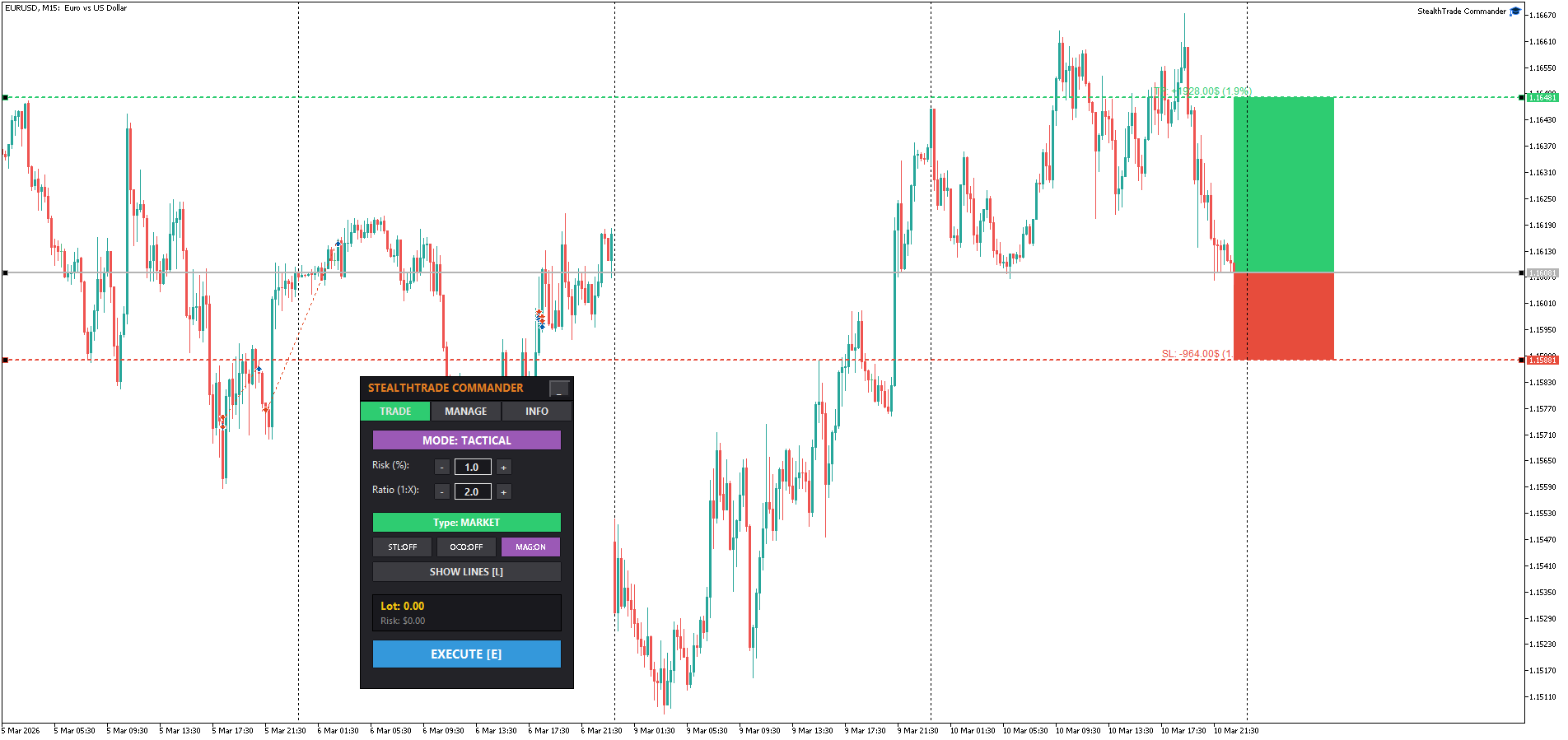
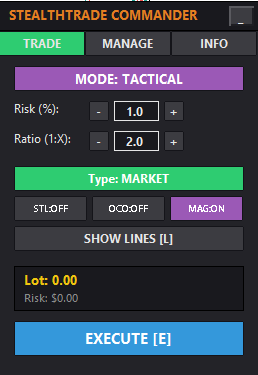
This mode is designed for perfect risk management. You set the risk, place the lines, and the EA calculates the exact lot size for you.
How to open a Tactical Trade:
-
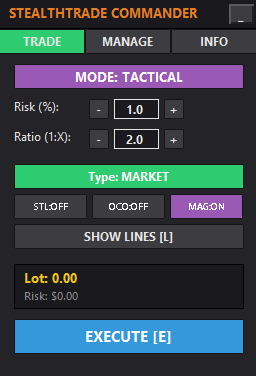
Go to the TRADE tab and ensure MODE: TACTICAL is active.
-
Click SHOW LINES [L] (or press the 'L' key).
-
Three lines will appear on your chart: Entry (Grey), Stop Loss (Red), Take Profit (Green).
-
Drag these lines to your desired levels. Notice the beautiful TradingView-style shaded zones that visually represent your Risk (Red zone) and Reward (Green zone).
-
Adjust your Risk % and Ratio (1:X) using the + and - buttons. The EA will instantly recalculate your Lot Size and projected $ loss/profit on the panel.
-
Select Type:
-
MARKET: Opens a trade immediately at current price.
-
PENDING: Places a Limit or Stop order at your Entry line.
-
VIRTUAL (Ghost Entry): Places a hidden entry line. The broker won't see your pending order until the price touches the line.
-
-
Click EXECUTE [E] to place the trade.
Advanced Tactical Toggles:
-
STL (Stealth Mode): If ON, your real SL and TP are hidden from the broker. The EA uses virtual lines to close the trade.
-
OCO (One Cancels Other): If ON, when one pending order is triggered and becomes a market position, all other pending orders (with the same Magic Number) are automatically deleted.
-
MAG (Magnet): If ON, dragging lines will automatically snap them to the nearest candle High or Low.
⚡ 3. RAPID Mode (For Fast Scalping)
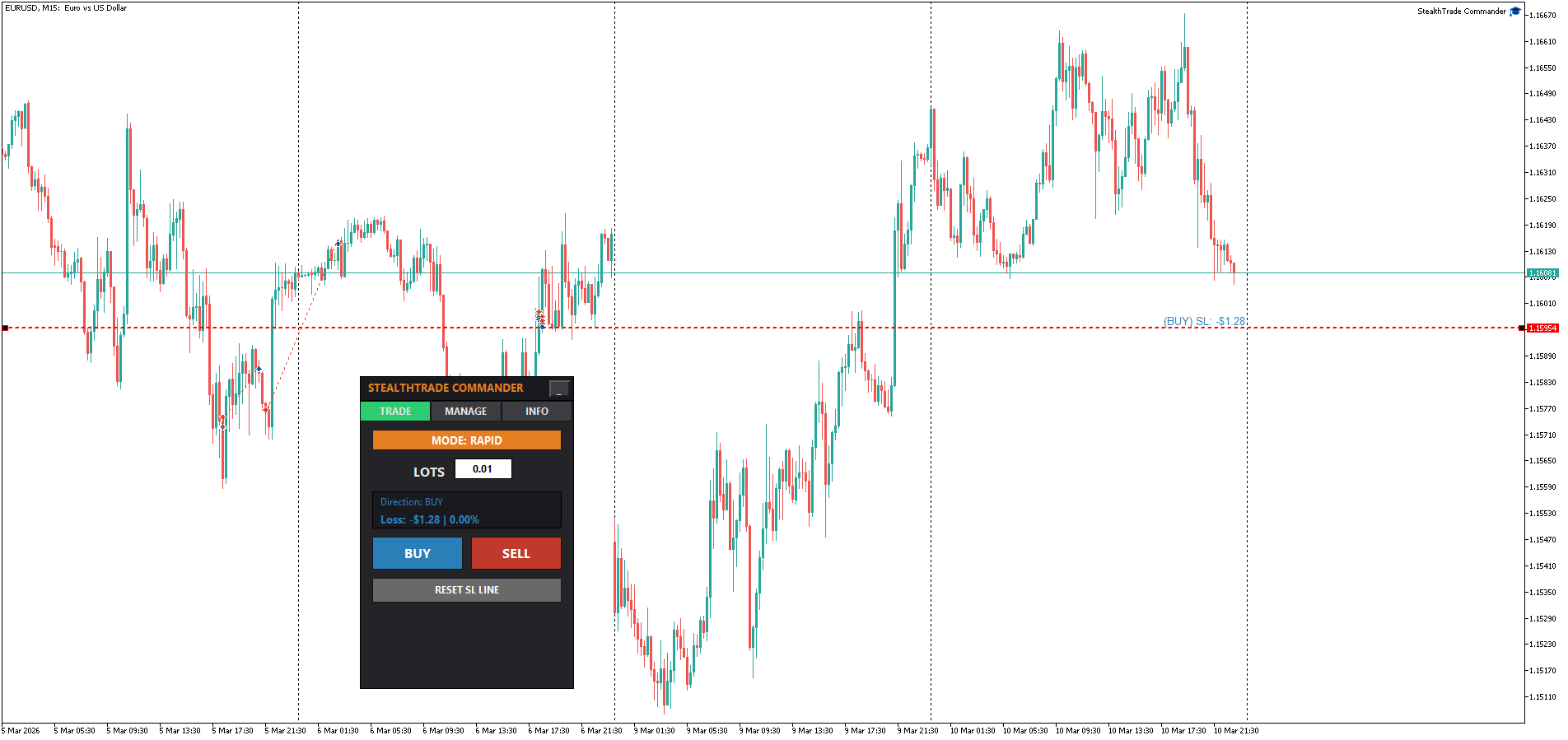
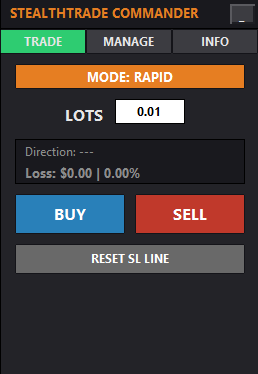
This mode is built for speed. You define the Lot Size and the SL level, and execute with one click.
How to open a Rapid Trade:
-
Switch to MODE: RAPID.
-
Click RESET SL LINE. A dashed red line will appear near the current price.
-
Drag the red line to where you want your Stop Loss.
-
Enter your desired LOTS. The panel will instantly preview your exact $ Loss and % Risk if that Stop Loss is hit.
-
Click BUY or SELL. The trade is executed instantly with the attached Stop Loss.
⚙️ 4. MANAGE Tab (Smart Trade Management)
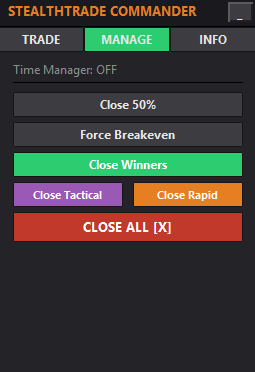
Automate your trade exits and protect your profits without staring at the screen.
-
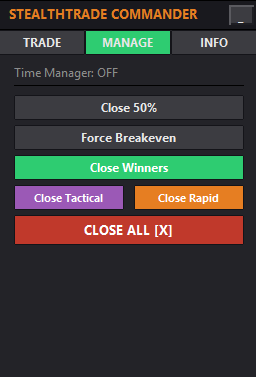
Close 50%: Instantly closes half of the volume of all your active trades.
-
Force Breakeven: Moves the SL of all profitable trades to their entry price.
-
Close Winners: Closes only trades that are currently in profit.
-
Close Tactical / Close Rapid: Closes only trades opened in the respective modes.
-
Time Close: Automatically closes all trades at a specific time (e.g., 22:55) to avoid overnight swaps or weekend gaps. (Note: Configured via EA Inputs. Disabled by default).
Auto-Management (Configured in EA Inputs):
-
Auto Partial Close: Automatically closes X% of your trade when it reaches Y pips in profit.
-
Auto Breakeven: Automatically moves SL to entry when price reaches X pips in profit.
-
Trailing Stop: Supports standard Points trailing or dynamic ATR Trailing to follow market volatility.
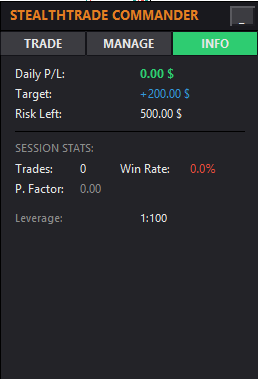
📊 5. INFO Tab & Risk Guardian
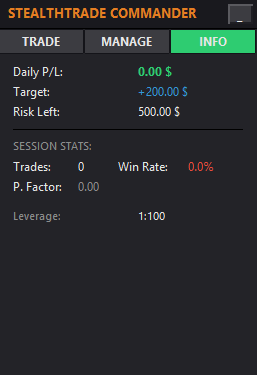
Stay updated on your daily performance.
-
Daily P/L: Shows your net profit/loss for today.
-
Risk Left: Shows how much money you can still lose before hitting the Max Daily Loss limit.
-
Session Stats: Tracks your Total Trades, Win Rate %, and Profit Factor for the current session.
🛡️ The Risk Guardian (Account Protection) Set your Max Daily Loss and Daily Profit Target in the EA Inputs. If your daily loss reaches the limit, the EA will automatically close trades and LOCK the terminal to prevent revenge trading. If you hit your Profit Target, the EA secures your gains and stops trading for the day.
🔥 NEW in v1.41: Dual-Mode Emergency Close Scope You now have full control over what the EA closes when the Risk Guardian triggers or when you press the [X] CLOSE ALL panic button. Go to settings and choose your preferred protection mode:
-
EA Trades Only (Default / Safe Mode): The EA acts as an isolated sandbox. It will strictly use a Magic Number filter to close ONLY the trades opened by the panel itself. Your manual swing trades or positions opened by other EAs are 100% safe and will be ignored.
-
All Account Trades (Global Protector): Highly recommended for Prop-Firm challengers. If activated, the panel acts as a global account manager. It will forcefully close absolutely ALL open positions on your entire MT4/MT5 account to save your balance from heavy drawdown or overnight gaps.
🖥️ 6. UI Customization

-
Minimize Panel: Click the [-] button in the top right corner to collapse the panel into a tiny header. Perfect for doing technical analysis without the panel blocking your view. Click [+] to restore it.
-
Hover Engine: Enjoy a modern, responsive interface where buttons light up as you hover over them.
🔗 7. Explore the "Prime & Pro" Ecosystem
If you enjoy the quality and precision of the StealthTrade Commander, you will love my professional indicator series. Upgrade your chart analysis with these premium tools (available for both MT4 and MT5):
-
⚡ Prime Power: The ultimate Forex market monitor. A professional analytical tool designed to identify the real-time strength and weakness of 8 major currencies through the mathematical comparison of relative capital flows.
-
🚀 Prime Trend Pro: A 100% non-repainting trend system with an advanced "Flat Market" filter. It actively analyzes market volatility (ADX) and global baselines to keep you safe from losing money during choppy, sideways markets.
-
🛡️ Prime Master Pro: An adaptive dual-core trading engine featuring a Live Statistical Dashboard. It calculates 3 Take Profit targets dynamically and shows your exact historical Win Rate before you even open a trade.
-
💠 VantageFX Matrix: The ultimate multi-currency and multi-timeframe dashboard. Monitor the relative strength of 8 major currencies plus your custom watchlist (Crypto, Metals, Indices) across 5 timeframes simultaneously.
-
📐 Prime Gann Pro: A professional-grade Gann Grid and Fan angle system. Built on a strict "Locked Anchor" non-repainting engine with a Safe Pullback Filter to pinpoint high-probability reversal zones.
-
🌊 Prime Flow SMC: Master the Smart Money Concepts with automated precision. Analyzes price action in real-time to detect Fair Value Gaps (FVG), Break of Structure (BOS), and Change of Character (CHoCH) without lagging signals.
- 👑 StealthTrade Commander ST V2.0 (Pro Edition): The ultimate upgrade to this free panel! Unlock the powerful Strategy Tester Simulator with precision pip-by-pip control buttons. Features include an advanced Risk Guardian (daily loss/profit limits), Auto-Breakeven, Smart Trailing Stops, and Multi-Level Take Profits (TP1, TP2, TP3) to scale out of winning trades like a pro.
👉 Click here to view my full portfolio on MQL5 Market (Thank you for your trust and happy trading! If you like this free utility, a 5-star review would be greatly appreciated!)



