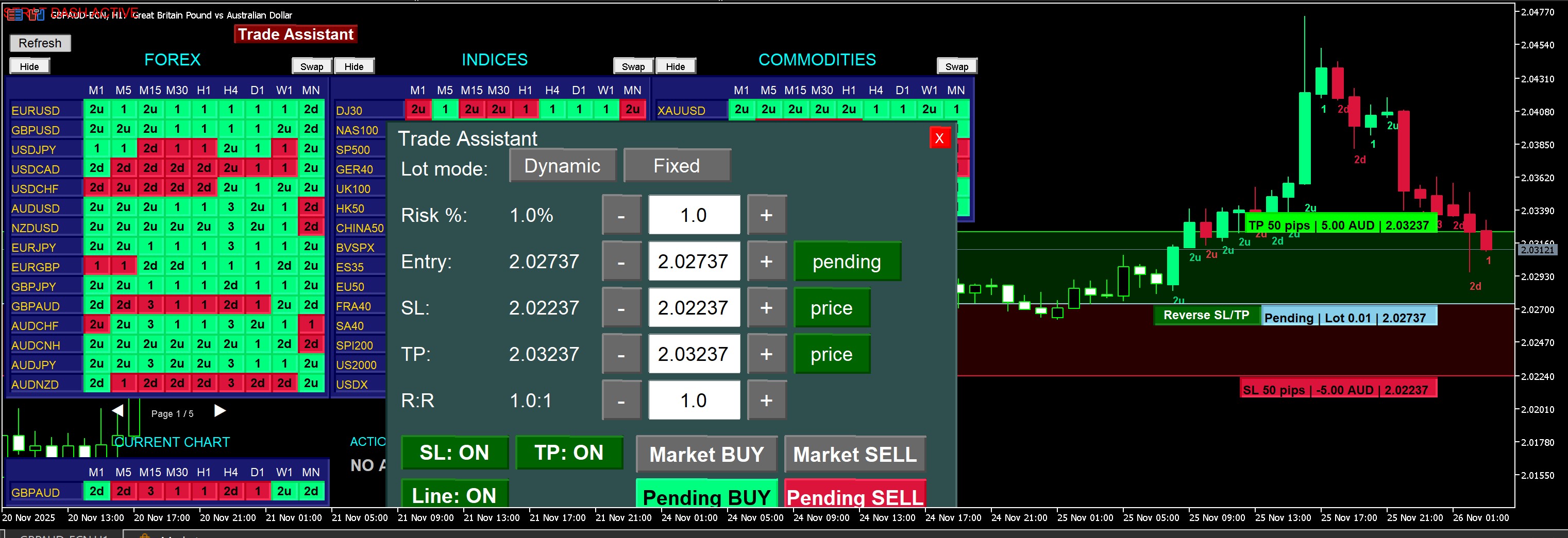
This installation guide is intended for the STRAT Price Action Scanner and STRAT Price Action Trade Manager
Change Your MT5 terminal DPI Setting for Best Performance
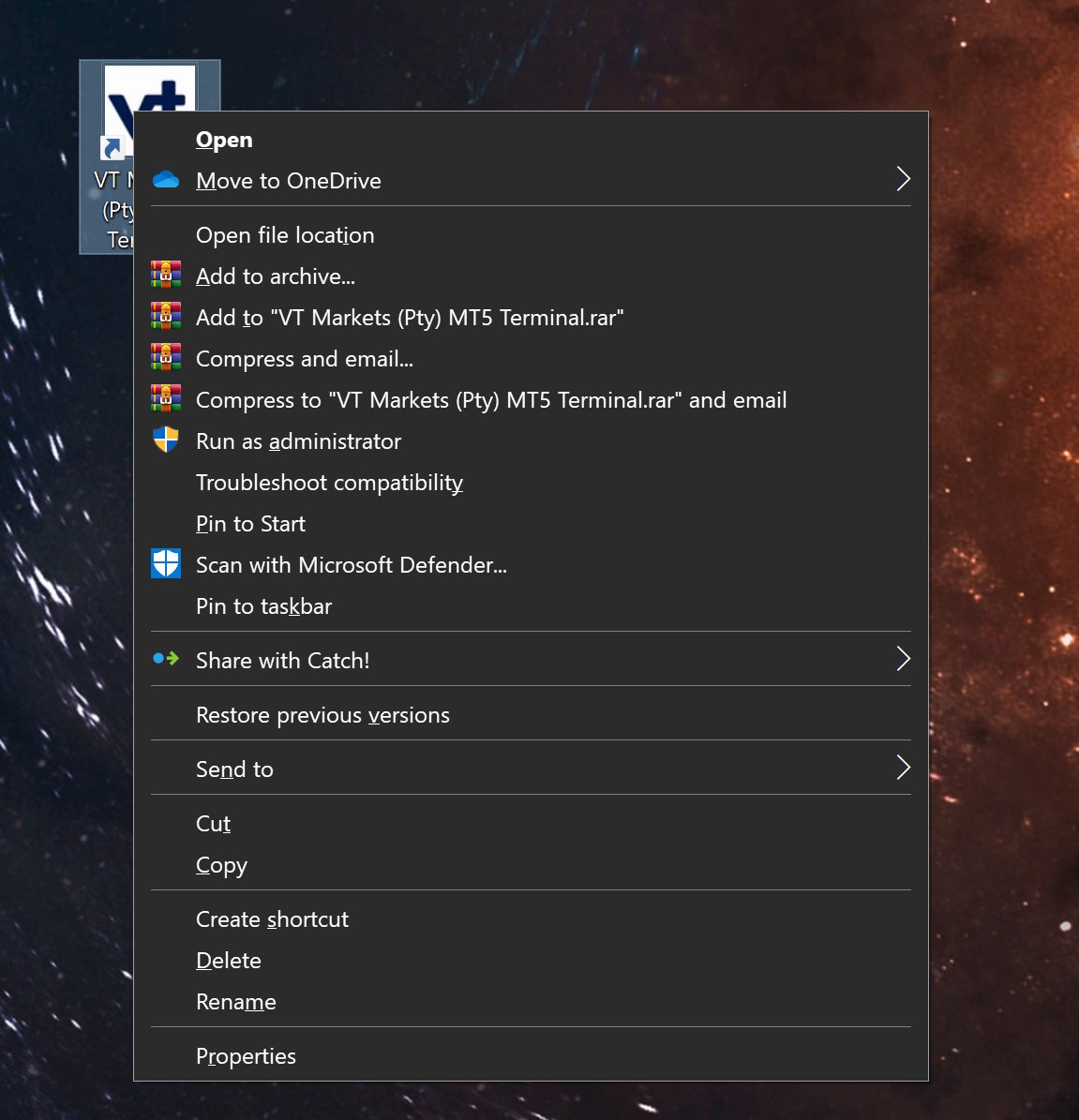
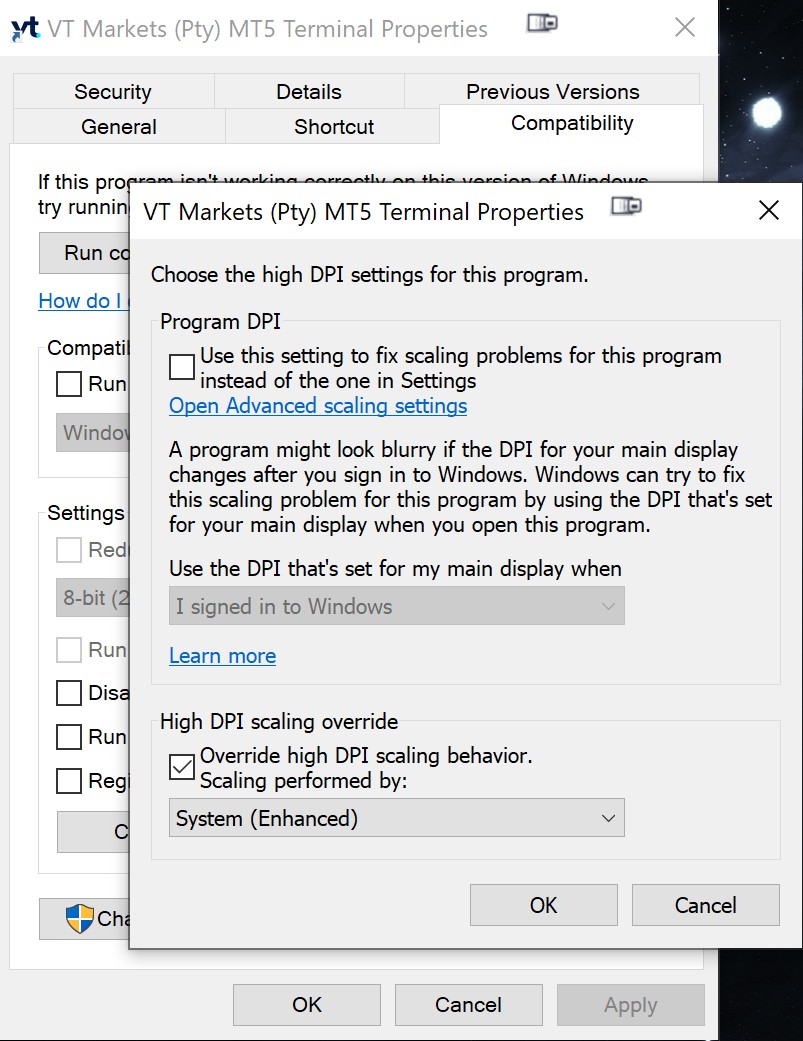
Before installing the STRAT Price Action Scanner indicator, go to your MT5 terminal properties, and change the DPI settings as shown below.
Installing from the Market
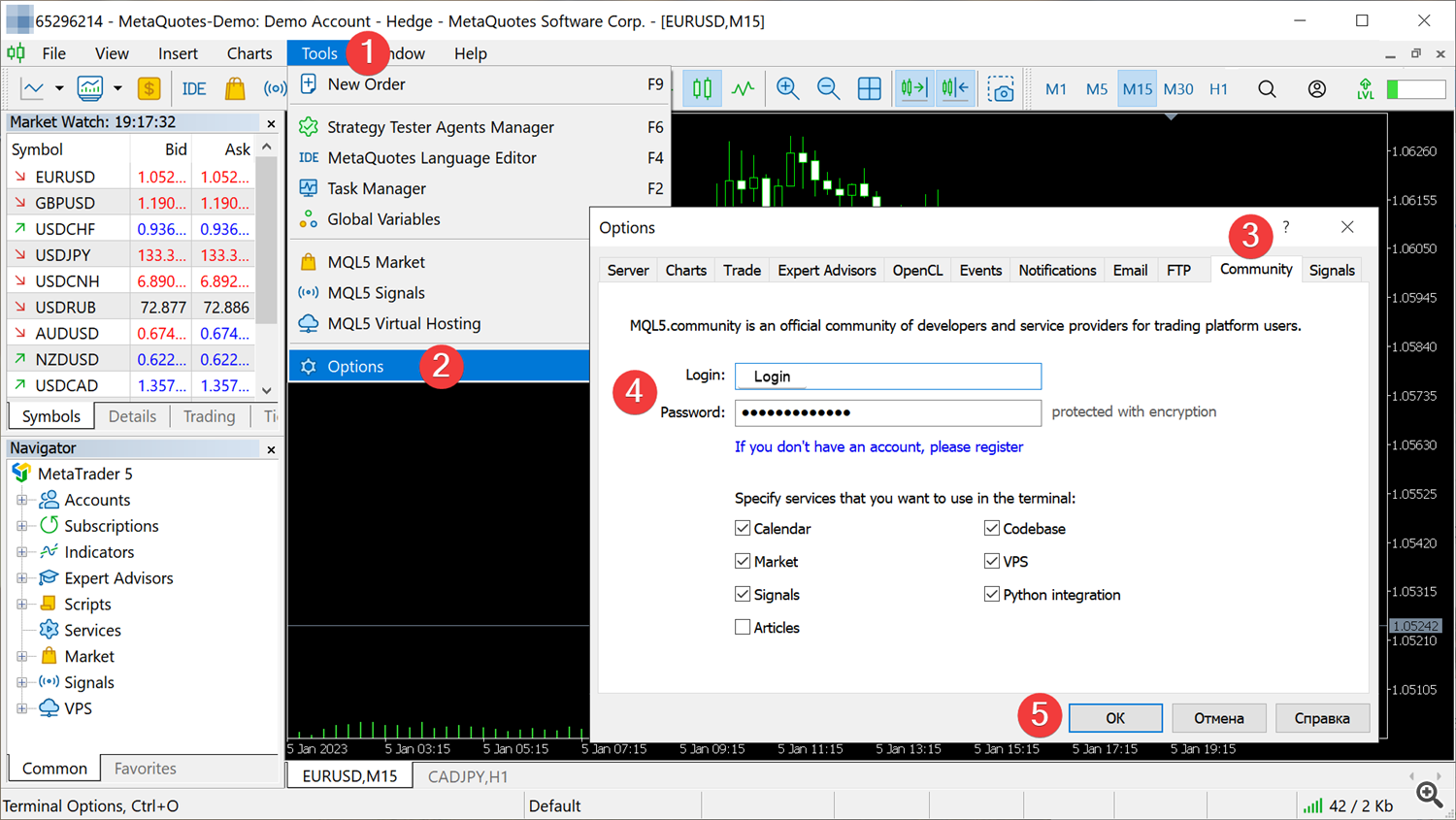
To download the application from the market, you need to enter your MQL5 account data into the MetaTrader platform . Open the MetaTrader 4 or 5 platform, in the top menu select the Tools - Settings - Community tab, on the Community tab fill in the MQL5 account login and password fields.
Downloading the STRAT Price Action Scanner and STRAT Price Action Trade Manager
In the Navigator, open the My purchases window.On this tab, next to the application, click install or update if a new update has been released.
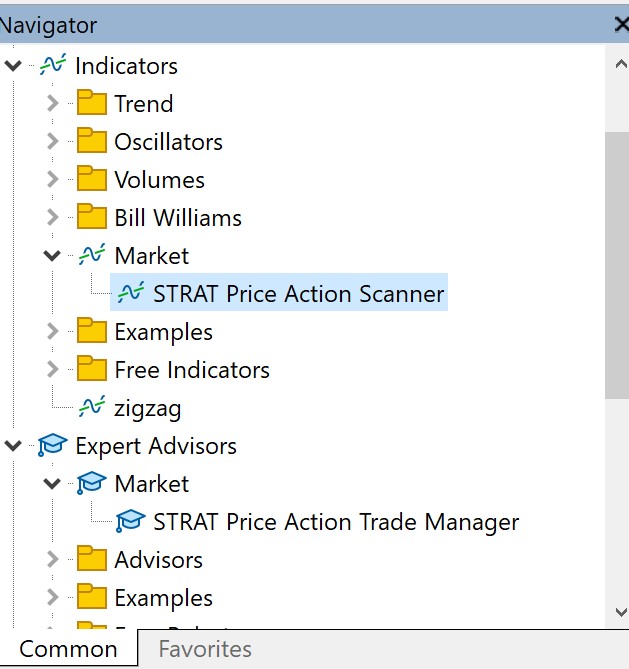
The application will be downloaded to the Indicators - Market folder.
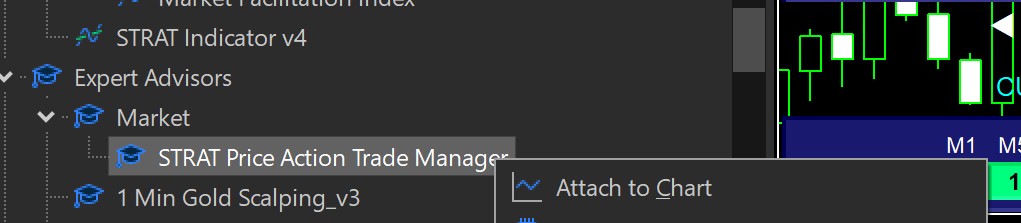
Next, download the STRAT Price Action Trade Manager. This will be installed to your Expert Advisors as shown in the image below.
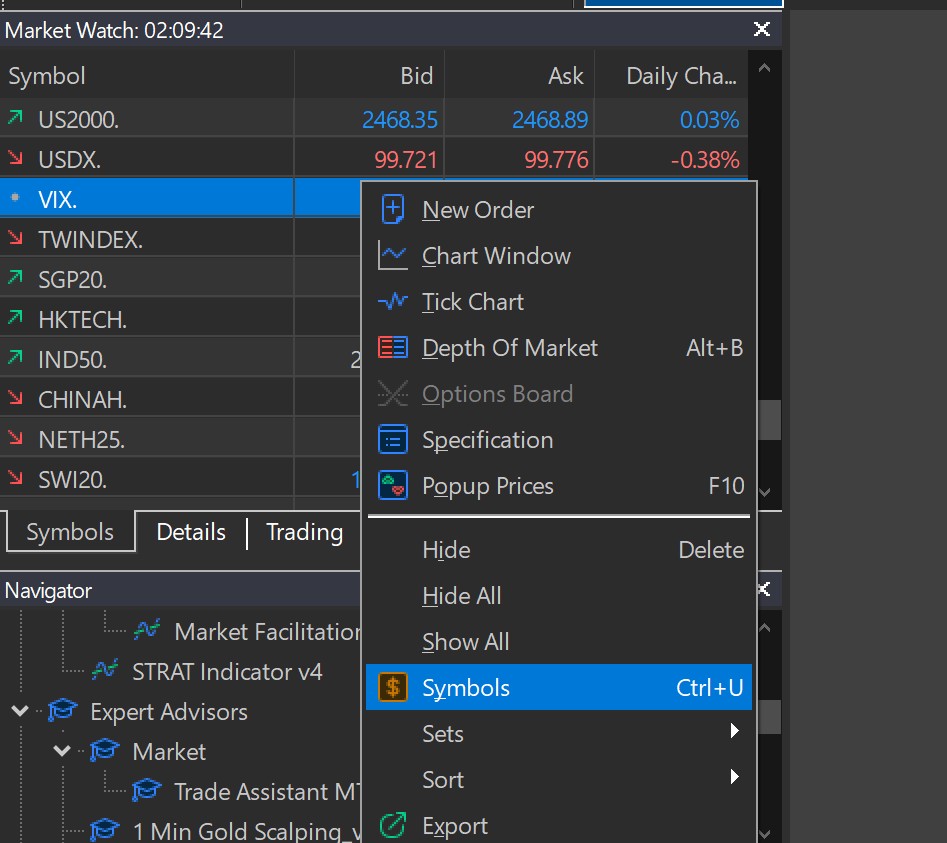
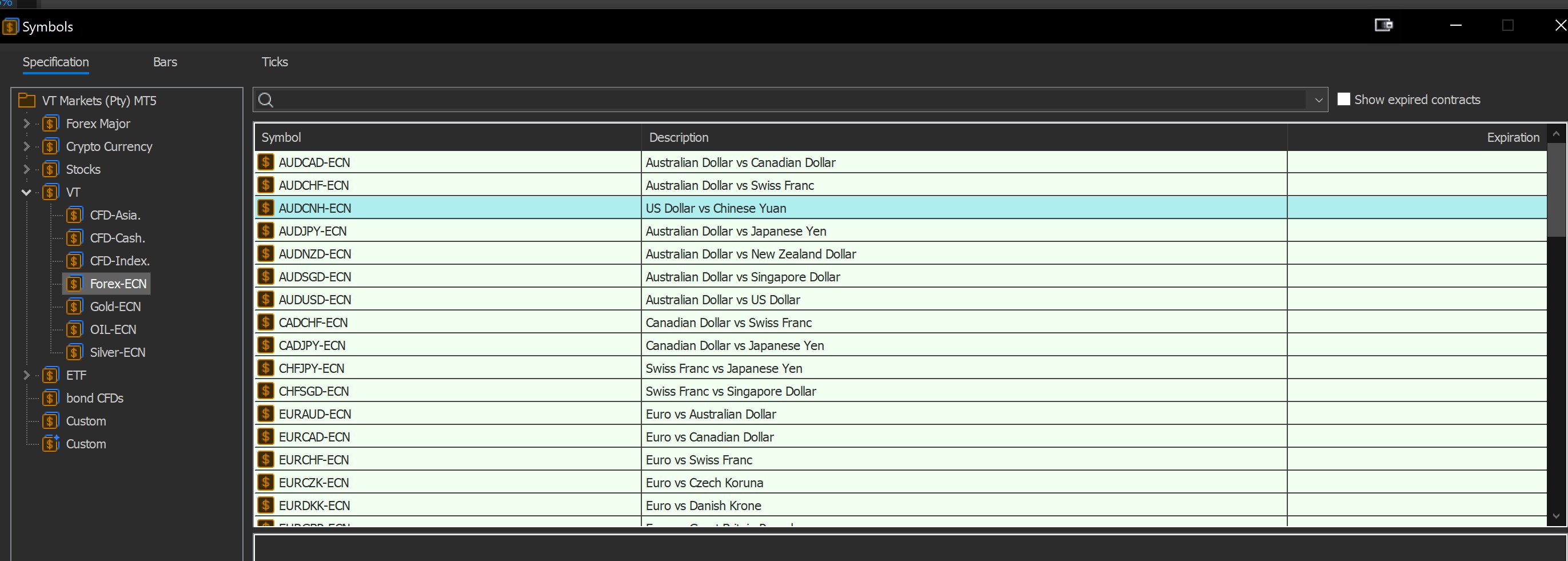
Enable forex, indices, and commodities pairs from the Market Watch
Make sure to enable pairs that you want to trade from the Market Watch before initiating the indicator on a chart. Any pair that is not displayed in the Market Watch will not be shown on the STRAT dashboard
How to Use the STRAT Price Action Scanner
Attach the indicator to any chart, for example, GBPUSD H1.
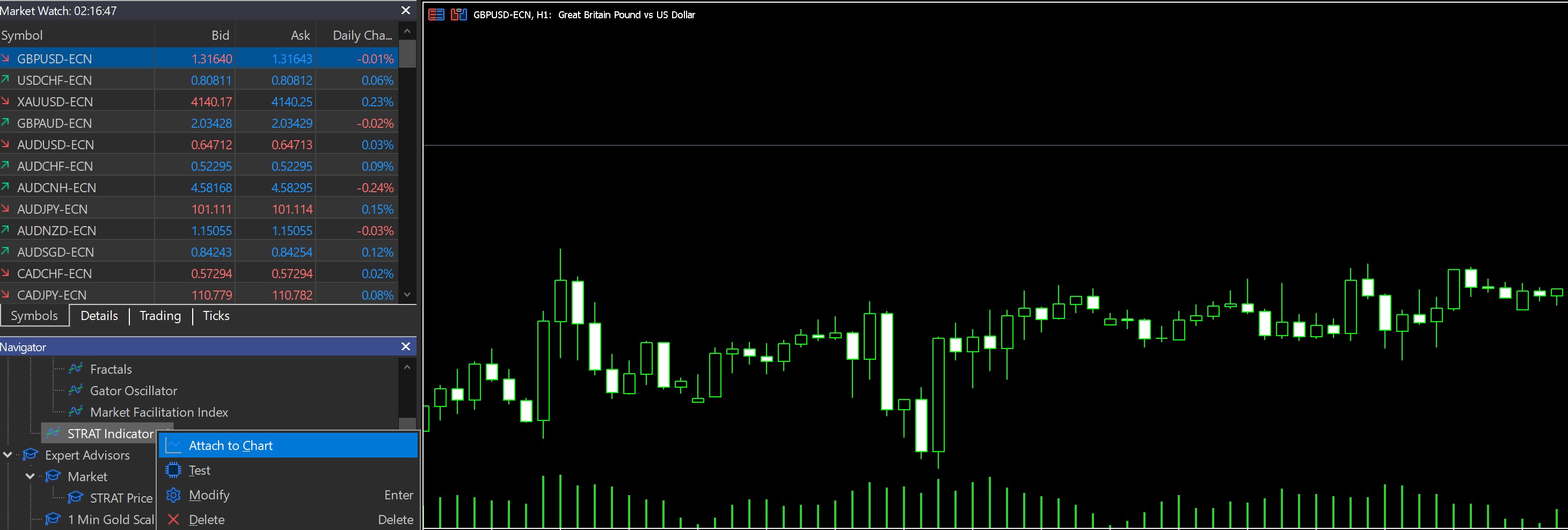
Next, attach the STRAT Price Action Trade Manager onto the same chart
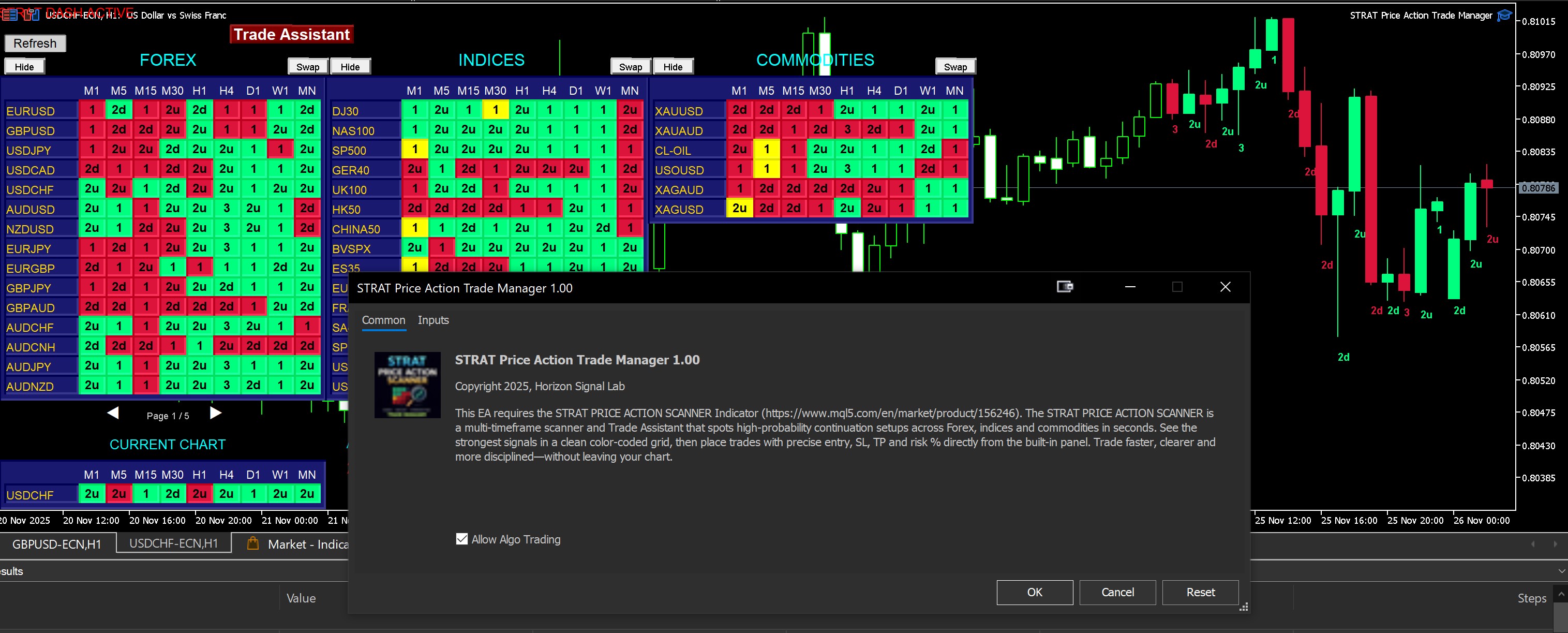
The STRAT Price Action Scanner is now ready to be used. To show the trade assistant, click on the Trade Assistant button above the dashboard