
Multi Anchor VWAP Pro User Guide – Anchored VWAP Mastery for MT4 & MT5
30 July 2025, 04:18

0
1 880
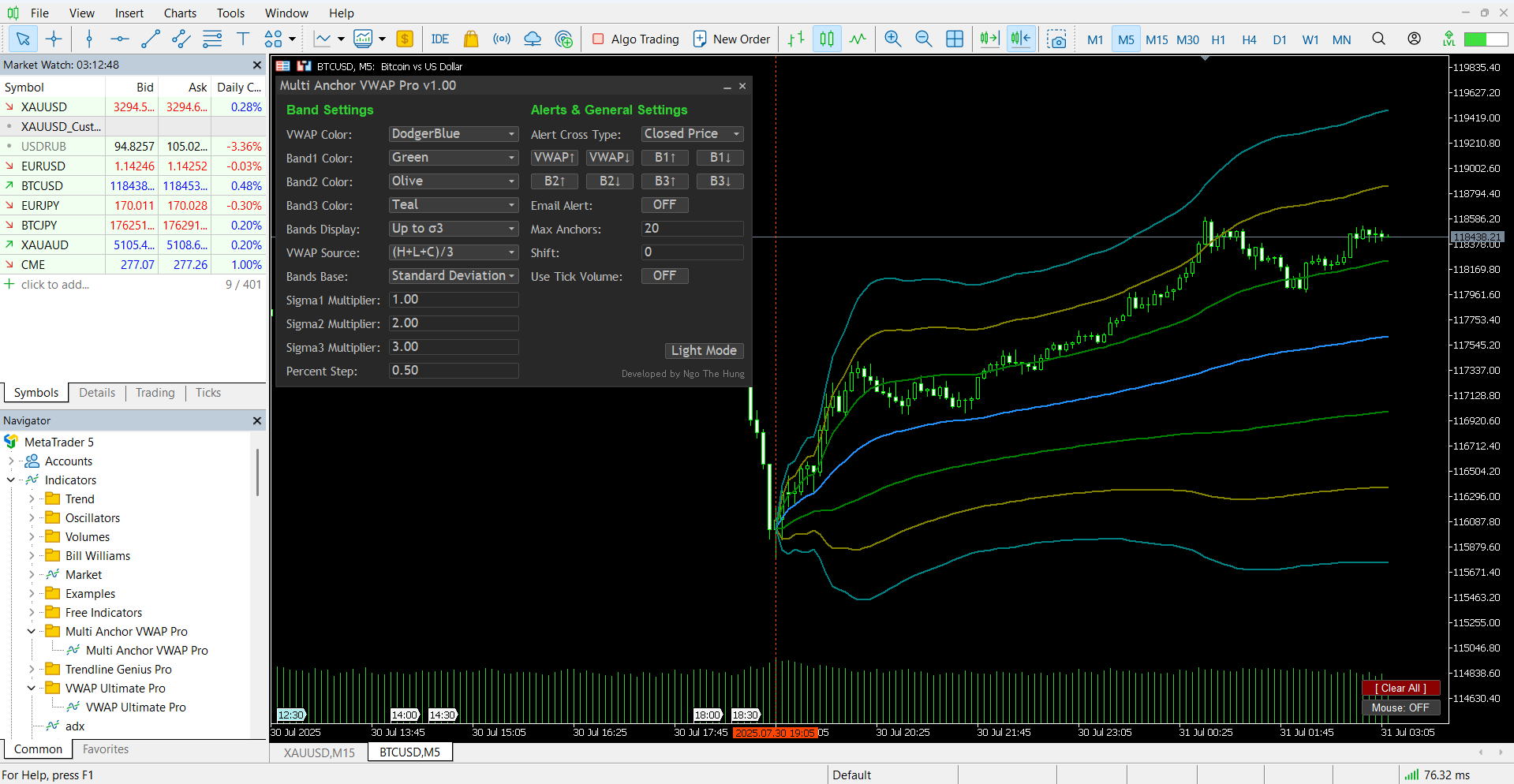
Multi Anchor VWAP Pro lets you plot several anchored VWAPs, display deviation or percentage bands and receive instant alerts – all through a lightweight point-and-click panel. This guide walks every user through installation, anchoring, settings and best practice in clear language.
Download
Public channel: CLICK HERE
Why use Anchored VWAP?
- Shows the true average traded price from any start point you choose.
- Balances price with volume – an objective institutional tool for support / resistance.
- Filters noise and highlights fair value at a glance.
Main Features
- Multi-anchor mode – drop as many anchors as needed, no limit.
- Mouse preview – hover the cross-hair to preview VWAP before anchoring.
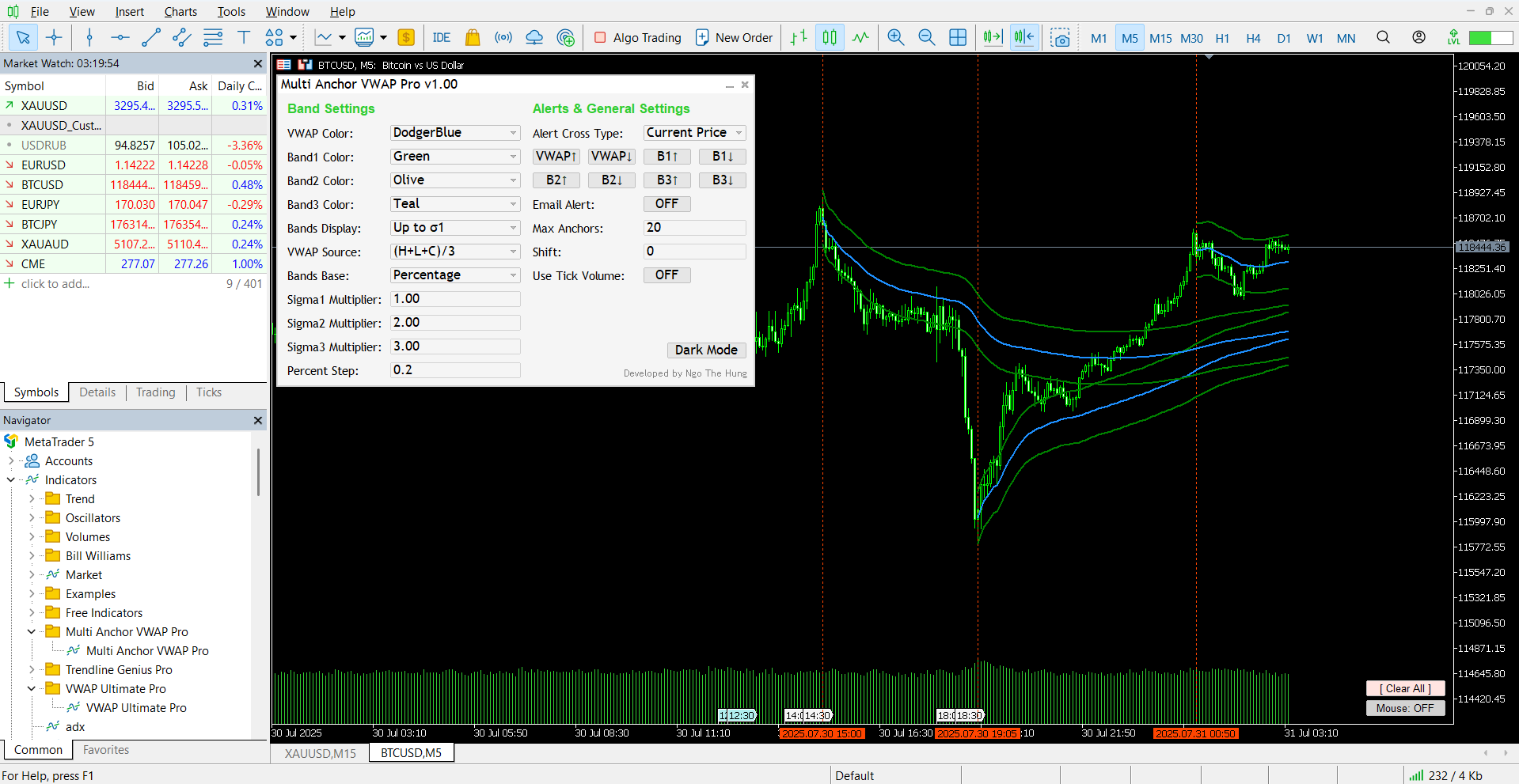
- Deviation or percentage bands – switch between σ1-σ3 or your own % steps.
- Pop-up, push, Telegram and email alerts – trigger when price crosses VWAP or any band (real-time or on candle close).
- Floating GUI – one-click colour, theme, band and alert toggles.
- Light / Dark skin – instant eye-comfort mode.
- Encrypted alert relay – AES-256 protected alert payload for companion relay workflow.
- Direct anchor management – select, move, lock/unlock, or delete anchors directly on the chart.
- Identical workflow on MT4 & MT5.
Quick Start
1. Installation
- Open MetaTrader, go to the Market tab, search for Multi Anchor VWAP Pro and click Download.
- Restart the terminal so the indicator appears under Navigator ▸ Indicators ▸ Market.

2. Attach to Chart
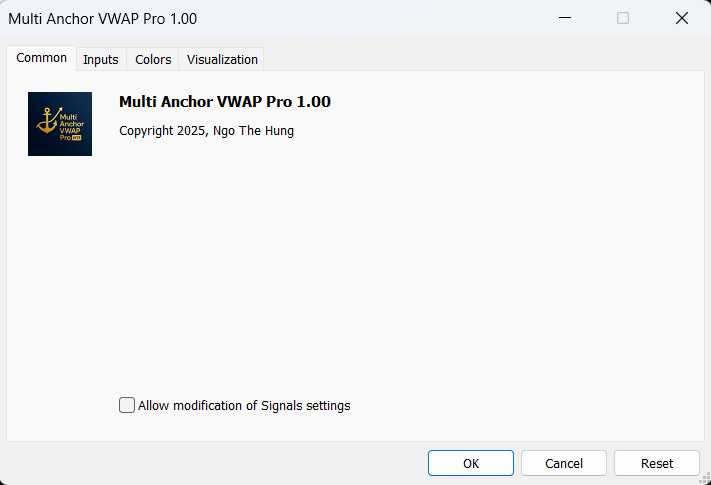
- Drag Multi Anchor VWAP Pro onto any main chart window.
- For email alerts, configure SMTP under Tools ▸ Options ▸ Email. For push alerts, configure MetaQuotes ID under Tools ▸ Options ▸ Notifications.
3. Place Your First Anchor
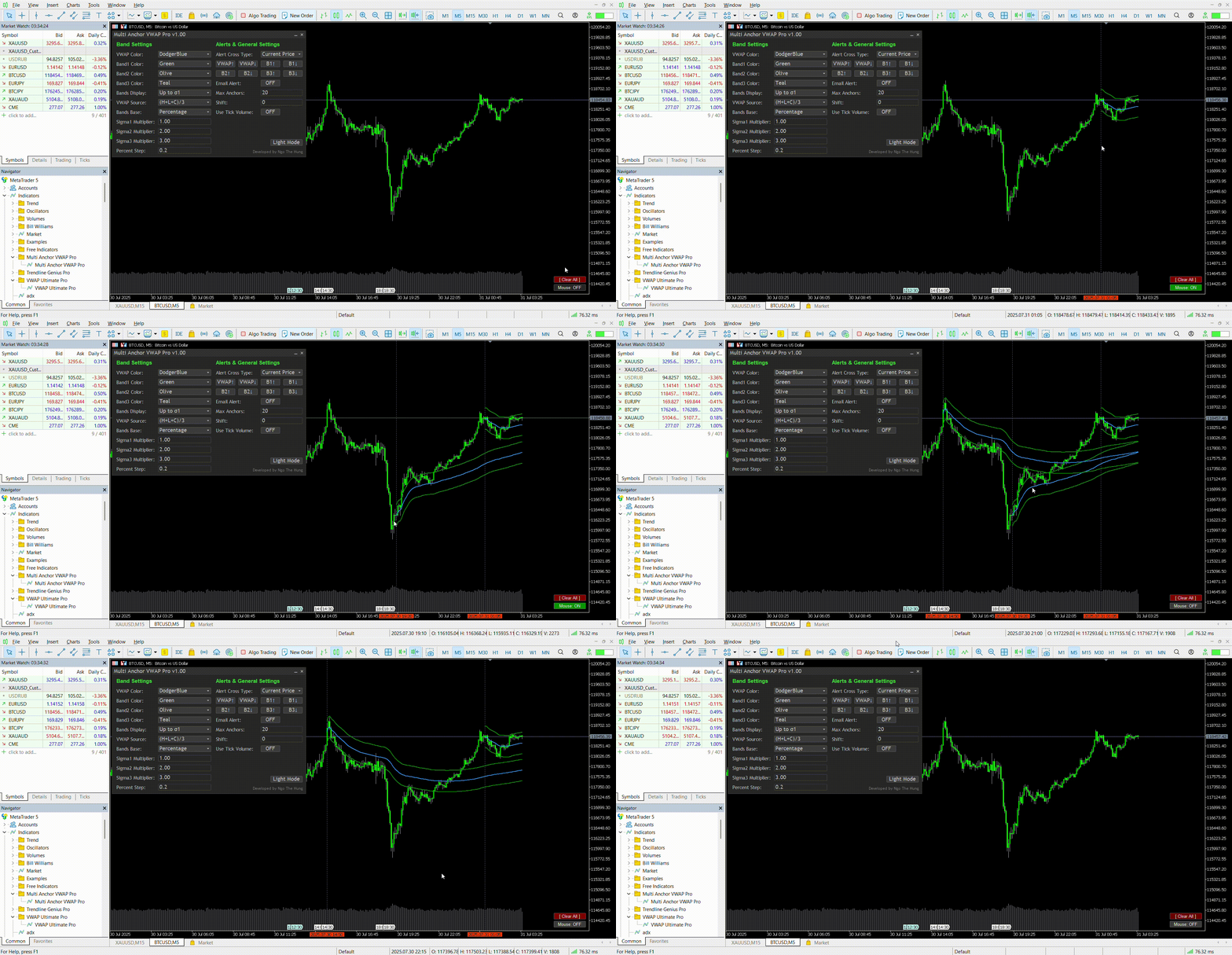
- Click the small button at bottom-right labelled Mouse: OFF. It changes to Mouse: ON.
- Move the mouse – a live VWAP preview follows the cursor.
- Left-click once to anchor. A vertical line marks the start and lines update in real-time.
- Repeat for each key event. Press [ Clear All ] to remove every anchor.
4. Manage Existing Anchors (v1.40)
- Click an existing anchor line to select it.
- Drag the selected anchor line to move it to a new location.
- Press L to lock / unlock the selected anchor.
- Press Delete or Backspace to remove the selected anchor.
- Press Esc to clear the current selection.
Parameter Reference
| Parameter | Description | Tip |
|---|---|---|
| MaxAnchors | Maximum simultaneous anchors. | Lower for a cleaner chart. |
| BandsMode | Show none, σ1, σ2 or σ3 bands. | σ1 ≈ 68 % of action. |
| BandsBase | Standard Deviation or fixed Percentage. | % works well on volatile assets. |
| VWAP Source | Price formula (HLC3, HL2, OHLC4, etc.). | HLC3 is industry default. |
| Sigma Multipliers | Distance of σ1-3 when using StdDev. | Scalpers often use 0.5–1.5. |
| PercentStep | Band width when using % mode. | 0.5 = ±0.5 % around VWAP. |
| Shift | Offset plots to the right. | Use 2-3 bars on M1–M5. |
| Alert Options | Select up / down crosses for VWAP or any band. | Combine with Email or Push for 24-hour coverage. |
| Color Mode | Toggle light or dark interface. | UI remembers your choice. |
Platform Notes
- MT5 specific – choose Tick or Real volume with UseTickVolume.
- MT4 – MetaTrader 4 only offers tick volume; handled automatically.
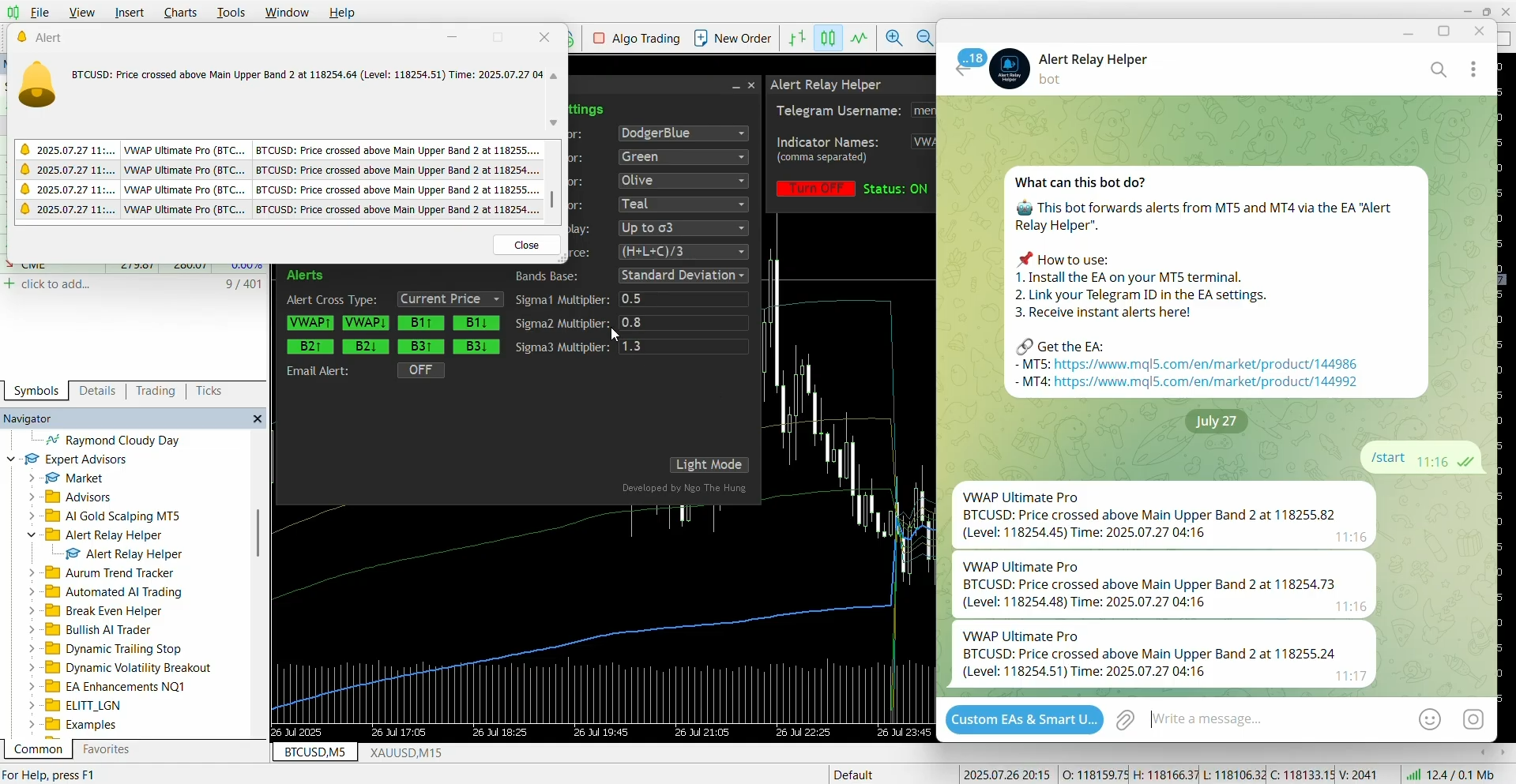
Telegram Alerts
If you prefer Telegram notifications, follow the official guide:
How to route MetaTrader alerts to Telegram
Best Practice
- Anchor the London or New York open to gauge intraday bias.
- σ1 pullbacks suit trend entries; σ2-σ3 act as extreme zones.
- Colour each anchor differently to track daily or weekly sessions.
Version History
- Added safer anchor management: click to select, drag to move, press L to lock/unlock, press Delete or Backspace to remove, and press Esc to clear selection.
- Improved candle-close alerts: better handling for VWAP and Bands 1-3 on both MT4 and MT5.
- Added native push notifications: popup, push and email alerts are now supported directly inside MetaTrader.
- Improved Auto Save/Load stability: updated settings handling for more reliable operation.
- Saved line appearance: line width and line style settings now persist more reliably.
- Added line style controls: New input parameters to customize line width and style for the main anchored VWAP and all deviation bands (solid, dashed, dotted, etc.).
- Visual-only change: This update affects chart appearance only – all VWAP and band calculations remain exactly the same as in previous versions.
- Rendering note: Due to MT4/MT5 chart scaling and pixel rounding, dashed or dotted lines may appear solid when the chart is heavily zoomed out or when using large line widths. For best visibility, use line width 1 with a moderate zoom level.
- Added Auto Save/Load Toggle: New input parameter to enable/disable automatic saving and restoring of indicator settings and anchors. When disabled, the indicator will always use input parameters without persistence.
- Added Timeframe-Specific Settings: New option to save settings either per timeframe (each chart period has its own saved state) or globally per symbol (all timeframes share the same settings).
- Anchors persistence: All manual anchors are now saved per symbol & timeframe and restored automatically when switching symbols/timeframes, reopening charts, or restarting MT4/MT5.
- VWAP Source update: Changing the VWAP source (HLC3, HL2, OHLC4, etc.) now instantly recalculates and redraws all active anchors.
- Improved click handling: Eliminates accidental first anchor when turning Mouse: ON.
- All improvements keep the indicator ultra-light with no heavy recalculation on every tick.
- This is an anchored VWAP — anchors are placed manually and calculated only from the anchor point forward.
- In v1.00, if you switch symbols on the same chart, MetaTrader will re-initialize the indicator and all manual anchors will be lost. This is normal MT4/MT5 behaviour, not a bug.
- To keep anchors intact in v1.00, use one chart per symbol or open separate charts instead of replacing the current one.
- This behaviour is different from pre-set or auto VWAP indicators, which always re-calculate from historical data.
- Planned for future updates: optional save & restore mode for anchors to maintain them across symbol/timeframe changes.
v1.40 – Workflow & Alert Update (March 2026)
v1.30 – Minor Visual Update (November 2025)
v1.20 – Minor Update (August 2025)
v1.10 – Major Update (August 2025)
v1.00 – Current Limitations & Recommended Workflow (July 2025)
Need Help?
Ask in the product comments section or send me a message via MQL5. If Multi Anchor VWAP Pro helps your trading, please leave a ★★★★★ review on the Market. Thank you and good trading!
Developed by Ngo The Hung – MQL5 Profile


