Phoenix Trade Manager

Phoenix Trade Manager – Trade Without the Psychological Burden

Phoenix Trade Manager is a premium, visual-first MT5 utility designed for professional manual traders. Say goodbye to the clunky, time-consuming default MT5 order window. Visual drag-and-drop execution makes opening and managing trades exponentially faster and more intuitive than using the built-in platform functions.

You focus on the analysis and finding the setup; Phoenix handles the math, the execution, and the exit strategy. This is not a black-box trading robot. This is your personal, rule-based execution assistant.

🛡️ Core Problems Solved:

  • Faster, Intuitive Execution: Ditch the slow MT5 default order panel. Set your exact Entry, Stop Loss, and Take Profit lines visually on the chart in seconds.

  • No more lot size miscalculations: Visual risk management automatically calculates your lot size based on your exact risk percentage and Stop Loss distance.

  • No more emotional early closures: Let the algorithm trail your stops mathematically using Trendlines, SuperTrend, or Moving Averages.

  • No more missed entries: Place Virtual Pending orders directly on the chart with a single click.

⚙️ Premium Features:

1. Visual Order Placement & Virtual Pending Orders Drag and drop your Entry, Stop Loss, and Take Profit lines directly on the chart. The dashboard instantly displays your precise Lot Size, monetary Risk, and Reward-to-Risk (R:R) ratio before you commit. Virtual Pending orders hide your intentions from the broker and execute instantly when the price crosses your line.

2. Dynamic Auto-Lot Calculation Input your desired Risk % (e.g., 1%). As you move the Stop Loss line on the chart, the EA dynamically recalculates your lot size down to the exact broker tick value.

3. Advanced Trailing Stop Systems Secure your profits automatically without staring at the screen. Choose between:

  • Manual Trendline Stop (TrendStop): Draw a sloped trendline as your Stop Loss. The EA dynamically calculates the price along the slope and closes the trade if the trend is broken.

  • SuperTrend Trailing: Dynamic, volatility-based stop loss following the trend.

  • Moving Average Stop: Trails your position behind a chosen MA.

  • Touch or Close-Bar Mode: Choose whether stops are triggered by a simple price touch (wicks) or only after a confirmed candle close.

4. Automated Partial Closures Take money off the table effortlessly. Set a visual Partial Take Profit line and define the percentage (e.g., 50%). When the price hits the line, the EA automatically closes half your position and secures your gains.

5. Global Equity Protection (Global SL) Protect your entire account. Place a Global SL line on the chart – if the market crashes and hits this line, the EA will instantly close all open positions and delete all pending orders.

6. Delayed Start / Time-Triggered Actions Set a trigger line. Once the price crosses it, the EA will automatically activate your chosen trailing system (TrendStop, SuperTrend, or MA), allowing you to step away from the desk completely.

📊 The Dashboard:

A clean, non-intrusive UI built for 4K and multi-monitor setups. Monitor your total Profit, Risk, and R:R ratio at a glance. Features a quick "Close All" button, one-click Break-Even (BE), and real-time candle timers.

📖 Quick Start Guide:

  1. Attach the EA to your chart.

  2. Click Pend: OFF to toggle it to Pend: ON.

  3. Move the Yellow (Entry), Red (SL), and Green (TP) lines to your desired levels. (Tip: The Red SL line can be angled for the TrendStop feature).

  4. Check the Dashboard to verify your Risk % and calculated Lot Size.

  5. Click the BUY/SELL PEND button next to your entry line to execute.

  6. Turn on TrendStop, SuperT, or Auto Part to manage the trade automatically.

⚙️ Input Parameters (Settings):

--- TIMEFRAME SETTINGS (MTF) ---

  • FixedTimeframe: Choose the timeframe the EA uses for calculations (Default: Current Chart).

--- DISTANCES (In Points) ---

  • PendingEntryGap: Default distance for Virtual Pending orders.

  • DefaultSL_Distance: Default Stop Loss distance when placing visual lines.

  • DefaultTP_Distance: Default Take Profit distance when placing visual lines.

--- DELAYED START (TRIGGER) ---

  • TrailTrigger_Color: Color of the visual trigger line.

  • Trigger_Activation: Choose if the trigger activates on price "Touch" or only after a "Close Bar".

--- VIRTUAL PENDING ---

  • VirtPend_Color_Long / Short: Colors for your virtual Buy/Sell lines.

  • VirtPend_Style: Line style for virtual pending orders.

--- SUPERTREND (Trailing) ---

  • ST_Period: ATR period for the SuperTrend calculation.

  • ST_Multiplier: Multiplier for the SuperTrend trailing distance.

  • ST_Offset_Points: Extra buffer distance (in points) added to the trailing stop.

  • ST_Color_Long / Short: Colors for the SuperTrend indicator lines on the chart.

--- RISK MANAGEMENT (Default) ---

  • RiskPercent: Default risk percentage per trade (can be changed dynamically on the dashboard).

--- SYSTEM OPTIMIZATION ---

  • GuiRefreshRate_ms: Dashboard refresh rate in milliseconds. Lower is faster but uses more CPU.

--- OTHER SETTINGS ---

  • ManageManualTrades: If true, the EA will also manage trades you opened manually or on your phone.

  • ShowBreakEvenLine: Displays a visual average Break-Even line when multiple positions are open.

  • MA_Period: Period for the Moving Average Trailing Stop.

  • MA_Method: Method for the Moving Average (SMA, EMA, etc.).

  • MA_Price: Applied price for the Moving Average calculation.

--- DASHBOARD APPEARANCE ---

  • DashCorner: Select which corner of the chart the dashboard attaches to.

  • MagicNumber: Unique ID for trades opened by this EA (ensure it differs from other EAs).


推荐产品
Gold Sniper Panel Master Pro High-Precision Manual Trading Terminal for Scalpers Gold Sniper Panel Master Pro is a sophisticated trading utility designed for traders who demand speed, precision, and surgical control over their positions. This all-in-one dashboard streamlines manual execution and introduces an advanced recovery engine to navigate volatile market conditions with confidence. Key Features Dual-Orientation Interface : Instantly toggle between Horizontal and Vertical layouts to perfe
TradeVision Pro
Ian Nganga Comba
TradeVisonPro Forex Analyzer Pro MT5 交易账户分析与监控仪表板 TradeVisonPro Forex Analyzer Pro 是一款专为 MetaTrader 5 用户设计的交易分析和账户监控解决方案。 本产品将 MT5 交易数据整理到结构化的网页仪表板中,使交易者能够查看账户信息、监控未平仓头寸、分析交易历史、跟踪策略、记录交易日志以及查看绩效统计数据。 TradeVisonPro Forex Analyzer Pro 旨在帮助交易者整理交易信息,并通过受支持的桌面和移动网页浏览器访问这些数据。 主要功能 • MT5 账户仪表板 • 未平仓头寸监控 • 交易历史分析 • 交易日历 • 策略跟踪 • 交易日志 • 账户绩效统计 • 绩效报告 • 交易通知 • 多账户支持 • 可分享的只读报告 MT5 账户仪表板 在一个结构化的仪表板中查看 MetaTrader 5 交易账户的重要信息。 可显示的信息包括: • 账户余额 • 净值 • 可用保证金 • 保证金水平 • 未平仓头寸 • 浮动盈亏 • 交易量 • 经纪商信息 • 账户信息 仪表板集中显示
FREE
Quantum Copy Sync MT5
Phasit Nithitsribhandit
SPECIAL INTRODUCTORY OFFER – 25% OFF! Get the ultimate high-speed trade copier at a special launch price of only $149! (Bonus: 10 Activations included per license) Quantum Copy-Sync: The Ultimate High-Speed Trade Replication Engine for MT5 Professional-grade synchronization tool designed for traders who demand speed, security, and precision. Built with 100% native MQL5 code, it ensures ultra-low latency copying without the need for external DLLs. Key Advanced Features: Insane Speed: Inst
Queen QTS Rebate Hunter 并非普通的短线交易工具。它是一款专为介绍经纪商 (IB)、返利交易者和佣金农户设计的高频交易 (HFT) 工具。 大多数短线交易工具失败的原因在于平仓过快,导致无法获得经纪商返利。QTS Rebate Hunter 通过其独有的“智能时间退出算法”解决了这个问题。该算法确保每笔交易都持有至少所需的最低时长(例如 60 秒或 2 分钟),从而保证返利有效,同时还能从市场中获取微薄利润。 主要功能: ️ 智能时长筛选(返利验证):该 EA 会智能管理仓位,以满足经纪商的“最低交易时长”要求。只有在返利资格时间(用户自定义:例如 60 秒、120 秒)过后,才会锁定利润。 ️ 点差和滑点保护:内置严格的波动率过滤器。如果点差超过您设定的限值,EA 将立即暂停交易,保护您免受高昂的市场风险。 超短线交易逻辑:采用轻量级的“跟随趋势”价格行为,在 M1 图表上快速进出场。无需繁重的指标,无延迟。纯粹的执行速度。 风险管理保护:内置每日止损限值和每日止盈目标。一旦达到目标,EA 将停止交易,保护您的收益。
Set your risk, click your stop-loss on the chart: the lot is calculated, commission included, and the position opens instantly, in one click or after confirmation. Then ClickRisk manages the trade for you: break-even, partial TPs, trailing stop and daily loss limit. It alerts you before economic news and keeps you informed on Telegram. For MetaTrader 5 and 4. HOW IT WORKS 1. Choose your risk : a fixed amount or a percentage of your balance. 2. Click BUY or SELL (market order), or click your entr
MOST IMPORTANT INFORMATION <1> Exactly this program was used to set World Record in Trading 2020 Account Equity was increased from $1,000,000 to $100,000,000 in 16 days Details => www.mql5.com/en/users/AIS <2> In the last days of this record the position was creating by 1000-2000 orders It was used the computer with 1 core Pentium 4 CPU at 2.8 GHz and 1 GB memory In the last two days the daily profit was $40,000,000 every day <3> It was 100% manual trading And this special program was used to s
Risk Guardian — Ultimate Equity & Drawdown Protection Protect your capital. Stay disciplined. Trade smarter. Risk Guardian is a powerful utility that helps traders automatically control daily risk and secure profits based on equity. Designed for MetaTrader 5, it’s lightweight, efficient, and extremely easy to use. Key Features: Daily Drawdown Limit (% based) Absolute Equity Target (e.g., stop trading after reaching 110,200 USD) Auto-close All Positions, Orders & Charts Visual Dashboard on C
HyperVirtual
Huynh Dang Diep Nguyen
DESIGNED FOR GOLD — XAUUSD M1 HyperVirtual is designed specifically for XAUUSD M1 trading. IMPORTANT: DEFAULT MODE IS FOR MQL5 VALIDATION ONLY. ALWAYS SELECT PROFILE_MODE = SAFE OR AGGRESSIVE BEFORE BACKTESTING OR LIVE TRADING. CAPITAL SCALING (LOT GROWS EVERY $200 OF BALANCE) WORKS ONLY IN SAFE AND AGGRESSIVE. Virtual First - Live Second --------------------------------------------------------- HOW TO TEST THE FREE DEMO IN 3 STEPS --------------------------------------------------------- 1.
10 Years of Candle Reading. Tested Across 16 Years of Markets. It started with just $50. The final backtest balance reached $445,320.39. Approximately 8,906× growth , representing a return of approximately 890,541% . 2,097 total trades. 1,378 profitable trades. 65.71% win rate. Profit Factor: 6.57. The test period runs from September 8, 2010 to September 16, 2026. This result was not produced by selecting a few favorable months from a bull market. It is the result of a long-term JP225Cash ba
Pattern Recognition EA
Claudiu-georgian Zavera
Pattern Recognition EA - From Learn to Earn. The market repeats itself. This EA finds every past repeat of the current candle sequence - and lets history vote the direction. ONE SHAPE. EVERY REPEAT IN HISTORY VOTES. The last N candles on your signal timeframe form a shape. The EA scans the history you choose - a fixed number of bars or everything your broker provides - for the SAME shape, and checks what happened next, every single time. Only when enough repeats exist AND a clear majority of t
StopAndTake
Oleksandr Kashyrnyi
5 (1)
产品名称: StopAndTake — 精确且快速管理止损/止盈的简易脚本 产品描述: StopAndTake 是一款轻量化且直观的脚本,专为重视速度、准确性和可靠性的交易者设计。此工具可快速更新所选图表上所有仓位的 止损(Stop Loss) 和 止盈(Take Profit) 水平,操作简单方便。 优势与特点: 简单易用: 极简界面,新手也能轻松上手。 超快执行: 所有操作在几秒内完成。 精确无误: 止损和止盈水平精确到最后一个点位。 方便快捷: 只需将脚本拖动到图表上,它会自动完成所有操作。 安全可靠: 在修改前验证所有数据,避免错误或意外操作。 主要功能: 自动调整止损/止盈: 快速更新当前品种所有仓位的止损和止盈水平。 支持多种交易类型: 同时支持多头(BUY)和空头(SELL)仓位管理。 逻辑清晰: BUY 仓位止损设在当前价格下方,止盈设在上方;SELL 仓位逻辑相反。 操作直观: 无需复杂设置,只需启动脚本即可。 为什么选择 StopAndTake ? 如果您需要一款快速、精准、操作简便的工具, StopAndTake 是您的理想选择。无论您是交易新手还是经验丰富的专业
FREE
SMC OTE Gold Pattern — OTE Zone Expert Advisor for MT5 SMC OTE Gold Pattern is an Expert Advisor for MetaTrader 5 designed to identify and trade Fibonacci Optimal Trade Entry (OTE) zones using market structure, trend, volatility and confirmation filters. The EA identifies completed swing movements and calculates the 61.8%–79% Fibonacci retracement area as a potential OTE zone. A 70.5% reference level is also displayed within the zone. OTE Zone Detection The EA monitors swing highs and swing lows
The Bitcoin Reaper
Profalgo Limited
3.71 (34)
推出促销: 按当前价格仅提供数量极少的副本! 最终价格:999美元 新品(349 美元起)-->免费获得 1 个(适用于 2 个交易账户号码)。 终极组合优惠   ->   点击此处 加入公共群组: 点击此处   LIVE SIGNAL LIVE SIGNAL V2.0 UPDATE 2.0 INFO 欢迎来到比特币收割者!   在黄金收割者取得巨大成功之后,我决定是时候将同样的成功原则应用到比特币市场了,而且,它看起来很有希望!   我开发交易系统已有二十多年了,到目前为止,我的专长是突破策略。 这种简单有效的策略一直以来都位居最佳交易策略之列,并且几乎适用于任何市场。     对于像比特币这样波动剧烈的市场来说,它更是锦上添花!   那么该策略如何发挥作用? 突破策略将交易突破重要支撑位和阻力位的走势。     该策略将为每笔交易设置止损、止盈和各种追踪止损功能。 对于比特币收割者,我在 H1 时间范围内实现了这一点,这使得它交易频繁,但仍然非常有效。   此外,我还确保了 EA 能够自动适应比特币未来的价格变化。     所以,如果比特币交易价格在 10 万左右、1 万左右或
Quantora Aurion XAUUSD EA Automated Gold Trading with Adaptive Position Management Quantora Aurion is an automated Expert Advisor for XAUUSD on MetaTrader 5. It combines selective entries, flexible lot sizing and adaptive position management with an interactive dashboard that keeps trading status and controls within reach. Aurion evaluates market conditions through its internal trading rules and can open BUY or SELL positions. Trading activity depends on those conditions; attaching the EA does n
SURMAchannelPRO
Roman Surmanidze
SURMAchannelPRO 是一款高级多用途指标,可生成动态价格通道和清晰的趋势跟踪信号。它以平滑的赫尔移动平均线(HMA)为核心,围绕其构建多条通道线(内轨、中间轨、外轨),这些线充当动态支撑和阻力。该指标在通道突破/重新入场时提供直观的买入/卖出箭头信号,并根据用户定义的通道宽度百分比自动绘制水平止盈(TP)和止损(SL)线。其关键特点是集成的统计面板,可跟踪设定历史周期内所有过去信号的表现(总数、T/P、S/L、利润、亏损)。它还包含一个实时显示下一根K线倒计时的计时器。 主要特点: 动态多线通道:   生成主要上下轨以及基于斐波那契的中间轨线,用于精确分析市场结构。 自动信号与回测:   根据价格与通道的交互绘制买入(绿色)和卖出(粉色)箭头。完整记录所有历史信号的表现。 自动止盈止损投影:   为每个交易信号绘制水平止盈和止损线,距离根据当前通道宽度的百分比计算。 表现统计面板:   直接在图表上显示所有过去信号的详细摘要(总数、T/P命中、S/L命中、以点数为单位的利润/亏损)。 完全可定制:   可调整通道周期、各时间框架下的宽度、线型、颜色和信号逻辑参数。 集成计时
Orbit Range Pro
Nikolai Konovalov
Proprietary, fully automated MT5 Expert Advisor with confidential trading logic. GBPUSD tested on 100% real ticks. Orbit Range Pro is a proprietary trading robot for MetaTrader 5. Its decision logic is confidential and is not disclosed - you get a ready-to-run EA, tuned and verified by the author. Verified GBPUSD backtest (MT5 Strategy Tester, real ticks 100%, $10,000 deposit, 0.03 lots): - Full period 2026.04.20-2026.10.17: net profit +$996.28 (~+9.96%), max equity drawdown 5.00%, profit fact
成交量分布多模式:按您自己的方式分析成交量,而不是按指标的方式。 大多数成交量分布指标将交易者限制在预定义的分析范围内。但市场并非按照固定的模式运行,所以你的分析也应该如此。 成交量分布多模式指标 让您可以完全自由地决定在何时何地以及如何分析成交量。无论您是研究市场结构、分析交易时段、监控更高时间框架的活动,还是追踪正在形成的竞价行情,该指标都会适应您的交易风格,而不是强迫您去适应它。 Volume Profile Multi-Mode 专为寻求直观工作流程的初学者和要求灵活性的专业人士而设计,它将四种强大的分析方法结合到一个高度交互式和可定制的交易工具中。 四种强大的分析模式 1.       灵活框: 在控制面板中将切换按钮设置为 “灵活框” ,然后点击“创建新的灵活框” 。只需在任何价格结构周围绘制一个矩形,指标即可立即在选定区域内生成成交量分布图。您可以随时移动、调整大小或删除该框,以便在分析发生变化时创建多个独立的分布图,从而同时比较不同的市场结构。 2.       固定范围 :将切换按钮设置为 “固定范围” ,然后单击 “创建新的固定范围” 。图表上会显示两条可移动的垂直
Premium Risk is an intelligent risk-management and trade-execution tool designed especially for scalpers. It automatically calculates your risk-reward ratio (R:R) and capital-based risk amount , helping you determine accurate lot size and position volume. With the POS module , you can automatically monitor and manage your trades. The magnet feature detects current market price instantly, allowing fast and precise order execution. In short, Premium Risk is a professional, risk-focused trading ass
Manyal trading system, CovEchoTrend Robot, focuses on reliability and flexibility. By employing statistical analysis methods to study the relationships between the base indicator and market patterns, the system enables a deeper understanding of market processes. Intelligent pattern analysis: The application of statistical data processing helps identify key trend reversal points more accurately, signaling significant market shifts. Informed decision-making is based on the intersection of indicato
Trade on Binance with  MT5/MT4 EAs and indicators! GRat_BinanceImport   is a tool for manual and automated trading , including ANY available EA, ANY  cryptocurrency on the most popular crypto exchange  Binance  24/7. Features 1. ALL Binance instruments are available. 2. Import(automatic copying) to the specified Binance  currency all trades (made manually or by an EA) from an MT5 account (including demo) by the specified symbol and/or magic number. 3. Import(automatic copying)   to the specifie
The product will copy all  Discord  signal   to MT5   ( which you are member  ) , also it can work as remote copier.  Easy to set up. Work with almost signal formats, support to translate other language to English Work with multi channel, multi MT5. Work with Image signal. Copy order instant, auto detect symbol. Work as remote copier: with signal have ticket number, it will copy exactly via ticket number. How to setup and guide: Let read all details about setup and download Discord To MetaTrader
Supply and Demand Zones MT5
Peter Mueller
4.86 (22)
The Supply and Demand Zone Indicator is a powerful and easy-to-use tool designed to help traders identify critical supply and demand zones on the chart. These zones can provide valuable insight into potential market reversals, breakouts, and important price levels where buyers or sellers are likely to take control. The best   FREE Trade Manager . If you want to create your own Hedging or Grid strategies without any coding make sure to check out the   ManHedger Key Features: Automatic Zone Detect
FREE
VTB High Watermark Drawdown Lock EA for MT5 Advanced Equity Protection & Drawdown Management System VTB High Watermark Drawdown Lock is a professional risk management Expert Advisor designed to protect trading accounts, funded accounts, and proprietary trading challenges from excessive drawdown. Unlike traditional drawdown protection systems that calculate risk from the initial account balance, this EA uses a dynamic High Watermark (HWM) model that continuously protects both your original capita
Aurum Reversion Pro MT5
Olaoluwa Oluwaseun Bamitale
Aurum Reversion Pro Aurum Reversion Pro is a professionally developed Expert Advisor designed for traders who want a structured, automated approach to trading Gold (XAUUSD) . Built with a strong focus on automation, flexibility and risk management, Aurum Reversion Pro combines intelligent trade management with configurable protection features to provide a streamlined trading experience. The EA is optimized for XAUUSD (Gold) and is recommended for the M15 (15-minute) timeframe . For best operatin
Smart Trader Bridge turns TradingView webhook alerts into real orders on your MetaTrader 5 account, and then keeps the broker in step with your strategy. Most TradingView-to-MT5 tools send an order and forget it. Smart Trader Bridge tracks every position your strategy holds, executes partial take-profits, moves the real broker stop-loss as targets are hit, and repairs positions that drift out of sync. That is what prop-firm accounts with open-risk limits need. How it works TradingView sends an a
Tarnix
Dian Mayang Sari
3.67 (3)
LIMITED-TIME LAUNCH PRICE: The current 65 price is discounted! Final price will rise up to 93 . 介绍Tarnix – 先进的风险控制EA  Tarnix 是一款专为智能风险管理者和公司交易者量身定制的强大专家顾问。它在 EURCHF 上完全自动运行,并以 M30 作为基础图表。只需将EA加载到 一个图表上 ,然后让精确逻辑处理一切。 “配备了跟踪止损逻辑和严格的回撤控制 — Tarnix旨在生存和增长。” 主要特点 基于工作: 它使用混合算法计算高概率反转,该算法融合了RSI背离、自定义分形对称和成交量冲击区。然后通过我的精确过滤器验证入场,避免假信号。 仅需一个图表: 附加到EURCHF,EA内部处理所有逻辑。 符号列表: 与 EURCHF,EURJPY,EURUSD,EURAUD,EURCAD,EURGBP,EURNZD 一起使用 — EA针对这些货币对进行了优化。 手数管理模式: 可以选择固定手数或根据止损使用账户余额的风险基础手数。 战略回撤止损: 当回撤超过您配置的限制(例如
Bneu AI Horizon Pro
Marvinson Salavia Caballero
Bneu AI Horizon Pro — Multi-Timeframe AI Confluence Analyzer Premium on-chart dashboard with three organized sections for MetaTrader 5. Analyzes 6 timeframes simultaneously (M5, M15, H1, H4, D1, W1) in a single AI call. Displays confluence, conflicts, and unified verdict on one screen. No chart switching required — see all timeframe biases instantly. Enterprise-grade 680px panel with TP progress tracking and win rate statistics. Telegram alerts with configurable filters for confidence, alignmen
TPO Profile MT5
Kyra Nickaline Watson-gordon
Definition : TPO is a Time Price Opportunity. Instead of using bars or candles with an Open, High, Low, and Close price, each "bar" in a Market Profile is represented by horizontal bars against the price It is called Market Profile terminology. In other words time-price-opportunity (TPO) profiles are histograms of how much time was spent at each price within the span of the profile. By using a TPO chart, you are able to analyze the amount of trading activity, based on time, for each price level
PulseHunter AI
Thanapong Tosukhowong
PulseHunter AI – XAUUSD 黄金突破跨式EA PulseHunter AI 交易黄金突破行情,无需预测方向。每天三次测量近期价格区间,并在区间两侧同时挂单。价格突破时,EA顺势跟随;未突破时,EA耐心等待。 每笔交易都带止损。不使用马丁,不使用网格,不加仓摊平。 为什么选择 PULSEHUNTER AI - 无方向偏好——由市场决定触发哪一边 - 每笔订单都有止损——入场前风险已知 - 固定手数,无亏损恢复机制 - 适用于任何经纪商——自动识别经纪商时区,确保在相同市场时段运行 - 为真实账户设计——每次下单前检查可用保证金、止损水平、冻结水平和交易量限制 运作方式 1. 区间——读取H1图表上最近几天的最高价和最低价。 2. 跨式挂单——在区间上方挂Buy Stop,下方挂Sell Stop,每天刷新3次。 3. 管理——自适应追踪止损先锁定保本,再给盈利单更大空间。 4. 保护——周末前删除所有挂单,并可选择在重大新闻前后暂停交易。 如何测试演示版 1. 打开策略测试器,选择XAUUSD,任意周期(推荐H1)。 2. 建模模式:“基于真实报价的每个报
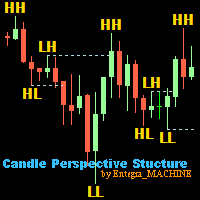
Candle Perspective Structure Indicator MT5 is a simple indicator that defines and displays the candlestick structure of the market. This indicator will suit both experienced traders and beginners who find it difficult to follow the structure visually. If you want to see more high-quality products or order the development/conversion of your own products, visit my partners' website: 4xDev Get 10% OFF on manual strategies automation services or indicator development/conversion services at 4xDev
FREE
该产品的买家也购买
Dealer's Panel No signal decides anything here — a hand does. One click, and the panel calculates what's underneath: lot size from risk, target from a 30-step balance ladder that remembers exactly how far an account has climbed. Toggle between market and pending without touching an input field. Set a stop, and the take-profit can write itself — a fixed share of the balance, translated into price with no arithmetic left for the trader to get wrong. One trade live at a time; it won't let a seco
Farmed Hedge Yield Farming | All Markets (Manual - Hybrid - Semi/Automated EA) VERIFIED TRADING RESULTS - Farmed Hedge Yield Axi Copy:  https://www.mql5.com/en/signals/2356376 - Farmed Hedge Yield Exn Copy:   https://www.mql5.com/en/signals/2356404 - Farmed Hedge Yield V Copy:  https://www.mql5.com/en/signals/2357156 IMPORTANT NOTICE: FarmedHedge is a MANUAL-FOCUSED TRADING UTILITY ,not a fully automated EA. Results shown on this Signal include manual trades and overall strategic management.
News Trade EA MT5
Konstantin Kulikov
4.55 (11)
在此向大家介绍一款我本人使用多年的机器人。该产品支持半自动和全自动交易模式。 >>> Chat <<< 本程序包含基于经济日历新闻的灵活交易设置功能。不支持策略测试器检验。仅可进行实际操作。需在终端设置允许URL 列表中添加新闻网站。点击服务 > 设置 > 智能交易系统。选中“允许WebRequest对下列URL发出请求:”。添加下列(删除空格):https://  nfs.faireconomy.media 下載最新的設定檔: https://www.mql5.com/en/blogs/post/747929 訊號監控: https://www.mql5.com/en/signals/author/test-standart 请参考博客中各类参数说明自行实现个性化设置   : https://www.mql5.com/en/blogs/post/748545   。 主要默认设置说明 单一图表英镑/GBP(英镑美元/GBPUSD、欧元英镑/EURGBP、英镑日元/GBPJPY、英镑加拿大元/GBPCAD、英镑澳大利亚元/GBPAUD、英镑瑞士法郎/GBPCHF)货币对操作。英镑/
The Patch
Mian Rameez Ali
The Patch It never opens a trade. It walks behind the ones that did. Every open position, every pending order — checked twice a second for the one thing that's easy to forget: a stop, a target. Found bare, it doesn't ask. It writes the missing number in, measured in points from wherever the position began, and moves on to the next. No strategy, no opinion on direction. Just the quiet assumption that nothing should ever sit on the market unprotected — not because someone decided it shouldn't,
YuClusters
Yury Kulikov
4.93 (43)
Attention: You can view the program operation in the free version  YuClusters DEMO .  YuClusters is a professional market analysis system. The trader has unique opportunities to analyze the flow of orders, trade volumes, price movements using various charts, profiles, indicators, and graphical objects. YuClusters operates on data based on Time&Sales or ticks information, depending on what is available in the quotes of a financial instrument. YuClusters allows you to build graphs by combining da
Floor Watch
Syed Tauqeer Hussain Shah
Floor Watch One number, watched every thirty seconds: how far equity has fallen since the day began — or since its highest point, if it's told to trail the peak instead of the open. Cross the line and it doesn't argue. Every open position closes, every pending order vanishes, and anything that slips through afterward gets shut the moment it appears. Not asked. Removed. The floor holds until the clock turns 5 AM Pakistan time — then, and only then, does the day start over. One rule. No except
一次购买,即可免费获得我所有 MT4 和 MT5 指标及交易机器人(EA),包括现有产品及未来发布的产品。 购买后请联系我,了解领取方式。 计划每售出 10 份后提价 50$,最高至 999$。 实际价格以结算时的 Market 标价为准。 保留您信赖的指标,让相关操作自动完成。 您的信号。您的规则。您的交易执行。 您已有信赖的 MT5 指标,却仍需盯盘、等待信号、计算手数、下单并手动管理每个持仓? Stratiora Signal Engine MT5 将这些环节连接起来。它可将兼容的买入和卖出缓冲区信号转化为完整的自动化流程:入场、交易量计算、止损、止盈、过滤、持仓管理及账户保护。 更换指标或交易思路时,无需每次另行定制 EA。您可以使用同一个灵活的执行引擎,自行决定每个信号的交易方式。 您的信号。您的规则。您的交易执行。 为什么开发 Stratiora 许多交易者已有熟悉且信赖的指标,但仍需手动盯盘、等待信号、计算手数、下单和管理持仓。 Stratiora 的目的就是连接这些步骤。 指标仍负责生成交易信号,Stratiora 负责按您的规则执行和管理。您决定何时读取信号、如何计
Master Your Trading Discipline   Stop losing your hard-earned gains to overtrading and emotional decisions. The Discipline Tool is your ultimate trading assistant, ensuring strict risk management in real-time. Key Protection Features: Advanced Drawdown Defense : Automatically halts trading if your daily drawdown exceeds a preset threshold (percentage or dollar amount). Real-Time Equity Lock : Safeguard profits by referencing peak equity, ensuring drawdown stays within control. Hard Profit Target

Quant AI Agents
Ho Tuan Thang
5 (1)
Quant AI Agents are independent trading Expert Advisors. Instead of trading using a fixed strategy like other conventional EAs, Quant AI Agents   is a   multi-agent AI trading framework   that turns natural-language strategy prompts into live.  WANT THE SAME RESULTS AS MY LIVE SIGNAL?   Use the exact same brokers I do:   IC MARKETS , IC TRADING   .  Unlike the centralized stock market, Forex has no single, unified price feed.  Every broker sources liquidity from different providers, creating un
Trading Chaos Expert
Hennadii Stanilevych
5 (11)
世界上没有本软件的同等产品,它代表一个覆盖交易信号的通用交易 "控制台",自动入场,设置止损和止盈,还有在单一窗口里同时进行多交易尾随终止。EA 的 "三次点击" 直观控制,确保在不同计算机上全方位使用所有功能,包括平板电脑。 与附加的信号指标交互来标记图标,给出实际市场的全貌,EA 令您做出正确的选择,以及在大多数情况下成为胜者一方。内置资金管理算法, 还有自动计算手数, 虚拟订单交易, 以及一些其它从崩溃账户里挽救交易者的 "诀窍"。它不是一个 "黑盒子"。而是一个深思熟虑的交易员的不可或缺的助理, 至少要尝试一次它的动作。 注,在面板上形成的 EA 不能在策略测试员中测试。可以在您的模拟账户里以实时模式检查它, 您可以下载本 EA 的免费版 - 混沌交易 EA 演示 。 EA 表现为一个面板,带有内置功能的交易机器人的,自动基于交易者可直观检查的交易信号入场,完全按照比尔·威廉姆斯的策略“混沌交易:第二版”和“新贸易维度”。在单独的窗口里,EA 识别价格走势的导向,用于指定品种和时间帧的全自动交易模式,也可以多品种并发。 它同时分析 MetaTrader 5“市场观察”窗口中显示
The  Easy Strategy Builder (ESB)  is a " Do It Yourself " solution that allows you to create a wide range of the automated trading strategies without any line of codes. This is the world’s easiest method to automate your strategies that can be used in STP, ECN and FIFO brokers. No drag and drop is needed. Just by set conditions of your trading strategy and change settings on desired values and let it work in your account. ESB has hundreds of modules to define unlimited possibilities of strategi
AI Arbitron — an MT5 Spot vs Future Gold Arbitrage Bot designed to capture price discrepancies between correlated Spot and Future instruments through hedged, non-directional trading. Platform: MT5 Use Swap Free Accounts, many of the regulated broker gives swap free accounts for 7 days, make use of it by only buying lower price asset and selling higher price asset, hold your position for 2-3 days. Asset: Mainly Gold (XAUUSD) using Spot + Future/CFD price feeds. Core strategy: It monitors the p
MT5 Trading Deck
Manuel Michiels
5 (2)
One button. One trade. MT5 Trading Deck is a hotkey trading panel for MetaTrader 5 that turns the platform into a keyboard-driven execution cockpit. Stop loss, take profit and lot size are pre-calculated for every key; the moment you press, a market order is live on the broker. A complete technical user manual is attached in the product Comments section. It documents every input parameter, the full hotkey map, the recommended Stream Deck XL layout, and the advanced workflows for Pre-Limit orders
HINN Lazy Trader
ALGOFLOW OÜ
5 (1)
The core idea: using the user interface, you configure the parameters the chart must meet before entering a position (or positions), choose which entry models to use, and set the rules for when trading and planning should end. Lazy Trader  handles the rest: it  takes over all the routine chart watching and execution! full description  :: 3 key videos [1] ->  [2]   ->  [3] What can it do? - Understands Larry Williams market structure - Understands swing market structure by Michael Huddleston
Unlimited Trade Copier Pro MT5 is a tool to copy trade remotely to multiple MT4, MT5 and cTrader accounts at different computers/locations over internet. This is an ideal solution for you if you are a signal provider and want to copy your trades to other receivers globally on your own rules. One provider can copy trades to multiple receivers and one receiver can get trade from multiple providers as well. The provider can even set the subscription expiry for each receiver, so that receiver will n
Adam FTMO MT5
Vyacheslav Izvarin
5 (2)
ADAM EA Special Version for FTMO Please use ShowInfo= false for backtesting ! Our 1st EA created using ChatGPT technology Trade only GOOD and checked PROP FIRMS  Default parameters for Challenge $100,000 Tested on EURUSD and GBPUSD only  Use 15MIN Time Frame Close all deals and Auto-trading  before Weekend at 12:00 GMT+3  Friday For Prop Firms MUST use special Protector  https://www.mql5.com/en/market/product/94362 --------------------------------------------------------------------------------
Mentfx Mmanage mt5
Anton Jere Calmes
4.25 (8)
The added video will showcase all functionality, effectiveness, and uses of the trade manager. Drag and Drop Trade Manager. Draw your entry and have the tool calculate the rest. Advanced targeting and close portions of a trade directly available in tool (manage trades while you sleep). Market order or limit order on either side with factored spread. Just draw the entry, the tool does the rest. Hotkey setup to make it simple. Draw where you want to enter, and the stop loss, the tool calculates al
QCML Assistant
Maxime Turcotte-lafreniere
QCML Assistant MT5 Your Trading. Our Assistant. Your Edge. Looking for a tool that completely transforms your experience on MetaTrader 5? QCML Assistant is the all-in-one solution built by traders, for traders. Just one tool installed on your chart, and you get access to an ultra-complete, ultra-fast, and ultra-simple trading platform. No more hours wasted setting up your workspace. No more complicated trade entries. With QCML Assistant, everything becomes simple, smooth, and efficient right fro
TradePad
Ruslan Khasanov
5 (1)
TradePad 是一種既可用於手動交易又可用於演算法交易的工具。我們為您提供一個簡單的解決方案,用於快速交易操作和控制多種交易工具的持股。 注意,該應用程式不適用於策略測試器! 模擬帳戶應用程式的試用版和所有工具的描述 應用程式介面適應高解析度顯示器,簡單直覺。為了方便工作,我們為交易者提供了以下工具: 熱鍵管理器,用於管理交易操作、在主圖表的週期之間切換、在 TradePad 工具之間切換; 標記交易等級的工具,用於在開倉或設定掛單時評估虧損風險並計算潛在利潤; MultiCharts 工具用於直觀地監控多個交易符號,以及接收演算法交易的交易訊號。為了方便起見,您可以組織交易對的集合,這將使您有機會在多個時間範圍內監控價格並進行多幣種交易; 用於查看任何歷史時期的交易統計資料的資訊模組,能夠產生擴展的 HTML 報告、查看交易符號的特徵和有關交易帳戶的資訊; 掛單管理器用於管理掛單 - 設定單一或一組(網路)掛單,可按訂單類型和單一符號或交易帳戶上的所有類型進行分組刪除; 設定賣出停損限價和買入停損限價掛單的工具; 頭寸管理器用於管理一個或多個頭寸(取決於帳戶類型) - 全部
Hedge Trimmer EA
Michael Sipho Bhiya
Hedge Trimmer & Roll-Over EA Managing a hedged position means carrying two opposing trades simultaneously. Over time, the losing side grows while the profitable side offsets it. The standard problem is that closing the loser costs money you may not have sitting in cash — it has to come from somewhere. Hedge Trimmer EA solves this by using the floating profit on your winning trades as the funding source to progressively close down the losing side. It identifies which trades are in profit, uses a
Gamma Edge Pro MT5 — GexBot Classic API Integration Gamma Edge Pro brings institutional-grade Gamma Exposure (GEX) data directly onto your MetaTrader 5 chart — the same data used by professional options traders to anticipate price magnets, hedging flows, and dealer positioning. Powered by the GexBot Classic API, this indicator automatically maps options market data from US-listed instruments onto any MT5 CFD instrument — Forex pairs, Gold, indices, and more — with intelligent price conversion bu
News Trader Pro is a unique robot that allows you to trade the news by your predefined strategy. It loads every piece of news from several popular Forex websites. You can choose any news and preset the strategy to trade it, and then News Trader Pro will trade that news by selected strategy automatically when the news comes. News release gives opportunity to have pips since the price usually has big move at that time. Now, with this tool, trading news becomes easier, more flexible and more exciti
If you wish to draw Support and Resistance lines, view: daily market opening, classical pivot levels, Fibonacci pivot levels, trend lines, Fibonacci levels, the remaining time to candle closing, and current spread. If you seek to place your orders with the exact lot that meets your desired stop loss risk. If you wish to do all this and more with just one click, then this is the perfect tool to use. This tool will allow you to feel more relaxed when deciding to open orders, as well as predicting
The new version of  MirrorSoftware 2021  has been completely rewriten and optimized.  This version requires to be loaded only on a single chart because  it can detect all actions on every symbol and not only the actions of symbol where it is loaded. Even the  graphics and the configuration mode  have been completely redesigned. The MirrorSoftware is composed of two components (all components are required to work):  MirrorController  (free indicator): This component must be loaded into the MASTER
ClusterSecond
Rafil Nurmukhametov
4.78 (32)
该工具允许绘制不同类型的图表。 秒图从1秒到86400秒 从1滴答开始的滴答图 成交量图 三角洲图 仁科图 范围图 用于体积分析的内置指标。 该工具的演示版 https://www.mql5.com/ru/channels/clustersecond 每日市场概况和所选时间框架的市场概况。 集群搜索。 不平衡。 VWAP。 动态POC、VAH、VAL 价格窗口简介 具有不同表现形式的垂直体积。 δ,有不同的可视化选项。 当前的和高的时间框架极 地下室指标烛台显示 也可以从图表中进行交易。 注意:该工具是为具有真实(交换)量的市场设计的。 它不适合外汇市场。它在VPS上不起作用。它在策略测试器中不起作用。 为了控制该图表,我们使用了 鼠标左键 - 移动图表,在设置中选择不同的模式,调用位于屏幕左下角带螺丝刀的钥匙图标下的主设置窗口。 鼠标右键 - 用于输入位于屏幕左上角图标下的图形结构的设置,以及绘制垂直、水平、趋势线和矩形的单独设置。 在图表区域旋转鼠标滚轮--左右移动图表,按住Ctrl键--上下移动图表,在价格比例区域--按价格比例,在时间轴区域--按时间比例。 H键--在
The script displays info about the share's corporate reports and dividends. The data is downloaded from   investing.com : Report date Profit per share (EPS) Revenue Market capitalization Amount of dividends Date of payment of dividends Dividend income The product cannot be tested in the tester (since it is not possible to receive data from the Internet). Before launching:  Add 2   URL   https://ru.investing.com/earnings-calendar/Service/getCalendarFilteredData  and   https://ru.investing.com/di
Telegram Notify MT5 Telegram Notify MT5 is an utility tool to bridge your MetaTrader 5 activities to your Telegram chat/channel. It is useful for monitoring your MetaTrader 5 account by sending a notification to your particular Telegram chat/channel when someone/EA is placing trades, modifying order's TP/SL, closing trades and etc. This EA does not place any trade for your account. This EA also could be a convenient tool for monitoring other's EA trading activities or a tool for publishing your
Telegram ChartSnap MT5 is an utility tool to bridge your MetaTrader 5 activities to your Telegram chat/group/channel. It will screen shot your MetaTrader 5 chart and send it to your dedicated Telegram chat/group/channel through a Telegram bot. The whole process will keep repeating based on a time cycle that predetermined by the user. It is a convenient tool for those who like to get access to their favorite system/dashboard that only available at MetaTrader Desktop. Beside that, trader can easi
快捷操作,快速买,卖,清空操作。 提供三个按钮:Buy,Sell,清空。 Buy:点击后快速下多单,默认1手,盈利点和止损点都是110点,下单成功后可手动修改。 Sell:点击后快速下空单,默认1手,盈利点和止损点都是110点,下单成功后可手动修改。 清空:快速全部订单清仓,包括买,卖订单。 提供快速操作,默认大小,盈利点和止损点都可以单独找我,定制开发。    图表可以自行设定品种,时间周期。 快捷操作,快速买,卖,清空操作。 提供三个按钮:Buy,Sell,清空。 Buy:点击后快速下多单,默认1手,盈利点和止损点都是110点,下单成功后可手动修改。 Sell:点击后快速下空单,默认1手,盈利点和止损点都是110点,下单成功后可手动修改。 清空:快速全部订单清仓,包括买,卖订单。 
1.   记录每一个Tick交易的价格数据。     数据文件内容:“Tick时间”、“ASK价格”、“BID价格”、“SPREAD价差”、“Tick报价数量”。 2.   同时,生成一个1分钟周期的报价数据文件。     1min数据文件内容:“ASK时间”、“ ASK OPEN价格 ”、“ASK HIGH 价格”、“ASK LOW 价格”、“ASK CLOSE 价格”、 “ BID 时间”、“BID OPEN价格 ”、“ BID HIGH 价格”、“ BID LOW 价格”、“ BID CLOSE 价格”、 “Tick报价数量”。 3. 每天将所有报价数据保存在一个文件中,方便使用者进行数据分析和数据整理。 4.这个EA程序,任何时刻加载到MT5图表中,就可以直接开始价格数据的记录。确保记录下市场中出现的每一个报价。 5.文件存储位置:MQL4/Files/
筛选:
无评论
回复评论