 MetaTrader 5
 专家
专家
 指标
指标
 程序库
程序库
 实用工具
实用工具
 窗口小部件
窗口小部件
 规则
规则
全新的MetaTrader 5 交易实用工具 - 15
 以下是可在MetaTrader 5中简化交易的交易程序。将鼠标悬停在一个工具上,阅读它的描述和用途。
NINJA SYMBOL PASSPORT MT5 PRO NINJA Symbol Passport MT5 Pro是一款只读型MT5工具,帮助您在自行作出交易决定之前,集中查看经纪商提供的交易品种规格和当前执行条件。面板和输入参数名称使用英语。 在SYMBOLS页面中,您可以检查交易时段、到期信息、交易量规则、点差成本、预估保证金、Spread/ATR、Trade Mode、执行与成交模式、允许的订单类型、Stops/Freeze Level、隔夜利息、Tick Value及合约资料等信息。 PREFLIGHT只针对已实现的执行条件进行非方向性评估,包括点差、保证金、报价新鲜度、Trade Mode、交易权限、品种规格和用户设置的风险条件。该分数不是胜率,也不是行情方向预测;其用途是显示当前条件及透明的扣分原因。 在PLAN LAB中,您可以为所选品种手动建立最多6种假设请求:BUY/SELL Market、Stop和Limit,并查看该时点的OrderCheck结果、价格、交易量、保证金、Retcode和经纪商注释。BUY与SELL仅表示假设请求的方向,不是交易信号或投资建议。

两个月可能以相同的结果收尾。其中一个月走得平稳;另一个月却有数天处于 -20% 的浮亏之中。经纪商对账单无法区分二者。 Trading Track Record 可以,就在您的 MetaTrader 5 图表上。 Trading Track Record 是一款业绩仪表板,它读取您的账户历史和当前持仓,呈现您交易的真实情况:按日、周、月、季度和年份,按交易品种、魔术号和订单注释,并给出每一天的最大浮亏和最高浮盈。无需创建账户,不上传任何内容:一切都在您的交易终端内完成。 它能为您提供什么 每一天的真实风险。 面板每秒对浮动盈亏采样两次,并为每一天记录最大浮亏和最高浮盈。对账单只显示已平仓的结果。 真正盈利的策略。 每项数据均可按交易品种、魔术号或订单注释查看。筛选器可单独分离出某一个品种上的某一个交易机器人,手续费和库存费均计算在内。 一键查看任意时段。 点击某一行即可放大查看该时段:将其与上一时段及您的平均水平进行比较,打开其统计数据、按小时或按星期几的概况、细分、分布或日历。 您的 prop firm 规则一目了然。 每日亏损、最大亏损、盈利目标、最少交易天数和最佳交易日,均以仪表

Strategy Drift Pro 用于监控实时运行的EA、跟单交易和信号的表现是否仍与其预期基准保持一致。对于EA,基准数据从 MT5 Strategy Tester 报告中导入;对于 MQL5 Signals 和跟单交易,基准则根据该策略已发布的信号统计数据建立。 您如何知道 EA 是否真的仍像您所信赖的回测那样运行? 回测展示策略在历史条件下的表现,但无法确认相同的表现特征今天仍在延续。波动率、点差、佣金、经纪商执行、仓位规模、跟单条件和策略更新都可能改变实盘结果。 Strategy Drift Pro 是一款在 MT5 本地运行的只读型绩效监控工具,适用于智能交易系统、跟单交易和 MQL5 信号。将 MT5 策略测试器的 HTML/HTM 报告导入为预期基准,其多指标加权系统随后会把符合条件的滚动已平仓交易结果与该基准进行比较,帮助发现策略何时开始出现不同的行为,以便您在增加资金配置前进行调查并重新评估风险。 这套策略的行为是否仍像我测试过的系统? 配置资金前先测试 在模拟账户上或以较低风险运行 EA,同时让 Strategy Drift Pro 建立实时样本。正式评估在至少

️ SMART PANEL TESTER — 测试策略,控制风险。 SMART PANEL TESTER 是主版本 SMART PANEL 的精简版,专为在 Strategy Tester 中方便、高效地测试交易策略而设计。 该面板的核心功能是 风险管理 。交易策略不仅仅取决于入场信号,其长期表现同样取决于您如何控制每一笔交易的风险。 ️ 内置风险管理器 您可以将风险设置为 账户余额的百分比 ,确定 Stop Loss ,并按照明确的资金管理规则测试您的交易策略。 面板支持快速使用自动 Risk/Reward 比例: 1:1 • 1:2 • 1:3 选择所需的风险回报比,系统将帮助您自动确定相应的 Take Profit 目标。 回测所需的一切功能 BUY / SELL — 快速执行市价交易; STOP / LIMIT ORDERS — 测试不同的入场场景; 灵活调整 Stop Loss 和 Take Profit ; 根据账户余额设置 风险百分比 ; 内置 Risk Manager ; 自动 Risk/Reward:1:1、1:2、1:3 ; 在测试过程中方便地管理交易。
FREE

PanelBuySell + GameHub 为 MetaTrader 5 打造的一键 BUY/SELL 面板,与隐藏的小游戏中心结合,按一个键即可打开。交易工具始终显示在图表上,按下 G 键即可打开包含 25 款以上小游戏的游戏库,无需关闭平台。 订单执行与仓位管理 一键 BUY 和 SELL,手数和注释可自定义 全部平仓、保本(Break Even)、按余额百分比设置止损,均可选择是否弹出确认窗口 使用数字键 1 至 9 进行部分平仓(10% 至 90%) 一键反手(Flip) 风险与订单工具 点击图表移动止损(Stop Loss)和止盈(Take Profit) 挂单双向(Buy Stop 加 Sell Stop),预览距离可调,支持移动止损跟踪 图表上绘制预估强平(Stop Out)线 按品种或全部品种限制持仓数量 订单失败时自动重试 界面 面板锁定,防止误触 明暗两种主题 面板可移动到图表任意位置 每个功能均有快捷键,按键可自定义 附加面板 信息面板:显示总盈亏、最大手数、ADR 及账户资金;按 P 键打开 D1 预测蜡烛图:实时预测日线蜡烛并带倒计时;按 V 键打开 G

1) 用于手动交易的助手模式,拥有超过870项持仓管理功能,2) 45种止损 + SL移动止损,3) 10种止盈 + 移动止盈,4) 外部控制面板在实盘交易和测试器中均可工作,5) 3种资金管理模式,6) 5种增加持仓交易量的方式,7) 15种持仓管理方式,8) 8个保护过滤器,9) 9种信号确认方式,10) 可视化持仓管理器,11) 针对TP和SL的部分持仓减仓,12) 保本,13) 计划任务模式,14) 亏损限制,15) 盈利限制,16) RR% SL盈利,17) 9种风险管理模式,18) 对冲 - 配对,19) 可在MT5中的所有交易工具上运行:黄金 - 加密货币 - 外汇 - 股票 - 期货,20) 6种语言选择,21) 真实订单模式以及对经纪商隐藏的虚拟订单模式,22) 订单反向,23) 按止损平仓时反转持仓,24) 支持经纪商的所有账户类型,25) 帮助功能,26) 订单类型 - 市价单 - 止损单 - 限价单,27) 用于算法交易的(BOT)模式,包含178种不同策略,28) 额外的(助手)模式,仅用于手动交易,29) + 每周更新,30) + 奖励 - 可根据买家的要求

EA Claim Consistency Checker 是一款本地运行的MT5实用工具,用于检查手动输入的EA销售页宣传数值在统计上是否内部一致。
您将EA销售页或介绍文案中的标题数值直接输入到脚本参数中: Profit Factor、胜率、盈亏比或平均盈利/平均亏损、交易笔数、最大回撤、月度收益、宣传周期、初始资金。本工具不读取任何报告文件,也不访问任何账户数据;所有输入均为手动参数。
单位明确、缺失明确
所有比率类输入(胜率、最大回撤、月度收益)都按 rate-unit 参数选定的单一单位读取: percent(默认,例如 60% 输入 60)或 fraction(例如输入 0.60)。不存在任何自动单位猜测。数值 0 表示"未提供"(月度收益使用 -999 作为缺失标记,因此真实的0%月度收益也可以输入)。未提供的数值将作为 unknown 或 insufficient claim data 保留,不会被强行转化为结论。
其他任何无效数值都会被拒绝,并指明出问题的字段名,而不是被悄悄修复或当作缺失处理: 需要正值处的负值、超出范围的值、非有限值、只填一侧的平均盈利/平

Position Sizer Pro MT5 是 Position Sizer MT5 的增强版,后者的下载量已超过 500 次。 免费版用于计算交易手数。Pro 版则让您在图表上规划整笔交易、计算合适的交易量,并直接通过面板下单。 无需手动计算,无需打开单独的下单窗口。在发送订单之前,您就能看到入场价(Entry)、止损价(SL)、止盈价(TP)、交易手数和实际风险。 在图表上直观规划交易 Entry、SL 和 TP 以线条形式显示在图表上。 移动 SL 线,交易手数会自动更新。切换到 Pending 模式,将 Entry 线移至所需价位,系统便会自动识别相应的挂单类型: Buy Stop Buy Limit Sell Stop Sell Limit 要移动线条,请先双击选中,再拖动至所需价位。切换到 Pending 模式时,Entry 线会自动被选中。 直接通过面板下单 选择 BUY 或 SELL,再选择 Market 或 Pending,然后点击 PLACE。 确认界面会显示订单类型、交易量、Entry、SL、TP 和风险。您随后有 10 秒钟确认或取消。 发送订单前,EA 会检

BOLETA CHART PRO - TRADE PANEL | 最快速、最完整的日内交易面板 不要再因为点击菜单而错失机会。直接在图表上 1 次点击即可买入、卖出、保护和部分平仓。由交易者为交易者打造。 它是什么?
Boleta Chart Pro 是一个专业的交易面板(Trade Panel),锚定在您的图表上。它用智能、可视化、超快速的面板取代了缓慢的 MetaTrader 面板。您可以看到所需的一切 - 手数、风险、目标和止损 保本、部分离场、挂单 - 并一键执行。 适合谁?
指数和外汇的日内交易者
需要敏捷性的剥头皮交易者
交易外汇、股票和加密货币并需要快速保护的人
想停止情绪化交易并拥有自动风险管理的人 完整功能 - 1 次点击完成所有操作: 瞬时执行
市价买入 - 使用预定义手数立即入场
市价卖出 - 立即做空入场
毫秒级执行,无需确认 利润保护
1 次点击保本 - 将您的止损移至入场价,将交易锁定在盈亏平衡点。一次点击,您不再亏损。 智能仓位管理
部分离场 - 平仓 50%。锁定部分利润,让其余部分继续运行。专业日内交易必备。
全部平仓 - 1 次点击

Trade Heat Recorder MT5 是一款只读交易分析工具,用于记录持仓从开启到结束期间的真实变化。 它可以持续跟踪最大不利波动(MAE)、最大有利波动(MFE)、从最佳盈利水平回撤的利润、净盈亏、利润捕获效率以及其他交易管理信息。 工具会明确区分从开仓开始实时监控的仓位( LIVE )和程序启动或重启后恢复识别的仓位( RECOVERED ),不会把未实际观察到的数据伪装成实时历史数据。 主要功能: 实时 MAE / MFE 跟踪 Giveback / From Peak 测量 净盈亏监控 利润捕获效率 在初始风险数据充足时提供 R 倍数信息 LIVE / RECOVERED 状态 交易管理标记 最近已平仓交易面板 本地 CSV 导出 Magic Number 过滤 MT5 重启后的状态保存 完全只读运行 Trade Heat Recorder 不会开启、修改或关闭任何交易。 无需 DLL、WebRequest、外部 API 或服务器。

Contract Change Watch 读取本账户所连接经纪商设定的品种参数,并在数值发生变化的瞬间记录下来。它不预测,也不建议。日志中的每一条记录都已经发生:这个账户的经纪商实际设定的某个数值,在片刻之前与现在不同。
为什么需要它:经纪商可以随时更改品种的隔夜利息率、止损水平、交易量步长、所需保证金,以及另外六项参数,而终端不会显示任何通知。规格对话框始终只显示当前值。除非在变化发生之前就有东西在记录,否则无法知道某个数值是否变化了,或者变化了多少。
设置步骤: 1. 将该EA拖到任意图表上。品种和周期都无关紧要——它读取的是市场报价窗口中的每一个品种,而不仅仅是它所运行的那张图表。 2. 面板出现在左上角。首次运行时,会为每个被监视的品种保存基准值,并显示 Changes recorded 0。 3. 此后每隔60秒,将当前数值与基准值进行比较。变化在被检测到的那一刻就会被记录。 4. 不需要其他任何操作。没有需要调整的数值设置。
输入参数(共七项,按此顺序): InpShowPanel(默认 true)——显示或隐藏面板。 InpPanelCorner(默认左上角)——

Order Type Ledger 读取的是本账户的挂单历史——而不是成交历史,统计的是每一笔发出的订单最终发生了什么。它不预测,也不建议。它从不查看交易结果,只统计结果类型:已成交、已取消、已过期、已拒绝。
为什么需要它:大多数交易工具只回顾已经成交的交易。一笔未被触及就过期的限价单、一笔被拒绝的止损单、一笔等了好几个小时才成交的订单——这些都不会出现在成交历史汇总中,因为它们从未成为一笔交易。订单历史标签会把它们一条条列出,但没有人把它们加总。"上个月挂出的限价单中有37%从未成交"——这是这个账户已经拥有的事实,只是从来没有被统计过。
设置步骤: 1. 将该EA拖到任意图表上。品种和周期都无关紧要——它读取的是账户的整个挂单历史,而不仅仅是它所运行的那张图表。 2. 面板出现在左上角,并根据本账户自身的挂单历史逐步填充。 3. 只有当订单数量发生变化时才会重新计算,检测周期为每60秒一次。不需要启动或配置任何东西。 4. 不需要其他任何操作。没有需要调整的数值设置。
输入参数(共四项,按此顺序): InpShowPanel(默认 true)——显示或隐藏面板。 InpPan

Trade Duration Profile 读取本账户自身已平仓的交易历史,以分布而非单一平均值的方式,展示仓位实际持有了多长时间。它不预测,也不建议。它从不查看交易结果,只测量时间。
为什么需要这个工具 大多数交易者对自己的风格只有模糊的印象——"我基本上是短线党","我倾向于持仓较久"——但背后并没有真正的数字支撑。账户的历史标签逐笔列出交易,却从不汇总它们实际持有了多久、哪个品种持仓时间最长,或者周一的交易是否比周五的交易持续更久。"我的持仓中位数是42分钟,但仅XAUUSD一项就接近3小时"——这是这个账户早已拥有的事实,只是从未被统计过。
设置 1. 将EA拖到任意图表上。品种和周期都无关紧要——它读取的是账户全部已平仓交易历史,而不是它运行所在的图表。 2. 面板出现在左上角,并根据本账户自身的历史记录填充数据。 3. 仅当已平仓交易数量发生变化时才重新计算,每60秒检查一次。无需启动或配置任何东西。 4. 不需要其他任何操作。没有需要调整的数值设置。
输入参数(共4个,顺序如下) - InpShowPanel(默认 true)——显示或隐藏面板。 - InpPan

Weekend Hold Report 读取本账户自身已平仓的交易历史,统计仓位跨越周末持有的次数——只是一个简单的计数、按品种的细分,以及这些跨周末仓位的实际持有时长。它不做判断,也不给建议,任何地方都不查看交易结果;它只计数和计时。
为什么需要这个工具 跨周末持有仓位,很少是刻意的计划——大多数人都是事后才注意到。账户的历史标签逐笔列出交易,却从不标记哪些跨越了星期六、涉及了多少个品种,或者这些跨周末仓位到底持有了多久。"去年有17次跨周末持仓,其中9次是XAUUSD"——这是这个账户的历史早已拥有的事实,只是从未被统计过。
设置 1. 将EA拖到任意图表上。品种和周期都无关紧要——它读取的是账户全部已平仓交易历史,而不是它运行所在的图表。 2. 面板出现在左上角,并根据本账户自身的历史记录填充数据。 3. 仅当已平仓交易数量发生变化时才重新计算,每60秒检查一次。无需启动或配置任何东西。 4. 不需要其他任何操作。没有需要调整的数值设置。
输入参数(共4个,顺序如下) - InpShowPanel(默认 true)——显示或隐藏面板。 - InpPanelCorner(默认

Partial Close Tracker 读取本账户自身已平仓的交易历史,统计仓位被分成多个步骤平仓的次数——只是一个简单的计数、一个比率,以及这类分批平仓通常经历了多少个步骤。它不做判断,也不给建议,任何地方都不查看交易结果;它只计数。
为什么需要这个工具 先平掉一部分仓位锁定成果,再继续管理剩余部分——很多交易者打算遵守这个习惯,却很少真正核对。账户的历史标签逐笔列出交易,却从不标记哪些是真正分步平仓的、用了几步,或者有多少仓位其实是一次性整体平仓的。"250笔已平仓仓位中有196笔使用了分批平仓——比率78%"——这是这个账户的历史早已拥有的事实,只是从未被统计过。
设置 1. 将EA拖到任意图表上。品种和周期都无关紧要——它读取的是账户全部已平仓交易历史,而不是它运行所在的图表。 2. 面板出现在左上角,并根据本账户自身的历史记录填充数据。 3. 仅当已平仓交易数量发生变化时才重新计算,每60秒检查一次。无需启动或配置任何东西。 4. 不需要其他任何操作。没有需要调整的数值设置。
输入参数(共4个,顺序如下) - InpShowPanel(默认 true)——显示或隐藏

Stop Distance Ledger 读取本账户自身已平仓的交易历史,显示开仓时实际设置了止损或止盈的比例,以及设置的距离——以开仓价格的百分比表示。它不预测,也不建议,任何地方都不查看交易结果;它只测量已经设置的内容。
为什么需要这个工具 "入场前一定设置止损"是许多交易者打算遵守却很少核对的规则。账户的历史标签逐笔列出交易,却从不统计有多少笔真正设置了止损、多少笔没有,或者那些止损设置的距离有多远。"931笔已平仓仓位中有17笔设置了止损——比率1.8%"——这是这个账户的历史早已拥有的事实,只是从未被统计过。
设置 1. 将EA拖到任意图表上。品种和周期都无关紧要——它读取的是账户全部已平仓交易历史,而不是它运行所在的图表。 2. 面板出现在左上角,并根据本账户自身的历史记录填充数据。 3. 仅当已平仓交易数量发生变化时才重新计算,每60秒检查一次。无需启动或配置任何东西。 4. 不需要其他任何操作。没有需要调整的数值设置。
输入参数(共4个,顺序如下) - InpShowPanel(默认 true)——显示或隐藏面板。 - InpPanelCorner(默认 左上角)

Margin Usage History 读取本账户自身已平仓的交易历史,显示每次开仓那一刻,通常有多少账户余额被占用为保证金——以百分比表示。它不预测,也不建议,任何地方都不查看交易结果;它只衡量每次投入了账户的多大比例。
为什么需要这个工具 同样的手数,在账户余额较大或较小时意味着完全不同的事情。如果余额减少而手数保持不变,每笔交易占用账户的比例会在无人决定的情况下悄然攀升。"状态好的时候我只投入账户的3%,但亏损开始累积后这个比例升到了15%"——很多交易者事后回顾都会认出这种模式,但账户的历史标签从不做这种汇总,它只是逐笔列出交易。
设置 1. 将EA拖到任意图表上。品种和周期都无关紧要——它读取的是账户全部已平仓交易历史,而不是它运行所在的图表。 2. 面板出现在左上角,并根据本账户自身的历史记录填充数据。 3. 仅当已平仓交易数量发生变化时才重新计算,每60秒检查一次。无需启动或配置任何东西。 4. 不需要其他任何操作。没有需要调整的数值设置。
输入参数(共4个,顺序如下) - InpShowPanel(默认 true)——显示或隐藏面板。 - InpPanelCor

Tick Value Reference 会读取本账户 Market Watch 中出现的每一个品种,并按照 1.00 手的单个点值在本账户自身货币下的大小,把它们并排列出来。它不计算手数、不下单、也不判断风险——只是把终端已经知道的信息,按照便于看出品种间差异的方式排列出来。
为什么需要它 同样是 1.00 手,不同品种的意义完全不同。外汇主要货币对上一个点值可能只值几美分,而黄金、指数 CFD 或日元交叉盘上同样 1.00 手的点值可能相差两三个数量级。MT5 自带的品种规格窗口每次只能显示一个品种,因此没有内置的办法一次性比较整个关注列表。
设置 1. 把 EA 拖到任意图表上。图表本身的品种和周期无关紧要——它读取的是当前 Market Watch 中的每一个品种,而不只是运行所在的那一个。 2. 面板会出现在左上角,并根据本账户的 Market Watch 内容填充数据。 3. 每 60 秒重新读取一次 Market Watch。无需启动或配置任何东西。 4. 不需要做任何其他操作。没有需要调整的数值设置。
输入参数(四个,按此顺序) InpShowPanel(默认 t

TrendSync AutoSL Guardian
Trade and manage manual positions at the speed of a keystroke — every order protected the instant it opens. TrendSync AutoSL Guardian turns manual trading on MetaTrader 5 into a fast, disciplined workflow. Open, protect, scale and close positions straight from the chart or the keyboard — no order dialogs, no hunting for tickets. It is a trade-management and execution tool, not a signal EA : you make the decisions, it makes them instant and safe. Perfect for discretion

ReplayTrainer turns your MT5 into a chart replay practice environment. Pick any date in your broker's history, hide the future, and trade it as if it were live — with your own indicators on the chart . Why replay practice? Scrolling back through a finished chart is not the same as trading it. When you already know what happens next, you are not training the decision. ReplayTrainer replays history candle by candle, or tick by tick , so every decision is made without hindsight . Free-form replay P

The Replay Trader Panel ULTRA MT5 is a free Expert Advisor developed to transform the visual mode of the MetaTrader 5 Strategy Tester into a practical environment for replay and manual training.
The panel uses the asset, timeframe, dates, and historical data selected directly in the Strategy Tester. It can be used in different markets, as long as the asset is available in the broker's MT5. See the gui de .
To begin, simply select the Replay Trader Panel as your Expert Advisor, choose the asse
FREE

Apex Terminal is a trade panel for MetaTrader 5 that sizes every position from your risk and manages it from entry to exit.
Set how much you accept to lose and where the stop-loss goes. Before you click, the panel shows the lot, the loss at the stop and the profit at the full target. One click opens the trade with the stop-loss and the whole take-profit ladder already in place.
TRADE - Position size from % of balance or equity, a fixed amount of money or a fixed lot. The lot is rounded down t
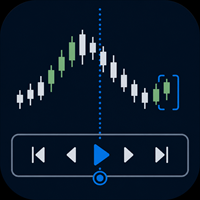
Practise your trading process with recorded broker history inside MetaTrader 5.
MT5 Backtesting Studio is a manual trading simulator for discretionary traders. It combines historical chart replay, simulated orders, strategy notes, session journaling, and detailed analytics without placing or modifying broker orders.
Use it to test intraday or swing-trading ideas, repeat a structured practice plan, and review what happened after each session.
Replay recorded history from your broker
The EA u

SwiftDraw Prime 是一款专业的图表分析工具,旨在让技术分析更快速、更清晰、更高效。 专为依赖手动图表分析的交易者打造,SwiftDraw Prime 通过直观的键盘快捷键,将核心绘图工具、多周期同步功能以及交易规划工具整合在一起,让您以最少的点击即可创建、编辑和删除图表对象。 无论您是 剥头皮交易者、日内交易者还是主观交易者 ,SwiftDraw Prime 都能帮助您优化盘前分析、多周期分析流程以及图表准备过程。 为速度而生 通过可自定义的快捷键,即时创建最常用的图表工具: 水平线 — 快速标记支撑位、阻力位以及关键价格水平。 垂直线 — 精确标记图表上的特定时间点,非常适合回测和多周期分析。 趋势线 — 通过一个快捷键并拖动鼠标即可快速创建趋势线。 矩形 — 使用简洁的半透明设计突出显示供给区与需求区。 斐波那契回撤 — 通过自动磁吸功能更快速地绘制斐波那契回撤,当锚点靠近K线高点或低点时,会自动吸附至相应位置。 买入与卖出箭头 — 在图表上直观标记潜在的看涨和看跌区域。 实时多周期图表同步 通过 Live Sync(实时同步) ,让不同周期之间的分析保持一致。 Sw

SmartTrade EA is a manual trading panel that docks on the chart. It brings order entry, position management, risk limits, statistics, the economic calendar and price alerts into one interface, so you can open, protect and close a trade without leaving the chart or opening a dialog.
It is a tool, not a strategy. It does not place trades on its own and does not generate signals. Every entry is yours. What it handles is the work after the click: moving stops, closing in parts, and keeping you ins

Check an MQL5 signal before you subscribe. A signal can look convincing on the provider page and still be a poor fit for your account. Different symbol names, minimum lots, leverage, hedging or netting, copy latency and a fixed monthly fee can materially change what happens on your account. MT5 Signal Sentinel is not a trading robot and not a signal. It does not trade. It analyzes available data and explains technical and historical risks in plain language. Why this tool was created Many problem

️ EA Thunder SLTP Advanced Suite for MetaTrader 5
Professional Trade Management | Precision Risk Control | Multi-Asset Compatibility Are you tired of watching winning trades turn into losses because of slow manual adjustments? Do you struggle with consistent risk management? Introducing the EA Thunder SLTP Advanced Suite . This is not just another Expert Advisor; it is a professional-grade trade management powerhouse designed to give you institutional-level control over your positions on Meta

[Introduction] This panel serves as your tactical command hub, allowing you to design and execute diverse strategies and tactics — such as trend following, mean reversion, and defensive hedging — by combining specialized tactical lines. Smart Value: Operates based on the value entered in the Smart EditBox ([SE]). ABS(Value) = 0: Smart function disabled (Immediate execution via button click). ABS(Value) < Cutoff: Interpreted as a relative offset/delta from the current market price. ABS(Value)

LEGEND TERMINAL PRO — Trade Execution & Risk Management Panel for MetaTrader 5 Legend Terminal Pro is a manual trade execution, risk management and position management panel designed for MetaTrader 5. It brings the essential stages of discretionary trading into one interface: trade preparation, risk calculation, order execution, position management and performance analysis. Legend Terminal Pro does not generate trading signals and does not make trading decisions for you. The trader remains in fu

XAU Expansion Price Level Hourly XAU Expansion Price Level Hourly 是一款简单实用的工具,旨在帮助交易者测量和分析 黄金(XAU)的小时级价格扩张 。 该指标以每个小时的 开盘价作为测量起点 ,帮助您清晰地观察价格从小时开盘价开始向上或向下扩展了多少。 您可以根据自己的交易分析需求,选择不同的小时周期: 上一小时 当前小时 下一小时 通过这些设置,您可以更加方便地比较不同小时的价格水平,并观察市场在每个小时内的价格扩张情况。 该指标专为 MetaTrader 5 设计,能够在图表上以清晰、直观的方式显示小时价格扩张水平。 简单。清晰。实用。 将小时价格扩张作为您黄金交易分析中的另一个参考维度。

SL Risk Manager Auto SL System SL Risk Manager Auto SL System 是一款简单实用的工具,可以帮助交易者在 开仓前和开仓后轻松管理止损(Stop Loss) 。 使用本工具,您可以在开仓之前提前设置止损水平。特别是在交易 黄金(XAU) 时,您可以根据 美元金额 设置止损,从而更加直观地控制每笔交易的风险。 您还可以通过控制面板,根据自己设定的比例和参数 自动开仓 。 对于已经开仓的交易,您可以随时快速更新止损水平。止损可以按照以下方式进行管理: 美元金额止损 点数(Pip)止损 此外,本工具也支持对**挂单(Pending Orders)**进行止损管理。您可以在订单成交之前提前设置和调整风险控制水平。 我们的控制面板设计得 简单、清晰、实用 ,无需复杂的操作。您可以在任何时候根据市场情况快速更新止损水平。 主要功能 开仓前设置止损 支持黄金(XAU)美元金额止损 支持点数(Pip)止损管理 更新已有持仓的止损 管理挂单的止损 根据设定的参数自动开仓 简洁易用的控制面板 快速灵活的风险管理 简单。实用。灵活。 使用 SL Ris

DELTA ATLAS Orderbook Order-Flow Visualization Dashboard for MetaTrader 5 Futures
A unified, full-screen dashboard for discretionary futures traders that turns the raw order flow into one clear picture. Every executed trade is rendered as volume bubble scrolling across a live liquidity heatmap, read against a real depth-of- market ladder, a live footprint, the session volume profile and cumulative delta — the whole auction, drawn in real time. On top of the tape sits a graded Analyst and a fam

Legend Terminal is a manual trade execution and risk management panel for MetaTrader 5. Designed to provide a clear and structured trading workflow directly from the chart, it combines order execution, position sizing and risk calculations in one interface. Order Types • Buy
• Sell
• Buy Limit
• Sell Limit
• Buy Stop
• Sell Stop
• Buy Stop Limit
• Sell Stop Limit Risk Management • Fixed lot position sizing
• Percentage risk position sizing
• Automatic volume calculation
• Risk amount calculation

"Manual trading panel for MT5: trailing stop, daily targets and risk management in one click."
TradePanel Single is a professional manual trading panel for MetaTrader 5, built for traders who want speed, organization and automatic position protection, without juggling multiple tools or complex setups.
Everything you need lives in a single panel: one-click buy/sell, point-based stops and targets, trailing stop, and real-time daily/weekly/monthly results.
===== KEY FEATURES =====
- ONE-CLICK Q
FREE

Stop Guessing Your Lot Size. Trade With Defined Risk. Order Management Script is a FREE risk-management utility that automatically calculates your lot size, Entry, Stop Loss, and Take Profit based on your predefined trading rules. No manual position-size calculations.
No repeated SL/TP calculations.
Just define your risk and trading setup. KEY FEATURES Automatic Lot Size Calculation
Calculate the correct position size using: • Fixed monetary risk
• Percentage of account equity Multip
FREE

One click to open. One click to protect. SMART PANEL is a minimalist panel for disciplined trading: no extra noise — only what a trader really needs every day: order placement, risk control and profit protecti 1. Fast order placement BUY / SELL buttons with MARKET / LIMIT / STOP menu. Entry, stop and take-profit lines — draggable right on the chart. Ready ratios 1:1 · 1:2 · 1:3 — one click, risk is already set. −% / +% buttons — risk per trade adjusted in a second. 2. Built-in
FREE

Trade Report to CSV — Your Trade History, One Clean Row at a Time Tired of MT5's built-in reports leaving you wanting more? This script turns your closed trade history into a tidy, ready-to-analyze CSV — one row per trade, no digging required. Fields exported
Entry time, Type (BUY/SELL), Lots, Symbol, Entry price, Stop loss, Take profit, Close time, Close price, Commission, Swap, Profit, Profit in pips, Magic number, Holding time, Close reason (SL/TP/manual/EA), Comment Highlights Choose you

Chart Context Keeper MT5
Change timeframe without losing the historical moment you were studying.
MT5's fixed chart position helps with zooming, but a timeframe change can move the chart away from the date under review. Chart Context Keeper adds the missing continuity: attach it once, then keep using MT5's normal timeframe controls.
Why it is useful
• Keeps the captured historical time visible after a timeframe change • Adds no dashboard, recurring button, modal, or confirmation • Runs as

Chart View Slots MT5
Chart View Slots MT5 adds a compact visual-view dock directly to an MT5 chart.
Switch among Focus, Trade and Review appearances without opening Chart Properties, loading a template or moving to a separate dashboard.
Capture your own appearance into any slot, apply it to the active chart or all open charts, and use Undo to restore the appearance that existed immediately before the last apply.
Main workflow
1. Attach the Indicator to one chart. 2. Click Focus, Trade or

AP PROFITRADE is a hybrid tool for MT5 that combines the ALEKSEEV PROFIT robot and the AP HELPER indicator in a single panel. It allows simultaneous viewing of market analysis and order management. Can be used as a panel for manual trade setup with full analytics — two tools in one interface. Analysis includes volume, RSI, Stochastic, MACD, ATR, support and resistance levels, price projection, stop loss and take profit. Differs from the AP HELPER indicator in that it allows not only viewing a

One job, maximum flexibility: the expert watches all activity on your trading account and sends you a Telegram message and/or chart screenshot for any chosen event type. Every event, message template and filter is user-configurable. What it is for You trade manually and want to know instantly about your trades in Telegram (openings, closings, TP/SL, trailing, breakeven, partial close). You run EAs — have a single notification channel for every trade on the account without opening t

TradePanel Pro - Manual Trading Panel with Grid, Trailing, and Targets
"Complete manual trading panel for MT5: grid, trailing stop, smart breakeven, daily targets and risk management in one click."
TradePanel Pro is a professional manual trading panel for MetaTrader 5, built for traders who want speed, organization and automatic position protection — without juggling multiple tools or complex setups.
Everything you need lives in a single panel: one-click buy/sell, point-based stops and targe

Quant Desk Pro An R-native trade manager for MetaTrader 5. It manages the trades you have already opened: it measures what each one is really risking, protects it, scales out of it on a plan you set, trails what is left, and stops the whole book when the day has gone far enough wrong. Read this first. Quant Desk Pro does not open trades and has no signal. And it ships in VIEW ONLY : it will not send a single order until you set I understand the risks to true in the inputs. Until you do

Institutional Liquidity Panel Pro MT5
Overview Institutional Liquidity Panel Pro MT5 is an advanced, institutional-grade trading dashboard and execution assistant built specifically for traders utilizing Smart Money Concepts (SMC), ICT, and Order Flow dynamics.
Instead of relying on lagging retail indicators, this tool tracks real-time Buy-Side Liquidity (BSL), Sell-Side Liquidity (SSL), and Fair Value Gaps (FVG). Designed for high-precision manual and semi-automated execution, it provides in

One-click risk-based trading with draggable SL/TP and a live risk readout.
Full description DocFX Trade Manager is a lightweight, always-on trading panel that handles the full lifecycle of a discretionary trade. It handles lot sizing, entry, stop management, break-even, trailing, and partial exits; all without manual lot-size math or switching away from your chart. Complete with strategy tester support.
Key features One-click buy/sell with your choice of Risk % of balance (with 1%/2%/5% prese

TradingAssistant TA Interactive Manual & Semi-Automatic Trading Panel for MetaTrader 5 Trading Assistant Dashboard is a practical on-chart trading panel designed for traders who want fast manual order execution, flexible position management, and real-time multi-timeframe market information — all from one dashboard. Instead of navigating through multiple MT5 windows, the assistant places essential trading controls directly on the chart, allowing traders to manage positions and monitor market cond

MultiChart Mirror – Real-Time Multi-Chart Template Synchronization Stop wasting time redrawing lines, levels, and channels across your charts. Draw once, mirror everywhere instantly. Overview MultiChart Mirror is an essential utility designed for professional day traders, scalpers, and technical analysts who monitor the same asset across multiple timeframes or window layouts. When you trade multi-window setups, every second counts. Manually replicating trendlines, support/resistance zones,

Signal Bridge Pro connects any custom indicator to your trading account. It reads the indicator's buffers, applies your filters and risk rules, and executes the trades for you. No programming and no indicator source code are required. Please read first: this is a utility, not a trading strategy. It does not generate signals of its own. You need an indicator that already produces buy and sell values in its buffers. The quality of your results depends entirely on the indicator you connect. https:/

Manual trading panel for MetaTrader 5. This tool enables you to open a trade in a single step. You can set the risk and levels directly on the chart and the position size will be calculated automatically. The tool does the following: You simply drag the stop-loss (SL), entry, and take-profit (TP) lines directly onto the chart. The position size is then calculated automatically, based on the specified risk as a percentage of the deposit or in the account currency. If necessary, you can specify a
FREE

BliksemButtons Pro — Ultra-Fast One-Key MT5 Execution & Risk HUD Stop losing precious pips navigating order dialogs. BliksemButtons Pro transforms MetaTrader 5 into a high-speed execution console built specifically for scalpers, news traders, and prop firm traders who demand zero-latency manual order placement and dynamic risk protection. Why Traders Choose BliksemButtons Pro Instant Hotkey Execution: Fire Market Buys, Market Sells, or clear all positions with a single keystroke. Smart Broker St

MainSet Workbench Order Manager MainSet Workbench Order Manager is a practical and powerful trading panel designed to help you manage your trades, calculate position size, and keep your chart analysis organized — all from one convenient workspace. The Order Manager Workbench can automatically calculate the appropriate lot size based on the balance of your trading account , helping you determine your position size quickly and easily. Order Management With the panel, you can manage your trades wit

Pro Order Lot Size Calculator Pro Order Lot Size Calculator is a simple and practical tool designed to help you calculate the appropriate lot size based on the amount of risk you want to take . With this tool, you can easily calculate your trading risk directly from the panel according to the amount of money available in your account. Easy Risk & Lot Calculation The panel is designed to be very simple and easy to use. You can choose how you want to define your risk: Enter your desired risk amoun

小单快跑是一个快速、简洁的一键下单面板,适用于 MetaTrader 5。一键开仓、平仓、保本,止盈和止损自动设置——不再需要手动输入止盈距离。 主要功能: - 一键按钮:买(BUY)、卖(SELL)、平仓(CLOSE)、保本(BREAK EVEN) - 止盈和止损自定义(按点数)——任意设置你想要的点数 - 灵活的风险回报比——自由组合止损和止盈,轻松实现 1:1、1:2、1:3、1:4、1:5 等比例 - 实时价格显示(卖价) - K线倒计时——查看当前K线剩余时间 - 当日盈亏显示——浮动盈亏和已平仓盈亏 使用方法: 1. 设置止损和止盈(按点数)。 2. 点击 BUY 或 SELL。 3. 订单自动开仓并设置好止盈止损。 面板始终显示在图表上,让你随时快速应对市场。 输入参数: - 止损点数(Stop Loss) - 止盈点数(Take Profit) - 手数(Lot size) - 魔术号(Magic number) - 面板坐标(Panel X/Y) - 颜色设置 作者:一心

Effectual Trade Copier (Master + Slave in One EA) — File-Based, Local, No DLLs A simple, fast, reliable trade copier for MetaTrader 5 — one single EA that runs as either the source or the destination, selected with a single input. Attach it to your source account with Mode = MASTER and to your destination account with Mode = SLAVE . No separate files, no DLLs, no network dependency — just a local shared file bridge, ideal for copying between accounts on the same VPS. What it does: Copies new pos

KIWI TRADE ASSISTANT PRO MT5
Kiwi Trade Assistant Pro MT5 is a visual manual-trading and position-management utility for MetaTrader 5. It helps traders plan entries, calculate position size, place orders and manage open positions from one chart panel.
This product does not generate trading signals and does not decide market direction. The trader chooses every entry and remains responsible for risk and execution.
MAIN FEATURES
• Visual Entry, Stop Loss and Take Profit lines • Automatic lot c

GoodLocking Panel — One-Click Ladder & Position Manager for MT5 Product type: Utility (manual trading assistant) Platform: MetaTrader 5 Version: 2.00 OVERVIEW GoodLocking Panel is an on-chart control panel for traders who work with layered pending orders and multi-position baskets. Every action that normally takes dozens of clicks in the terminal — placing ten pending orders, closing one side of a hedge, applying stop loss and take profit to a hundred open positions — is reduced to a single butt

Alpha Matrix Pro Trading Assistant — MT5 Trade Manager & ICT/SMC Panel All-in-one MT5 EA: risk-based lot sizing, one-click orders, partial close & trailing stops, plus automatic ICT/SMC chart analysis. No coding required. MT5 EA, trade manager, trading panel, risk management EA, position sizing, one click trading, ICT indicator, SMC indicator, smart money concepts, order block indicator, fair value gap indicator, market structure indicator, liquidity sweep, break of structure, gold EA, XAUUSD EA

Six18 LOT SIZE CALCULATOR FOR MT5 LOT SIZE CALCULATOR + AUTOMATED TRADE EXECUTION Stop calculating your lot size manually. Let Six18 do the math for you. Want to risk 1%, 2%, 5% — or a specific dollar amount on a trade? Simply enter your desired risk as a percentage (%) or fixed dollar amount ($) . Six18 automatically calculates the appropriate lot size for your account and Stop Loss distance. NO MORE MANUAL LOT-SIZE CALCULATIONS. NO MORE GUESSING. Whether your account is $1,000, $10,000, $50,00

PEAK DRAWDOWN PRO v5.0 Risk & Profit Manager for MetaTrader 5 Peak Drawdown Pro is an advanced account protection and profit management utility designed for MetaTrader 5. The product continuously monitors account equity and provides automated protection against excessive drawdown while also managing configurable profit targets and profit cycles. Peak Drawdown Pro is designed for traders who want an additional layer of automated account-level risk control. MAIN FEATURES Drawdown Protection Peak D

One Click Close Lite 是一款專為 MT5 手動交易者與多持倉使用者設計的簡易平倉工具。
當帳戶中同時存在多張交易持倉時,不需要再逐張點擊關閉,只需要透過圖表上的按鈕,即可快速執行批量平倉。
工具提供三個主要功能:
CLOSE ALL
一鍵關閉帳戶目前所有持倉。
例如帳戶中同時存在:
XAUUSD BUY EURUSD BUY GBPUSD SELL USDJPY BUY 按下:
CLOSE ALL
工具會依序嘗試關閉目前帳戶中的全部持倉。
---
CLOSE BUY
只關閉帳戶目前所有 BUY 持倉。
例如:
XAUUSD BUY EURUSD BUY GBPUSD SELL USDJPY BUY
按下:
CLOSE BUY
則會關閉:
XAUUSD BUY EURUSD BUY USDJPY BUY
而:
GBPUSD SELL
會保持不變。
CLOSE SELL
只關閉帳戶目前所有 SELL 持倉。
BUY 持倉不會受到影響。
---
即時持倉資訊
工具面板會顯示目前帳戶的基本持倉資訊,包括:
* 總持倉
FREE

RADAH Dashboard is an advanced performance analytics utility for MetaTrader 5, designed to transform your account history into a clear, organized and interactive trading performance overview.
It does not open, modify or close trades. Its purpose is exclusively analytical, allowing you to review the performance of the entire account, a specific symbol, or a strategy identified by its Magic Number.
Chart View
Visualize your trading performance through an integrated balance/equity performance c
FREE

Monthly Calendar MT5 simply presents your MT5 Trading History Beautifully. Your Entire Trading Month. At a Glance. Key Features
Download:
User can download screenshot by clicking Download icon.
Customizable Title:
Users can change the default “Monthly P/L Calendar” title to their preferred title.
Instant Profit/Loss Recognition:
Live tracking and P\L updates in seconds.
Click-to-Inspect:
Click any trading day to open detailed trade information.
Complete Trade Details:
Review time, sym
FREE

Backstop enforces the two rules that end funded accounts. A daily loss limit and a maximum loss limit, applied to everything on the account — every Expert Advisor, every symbol, and every trade you place by hand. Attach it to any one chart and it governs the whole terminal. It does not trade. It has no strategy, no signals and no opinion about the market. It is a governor. What it does Daily loss limit — measured from balance at the reset, equity at the reset, or a fixed account size. Firms diff
FREE

Drawdown Dashboard Lite 適合希望隨時掌握帳戶風險狀態的 MT5 使用者。
工具掛到任意圖表後,會每秒自動更新帳戶資料,讓使用者可以快速查看目前資金狀況與回撤程度,而不需要另外計算。
主要顯示內容包括:
Balance:目前帳戶已實現資金餘額 Equity:Balance 加上目前所有未平倉浮動損益後的實際帳戶權益 Floating P/L:目前全部持倉的總浮動盈虧 Current Drawdown:目前 Equity 低於 Balance 的金額與百分比 Session Peak Equity:自工具啟動後曾出現過的最高 Equity Session Max Drawdown:自工具啟動後,從最高 Equity 回落所出現的最大回撤 Positions:目前帳戶中的持倉總數
例如:
Balance: 10,000 USD Equity: 9,820 USD Floating P/L: -180 USD Current DD: 180 (1.80%) Session
FREE

AJUSTAR TP SEGÚN LÍNEA DE TENDENCIA — Modificación Dinámica de Take Profit en MT5 Este script para MetaTrader 5 permite proyectar el precio actual de cualquier línea de tendencia presente en el gráfico y asignarlo automáticamente como Take Profit (TP) a las posiciones abiertas que cumplan con los criterios de filtrado seleccionados. Es una herramienta imprescindible para traders que proyectan sus objetivos de salida basándose en estructuras diagonales, canales de precio, directrices de tendencia
FREE

Google SheetExporter — MT5 ↔ Google Sheets Google SheetExporter automatically exports your full MetaTrader 5 deal history to Google Sheets and keeps it synchronized. Every few minutes, your complete trading history appears in your own spreadsheet: every deal, every position matched from entry to exit, every EA identified by name. WHAT IT DOES • Exports the complete deal history (default: 10 years back) — not just open positions • Re-syncs automatically on a timer (default every 5 minutes), start
FREE

批量止損止盈同步管理器 這是一款專為 MT5 多持倉交易者 設計的持倉管理工具。 當同一個商品、同一個方向同時有多張持倉時,只需要手動修改其中一張持倉的 Stop Loss(SL)或 Take Profit(TP) ,工具就會自動把該持倉目前完整的 SL / TP,同步到其他相同商品、相同方向的持倉。 例如: XAUUSD BUY #1 XAUUSD BUY #2 XAUUSD BUY #3 如果將 #1 修改為: SL = 3300 TP = 3500 其他 XAUUSD BUY 持倉會自動同步成相同設定。 主要功能 批量同步 Stop Loss 批量同步 Take Profit 可同時同步 SL + TP 支援將 SL 或 TP 設為 0,批量移除 BUY 與 SELL 分開管理 不同商品分開管理 新開持倉不會立即觸發整批同步 啟動時只記錄現有持倉,不會自動修改 平倉後自動移除內部紀錄 一個圖表即可管理帳戶中的多個商品 分組方式 工具以: 商品 + 交易方向 作為同步群組。 例如: XAUUSD BUY XAUUSD SELL EURUSD BUY EURUSD SELL 全部視
FREE

Prop Trade Guard is an on-chart discipline panel for MetaTrader 5.
Get RiskTool
Add Md Trend Pro for Trending Market,A powerful Combination(MT4) Add SureShot Reversal Indiactor for Ranging Market& Complet the System (MT4)
It keeps you inside your own trading rules instead of relying on willpower after a loss. It tracks your account's closed trades for the day and shows a live session window, trade count, and daily P/L against your limits. A fully editable 5-item confluence checklist lets y
FREE

PropGuard MT5 is a risk management and account protection utility for MetaTrader 5. It monitors account conditions in real time and helps traders apply predefined risk and trading limits consistently. The utility is designed for traders who want additional control over daily loss, maximum drawdown, trading frequency, consecutive losses and open exposure. Main Features Daily Loss Protection Set a daily loss limit using the selected calculation method and monitor usage in real time. Maximum Drawdo
FREE

MA Crossover Close is a specialized, utility-focused Expert Advisor designed to protect your capital by closing open positions the moment an opposite Moving Average crossover occurs. Unlike traditional trading robots, this utility never opens new trades . Instead, it monitors your chart in real time on every tick and instantly liquidates ongoing manual positions when the market trend reverses, helping discretionary traders cut losses and secure profits automatically. Designed for traders who wan
MetaTrader市场是独有的自动交易和技术指标商店。
阅读MQL5.community用户备忘更多地了解我们提供给交易者的独特的服务:复制交易信号,自由职业者开发的自定义应用程序,通过支付系统完成的自动付款和MQL5云网络。
