 MetaTrader 5
 专家
专家
 指标
指标
 程序库
程序库
 实用工具
实用工具
 窗口小部件
窗口小部件
 规则
规则
全新的MetaTrader 5 交易实用工具 - 22
 以下是可在MetaTrader 5中简化交易的交易程序。将鼠标悬停在一个工具上,阅读它的描述和用途。
Advanced MT5 Trading Utility Panel EA Speed, Precision & Automated Risk Control The MT5 Advanced Trading Utility Panel is a professional-grade execution dashboard built for scalpers, day traders, and high-volatility news traders on MetaTrader 5. Designed to eliminate standard platform delays, it provides instant, one-click access to market execution, dynamic lot sizing, pending order management, and fast position clearing directly from your chart. Key Features & Functionalities ️ 1. Dynamic

BRE Behavioural Replay - Trade Psychology Analyzer
This is an analytics and awareness tool. It does not place, modify, or block trades.
It scans your local MetaTrader 5 deal history for revenge-trading patterns (a loss followed quickly by a larger re-entry) and shows a simple on-chart summary: - Trades scanned - Revenge entries flagged - Estimated cost of those patterns
Designed to run alongside your existing risk management EA. It shows you the why and the cost, complementing tools that alr
FREE

Free Global Stop Loss and Take Profit Setter with Break Even
Free one click Stop Loss and Take Profit tool for manual trading. Apply a fixed SL and TP to every open position on the symbol, or move them all to break even, with a single button. It only modifies Stop Loss and Take Profit levels — it never opens or closes a trade. Set your SL and TP distance in points, click once, and every position on the current symbol is protected. The break even button moves stops to entry (or a configurable num
FREE

Overview Advanced MT5 EA that automatically detects, scores, and visualizes support/resistance levels with integrated trading panel, risk management, and multi-channel alerts. Installation (3 Steps) Copy EA File : Place Saturno_Smart_SR_PRO_EA.ex5 in MQL5\Experts\ folder Refresh : Right-click "Expert Advisors" in Navigator → "Refresh" Attach : Drag EA to chart → Click "OK" → Enable AutoTrading button Note : Ensure "Allow Automated Trading" is checked and the EA shows a smiley face Qu
FREE

input double MaxLossLevel = 500.0; // Max Loss Level in account currency input double SafetyBufferMoney = 10.0; // Safe Buffer. In this case Threshold be 500+10 = 510 input int CheckEverySeconds = 2; input bool is_debugged = false; // Print additional messages in the Terminal
It will checks every CheckEverySeconds. If the total Loss of the account Go below Threshold of MaxLossLevel + SafeBufferMoney, then start Heding: for each open Position, open a new reversed Position with
FREE

Professional Manual Trading Assistant for MT5 BRIAN BREYLI VANA – Professional Trade Manager Dashboard & Market Intelligence EA for MetaTrader 5 Professional Manual Trading Assistant with Hybrid Position Management BRIAN BREYLI VANA is a professional manual trading assistant for MetaTrader 5 that combines one-click execution, intelligent position management, Market Intelligence, and Hybrid Position Management into a single trading dashboard.
Unlike conventional Expert Advisors, it never opens p
FREE

Protect your funded accounts and personal capital with military-grade precision. This utility continuously monitors your floating equity against your daily starting balance. The moment your custom drawdown threshold is breached, it instantly liquidates all open positions, deletes pending orders, and completely unloads from the chart. Stop revenge trading and never fail a prop firm evaluation due to a margin breach again.
FREE

Hard limits for prop firm and challenge accounts Prop firm rules are not suggestions. Breach the daily loss limit by one dollar and the account is gone, whatever the equity curve looked like an hour earlier. The problem is that the rule lives on the firm's server while your positions live in your terminal, and nothing in MetaTrader 5 connects the two. Prop Firm Circuit Breaker sits on one chart and watches the whole account. The name is literal: an exchange halts trading when a threshold is bre
FREE

A FOMO blocker to click before opening an emotional trade.
Once activated, the blocker remains in effect—even if you change settings or restart MT5—until the timer runs out, preventing you from opening new trades.
Set the duration you need for your mindset to return to normal.
Use it without restraint.
If you open a trade during this period, it will be closed immediately.
---- NEW VERSION FULL https://www.mql5.com/en/market/product/192677
Check out my alert for stepping away from your PC
FREE

OG2 Trading Assistant is a comprehensive trading panel for MetaTrader 5, designed to simplify the manual and semi-automated management of your positions directly from the chart. Key features: Risk management: automatic position size calculation based on a defined risk amount Automatic break-even: secures your positions once a specific risk/reward ratio is reached Partial Take Profit: closes part of the position at a first target while letting the remainder run to a second target Trai

Apex Signal Stream – Trade Panel Version 2.47 | For MetaTrader 5 Overview Apex Trade Panel is a fully on-chart trading panel with two modes: Manual — precise control over every order, from lot sizing and SL/TP logic to trailing methods and batch close filters; and SignalStream auto-trade — the panel polls the Apex Signal Stream server over HTTPS and executes incoming signals behind 10 safety gates, reporting every outcome back. One panel, two ways to trade — and nothing enters your account that

Precision Trade Console is a visual execution and staged-management console with draggable Entry, Stop Loss and three target levels.
Key functions: - Market, limit and stop order modes - Percentage, cash and fixed-lot position sizing - Margin and spread safety gates - Three staged take-profit levels and partial exits - Breakeven management - Fixed-distance or ATR-based trailing stops - Persistent trade plans - Optional keyboard workflow - Timed confirmation for order placement and bulk-close ac

Global Stop Loss & Take Profit Manager — Trade Control for MT5 Take full control of your manual trades with one simple gesture: drag a line. This tool gives you a single Global Stop Loss line and a single Global Take Profit line, right on your chart. Move either one with your mouse, and it instantly updates the Stop Loss or Take Profit of every open manual position on that symbol — no dialogs, no confirmations, no clicking through each trade one by one. This is a trade management tool, not a tra

TBM Telegram To MT5 Copier turns a Telegram signal channel into real (or notify-only) trades on your MT5 account. It works together with a companion Windows desktop app that reads and parses your Telegram channel; this EA polls that app and acts on what it finds — including recognizing when the channel tells you to close a position, not just open one. With TBM Telegram To MT5 Copier you get automatic entry and close execution (or pure notifications, your choice), a full validation gauntlet befor

Advanced Indicators Manager Tired of manually removing and re-adding indicators every time you want to switch between setups or get a clean chart? With this tool you turn them on and off with a single click, no digging through menus, no lost time. Advanced Indicators Manager automatically scans your chart and detects every indicator currently applied (main window and sub-windows), creating a small button panel with one button per indicator. You can add as many indicators as you want to your cha
FREE

One EA for both sides — copy trades between two local MT5 terminals in milliseconds. No VPS, no server, no subscription!! Flash Sync — One EA. Two Roles. Zero Lag. Most local trade copiers make you install and manage two separate programs — one for the source account, one for the destination. Flash Sync is a single EA. Attach it to both terminals, flip one setting — Role: Master or Role: Slave — and you're done. No mismatched versions, no wondering which file goes where. Flash Sync mirrors open

QuickTrade Panel – Fast Execution & Smart Risk Management The QuickTrade Panel is a professional trading utility for MetaTrader 5 that makes order execution faster, safer, and easier. It allows traders to place market and pending orders directly from the chart while automatically managing position size based on their risk settings. Key Features Interactive On-Chart Panel: Easily adjust Lot Size, Risk %, Stop Loss (SL), Take Profit (TP), and Pending Order Distance without opening EA settings. Sma

G2 TRADING ASSISTANT – PRODUCT DESCRIPTION By Ida Bagus Putu Mahardika G2 Trading Assistant – Smart Trading Solution for Modern Scalpers G2 Trading Assistant is a professional trading panel designed to maximize your trading performance on the MetaTrader 5 platform. With an intuitive interface and advanced features, this panel gives you full control over order execution and risk management in real time. KEY ADVANTAGES OF THE G2 STRATEGY 1. VISUAL SETUP PLAN (Entry & Target Levels Visually) Dra

TRADE MANAGER G2 – PRODUCT DESCRIPTION By Ida Bagus Putu Mahardika Trade Manager G2 – All-in-One Trading Panel for Professional Execution & Risk Management Trade Manager G2 is a next-generation trading panel designed to give you full control over order execution, position management, and profit optimization in real time on MetaTrader 5. With a modern card-based user interface and individual TP actions per level, this panel elevates your trading experience to the next level. KEY ADVANTAGES OF

Launch price: $39 - increases to $49 once the first 10 copies sell. Message me after purchase and I'll help you set it up for your exact symbol/broker.
Drag a line. Watch every chart update. Never break your risk plan by accident.
Most risk panels stop at "drag SL, see lot size." This one goes further: move your Stop Loss and Take Profit follows automatically to hold your exact R:R — move your Entry and SL/TP travel with it, so your risk never silently drifts. And every level you plan appears

Position Risk Architect is a visual trade-planning utility with draggable Entry, Stop Loss and three target levels.
Key functions: - Risk-based volume calculation - Margin preview - Reward-to-risk target planning - Persisted chart geometry - Broker stop-level and volume validation - Guarded order execution
Trading is disabled by default and must be deliberately enabled by the user. The product does not predict market direction or guarantee trading results. Verify all levels, calculated volume

Multi Strategy Risk Allocator is a strategy-budget dashboard organized by Magic Number and configured risk allocation.
Key functions: - Per-strategy risk usage and remaining budget - Allocation comparison across multiple strategies - Runtime enable and disable state - Persistent strategy toggles - Exportable allocation snapshots - Clear dashboard for portfolio-level risk oversight
The utility helps monitor and coordinate risk budgets configured by the user. It does not generate entry signals,

Pending Order Architect is a visual pending-order planner for ladder structures and OCO workflows.
Key functions: - Draggable base-price and stop-loss lines - Equal-risk distribution across pending orders - Broker capability and symbol-rule checks - Live pending-order inventory - Optional sibling cancellation for OCO workflows - Guarded order placement and cancellation - Optional keyboard workflow - Clear planning and order-status panels
Order placement is disabled by default. The utility subm

Basket Trade Commander is a multi-leg basket planner with leg-level risk and runtime control.
Key functions: - Configurable symbols, directions and allocation weights - Per-leg and basket-level volume checks - Margin and symbol-rule validation - Persistent enable and disable toggles for each leg - Guarded basket execution - Scoped unwind controls - Clear basket composition and status display
Trade execution is disabled by default. The utility submits and manages basket instructions configured

Local Trade Synchronizer is a local-terminal snapshot and recovery synchronizer for terminals on the same machine or in a shared local-file environment.
Key functions: - Master and follower operating modes - Prefix and suffix symbol mapping - Configurable volume scaling - Atomic local snapshots - Snapshot freshness checks - Deterministic queue reconstruction - Rejection of malformed or stale snapshots - Clear synchronization and recovery status
The utility synchronizes user-configured trade st

Performance Intelligence Dashboard is an account-history dashboard for recent trading performance and change over time.
Key functions: - Net trading results - Win rate and trade-count statistics - Profit factor - Drawdown monitoring - Daily performance series - Rolling-period comparison - Detailed trade tables - Clear account-history summary panels
The utility analyzes account history available in MetaTrader 5. It does not generate entry signals, predict market direction or guarantee future re

Trade Excursion Laboratory is an excursion-analysis utility for completed trades, including maximum adverse excursion and maximum favorable excursion reconstruction.
Key functions: - Maximum adverse excursion reconstruction - Maximum favorable excursion reconstruction - Trade-efficiency metrics - Excursion distribution views - Detailed completed-trade inspection - CSV export for further analysis - Clear account-history scope and processing status
Accuracy depends on the historical bars availab
Session Performance Analytics is a completed-trade analysis utility grouped by user-configured market sessions.
Key functions: - Completed-trade counts by session - Session win rate - Net result by session - Excursion statistics - Comparative session tables - Explicit time-boundary configuration - Clear account-history and session scope
The utility analyzes completed trades using the configured session boundaries and available account history. It does not generate entry signals, predict market

Strategy Attribution Matrix is a performance and relationship view grouped by Magic Number or comment prefix.
Key functions: - Strategy-level trading results - Contribution analysis - Drawdown by strategy group - Correlation estimates between selected groups - Detailed selected-group trade view - Magic Number and comment-prefix grouping - Clear account-history scope and status
The utility analyzes available account history. Correlation estimates and attribution results depend on data completen

Trading Discipline Journal is an editable on-chart journal linked to account trades.
Key functions: - Setup classification - Emotion and context fields - Custom tags and notes - Rule-adherence score - Journal search and filtering - Screenshot-reference field - Reversible CSV persistence for special characters - Clear trade-linked journal records
The utility records and organizes information entered by the user. It does not provide trading signals, predict market direction or guarantee trading

Wait for structure. Keep control. Trading Lab Structure Navigator is a visual multi-timeframe market-structure and manual decision-support utility for MetaTrader 5. It helps discretionary traders organize chart analysis, recognize structural change and wait for clearer conditions. It never opens, modifies or closes orders. Do not chase every price movement The Navigator turns the chart into an organized decision workspace. It combines the broader market picture, local structure and execution-foc

Daily PnL Overview Daily PnL is a lightweight MetaTrader 5 indicator that displays your current Profit & Loss (P&L) directly on the chart. It combines realized profit from closed trades during the selected period with the floating profit or loss from currently open positions, giving you a live view of your trading performance. The indicator also calculates your P&L as a percentage of your current account balance, making it easier to evaluate performance without opening the Trade or History tabs.
FREE

Daily Drawdown Guardian is a focused daily-loss monitor with balance, equity and trailing reference modes.
Key functions: - Broker-time daily rollover - Configurable warning thresholds - Persisted daily baseline - Symbol and Magic Number scope - Pending-order cancellation - Optional scoped position flattening - Guarded manual unlock and baseline reset - Event history for operational review
This product monitors and enforces limits configured by the user. It does not provide entry signals or gu

Currency Exposure Matrix is a currency-level exposure dashboard derived from current open positions.
Key functions: - Gross and net currency exposure - Long and short decomposition - Deposit-currency conversion - Concentration warnings - Transparent handling when conversion symbols are unavailable
The utility helps users understand aggregated currency exposure across their portfolio. It does not generate entry signals, predict market direction or guarantee trading results. Review broker symbol

Equity Lock Manager is an equity and high-water-mark protection utility.
Key functions: - Initial-equity and peak-equity reference modes - Configurable arming thresholds - Clear lock and breach states - Scoped pending-order cancellation - Optional full or partial position close - Persisted recovery state - Confirmed baseline reset controls
The utility enforces protection settings configured by the user. It does not provide entry signals, predict market direction or guarantee trading results. T

Trading Rules Enforcer is a deterministic account-discipline monitor for trade-count, loss, time and exposure rules.
Key functions: - Clear rule status dashboard - Trading-session restrictions - Overtrading controls - Symbol and Magic Number scope - Daily loss and exposure monitoring - Clear blocking reasons - Operational event history
The utility enforces rules configured by the user. It does not generate entry signals, predict market direction or guarantee trading results. Test all rule comb

Advanced Position Manager is a ticket-aware utility for managing existing positions.
Key functions: - Selected ticket, current symbol, Magic Number and all-position scopes - Breakeven management - Partial-close controls - Fixed-distance, ATR-based and previous-bar trailing stops - Close By support for hedging accounts - Guarded bulk-close operations - Optional keyboard workflow - Clear position and action status display
Trade actions are disabled by default. The utility manages positions accor

Session Trade Controller is a broker-time session and trade-permission controller.
Key functions: - User-configured trading windows - Live countdown to the next session change - Weekday permission rules - Clear open, closed and transition states - Position and pending-order visibility - Explicit reasons when trading is outside the permitted schedule - Dashboard view based on broker server time
The utility monitors and applies time permissions configured by the user. It does not generate entry

justEnter is a semi-automatic trade management utility for MetaTrader 5. You choose the entry; the utility calculates position size, places the stop loss, and manages the position through breakeven, partial closes and trailing until exit. For traders following signals If you take your entries from a signal service, a mentor, or your own alerts, the entry decision is already made by the time you open the terminal. What remains is execution: sizing the position correctly, placing the stop, moving

TXBeeBox TradingPanel Pro TXBeeBox TradingPanel Pro is a multifunctional manual trading and position-management panel designed for MetaTrader 5. It provides fast order entry, centralized position controls, real-time account information and practical risk-management tools in a clean, compact interface. This product is a manual trading utility. It does not generate trading signals, predict market direction or open trades automatically. All entry and position-management commands are initiated by th

Smart Risk Panel MT5 is an advanced execution and risk management panel designed for manual traders and Prop Firm traders (FundingPips, FTMO, FundedNext, the5ers, etc.).
Built with a NON-BLOCKING architecture, the EA runs smoothly without freezing your chart—even during high volatility or fast-moving markets.
================================================== KEY FEATURES ================================================== • Auto Lot Calculation: Automatically calculates your exact lot siz

Strategy Watchdog — Product Page (v1.0, EN)
Value proposition Strategy Watchdog monitors every strategy on your account separately by magic number and steps in only for the one that breaches its own limits, while the rest of your portfolio keeps trading.
What it does Tracks each magic number as its own strategy: floating P/L, realized result today, and drawdown from that strategy's own equity peak. Rebuilds each strategy's result from deal history, so it works on netting and hedging accounts,

来自CBOE期权数据的实时伽马敞口(GEX)水平。ES、NQ、RTY、黄金。每2分钟更新。
Full description: GammaOrderBook — 一体化EA,实时下载并显示GEX数据。无需单独指标。
图表显示内容
• GEX Bars — 看涨/看跌伽马水平以水平条形显示,按ETF/Index来源分色 • Zero Gamma Line — 做市商对冲方向改变的关键水平 • Panorama V4 — 多时间框架伽马定位 • 支撑/阻力 — 基于期权未平仓合约的关键水平 • Bias Panel — BULL/BEAR/NEUTRAL信号、OI定位 • Distance Display — 实时显示与Zero Gamma的距离 • 公告系统 — 重要更新直接显示在图表上
支持品种
• ES / SP500 • NQ / Nasdaq • RTY / Russell • GC / 黄金
数据更新
• 每2分钟(实时) • 支持多图表同时运行 • 无需邮箱、许可证或订阅 — 一次性购买
设置
1. 将EA附加到任何支持的图表 2. 在工具 > 选项 > E

VIRGO ATR RR MANAGER PRO V1 MetaTrader 5 专业交易管理工具 VIRGO ATR RR MANAGER PRO V1 是一款专为 MetaTrader 5 开发的专业 Trade Manager(交易管理器) 和 Position Manager(持仓管理工具) 。 它专为手动交易者设计,可自动管理已经打开的交易,包括风险控制、止损保护、移动止损、部分平仓以及智能仓位管理,让交易更加稳定、高效和专业。 VIRGO 不会自动开仓,也不会提供买卖信号。 它仅负责专业管理您已经手动建立的仓位。 适用于: Forex Gold (XAUUSD) Silver (XAGUSD) Indices Stocks CFDs Cryptocurrency 为什么选择 VIRGO ATR RR MANAGER PRO? 优秀的交易不仅仅依赖于入场时机。 真正决定长期盈利能力的是如何管理已经建立的仓位。 很多交易者因为: 止损设置不合理 提前平仓 情绪化交易 缺乏风险控制 不进行部分止盈 最终失去了本可以盈利的交易。 VIRGO 将整个交易管理过程自动化,使您的交易更加

Strategy Ledger 是一个面向 MetaTrader 5 的只读账户分析面板。它按 EA、策略和品种分别呈现账户结果。
详细手册,逐项说明每个功能: https://www.mql5.com/en/blogs/post/774132
MetaTrader 只显示整个账户的一个余额。当多个 EA 同时交易时,这个余额无法显示各自的贡献。Strategy Ledger 读取账户历史,重建已平仓的持仓,将它们归属到各个策略,并在一个面板中呈现结果。 本产品不会开仓、修改或平仓。它不包含任何交易策略,不创建指标,也不读取图表价格。 主要功能 按 EA、单个策略或品种统计结果。 从今天到全部历史的预设周期,以及自定义日期范围。 已实现与浮动结果、持仓敞口、交易统计、回撤和净值曲线。 佣金、隔夜利息、成本占比,以及入场和出场滑点估算。 基于固定规则的表现评级、文字总结和状态标记。 交易组:同时开立或同时平仓的持仓算作一次决策。 账户和每一行的实时净值回撤跟踪。 交互式命名、分组、移动、隐藏、恢复、展开和排序。 CSV 格式的详细指标和审计导出。 如果你运行的策略不止几个 以上全部属
FREE

本产品是面向自由裁量交易者的仓位管理与平仓支持EA。您可以在同一个EA中完成多仓位TP/SL批量设置、盈亏平衡(BE)与预估盈亏的确认、基于规则的自动平仓、上位周期MA显示,以及通过Enter键立即全部平仓等操作。 本产品并非自动完成交易判断或开仓的产品,而是帮助您执行自己已经决定的仓位管理与平仓规则,从确认条件到设置数值、执行平仓均可获得支持。 功能 批量设置所有仓位的TP/SL(支持价格、pips、账户货币金额指定) 以账户货币指定目标盈利额或可承受亏损额,自动计算并设置对应的TP/SL价格 综合考虑点差、手续费和隔夜利息,显示多仓位整体的盈亏平衡(BE)价格(All-In BE线) 显示任意价格下多仓位整体的预估总盈亏(P/L Preview线) 拖动P/L Preview线,即可直接对全部仓位批量设置TP/SL 按时间、K线确认或MA交叉自动平仓(也可仅设置提醒通知) 在当前图表上选择性显示1小时、4小时、日线、周线、月线的MA(支持仅在价格接近时显示、闪烁显示) 通过Enter键立即全部平仓 适用场景 即使已经决定好平仓规则,也可能因为情绪波动或无法查看图表而无法按计划执行。

Chart EA Builder — 直接在图表上使用的可视化 EA 生成器 更多说明以及模拟账户试用版 价格: 当前价格 $30 为限时开售优惠,面向前 10 位买家。常规价格为 $99。 概述:通往自动化的桥梁 每位交易者都希望自动化成功的策略,但这一过程往往涉及陡峭的 MQL5 学习曲线、反复的开发成本、未经验证的 AI 生成代码风险,或基于网页的生成器限制。 Chart EA Builder 通过简单、交互且可视化的流程,直接在图表上将您的策略转化为自动化 EA。 核心功能 工作区以清晰的选项卡组织,EA 创建的每个阶段都可直接在图表上完成。 指标: 选择标准或自定义指标,并直观配置时间周期、周期与偏移。 策略: 通过表达式弹窗构建入场与出场逻辑。条件清晰易读,例如 [Open] [Buy] when [RSI(1)] > [30] 。 交易管理: 配置手数、止盈、高级止损、移动止损、保本以及交易时间。 保存与加载: 将策略保存为轻量预设,并在图表上一键重新加载。 快速成长 — 更多功能即将到来 Chart EA Builder 通过定期更新持续演进。用户反馈有助于塑造未来功能
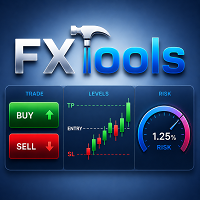
FxTools
这是一款功能齐全的 MT5 交易面板。它可帮助计算每笔交易风险、快速开单,并通过部分平仓、追踪止损、网格、马丁格尔、回本与保本管理持仓,还提供指标分析、图表工具(Easy Position Manager 与 Easy Trade Deck)、Expert Advisors 工作台(按 magic 对比实盘与回测,并从卡片管理)及其他实用工具。
演示版链接 附加资料与说明 总指南 – 快捷栏 – 叠加窗口 – 指标 – 开仓 – 平仓 – 过滤器 – 追踪 – 网格 – 马丁格尔 – 回本 – 保本 – 图表(EPM 与 Deck) – Expert Advisors ________________________________________ Expert Advisors 每台机器人、每本手工账都在同一张工作台上。按 magic 一张策略卡(手工单用 magic 0)。实盘结果与导入的 Strategy Tester HTML 报告并排。从卡片对匹配持仓应用 Trail、Grid、Martingale、Recovery、Breakeven 以及 News /

本产品是自动平仓支持EA,帮助自由裁量交易者更容易执行自己已经决定的平仓规则。您可以设置基于指定时间、K线确认或MA交叉/接近的平仓条件,并可单独或同时使用TIME、CANDLE、MA CROSS。同时还可在当前图表上显示1小时、4小时、日线、周线、月线的MA。 本产品并非自动完成交易判断或开仓的产品,而是帮助您执行自己已经决定的平仓规则,从条件设置到监控、执行均可获得支持。 功能 在指定时间自动平仓(如财经数据公布前、睡前等) 在指定周期的阳线/阴线确认时自动平仓 在指定MA交叉,或价格接近至指定距离时自动平仓 可单独设置TIME、CANDLE、MA CROSS并同时监控 以上任一条件均可仅设置为提醒通知,不进行平仓 在当前图表上显示1小时、4小时、日线、周线、月线的MA(支持仅在价格接近时显示、闪烁显示) 适用场景 即使已经决定好平仓规则,眼前的浮盈或浮亏也可能改变判断,而工作、睡眠或外出等无法查看图表的情况,也可能导致无法按计划平仓。本产品并非代替您做判断,而是帮助您执行自己已经决定的平仓条件。 裁量入场与规则平仓结合 当您希望自行判断入场,同时按照预先设定的时间、K线或MA条件

本产品是面向自由裁量交易者的MA监控与平仓支持EA,可监控MA交叉或价格接近MA的情况,并执行自动平仓或提醒通知。可同时监控多个时间周期,并可自由设置需要监控的MA,例如20MA、75MA、200MA。 本产品并非自动完成交易判断或开仓的产品,而是帮助您执行自己已经决定的MA条件,从监控到通知、平仓均可获得支持。 功能 在指定MA交叉时自动平仓 除MA交叉本身外,价格接近至MA指定距离时也可自动平仓或提醒通知 同时监控多个时间周期,任一周期满足条件即执行 可自由设置需要监控的MA周期,例如20MA、75MA、200MA 也可仅设置为提醒通知,不进行自动平仓 也可作为提示入场时机的MA监控工具使用 在当前图表上显示1小时、4小时、日线、周线、月线的MA 支持仅在价格接近时显示的AUTO模式 MA数值可选择实时的LIVE,或以最近确定K线为基准的CONFIRMED 适用场景 即使将MA交叉设为平仓条件,条件也可能在您无法查看图表时成立;而实际发生交叉时,您也可能因为犹豫「价格或许还会回升」而推迟平仓。本产品并非代替您做判断,而是监控您预先设定的MA条件,并执行通知或平仓。 将MA用作平仓条

购买前先在真实市场中进行测试 : 本产品包含一个 免费试用版本 ,您可以直接下载并在 模拟账户 上使用。在购买前,请在真实市场条件下测试所有功能。您可以在本产品的第一条评论中找到下载链接。 Prop Firm Trade Assistant 是一个专业的图表面板,专为希望通过明确的规则、受控的风险和规范的执行来 通过并保护 Prop Firm 账户 的交易者而设计。 这款产品适合您吗? 本产品适合希望交易更加轻松、快速和智能的手动交易者。该助手可以帮助您 避免更多亏损和心理错误。 价格 : 前100位购买者的价格保持在50$,之后将提高至100$,作为本产品的合理价格。 Prop Firm Trade Assistant 是一款专为 prop firm 交易 定制的专业交易助手。它帮助您定义 prop 账户、在面板中记住公司规则,然后在风险始终可控的情况下执行并管理交易。 无需在计算器、笔记和图表之间来回切换,一切都集中在一个现代化仪表盘中:您的限额、风险百分比、入场水平以及实时账户状态——帮助您在交易时保持纪律。 Prop Firm Trade Assistant 的主要功能
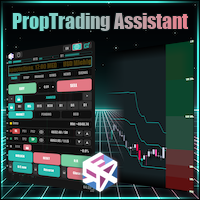
Prop Trade Assistant 是一款功能完备的 MetaTrader 5 交易执行与风险管理面板。它为您自动计算风险、自动管理止损,并全程掌控您的持仓和账户风险。面板内置跟单系统 - 可在同一台电脑上本地复制交易,也可通过您自己的私有网络远程镜像到您的 VPS,支持加密或明文传输。新闻防护功能会在重大数据公布期间自动禁止交易,帮您守住挑战账户或出资账户的规则底线 - 更多新功能还在路上。 适合谁用:正在进行自营交易公司(Prop Firm)挑战或持有出资账户的交易者,以及任何希望拥有算法般纪律、又不想放弃手动操盘的主观交易者。面板适用于任何品种、任何经纪商 - 外汇、贵金属、指数、加密货币 - 内置的仓位计算引擎确保从入场到止损,您的风险每一次都分毫不差。 每一位出资账户交易者都懂那种感觉 - 一笔仓位过重的单子,或一次触碰日亏损上限,挑战就此结束。Prop Trade Assistant 为您卸下这份重担:手数永远匹配您设定的风险,回撤防护会在越线之前拦截或强制平仓,新闻防护自动锁定高影响事件时段。纪律已内置于面板之中 - 您只需专注于寻找交易机会。 完整介绍、手册和设置

如果您喜欢本产品,请不要忘记留下评论和评分!
Advanced Line Alerts 是一款将水平线转换为智能价格提醒的指标。通过简单直观的界面,您可以直接在图表上创建价格水平,并在市场到达这些位置时收到通知。 该指标会自动保存所有已创建的提醒线。即使关闭 MetaTrader,再次启动平台时也会自动恢复所有提醒线。如果价格在终端关闭期间已经突破了某个水平,重新打开 MetaTrader 后仍会触发提醒,确保不会错过任何重要行情。 主要功能 快速在图表上创建价格提醒线。 线条状态显示(已选择、已激活、已触发)。 当价格突破设定水平时发出提醒。 向 MetaTrader 手机应用发送 Push 通知。 轻量、高性能的界面。 同时支持数百条提醒线。 自动保留或删除已触发的提醒线(可配置)。 快捷键显示或隐藏控制面板(默认 V ,可配置)。 智能记忆功能,重新启动 MetaTrader 后自动恢复所有提醒线。 检测终端关闭期间发生的价格突破,并在重新打开后触发提醒。
FREE

BreakEven Trailing 是一款用于 MetaTrader 5 的工具型 EA,用来管理您已持有仓位的止损。它可以把止损移动到保本位置,并让止损跟随价格移动,因此您不必一直盯盘也能保护已有的浮动盈利。
本 EA 不开仓,也不使用市价单平仓。它只修改已有仓位的止损。平仓发生在价格触及 EA 所设置的止损时。
功能说明
- 当仓位达到设定的盈利点数(pips)时,把止损移动到开仓价,或开仓价加上设定的偏移量。 - 当仓位达到设定的盈利点数时,让止损与当前价格保持固定距离并跟随移动。 - 保本移动和移动止损可以分别开启或关闭,也可以同时使用。 - 支持买入(BUY)和卖出(SELL)仓位。 - 绝不会把已有止损移动到更不利的位置。止损只向能保护更多盈利的方向移动。 - 修改止损时保持已有的止盈不变。 - 在图表上显示当前设置、账户类型和运行状态。
管理哪些仓位
EA 管理其所在图表品种上的所有仓位。
- 不检查 Magic 编号。手动开出的仓位、其他 EA 开出的仓位以及跟单产生的仓位都会被管理。 - 从不修改其他品种的仓位。 - 从不修改挂单。 - 只修改止损。手
FREE

如果您喜欢本产品,请不要忘记留下评论和评分!
Advanced PolyLines 是一款用于在 MetaTrader 5 图表上直接创建和编辑折线的工具。它可以将多个线段连接成一个完整结构,便于创建和维护用于图表分析的线条。 该工具用于简化由多个线段组成的结构操作。连接的点可以同时移动,从而调整整个结构,而无需分别编辑每一条线。 主要功能 工具界面 工具在图表中提供操作界面,可用于启用绘图模式、隐藏控制项以及删除已创建的折线。 Magnetic Snap 当鼠标光标接近蜡烛图的 OHLC 水平时,点可以自动吸附到相应的价格位置。这有助于将线条准确放置在开盘价、最高价、最低价或收盘价位置。 Joint Dragging 多个线段共享的连接点可以直接在图表上移动。移动连接点时,与其连接的线段会同步移动,同时保持原有结构。 折线扩展 可以从现有折线的可用端点添加新的线段,以继续扩展已经创建的结构。 样式同步 通过 MetaTrader 5 属性修改线段的颜色、粗细或线型等视觉属性后,连接的折线可以保持统一的视觉配置。 支持不同图表周期 结构的位置会根据创建时使用的时间和价格点进行保存。因
FREE

VegaXLR Manual Backtest Helper for MetaTrader 5 是一款可视化回测辅助工具,专为希望直接在 MT5 图表上测试、复盘和整理主观交易策略的交易者而设计。 无需使用电子表格或手动记录结果,您可以在价格历史图表上绘制交易,模拟进场和出场,计算绩效指标,并在图表上的清晰面板中查看每一笔交易。该工具可帮助您的手动回测流程更快速、更有条理,也更便于分析。 它既支持简单的 Win/Loss 标记,也支持 Buy/Sell 交易绘制,适用于不同类型的回测方式。您还可以使用带有可视化进场、止损和止盈区域的模拟交易,用于复盘交易形态和模拟场景。 该 EA 不执行真实交易。它专注于手动策略测试、交易复盘、交易日志辅助以及 MetaTrader 5 内的可视化绩效跟踪。 所有显示的结果均为手动模拟/回测结果,不代表真实交易、交易信号、投资建议或未来表现保证。 主要功能 直接在图表上绘制手动交易 将交易标记为 Win/Loss 或 Buy/Sell 使用可视化进场、止损和止盈区域模拟交易 跟踪点数、盈亏、佣金和模拟余额变化 使用固定手数、固定金额风险或余额百分比风险

AI Market Snapshot Exporter 一键将您的 MT5 图表转换为可直接粘贴给 AI 的提示词。 当您把 ChatGPT、Claude 或 Gemini 当作交易分析助手时,回答的质量取决于您提供的数据质量。手动输入这些数据既慢又容易出错: 手动输入太慢 - 手工录入买卖价、指标数值和关键价位很费时,可能让您错过入场时机。 笔误导致分析出错 - 一个数字输错或漏掉一个高周期价位,都会让 AI 基于错误数据进行推理。 只需一键,本工具直接从您的 MT5 终端读取实时数据,几秒内把完整的市场背景写入可粘贴的 prompt.txt 文件 - 无需手动输入,也没有笔误。AI 基于您终端中的精确数字进行推理。 与众不同之处 精确的终端数据 - 直接从终端导出原始数值,而非近似值或手动输入错误。 自动多周期共振 - 自动提取两个更高周期(默认 H4 和 D1),包含趋势、RSI、MACD、ATR 以及关键支撑与阻力;这正是您真正交易时所依据、却很难手动录入的背景信息。 智能自动支撑与阻力 - 摆动枢轴按 ATR 聚类,按触碰次数排序,并相对当前价格标注为支撑或阻力,附带以点数表

️ 一个糟糕的交易日,绝不应该让你失去一个已获资金的账户。
Risk Manager FS Pro 为您的账户强制执行硬性每日亏损限额。一旦净值触及限额,它会立即以市价平掉所有持仓,并锁定交易直至下一个交易日—— 不再依赖意志力 。专为自营交易公司(Prop Firm)挑战赛和资金账户设计(1-step、2-step、即时资金)。
为什么挑战赛会失败
几乎从来不是策略的问题,而是一个失控的下午:一笔亏损、一笔报复性交易、翻倍的手数——每日回撤规则就此被突破。 本工具让这种情形在技术上不可能发生。
三层独立保护
自动平仓 ——净值达到每日或总限额 → 所有持仓立即平掉。
硬性锁定 ——交易保持锁定直至午夜(服务器时间)。锁定期间开出的任何新单会在约0.5秒内被平掉,面板会统计这些被拦截的尝试。
持久化 ——锁定状态和亏损基准与账户登录号绑定,重新加载EA、重启终端甚至重新安装都不会重置。在锁定生效期间移除EA会触发警报和推送通知。
监控内容
每日回撤 ——占当日起始余额的百分比(基于净值,浮动亏损计入)
总回撤 ——占挑

Fimathe PCM Trade Panel Fimathe PCM Trade Panel 是一款专为 MetaTrader 5 平台开发的专业手动交易面板,专为使用 Fimathe PCM(周期理论) 策略的交易者打造。 它将 Fimathe PCM 交易策略与快速、高效的订单执行面板相结合,使交易者能够更轻松地执行交易,同时保持对风险管理的全面控制。 主要功能 将 Fimathe PCM 策略集成到图表中 自动绘制交易通道 自动识别入场区域 自动计算目标位(Take Profit) 显示止损(Stop Loss)位置 现代化、直观的交易面板 一键买入(Buy)和卖出(Sell) 可直接在图表上快速配置 智能风险管理 面板内置完整的风险管理系统,可根据以下方式自动计算交易手数: 固定手数 固定风险金额 按账户余额百分比计算风险 系统会根据您的风险设置自动计算适当的仓位大小。 快速下单 该面板专为追求高效执行的交易者设计,可减少手动计算,提高下单速度,并帮助您专注于交易策略。 适用于: Scalping(剥头皮交易) Day Trading(日内交易) Swing Trading(

SyncTrader Risk Manager SyncTrader Risk Manager 是一款适用于 MetaTrader 5 的手动交易与风险管理工具。它可以根据账户货币金额或余额百分比计算仓位手数,并允许交易者直接在图表上准备交易计划。 本工具不会生成交易信号,也不会自行开仓。交易方向、订单类型、Stop Loss 和 Take Profit 水平均由用户决定。面板界面支持英语和俄语。 主要功能 按风险金额或余额百分比计算交易手数 支持 Market、Limit 和 Stop 订单 支持 1 至 4 个 Take Profit 目标 可拖动的 Entry、Stop Loss 和 Take Profit 水平线 以账户货币、points 或 R 显示水平值 在指定 Take Profit 达成后自动移动至 breakeven 9 个可重复使用的交易水平模板 点差、可用保证金、单笔风险和每日亏损检查 一键关闭全部、仅盈利或仅亏损的受管仓位 一键删除受管挂单 快速操作可应用于当前品种或全部品种 可关闭提示音,面板可折叠 支持 hedging 和 netting 账户 终端或 Ex
FREE

再也不会错过任何重要价位、利润目标或风险阈值。 想在达到目标后锁定利润并暂停交易吗?Price and Target Alerts 可以自动平掉所有仓位、通知您并停止后续交易——让您轻松、放心地锁定利润。 Price and Target Alerts 是一款先进的 MetaTrader 5 工具型智能交易系统(EA),持续监控市场价格和您的交易账户,并在满足预设条件时自动通知您或执行预定义的保护性操作。 核心功能 多重价格提醒 为任意品种创建多个价格提醒——可在"输入"选项卡中设置,也可直接在图表上添加。 选择每个提醒的触发方式: 单次(默认) – 仅在价格首次到达设定水平时触发一次。 每次穿越 – 每次价格穿越该水平时都会触发。 非常适合用于: 支撑与阻力位 突破行情 时段高点/低点 供需区 重要新闻位 价格提醒触发时始终会发送通知。它们本质上只是信息提示,因此永远不会平仓、停止交易或对您的 EA 和图表进行任何操作——这些保护性操作只保留给真正的账户级风险事件(见下方"自动化操作")。 直接在图表上添加提醒 无需进入设置即可添加提醒。点击图表面板上的 "+ Once alert"
FREE

Backtest Data Quality Preflight是一款MT5实用工具,用于在解读回测结果之前检查其所依据的历史数据。
本产品读取MT5的Common/Files或MQL5/Files目录中的OHLC CSV文件。支持带有标题行并以逗号、分号或制表符分隔的文件。必填字段为timestamp、open、high、low和close。也支持DATE与TIME分列的标准MT5导出文件。volume、tick volume和spread列为可选项。
检查内容
- OHLC一致性以及零或负价格 - 重复的K线时间戳 - 根据用户提供的交易时段假设检查缺失区间 - 超过用户提供阈值的spread值 - 存在volume数据时连续出现的零volume K线 - 提供相关参数时,检查digits、point与OHLC价格步长对齐 - 格式错误、非有限值以及超出允许范围的数值输入
仅当同时提供预期时间间隔和交易日时,才会执行缺失区间检查。spread和digits/point检查也仅在提供相应输入时执行。缺少可选列时会报告为不可用,而不会显示为通过。
支持的输入
- 以逗号、分


“将赌博变为投资” —— 并在3年后依然“生存”于市场 您是否也经历过这样的交易压力? • 忘记设置止损,等到发现时,持仓已经出现了巨大的浮动亏损。
• 刚刚入场,行情便立即反向运行,还没来得及设置止损,就已经从较大的浮亏状态开始持仓。
• 只是暂时离开图表,回来时却发现浮动盈利已经变成了浮动亏损。
• 想让利润继续增长,却无法进一步拓展盈利的可能性。
• 随着持仓数量增加,开始凭感觉设置保护参数,而不是按照统一的规则进行管理。
• 计算交易手数花费了太多时间,因此错过了交易机会。 TSMJ正是为了减轻这些日常交易中的压力,并帮助防止那些可能成为账户遭受严重损失起点的意外亏损而开发的。 在XAUUSD(Gold)手动交易中,您是否也曾经想过: “如果当时有这样的功能,就不会发生这种情况了……” TSMJ Gold Risk Control System正是源于这些真实的交易经历,将我们在实际交易中“希望拥有的功能”变成了现实。 资金管理、市场监控、推荐手数计算、风险控制、保本保护、移动止损、多持仓统一管理、对冲管理等手动交易中实用的功能,不再作为彼此独立的工具存在,而是被整合为一个完整

NewsGuard Pro for MetaTrader 5 NewsGuard Pro 是一款适用于 MetaTrader 5 的经济新闻过滤器、交易保护工具、图表信息面板和持仓保护智能交易程序。 它可以监控与所选交易品种和货币相关的经济事件,在新闻前后创建可配置的交易限制时间,检测异常点差,在图表上显示即将公布的新闻,并在限制期间保护已有持仓。 NewsGuard Pro 不生成交易信号,也不会主动开仓。它主要作为手动交易者和兼容 EA 的风险保护层使用。 主要功能 支持 MetaTrader 5 经济日历 内置历史 CSV 数据,可用于策略测试器 在一个图表上监控多个交易品种 支持低、中、高影响力新闻过滤 每种新闻影响级别可设置不同的限制时间 重大事件可增加额外保护时间 自动或手动选择相关货币 固定点差和自适应点差保护 新闻后点差恢复监控 多种持仓保护模式 新闻前删除挂单 在限制期间紧急关闭新开仓位 高影响新闻前的警戒区域 为兼容 EA 提供建议手数倍率 手动 Pause 和 Resume 按钮 弹窗、推送和声音提醒 可移动并自动适应图表大小的信息面板 新闻线、事件标记和限制时间

适用于 MetaTrader 5 的 RiskFrame Account Guard 账户级每日亏损、回撤与敞口保护——覆盖所有交易品种、所有 Magic Number、手动交易及其他 EA。 RiskFrame Account Guard 监控整个交易账户,并在已配置的规则触发时执行所选保护响应。它可与手动交易、第三方智能交易系统、交易面板及其他订单来源配合使用。它不会开仓,也不会生成交易信号。 用户手册: 打开完整的 RiskFrame Account Guard MT5 用户手册 核心保护原则 覆盖整个账户 — 每日亏损、最大回撤、盈利目标和敞口上限适用于账户中的所有持仓与挂单,而不是仅针对某一个 Magic Number。 明确显示保护状态 — 当 Algo Trading 被关闭、EA 无法执行交易操作,或取消挂单失败时,Guard 会显示 DEGRADED ,而不是显示正常状态。 持续保留触发状态 — Daily、Max DD 或 Profit 规则一旦触发,在对应的有效交易日或周期内会持续保持触发标记,即使之后浮动 P/L 已恢复。所选模式决定 Guard 是仅发出警告、

您是否厌倦了盲目追单并在虚假突破中被套?现在开始加入“机构大户”的行列,只在最具优势 review 的溢价折扣价位介入市场。 ADR Momentum Retracements Dashboard 是一款专为 MetaTrader 5 平台量身打造的高性能多货币对实用扫描控制面板。它能够在日线(D1)时间周期上同时持续扫描多达 30 个资产,以精准捕获资产在当日交易时段何时受到机构资金的全力推动,并成功突破其动态的 平均单日波幅(ADR 14) 。 一旦巨大的动能扩张 K 线收盘,机构的资金足迹即被锁定。本控制面板将自动计算出基于该特定动能 K 线所延伸的动态数学 斐波那契回撤层(38.2%, 50.0%, 61.8%, 78.6%) 。它将以标准点(Pips)实时追踪当前价格与各层级之间的距离,并在市场回撤至高概率的折扣反转区域(黄金分割率)时,向您发出精准的技术提示。 核心高级特性 自适应可折叠面板引擎(Adaptive Collapsing Panel) :告别繁琐臃肿的图表界面。控制面板会自动扫描您的输入字段,并动态折叠其垂直背景高度,以完美契合您当前正在活跃追踪的资产

Trade Butler — MetaTrader 5 手动交易助手 Trade Butler MetaTrader 5 手动交易助手 Trade Butler 根据您设定的风险计算仓位大小,把入场、止损和止盈直接绘制在图表上,未经您确认不会发送任何订单。它 不是自动交易机器人 ——每一笔交易都由您决定。 风险计算:核心功能 以 账户余额百分比 或 固定手数 设定风险。 三个可自定义的预设,另加一个手动输入框。 拖动线条时,手数、风险金额和盈亏比会实时更新。 如果账户过小,手数会提高到经纪商最小手数并给出提示,让您看到实际风险高于设定值。 线条与信息标签 在图表上自由拖动入场、止损和止盈线。 每条线都带有标签,显示价格、以账户货币计的金额和百分比。 挂单类型(Stop 或 Limit)由入场线的位置自动判断。 平移图表不会移动线条。 标签可显示在左侧或右侧。 先设置,再确认 设置交易时,面板会切换为“执行”和“取消”。 每笔订单都会经过确认窗口:类型、入场、止损、止盈、风险和盈亏比。 如果有问题——止损过近、保证金不足、休市——会显示清晰提示,订单不会发送,线条保持原位。 管理持仓 保

Size every trade to an exact risk in seconds — then open it with one click.
RiskPad puts three lines on your chart: Entry, Stop Loss and Take Profit. You drag them where you plan to trade, and the panel instantly shows the exact lot for the risk you chose, the money you lose at the stop, the money you make at the take, the reward-to-risk, the required margin and the current spread. When it looks right, one click sends the order with SL and TP already attached.
No more lot math on a calculator

Institutional Protector — Analytics Dashboard & Account Guard
Institutional Protector combines two tools in one utility: a professional trading-analytics dashboard and a rule-based account protector (watchdog) that supervises every EA on your account by magic number. Everything lives in draggable floating windows with a modern, canvas-drawn interface.
️ Account protection (watchdog)
• Per-EA rules by magic number: daily loss %, max drawdown % (trailing-equity or balance based), max open posi
FREE
MetaTrader市场是一个简单方便的网站,在这里开发者可以出售自己的交易应用程序。
我们将帮助您发布您的产品,并向您解释如何为市场准备您的产品描述。市场上所有的应用程序都是加密保护并且只能在买家的电脑上运行。非法拷贝是不可能的。
