Prop Rules Guard
- 实用工具
- 版本: 1.0
- 激活: 10

Prop Rules Guard watches the whole trading account and keeps it inside the limits you set: daily loss, maximum drawdown, profit targets, economic news and trading hours. When a rule is reached it closes positions, deletes pending orders and keeps the account flat until the rule allows trading again.
It is a utility, not a trading robot. It does not open trades and does not try to predict the market.
One copy on any chart protects the entire account, including manual trades and trades of other Expert Advisors.
Rules (each can be switched on or off)
- Daily loss limit: in percent or in account currency, from the balance at the start of the day or from max(balance, equity) as many prop firms calculate it. Day start hour is adjustable.
- Maximum drawdown: static (from the initial balance) or trailing (from the equity high).
- Daily profit target and total profit target: stop for the day or stop completely when the target is reached.
- Economic news: uses the built-in MetaTrader 5 economic calendar. No WebRequest settings, no DLL, no external websites. Choose importance, minutes before and after, and currencies (or let it take them from open trades and the chart symbol). Either close trades before the release or only block new ones.
- Trading hours by weekday and closing before the weekend.
- Maximum number of open positions and maximum lot per position.
Presets
- Prop 5% daily / 10% max (static)
- Prop 4% daily / 8% max (static)
- Prop 3% daily / 6% max (trailing)
- Custom
Safety buffer
Closing a position also costs spread and slippage, and prop firms count them. The safety buffer makes the guard act earlier, for example at 90% of the limit.
What happens when a rule is reached
- Positions in scope are closed, pending orders are deleted.
- Any new position opened while the rule is active is closed immediately.
- Daily rules stay active until the next trading day, even if equity recovers after closing.
- Maximum drawdown and total target stay active until you reset them.
- A push notification and/or e-mail is sent (uses the terminal notification settings).
Panel on the chart
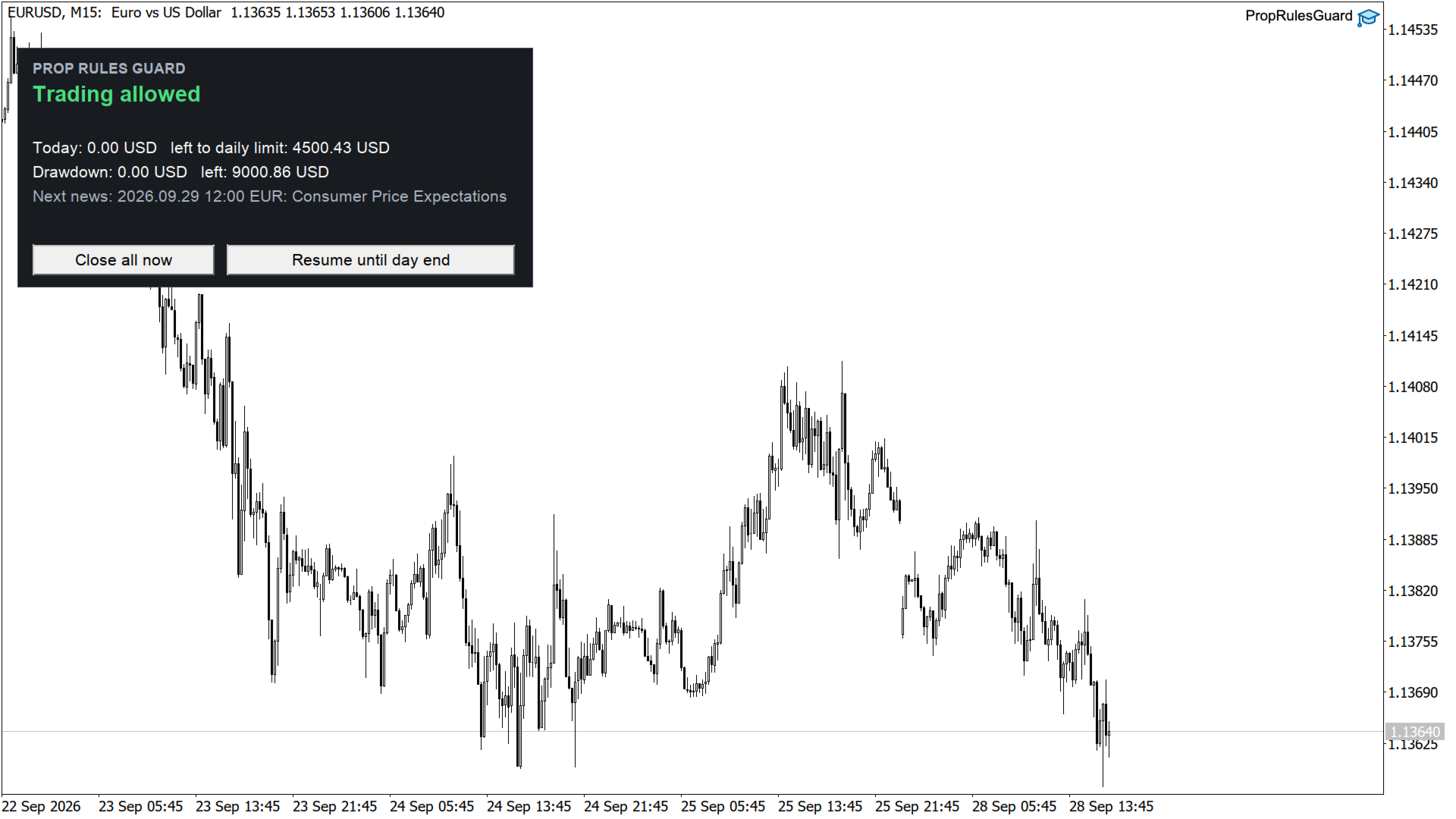
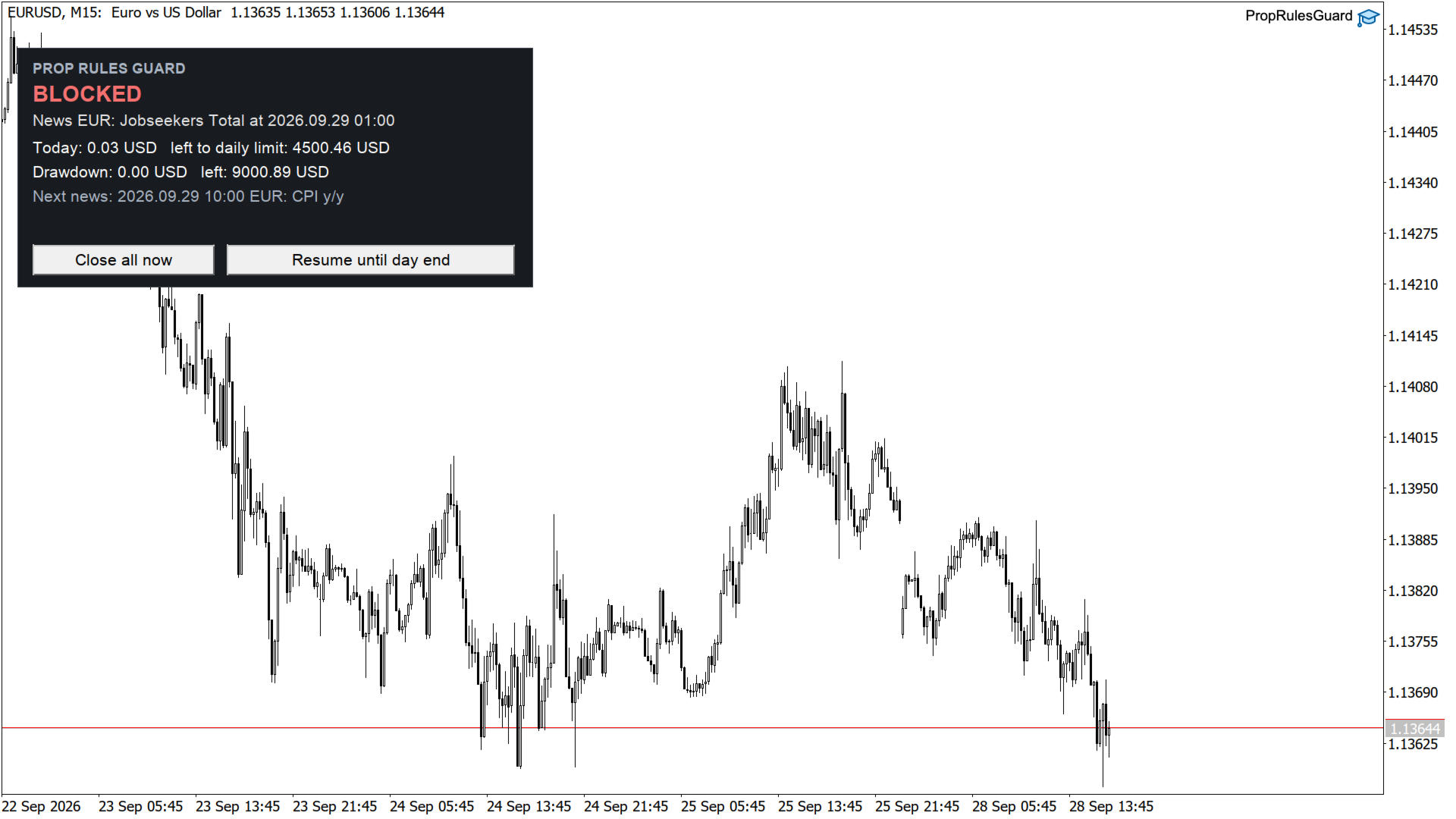
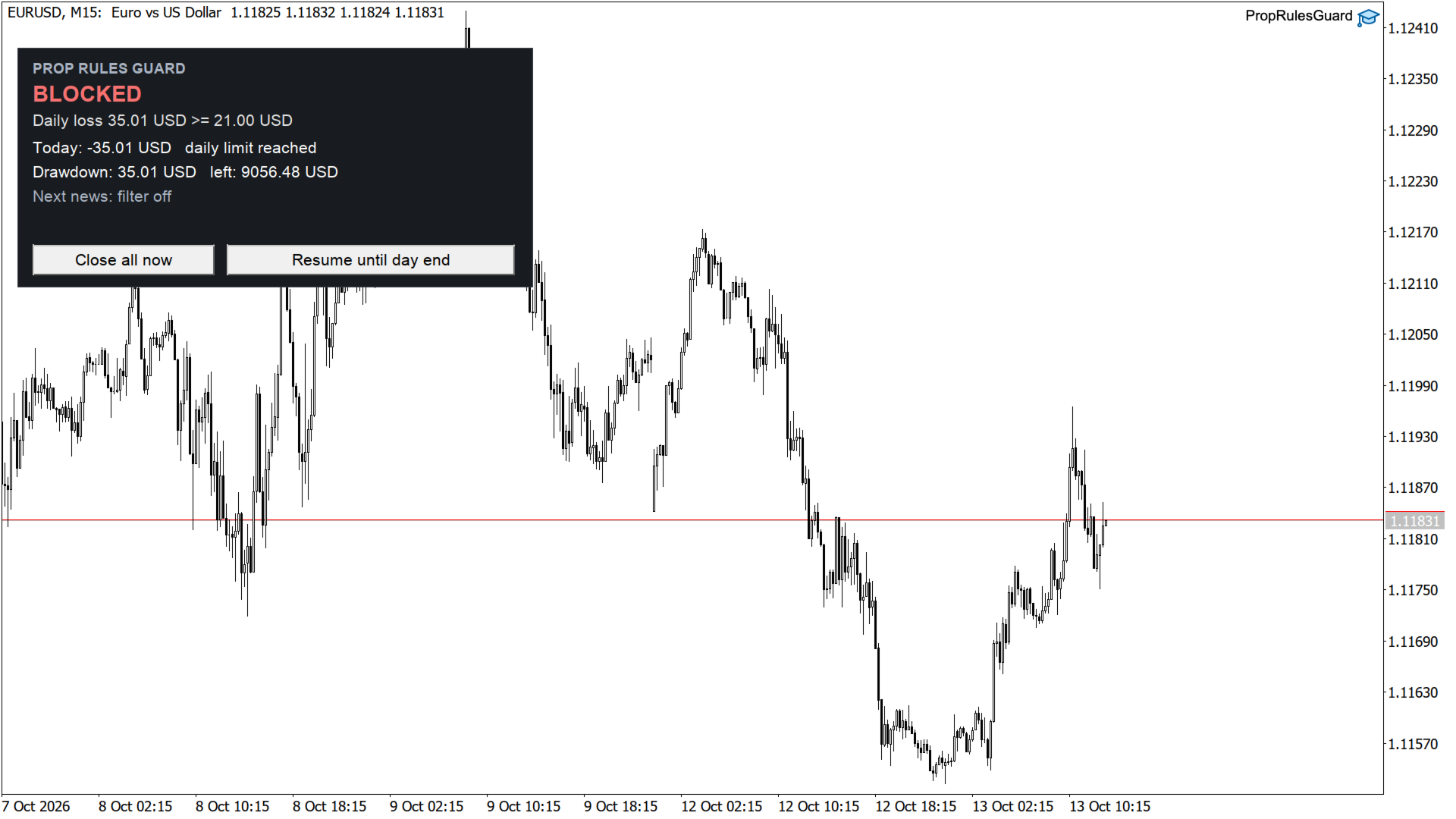
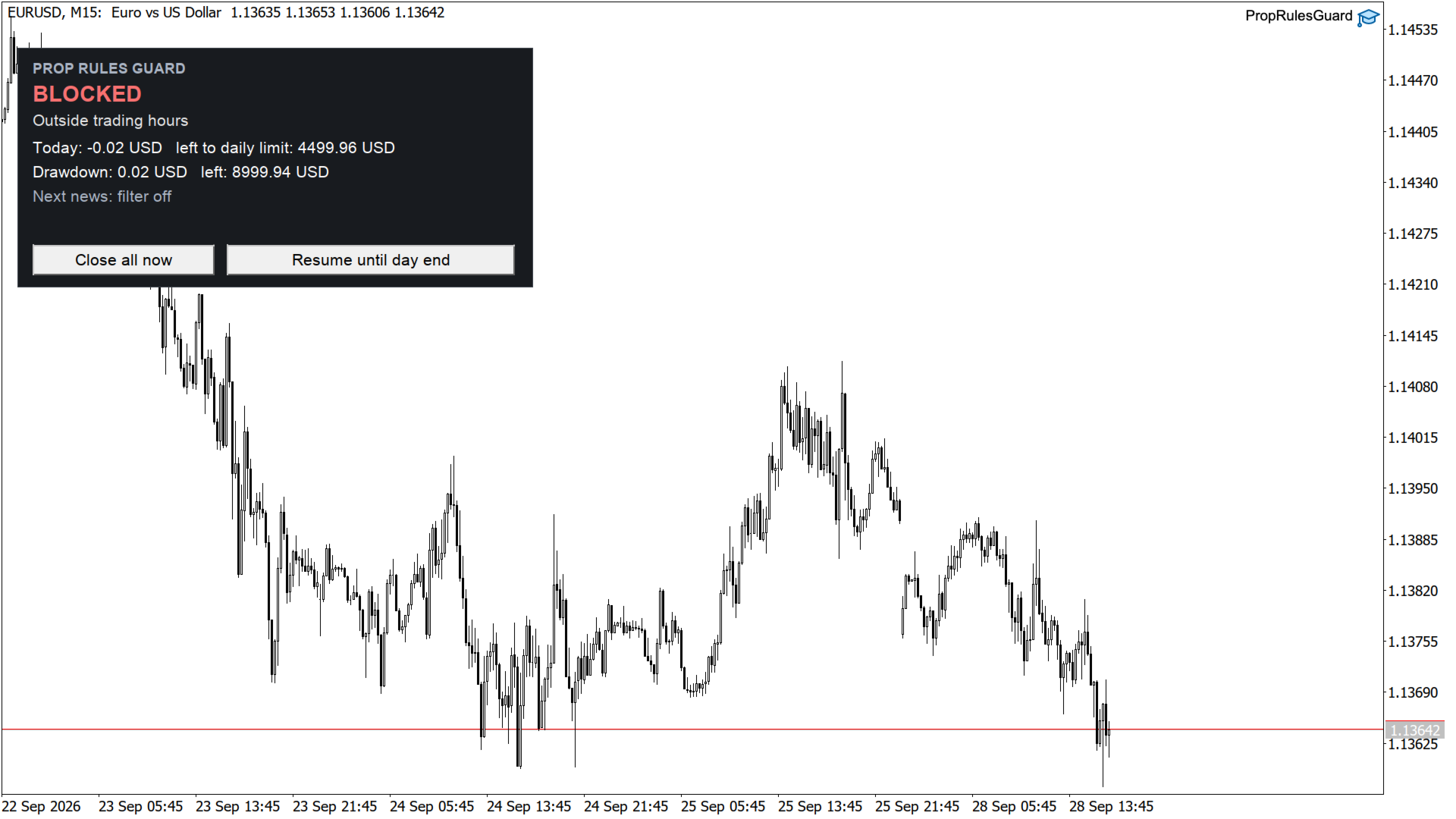
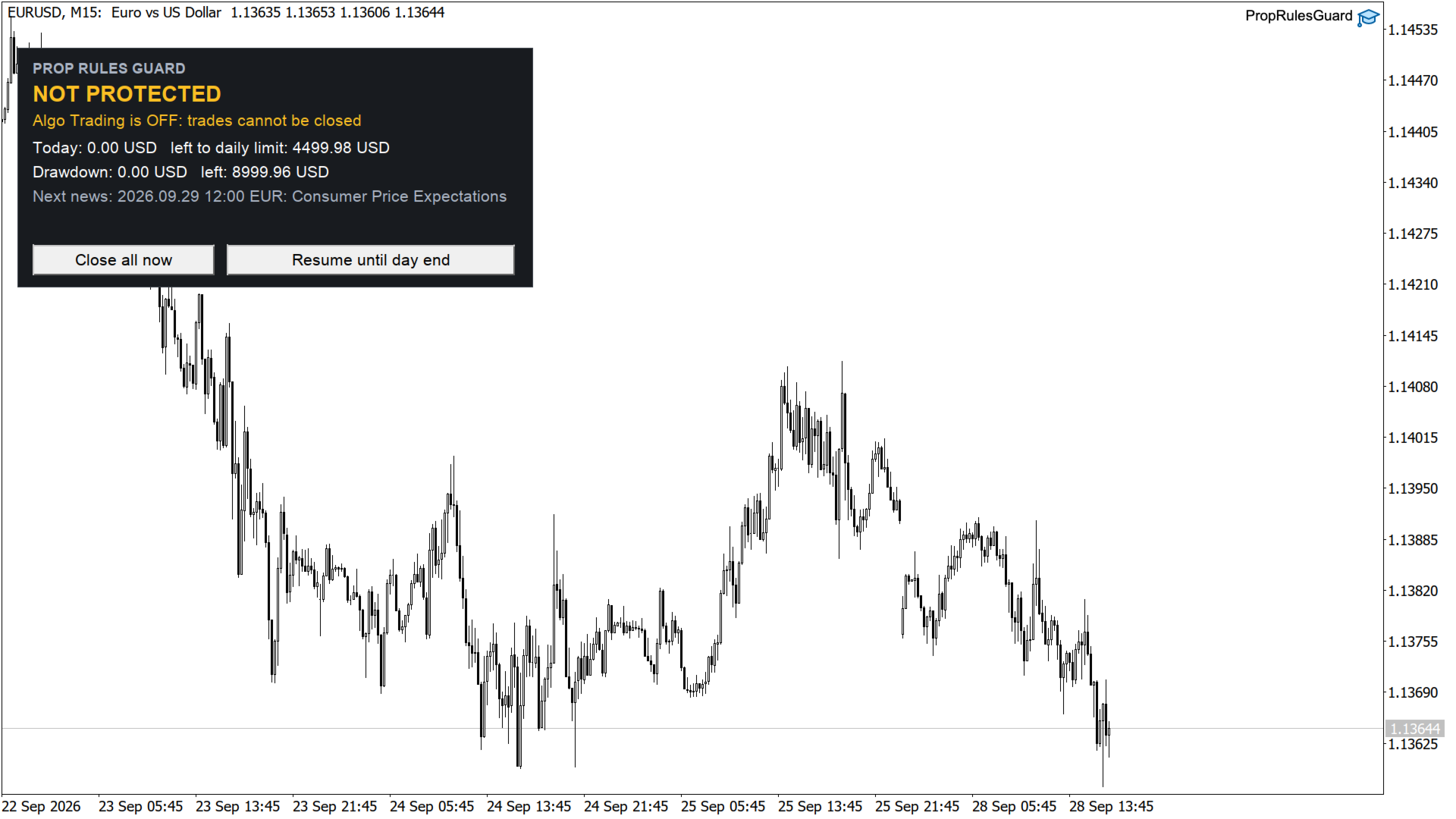
- Status: Trading allowed / BLOCKED with the exact reason (for example "Daily loss 512.00 USD >= 500.00 USD at 14:32").
- Today's result and the amount left to the daily limit.
- Drawdown and the amount left to the maximum drawdown.
- Next relevant news release.
- Buttons: Close all now, Resume until day end (with confirmation; never overrides the maximum drawdown).
- If algo trading is switched off in the terminal or for the utility, the panel shows NOT PROTECTED and the reason, and a notification is sent once.
Scope
All trades on the account, only listed magic numbers, or only the chart symbol.
Input parameters
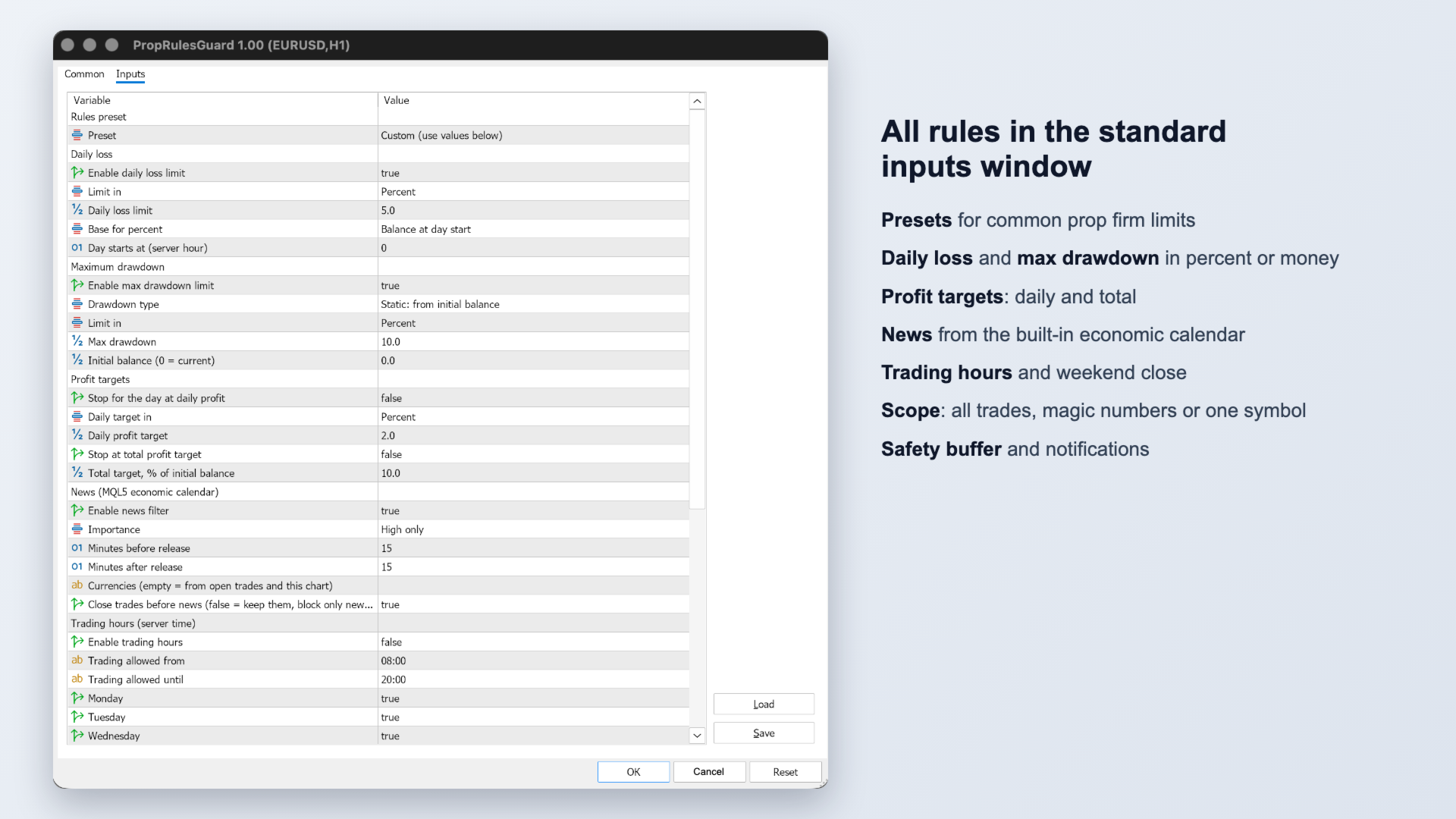
- Rules preset: Custom / Prop 5%-10% / Prop 4%-8% / Prop 3%-6% trailing.
- Daily loss: enable, limit in percent or money, limit value, base (balance or max(balance, equity) at day start), day start hour (server time).
- Maximum drawdown: enable, static or trailing, limit in percent or money, limit value, initial balance (0 = balance when first attached).
- Profit targets: daily target on/off and value, total target on/off and percent.
- News: enable, importance (high / medium and high), minutes before, minutes after, currencies (empty = from open trades and chart), close trades before news or only block new ones.
- Trading hours: enable, from, until, weekdays, close everything before the weekend and the Friday time.
- Limits: maximum open positions, maximum lot per position (0 = off).
- Actions: scope (all / magic numbers / chart symbol), magic numbers, delete pending orders, maximum slippage, push, e-mail, show panel, reset saved stops on start, safety buffer %.
For developers
The terminal global variable PropRulesGuard.Blocked is 1 while trading is blocked and 0 otherwise, so your own Expert Advisors can read it.
Notes
- State (day start balance, equity high, active stops) is kept in terminal global variables and survives a terminal restart.
- The economic calendar is not available in the strategy tester, so the news rule works on live charts only. Other rules work in the tester.
- Algo Trading must be enabled in the terminal and for the utility (Common tab), otherwise it cannot close trades. The panel will tell you if it is off.
- The guard works on the terminal side. It cannot act while the terminal is closed or disconnected; use a VPS for 24/5 protection.