 MetaTrader 5
 专家
专家
 指标
指标
 程序库
程序库
 实用工具
实用工具
 窗口小部件
窗口小部件
 规则
规则
适用于MetaTrader 5的新EA交易和指标 - 366
 使用EA交易和指标,使外汇交易获得更多盈利。EA交易可使您自动开启和关闭交易,而指标将帮助您更准确地预测市场行为。
该页面提供MetaTrader 5应用程序的目录。
使用EA交易和指标,使外汇交易获得更多盈利。EA交易可使您自动开启和关闭交易,而指标将帮助您更准确地预测市场行为。
该页面提供MetaTrader 5应用程序的目录。 
The Ultimate Arbitrage Machines EA is a professional-grade solution designed for both statistical and triangular arbitrage in forex markets. This EA adaptively captures mean-reversion opportunities while employing robust risk controls. It features dynamic threshold adjustment, adaptive risk management, multi-strategy execution, and real-time market adaptation. The EA auto-calibrates Z-Score parameters, intelligently positions TP/SL, and uses multi-factor position sizing. It detects both statist
FREE
" Currency Strength Tool " is a straightforward and user-friendly indicator designed for analyzing the strength of eight major currencies based on daily price changes of currency pairs. It displays information compactly on the chart in three rows, providing traders with insights into current market dynamics. The indicator serves as an analytical tool, aiding in making informed trading decisions.
It appears as follows: -7.3% 0.5% 0.2% 6.4% 1.2% 3.2% 4.1% 0.4% (daily change) USD E
FREE

Expert Advisor to help beginners.
It allows you to adjust the following parameters:
Number of simultaneous positions The asset allowed to trade Maximum lots allowed per position Maximum number of positions per day When one of the parameters is not/no longer valid, the EA automatically closes new positions, preventing you from trading. This Expert Advisor helps you trade by mastering your trading psychology for you.
VPS essential.
Feel free to give me feedback and suggest further improvement
FREE
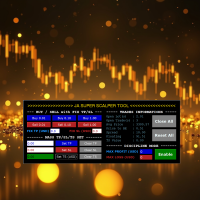
JA Super Scalper & Discipline Tool - REBORN (V3.0): Turbocharge Your Trading Efficiency with new Reborn (V3.0) version.
Introducing the Super Scalper & Discipline Tool - Reborn (V3.0). A simple tool designed for rapid entry and exit strategies. Reborn Version (V3.x) has better user interface. The interface on the video still the older V2.x version. Maximize your trading potential with optimized performance, robust risk management, and seamless market execution tailored for high-frequency scalp
Notify MT5 Indicator - Full Description Overview The Notify MT5 Indicator is a powerful notification tool designed to alert traders about important changes in their trading account activity. It monitors various order events across all symbols and provides real-time notifications through multiple channels including on-screen pop-ups, and customizable sound alerts. Key Features Comprehensive Order Monitoring Order Closure Tracking : Notifies when market orders are close d Customizable Sound Alerts

Protect Your Profits. Limit Your Losses. Trade With Confidence.
The ultimate tool for professional traders and prop firms. EquityGuard PRO doesn’t just stop losses before they exceed your daily limit—it also locks in profits automatically with its optional Auto-TakeProfit feature. Maximum Protection: closes trades or locks your account when hitting the daily loss limit.
Auto-TakeProfit: set your targets and let the system secure gains—emotion-free.
Foolproof Trading: no more overtrading,

The Accumulation and Distribution indicator is a volume-based indicator that was essentially designed to measure underlying supply and demand. This is accomplished by trying to determine whether traders are actually accumulating (buying) or distributing (selling). This is accomplished by plotting a cumulative total of the money flow volume for each period. This indicator can reveal divergences between volume flow and actual price to primarily affirm a current trend or to anticipate a future reve

SmartGridCloserEA v.2 – Adaptive Grid Trading with Pair-Based Profit Closures Description:
SmartGridCloserEA v.2 is a fully automated Expert Advisor for MetaTrader 5 that applies a dynamic BUY-only grid strategy across multiple asset classes such as Forex, Gold, and Indices . Unlike traditional grid EAs that rely on fixed take-profit levels, this robot introduces an intelligent system for pair-based position closures based on profit differences, helping to lock in gains even during ranging or c
FREE

The Trend Hunter XAUUSD – Follow the Trend, Protect the Capital The Trend Hunter XAUUSD is a powerful Expert Advisor designed exclusively for trading Gold (XAUUSD) . It smartly follows major price trends while integrating risk management mechanisms to protect your capital in volatile market conditions. Key Features : Trend-Following Core : Uses intelligent algorithms to identify and follow strong momentum moves. Capital Protection : Equipped with dynamic stop loss, break-even, and trailing syste
FREE

SyntheticaFX Boom and Crash is a powerful tool designed to highlight potential spike opportunities in the market, exclusively for traders focusing on Crash and Boom indices. This indicator is strictly optimized to operate on the 3-minute (M3) timeframe and supports only the following pairs: Crash 1000 Index , Crash 900 Index , Crash 600 Index , Crash 500 Index , Crash 300 Index , Boom 1000 Index , Boom 900 Index , Boom 600 Index , Boom 500 Index , and Boom 300 Index . It will not display signa
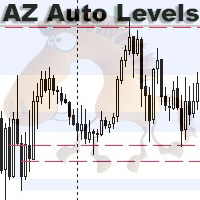
AZ Auto Levels builder ATR edition Indicator of automatic level drawing. For different instruments you need to play with the parameters to find the right ones. So, what is its idea - the indicator searches for levels of interest on the timeframe selected in the settings (by default H1). The search occurs only on candles that are 30% greater than the standard daily ATR of similar candles (you can change this in the settings). ATR is calculated for 20 days ago (also can be changed in the settings)
FREE
ATR Stop Loss Manager— Smarter Risk Awareness for Forex Traders Confident trading begins with clear risk management.
The ATR Stop Loss Expert is a powerful utility tool that automatically adjusts your stop-loss levels using ATR (Average True Range) — a proven volatility measure — so your trades are protected by logic, not guesswork. What This Tool Does This EA monitors your open trades and sets a stop-loss based on recent market volatility, calculated from the ATR indicator. It doesn’t place t
FREE

FastCloser - Simple Profit-Taking Utility Description: FastCloser is a lightweight tool that automatically closes all open positions when total profit reaches a predefined target (in USD). Ideal for profit-taking without manual market monitoring. How It Works: Calculates the combined profit of all active trades. If profit ≥ TargetProfit (e.g., $100), it instantly closes all positions . Works as a one-click script (manual execution) or continuously as an Expert Advisor (auto-trading). Key Featur
FREE

Expert Dollar Cost Averaging Strategy Version 3 is a specialized Expert Advisor for MetaTrader 5 that implements a Dollar Cost Averaging (DCA) trading strategy. The EA allows for fully customizable input configurations, including the number of DCA times, the volume for the first entry, the number of pips for each DCA step, a money-based stop loss limit, an equity drawdown-based stop loss limit, and the percentage of price retracement compared to the first entry position to close all orders. Th

Unlock the full potential of trading with the Parabolic SAR PROject Expert Advisor (EA) , a highly customizable, automated tool built around the widely-used Parabolic SAR indicator. This EA is designed with advanced filters and flexible settings, empowering traders to manage risk effectively through customizable parameters such as lot size, stop-loss, take-profit, and session filters. With multiple trend confirmation options and versatile trailing stop methods, the Parabolic SAR PROject EA ad
Unlock the full potential of trading with the ADX PROject Expert Advisor (EA) , a highly customizable, automated tool built around the widely-used ADX indicator. This EA is designed with advanced filters and flexible settings, empowering traders to manage risk effectively through customizable parameters such as lot size, stop-loss, take-profit, and session filters. With multiple trend confirmation options and versatile trailing stop methods, the ADX PROject EA adapts seamlessly to various mar

Unlock the full potential of trading with the Bollinger Bands Expert Advisor (EA) , a highly customizable, automated tool built around the widely-used Bollinger Bands indicator. This EA is designed with advanced filters and flexible settings, empowering traders to manage risk effectively through customizable parameters such as lot size, stop-loss, take-profit, and session filters. With multiple trend confirmation options and versatile trailing stop methods, the Bollinger Bands PROject EA adap

TradingTime: Intelligent solution for inter-session trading In the dynamic world of Forex, where every minute can become decisive, a new generation algorithm - TradingTime - is presented. This Expert Advisor does not just automate trading, but rethinks the approach to working at the intersection of key market sessions, combining analytical accuracy and adaptability. Strategy based on the rhythm of the market TradingTime is based on in-depth analysis of transitional periods between trading sessio

What is Linear Regression? Linear regression is a statistical method used to model the relationship between price and time. In forex trading, it helps traders identify trends, potential reversals, and areas of support and resistance. Uses of Linear Regression in Forex Trading Trend Identification The regression line acts as a dynamic trendline, showing whether the market is trending upward or downward. Traders can use the slope of the regression line to measure trend strength. Support and Resist

Prop Assistant – Your All-in-One Trading Co-pilot for Prop Firm Success Preparing for FTMO, MyFundedFX, or any other prop firm challenge?
Prop Assistant puts everything you need directly on your chart – no hidden menus, no complex layers, no distractions. Key Features: Max Drawdown Control: Automatically stops trading or closes all positions when your maximum drawdown is reached. Daily Profit & Loss Management : Set your daily profit/loss limits and let the assistant manage your risk. Ov
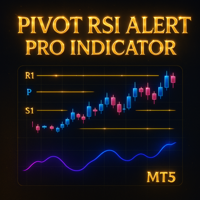
Detailed Description: The Pivot RSI Alert Pro Indicator is a powerful all-in-one indicator that combines five pivot point methods (Classic, Fibonacci, Woodie, Camarilla, DeMark) with a customizable RSI filter. It automatically plots daily pivot levels and midpoints, highlights key reversal zones and sends alerts when price approaches these levels, especially under RSI overbought/oversold conditions. Ideal for intraday and swing traders who rely on dynamic support/resistance and momentum confirm
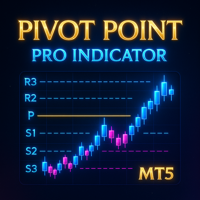
Detailed Description: The Pivot Point Pro Indicator is a powerful all-in-one fully customizable indicator that takes care of five pivot point methods (Classic, Fibonacci, Woodie, Camarilla, DeMark). It automatically plots pivot levels and midpoints, highlights key reversal zones and sends alerts when price approaches these levels. Unlike the free Pivot Point Classic version, this Pro indicator allows users to customize more settings, analyze current and historical pivot points and use al

SL$TPauto Expert Advisor SL$TPauto automatically manages Stop Loss (SL) and Take Profit (TP) levels for all trades on a specific symbol. This Expert Advisor scans whatever chart it's placed on and works based on that chart's symbol, functioning independently across multiple charts simultaneously. Key Features: Automatically places Stop Loss (SL) and Take Profit (TP) for all open trades on the current chart symbol Applies the same Stop Loss (SL) and Take Profit (TP) settings to any new trades as

BTC Terminator is an algorithmic trading system developed for MetaTrader 5, designed to trade the BTCUSD pair on the H1 timeframe. The strategy relies on quantitative confirmation combining the QQE indicator and the Awesome Oscillator. Each position is managed using market execution with predefined Stop Loss, Take Profit, and a dynamic Trailing Stop adjusted for market volatility. The system was audited on Exness under real trading conditions with 100% history quality based on 2,106,950 ticks.

Get the EA for FREE Just sign up and use my broker.
Broker Link : https://fbs.partners?ibl=684451&ibp=26113188
Setfile Here : https://drive.google.com/file/d/1ZKvGf5KaUTZvrt2YE98a18sp7nzGUpVf/view?usp=sharing MT4 Version Here : https://www.mql5.com/en/market/product/136465 XAU Marti
The Smart Choice for Gold & Forex Traders - Profit Potential! Why This EA Stands Out: RSI-POWERED ENTRIES - Combines the reliability of RSI indicators with advanced money management for high-probabi

The Quasimodo Pattern Indicator is no more difficult than the Head and Shoulders. Still, only a few traders know about it, and some even confuse one with the other. However, this is not a reason to avoid this tool in your forex trading strategy. Features: Automatic Detection: The indicator automatically scans for valid QM patterns across any timeframe, reducing the need for manual chart analysis. Visual Highlights: Clear and customizable on-chart drawing of shoulders, heads, and breakout zones

This indicator is converted from Pinescript to MQL5 and consisting of buffers for the range lines as well, its not only object.
The Range Detector indicator aims to detect and highlight intervals where prices are ranging. The extremities of the ranges are highlighted in real-time, with breakouts being indicated by the color changes of the extremities.
USAGE Ranging prices are defined by a period of stationarity, that is where prices move within a specific range.
Detecting ranging marke

The Hammer candlestick pattern is formed by one single candle. Here’s how to identify the Hammer candlestick pattern: The candle has a small body The wick at the bottom must be big compared to the body At the top, it should have no wick, or be very small The color of the body doesn’t matter This 1-candle bullish candlestick pattern is a reversal pattern, meaning that it’s used to find bottoms. For this reason, we want to see this pattern after a move to the downside, showing that bulls are star

Daily Reversal is a reliable scalping strategy which takes advantage of larger trend reversals. It draws a range every day of the body of the previous daily candle and places pending orders according to whether the previous day was bullish or bearish. Then, it uses multiple trailing stop losses to manage all of the positions. Daily Reversal includes a prop firm mode, our recovery system and also has a news filter to further protect your capital against volatile events. For a more active strateg
FREE

️ Zenko – Inteligência tranquila para operar Renko com estratégia Zenko é um Expert Advisor (EA) desenvolvido para operar contratos futuros com base na lógica de reversão de tendência utilizando gráficos Renko. Com uma abordagem objetiva, o Zenko identifica padrões de reversão nos últimos dois boxes Renko e realiza entradas estratégicas com gerenciamento dinâmico de posição. Em caso de posição contrária, ele inverte a mão, buscando capturar o movimento correto de forma rápida e automatizada.

Active Session Timer — Key Features Real-Time Session Status
Instantly see which global trading sessions (London, New York, Tokyo, Sydney) are active or inactive at any given time. Start & End Countdown Timers
Displays exact start and end times for each session, along with live countdowns to help you plan trades in advance. Local Time Zone Support
Requires users to set their local time zone during installation for accurate and personalized session tracking across all broker servers.
FREE

Zone to Zone Indicator for MT5 Unleash the full potential of your trading strategy with the "Zone to Zone" indicator for MetaTrader 5. This advanced tool provides unparalleled precision and versatility, making it an essential addition to any trader's toolkit. Key Features: MT5 Compatibility : Seamlessly integrates with the MetaTrader 5 platform for a smooth and efficient trading experience. Accurate Historical Resistance/Support Zones : Effortlessly draw and identify key resistance and support

Overview Fortress Alpha Engine is an algorithm built specifically for EURUSD H1 with a 5 years backtest, delivering stable performance (including during this bad trading time) using controlled logic and trade filters. Designed with balance protection and clear entry logic — no grid, martingale, or overfitting.
Strategy We are using a strategy based on a few technical indicators namely: ADX, Alligator, Williams' Percent Range, and RSI . The logic goes like this: - We are using those technical in
Утилита (советник) помогает торговать на валютной паре EURGBP, использует для входов и выходов настроение индекса Еврозоны STOXX50, Великобритании FTSE100, Японии Nikkei225. Для каждой сделки устанавливается тейкпрофит. Выход из сделки по тейкпрофиту или при смене настроений индексов. Перед тестированием убедитесь, что в терминале есть индексы Евро50 (STOXX50, EU50, EuroStoxx50), Великобритании FTSE100 (UK100, UK100.spot и т.д.), Японии Nikkei225 (NIKK225, JP225, NKI225 и т.д.) Напишите в настр

INTRODUCTION Maximize Your Trading Potential Gold Miner Pro is an automated trading tool designed for the gold market (XAUUSD). It applies a precise scalping strategy powered by mathematical models and statistical analysis to detect favorable market setups. Specializing in gold trading, Gold Miner Pro works for you 24/7, minimizing risk and maximizing trading performance. Let Gold Miner Pro be your trusted companion in your gold investment journey!
RECOMMENDATIONS - Account Type: Use a Cent Acc

Functional Overview Momentum Scalping Engine: Purpose:
The EA is designed for rapid, short-term trades—scalping the market by capturing small, quick gains from significant momentum shifts. Core Functionality:
It monitors market data in real time to identify brief but strong momentum bursts. When conditions meet preset thresholds, the scalper quickly enters and exits trades, ensuring swift profit realization while limiting exposure. Image Recognition Integration: Purpose:
Beyond traditional n

MartingaleFusion EA: Intelligent Adaptive Grid Trading System Frustrated by simplistic EAs failing in dynamic markets? MartingaleFusion is a sophisticated automated trading system designed for enhanced performance through advanced analysis and adaptive execution. This EA utilizes a multi-indicator confluence entry protocol, requiring alignment from EMAs, RSI, and MACD to identify higher-probability initial trade setups and

Alpha Metascalper is an aggressive scalping bot that performs best on currency pairs with low spreads. Applicable currency pairs in this case include USDJPY, GBPUSD and EURUSD. Applicable filters for the bot include a news filter, moving average filter and an RSI filter. Being an aggressive scalper, all functionalities for optimal performances are achieved for broker offering zero stop level. I wish you the best as you try the bot.

مؤشر Smart Trend Candles هو أداة فعّالة في منصة MetaTrader 4، تجمع بين عناصر تحليل فني متعددة لتحديد اتجاهات السوق وقياس قوة المشترين والبائعين. يوفر هذا المؤشر متعدد الاستخدامات إشارات مرئية واضحة تُحسّن قرارات التداول الخاصة بك. الميزات الرئيسية 1. تحديد الاتجاه يستخدم شموع Heikin-Ashi المعدلة (اختياري) لتصفية ضوضاء السوق يتضمن متوسطًا متحركًا (فترة قابلة للتكوين) لتأكيد الاتجاه تنفيذ مؤشر القوة النسبية لقياس الزخم 2. قياس القوة تشير الشموع المرمزة بالألوان إلى شدة ضغط الشراء/البيع تحليل الحج

I created this EA to have something that is a professional grade EA that is consistently profitable long term regardless of market conditions. As the name suggests - this EA is really like a brain - constantly calculating so many things before implementing a trade and exiting a trade. Regardless of what's going on in the market it is going to be efficient. It has 9 different indicators and oscillators coupled with a price action strategy which are all working together to ensure quality trades ar

GoldenStrikePro – Precision Breakout Expert Advisor for XAUUSD GoldenStrikePro is a powerful and intelligent trading robot designed specifically for XAUUSD (Gold/USD). Built for precision breakout strategies, it leverages real-time market structure, EMA-based trend analysis, and smart trade execution to deliver consistent results with controlled risk. Whether you're a seasoned trader or just starting your algorithmic journey, GoldenStrikePro gives you the edge to trade gold with confidence.

Range Trading
Range trading is a strategy that focuses on identifying periods when the market is consolidating rather than trending. During consolidation, the price moves within a defined range, bouncing between a "range low" and a "range high". The EA will look to trade on these price movements by buying near the range high level and selling near the range low level.
Range Break Out Strategy
Now based on these established range highs and lows, we want to trade on strong impulse break outs.
MBL EA – Automated XAUUSD Trading System By Mehdi Ben Lahwel
A rule-based algorithmic trader designed for Gold (XAUUSD) on the M15 timeframe, combining technical analysis with adaptive risk management. Key Features: Multi-Strategy Logic – Utilizes a blend of trend-following and mean-reversion techniques.
Dynamic Risk Control – Adjusts position sizing based on account balance and volatility.
News Event Protection – Temporarily pauses trading during high-impact economic rel

Do you find it difficult to track and manage your open positions across multiple different symbols in MetaTrader 5? Do you need a quick and comprehensive overview of your current market exposure and the performance of each symbol individually? The "Dynamic Exposure Table" indicator is your ideal tool! This indicator displays a clear and detailed table in a separate window below the chart, summarizing all your open positions and intelligently grouping them by symbol, giving you a complete view of

Aura Bitcoin Hash EA 是一款独特的专家顾问,延续了 Aura 系列交易系统。通过利用先进的神经网络和尖端的经典交易策略,Aura BTC 提供了一种具有出色潜在性能的创新方法。这款专家顾问完全自动化,旨在交易货币对 BTCUSD(比特币)。从 2017 年到 2025 年,它在这些货币对中表现出了一致的稳定性。该系统避免了危险的资金管理技术,例如马丁格尔或网格交易。Aura Bitcoin Hash 由多层感知器 (MLP) 神经网络提供支持,利用它来预测市场趋势和动向。MLP 是一种前馈人工神经网络 (ANN),通常被称为“原始”神经网络,尤其是当它们由单个隐藏层组成时。MLP 包括三个基本层:输入层、隐藏层和输出层。除输入节点外,每个神经元都使用非线性激活函数。该网络使用称为反向传播的监督学习技术进行训练。 MLP 的多层结构和非线性激活使其有别于线性感知器,使其能够识别数据中非线性可分的模式。通过其复杂的 NN 智能,Aura BTC 能够识别模式并适应不断变化的市场条件,例如汇率或交易者行为的变化。其处理复杂数据的能力使其能够做出更准确的预测,从而随着时间

This is a Universal Arrow EA, that can work with different arrow indicators. The original version uses our popular ChannelSignals PRT indicator, which you can very easily change yourself with one of our arrow indicators or any other that meets the technical requirements for their use in this EA.
Please note that the indicator name and buffers must be specified correctly. You can find them in the settings of the indicator you are using. You also need to place this indicator in your MT5 Termin

MT4 版本: https://www.mql5.com/en/market/product/133603 MT5 版本: https://www.mql5.com/en/market/product/133604
Lazy Trader EA – 像传奇交易员一样进行智能交易 Lazy Trader 是一款自动化专家顾问 (EA),其灵感源自一位传奇交易员的理念——“让市场为你工作,而不是你让市场为你工作”。这款 EA 采用轻松而智能的方式,将平均策略和对冲策略整合到一个集成系统中,并配备动态点差以适应不断变化的市场条件。
策略设计: Lazy Trader 不使用复杂的技术指标。这款 EA 专注于仓位和资金管理。每个仓位的目标如下:
最大化市场方向机会
在区间震荡或趋势行情中吸收价格波动
使用调整波动率的点差策略,将风险降至最低
当价格走势与预期相反时,EA 将自动调整仓位之间的距离(点差)和手数(可线性或指数设置)。同时,对冲系统将作为额外的保障措施,控制亏损。
特色功能: 自动平均:当价格走势与预期相反时,以一定点差距离连续开仓。
自适应对冲:在需要时启动,以

ATR Grid Trader Pro 基于 ATR 波动率和可控网格策略的 MetaTrader 5 自动交易顾问 描述 ATR Grid Trader Pro 是一款专业的 MetaTrader 5 自动交易顾问,专为系统化和完全自动化交易而设计,并具有严格的风险控制。 该顾问并非基于情绪或主观信号做出交易决策,而是基于由 Average True Range(ATR)指标衡量的真实市场波动率。 该系统的核心理念简单而清晰:当波动率较低时,市场通常在为方向性行情做准备——顾问开立买入仓位;当波动率较高时,市场变得不稳定且容易反转——顾问开立卖出仓位。 因此,交易建立在对当前市场状态的客观评估之上,而非主观猜测。 顾问如何工作 顾问持续分析所选时间周期上的 ATR 数值,并将其与设定的波动率阈值进行比较:如果归一化后的 ATR 值低于下限阈值——开立 BUY;如果 ATR 值高于上限阈值——开立 SELL。 网格交易(可选) 启用网格逻辑后,顾问不会只限于一笔交易。它会在预先计算好的点数距离上放置附加订单,形成可控的交易网格。 网格处于多层安全控制之下: 距离控制 — 每一个新订单只

所有設定檔都在 Telegram 群組中。連結在我的 MQL5 個人資料: https://www.mql5.com/en/users/lwyxru 如果 MQL5 不允許打開鏈接,請將其複製並貼上到瀏覽器中。 請注意,此版本免費,並且僅適用於 10 分鐘週期內的 XAUUSD-GOLD 交易。如果您想要完整且可設定的版本,我會在 Telegram 群組中解釋如何取得。
很遺憾,MQL5 已停止其上一個版本,因為它看起來與我出售的機器人太過相似。 如果您正在尋找該版本,請對此版本進行評分並給我寫信,以便我告訴您如何取得。 這款機器人採用基於移動平均線交叉的策略,非常適合識別任何金融工具的趨勢變化。當它偵測到交叉時,它會等待 K 線收盤以確認訊號並開倉,並在必要時平倉之前的倉位。它兼容SMA、EMA、SMMA和LWMA。它允許您配置移動平均線週期、手數、止損、止盈和訊號反轉。它包含交易前的保證金驗證,以避免錯誤。推薦給尋求基於技術分析的清晰且靈活策略的交易者。
FREE

AI Trade Analyzer 是一款以指标格式实现的智能市场分析工具。该程序在图表上可视化信号,并帮助交易者根据技术指标和新闻背景评估市场情况。 主要功能: 1.技术分析: 支持流行指标:EMA(短/长)、一目均衡表、ADX、RSI、MACD、随机指标、ATR、布林带、枢轴点、斐波那契。 识别趋势、分歧和关键水平。 2. 有新闻背景的工作经历: 根据指定的参数(时间范围、日期)接收经济事件。 考虑到宏观经济数据可能对市场产生的影响。 3.自动化和可定制性: 通过计算潜在切入点、SL 和 TP 形成分析结论。 根据既定参数解释信息的能力来评估市场状况。 4.多语言支持: 结果可以以俄语、英语、德语和印尼语显示。 5.灵活的接口: 用户可以使用控制键(键盘上的箭头)更改分析块窗口的位置和大小,以根据他们的喜好调整显示。 重要的: 为了使指标正常工作,您需要在参数中输入外部 API 的访问密钥(例如,OpenAI API 和新闻服务)。 该产品未开通交易。这是一个辅助分析工具。 所有参数和界面均为全英文。 所有计算均在终端内部进行。该 API 通过 WebRequest 使用,并经用户
Haven Average Daily Range 是一款功能强大且灵活的指标,用于计算和显示平均每日范围,为交易者提供了评估波动性和潜在每日价格变动的宝贵工具。 经过最新更新,该指标的功能更加完善,增加了直接在图表上分析历史数据的能力! 查看我的其他产品 -> 点击此处 主要功能: 历史ADR水平: 直接在图表上可视化过去几天的ADR水平,以便进行深入分析和视觉回测。 灵活的显示控制: 使用 ShowHistory 参数完全控制历史记录的显示。在需要分析时启用它,在需要简洁图表时禁用它。 性能优化: 使用 DaysToCalculate 设置历史计算的确切天数。这确保了即使在较长时间周期内,您的终端也能保持最快性能。 多周期ADR计算: 基于多个周期(5、10和20天)的经典计算方法,以获得平滑而准确的数值。 动态样式变化: 当达到每日范围时,线条会自动改变颜色和粗细,立即吸引您的注意力。 可定制的可视化: 完全自由地自定义颜色、样式和线条粗细,以完美融入您的交易系统。 交易中的应用: ADR可以有效地用于多种交易决策。当价格接近ADR上轨时,可能预示着买盘枯竭区,特别是与其他信号
FREE

RSI ABCD形态查找器:技术策略 1. 指标工作原理 结合 经典RSI 与自动检测 ABCD谐波形态 。 主要组件 标准RSI (可调周期) 高低点标记 (箭头) ABCD形态 (绿/红线) 超买(70)和超卖(30)过滤器 2. MT5设置 period = 14 ; // RSI周期 size = 4 ; // 最大形态尺寸 OverBought = 70 ; // 超买水平 OverSold = 30 ; // 超卖水平 Filter = USE_FILTER_ YES ; // 确认过滤器 3. 交易策略 3.1. 买入信号(看涨ABCD) 条件: RSI形成: 低点( A ) → 高点( B ) → 更高低点( C ) D 高于超卖区(30)但低于 C 确认:绿色连线A-B-C-D 目标: TP1: B-C的61.8% TP2: B-C的100% 止损: 低于 D 3.2. 卖出信号(看跌ABCD) 条件: RSI形成: 高点( A ) → 低点( B ) → 更低高点( C ) D 低于超买区(70)但高于 C 确认:红色连线A-B-C-D 目标: TP1: B-C的6
FREE

K24 时间范围突破 EA 在 MQL5 市场上脱颖而出,为日内交易者提供强大而可靠的范围突破策略。与仅依赖止损订单的传统 EA 不同,K24 时间范围突破 EA 使用复杂的方法来处理各种市场条件并适应价格波动。这款 EA 真正独特的地方在于它能够处理不同类型的突破,包括顺势突破和区间突破。通过在设置中微调范围参数,您可以轻松地让 EA 适应您的个人交易风格,无论您专注于剥头皮交易还是波段交易。我个人在自己的实时交易中使用此 EA,通常使用 0.01 或 0.02 这样的小批量,以确保我的风险保持在低水平,同时利用市场机会。 EA 的一般特点: 范围形成: EA 可以根据用户定义的开始时间和结束时间形成一个范围。 范围大小限制: 用户可以定义最大和最小范围大小。 超出这些限制的任何范围都将被视为无效,这意味着不会开设任何仓位。 单边或双边交易: 用户可以决定进行单边交易或双边交易: 片面: 在范围发展之后,EA 将在范围的顶部和底部下订单。 如果触发一个订单,另一个订单将被删除。 即使一方进行了交易,另
Grid Deriv 默认配置用于 XAUUSD(黄金)。安装后即可使用。 其他配置: 可用于 Forex、Synthetic Indices、Cryptos,以及后续逐步增加的新市场,并按 Low、Medium 和 High 风险级别进行组织。 请私信我 ,以获得按市场、资产和风险级别整理的配置访问权限。 Grid Deriv:一款用于自动交易周期的 EA,基于极端区域入场,并通过全局利润目标进行平仓。 Grid Deriv 专为希望获得实用、有序、易于配置解决方案的交易者而设计,无需从零开始构建策略。该 EA 默认已为 XAUUSD(黄金)准备好,也可以配合其他市场的附加配置使用,例如 Forex、Synthetic Indices 和 Cryptos。 系统逻辑基于检测价格偏离正常范围的区域,并开启 grid 类型的交易周期。其目标不是单独关闭每一笔交易,而是将一组持仓作为完整周期进行管理,并根据所使用的配置寻求全局盈利平仓。 什么是 set files? Set files 是 MetaTrader 5 的配置文件。它们可以为特定市场、资产和风险类型自动加载 EA 参数。 用

重要提示!!购买后,请给我发送私信,以接收设置说明,并获取有关最佳市场条件的警报和指南,以实现利润最大化。 主要特点: 黄金(XAUUSD)的精确日内交易系统,专注于高概率买入头寸,因为它在较低的时间范围内买入逢低的底部。当有信号时,EA 根据用户输入执行选定数量的头寸,您可以自定义它以放置 1 个或更多头寸,并根据账户大小选择正确的手数。风险控制交易:无网格、无马丁格尔、追踪止损、无手数乘数。 真正的止盈和止损与追踪止损:每笔交易都受到真正的止损、止盈和追踪止损的保护,让您安心并完全控制每个头寸。我称之为支柱公司方法,因为它在买入趋势期间的胜率为 87% 到 100%,非常适合在几天内通过挑战阶段。由于信号确认的时间范围分析较高,因此一天内可能会平均收到一到两个交易信号,因此不会出现过度交易。在 4 小时和 5 分钟的时间范围内进行回测。 高回测准确度:通过广泛的历史测试,EA 的回测结果与实时交易一致率超过 90%,让您可以放心地使用经过验证的系统进行交易。
账户要求: - 最低余额:100 美元 - 建议杠杆:1:100 或更高 - 对冲启用:是 - 对于 Prop 公司,每

自动止损调整 – 精准锁定利润! 该专家顾问(EA)旨在根据用户定义的利润阈值自动调整开放头寸的止损(SL),使您的交易策略更加高效,减少人工干预。 如何工作: 动态止损调整: 一旦您的头寸有一些利润(以蓝色显示),此EA将追踪当前价格,并根据您定义的利润阈值调整止损,保护您的利润。 利润锁定: 例如,如果您在EUR/USD上有一个买单,获利15美元,并设置5美元的利润阈值,EA将调整止损以确保锁定10美元的利润。随着价格继续向有利方向移动,EA会继续调整止损,增加利润。 保护利润: 如果价格反转,止损将触发,确保锁定您的利润。 主要特点: 自动止损追踪: EA自动根据您设定的利润阈值调整止损。 可调节的利润阈值: 设置您希望的利润阈值(例如5美元),当利润增加时,EA会自动调整止损。 适用于所有已开头寸: EA不执行任何交易,它只会跟踪您打开的头寸并调整止损。 利润保护: 如果头寸的利润小于阈值,止损不会被调整。
FREE
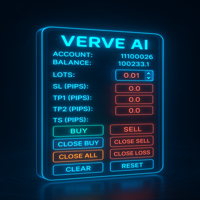
FXTrade Panel – 智能且快速的 MT5 交易管理器
FXTrade Panel 是一款高级且易于使用的 MetaTrader 5 交易工具,旨在通过一键执行和管理交易来提升交易效率。
主要功能: • 账户概览:显示账户号、杠杆、余额和当前点差。 • 手数控制:可调节手数,并提供直观的加减按钮。 • 风险管理:以点为单位设置止损(SL)、止盈(TP1、TP2)和移动止损(TS)。 • 一键交易:即时执行买入(BUY)和卖出(SELL)订单。
持仓管理: • Close Buy — 关闭所有买入头寸。 • Close Sell — 关闭所有卖出头寸。 • Close All — 平掉所有持仓。 • Close Profit — 仅平掉盈利头寸。 • Close Loss — 仅平掉亏损头寸。
实用按钮: • 快速清除输入(CLEAR)或重置设置(RESET)。 • 自定义表情符号 UI:采用独特的最小化和关闭按钮,外观现代。
FREE

高低点追踪器 是任何重视精确度和清晰度来识别关键价格水平的交易者必不可少的指标。此工具专为使用机构策略(如 ICT(内部交易者) 、 BTMM(银行交易做市商) 和 SMC(智能货币概念)) 的交易者而设计,通过将重要的 高点和低点 直接绘制到当前图表上,简化了多时间框架分析。无论您是剥头皮交易、日内交易还是波段交易,此指标都可让您即时访问主要支撑位和阻力位,而无需不断切换图表。
谁需要这个指标? 此工具非常适合以下交易者: 对于低时间范围条目使用更高的时间范围偏差(例如 ICT 和 SMC)。 需要确定止损追踪和陷阱设置的流动性区域。 依靠关键支撑/阻力位来下订单。 当价格触及机构水平时需要实时警报。 在 1m/5m 图表上交易时,优先考虑多时间框架精度。
它为什么重要?
主要时间范围内的高点和低点通常充当磁性价格区,吸引大量市场活动。这些水平通常是机构订单堆积的地方,形成推动价格大幅波动的流动性池。做市商经常瞄准这些区域来寻找止损点或启动趋势逆转,为精明的资金交易者创造了理想的设置。此外,突破和重新测试通常发生在这些价格点附近,提供高概率的进入机会。通过在从 M5
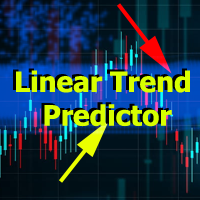
Linear Trend Predictor — 结合切入点和方向支撑线的趋势指标。按照突破高/低价通道的原理运作。该指标算法过滤市场噪音,考虑波动性和市场动态。
指示器功能
使用平滑方法,显示市场趋势和开立买入或卖出订单的切入点。 适合通过分析任何时间范围内的图表来确定短期和长期的市场走势。 输入参数可适应任何市场和时间范围,允许交易者独立定制指标。 设定的指示信号不会消失,也不会重新绘制——它是在蜡烛收盘时确定的。 几种类型的通知以箭头组合。 该指标既可以作为独立的交易系统使用,也可以作为其他交易系统的补充。 可供任何经验水平的交易者使用。
主要参数
Volatility Smoothing Level - 指标的主要参数,允许您配置指标以实现舒适的操作。
它的数字范围是 1 到 100,从而增加了您可以获得更长趋势运动的平滑度。
通过少量的数字,您可以获得短期走势并快速退出交易。
使用指标进行交易的时刻:
红线和箭头表示下降趋势和卖出开盘信号。止损应根据前一个上分形来设置。 黄线和箭头表示上升趋势和买入开盘信号。止损应根据前一个下分形来设置。

Volumatic Trend is a powerful, trend-following indicator that merges directional analysis with real-time volume behavior. By combining adaptive trend logic and volume overlays, it gives traders a detailed snapshot of market conviction and potential turning points. From instant trend shift detection to volume-weighted candle visuals, this tool brings deeper context to price movement. MT4 Version - https://www.mql5.com/en/market/product/136210/ Join To Learn Market Depth - https://www.mql5.co
FREE

Bober Lazer MT5 — 加密与外汇突破系统 Bober Lazer MT5 可在 Binance、OKX、Bybit 上进行真实交易。
在 ETHUSDT 上表现最佳,使用经过真实市场验证的突破规则。
进场快速,逻辑稳定,没有虚假回测。
真实账户链接见下方。 一年租用:500 USD
剩余 2 份(共 5 份)。 How to backtest Bober Lazer >>> Click
Live signal and Guide here >>> Click Key Features Breakout Strategy – 使用精确价格区间捕捉真实突破。 Twin Sets Mechanism – 两套独立逻辑使交易更加稳定。 Volatility Filter – 自动识别活跃市场并选择最佳品种。 Fast Backtesting – 在 MT5 中快速、准确地回测。 Info Panel – 实时显示余额、收益、点差和波动率。 Settings Overview Crypto Platforms: 支持 Binance、OKX、Bybit。 Trade

蜡烛成交量强度是一种先进的成交量分析指标,可洞察买卖双方之间的持续竞争。它计算并可视化实时成交量变化,帮助交易者更准确地确认突破、趋势、回撤和反转。
主要特点: 基于成交量的确认—— 该指标监控成交量变化,并在市场力量在买家和卖家之间转移时发出警报。 趋势和突破验证—— 通过分析交易量分布,交易者可以确认市场趋势和突破信号的强度。 反转和回撤检测—— 成交量模式有助于识别价格走势中的潜在转折点。 支撑和阻力洞察—— 关键水平附近的成交量增加增强了对其可靠性的信心。 简单有效的可视化—— 以直方图形式显示买卖强度,以便于解释。 蜡烛图成交量强度可帮助交易者利用成交量分析确认市场走势,从而做出明智的决策。在突破期间,高交易量表明市场参与度高,从而增强了突破信号的有效性并降低了错误动作的可能性。理解趋势强度变得更容易,因为上升趋势中成交量的增加证实了持续的购买压力,而下降趋势中成交量的增加表明强劲的卖出活动,为交易者提供了对趋势延续的更大信心。此外,该指标通过识别价格变动和成交量活动之间的差异来帮助发现潜在的趋势逆转。例如,如果价格继续上涨而成交量下降,则可能表明趋势减弱并可能出现逆转。

布林线对冲均线趋势EA简介 https://www.mql5.com/zh/market/product/137136?source=Site+Market+Product+Page
“一定要设置好参数再使用且平台允许锁仓”,如果实在不清楚参数设置,可以以 2000 美金资金量为参考,针对 xauusd 品种,周期M30进行测试。参数如下:
Slippage=50(us30需要差不多500才能顺利建仓和平仓),RiskPercent=0.1,LotMultiplier=2,LotThreshold=0.3,SmallTarget=5,LongMAPeriod=60,ShortMAPeriod=30, BBPeriod=20,BBDeviation=1.0,具体最优参数各自多回测改良。
一、核心策略理念 布林线对冲均线趋势EA在市场分析中运用了随趋势马丁回调对冲的概念。这一理念结合了市场趋势追踪与风险对冲机制,旨在适应复杂多变的市场环境,有效提高对市场变化的容错能力,同时捕捉潜在的盈利机会。
二、关键指标运用 1. 布林带指标:布林带是一种广泛应用的技术分析工具,它能够直观地反
FREE
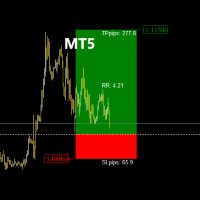
TradeManagerRR Visualizer MT5 是一个交易管理工具,旨在帮助交易者轻松地在图表上可视化他们的止损(SL)和获利(TP)水平。此初始版本提供了一个简单的图形表示,显示SL和TP区域以及入场价格。请注意,目前的版本仅专注于图形显示SL和TP区域的图形标记。 当前版本的特点: SL和TP区域显示: 清晰地显示止损和获利水平,支持自定义颜色。 可移动入场价格: 允许在图表上移动入场价格,以查看SL和TP水平的变化。 风险/回报比率计算: 动态显示基于设定水平的风险/回报比率。 使用方法: 设置入场价格: 点击图表以设置您的入场价格。 调整SL和TP水平: 移动SL和TP区域,以调整风险和回报水平。 查看区域: SL和TP区域将以不同的颜色显示,以方便可视化。 即将推出: 更新版本将在几天内发布,提供更多功能和改进,以实现更有效的交易管理。 请求: 如果您觉得 TradeManagerRR Visualizer MT5 有用,请在产品页面上进行评分。您的反馈对我们非常重要,有助于改进我们的工具。
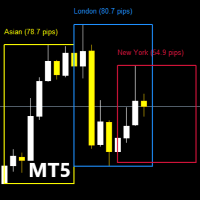
在深入了解此指标的功能之前,请记得对该产品进行评分,留下评论以分享您的经验,并订阅我的页面以获取最新更新和新工具的通知。您的支持是无价的,帮助我不断改进我的创作! 描述: TradingSessionPipsVisualizer - 专业的交易时段掌控工具 一目了然地可视化外汇交易时段,优化您的交易时机! TradingSessionPipsVisualizer 是一个为 MetaTrader 5 开发的高级指标,能够直接在您的图表上突出显示主要的交易时段(伦敦、纽约、亚洲、悉尼、法兰克福)。为高要求的交易者设计,它可以帮助您: 即时识别高交易活跃期 (时段重叠) 实时分析波动性 (显示点差范围) 根据最佳交易时段调整您的策略 ( scalping,日间交易,波段交易) 根据您的交易风格自定义显示方式 关键功能 直观可视化 为每个交易时段着色的区域 (可自定义颜色) 高点/低点 和点差范围清晰显示 清晰的图例 (可选)以便快速理解 高级自定义 选择显示的交易时段 (伦敦、纽约、亚洲等) 边框样式 (厚度、图案、填充) 时区管理 (精确调整 HH:MM) 交易者必备数据 时段间波
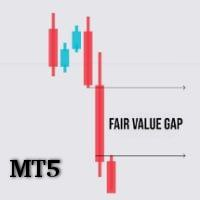
FVG 分析器 — 精准识别公平价值缺口(FVG)的强大工具 FVG 分析器 是专为使用 公平价值缺口(FVG) 交易策略的专业交易者设计的高级指标。通过智能检测和清晰可视化,它帮助你轻松发现市场低效区域 —— 价格很可能在继续趋势前回调至此的关键区域。 主要功能: 自动识别 FVG (看涨和看跌)基于蜡烛图结构。
可选择显示类型 : 仅看涨缺口 仅看跌缺口 同时显示两者 灵活的视觉显示选项 : 彩色矩形 中心线 矩形 + 中心线 矩形 + 中心线 + 标签 FVG 动态延伸直至被填补 ,实时追踪价格反应。 高度可定制化 : 颜色、样式、透明度设置 显示最大区域数量 可选显示区域名称 专为 MT5 优化 :即使在复杂图表中也流畅运行。 适用于所有交易风格 无论你是 剥头皮交易者(Scalper) 、 日内交易者(Day Trader) ,还是 波段交易者(Swing Trader) ,FVG 分析器都能满足你的需求。支持所有时间周期,从 M1 到月线都能完美运行。 为什么选择 FVG 分析器? FVG 分析器 帮助你提升每一次进场的 精准度 、 反应速度 与 信心 。告别盲目操作,精准

**Bitcoin Striker M5X** 是一款专为 **BTCUSD(M5 周期)** 优化的专业自动交易机器人。 它结合 ATR 止损/止盈、多因子 RSI-趋势逻辑、Heikin-Ashi 蜡烛与自适应 Choppiness 过滤器,在任何时刻 **仅持有一笔仓位**,以降低风险、简化资金管理。
> ️ 重要提示:请勿用于其他交易品种,否则可能导致策略失效。
**快速上手** 1. 在 MT5 中启用 *Algo Trading*。 2. 打开 **BTCUSD M5** 图表。 3. 将 EA 拖到图表并点击 “确定”。 *(建议 VPS,但并非强制要求。)*
---
## 关键功能
- 专注 **BTCUSD**、M5 级别 - 预设 **高风险** / **低风险** 两种模式 - 基于 **ATR** 的动态 SL / TP - **斐波那契回撤** 辅助过滤 - 复合信号:**RSI + 混合 MA + Heikin-Ashi** - 任意时刻 **仅 1 单**(Buy 或 Sell) - 内置新

Pips Architect Pips Architect is an automated trading Expert Advisor for MetaTrader 4 and MetaTrader 5 , using time-series analysis and dynamic market modeling. The Expert Advisor works without third-party indicators and provides flexible control over trading logic, risk management, order execution, and position management. Main Features • Real-time market data analysis
• Automated trading 24/5
• Market and pending orders
• Real and virtual trading modes
• Multi-symbol trading
• Timeframes from
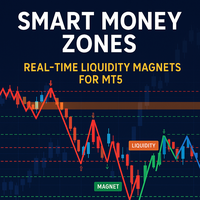
Developed according to the principles of smart money management strategies, the SM Zones indicator is a very convenient tool for traders on the MetaTrader 5 (MT5) platform. It graphically displays on the chart all the significant zones used in the SM strategy: market structure, price levels of increased liquidity, "price magnet" zones - imbalances, order blocks, fvg, breaker blocks and mitigation blocks - towards which the instrument's price moves. The zones influencing the bull market are high
FREE
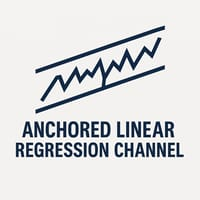
锚定线性回归通道(ALRC)
简介:
锚定线性回归通道(Anchored Linear Regression Channel,ALRC) 是一种先进的技术分析工具,它在传统线性回归通道的基础上进行了增强,允许用户将通道锚定在一个已确认的关键转折点(Pivot)。 这使得分析更加精确和可靠,能够更好地反映价格在图表关键结构点附近的行为。
主要特点:
锚定已确认的关键点: 手动选择图表中一个明确的、已形成的转折点作为起点,提升通道的有效性。
清晰的趋势可视化: 观察价格如何在锚定通道内运行,识别潜在的反转、突破或通道扩张。
高可靠性: 基于已验证的市场结构构建通道,使交易信号更稳健。
适用场景:
在通道内部识别动态的支撑和阻力区域
提前发现潜在的趋势反转信号
基于通道边界进行更有效的风险管理
可自定义参数:
锚定点选择: 用户可自由选择图表中的关键枢纽点作为通道的起始点
回归周期: 设置用于回归计算的K线数量
通道偏差: 根据您的交易策略调整通道的宽度
注意事项: 本指标适用于 MetaTrader 5,并已在多种资产和不同周期下进行了广泛测试,以确保
MetaTrader市场是您可以下载免费模拟自动交易,用历史数据进行测试和优化的唯一商店。
阅读应用程序的概述和其他客户的评论,直接下载程序到您的程序端并且在购买之前测试一个自动交易。只有在MetaTrader市场可以完全免费测试应用程序。
