PosTrade
- Yardımcı programlar
- Sürüm: 1.0
- Etkinleştirmeler: 10

PosTrade is a trading utility that puts a compact, draggable panel on your chart. Open and close positions in one click, see the profit of every position and the totals at a glance, and manage take-profit and stop-loss with virtual levels drawn directly on the chart.
The utility does not open trades on its own. Every entry is made by you with the BUY / SELL buttons.
Panel
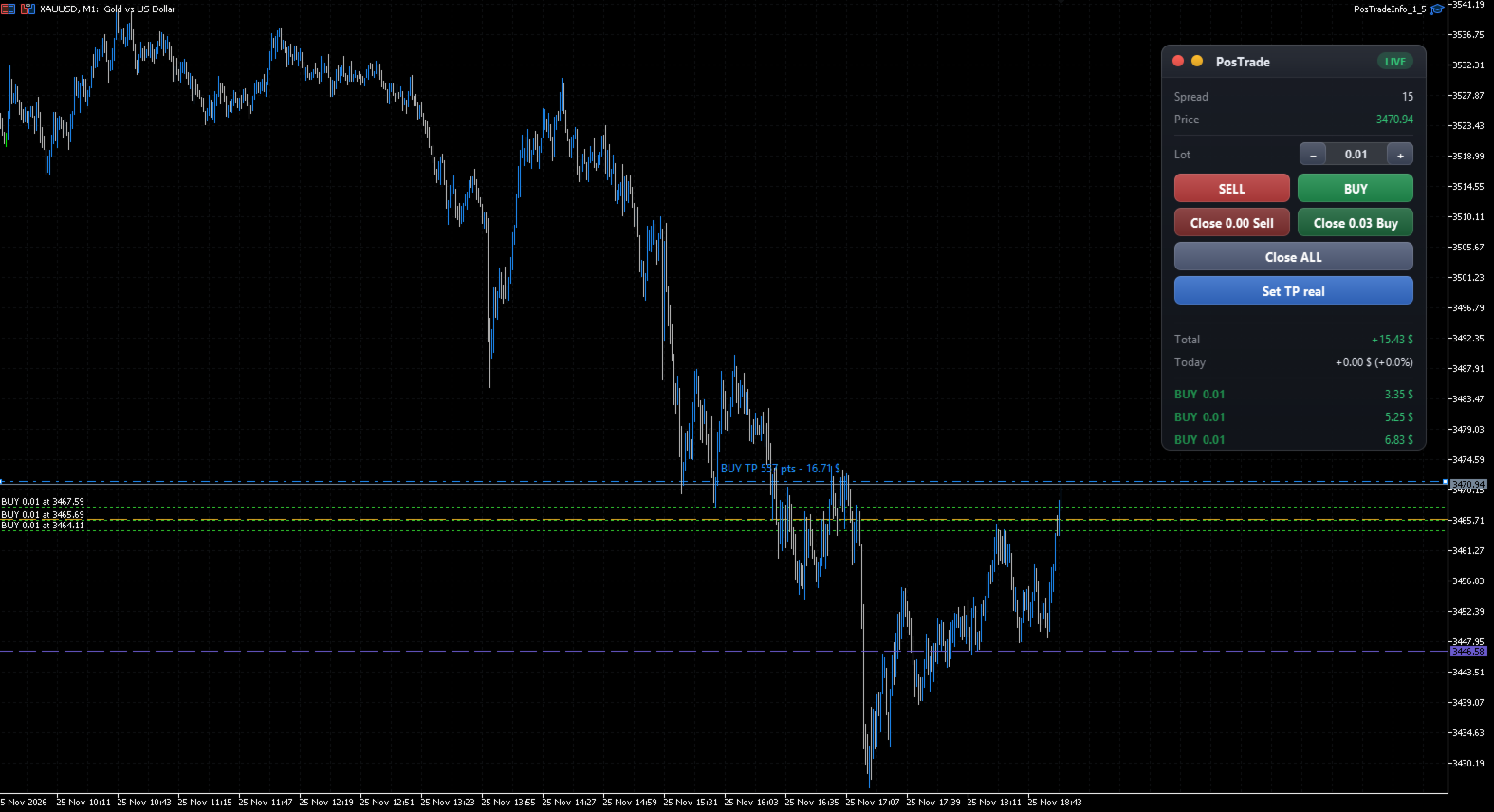
- Status badge in the header: LIVE (connected, trading allowed), NO TRADE (connected, but algo trading is not allowed), OFFLINE (no connection to the server).
- Spread and price. The price is colored by the direction of the last move.
- Lot stepper [−] / [+] with a configurable step.
- SELL / BUY — market orders with the selected lot.
- Close X.XX Sell / Close X.XX Buy — close all positions of one direction. The caption shows the volume that will be closed.
- Close ALL — close all positions of the symbol.
- Set TP real — turn the virtual TP of each direction into a real Take Profit on the open positions.
- Total — floating profit/loss of the open positions.
- Today — profit closed today on this symbol, in money and as a percentage of the day's starting balance.
- Positions list — direction, volume and profit of every open position (optionally with points). The list length is limited by a setting.
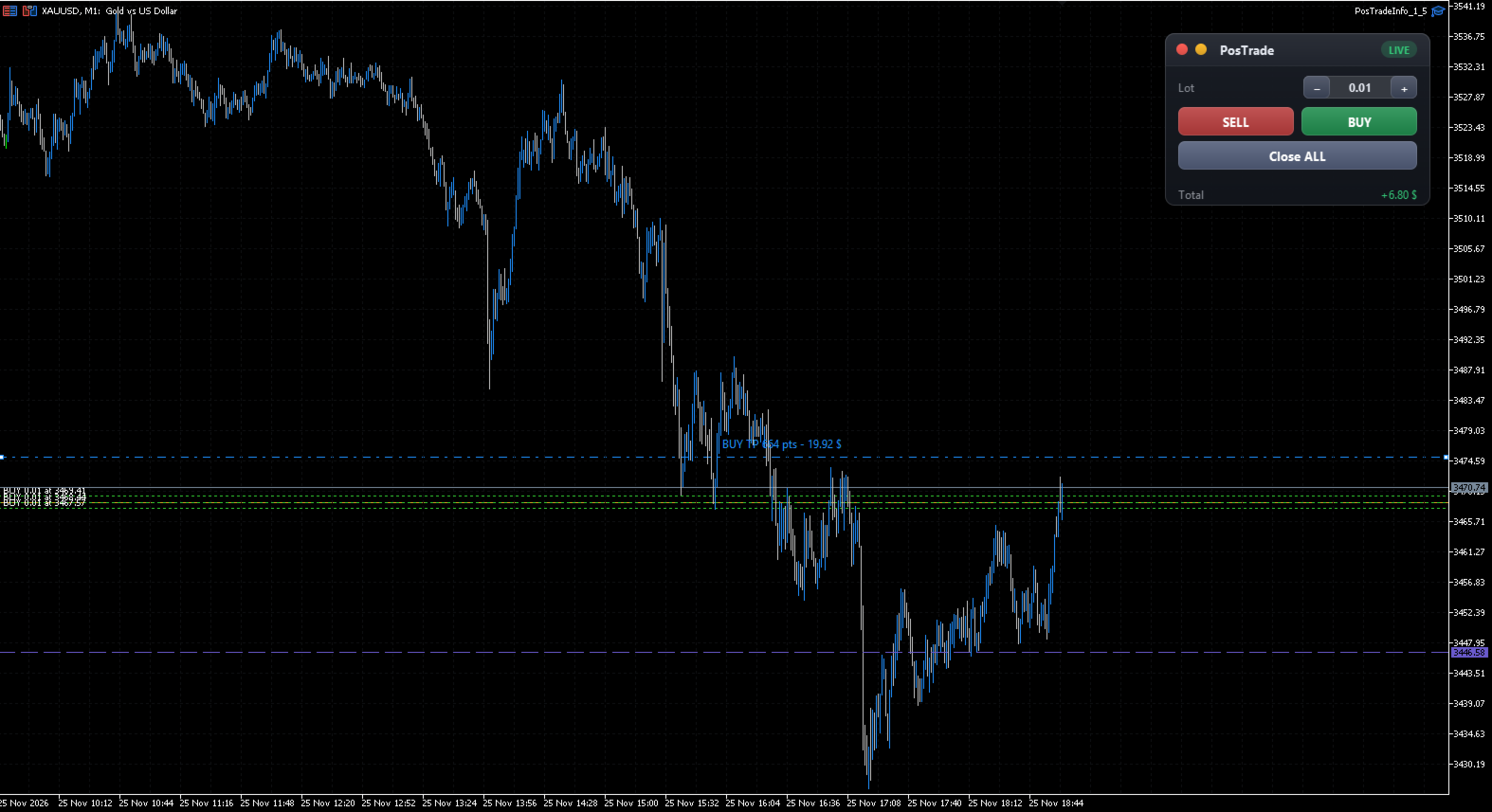
- Drag the panel by its header, collapse it with the yellow dot, close the utility with the red dot (with confirmation). The panel position is remembered per symbol. When collapsed, the panel keeps the lot, SELL / BUY, Close ALL and Total.
Breakeven line
A dashed line on the chart at the average entry price of all open positions (volume-weighted). Color, style and width are adjustable.
Virtual TP / SL
- Separate TP and SL levels for BUY and for SELL, calculated in points from the average entry price of that direction.
- Levels are drawn as lines with a label showing the result in money if the level is reached.
- Drag any line with the mouse to move the level manually.
- When the price reaches a level, the utility closes the positions of that direction at market.
- Set TP or SL to 0 to switch the level off.
- Virtual levels are kept and checked by the utility, not by the broker. The terminal must stay online and the utility must be running for them to work. Use the Set TP real button if you want a real Take Profit on the server.
Input parameters
| Parameter | Description |
|---|---|
| Starting lot | Initial lot shown on the panel |
| Lot change step | Step of the [−] / [+] buttons |
| TP from BE, points | Virtual TP distance from the average entry price (0 = off) |
| SL from BE, points | Virtual SL distance from the average entry price (0 = off) |
| Magic Number | The utility manages only positions of the current symbol with this magic number (0 = manually opened positions) |
| Panel size | Small / Medium / Large |
| Colors and transparency | Background, text, profit and loss colors, background transparency |
| Show spread / price / points | Show or hide the corresponding rows |
| Max positions in the list | Longer lists are shortened to "... and N more" |
| Show BE line | Breakeven line on/off, color, style, width |
| Virtual TP/SL | Colors of BUY and SELL lines, style of TP and SL lines, width |
Notes
- Works on the symbol of the chart it is attached to. To trade several symbols, attach it to each chart.
- Allow algo trading in the terminal and in the utility properties.
- Trading involves risk of loss. Use the utility on a demo account first.