Prop Shield Drawdown Guard
- Yardımcı programlar
-
Saad Ferdi
 MQL5 and Python developer focused on gold and forex.
I build and fix MT5 Expert Advisors and indicators, with clean source code and clear input settings. - Sürüm: 1.0
- Etkinleştirmeler: 5
Prop Shield Drawdown Guard watches your account equity and enforces prop-firm style loss limits for you. When a limit is about to be hit, it closes every position, deletes pending orders and keeps the account flat until the lock ends, so a single bad day does not cost you the account.
It works at account level: it protects manual trades and trades from any other Expert Advisor on all symbols. It never opens trades on a live account.
What it does
- Daily loss limit measured on equity (closed and floating profit together), as a % of the initial balance, as a % of the balance at the start of the day, or as a fixed amount of money.
- Max loss from the initial balance, static or trailing. The trailing floor follows the highest equity and stops once it reaches the initial balance.
- Safety buffer. It acts a chosen % before the limit (10% by default), which leaves room for slippage and spread while it closes positions.
- Lock. After a daily breach the account stays flat until the next daily reset. After a max-loss breach it stays flat until you clear the lock. Any position opened while locked, manually or by another EA, is closed at once.
- Daily profit lock (optional). Closes everything and stops for the day once a daily profit target is reached.
- Early warnings at a chosen share of each limit (70% by default), as a pop-up and/or a push notification to your phone.
- Daily reset hour in broker server time, so it matches your prop firm's day.
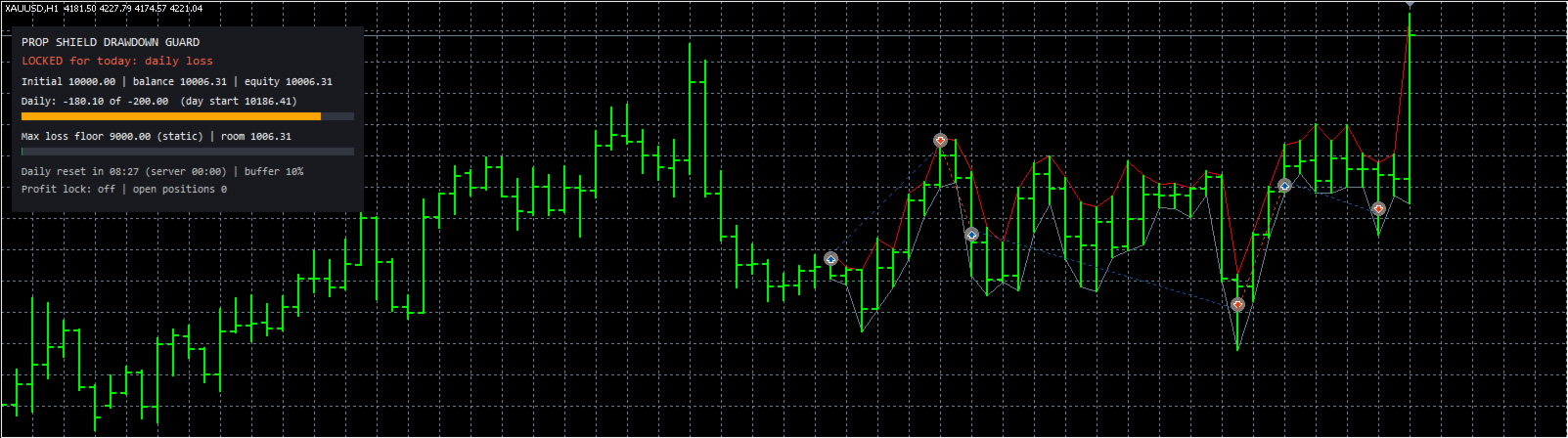
- Panel. Shows the initial balance, balance and equity, today's result against the daily limit, the max-loss floor and the room left, with two progress bars, the time to the next reset and the status (OK / WARNING / LOCKED).
- Restart-safe. The day-start balance, highest equity and lock state are saved in terminal global variables, so a terminal restart does not reset the counters.
Inputs
| Account | Initial balance (0 = balance when first attached), daily reset hour |
| Daily loss | Limit %, measured from the initial or the day-start balance, or a fixed money limit |
| Max loss | Limit %, static or trailing |
| Daily profit lock | Target % (0 = off) |
| Safety | Buffer %, warning %, pop-up and push alerts, delete pending orders, clear a saved lock |
| Panel | Show, position, colours |
How to use
- Attach it to one chart only, and allow Algo Trading. It guards the whole account.
- Enter your challenge's initial balance and its rules, for example 5% daily and 10% max loss, with the reset hour of your firm.
- Keep the terminal running, for example on a VPS: the guard can only act while the terminal is open.
Notes
- Every prop firm has its own exact rules. Check how yours measures the daily loss and set the inputs to match. A buffer is recommended because closing positions takes time in fast markets.
- In the Strategy Tester only, it opens one position at a time, each risking about 1% of the balance, so you can watch the limits and the lock work in visual mode. On a live or demo chart it never opens a trade.
- It is a risk-control tool. It gives no trade signals and makes no promise of profit or of passing a challenge.