Symbol Timeframe Changer
- Göstergeler
- Sürüm: 1.10

Symbol_Changer (Dashboard Panel)
A lightweight, highly customizable dashboard that allows you to switch between your favorite currency pairs, assets, and timeframes with a single click. Save time and boost your trading efficiency.
Full Description:
Stop wasting time searching through the Market Watch!
In fast-paced markets, every second counts. Quick Symbol & Timeframe Changer is a handy on-chart dashboard designed for traders who need to navigate quickly between multiple assets and timeframes. Whether you are a scalper monitoring several pairs or a multi-asset analyst, this tool puts your entire watchlist right at your fingertips.
Key Features:
-
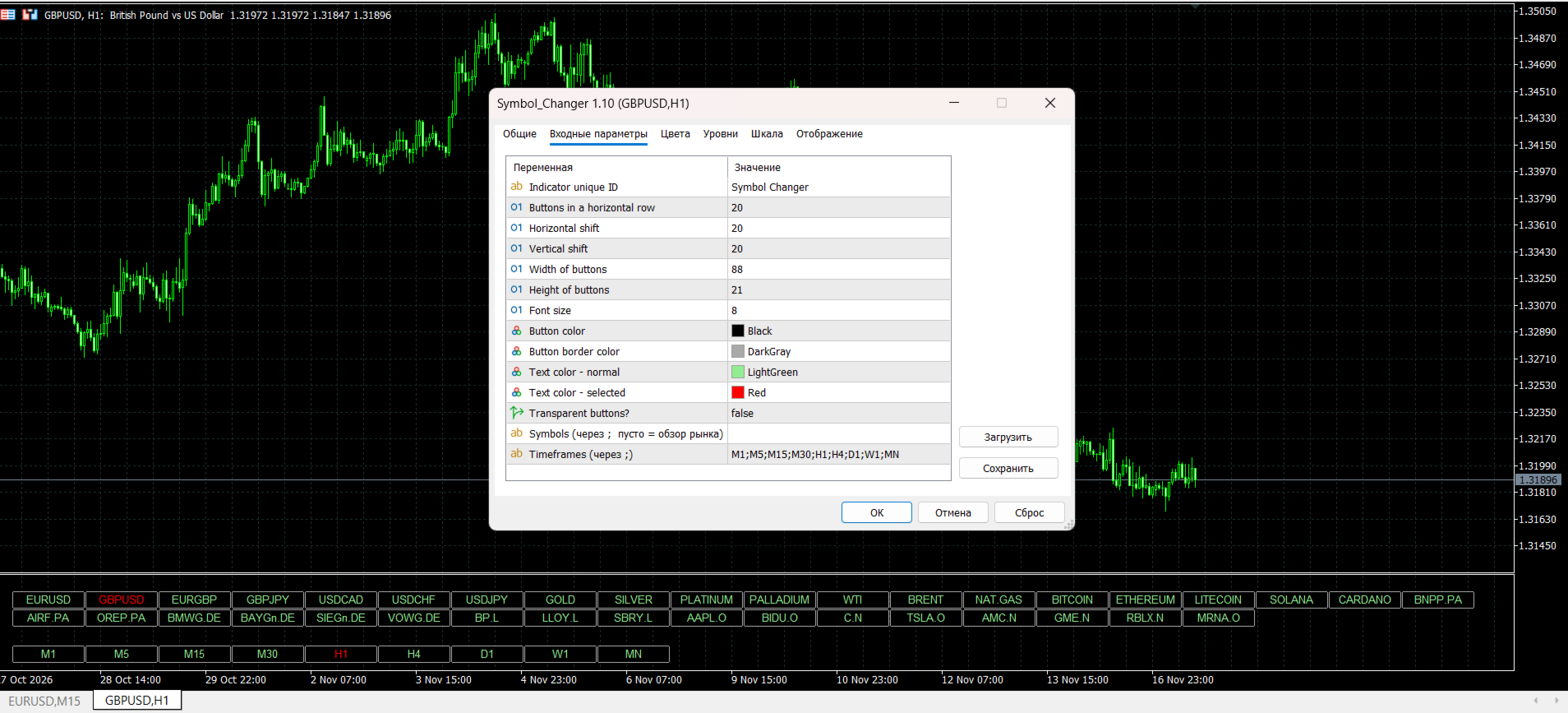
One-Click Navigation: Instantly change the chart's symbol and timeframe without typing or opening extra windows.
-
Fully Customizable: Set up your own list of symbols (Forex, Crypto, Indices, Metals) and timeframes directly through the indicator inputs.
-
Active Highlighting: The currently selected symbol and timeframe are highlighted in a distinct color (e.g., Red), so you always know exactly what you are looking at.
-
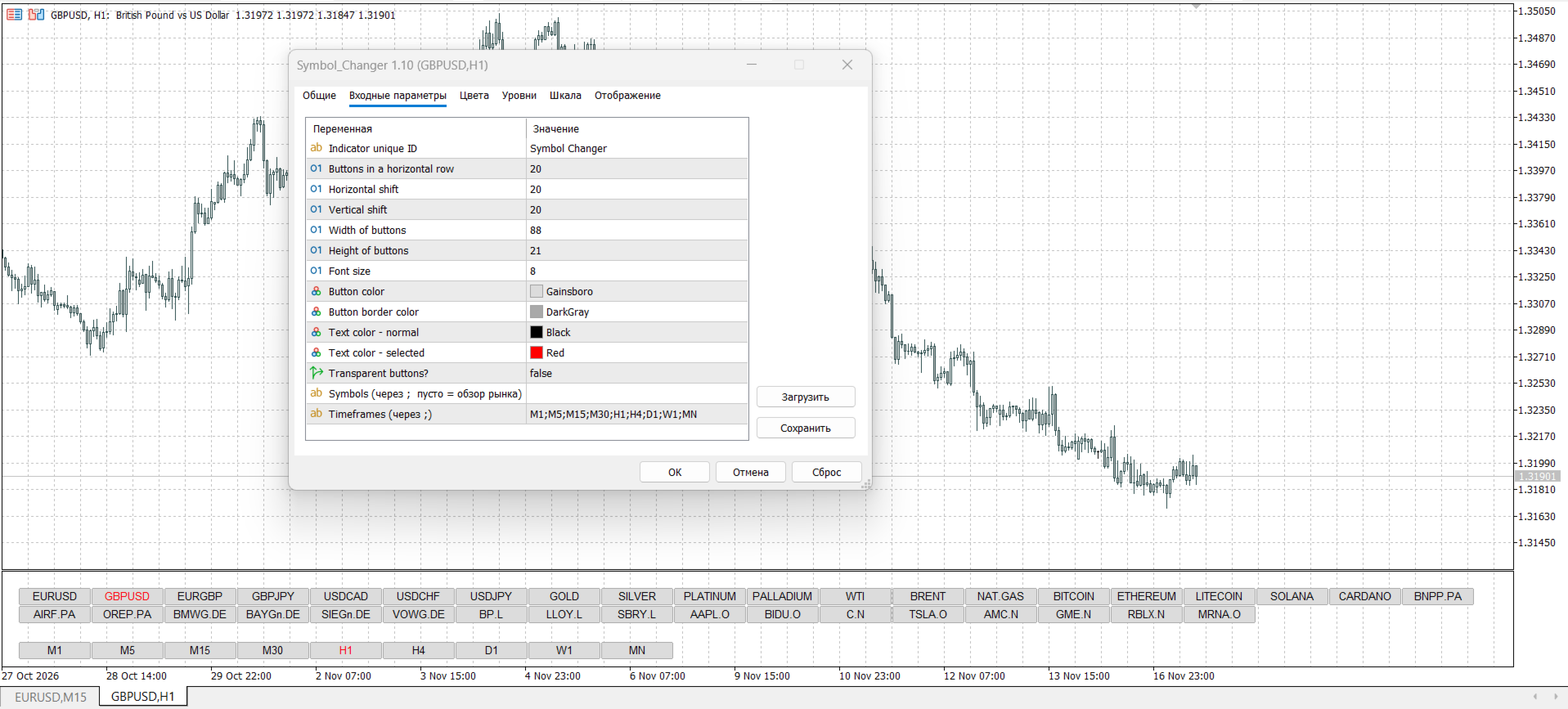
Flexible UI: Adjust button width, height, font size, horizontal/vertical shifts, and colors to perfectly match your chart's theme (Dark or Light mode).
-
Lightweight & Stable: The indicator runs smoothly without overloading the terminal and operates as a separate sub-window (or overlay) without cluttering your price action.
How to use:
-
Drag the indicator onto any chart.
-
Open the indicator settings ("Inputs" tab).
-
In the Symbols field, enter your favorite pairs separated by commas (e.g., EURUSD, GBPUSD, XAUUSD, US30 ). Leave it blank to use the Market Watch list.
-
In the Timeframes field, enter your desired TFs (e.g., M1;M5;M15;M30;H1;H4;D1 ).
-
Click "OK". Now you have a fast navigation panel at the bottom of your screen!
Input Parameters:
-
Indicator unique ID — Unique identifier for the panel (leave as default unless running multiple instances).
-
Buttons in a horizontal row — Number of buttons displayed per row.
-
Horizontal shift / Vertical shift — Positioning of the panel on the chart.
-
Width of buttons / Height of buttons — Size of the clickable areas.
-
Font size — Text size.
-
Button color / Button border color — Customize the background.
-
Text color - normal / Text color - selected — Customize text colors (e.g., Green for normal, Red for selected).
-
Transparent buttons? — Make the UI background transparent.
-
Symbols (separated by ; , empty = Market Watch) — Your custom symbol list.
-
Timeframes (separated by ;) — Your custom timeframe list.
After changing the parameters in the indicator settings, please switch the timeframe on your platform panel (e.g., from H1 to M15 and back). This forces the terminal to reload the indicator. As a result, your new custom settings and buttons will appear immediately on the chart.
Disclaimer: This indicator is a chart navigation tool and does not provide buy/sell trading signals. Use it to enhance your trading workflow.