Sweep Entry Zone
- Göstergeler
-
Irina Tarabrina
 ChartZenFX develops technical indicators for MetaTrader 5, focusing on liquidity analysis, trading sessions and market structure.
 - Sürüm: 1.1
- Güncellendi: 27 Ekim 2026
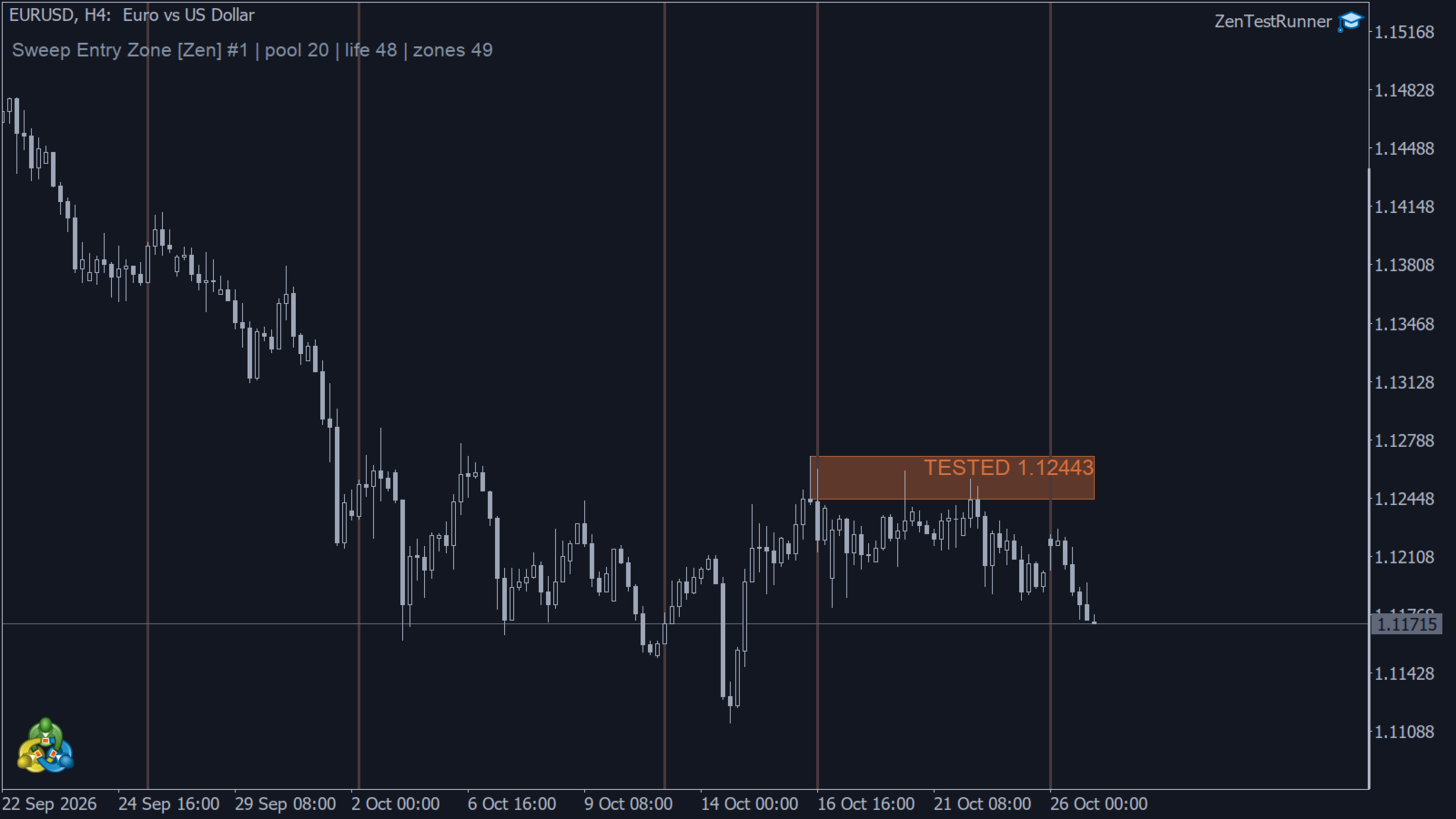
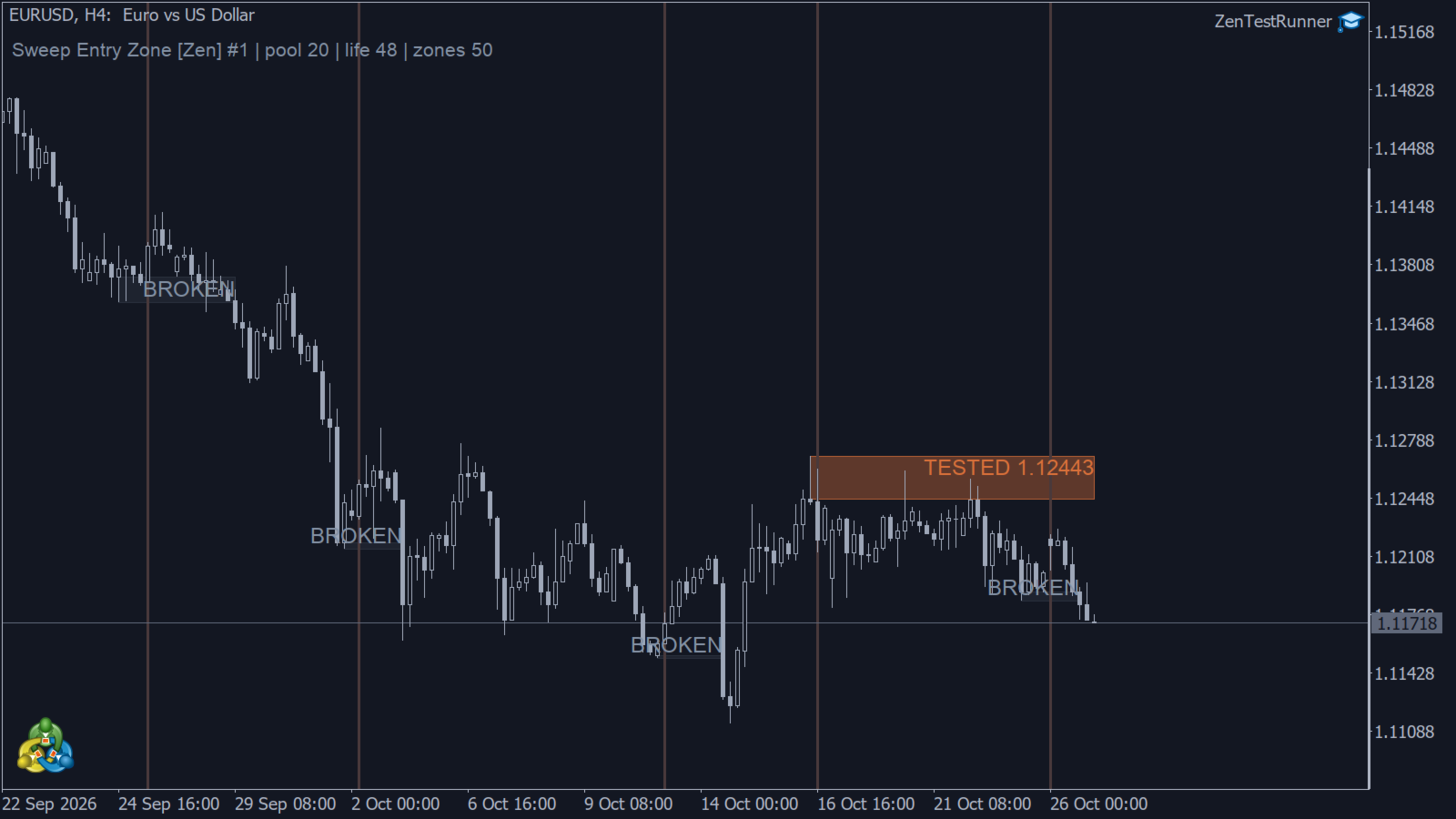
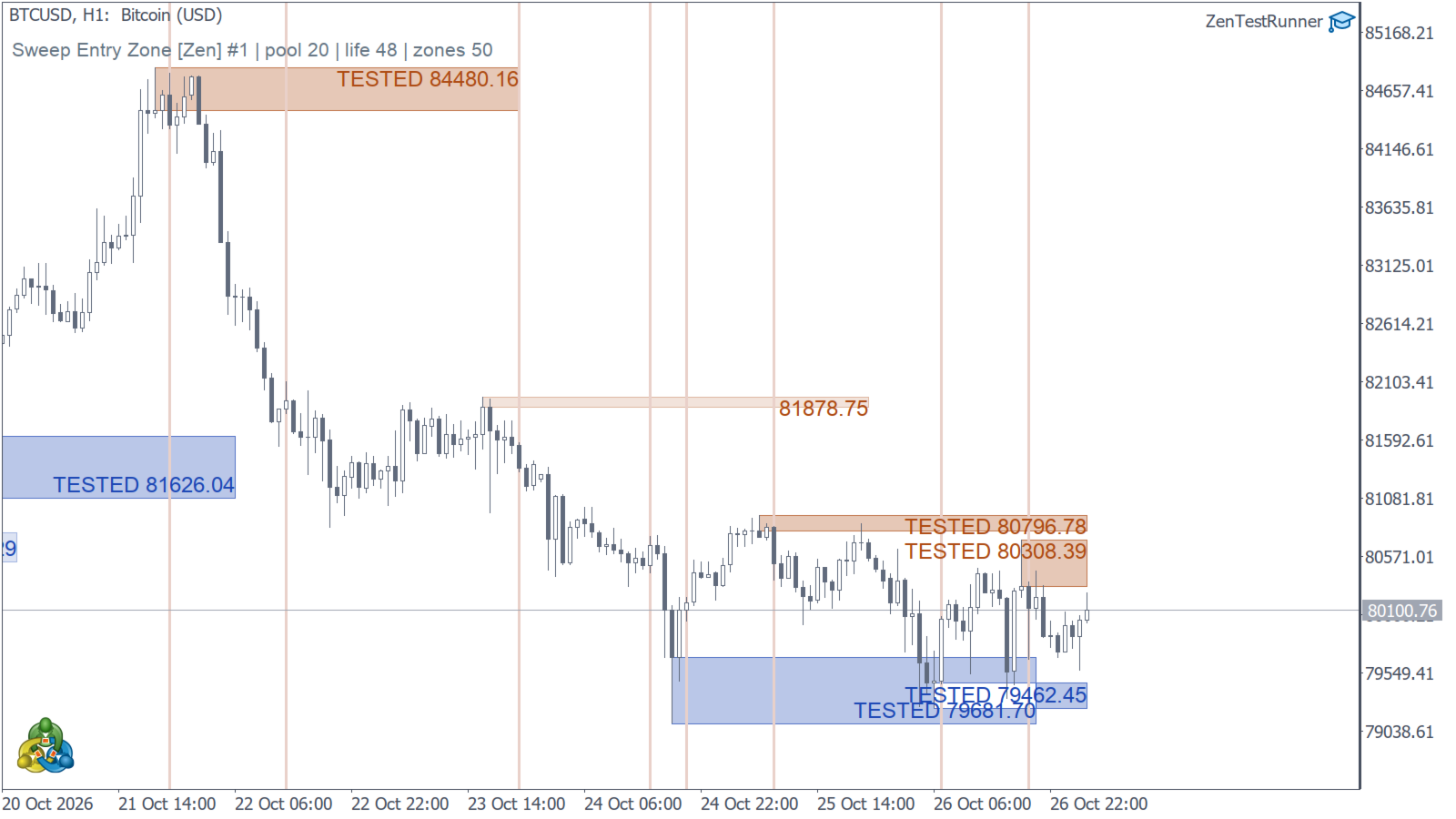
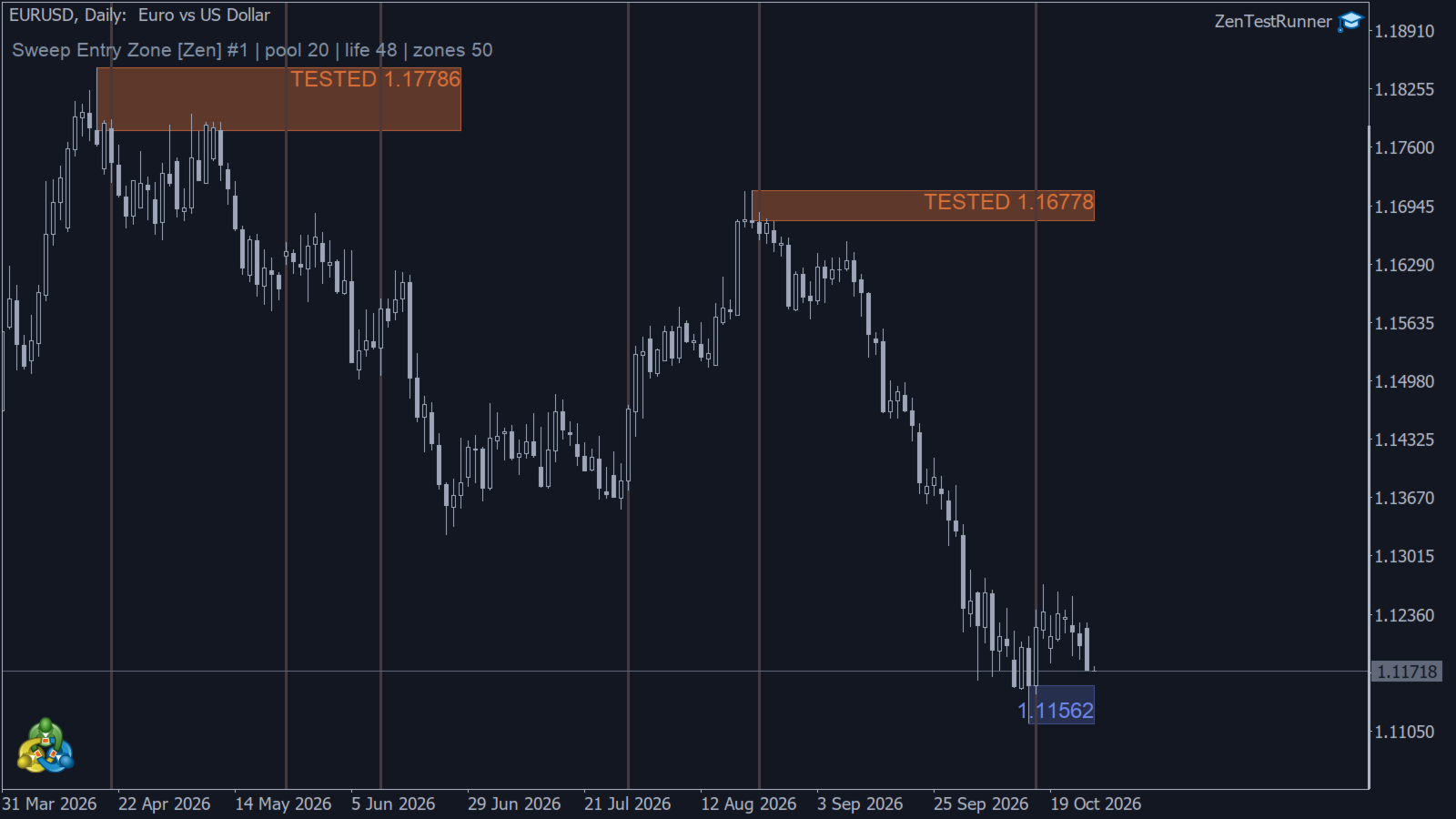
Sweep Entry Zone turns the wick of a liquidity-sweep candle into a price zone after a later candle confirms a break of structure (BOS). The first subsequent touch marks the zone as TESTED. A close beyond its far edge breaks the zone, which is removed by default or retained in grey if that option is enabled.
Sweep and BOS conditions use closed candles. The zone is created only after confirmation, although its rectangle starts at the original sweep candle. Its price boundaries remain fixed afterwards.
HOW A ZONE IS BUILT
- The pool is the highest high and the lowest low of the previous N closed candles (Pool length, default 20). The current candle is not part of its own pool.
- A sweep is a candle whose wick goes beyond the pool and whose close comes back inside it. A candle that sweeps both the high pool and the low pool is ignored.
- One pending sweep per side is kept. A newer sweep on the same side replaces the previous pending sweep.
- The wait ends in one of three ways: price moves beyond the sweep candle’s extreme and cancels the pending sweep; a later candle closes beyond the opposite end of the sweep candle and confirms BOS; or no confirmation occurs within Zone life candles and the pending sweep expires.
- The zone is the wick of the sweep candle, between its extreme and the nearest edge of its body. A high sweep produces an upper-wick zone; a low sweep produces a lower-wick zone.
WHAT HAPPENS TO A ZONE AFTERWARDS
- Untested: price has not returned to the zone.
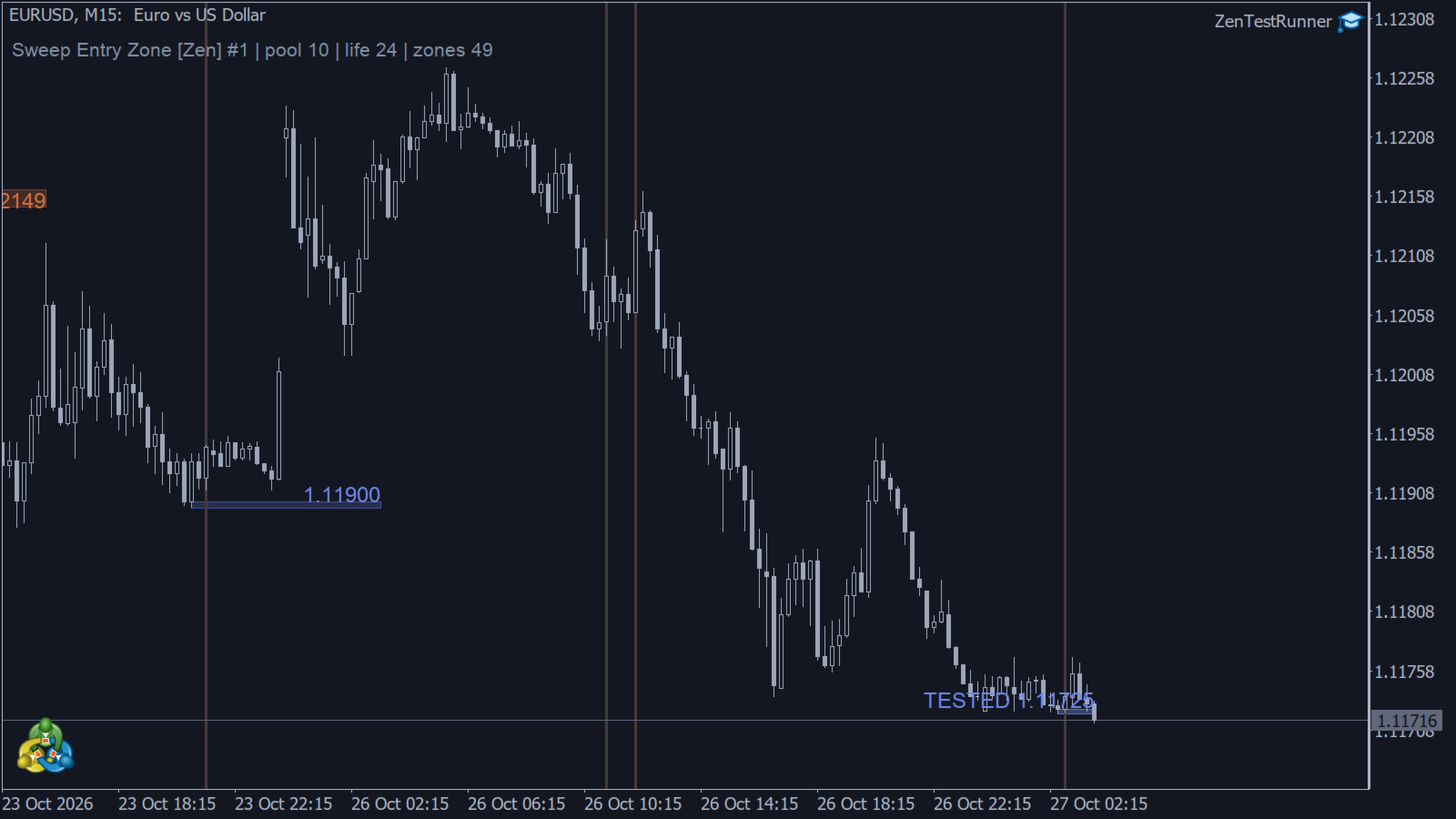
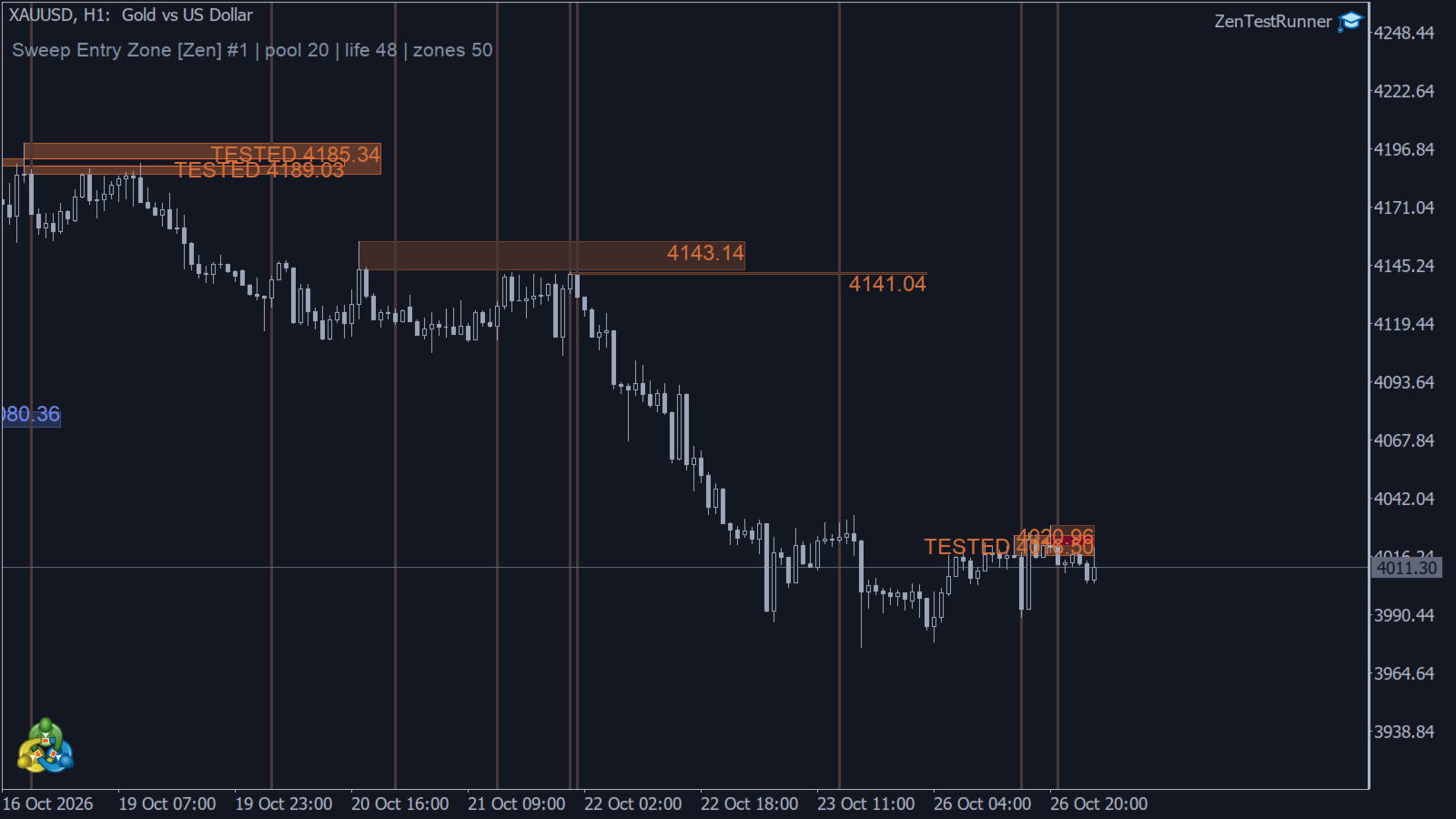
- TESTED: a wick has touched the zone for the first time. The zone changes shade and its label identifies the tested state.
- Broken: a candle has closed beyond the far edge. By default, the zone is removed. Enable “Keep broken zones” to retain it in grey.
- Expired: after Zone life candles from BOS confirmation, the zone stops extending and remains at its final position.
Up to 50 zones are retained on the chart. When a new zone exceeds this limit, the oldest zone is removed.
WHAT YOU SEE
- Filled rectangles with thin outlines: orange tones for upper-wick zones and blue tones for lower-wick zones.
- Colours adapted to the chart background.
- A zone label showing the price of its near boundary.
- Optional vertical marks on BOS candles.
- An optional status line in the top-right corner showing the instance, symbol, timeframe, pool length, zone life and current zone count.
SETTINGS
- Pool length (20): the number of previous closed candles used to calculate the reference high and low. Changing this value changes which sweeps qualify.
- Zone life (48): controls both how long a pending sweep waits for BOS and how long a confirmed zone extends afterwards.
- Keep broken zones (off): retain broken zones in grey instead of removing them.
- Mark the BOS candle (on): display a vertical mark on the confirmation candle.
- Zone price font size (8): adjust the size of zone labels.
- Show status line (on): display the indicator’s status information.
- History bars to calculate (5000): limit the historical calculation.
- Instance ID (1): use different IDs for multiple instances on the same chart.
- Alerts: configure popup and push notifications, with separate switches for zone creation, testing and breaking.
ALERTS
Events are processed on closed candles, with notifications sent on the first tick after the close. Multiple events on the same candle are combined into one message.
Push notifications require push to be enabled and a MetaQuotes ID to be configured under Tools — Options — Notifications. If push is enabled in the indicator but the terminal cannot send notifications, the indicator displays a popup explaining the issue.
Historical events do not trigger alerts, including events processed during the initial calculation after attaching the indicator. Following a chart-history reload, alerts resume from the most recently closed candle. Stale candles reported after a prolonged interruption are drawn without triggering alerts.
NOTES
- This is a free indicator for MetaTrader 5.
- The indicator does not execute trades or provide trading recommendations.
- It is designed for use on different symbols and timeframes.
- Results depend on the broker’s price feed and the history loaded by the terminal.
- A confirmed zone marks a historical sweep and BOS pattern. It does not guarantee a future price reaction or profitability.