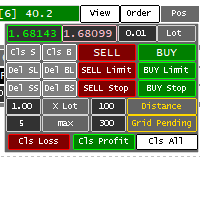
QuickTradePanel
- Yardımcı programlar
- Sürüm: 2.0
- Etkinleştirmeler: 5

Quick Trade Panel is a practical execution and position-management tool for MetaTrader 5, designed for traders who need to manage multiple positions quickly and efficiently.
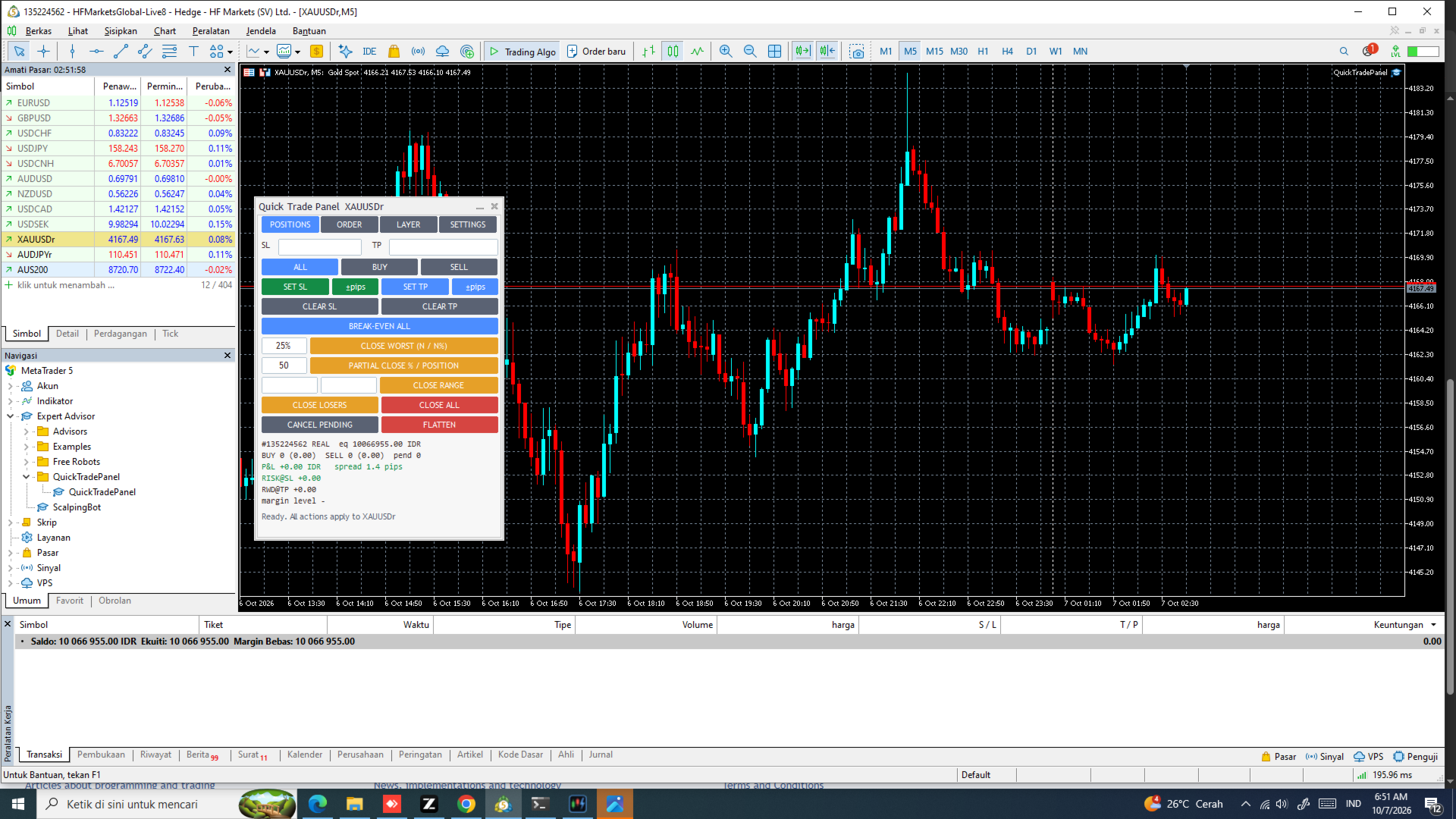
Instead of changing positions one by one, you can manage SL, TP, position closing, risk-based orders, break-even, trailing stop, and layered orders from a single panel.
Key Features
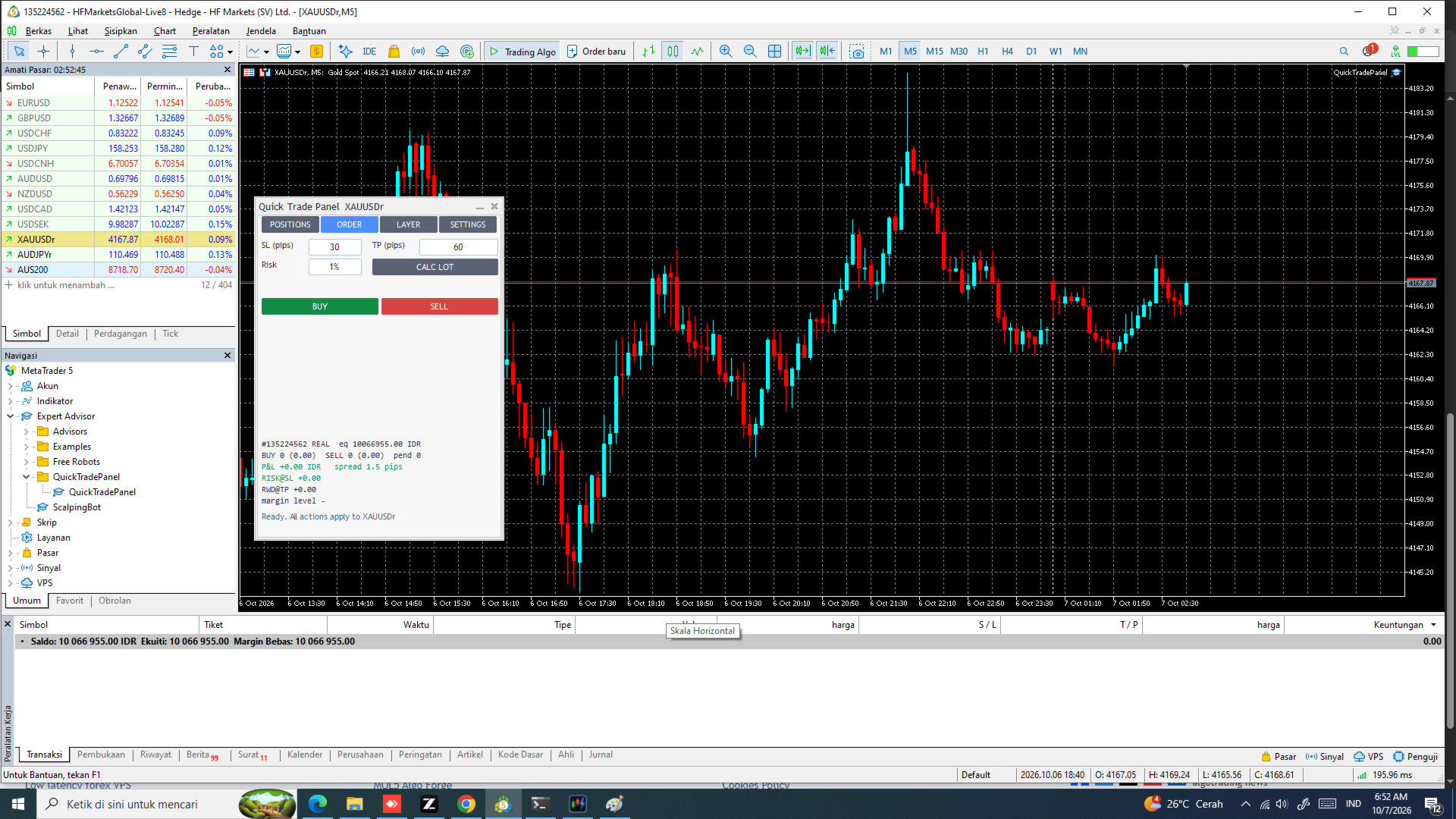
⚡ Quick Order Execution
Calculate position size based on your selected risk and stop-loss distance.
Set:
-
Stop-loss distance
-
Risk as a percentage of equity
-
Risk as a fixed amount
The panel calculates the appropriate lot size automatically, allowing you to place a BUY or SELL order quickly.
🎯 Set SL / TP for Multiple Positions
Manage several positions or pending orders at once.
You can:
-
Set Stop Loss for multiple positions
-
Set Take Profit for multiple positions
-
Move existing SL/TP levels
-
Remove SL/TP
-
Use an absolute price or distance
This is especially useful when several positions belong to the same trading setup.
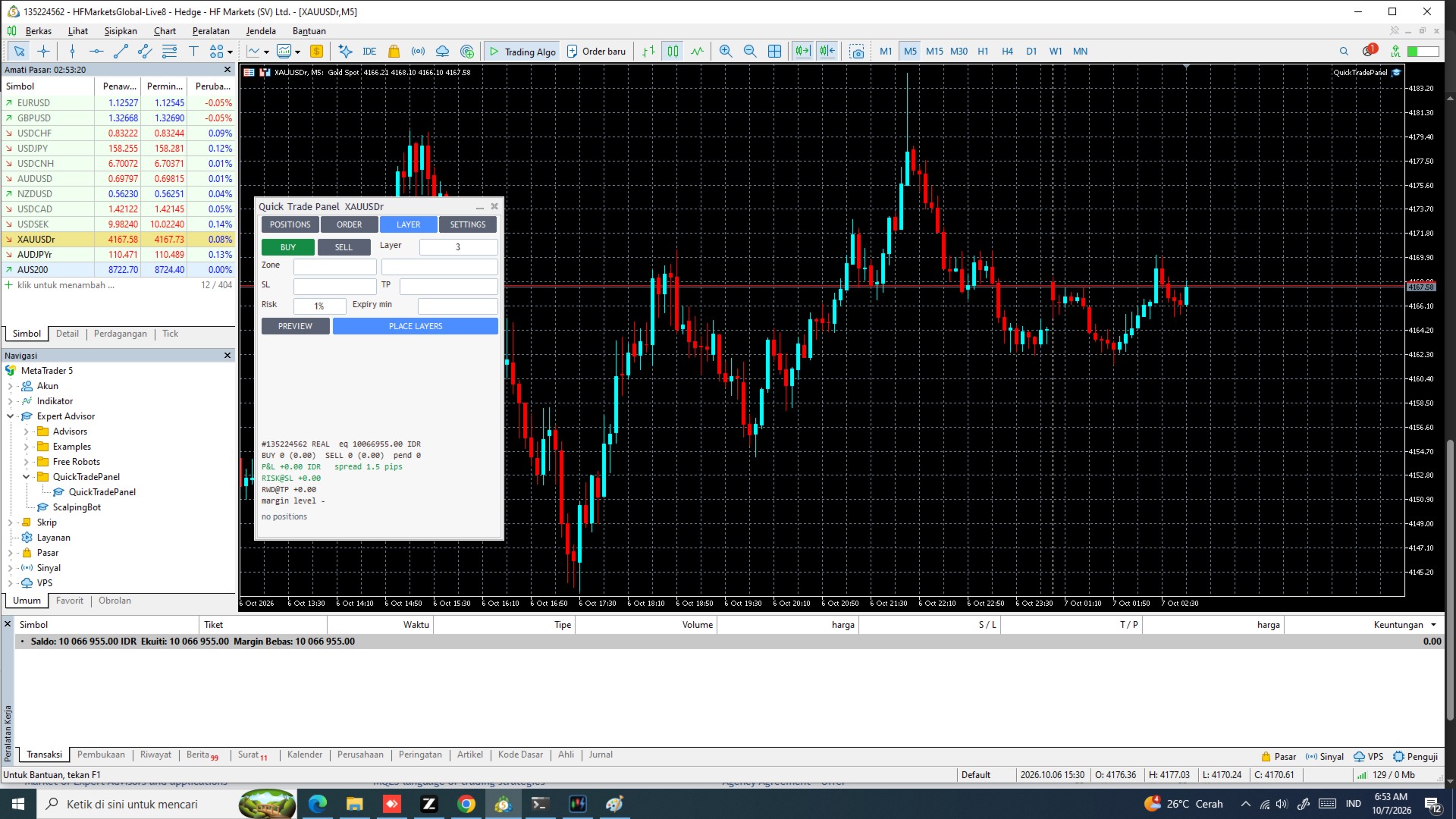
📊 Automatic Layering
Create multiple orders across a selected price zone.
The layering feature supports up to 50 orders and can automatically determine the appropriate order type.
You can configure:
-
Number of orders
-
Price zone
-
Stop Loss
-
Take Profit
-
Maximum total risk
This makes multi-entry setups much faster to prepare.
✂️ Selective Position Closing
Close positions according to different conditions without manually closing each trade.
Available actions include:
-
Close the worst-performing positions
-
Close a selected percentage of positions
-
Partially close positions
-
Close only losing positions
-
Flatten all positions
-
Cancel pending orders when flattening
🔒 Break-Even & Trailing Stop
Protect open positions with optional automatic management.
Break-even can move Stop Loss toward the entry price after the position reaches the configured profit condition.
Trailing stop can follow the favorable price movement based on the configured trailing distance.
These features are optional and can be enabled according to your trading strategy.
🔔 Risk & Margin Monitoring
Monitor your current account exposure directly from the panel.
The panel can display:
-
Total potential loss if Stop Losses are triggered
-
Risk by symbol
-
Total account risk
-
Margin information
-
Position information
-
Risk and margin alerts
This helps you understand your current exposure before taking additional trades.
Designed for Fast Execution
Quick Trade Panel is designed for traders who manage multiple positions and need to perform repetitive actions quickly.
The panel supports symbols available in your MetaTrader 5 terminal, including:
-
Forex
-
Gold
-
Indices
-
Crypto
-
Other supported MT5 instruments
The panel automatically follows the symbol's volume and price-digit rules.
Simple Setup
No Python installation is required.
-
Open MetaTrader 5.
-
Log in to your trading account.
-
Enable Algo Trading.
-
Run QuickTradePanel.exe .
-
Log in using your product credentials.
-
Select a symbol and start managing your positions.
Important: This Is Not an Automatic Trading Robot
Quick Trade Panel is an execution and position-management tool, not an Expert Advisor that independently decides when to trade.
You remain in control of your trading decisions.
The panel only executes the actions you request. Automatic Break-Even and Trailing Stop functions are available only when you explicitly enable them.
Input Parameters
Quick Trade Panel is operated through its graphical interface rather than traditional EA input parameters.
The main configurable settings available through the panel include:
-
Risk % — Percentage of account equity to risk on a new order.
-
Risk Amount — Fixed monetary amount to risk on a new order.
-
Stop Loss Distance — Distance used to calculate position size or place SL.
-
Take Profit Distance — Distance used to calculate or place TP.
-
Break-Even Settings — Conditions for automatically moving SL toward the entry price.
-
Trailing Settings — Trailing distance and activation conditions.
-
Layer Count — Number of orders used for automatic layering, up to 50.
-
Layer Zone — Price range where layered orders are distributed.
-
Maximum Layer Risk — Maximum total risk allowed for the layered setup.
-
Position Close Rules — Conditions used when selectively closing positions.
-
Risk/Margin Alerts — Thresholds used for account exposure monitoring.
Compatibility
-
MetaTrader 5
-
Windows 10 / 11
-
Works with symbols available in your MT5 terminal
-
No Python installation required
Risk Warning
Trading leveraged financial instruments involves a high level of risk and may result in the loss of your capital.
Quick Trade Panel is an execution and position-management tool. It does not provide investment advice and does not guarantee profits.
Always test the product on a demo account before using it with real funds.