Sessions Boxes Apex MT5
- Göstergeler
- Sürüm: 1.0

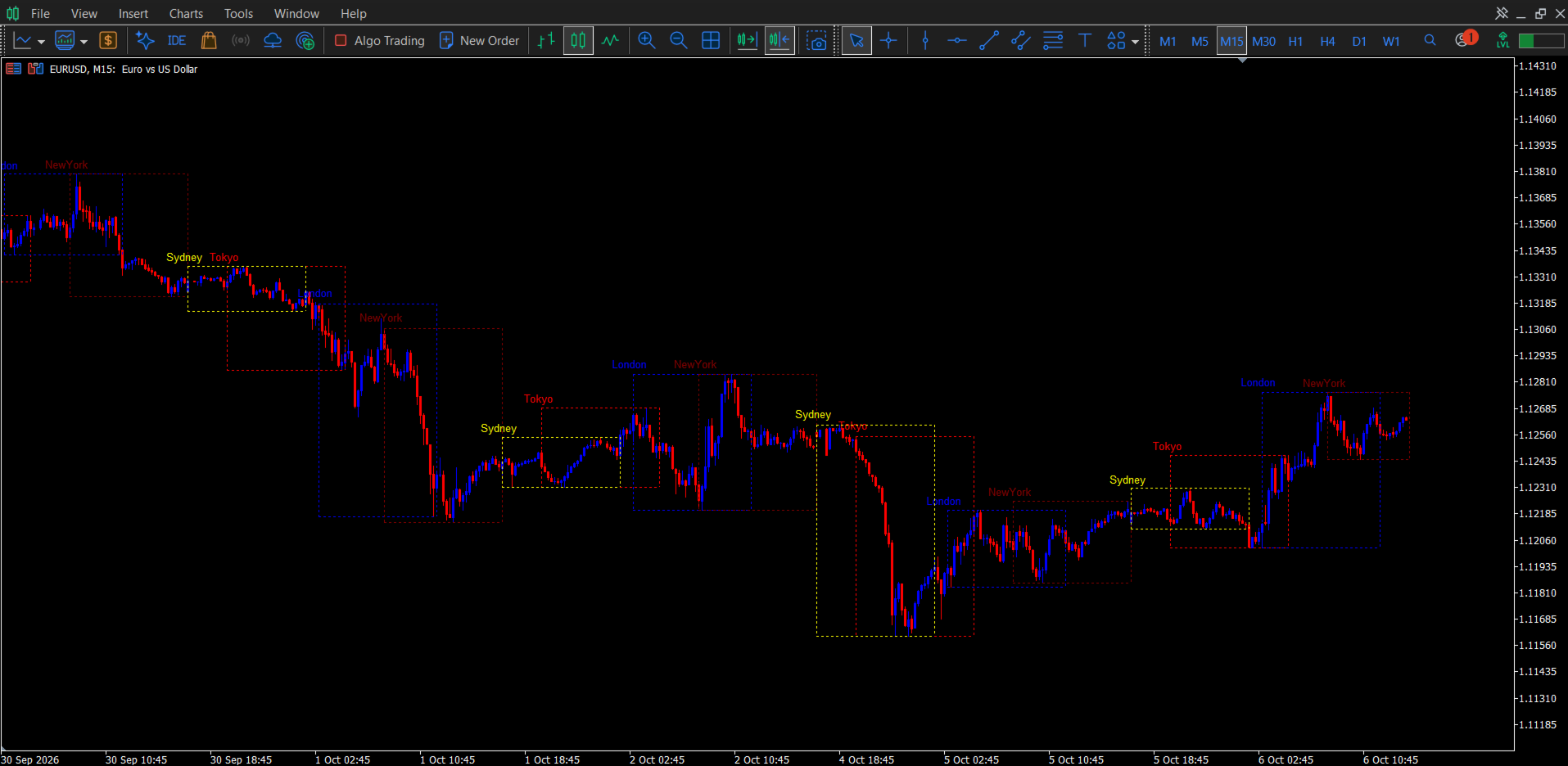
See where Tokyo, London, New York and Sydney start and finish, right on your chart.
Sessions Pro draws a clean box around each major trading session. Each box marks the session's high and low and is labelled, so you can see at a glance how every session behaved and where one handed off to the next. Boxes extend to the open of the next bar, so they line up with the next session without gaps, including across weekends and holidays.
Input note: Refer to the BabyPips Forex Market Hours website page for your session start to end time hours in your time zone to input that information into your settings.
Why traders use it
- Know which session you're in. The boxes make it obvious whether the market is in the quiet Asian range, the London breakout, or the New York overlap.
- Mark session highs and lows. Each box's top and bottom are that session's high and low, which many traders use for breakouts, sweeps and reversals.
- Compare sessions. Look back through history and see how each session usually ranges and trends.
- Reads cleanly. Dotted, dashed or solid lines and colour-coded labels keep the chart uncluttered even with all four sessions showing.
Features
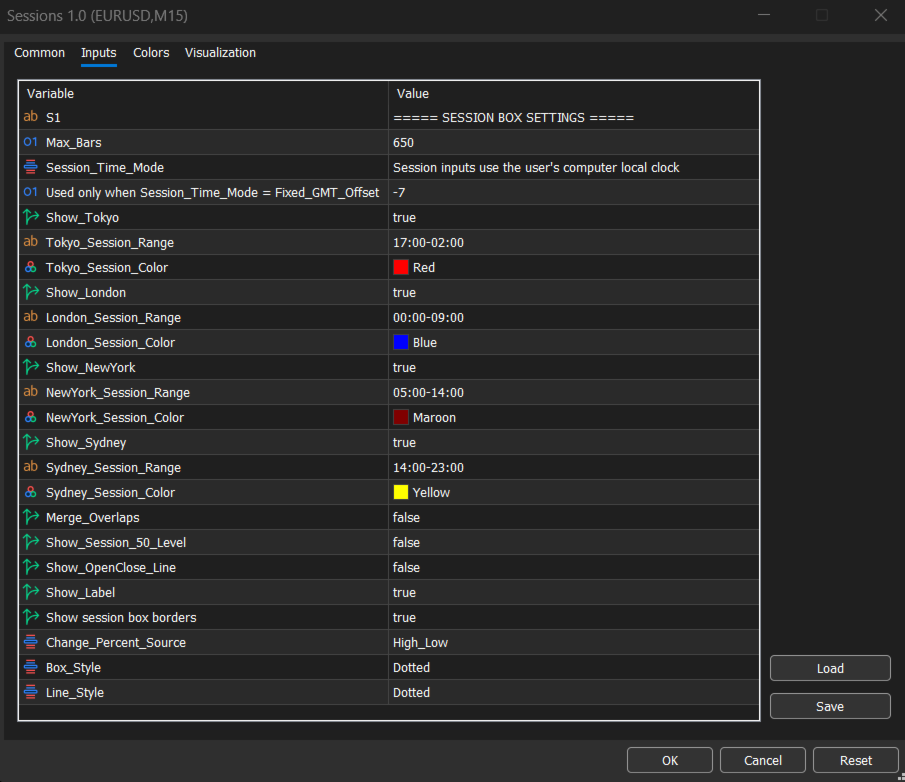
- Four sessions: Tokyo, London, New York and Sydney, each with its own on/off switch, time range and colour
- Fully editable session times in HH:MM-HH:MM format, including sessions that cross midnight
- Four time modes, so you never need to calculate your broker's offset:
- User Local Time: uses your computer's clock, including daylight saving
- UTC/GMT
- Broker Server Time
- Fixed GMT Offset: enter your own offset
- Box style options: dotted, dashed or solid
- Session labels placed above each box, which you can switch off
- Optional 50% mid-level line for each session
- Optional session open line
- Option to hide the box borders if you only want the lines and labels
- Adjustable history depth ( Max_Bars )
- Works on any symbol (forex, metals, indices, crypto) and any intraday timeframe
Built to stay light
Sessions are found by checking the real bars on your chart, not estimated times, so you don't get duplicate or misplaced boxes around weekend gaps. The full history is drawn once when the indicator loads. After that, only the latest session is refreshed on each new bar, so your terminal stays responsive.
Settings overview
| Setting | What it does |
|---|---|
| Session Time Mode | Choose which clock your session times use |
| Session GMT Offset | Used with Fixed GMT Offset mode |
| Show Tokyo / London / New York / Sydney | Turn each session on or off |
| Session Range | Start and end time for each session ( HH:MM-HH:MM ) |
| Session Colour | Colour for each session's box and label |
| Box Style / Line Style | Dotted, dashed or solid |
| Show Session Boxes | Show or hide the box borders |
| Show Label | Show or hide session names |
| Show 50% Level | Add a mid-range line to each session |
| Show Open Line | Add a line at each session's opening price |
| Max Bars | How far back the indicator draws |
Good to know
- Sessions Pro is a visual tool. It has no buy/sell signals and no alerts, and it doesn't trade for you.
- Session boxes are drawn from the bars on your chart, so use an intraday timeframe (M1 to H1 works best). On daily charts and above, a session is too short to span multiple bars.
- Default session times are preloaded and fully editable. Adjust them to match the session hours you follow.
- Boxes are standard chart objects, and they're removed automatically when you take the indicator off the chart.
Add Sessions Pro to your chart and start seeing the market the way the sessions do.