ExitLabPanelShow
- Göstergeler
- Sürüm: 2.60
- Etkinleştirmeler: 5

Compare 5 exit methods of your backtest in one panel
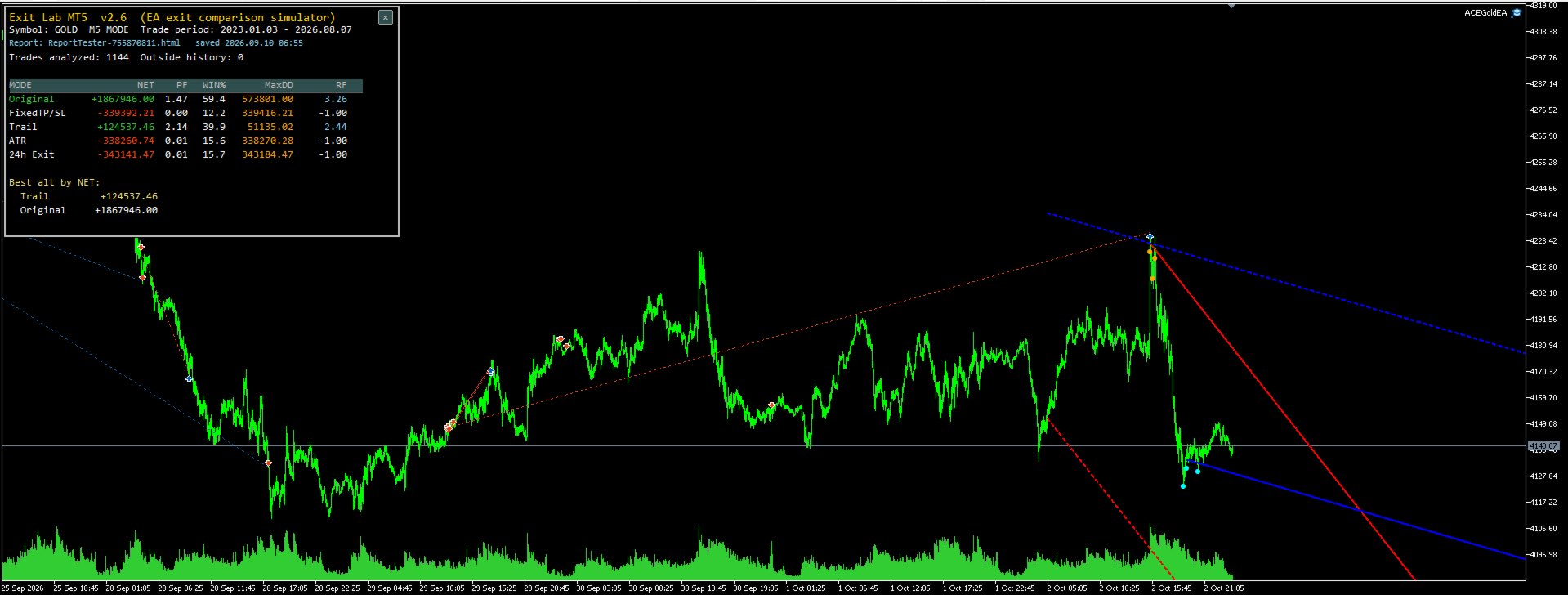
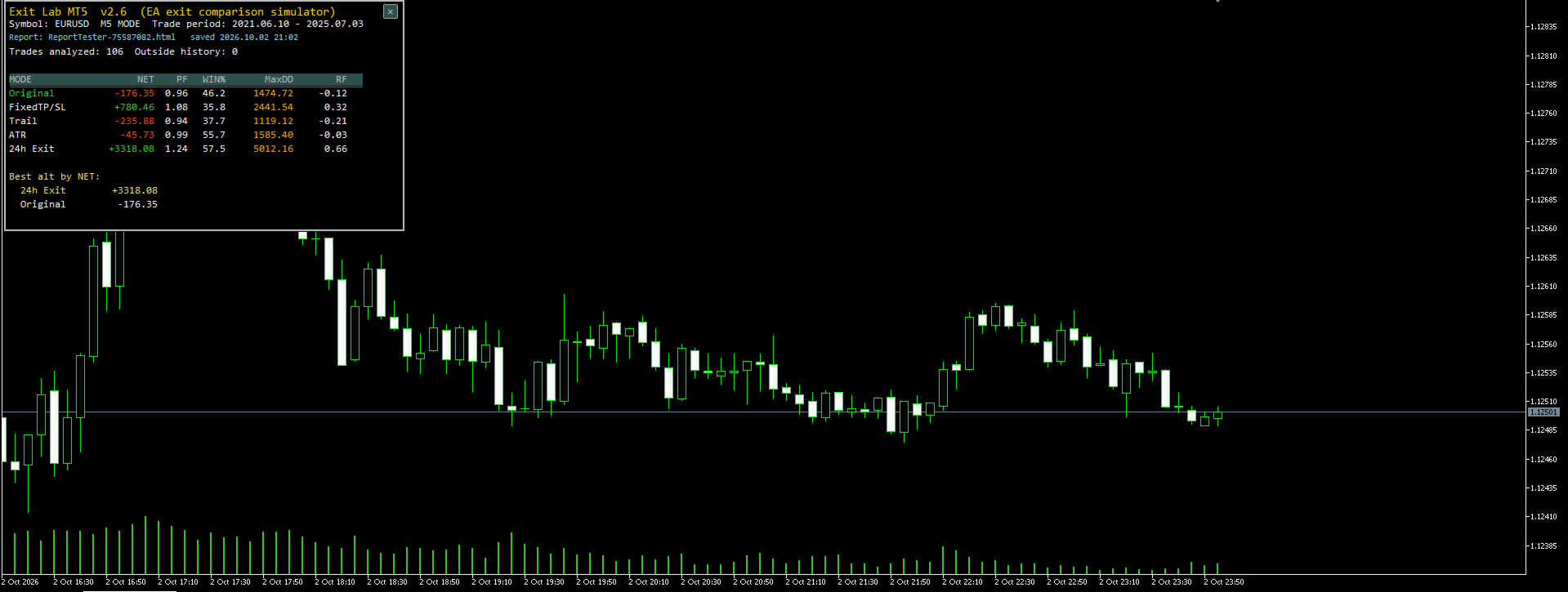
Exit Lab Panel reads a MetaTrader 5 Strategy Tester HTML report and replays the same trades under 5 exit rules, showing the comparison at the top-left of your chart.
Just 2 steps:
- Run a backtest in the Strategy Tester and save the HTML report
- Put the file into MQL5\Files\ExitLabReports\ and drag this indicator onto the chart of the same symbol
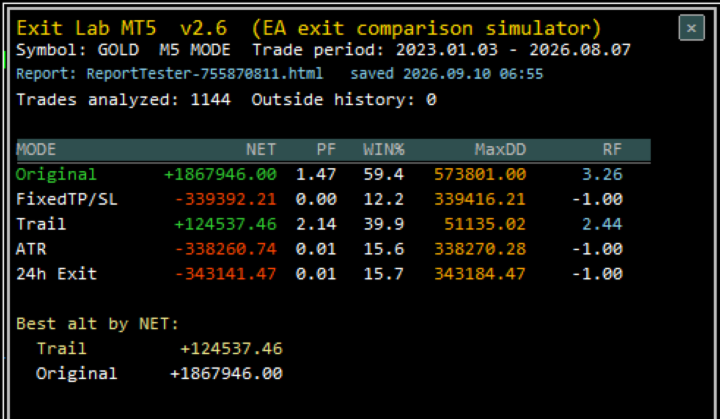
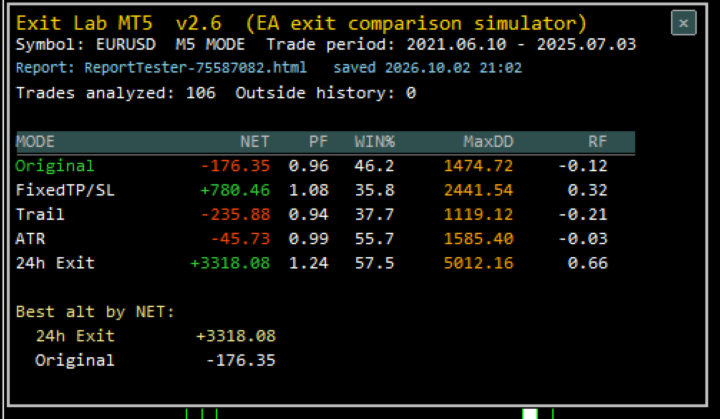
It automatically scans the folder, picks the report matching your chart symbol (newest save date wins), and displays:
- Original (the EA's real exit)
- Fixed TP/SL
- Trailing stop
- ATR-based exit
- 24-hour exit
Metrics shown: NET profit, Profit Factor, Win%, Max DD, and Recovery Factor (NET ÷ MaxDD). The best alternative exit is highlighted below the table; the loaded report name and save time are shown on the panel.
- Close the panel with the × button; click the top-left of the chart to re-open (the folder is re-scanned, so a new report is picked up automatically)
- Read-only tool: never places, modifies or cancels orders. No DLLs required.
Note: the replay is recalculated from the chart's M1/M5 history. Sufficient history for the test period is recommended. A "PARTIAL ANALYSIS" warning is shown when history is insufficient.