Session Box Range
- Göstergeler
- Sürüm: 1.0

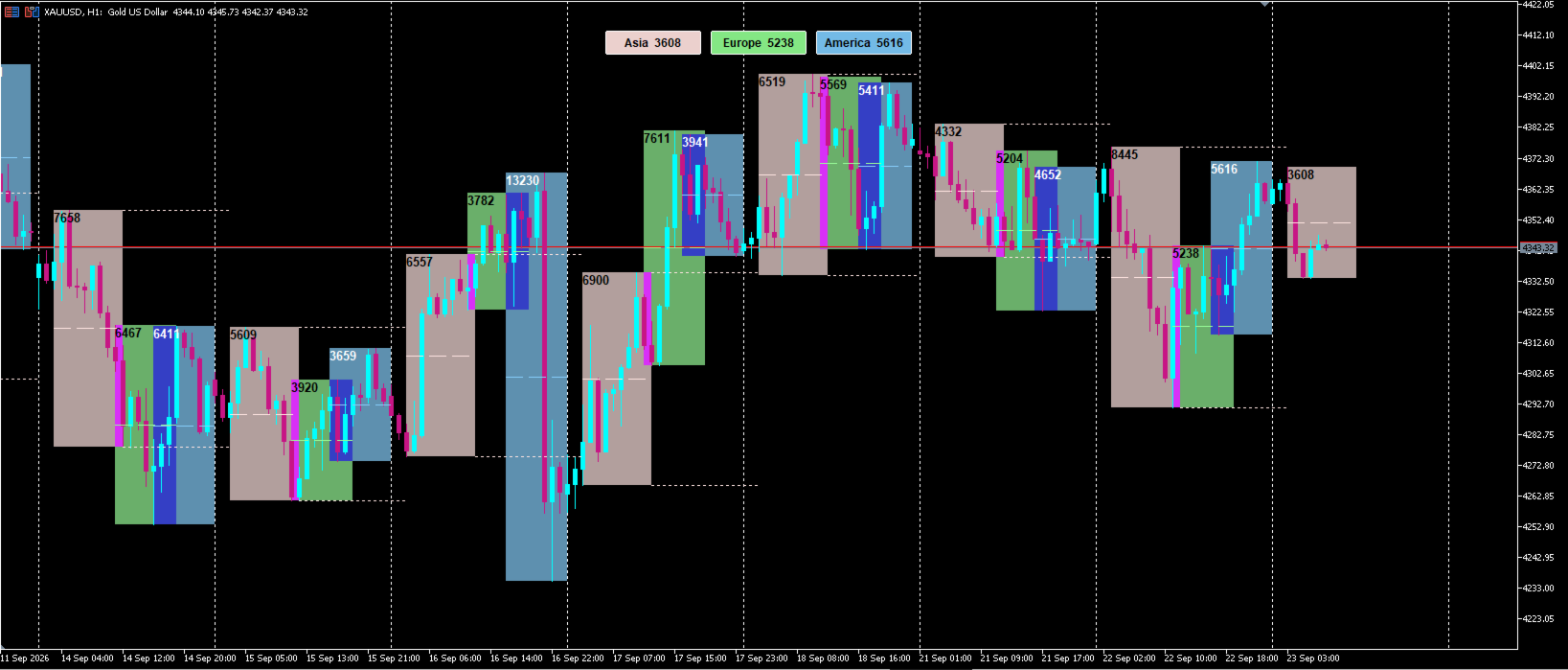
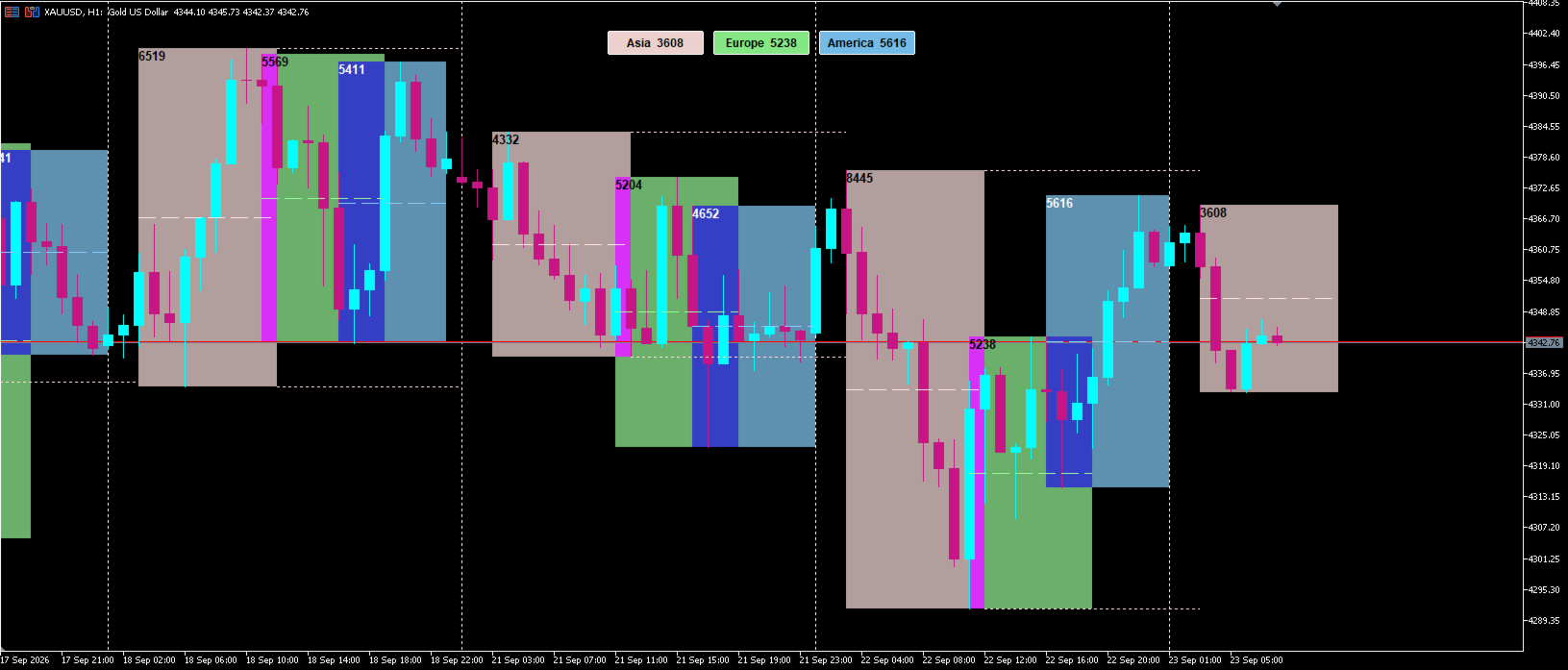
Session Box Range draws the Asian, European and US trading sessions as
high-low boxes, so you can see at a glance where each session opened, how far
it travelled and where it closed.
The range of the most recent session is printed on the on-chart toggle
buttons, so the number stays readable no matter how far you zoom or scroll.
FEATURES
- Session hours are entered in GMT, and the broker's server offset is detected
automatically, so the same settings work on any broker and survive the
server's daylight saving change
- Session boxes for Asia, Europe and the US, each with its own hours and colour
- Range of each session shown in points or pips
- Latest range displayed on the toggle buttons, fixed on screen
- One-click buttons to show or hide any session
- 50% mid-line inside each session box
- Session high and low extended forward until the same session opens again,
for traders who watch the Asian range for breakouts
- Filled or outline box style, with an opacity setting that fades the fill
into your chart background so the candles stay readable
- A dark theme colour set for dark chart schemes
- Automatically hides itself above a timeframe you choose, so higher
timeframes stay clean
- Tooltip on each box with the session range, high and low
HOW TO USE
1. Attach the indicator to an M5, M15 or H1 chart.
2. The defaults are the Tokyo, London and New York sessions in GMT, so there
is usually nothing to change. The server offset is detected on its own.
3. Click a button to toggle that session on or off.
If your terminal's clock or time zone is wrong, the detected offset can be
wrong with it. In that case set Server GMT Offset manually, or switch
Session Hours Are GMT off and enter the hours in server time.
The session high and low lines are enabled for the Asian session by default,
because that is the range most breakout traders watch. You can enable them for
the other sessions in the inputs.
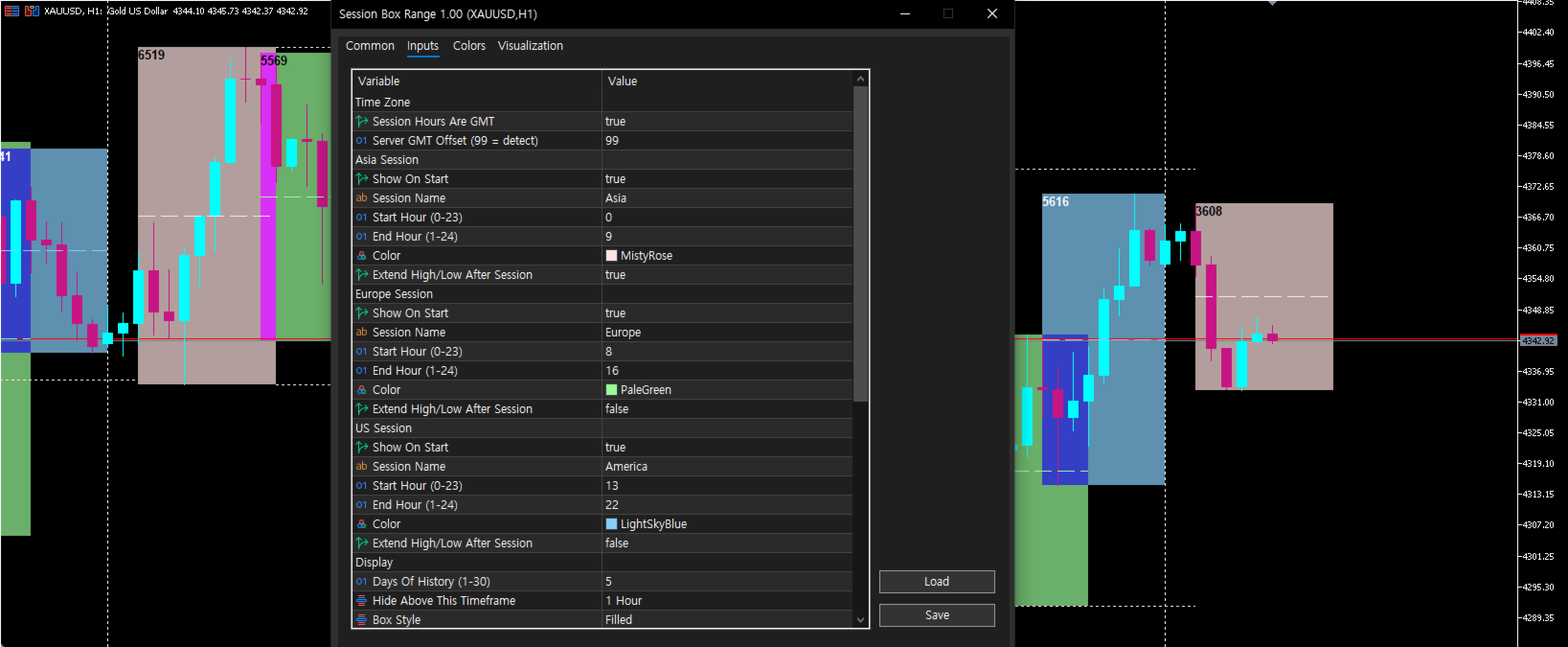
INPUTS
Time Zone
Session Hours Are GMT, Server GMT Offset (99 = detect automatically)
Asia / Europe / US Session
Show On Start, Session Name, Start Hour, End Hour, Colour,
Extend High/Low After Session
Display
Days Of History, Hide Above This Timeframe, Box Style, Show 50% Mid-Line,
Extended Line Style, Range Unit (points or pips), Dark Theme Colors,
Box Opacity
Range Label
Colour (None = automatic), Font Size, Bold, Text, Position,
Stack Labels, Stacking Gap
Buttons
Show Toggle Buttons, Show Latest Range On Buttons, Vertical Position
NOTES
- Default hours are the Tokyo (00:00-09:00), London (08:00-16:00) and
New York (13:00-22:00) sessions in GMT.
- London and New York shift their own opening hour by one hour for their
local daylight saving time. Adjust the hours if you follow those opens
to the minute.
- Designed for M5 to H1 charts. Above the timeframe you set, the indicator
hides itself instead of cluttering the chart.
- Pips are calculated as ten points on 5-digit and 3-digit symbols. On other
symbols the value is shown in points.
Free to use. Comments and feature requests are welcome.