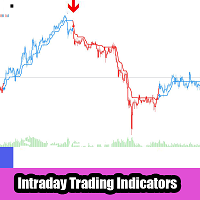
TDI Traders Dynamic Index Pro Multi Filter Signal
- Göstergeler
- Sürüm: 1.4
- Etkinleştirmeler: 5

════════════════════════════════════════════════════════════════
🚀 TRADERS DYNAMIC INDEX PRO - MULTI FILTER & SMART ALERTS SYSTEM (MT5)
════════════════════════════════════════════════════════════════
════════════════
PRODUCT TYPE
════════════════
📌 Product Category : MetaTrader 5 Technical Indicator
📌 Strategy Type : Trend Following, Reversal, Momentum & Multi-Filter Confirmation
📌 Trading Assets : Forex, Crypto, Indices, Commodities, Stocks, Metals, Energies
📌 Timeframes : Fully Functional Across ALL Timeframes (M1, M5, M15, M30, H1, H4, D1, W1, MN)
📌 Execution Model : Non-Repainting Visual Signals, On-Chart Arrows & Real-Time Alerts
════════════════
EXECUTIVE OVERVIEW
════════════════
Take your technical analysis, chart reading, and market execution to an elite institutional level with Traders Dynamic Index Pro (TDI Pro) for MetaTrader 5.
The original Traders Dynamic Index (TDI) created by Dean Malone has long been regarded as one of the most versatile and comprehensive hybrid indicators in trading history. By combining the momentum tracking of the Relative Strength Index (RSI), the volatility measurement of Bollinger Bands, and the trend smoothing of Moving Averages, the traditional TDI provides a complete overview of market conditions in a single sub-window.
However, modern financial markets have evolved dramatically. Increased algorithmic activity, high-frequency liquidity sweeps, and prolonged consolidation periods mean that standard TDI indicators operating in isolation frequently generate false crossovers during low-volatility ranges or choppy trend pullbacks.
TDI Pro completely solves this structural limitation. Engineed from the ground up specifically for MetaTrader 5, TDI Pro integrates the classic TDI core algorithm with a massive 16-module multi-filter trend confirmation engine derived from professional PinBar detector architectures and multi-indicator confluence models.
Instead of acting on every raw RSI/Signal line crossover, TDI Pro subjects every potential trading signal to a rigorous multi-stage verification pipeline. By cross-referencing market momentum against macro trend direction, volatility thresholds, structural support/resistance levels, dynamic Fibonacci zones, and secondary oscillator alignments, TDI Pro ensures that buy and sell arrows are plotted only when high-probability confluence is present.
Whether you are a fast-paced scalper on the M1/M5 timeframes, a systematic day trader on M15/H1, or a swing trader managing positions on H4/D1, TDI Pro offers modular flexibility, allowing you to activate or deactivate individual filter components to match your exact trading style.
════════════════
KEY FEATURES & VALUE PROPOSITIONS
════════════════
🔹 Advanced Multi-Filter Confluence Engine: Combines 16 distinct technical analysis filters into a single indicator, eliminating chart clutter while delivering institutional-grade entry filtering.
🔹 Non-Repainting Arrow Signals: Visual buy and sell arrows are drawn dynamically on current closed bars and historical candles. Once a bar closes and a signal locks, it will NEVER repaint, shift, or disappear.
🔹 Built-In TDI Base & Level 50 Filters: Includes the native Market Base Line direction filter and the classic Level 50 baseline filter to keep you trading strictly in alignment with macro momentum.
🔹 Comprehensive Real-Time Alert Suite: Never miss a valid setup with fully integrated Popup Terminal Alerts, Custom Audio WAV Sound Chimes, Smartphone Push Notifications via MetaQuotes ID, and Automated Email Alerts.
🔹 Native MT5 Code Optimization: Built with advanced memory management, static buffer allocation, handle pre-initialization, and lightweight array sorting algorithms to ensure zero terminal freeze or chart lag.
🔹 Ultra-Modular Customizability: Toggle every individual filter module on or off with simple boolean parameters. Create custom trend-following, mean-reversion, or breakout trading strategies effortlessly.
🔹 Full Multi-Asset Compatibility: Perfectly calibrated to analyze Forex major/minor pairs, Gold (XAUUSD), Silver (XAGUSD), Crude Oil (WTI/Brent), Major Global Indices (US30, NAS100, GER40), and Cryptocurrency pairs (BTCUSD, ETHUSD).
════════════════
CORE INDICATOR COMPONENTS EXPLAINED
════════════════
TDI Pro visualizes price dynamics through five synchronized buffer lines in a separate sub-window, combined with direct main-chart arrow overlays:
1. 🩵 RSI Price Line (Aqua Line):
Calculated using a smoothed Relative Strength Index. This line represents short-term price direction and immediate momentum. When it crosses above or below the signal line, it provides the core trigger for entries.
2. 🔴 Trade Signal Line (Red Line):
A smoothed moving average calculated directly from the RSI Price Line. It serves as the trailing baseline for identifying entry setups and trailing momentum exhaustion.
3. 🟦 Volatility Bands (Upper & Lower Blue Lines):
Dynamic volatility envelopes derived from standard deviation calculations applied directly to RSI data. They expand during explosive market breakouts and contract during low-volatility squeeze periods.
4. 💜 Market Base Line (Orchid/Yellow Line):
The central median band of the Volatility Bands. It acts as the ultimate macro direction indicator. Being above the Market Base Line signals bullish bias, while staying below indicates bearish control.
5. 🏹 Chart Buy & Sell Signal Arrows:
Visual arrow objects plotted directly above high candles (Sell ▼) or below low candles (Buy ▲) on the main chart whenever all core TDI rules and active filter modules agree simultaneously.
════════════════
DETAILED ADVANTAGES & TRADING BENEFITS
════════════════
🎯 Eliminates Emotional Decision-Making:
Trading success requires consistency. TDI Pro removes subjective guessing by enforcing precise mathematical rules for every trade signal, eliminating FOMO and impulse entries.
🎯 Dramatically Reduces Loss Frequency:
By filtering out counter-trend TDI crossovers during choppy market conditions using Moving Averages, ADX trend strength thresholds, or Support/Resistance boundaries, false signals are slashed significantly.
🎯 Unifies Multi-Indicator Analysis:
Instead of cluttering your main price chart with five different indicators (such as MACD, Moving Averages, Parabolic SAR, and Ichimoku), TDI Pro processes all calculations silently in the background and presents a clean visual arrow.
🎯 Prevents Alert Fatigue:
Standard indicators flood traders with irrelevant notifications. TDI Pro fires notifications ONLY when every single active filter criterion is met at candle close, ensuring high signal quality.
════════════════
COMPREHENSIVE INPUT PARAMETERS GUIDE
════════════════
--- [ 1. TDI CORE PARAMETERS ] ---
🔸 InpPeriodRSI (Default: 13)
Sets the calculation lookback period for the primary Relative Strength Index (RSI). Lower values increase sensitivity; higher values smooth out price fluctuations.
🔸 InpAppliedPriceRSI (Default: PRICE_CLOSE)
Defines the price source used for the RSI calculation (PRICE_CLOSE, PRICE_OPEN, PRICE_HIGH, PRICE_LOW, PRICE_MEDIAN, PRICE_TYPICAL, PRICE_WEIGHTED).
🔸 InpPeriodVolBand (Default: 34)
Defines the lookback period for calculating the Volatility Bands surrounding the RSI lines.
🔸 InpPeriodSmRSI (Default: 2)
Determines the smoothing period applied to create the fast RSI Price Line.
🔸 InpMethodSmRSI (Default: MODE_SMA)
Smoothing method applied to the RSI Price Line (MODE_SMA, MODE_EMA, MODE_SMMA, MODE_LWMA).
🔸 InpPeriodSmSig (Default: 7)
Determines the smoothing period applied to create the slower Trade Signal Line.
🔸 InpMethodSmSig (Default: MODE_SMA)
Smoothing method applied to the Trade Signal Line.
🔸 InpOverbought (Default: 68.0)
Sets the visual horizontal upper line representing overbought conditions.
🔸 InpOversold (Default: 32.0)
Sets the visual horizontal lower line representing oversold conditions.
🔸 InpShowBase (Default: INPUT_NO)
Toggles the visibility of the Market Base Line in the sub-window.
🔸 InpShowVBL (Default: INPUT_NO)
Toggles the visibility of the Volatility Band upper and lower boundary lines.
🔸 InpShowSignals (Default: INPUT_YES)
Enables or disables visual Buy/Sell arrow objects drawn on the main price chart.
🔸 InpUseBaseFilter (Default: INPUT_YES)
When set to INPUT_YES, Buy signals are valid only if the RSI Price Line is ABOVE the Market Base Line, and Sell signals are valid only if BELOW.
🔸 InpUseLevel50Filter (Default: INPUT_YES)
When set to INPUT_YES, Buy signals require the RSI Line to be above the 50.0 level, while Sell signals require it to be below 50.0.
--- [ 2. SECONDARY RSI CROSS FILTER ] ---
🔸 Use_RSI_Cross_Filter (Default: false)
Enables secondary RSI crossing validation to ensure entries occur upon exiting extreme overbought/oversold levels.
🔸 RSI_Length (Default: 14)
Calculation period for the secondary RSI cross filter.
🔸 RSI_Price_Source (Default: PRICE_CLOSE)
Applied price type used for secondary RSI calculations.
🔸 Oversold (Default: 30.0) / Overbought (Default: 70.0)
Threshold boundaries required for secondary RSI entry validation.
--- [ 3. ADX TREND STRENGTH FILTER ] ---
🔸 Use_ADX_Filter (Default: false)
Activates the Average Directional Index (ADX) filter to ensure signals trigger only during strong trending markets.
🔸 ADX_Period (Default: 10)
Averaging lookback period for ADX calculation.
🔸 ADX_Min_Level (Default: 20.0)
Minimum ADX threshold value required to confirm directional trend strength before generating signals.
--- [ 4. SINGLE MOVING AVERAGE FILTER ] ---
🔸 Use_MA_Filter (Default: false)
Enables a master baseline Moving Average filter to align entries with higher-period trends.
🔸 MA_Period (Default: 50)
Lookback period for the trend Moving Average.
🔸 MA_Method (Default: MODE_SMA)
Moving average formula type (Simple, Exponential, Smoothed, Linear Weighted).
🔸 MA_Shift (Default: 0)
Horizontal bar shift offset applied to the Moving Average.
--- [ 5. ICHIMOKU SENKOU SPAN B FILTER ] ---
🔸 Use_Ichimoku_Filter (Default: false)
Filters entries using key Ichimoku Kijun-sen and Senkou Span B cloud boundaries.
🔸 Ichimoku_SenkouB (Default: 52)
Period setting for Senkou Span B calculation.
🔸 Ichimoku_Kijun (Default: 26)
Period setting for Kijun-sen line calculation.
--- [ 6. RSI 75 MACRO TREND FILTER ] ---
🔸 Use_RSI75_Filter (Default: false)
Employs a long-period (75) RSI to determine overall macro market bias.
🔸 RSI_Filter_Period (Default: 75)
Period setting for the macro trend RSI filter.
--- [ 7. DOUBLE MOVING AVERAGE CROSS FILTER ] ---
🔸 Use_DoubleMA_Filter (Default: false)
Activates dual moving average trend orientation (Fast MA vs Slow MA position).
🔸 MA_A_Period (Default: 30) / MA_A_Method / MA_A_Applied / MA_A_Shift
Full configuration parameter set for Moving Average A (Fast MA).
🔸 MA_B_Period (Default: 140) / MA_B_Method / MA_B_Applied / MA_B_Shift
Full configuration parameter set for Moving Average B (Slow MA).
--- [ 8. AWESOME OSCILLATOR FILTER ] ---
🔸 Use_AO_Filter (Default: false)
Master activation toggle for Awesome Oscillator momentum filtering.
🔸 Use_AO_Volume_Filter (Default: false)
Validates signal entries against absolute positive or negative AO histogram thresholds.
🔸 AO_Buy_Min (Default: 4.0) / AO_Sell_Max (Default: -4.0)
Minimum positive AO value for Buy entries and maximum negative AO value for Sell entries.
🔸 Use_AO_Color_Filter (Default: false)
Requires current AO histogram bar color progression (Green for Buy, Red for Sell) to match signal direction.
🔸 Use_AO_Zero_Filter (Default: false)
Requires AO histogram values to sit strictly above zero for Buys and below zero for Sells.
--- [ 9. PARABOLIC SAR FILTER ] ---
🔸 Use_SAR_Filter (Default: false)
Filters entries based on price position relative to Parabolic SAR trailing dots.
🔸 SAR_Step (Default: 0.02)
Acceleration factor step size for Parabolic SAR.
🔸 SAR_Maximum (Default: 0.2)
Maximum acceleration factor limit for Parabolic SAR.
--- [ 10. HEIKEN ASHI FILTER ] ---
🔸 Use_HeikenAshi_Filter (Default: false)
Requires the current candle's calculated Heiken Ashi body color (Bullish/Bearish) to align with trade direction.
--- [ 11. CCI TREND & OVERBOUGHT/OVERSOLD FILTERS ] ---
🔸 Use_CCI_Filter (Default: false)
Requires the Commodity Channel Index to remain above zero for Buys and below zero for Sells.
🔸 CCI_Period (Default: 50) / CCI_Applied (Default: PRICE_CLOSE)
Period length and price source used for the trend CCI module.
🔸 Use_CCI_OBOS_Filter (Default: false)
Validates signal entries using extreme momentum threshold levels.
🔸 CCI_OBOS_Period (14) / CCI_Overbought (100.0) / CCI_Oversold (-100.0)
Settings for the secondary momentum CCI overbought and oversold filter.
--- [ 12. RVI TREND & SIGNAL LINE FILTERS ] ---
🔸 Use_RVI_Filter (Default: false)
Uses Relative Vigor Index zero-line positioning to confirm market directional bias.
🔸 RVI_Period (Default: 75)
Averaging period for RVI macro trend tracking.
🔸 Use_RVI_Signal_Filter (Default: false)
Requires RVI main line and signal line crossover alignment before allowing entries.
🔸 RVI_Signal_Period (Default: 20)
Lookback period for the RVI signal line filter.
--- [ 13. MACD HISTOGRAM & ZERO LINE FILTERS ] ---
🔸 Use_MACD_Filter (Default: false)
Requires the MACD histogram to sit in positive territory for Buy signals and negative territory for Sell signals.
🔸 MACD_FastEMA (12) / MACD_SlowEMA (26) / MACD_SignalSMA (9) / MACD_Applied (PRICE_CLOSE)
Standard calculation parameters for the MACD filter engine.
🔸 Use_MACD_Zero_Filter (Default: false)
Requires the main MACD calculation line to sit above or below the central zero reference line.
--- [ 14. SUPPORT & RESISTANCE ZONE FILTER ] ---
🔸 Use_SR_Filter (Default: false)
Validates Buy signals only when price is interacting with calculated Support zones, and Sell signals at Resistance zones.
🔸 SR_Period (Default: 50)
Lookback bar length used to identify major structural swing highs and swing lows.
🔸 SR_Zone_Points (Default: 80)
Sensitivity buffer distance in points defining the active support/resistance zone boundaries.
--- [ 15. DYNAMIC FIBONACCI RETRACEMENT FILTER ] ---
🔸 Use_Fib_Filter (Default: false)
Ensures trades trigger only when price action retraces into optimal Fibonacci entry zones calculated from dynamic ZigZag swing points.
🔸 Fib_Level_1 (Default: 0.382)
First Fibonacci retracement boundary level (38.2%).
🔸 Fib_Level_2 (Default: 0.618)
Second Fibonacci retracement boundary level (61.8%).
🔸 ZigZag_Depth (12) / ZigZag_Deviation (5) / ZigZag_Backstep (3)
Swing high and swing low detection parameters used to construct dynamic Fibonacci levels.
--- [ 16. ALERT & NOTIFICATION SYSTEM PARAMETERS ] ---
🔸 InpEnableAlerts (Default: INPUT_YES)
Master toggle switch controlling all indicator alert mechanisms.
🔸 InpAlertPopup (Default: true)
Launches native MT5 terminal popup dialog windows when a new signal confirms.
🔸 InpAlertSound (Default: true)
Plays a customized audio chime upon signal confirmation.
🔸 InpSoundFile (Default: "alert.wav")
Audio file name located within the terminal's Sounds folder.
🔸 InpAlertPush (Default: true)
Sends instant push notifications directly to your smartphone MetaTrader mobile application via MetaQuotes ID.
🔸 InpAlertEmail (Default: false)
Sends automated email messages detailing signal symbol, timeframe, and direction via MT5 Email settings.
🔸 InpAlertOnLoad (Default: false)
Optionally evaluates and alerts the most recent historical signal immediately when attaching the indicator to a chart.
════════════════
RECOMMENDED STRATEGY CONFIGURATIONS
════════════════
📍 Trend Following Conservative Setup (High Win Rate / Medium Frequency):
• TDI Core + Market Base Line Filter: ON
• TDI Level 50 Filter: ON
• Single MA Filter (Period 200 EMA): ON
• ADX Trend Filter (Min Level 20): ON
• Execution Timeframe: M15 or H1
📍 Fast Scalping Setup (High Signal Frequency):
• TDI Core Crossover: ON
• Heiken Ashi Body Filter: ON
• Awesome Oscillator Color Filter: ON
• Execution Timeframe: M1 or M5
📍 Swing Trading Confluence Setup (Maximum Precision):
• TDI Core + Market Base Line Filter: ON
• Double Moving Average Filter (30 EMA vs 140 EMA): ON
• Support & Resistance Zone Filter: ON
• Dynamic Fibonacci Filter: ON
• Execution Timeframe: H4 or D1
📍 General Execution Rules:
1. Wait for the signal arrow to complete and lock at the candle close.
2. Confirm the alert notification on your desktop or mobile device.
3. Open position at the start of the next new candle.
4. Set Stop Loss beyond the nearest market structure or swing point, and set Take Profit targeting the opposite Volatility Band or a fixed 1:2 Risk-to-Reward ratio.
════════════════
SYSTEM & TERMINAL REQUIREMENTS
════════════════
🖥️ Supported Platform : MetaTrader 5 (MT5) Desktop
💻 Programming Language : MQL5 Native Execution
📈 Account Type Support : Hedging and Netting Accounts
📱 Mobile Push Support : iOS & Android via MetaQuotes ID
════════════════
THANK YOU & HAPPY TRADING
════════════════
🙏 Thank you for choosing Traders Dynamic Index Pro for MetaTrader 5.
We are dedicated to producing robust, high-performance trading tools engineered for professional financial market analysis.
If you have any setup questions, feature requests, or need assistance configuring parameters for specific assets, please do not hesitate to contact us directly through MQL5 Direct Messaging.
Wish you great success and disciplined trading! 🟢✨
🚀 TRADERS DYNAMIC INDEX PRO - MULTI FILTER & SMART ALERTS SYSTEM (MT5)
════════════════════════════════════════════════════════════════
════════════════
PRODUCT TYPE
════════════════
📌 Product Category : MetaTrader 5 Technical Indicator
📌 Strategy Type : Trend Following, Reversal, Momentum & Multi-Filter Confirmation
📌 Trading Assets : Forex, Crypto, Indices, Commodities, Stocks, Metals, Energies
📌 Timeframes : Fully Functional Across ALL Timeframes (M1, M5, M15, M30, H1, H4, D1, W1, MN)
📌 Execution Model : Non-Repainting Visual Signals, On-Chart Arrows & Real-Time Alerts
════════════════
EXECUTIVE OVERVIEW
════════════════
Take your technical analysis, chart reading, and market execution to an elite institutional level with Traders Dynamic Index Pro (TDI Pro) for MetaTrader 5.
The original Traders Dynamic Index (TDI) created by Dean Malone has long been regarded as one of the most versatile and comprehensive hybrid indicators in trading history. By combining the momentum tracking of the Relative Strength Index (RSI), the volatility measurement of Bollinger Bands, and the trend smoothing of Moving Averages, the traditional TDI provides a complete overview of market conditions in a single sub-window.
However, modern financial markets have evolved dramatically. Increased algorithmic activity, high-frequency liquidity sweeps, and prolonged consolidation periods mean that standard TDI indicators operating in isolation frequently generate false crossovers during low-volatility ranges or choppy trend pullbacks.
TDI Pro completely solves this structural limitation. Engineed from the ground up specifically for MetaTrader 5, TDI Pro integrates the classic TDI core algorithm with a massive 16-module multi-filter trend confirmation engine derived from professional PinBar detector architectures and multi-indicator confluence models.
Instead of acting on every raw RSI/Signal line crossover, TDI Pro subjects every potential trading signal to a rigorous multi-stage verification pipeline. By cross-referencing market momentum against macro trend direction, volatility thresholds, structural support/resistance levels, dynamic Fibonacci zones, and secondary oscillator alignments, TDI Pro ensures that buy and sell arrows are plotted only when high-probability confluence is present.
Whether you are a fast-paced scalper on the M1/M5 timeframes, a systematic day trader on M15/H1, or a swing trader managing positions on H4/D1, TDI Pro offers modular flexibility, allowing you to activate or deactivate individual filter components to match your exact trading style.
════════════════
KEY FEATURES & VALUE PROPOSITIONS
════════════════
🔹 Advanced Multi-Filter Confluence Engine: Combines 16 distinct technical analysis filters into a single indicator, eliminating chart clutter while delivering institutional-grade entry filtering.
🔹 Non-Repainting Arrow Signals: Visual buy and sell arrows are drawn dynamically on current closed bars and historical candles. Once a bar closes and a signal locks, it will NEVER repaint, shift, or disappear.
🔹 Built-In TDI Base & Level 50 Filters: Includes the native Market Base Line direction filter and the classic Level 50 baseline filter to keep you trading strictly in alignment with macro momentum.
🔹 Comprehensive Real-Time Alert Suite: Never miss a valid setup with fully integrated Popup Terminal Alerts, Custom Audio WAV Sound Chimes, Smartphone Push Notifications via MetaQuotes ID, and Automated Email Alerts.
🔹 Native MT5 Code Optimization: Built with advanced memory management, static buffer allocation, handle pre-initialization, and lightweight array sorting algorithms to ensure zero terminal freeze or chart lag.
🔹 Ultra-Modular Customizability: Toggle every individual filter module on or off with simple boolean parameters. Create custom trend-following, mean-reversion, or breakout trading strategies effortlessly.
🔹 Full Multi-Asset Compatibility: Perfectly calibrated to analyze Forex major/minor pairs, Gold (XAUUSD), Silver (XAGUSD), Crude Oil (WTI/Brent), Major Global Indices (US30, NAS100, GER40), and Cryptocurrency pairs (BTCUSD, ETHUSD).
════════════════
CORE INDICATOR COMPONENTS EXPLAINED
════════════════
TDI Pro visualizes price dynamics through five synchronized buffer lines in a separate sub-window, combined with direct main-chart arrow overlays:
1. 🩵 RSI Price Line (Aqua Line):
Calculated using a smoothed Relative Strength Index. This line represents short-term price direction and immediate momentum. When it crosses above or below the signal line, it provides the core trigger for entries.
2. 🔴 Trade Signal Line (Red Line):
A smoothed moving average calculated directly from the RSI Price Line. It serves as the trailing baseline for identifying entry setups and trailing momentum exhaustion.
3. 🟦 Volatility Bands (Upper & Lower Blue Lines):
Dynamic volatility envelopes derived from standard deviation calculations applied directly to RSI data. They expand during explosive market breakouts and contract during low-volatility squeeze periods.
4. 💜 Market Base Line (Orchid/Yellow Line):
The central median band of the Volatility Bands. It acts as the ultimate macro direction indicator. Being above the Market Base Line signals bullish bias, while staying below indicates bearish control.
5. 🏹 Chart Buy & Sell Signal Arrows:
Visual arrow objects plotted directly above high candles (Sell ▼) or below low candles (Buy ▲) on the main chart whenever all core TDI rules and active filter modules agree simultaneously.
════════════════
DETAILED ADVANTAGES & TRADING BENEFITS
════════════════
🎯 Eliminates Emotional Decision-Making:
Trading success requires consistency. TDI Pro removes subjective guessing by enforcing precise mathematical rules for every trade signal, eliminating FOMO and impulse entries.
🎯 Dramatically Reduces Loss Frequency:
By filtering out counter-trend TDI crossovers during choppy market conditions using Moving Averages, ADX trend strength thresholds, or Support/Resistance boundaries, false signals are slashed significantly.
🎯 Unifies Multi-Indicator Analysis:
Instead of cluttering your main price chart with five different indicators (such as MACD, Moving Averages, Parabolic SAR, and Ichimoku), TDI Pro processes all calculations silently in the background and presents a clean visual arrow.
🎯 Prevents Alert Fatigue:
Standard indicators flood traders with irrelevant notifications. TDI Pro fires notifications ONLY when every single active filter criterion is met at candle close, ensuring high signal quality.
════════════════
COMPREHENSIVE INPUT PARAMETERS GUIDE
════════════════
--- [ 1. TDI CORE PARAMETERS ] ---
🔸 InpPeriodRSI (Default: 13)
Sets the calculation lookback period for the primary Relative Strength Index (RSI). Lower values increase sensitivity; higher values smooth out price fluctuations.
🔸 InpAppliedPriceRSI (Default: PRICE_CLOSE)
Defines the price source used for the RSI calculation (PRICE_CLOSE, PRICE_OPEN, PRICE_HIGH, PRICE_LOW, PRICE_MEDIAN, PRICE_TYPICAL, PRICE_WEIGHTED).
🔸 InpPeriodVolBand (Default: 34)
Defines the lookback period for calculating the Volatility Bands surrounding the RSI lines.
🔸 InpPeriodSmRSI (Default: 2)
Determines the smoothing period applied to create the fast RSI Price Line.
🔸 InpMethodSmRSI (Default: MODE_SMA)
Smoothing method applied to the RSI Price Line (MODE_SMA, MODE_EMA, MODE_SMMA, MODE_LWMA).
🔸 InpPeriodSmSig (Default: 7)
Determines the smoothing period applied to create the slower Trade Signal Line.
🔸 InpMethodSmSig (Default: MODE_SMA)
Smoothing method applied to the Trade Signal Line.
🔸 InpOverbought (Default: 68.0)
Sets the visual horizontal upper line representing overbought conditions.
🔸 InpOversold (Default: 32.0)
Sets the visual horizontal lower line representing oversold conditions.
🔸 InpShowBase (Default: INPUT_NO)
Toggles the visibility of the Market Base Line in the sub-window.
🔸 InpShowVBL (Default: INPUT_NO)
Toggles the visibility of the Volatility Band upper and lower boundary lines.
🔸 InpShowSignals (Default: INPUT_YES)
Enables or disables visual Buy/Sell arrow objects drawn on the main price chart.
🔸 InpUseBaseFilter (Default: INPUT_YES)
When set to INPUT_YES, Buy signals are valid only if the RSI Price Line is ABOVE the Market Base Line, and Sell signals are valid only if BELOW.
🔸 InpUseLevel50Filter (Default: INPUT_YES)
When set to INPUT_YES, Buy signals require the RSI Line to be above the 50.0 level, while Sell signals require it to be below 50.0.
--- [ 2. SECONDARY RSI CROSS FILTER ] ---
🔸 Use_RSI_Cross_Filter (Default: false)
Enables secondary RSI crossing validation to ensure entries occur upon exiting extreme overbought/oversold levels.
🔸 RSI_Length (Default: 14)
Calculation period for the secondary RSI cross filter.
🔸 RSI_Price_Source (Default: PRICE_CLOSE)
Applied price type used for secondary RSI calculations.
🔸 Oversold (Default: 30.0) / Overbought (Default: 70.0)
Threshold boundaries required for secondary RSI entry validation.
--- [ 3. ADX TREND STRENGTH FILTER ] ---
🔸 Use_ADX_Filter (Default: false)
Activates the Average Directional Index (ADX) filter to ensure signals trigger only during strong trending markets.
🔸 ADX_Period (Default: 10)
Averaging lookback period for ADX calculation.
🔸 ADX_Min_Level (Default: 20.0)
Minimum ADX threshold value required to confirm directional trend strength before generating signals.
--- [ 4. SINGLE MOVING AVERAGE FILTER ] ---
🔸 Use_MA_Filter (Default: false)
Enables a master baseline Moving Average filter to align entries with higher-period trends.
🔸 MA_Period (Default: 50)
Lookback period for the trend Moving Average.
🔸 MA_Method (Default: MODE_SMA)
Moving average formula type (Simple, Exponential, Smoothed, Linear Weighted).
🔸 MA_Shift (Default: 0)
Horizontal bar shift offset applied to the Moving Average.
--- [ 5. ICHIMOKU SENKOU SPAN B FILTER ] ---
🔸 Use_Ichimoku_Filter (Default: false)
Filters entries using key Ichimoku Kijun-sen and Senkou Span B cloud boundaries.
🔸 Ichimoku_SenkouB (Default: 52)
Period setting for Senkou Span B calculation.
🔸 Ichimoku_Kijun (Default: 26)
Period setting for Kijun-sen line calculation.
--- [ 6. RSI 75 MACRO TREND FILTER ] ---
🔸 Use_RSI75_Filter (Default: false)
Employs a long-period (75) RSI to determine overall macro market bias.
🔸 RSI_Filter_Period (Default: 75)
Period setting for the macro trend RSI filter.
--- [ 7. DOUBLE MOVING AVERAGE CROSS FILTER ] ---
🔸 Use_DoubleMA_Filter (Default: false)
Activates dual moving average trend orientation (Fast MA vs Slow MA position).
🔸 MA_A_Period (Default: 30) / MA_A_Method / MA_A_Applied / MA_A_Shift
Full configuration parameter set for Moving Average A (Fast MA).
🔸 MA_B_Period (Default: 140) / MA_B_Method / MA_B_Applied / MA_B_Shift
Full configuration parameter set for Moving Average B (Slow MA).
--- [ 8. AWESOME OSCILLATOR FILTER ] ---
🔸 Use_AO_Filter (Default: false)
Master activation toggle for Awesome Oscillator momentum filtering.
🔸 Use_AO_Volume_Filter (Default: false)
Validates signal entries against absolute positive or negative AO histogram thresholds.
🔸 AO_Buy_Min (Default: 4.0) / AO_Sell_Max (Default: -4.0)
Minimum positive AO value for Buy entries and maximum negative AO value for Sell entries.
🔸 Use_AO_Color_Filter (Default: false)
Requires current AO histogram bar color progression (Green for Buy, Red for Sell) to match signal direction.
🔸 Use_AO_Zero_Filter (Default: false)
Requires AO histogram values to sit strictly above zero for Buys and below zero for Sells.
--- [ 9. PARABOLIC SAR FILTER ] ---
🔸 Use_SAR_Filter (Default: false)
Filters entries based on price position relative to Parabolic SAR trailing dots.
🔸 SAR_Step (Default: 0.02)
Acceleration factor step size for Parabolic SAR.
🔸 SAR_Maximum (Default: 0.2)
Maximum acceleration factor limit for Parabolic SAR.
--- [ 10. HEIKEN ASHI FILTER ] ---
🔸 Use_HeikenAshi_Filter (Default: false)
Requires the current candle's calculated Heiken Ashi body color (Bullish/Bearish) to align with trade direction.
--- [ 11. CCI TREND & OVERBOUGHT/OVERSOLD FILTERS ] ---
🔸 Use_CCI_Filter (Default: false)
Requires the Commodity Channel Index to remain above zero for Buys and below zero for Sells.
🔸 CCI_Period (Default: 50) / CCI_Applied (Default: PRICE_CLOSE)
Period length and price source used for the trend CCI module.
🔸 Use_CCI_OBOS_Filter (Default: false)
Validates signal entries using extreme momentum threshold levels.
🔸 CCI_OBOS_Period (14) / CCI_Overbought (100.0) / CCI_Oversold (-100.0)
Settings for the secondary momentum CCI overbought and oversold filter.
--- [ 12. RVI TREND & SIGNAL LINE FILTERS ] ---
🔸 Use_RVI_Filter (Default: false)
Uses Relative Vigor Index zero-line positioning to confirm market directional bias.
🔸 RVI_Period (Default: 75)
Averaging period for RVI macro trend tracking.
🔸 Use_RVI_Signal_Filter (Default: false)
Requires RVI main line and signal line crossover alignment before allowing entries.
🔸 RVI_Signal_Period (Default: 20)
Lookback period for the RVI signal line filter.
--- [ 13. MACD HISTOGRAM & ZERO LINE FILTERS ] ---
🔸 Use_MACD_Filter (Default: false)
Requires the MACD histogram to sit in positive territory for Buy signals and negative territory for Sell signals.
🔸 MACD_FastEMA (12) / MACD_SlowEMA (26) / MACD_SignalSMA (9) / MACD_Applied (PRICE_CLOSE)
Standard calculation parameters for the MACD filter engine.
🔸 Use_MACD_Zero_Filter (Default: false)
Requires the main MACD calculation line to sit above or below the central zero reference line.
--- [ 14. SUPPORT & RESISTANCE ZONE FILTER ] ---
🔸 Use_SR_Filter (Default: false)
Validates Buy signals only when price is interacting with calculated Support zones, and Sell signals at Resistance zones.
🔸 SR_Period (Default: 50)
Lookback bar length used to identify major structural swing highs and swing lows.
🔸 SR_Zone_Points (Default: 80)
Sensitivity buffer distance in points defining the active support/resistance zone boundaries.
--- [ 15. DYNAMIC FIBONACCI RETRACEMENT FILTER ] ---
🔸 Use_Fib_Filter (Default: false)
Ensures trades trigger only when price action retraces into optimal Fibonacci entry zones calculated from dynamic ZigZag swing points.
🔸 Fib_Level_1 (Default: 0.382)
First Fibonacci retracement boundary level (38.2%).
🔸 Fib_Level_2 (Default: 0.618)
Second Fibonacci retracement boundary level (61.8%).
🔸 ZigZag_Depth (12) / ZigZag_Deviation (5) / ZigZag_Backstep (3)
Swing high and swing low detection parameters used to construct dynamic Fibonacci levels.
--- [ 16. ALERT & NOTIFICATION SYSTEM PARAMETERS ] ---
🔸 InpEnableAlerts (Default: INPUT_YES)
Master toggle switch controlling all indicator alert mechanisms.
🔸 InpAlertPopup (Default: true)
Launches native MT5 terminal popup dialog windows when a new signal confirms.
🔸 InpAlertSound (Default: true)
Plays a customized audio chime upon signal confirmation.
🔸 InpSoundFile (Default: "alert.wav")
Audio file name located within the terminal's Sounds folder.
🔸 InpAlertPush (Default: true)
Sends instant push notifications directly to your smartphone MetaTrader mobile application via MetaQuotes ID.
🔸 InpAlertEmail (Default: false)
Sends automated email messages detailing signal symbol, timeframe, and direction via MT5 Email settings.
🔸 InpAlertOnLoad (Default: false)
Optionally evaluates and alerts the most recent historical signal immediately when attaching the indicator to a chart.
════════════════
RECOMMENDED STRATEGY CONFIGURATIONS
════════════════
📍 Trend Following Conservative Setup (High Win Rate / Medium Frequency):
• TDI Core + Market Base Line Filter: ON
• TDI Level 50 Filter: ON
• Single MA Filter (Period 200 EMA): ON
• ADX Trend Filter (Min Level 20): ON
• Execution Timeframe: M15 or H1
📍 Fast Scalping Setup (High Signal Frequency):
• TDI Core Crossover: ON
• Heiken Ashi Body Filter: ON
• Awesome Oscillator Color Filter: ON
• Execution Timeframe: M1 or M5
📍 Swing Trading Confluence Setup (Maximum Precision):
• TDI Core + Market Base Line Filter: ON
• Double Moving Average Filter (30 EMA vs 140 EMA): ON
• Support & Resistance Zone Filter: ON
• Dynamic Fibonacci Filter: ON
• Execution Timeframe: H4 or D1
📍 General Execution Rules:
1. Wait for the signal arrow to complete and lock at the candle close.
2. Confirm the alert notification on your desktop or mobile device.
3. Open position at the start of the next new candle.
4. Set Stop Loss beyond the nearest market structure or swing point, and set Take Profit targeting the opposite Volatility Band or a fixed 1:2 Risk-to-Reward ratio.
════════════════
SYSTEM & TERMINAL REQUIREMENTS
════════════════
🖥️ Supported Platform : MetaTrader 5 (MT5) Desktop
💻 Programming Language : MQL5 Native Execution
📈 Account Type Support : Hedging and Netting Accounts
📱 Mobile Push Support : iOS & Android via MetaQuotes ID
════════════════
THANK YOU & HAPPY TRADING
════════════════
🙏 Thank you for choosing Traders Dynamic Index Pro for MetaTrader 5.
We are dedicated to producing robust, high-performance trading tools engineered for professional financial market analysis.
If you have any setup questions, feature requests, or need assistance configuring parameters for specific assets, please do not hesitate to contact us directly through MQL5 Direct Messaging.
Wish you great success and disciplined trading! 🟢✨