VWAP Analytics
- Göstergeler
- Sürüm: 2.20
- Güncellendi: 9 Eylül 2026
- Etkinleştirmeler: 20

📊 VWAP Analytics Advanced Suite for MetaTrader 5
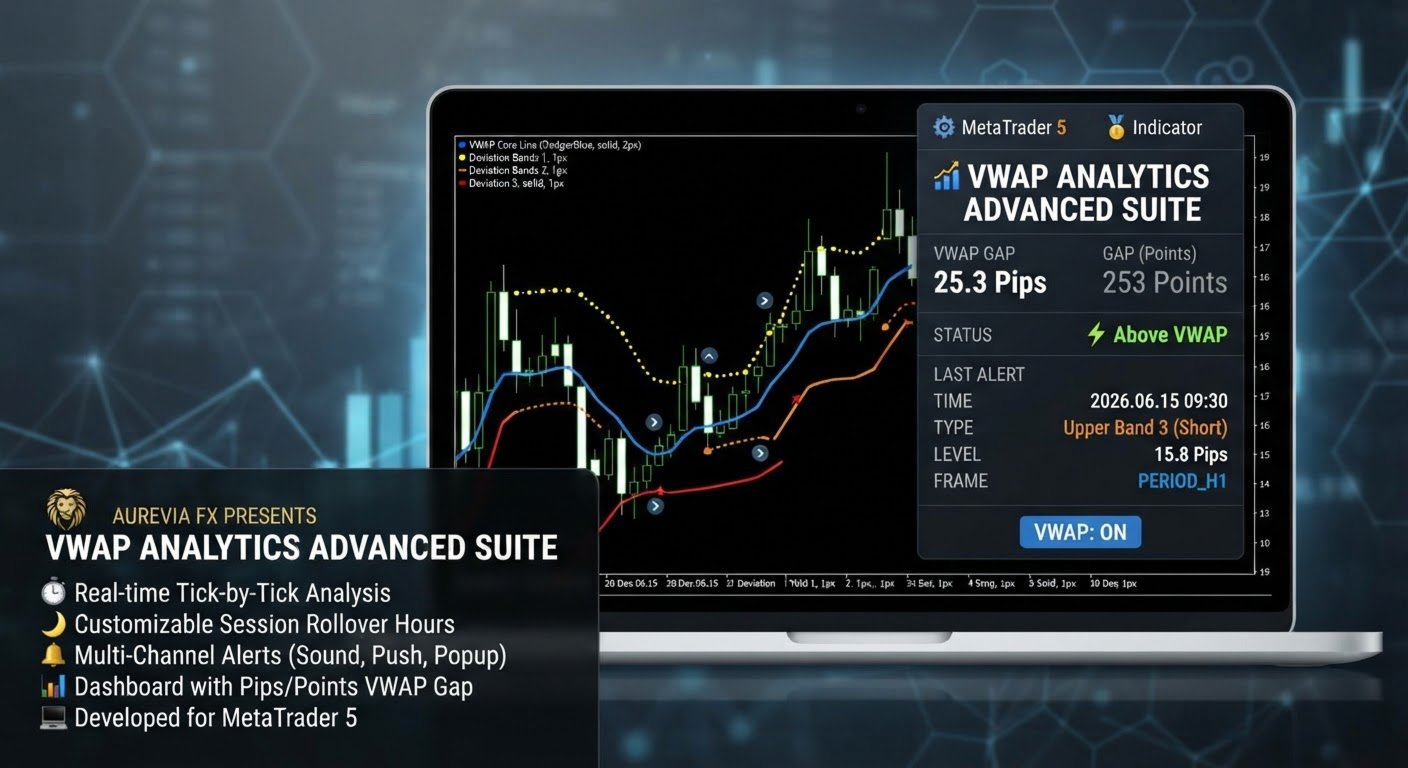
Gain institutional-grade market insight with the VWAP Analytics Advanced Suite, a professional Volume Weighted Average Price indicator built exclusively for MetaTrader 5. This tool goes beyond a simple VWAP line; it is a complete analytical ecosystem designed to identify trend bias, measure market deviation, and provide high-probability entry and exit signals with precision timing.
Whether you are a day trader, scalper, or swing trader, this suite offers the flexibility and power needed to trade alongside institutional money flow.
Key Features & Configuration Options
1. Institutional-Grade Calculation Engine
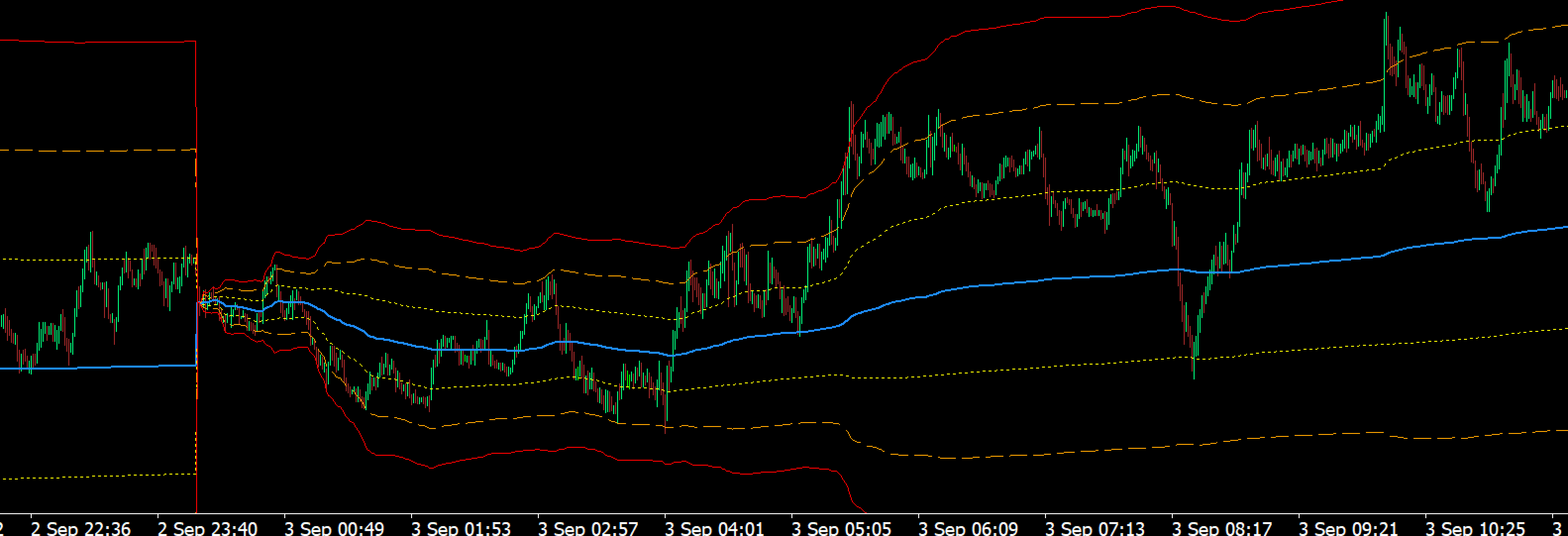
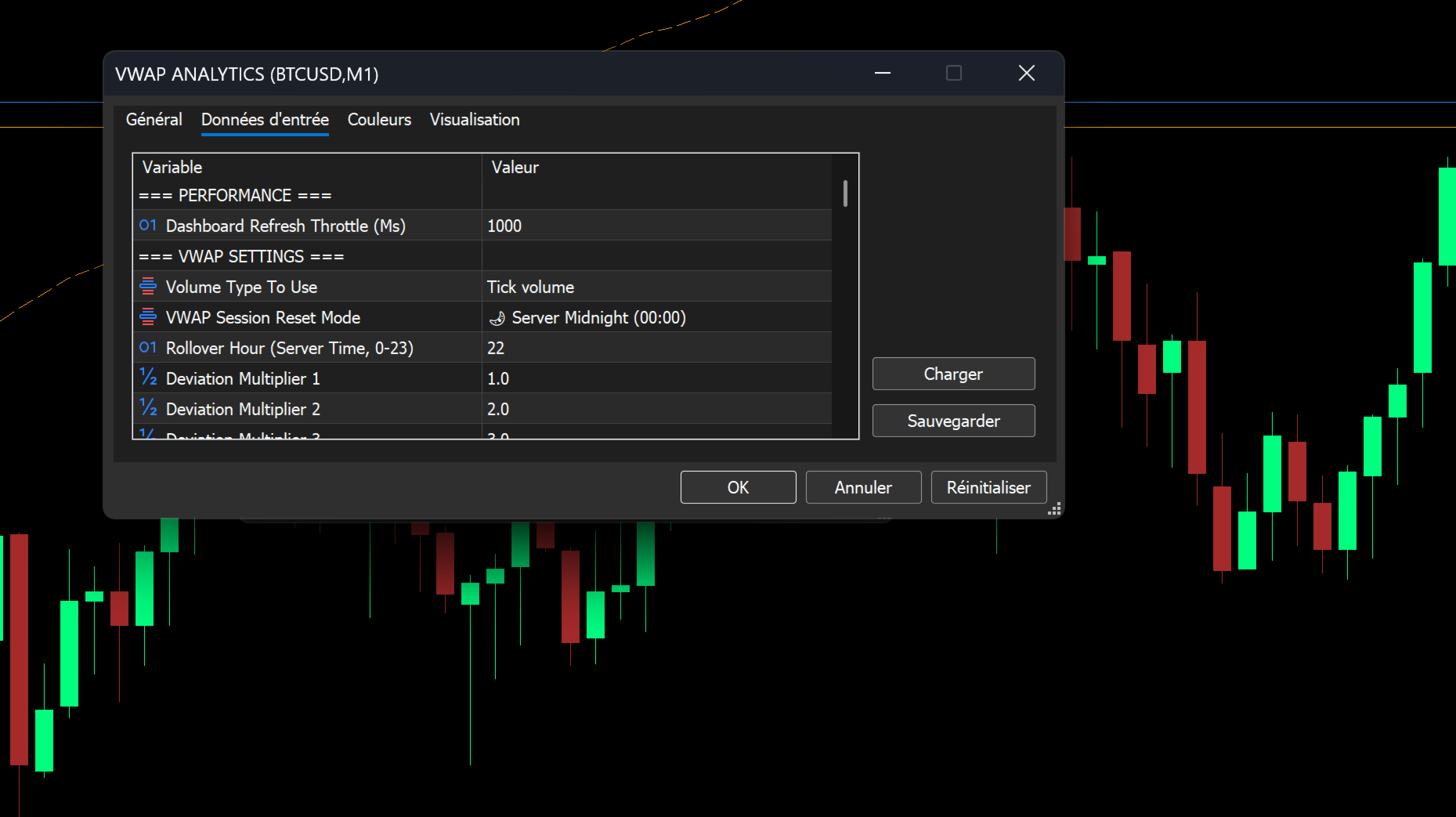
- Customizable Anchoring: Choose exactly when your VWAP session resets.
- 🌙 Server Midnight (00:00): Standard daily reset.
- 🕒 Custom Rollover Hour: Anchor the VWAP to any specific hour (e.g., 22:00 server time) to align with the start of a new trading session (e.g., Globex open).
- Volume Flexibility: Calculate VWAP using either Tick Volume (standard) or Real Volume (if supported by your broker's data feed) for more accurate weighting.
- Real-Time Performance: The suite is optimized for performance, featuring a Dashboard Refresh Throttle (in Ms) to ensure smooth chart operation, even on lower timeframes with heavy data.
2. Dynamic Deviation Bands (3 Levels)
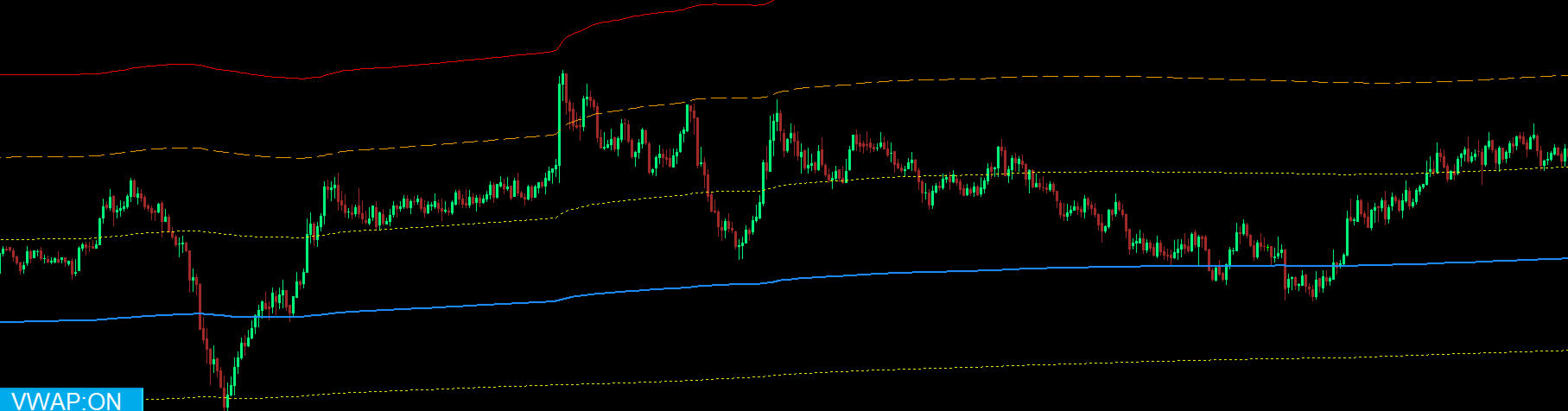
Visualize market volatility and potential reversal zones with three sets of Standard Deviation bands. Each band set is fully customizable for:
- Multipliers: Set your own standard deviation values (defaults are 1.0, 2.0, and 3.0).
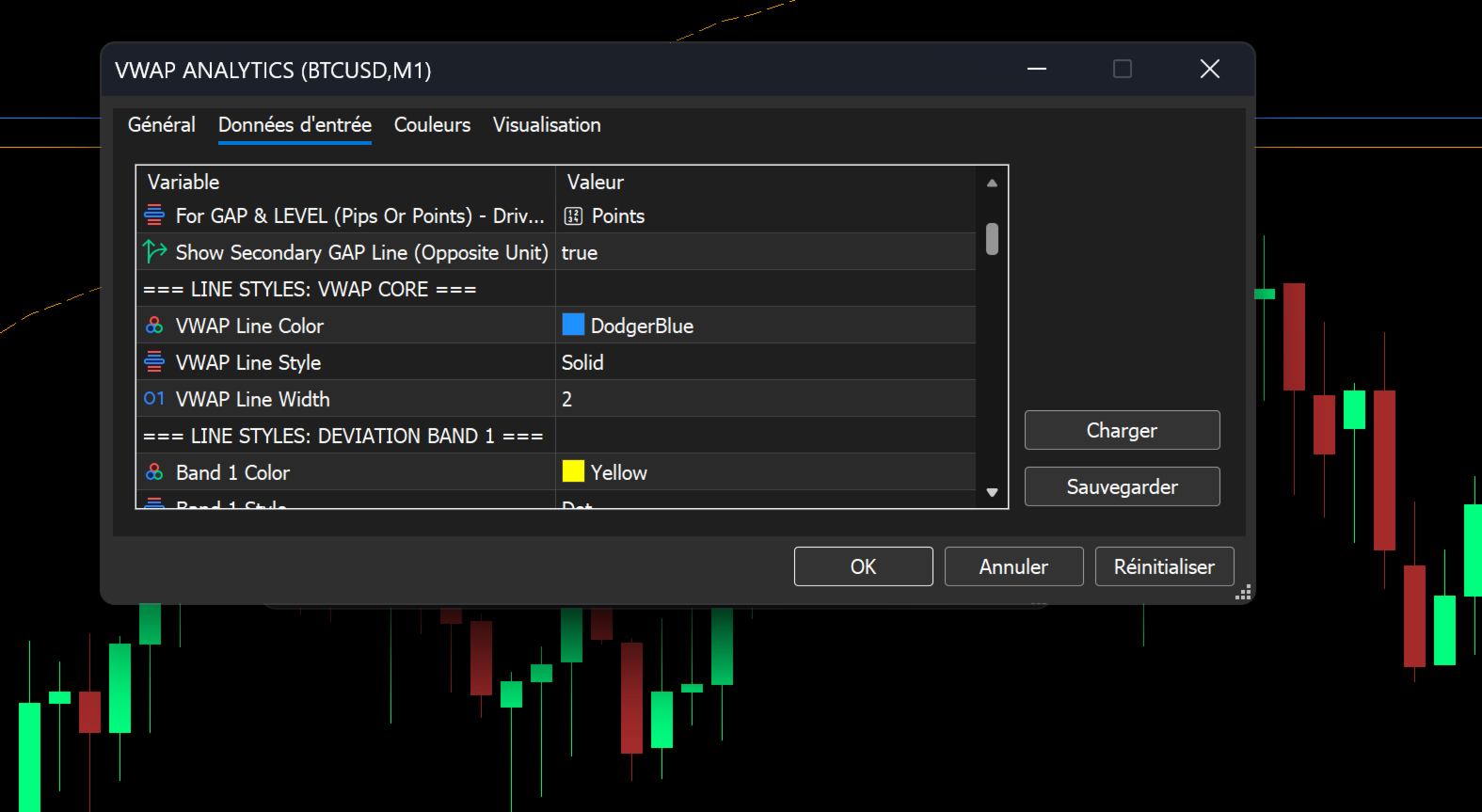
- Visual Styling: Independent color, line style (Solid, Dash, Dot, etc.), and width for the Core VWAP line and all six (6) bands.
3. Advanced Multi-Channel Alert System
Never miss a critical market event. The alert system is highly selective, allowing you to choose exactly which levels trigger a notification.
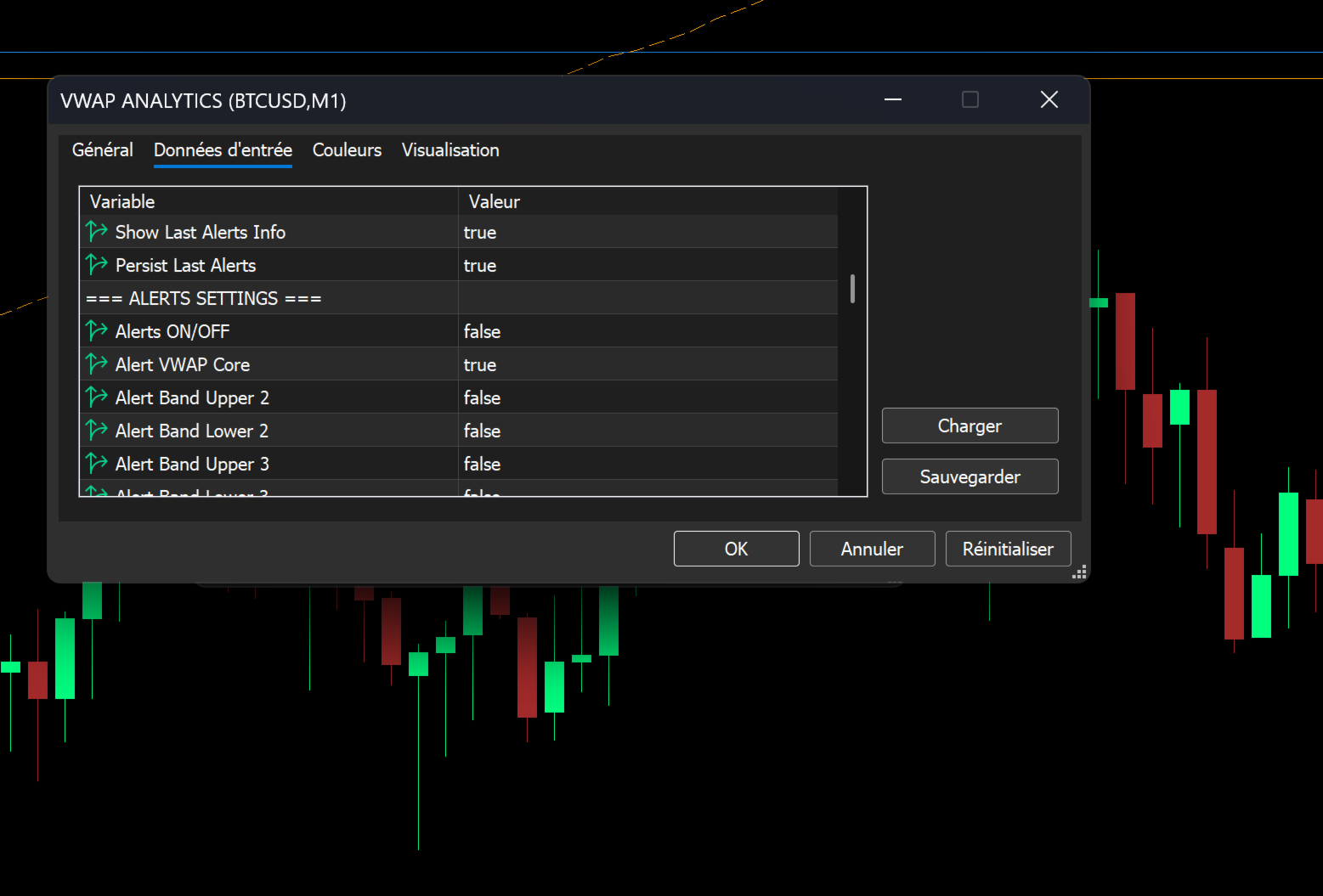
- Selectable Trigger Events: Enable alerts for:
- Price crossing the VWAP Core Line (Bullish/Bearish).
- Price touching or crossing Deviation Bands Upper/Lower 2.
- Price touching or crossing Deviation Bands Upper/Lower 3 (Extreme Overbought/Oversold).
- Notification Methods: Alerts can be dispatched via:
- 🔊 Sound: Plays a custom .wav file (e.g., VWap.wav).
- 🖥️ Pop-up Alert: A standard MT5 window on your terminal.
- 📱 Push Notification: Instant alert sent to your mobile device via the MT5 app.
- Intelligent Cooldown: Prevent alert spam with a user-defined cooldown period, measured in either Bars/Candlesor Seconds.
4. Integrated On-Chart Dashboard
Keep all critical VWAP data at your fingertips without cluttering your main chart window. The dashboard is a fully customizable information panel.
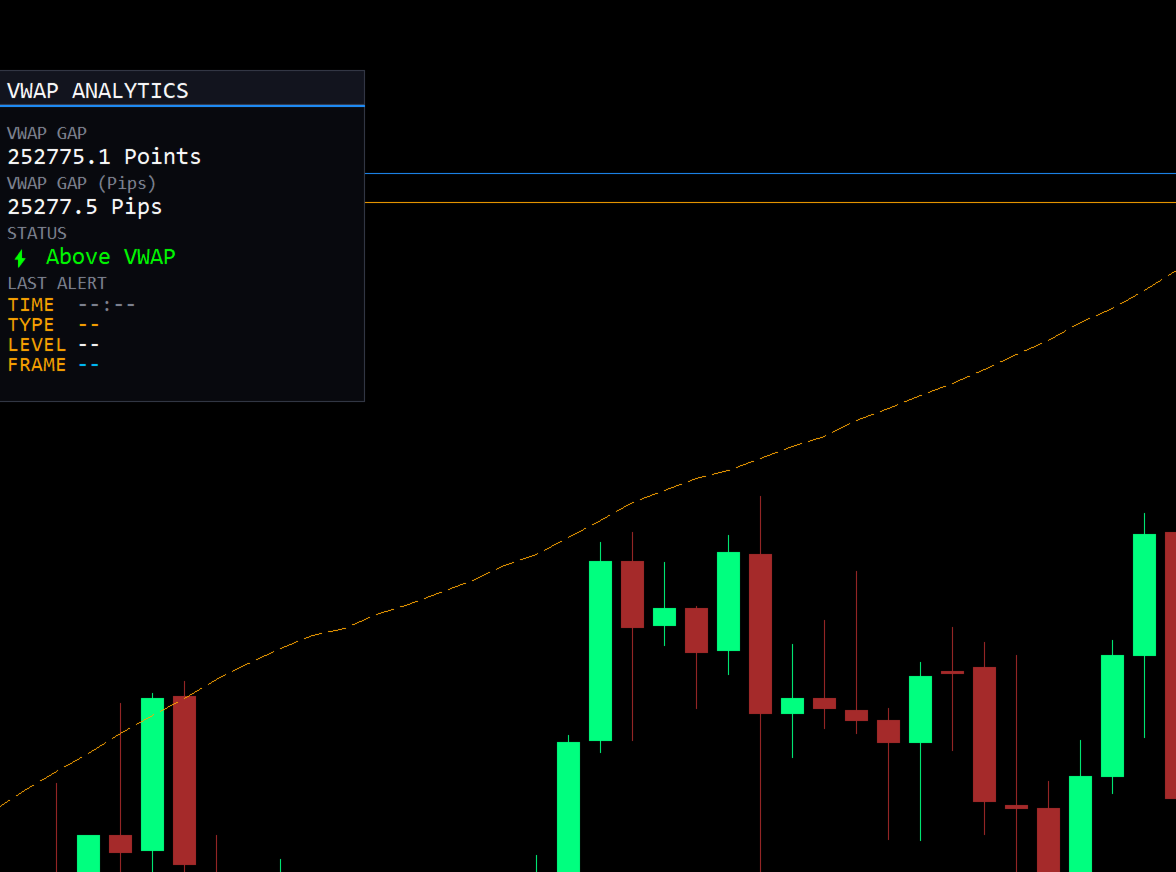
- VWAP Gap Monitor: Instantly see the distance between the current price and the VWAP Core Line.
- Dual-Unit Display: View the gap simultaneously in both Pips and Points.
- Alternate Unit Toggler: Optionally display a secondary GAP line in the opposite unit.
- Market Sentiment Status: A clear, emoji-enhanced status text (e.g., ⚡️ Above VWAP) tells you the current trend bias at a glance. Colors and text for Bullish, Bearish, and Neutral states are fully customizable.
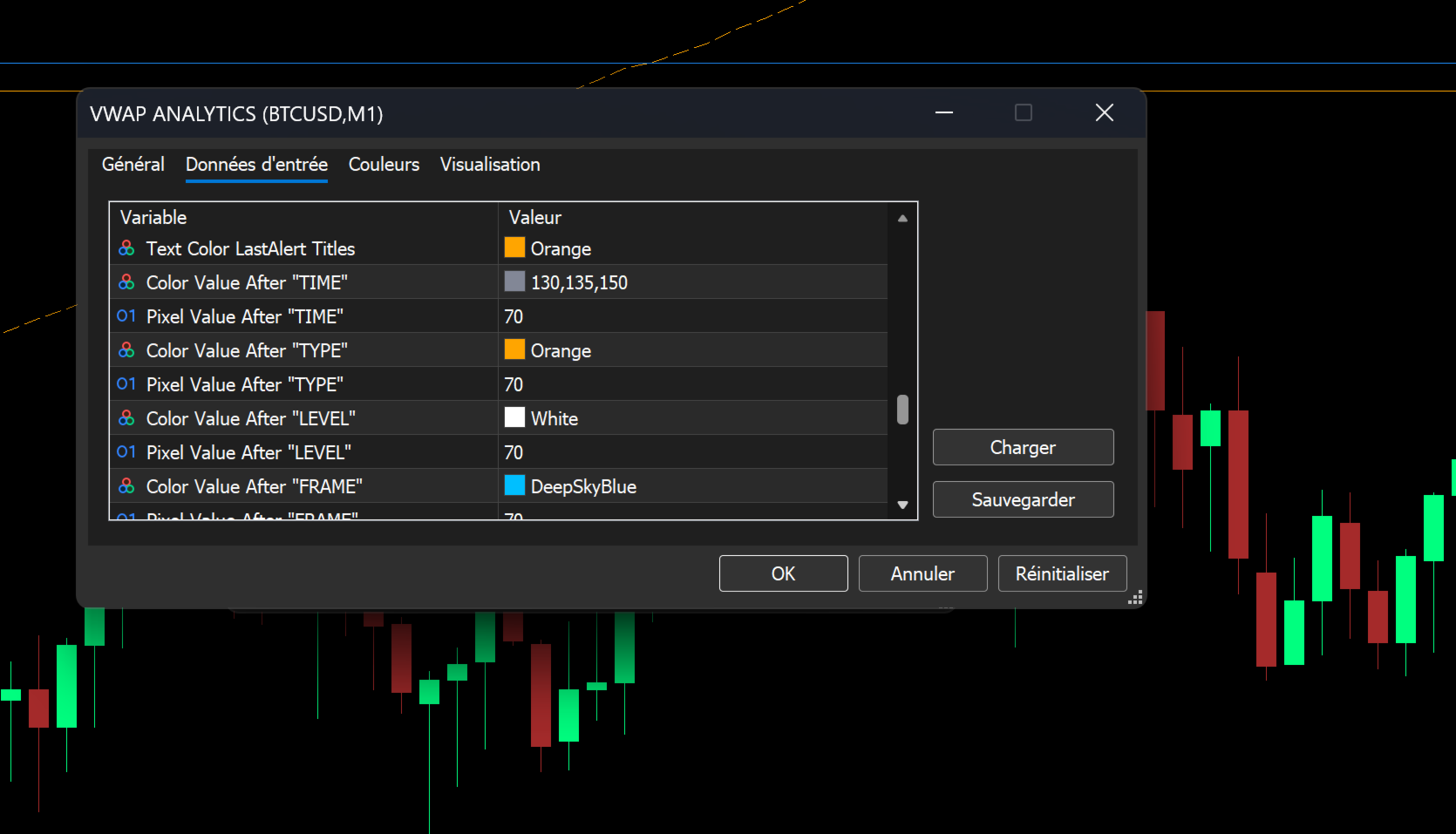
- Last Alert Panel: Know exactly when and where the last signal occurred. The dashboard persists the Time, Type, Level, and Timeframe of the most recent alert.
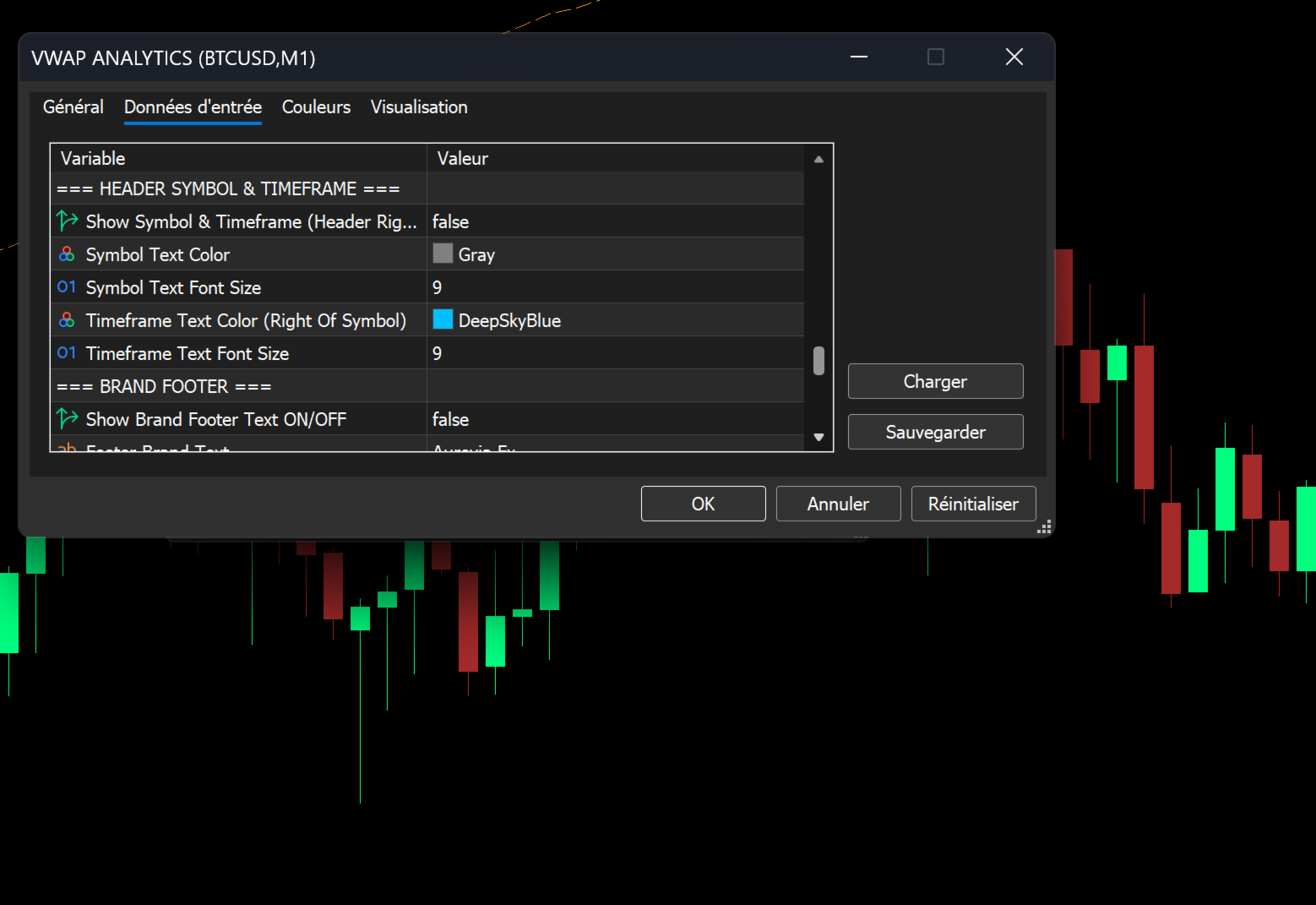
- Brand Footer: Optionally display your own brand text or "Aurevia Fx" at the bottom of the panel.
5. Professional Utility & Workflow Tools
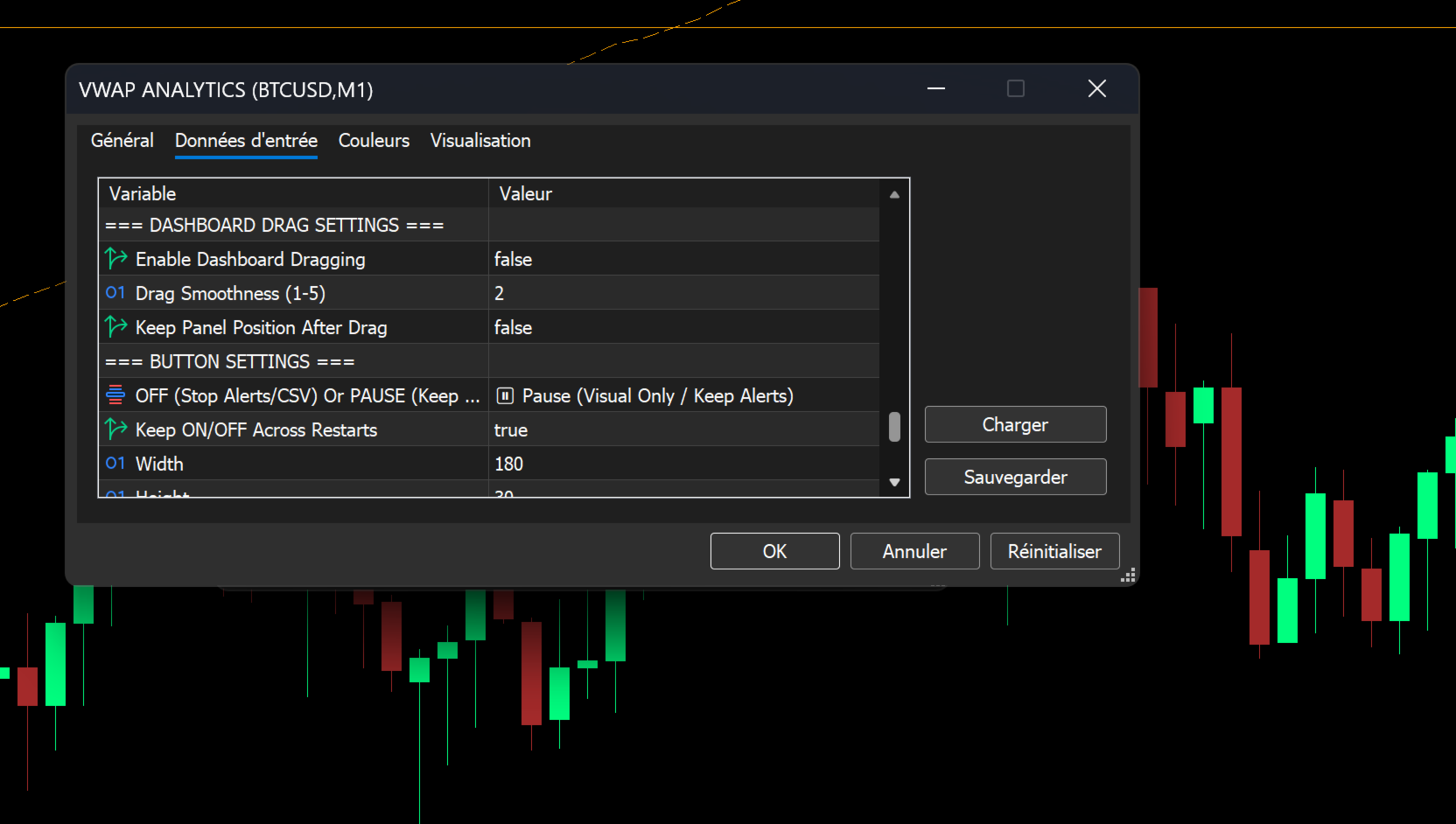
- One-Click Dashboard Toggle: A corner-anchored button (labeled "VWAP: ON/OFF") allows you to instantly show or hide the dashboard.
- Smart Pause Mode: Configure the button to either fully disable alerts/logging when "OFF" or to merely hide the visual panel while keeping the alert engine running in the background.
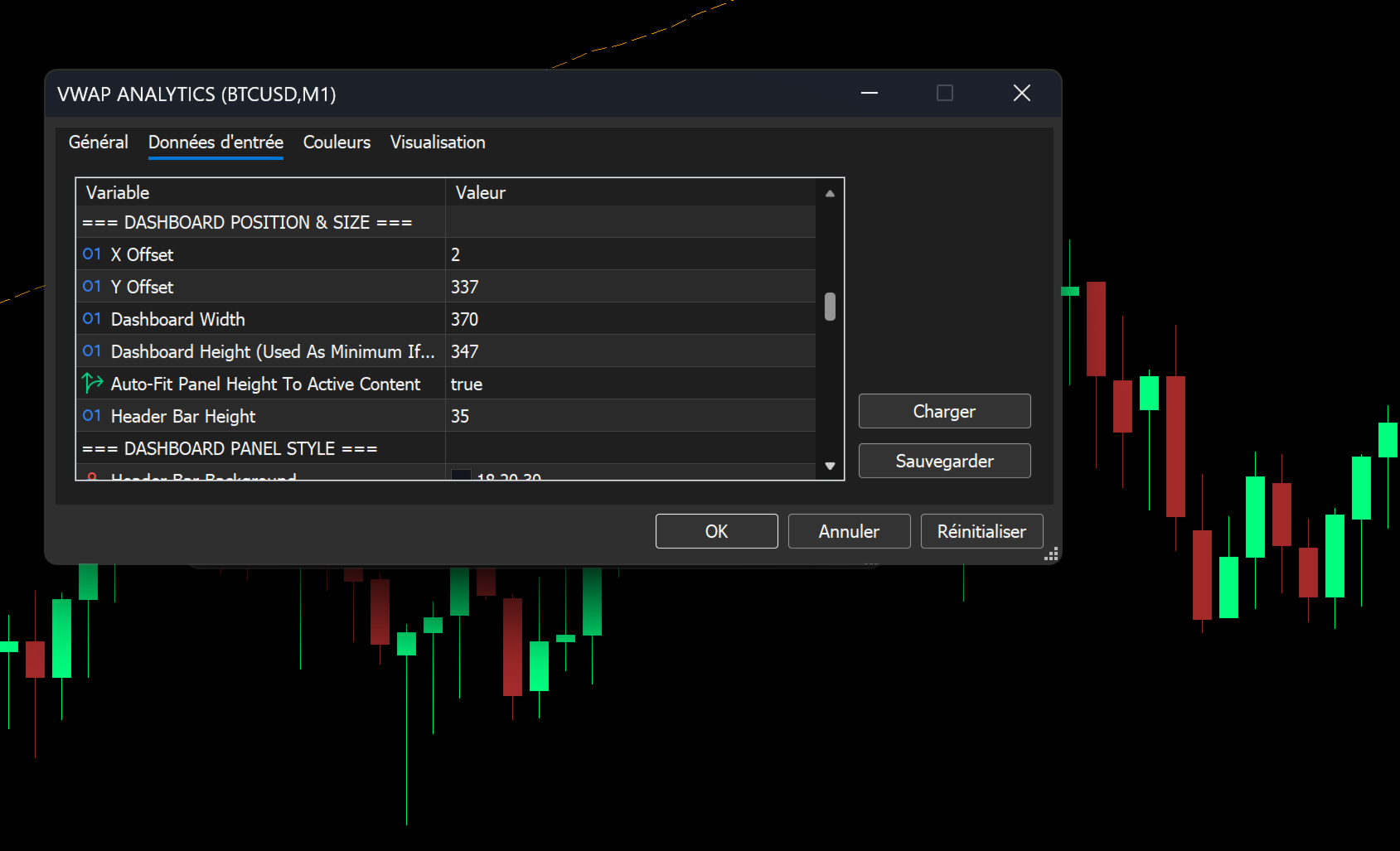
- Drag-and-Drop Dashboard: If enabled, you can freely click and drag the dashboard to any position on the chart. Position can be persisted across terminal restarts.
- Multi-Timeframe Awareness (Header): Optionally display the current Symbol and Timeframe in the dashboard header, perfect for multi-chart setups.
6. Professional Logging & CSV Export
For traders who analyze their performance, the suite includes robust logging capabilities.
- CSV Alert Logging: Automatically save every triggered alert to a CSV file, including Symbol, Timeframe, Date/Time, Alert Type, Price, and VWAP Level.
- Account Event Logging: Optionally log account changes (e.g., switching from Demo to Real) and detailed account information (Login, Company, Server, Currency) alongside the alert logs.
7. Visual Customization & Aesthetics
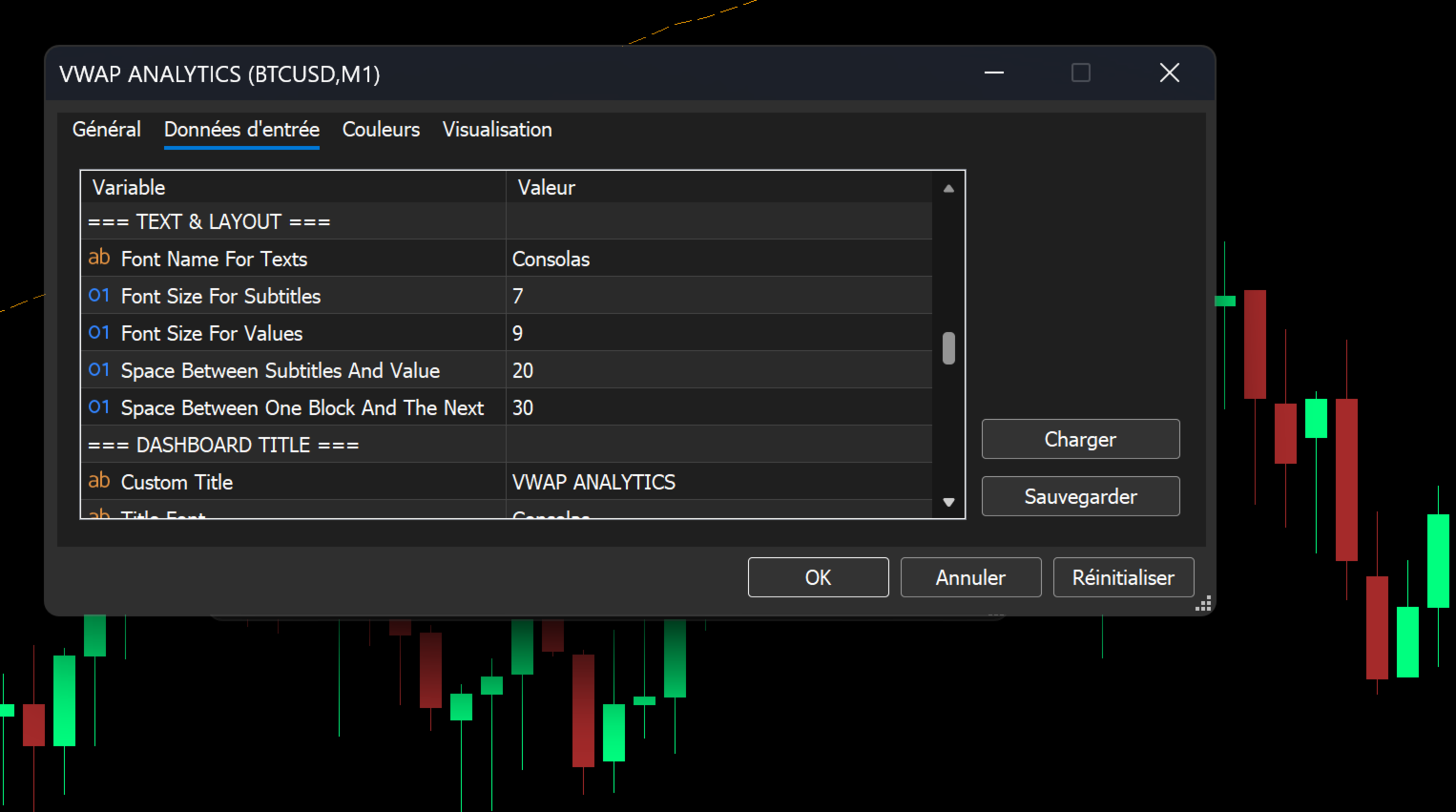
- Font Control: Customize the font name, subtitle size, and value size for all text on the dashboard.
- Color Palettes: Full control over Header colors, Accent colors, Border colors, Background colors, and text colors to match your existing chart template.
- Dimension Info: An optional tooltip on the dashboard header provides exact X/Y coordinates and dimensions, aiding in precise multi-panel layouts.
Summary
The VWAP Analytics Advanced Suite is the most complete and customizable VWAP solution available for MetaTrader 5. It bridges the gap between simple technical analysis and institutional-grade order flow analysis, providing you with the tools to trade with confidence, precision, and professional-level insight.
Take control of your trading. Get the VWAP Analytics Advanced Suite today.