Advanced Dashboard Compact
- Uzmanlar
- Sürüm: 3.14
- Etkinleştirmeler: 5

Multi-Symbol Trading Dashboard for MetaTrader 5
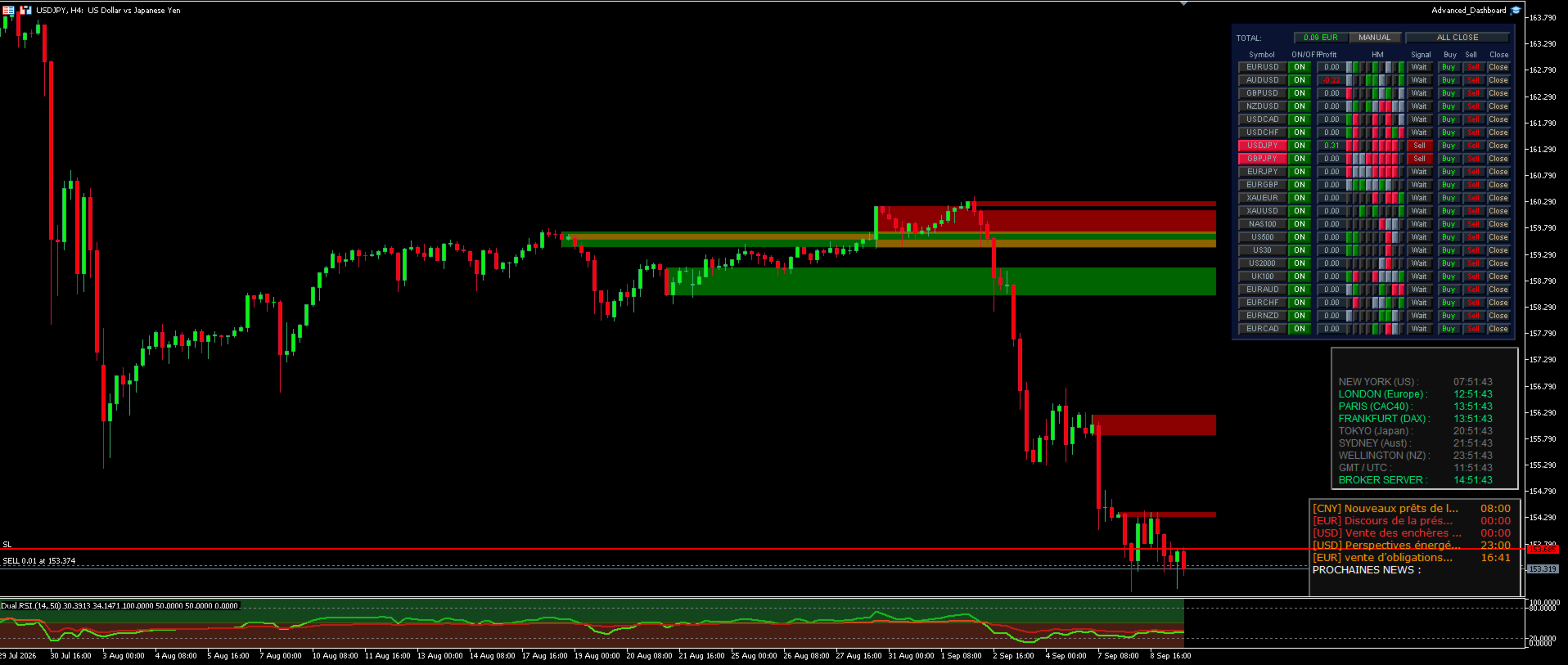
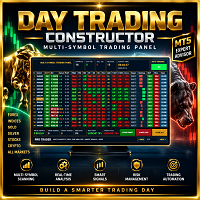
Advanced Dashboard is a multi-symbol trading Expert Advisor designed to analyze multiple instruments directly from the MetaTrader 5 Market Watch.
The EA combines a compact visual dashboard, multi-timeframe technical analysis, manual trading controls and automatic trade execution in a single interface.
It is designed for traders who want to monitor several markets simultaneously without opening a separate chart for every instrument.
Multi-Symbol Market Watch Analysis
Advanced Dashboard automatically works with the symbols available in your MetaTrader 5 Market Watch.
This makes it possible to monitor different asset classes supported by your broker, such as:
-
Forex
-
Stock indices
-
Metals
-
Energies
-
Cryptocurrencies
-
Other CFD instruments available in Market Watch
Symbol availability and trading conditions depend on your broker.
Multi-Timeframe Heatmap
The central heatmap analyzes each symbol across 9 timeframes:
M1 • M5 • M15 • M30 • H1 • H4 • D1 • W1 • MN1
Each timeframe is evaluated using a combination of:
-
RSI
-
Stochastic
-
ADX
The heatmap provides a visual representation of bullish, bearish and neutral market conditions.
This allows the trader to quickly identify instruments where several timeframes are moving in the same direction.
Trading Signal Detection
A trading signal is generated when the required number of timeframes confirms the same market direction.
The minimum number of aligned timeframes can be configured with the EA inputs.
The dashboard displays the current status of every monitored symbol and highlights potential Buy and Sell conditions.
Manual and Automatic Trading
Advanced Dashboard provides two operating modes.
AUTO Mode
In automatic mode, the EA monitors the multi-timeframe signals and can automatically execute trades when the configured trading conditions are satisfied.
MANUAL Mode
Manual mode allows the trader to use the dashboard for market analysis while keeping direct control over order execution.
Dedicated dashboard controls are available for:
-
BUY
-
SELL
-
CLOSE
-
ALL CLOSE
-
AUTO / MANUAL
-
Individual symbol ON / OFF
Individual Symbol Control
Every Market Watch instrument can be individually enabled or disabled directly from the dashboard.
This allows you to exclude a particular instrument from automatic trading without removing it from Market Watch or stopping the entire Expert Advisor.
ATR-Based Risk Management
Advanced Dashboard uses ATR-based calculations to adapt trading distances to the volatility of each instrument.
The EA includes:
-
Risk-based position sizing
-
ATR Stop Loss
-
ATR Take Profit
-
ATR Trailing Stop
-
Broker volume normalization
-
Minimum trading volume handling
-
Free-margin verification
-
Broker Stop Level verification
Because ATR measures current market volatility, Stop Loss and Take Profit distances automatically adapt to instruments with different price scales and volatility characteristics.
Dynamic Price Filter
The EA includes a dynamic price validation system.
When a multi-timeframe trend is detected, the system uses recent market structure to determine whether the current price remains compatible with the detected direction.
Optional dynamic levels can also be displayed directly on the active chart.
Order Block Filter
Advanced Dashboard includes an optional Order Block detection system.
Bullish and bearish Order Blocks can be displayed on the chart and can optionally be used as an additional condition for automatic trade execution.
The Order Block filter can be enabled or disabled from the EA parameters.
VPS-Oriented Architecture
The dashboard uses progressive symbol initialization and scheduled calculations instead of continuously scanning every Market Watch symbol on every incoming tick.
This architecture is designed to reduce unnecessary processing when monitoring multiple instruments, particularly during continuous operation on a VPS.
Main Features
-
Multi-symbol Market Watch monitoring
-
9-timeframe market analysis
-
RSI analysis
-
Stochastic analysis
-
ADX trend-strength analysis
-
Visual multi-timeframe heatmap
-
Automatic Buy and Sell signals
-
AUTO and MANUAL trading modes
-
Direct BUY and SELL controls
-
Individual position closing
-
ALL CLOSE function
-
Individual symbol ON/OFF control
-
ATR-based Stop Loss
-
ATR-based Take Profit
-
ATR-based Trailing Stop
-
Risk-based position sizing
-
Dynamic price validation
-
Optional Order Block detection
-
Optional Order Block trading filter
-
Broker trading-condition checks
-
Multi-asset architecture
-
VPS-oriented progressive processing
Important Information
Advanced Dashboard does not guarantee profits.
Trading results depend on market conditions, broker specifications, spreads, execution quality, selected instruments, timeframe, account conditions and parameter configuration.
Before using the Expert Advisor on a live account, test it in the MetaTrader 5 Strategy Tester and on a demo account.
Automatic trading requires Algo Trading to be enabled in MetaTrader 5 and trading permissions to be enabled for the Expert Advisor.
Past performance does not guarantee future results.