Multi Symbol ATR Breakout PRO
- Uzmanlar
- Sürüm: 3.11
- Etkinleştirmeler: 5

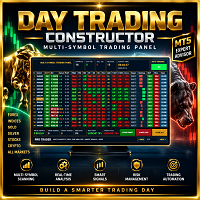
Multi-Symbol ATR Breakout Dashboard is an Expert Advisor for MetaTrader 5 designed to monitor and trade multiple instruments directly from a compact dashboard.
The EA works with symbols available in Market Watch and combines automatic breakout trading, ATR-based risk management, pending orders, manual trading controls and multi-symbol position management in a single interface.
It can be used with Forex pairs, indices, metals and other instruments supported by your broker.
Main Features
Multi-Symbol Trading
The EA automatically detects the symbols available in Market Watch and displays them in the dashboard.
Each symbol can be individually enabled or disabled for automatic trading using the ON/OFF button.
Automatic Breakout Strategy
In AUTO mode, the EA can place a combination of:
-
Buy Stop
-
Sell Stop
The pending-order distance is automatically adapted according to the instrument.
For Forex pairs, the strategy uses the previous H1 high and low with an additional configurable distance.
For indices, metals and other CFDs, the pending-order distance is calculated using ATR.
OCO Order Management
The EA uses an OCO-style management system.
When a pending order is triggered and a position is opened on a symbol, the remaining pending order for that symbol is automatically removed.
This prevents the opposite pending order from remaining unnecessarily active after an entry.
Maximum Active Trades Protection
A configurable global position limit is included.
Default setting:
Max Active Trades = 5
When the EA reaches the configured number of open positions, all remaining pending orders created by the EA are cancelled.
While the maximum number of positions remains reached, no new automatic pending orders are created.
When the number of open positions falls below the limit, automatic trading can resume and new trading opportunities can be prepared.
ATR-Based Money Management
Position size is calculated according to:
-
Account balance
-
Risk percentage
-
ATR value
-
Stop Loss distance
-
Symbol tick size
-
Symbol tick value
-
Broker volume specifications
This allows the EA to adapt its position sizing to different instruments.
ATR Stop Loss and Take Profit
Stop Loss and Take Profit distances are calculated dynamically using ATR.
Main parameters include:
-
ATR Period
-
ATR Timeframe
-
Stop Loss ATR Multiplier
-
Take Profit ATR Multiplier
-
Trailing Stop ATR Multiplier
This provides volatility-based protection instead of using the same fixed distance for every instrument.
ATR Trailing Stop
Open positions can be managed with an ATR-based trailing stop.
The trailing distance automatically adapts to the volatility of each instrument and respects the symbol's trading constraints.
Manual Trading Controls
The dashboard also provides manual controls for every displayed symbol:
BUY — Opens a market Buy position.
SELL — Opens a market Sell position.
CLOSE — Closes the EA's position and pending orders for the selected symbol.
CLOSE ALL — Closes the EA's positions and removes its pending orders across all monitored symbols.
When AUTO mode is active, automatic trading remains available after CLOSE ALL and can prepare new pending orders during subsequent trading cycles.
AUTO / MANUAL Mode
The main dashboard button allows instant switching between:
AUTO — Automatic breakout trading is enabled.
MANUAL — Automatic entries are disabled while dashboard controls remain available.
Market Information Dashboard
For every monitored symbol, the dashboard displays useful information including:
-
Symbol
-
ON/OFF status
-
ATR
-
M15 breakout status
-
H1 breakout status
-
Current position profit
-
Manual trading controls
Breakout information is displayed directly on the panel using UP, DN or neutral status.
ATR Color Display
ATR values use dynamic colors to provide a quick visual indication of relative volatility.
The ATR value is normalized relative to the current instrument price, making the display suitable for instruments with different price scales.
Adjustable Dashboard Position
The complete dashboard can be repositioned directly from the EA Inputs.
Available settings:
Dashboard X — Horizontal position adjustment.
Dashboard Y — Vertical position adjustment.
The interface uses a compact layout designed to reduce the amount of chart space occupied by the panel.
Broker Protection and Trading Checks
Before sending trading requests, the EA performs multiple checks according to the trading conditions available for each symbol.
These include:
-
Minimum and maximum volume
-
Volume step
-
Symbol volume limit
-
Account pending-order limit
-
Stop Level
-
Freeze Level
-
Allowed trading direction
-
Allowed order types
-
Stop Loss and Take Profit availability
-
Order filling mode
-
Trading permissions
-
Trade request validation
The objective is to adapt order requests to the specifications provided by the trading server.
Main Inputs
Money Management & ATR
-
Risk Percent
-
ATR Period
-
ATR Timeframe
-
ATR Stop Loss Multiplier
-
ATR Take Profit Multiplier
-
ATR Trailing Stop Multiplier
Pending Order Distance
-
Non-Forex Pending ATR Multiplier
-
Forex Pending Points
-
Pending Safety Points
General Settings
-
Automatic Mode at Startup
-
Maximum Active Trades
-
Magic Number
-
Dashboard X
-
Dashboard Y
-
Dashboard Background Color
-
Dashboard Card Color
-
Dashboard Text Color
Supported Instruments
The EA is designed for multi-symbol operation and can work with instruments available in MetaTrader 5 Market Watch, subject to the specifications and trading permissions provided by the broker.
Typical instruments include:
-
Forex
-
Stock indices
-
Metals
-
CFDs
-
Other compatible MetaTrader 5 instruments
Symbol names, trading sessions, minimum volume, tick size, Stop Level and other specifications depend on the broker.
Recommended Setup
Attach the Expert Advisor to one chart and add the instruments you want to monitor to Market Watch before starting the EA.
The dashboard will detect the available Market Watch symbols.
For live trading, always verify the EA settings, instrument specifications and broker trading conditions before enabling AUTO mode.
Important Information
This Expert Advisor is a trading and order-management tool. It does not guarantee profits or future trading performance.
Trading involves financial risk. Results depend on market conditions, broker execution, spreads, commissions, slippage, instrument specifications and the parameters selected by the user.
Testing the EA in the MetaTrader 5 Strategy Tester and on a demo account before live use is recommended.