NAS100 Hammer Engulfing
- Uzmanlar
- Sürüm: 2.0
- Güncellendi: 19 Ağustos 2026
- Etkinleştirmeler: 5

🚀 LAUNCH PRICE — $299
Limited launch price: $299
The regular price of NAS100 Hammer Engulfing will be $649.
The current price is a special launch price for early users. As the product grows and more real trading results and user feedback are collected, the price may increase.
RENTAL OPTIONS
If you prefer to test the EA before purchasing:
1 Month: $29
3 Months: $59
6 Months: $99
12 Months: $149
ABOUT NAS100 HAMMER ENGULFING
NAS100 Hammer Engulfing is a fully automated Expert Advisor for MetaTrader 5, specifically designed for NAS100.
The EA combines Price Action, EMA 200 trend confirmation and disciplined risk management.
The strategy focuses on two candlestick patterns:
Hammer and Engulfing
These patterns are only considered when the broader market conditions and EMA trend filters are aligned.
HOW DOES IT WORK?
The EA uses the 200-period EMA to determine the market direction.
- Buy opportunities are considered when price is above the EMA and the EMA is moving upward.
- Sell opportunities are considered when price is below the EMA and the EMA is moving downward.
Once the trend conditions are satisfied, the EA searches for qualified Hammer and Engulfing patterns.
The candlestick patterns are filtered using configurable conditions such as candle body, wick, rejection and candle size.
The objective is to combine a clear market direction with specific Price Action setups rather than entering every available signal.
RISK MANAGEMENT
Position size can be calculated automatically according to your selected risk.
The EA supports:
- Percentage risk based on account balance.
- Fixed monetary risk per trade.
- Automatic lot calculation according to Stop Loss distance.
- Maximum trades per day.
- Optional additional trade after a losing day.
This allows the trader to adapt the EA to different account sizes and risk-management approaches.
TRADE MANAGEMENT
The EA includes:
- Structural Stop Loss based on the Price Action setup.
- Configurable Stop Loss padding.
- Configurable Take Profit.
- Automatic Break Even.
- Automatic Partial Close.
- Trading session filter.
- News filter.
- Daily trade limit.
RECOMMENDED RISK/REWARD
Based on the developer's testing and experience with this strategy, 1:1 Risk/Reward is the recommended setting.
However, the Take Profit ratio is fully configurable.
You can adjust it according to your own trading style, objectives and risk management.
Recommended setting: 1:1
DESIGNED WITH FUNDED ACCOUNTS IN MIND
One of the key strengths of NAS100 Hammer Engulfing is its suitability for traders working towards funded-account and prop-firm objectives.
Controlled position sizing, daily trade limits, configurable trading hours, news protection and automatic trade management can be useful when trading under strict drawdown and risk rules.
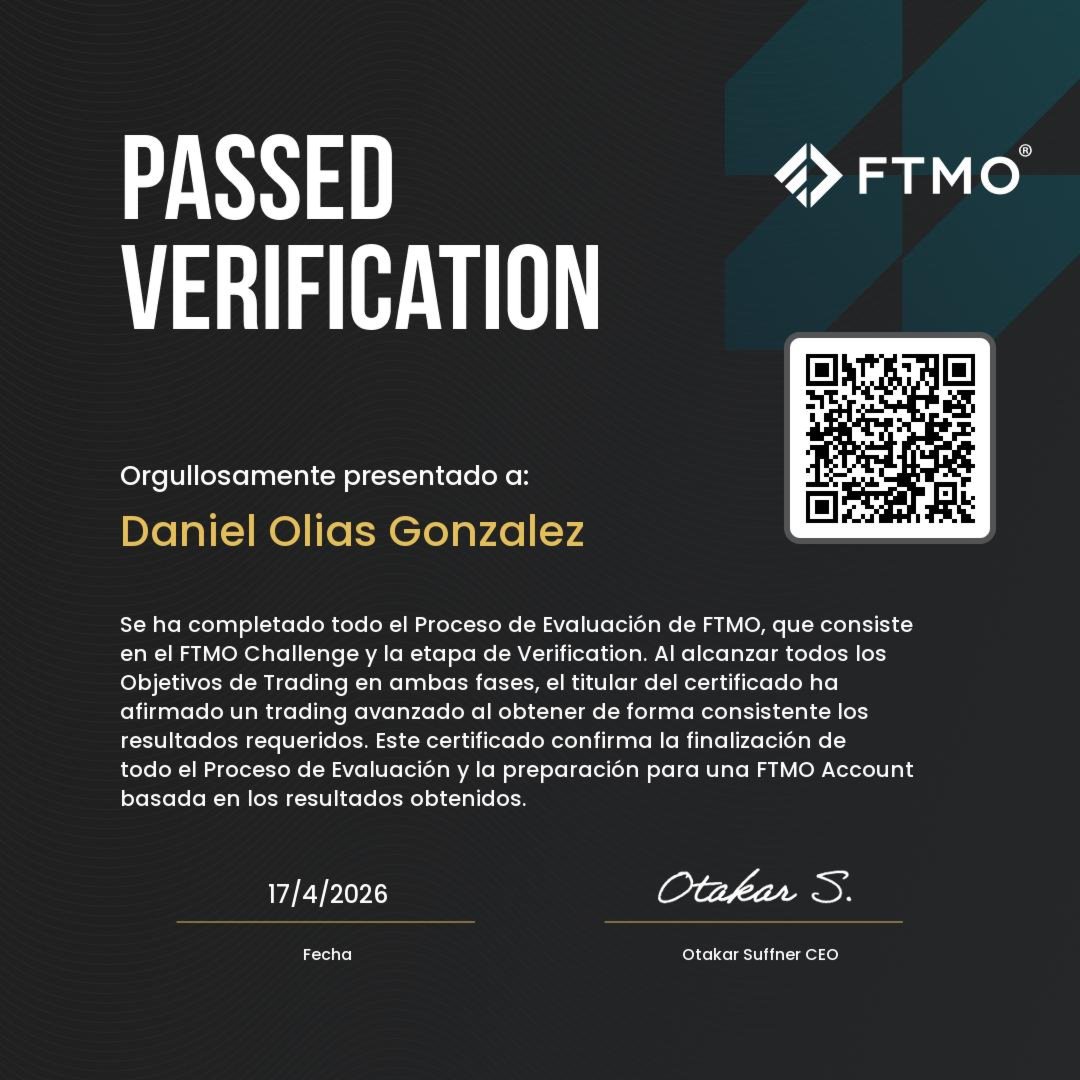
The developer has personally achieved an FTMO funded account using this trading approach.
The original FTMO certificate is included in the product screenshots.
Important: The EA does not guarantee passing any prop-firm challenge or obtaining a funded account. Every prop firm has its own rules, risk limits and trading conditions. The trader is responsible for ensuring that the EA configuration complies with those rules.
RECOMMENDED SETTINGS
The parameters shown in the Recommended Settings screenshot are the configurations tested by the developer during the development and testing process.
These settings are recommended as a starting point.
Changing the parameters can significantly change the behavior and performance of the strategy.
For the best representation of the tested strategy, it is recommended to start with the parameters shown in the recommended configuration.
TRADING HOURS — IMPORTANT
The default trading hours shown in the recommended settings correspond to FTMO server time (GMT+3).
You must adjust the trading hours according to your broker's MetaTrader 5 server time.
The same consideration applies when configuring the news filter. Always make sure the selected times correspond to your broker/server time.
BACKTESTING
The EA has been tested using historical market data and different market conditions.
Backtest results, screenshots and testing configurations are included in the product presentation.
The backtests are intended to show how the strategy behaved under the tested conditions and should not be interpreted as a guarantee of future performance.
Past performance does not guarantee future results.
Actual trading results may differ due to spread, commission, slippage, execution speed, broker conditions and market conditions.
SEE THE EA IN ACTION
Real MetaTrader 5 screenshots showing NAS100 Hammer Engulfing in different trading situations:
▶ BUY trade
▶ SELL trade
▶ Automatic Break Even
These examples show how the EA identifies setups and manages trades automatically.
IMPORTANT
NAS100 Hammer Engulfing is designed specifically for NAS100.
Before using the EA on a live account, it is strongly recommended to test it on a demo account with your own broker and verify the appropriate settings, trading hours, spread, commissions and execution conditions.
Trading financial markets involves significant risk. Never risk money you cannot afford to lose.
Use proper risk management and always understand the rules of your broker or prop firm before trading.