
Timeout Candle
- Göstergeler
- Sürüm: 1.0

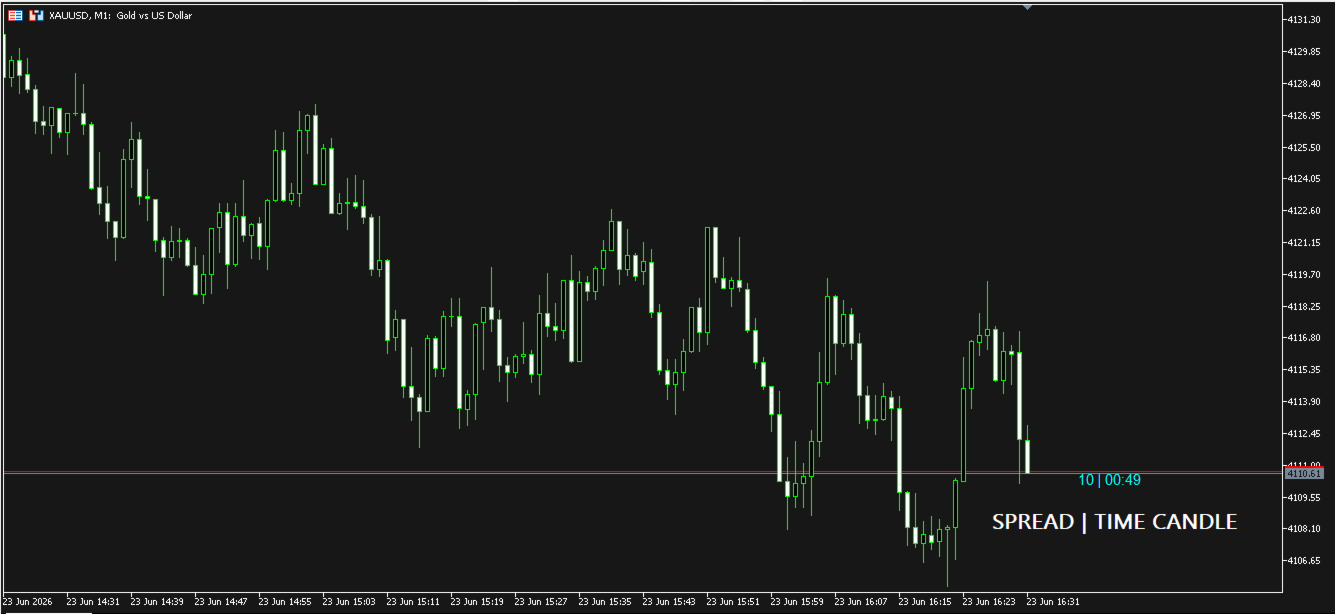
Candle Timeout is a simple indicator that displays the time a candlestick changes and is also available to display the spread range on market charts.
This indicator is designed to help calculate the time a candle changes, both the Open and Close.
It also provides a counter for the ASK and BID price ranges, or the spread, displayed in points (pts).
Subscribe the MQL5 channel for other interesting information: (Automatic) Forex Tools
Join new Public Group to Expressing Opinions and Sharing: Auto Fx Investment
See other products here (MQL Algo) Forex Tools
Note: indicators are decision aids, and not final results.
Indicator Features:
- Multi Time Frame.
- Candle expiration timer.
- Realtime Spread.
- Font Color and Size can be adjusted.
Basic Guide
- Download Timeout Candle on your MT5.
- In the Navigation menu, expand the Indicators menu and select market.
- Once the indicator has been downloaded, it will be located there.
- Drag and drop the indicator onto the chart.
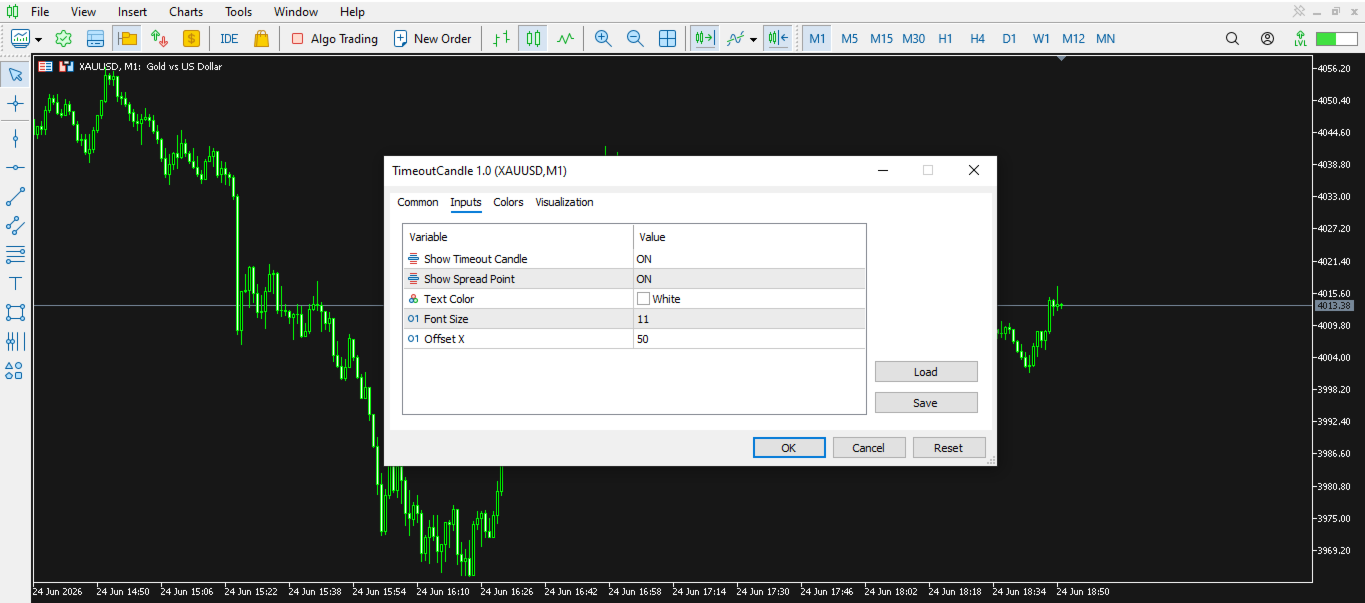
- In the indicator's input settings menu, define and adjust the settings according to your needs.
- Adjust the text color to contrast with the chart background.
- Adjust the desired font size.
- Finally, click OK.
Input Parameter
- Show Timeout Candle : Settings to Show/Hide Candle Timer.
- Show Spread Point : Settings to Show/Hide Spread.
- Text Color : Settings to Adjust the indicator text color.
- Font Size : Settings to Adjust the size of the indicator text.
- Offset X : Settings to Adjust the distance of the timer indicator position from the last candle.
Please give a good review, to bring a smile to the creator, thank you..













































very helpful