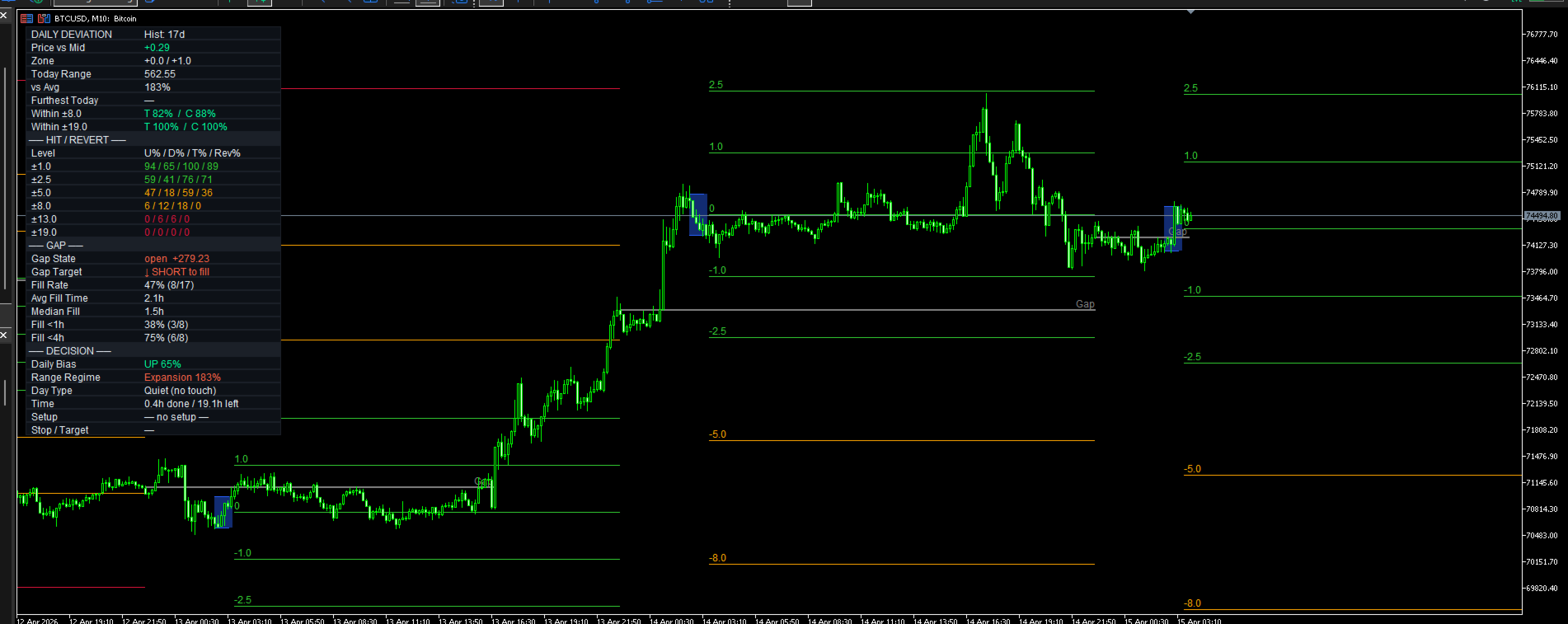
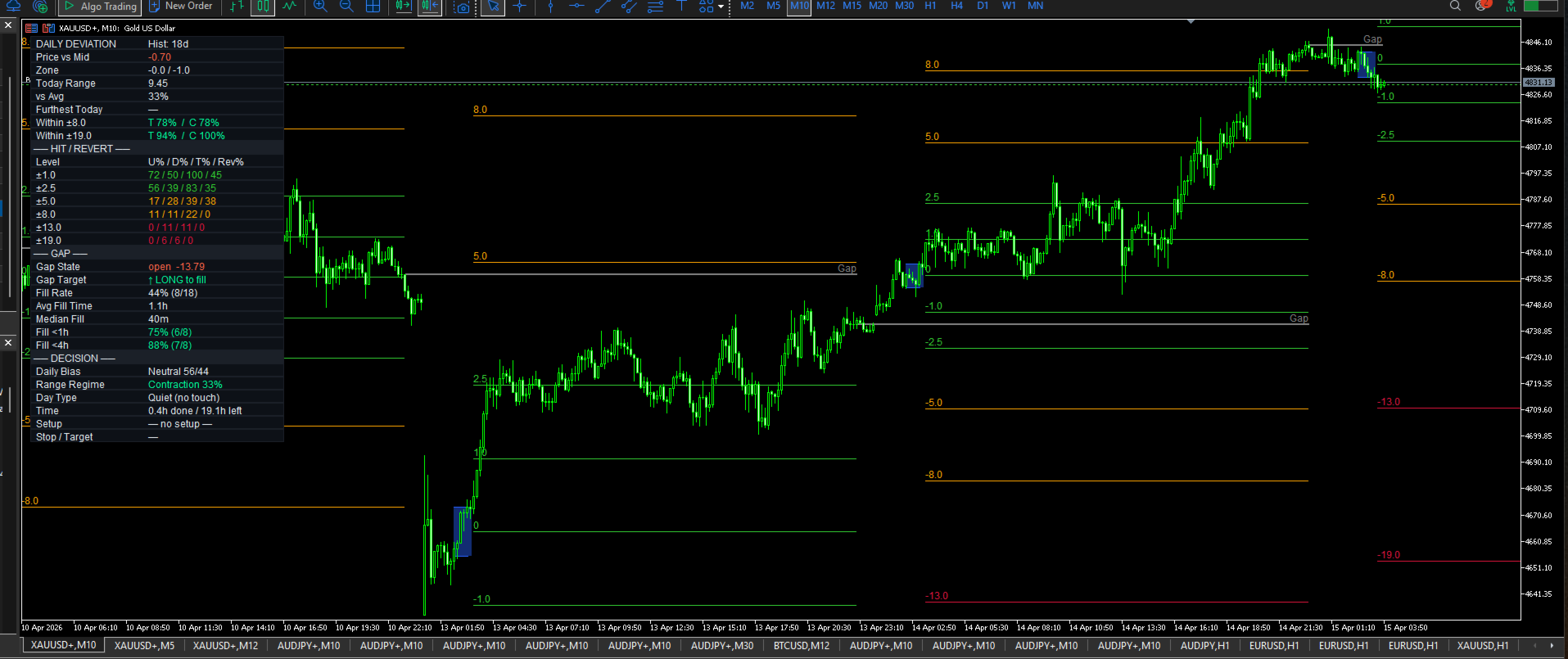
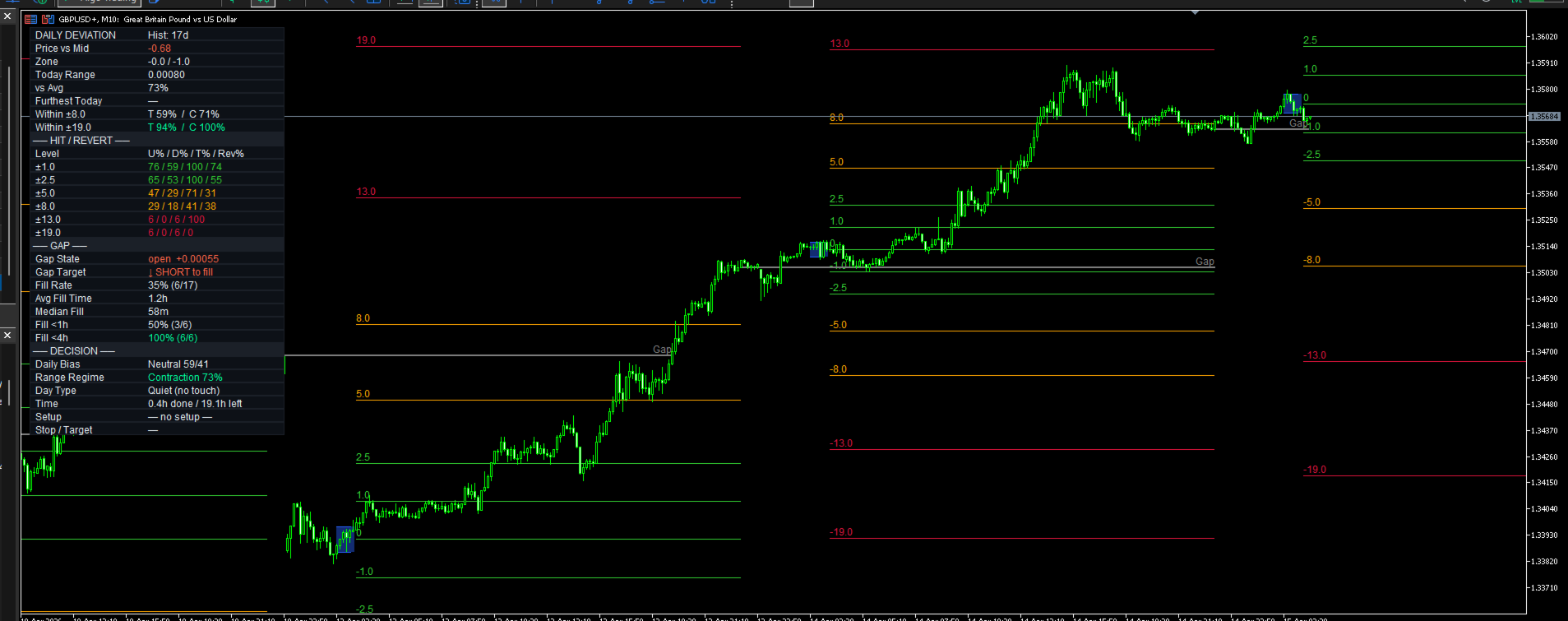
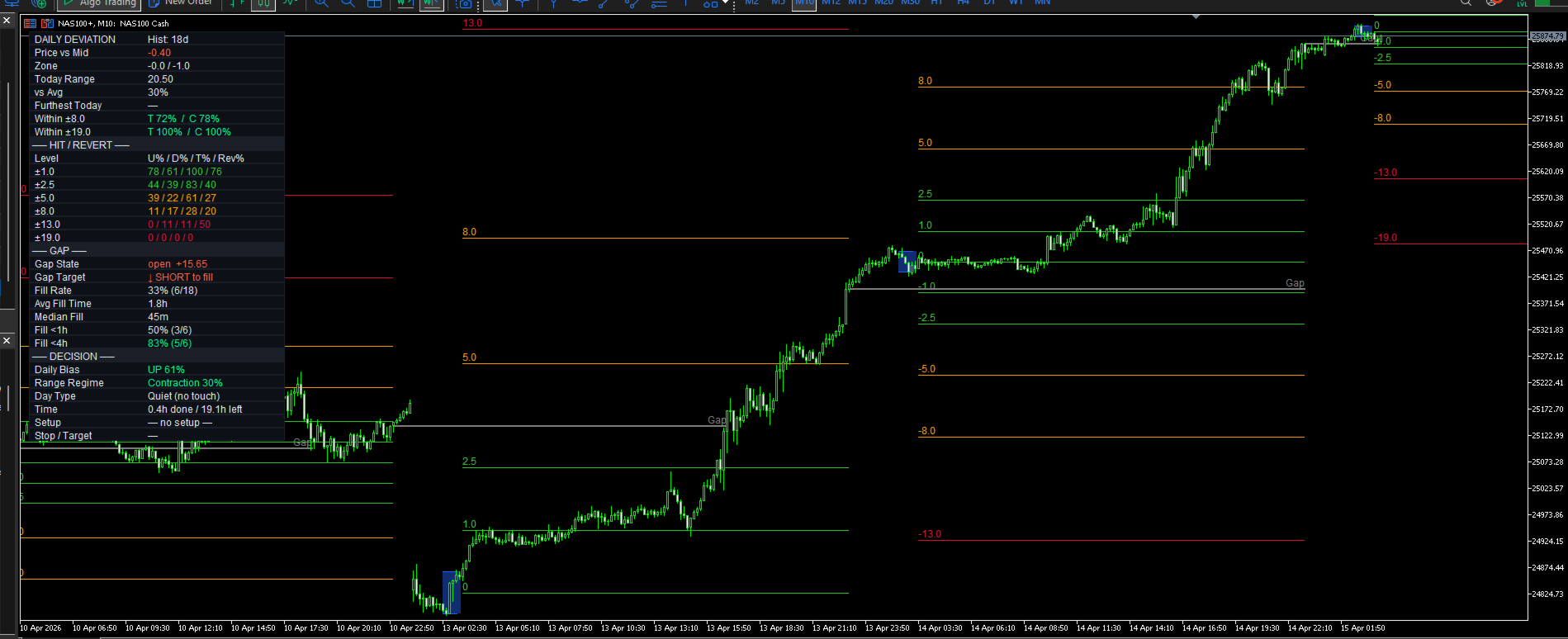
Daily Range Deviation
- Göstergeler
-
Nik Andersen
 Danimarka merkezli bağımsız algoritmik trader ve EA geliştirici, 15 yıllık trading deneyimi.
Nika EA'nın yaratıcısı — 12 sinyal tipi, 11 hareketli ortalama yöntemi ve 15 katmanlı risk yönetimi kontrolü içeren özel bir sinyal motoru üzerine inşa edilmiş profesyonel çok stratejili Expert Advisor. - Sürüm: 1.22
- Etkinleştirmeler: 10
Daily Range — NikaQuant
Daily Range — NikaQuant is a precision session analysis indicator for MetaTrader 5. It automatically defines the daily trading range during a configurable window (default 19:30–20:30 New York time), projects six statistical deviation levels forward to the session close (default 16:00 NY), and generates real-time trade decision signals backed by historical statistics.
🔲 Session Range Box
Captures the highest and lowest 5-minute close during the range window. The box is drawn in the background and outlines today's key reference zone at a glance.
📏 6 Deviation Levels — Both Directions
Projects six level pairs (×1, ×2.5, ×5, ×8, ×13, ×19 of the range) as horizontal lines from the range close to session end. Each level is independently colored — teal for near levels, orange for mid-range, red for extended extremes.
📊 Optional Range Normalization
Use the N-day average range (default: 500 days) instead of today's actual range for level projection. Keeps level spacing consistent across expansion and contraction days.
🔖 Label Side Toggle
Place deviation labels at the LEFT end (start of extension) or RIGHT end (end of extension) of each level line.
📐 Daily Gap Line
At a configurable NY time (default 15:55), the indicator captures the 5-minute close as the "daily gap" reference. The line extends through the next day's session and detects when price trades through it during the fill window (default 09:30–16:00 NY).
📈 Live 24-Row Stats Table
A fully dockable, color-coded information panel displays:
- Hist: N days of collected data
- Price vs Midline (in range-multiples)
- Current deviation zone
- Today's range — actual value + % vs average
- Furthest level tagged today — upper and lower tracked separately
- Within ±8 and Within ±19 — intraday touch % and final-close %
- Per-level rows: U% / D% / T% / Rev% (upper hit / lower hit / either / mean-revert)
- Gap section: State, Target Direction, Fill Rate, Avg Fill Time, Median Fill, Fill <1h, Fill <4h
- Decision section: Daily Bias, Range Regime, Day Type, Time Remaining, Setup Signal, Stop/Target with R:R
⚙️ Setup Guard — Min Remaining Minutes
Suppresses FADE and TARGET GAP signals when less than N minutes remain in the session (default: 60). Prevents late-session entries with insufficient time to work.
🔔 5 Configurable Alerts
- Range Locked — range window closes
- Level Tagged — first touch of any deviation level
- Gap Set — gap line created at 15:55 NY
- Gap Filled — price crosses the gap during fill window
- Session End — extension window closes at 16:00 NY
🌐 Chart-Timeframe Agnostic
Works correctly on M1, M5, M10, M15, M30 and H1. All calculations use M5 bars internally — the chart timeframe only affects display resolution.
🕐 Full US DST Support
All NY-time calculations are correctly adjusted for US Daylight Saving Time transitions. Broker timezone is auto-detected or configurable manually.
Settings Overview
- Deviation: Days shown, Normalize toggle, Normalize N days
- Range Times: Range start / end (NY time, 5-min resolution)
- Extension Times: Extension start / end (NY time)
- Gap: Gap time, fill window start / end
- Visuals: Box color / style / fill, gap style, level width / style, label side, font size
- Levels: 6× value + color
- Stats: Show toggle, lookback days, fade threshold %, min remaining minutes, table position / size / colors
- Alerts: 5× on/off toggles
- Timezone: Auto/manual broker DST, winter UTC offset, DST regime
How to Use
- Attach to any symbol on M1–H1
- Wait for M5 data to load (check Experts tab)
- The range box appears once the range window closes (default 20:30 NY)
- Deviation levels project forward to 16:00 NY next day
- Check the stats table for the Setup signal and historical context
- Use FADE when Rev% ≥ your threshold and sufficient time remains
- Use TARGET GAP when price is between mid and gap with a strong historical fill rate
FAQ
Does it repaint?
No. All levels and the range box are locked the moment the range window closes. Historical bars never change.
Why are some stats rows showing "—"?
The indicator needs completed historical sessions. Allow ~50+ daily bars of M5 history to load for reliable stats. More history = more accurate statistics.
Does it work in the Strategy Tester?
Visual elements and levels work. Alert calls are suppressed by MT5 in the Tester (standard MT5 behavior).
What is the Normalize Range setting?
When ON, the range box and all levels use the N-day average range instead of today's actual range. The midline always stays at today's actual midpoint. Useful when today's range is unusually wide or narrow.
Daily Range — NikaQuant | Copyright 2026 NIKAQuant