AutoStopLoss
- Yardımcı programlar
- Sürüm: 1.1
- Güncellendi: 8 Şubat 2026
- Etkinleştirmeler: 10

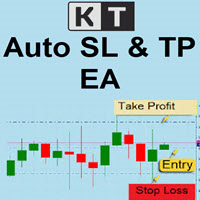
This is a service utility to place automatic Stop Loss for manual entries.
It works independently from the charts and sets a SL to manual entries for a given symbol on any chart.
To prevent immediate closure of the previously opened positions due to previous negative P/L, it will only add SL if the price is within 50% range of the configured SL level. For instance, if the configured SL is 100 points, and if the position is already 60 points loss when the service is started, no SL will be placed. If the service is already running when the position is opened this precaution is not needed, so it works normally by placing the SL at configured place.
If the opened position moves in favorable direction, it will automatically move the SL point to break-even point at entry price when the price passes the 50% of stop loss level. For instance, if the SL is 100 points and the position goes into 50 points profit, SL point will be moved to the entry price automatically.
Usage:
1. Expand the services, right click on the AutoStopLoss and select "Add Service".
2. Tick "Allow Algo Trading" on "Common" tab.
3. On "Inputs" tab enter the Symbol that service should monitor for your manual entries. Also enter desired SL levels and hit "OK".
4. If you want to monitor for another Symbol, repeat the steps above for the new Symbol.
5. You can right click and stop (or start) the service (or remove) for the desired symbol.