CalmFx Trading Panel MT4

CalmFx Trading Panel is an on-chart panel for manual trading in MetaTrader 4. It places market and pending orders in one click, manages open positions with a trailing stop and a hedge button, and shows sessions, multi-timeframe trend, RSI alerts and the economic calendar on the same chart.

The panel works on any symbol. Distance settings such as take profit, trailing stop and pending order offsets are scaled automatically to each market's average daily range, so the same settings behave consistently on forex, metals, indices and crypto. A fixed-points mode is available if you prefer exact values.

Order execution

  • Buy and Sell buttons with a lot size stepper.
  • Three take-profit tiles (TP1, TP2, TP3) set in account currency, each with its own lot size. Select a tile, then click Buy or Sell.
  • Nibble buttons for small fixed-target trades, and Big Bite buttons for larger ones, each with its own lot size, take profit and maximum number of open trades per side.
  • Pending orders card: Buy Limit, Sell Limit, Buy Stop and Sell Stop, with entry and take-profit fields that accept an absolute price or an offset in points, an optional stop loss, expiry and order comment.
  • Optional confirmation dialog for each order type.

Trade management

  • Trailing stop for the panel's positions, with a start distance, trail distance and step, so the stop is moved in steps rather than on every tick.
  • Hedge card with a Hedge Now button that opens an opposite position against the position furthest in loss, with limits on spacing and the number of hedges.
  • Daily profit target and daily loss limit. When the loss limit is reached, the panel blocks new orders for the rest of the day.
  • Optional cap on the total number of open positions from the panel.

Market information

  • Header with symbol, spread and a spread state (calm, moderate or aggressive), plus floating profit and loss and an account row with balance, free margin and margin level.
  • Price levels for the day, week and month, with the percentage change of each period.
  • Sessions card showing the Sydney, Tokyo, London and New York sessions.
  • Multi-timeframe trend on the nine MetaTrader 4 timeframes from M1 to MN, comparing a fast and a slow moving average on each timeframe, with an overall bias and how long each signal has held.
  • RSI alerts on eight timeframes from M1 to W1. A timeframe is listed only while its RSI is outside the overbought or oversold level.
  • Economic news card with this week's high-impact events for the symbol's currencies, a countdown to the next release, a volatility grade, and the actual, forecast and previous values. MetaTrader 4 has no built-in calendar, so the card reads the calendar file the CalmFx Trading Panel MT5 saves to the terminals' shared folder. Without it the card stays empty and can be hidden in the inputs.
  • Daily and weekly targets that count profitable Nibble and Big Bite closes.
  • Silver spike alert that flags fast moves in XAGUSD on M1.

Layout

  • Each card can be shown or hidden, dragged to a new position and given its own opacity.
  • Panel size can be adjusted for small or large screens, and the panel fits itself to the chart: it grows on large monitors and TVs and shrinks on small laptop screens, so every card stays readable and nothing overlaps.

Safety checks

Before an order is sent, the panel checks the trading session, available margin, volume limits and the broker's minimum stop distance. If a check fails, the order is not sent and the reason is shown on the chart.

Notes

  • Use a different magic number for each chart running the panel.
  • MetaTrader 4 accounts are hedging accounts, so buys and sells on the same symbol are kept as separate positions, as the panel expects.
  • No DLLs and no external connections are used.

Part of the CalmFx toolkit

  • The MetaTrader 5 version is also available, along with the CalmFx rankers, scanners and chart tools for both platforms.
  • All CalmFx tools are on the CalmFx seller page.
Рекомендуем также
Recovery Assistant Pro for MT4 Manual Recovery Trading Assistant Recovery Assistant Pro is a Manual Trading Assistant EA for Recovery trade calculations and management. Helps calculate the appropriate Lot Size. Designed to calculate Recovery trade parameters based on floating loss and the selected Target USD. Simplifies Recovery calculations that would otherwise require manual calculation. The trading panel provides direct access to the main Recovery functions from the chart. Includes a Recov


Trade Command PRO MT4 Trade Command PRO MT4 is a compact manual trading and position-management panel designed for fast and precise order execution directly from the chart. The utility combines one-click trading, visual Stop Loss and Take Profit control, real-time monetary calculations and advanced position-management functions in a clean, movable interface. Main Features Open BUY and SELL market orders with one click Close all open positions instantly Adjustable Lot, Stop Loss and Take Profit v
Grid Trading
Waseem Raza
5 (3)
Grid Trading - полуавтоматический советник для ручной торговли по сетке в один клик. Обычный режим Вы нажимаете на кнопку Sell или Buy на графике, затем эксперт добавит уровни стоп-лосс, тейк-профит для сделки, а функции трейлинг-стопа и безубытка позаботятся о сделке, если она не сможет достичь цели профита. Хеджирование При выборе торговли с использованием хеджирования, советник начнет торговлю по сетке, которая начинается с противоположного входа и продолжается, пока все сделки не будут зак
Equity Master Stop v2
Frank William Jr Colbert
Trading tool combining a sophisticated equity stop-loss, dynamic take-profit management (Breakeven & Trailing), and symbol-group-based closing logic. It is a complete risk management and trade supervision tool. Features: All features of `Equity Master Stop v1` (floating profit/loss limits, exit protection, skip hours). Take-Profit Override: Can force a TP on any order to lock in a `MAX_FLOATING_PROFIT`. Step Breakeven: Locks in increasing amounts of profit as a trade moves favorably (e.g., aft
Это обычная панель которая выставляет сеть ордеров на покупку и продажу. Закрывает этот советник ордера по профиту определенного в настройках. Потом, там есть параметр и называется Ladder который включает, что расстояние между ордерами начинают увеличиваться на пункты указанные параметром ladder (здесь, в основных настройках стоит на 10 пунктов) значит второй ордер на 10 пунктов, третий ордер на 20 пунктов, четвертый ордер на 40 пунктов и т.д. Потом, что тут в этом советнике надо знать, так как
Auto Close Manager EA – Equity & Account Protection Utility Overview Auto Close Manager EA is a risk management utility for MetaTrader 4 designed to automatically close all open positions when a predefined floating profit or floating loss level is reached. This Expert Advisor does NOT open trades. It only monitors account equity and manages existing positions. The EA works with manual trades and can optionally include trades opened by other Expert Advisors. How It Works The EA continuously moni
Chart Button
Chantal Sala
3 (1)
Chart Button позволяет перемещаться по всем графикам одним кликом. Утилита располагает символы как по вертикали, так и по горизонтали. Позволяет производить изменения на нескольких графиках одновременно. Утилита оптимизирует навигацию и ускоряет анализ. Значения входных параметров Direction (расположение кнопок символов) Horizontal – горизонтальное Vertical – вертикальное 32 SYMBOLS – 32 символа Forex_Suffix_Symbols – суффикс символа (не отображается на соответствующей кнопке символа) COLORS AN
Trade Autopilot сопровождает сделки, которые вы открываете вручную, с ПК или с телефона. Он ставит стоп-лосс, если его нет, переносит его в безубыток, закрывает часть сделки и ведёт остаток трейлингом. Всё измеряется в R, вашем начальном риске, и в ATR, поэтому одна и та же настройка работает на золоте, индексах и форексе. Цена на старте: 30 USD, скидка 50% от обычной цены 60 USD. Когда входить, решаете вы. Дальше сделкой занимается Trade Autopilot. Он не открывает сделки и не даёт сигналов. Уст
Утилита отображает на графике реальные сделки в интуитивно понятном и информативном виде. Она особенно полезна при торговле корзиной сделок. Принцип использования Программа запускается как неторгующий советник, это не индикатор. Утилиту надо сохранить в папку советников и запустить в отдельном окне графика или закрепить перед окном торгующего эксперта - варианты расположения показаны на скриншотах. Также можно торговать вручную в окне утилиты Dynamic Trade Lines. Функции Динамические линии пер
Program Overview: This program is a trading tool designed to monitor and analyze the 7 major currency pairs. It is a variant of a similar program used for tracking stock indices, but this version focuses on the seven major currency pairs. The program helps in identifying and calculating significant price movements (gaps) between the high and low prices of these currency pairs over a specified time frame. It then provides insights through comments and alerts based on the calculated gaps. Major Cu
This is a DEMO version of the Smarter Trade Manager Smarter Trade Manager  is an advanced trade management tool that can monitor and manage your manual and EA trades according to the settings you choose. It works as an Expert Advisor (EA), it does not open any trades but it closes trades as per the auto closing settings or when manually pressing any of the close buttons. FEATURES: Three-dimensional  interactive  view of your trades Trade Summary, P/L, Alerts, Closure by  Currency Trade Summary,
FREE
Утилита для информирования в телеграмм с широким функционалом -->>> Английское меню параметров, версия с русским меню по тут первые 10 продаж по 30$ следующие 10 по 40$ и так далее Корректно работает с Windows 10, Windows Server 2012 и выше Умеет отсылать уведомления в канал и личные сообщения: Название сигнала (удобно слать в один канал сигналы с нескольких терминалов) Открытие ордера (инструмент, объем, тип ордера, котировка, тейкпрофит, стоплосс, номер ордера, время открытия) Закрытие ордера
Avoid SWAP fees EA MT4   This version only supports orders with a single order transaction count of<10. If the single order transaction count is>10, please subscribe to a higher version This EA is not actively profitable, but only uses trading time to increase trading frequency and achieve the goal of saving swap fees.   Working principle: This EA will generate MQL4 Experts Orderhis before the trading deadline of the day_ The today.csv file is used to record the information that has been opened
This EA is designed to pass challenges of prop firms (proprietary trading firm) that allow use of High and Low Frequency trading strategies. A Gift i ncluded in this expert    :   Range Breakout strategy  that identify daily support and resistance levels and initiating both Long and Short trades automaticly at these key points. We use special HFT strategy that detect large movements and employ stop loss to protect your equity. It has build-in equity protector which will stop the EA once the pro
This tool will perform Trailing stop loss and Break even management for orders. Helps you limit or reduce the time spend watching orders on the screen, especially when you need to go to sleep. Just add this EA to 1 chart, you can manage all pairs. You can filter orders by comment, magic number, symbol, and order ticket number. When Breakeven it can add shift/offset pips (to cover the commission...). You can try in strategy tester before purchase. The EA will add Buy and Sell alternately, so yo
Данная утилита позволяет упростить осуществление основных торговых операций (открытие рыночных и установку отложенных ордеров, закрытие всех ордеров и ордеров по параметру), осуществлять контроль и минимизацию убытков при помощи автоматического перевода в безубыток и функции trailing stop Элементы управления Панель слева содержит: счетчик ордеров (отображает количество открытых ордеров); значок статуса соединения (уведомляет в случае потери подключения к серверу); значок разрешения торговли (ув
The Arrow Scalper
Fawwaz Abdulmantaser Salim Albaker
1 (2)
Dear Friend..  I share with you this simple Expert Adviser .. it is full automatic  this Expert Adviser following the trend of the pair you install on or any stocks or indices , it is works like that: - when the trend on H4 chart show a start of up trend the expert will wait till the 15M & 1H charts show an up trend the EA will open a buy order directly , and do the same for down trend and open a sell order the buy or sell  order lot size and take profit and stop loss will measured manually  by
FREE
TX Journal Sync MT4
Josue Fernando Servellon Fuentes
Stop exporting CSV files by hand. TX Journal Sync keeps your TX Journal trading diary up to date automatically: it reads your account history and open positions and securely pushes them to your journal at the interval you choose. Security first 100% read-only: this utility never opens, modifies or closes trades. Every upload is signed with HMAC-SHA256. Your Secret never leaves your terminal. Only trade data is sent: symbol, direction, volume, prices, times, profit, commission and swap. Nothing e
FREE
TSim
Sergey Kruglov
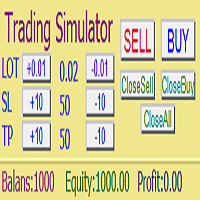
Утилита  TSim   позволяет симулировать ручную торговлю в Тестере Стратегий MetaTrader 4. В панеле можно устанавливать размеры лота, тейпрофита и стоплосса. Панель имеет кнопки Sell   и Buy для выставления рыночных ордеров, а также кнопки CloseSell, CloseBuy и CloseAll для быстрого закрытия ордеров. Под панелью отображается список открытых ордеров. Внимание. Панель работает только в Визуальном режиме Тестера Стратегий MetaTrader 4.
FREE
AUTO TP & SL for Averaging The fastest way to manage Take Profit and Stop Loss for multiple trades. AUTO TP & SL is a powerful utility designed specifically for   averaging, grid, martingale, and scalping traders . Instead of modifying the TP and SL of every order manually, simply enter your desired   profit target   or   maximum loss   in USD, and let the EA handle everything automatically. Free Demo Version =   https://c.mql5.com/6/1021/AUTO_TP_SL_DEMO.zip Key Features Set   Target Profit
Скачайте бесплатную полнофункциональную версию для демо-счетов здесь Line Trade Manager — это продвинутый визуальный инструмент для трейдеров, торгующих вручную (manual traders), которым нужен полный контроль над исполнением ордеров (execution) и управлением рисками (risk management). Вместо неудобных окон ордеров и ручных расчетов, вы управляете сложной торговой логикой прямо на графике с помощью интуитивных интерактивных линий. Продукт разработан на основе философии «Установил и забыл» (Set &
VTB Open Positions – SL Risk Panel (MT4) Advanced Risk Management Dashboard for Open Positions VTB Open Positions – SL Risk Panel is a professional risk management indicator for MetaTrader 4 that continuously monitors all open positions and instantly displays the real risk and potential profit associated with Stop Loss and Take Profit levels. The indicator provides traders with a complete overview of their portfolio exposure, helping them make informed risk management decisions in real time. Wha
КopirFIFO — копировщик нетто-позиций для терминалов МТ4. Копировщик копирует на счет-клиент чистую нетто-позицию со счёта-сервера по правилу FIFO, то есть всегда первой закрывается та сделка, которая была открыта раньше всего. При копировании так же полностью исключается хеджирование позиций. Если на счёте-сервере открываются хеджирующие сделки, то на счете-клиенте происходит закрытие позиций на величину хеджа. Данный копир идеально подходит для копирования вашей не нетто-торговли на сервисы то
FREE
Salva System Free
Pavel Komarovsky
4 (3)
Salva EA Free - продвинутая, полностью автоматизированная система, проходит тестирование на истории с 2005 года. Основа данной стратегии - сам ценовой график, торговля ведется от диапазона движения цены. Для фиксации прибыли или закрытия сделки используются динамические алгоритмы и фильтры. Встроенная переработанная система фильтров на вход и выход из рынка: Проверка направления торговли по встроенным трендовым индикаторам; Проверка диапазона канала по минимальному и максимальному значениям; Про
FREE
ChartTrader — это профессиональный торговый инструмент, который должен быть в арсенале любого трейдера. Он разработан для платформы MetaTrader 4. Утилита ChartTrader предлагает несколько вариантов для быстрого и удобного размещения ордеров на рынке Форекс. Пользовательский интерфейс располагается в окне графика, поэтому при установке ордеров вам не придется переходить в отдельные окна. Программа позволяет устанавливать отложенные и рыночные ордера. В утилиту встроена система управления рисками,
VR Alert
Vladimir Pastushak
5 (1)
VR Alert утилита, выполненная в виде индикатора, предназначена для информирования трейдера о достижении ценой заданного уровня. Сигнальные уровни могут быть выставлены не только горизонтально, но и под наклоном. Таким образом трейдер получает возможность получать уведомления от наклонных-трендовых уровней. Благодаря утилите VR Alert Вам больше не нужно будет сидеть около монитора много времени. Вы можете спокойно заниматься своими домашними делами, выполнять рабочие обязанности, проводить время
IMD TP SL Manager — управление тейк-профитом и стоп-лоссом корзины позиций Чат для обсуждения роботов команды: вступить IMD TP SL Manager — советник-помощник для трейдеров, которые держат несколько позиций по инструменту и хотят закрывать их по заранее заданному финансовому результату. Вы задаёте цель в процентах от баланса или суммой в валюте счёта. Советник рассчитывает общий тейк-профит для всей группы позиций с учётом средней цены, свопов и комиссий и поддерживает его в актуальном состоян
The Sensitive Price Level indicator (SPL) draws fixed horizontal levels on charts that allow seeing sensitive target prices, helping to find more accurate entry points to open or close your trades. It is a needful instrument to take a decision in trading activity and to give a clear orientation on charts. A simple control panel allows calculating operation costs and lots. Features 1.Grid visualization price levels multiple of 10X,100X,1000X, identified by colors: - 10X     : DIMGRAY dot lines. -
Ratio TP SL
Pavel Verveyko
5 (1)
Данный индикатор позволяет измерить рентабельность каждой конкретной сделки (соотношение Стопа и Профита). Индикатор позволяет настраивать соотношения по размеру шага и количеству шагов. Можно строить неограниченное количество соотношений, для сравнения рисков от разных движений. Примечание: в MT4 количество горизонтальных линий в одном соотношении не может быть больше 32. Построение линии : нажимаем кнопку " Ratio " и рисуем линию (нажатие мыши - первая точка линии, там, где мышь отпущена -
Индикатор позволяет измерять и анализировать накопленный объем (тиковый) в любом выбранном диапазоне. Задача пользователя — отметить зоны для измерения с помощью "карандаша". Индикатор автоматически суммирует объемы отдельных свечей. Анализ объема является основным элементом анализа VSA (Volume Spread Analysis). На видео показан способ использования индикатора. Описание параметров Anchor_mode - если true, один конец линии измерения всегда привязан к текущей свече; AutoDivider - если true, значе
С этим продуктом покупают
Добро пожаловать в Trade Manager EA — лучший инструмент для управления рисками, предназначенный для упрощения, точности и эффективности торговли. Это не просто инструмент для размещения ордеров; это комплексное решение для удобного планирования торгов, управления позициями и усиленного контроля над рисками. Независимо от того, начинающий вы трейдер, опытный специалист или скальпер, нуждающийся в быстром исполнении, Trade Manager EA адаптируется к вашим потребностям и работает с любыми активами:
Exp COPYLOT CLIENT for MT4
Vladislav Andruschenko
4.69 (65)
Профессиональный копировщик сделок для MetaTrader 4 Быстрый, профессиональный и надежный копировщик сделок для MetaTrader 4 . COPYLOT позволяет копировать сделки Forex между терминалами MetaTrader 4 и MetaTrader 5 , обеспечивая гибкую синхронизацию для разных типов счетов и сценариев торговли. Версия COPYLOT MT4 поддерживает: MetaTrader 4 → MetaTrader 4 MetaTrader 5 Hedge → MetaTrader 4 MetaTrader 5 Netting → MetaTrader 4   Версия MT5 Полное описание + DEMO + PDF Как купить Как установить Как по
Local Trade Copier EA MT4
Juvenille Emperor Limited
4.96 (111)
Local Trade Copier EA MT4 — это быстрый и гибкий копировщик сделок для копирования и управления сделками между несколькими счетами MetaTrader 4 на одном компьютере с Windows или Windows VPS. Он сочетает локальную синхронизацию сделок с настройками на стороне Receiver для управления размером лота, рисками, фильтрацией сделок, сопоставлением символов, управлением сделками и защитой счета. Настройте терминалы Transmitter и Receiver примерно за 1 минуту и копируйте ручные сделки или сделки, открыты
Grid Manual MT4
Alfiya Fazylova
4.71 (17)
Grid Manual — это торговая панель для работы с сеточными стратегиями. Утилита универсальная, имеет гибкие настройки и понятный интерфейс. Работает с сеткой ордеров не только в сторону усреднения убытков, но и в сторону наращивания прибыли. Трейдеру не нужно создавать и сопровождать сетку ордеров, это сделает утилита. Достаточно открыть ордер и Grid manual автоматически создаст ему сетку ордеров и будет сопровождать его до самого закрытия. Полная инструкция и демо-версия здесь . Основные особенно
Trade Indicator Assistant is a powerful MT4 utility designed to turn indicators into automated trading systems. Its main feature is the ability to automatically detect an indicator’s   BUY and SELL signal buffers , without requiring you to know the buffer numbers, search through indicator settings, or modify the indicator source code. Bonus Indicator: After purchasing Trade Indicator Assistant, contact me to receive Trade Signal Pro completely free as a bonus indicator. [Download Demo Version]
TradePanel MT4
Alfiya Fazylova
4.84 (95)
Trade Panel — это многофункциональный торговый помощник. Приложение содержит более 50 торговых функций для ручной торговли и позволяет автоматизировать большинство торговых операций. Инструкция к приложению: https://www.mql5.com/ru/blogs/post/756476 Пробная версия приложения для демо-счета: https://www.mql5.com/ru/blogs/post/750864 Как установить приложение: https://www.mql5.com/ru/blogs/post/750096 Как тестировать приложение в визуальном режиме: https://www.mql5.com/ru/blogs/post/770274 Как уст
Trade Assistant MT4
Evgeniy Kravchenko
4.43 (197)
Помогает рассчитать риск на сделку, простая установка нового ордера с помощью линий, управление ордерами с функциями частичного закрытия, 7 типов трейлинг-стопа и другие полезные функции. Дополнительные материалы и инструкции Инструкция по установке   -   Инструкция к приложению   Функция Линии   - отображает на графике линию открытия, стоп-лосс, тейк-профит. С помощью этой функции легко установить новый ордер и увидеть его дополнительные характеристики перед открытием. Управление риском   -
News Filter EA: Advanced Algo Trading Assistant News Filter EA is an advanced algo trading assistant designed to enhance your trading experience. By using the   News Filter EA , you can integrate a Forex economic news filter into your existing expert advisor, even if you do not have access to its source code. In addition to the news filter, you can also specify   trading days   and   hours   for your expert. The News Filter EA also includes   risk management   and   equity protection   features
The product will copy all telegram signal to MT4   ( which you are member  ) , also it can work as remote copier.  Easy to set up, copy order instant, can work with almost signal formats, image signal, s upport to translate other language to English Work with all type of channel or group, even channel have "Restrict Saving Content", work with  multi channel, multi MT5 Work as remote copier: with signal have ticket number, it will copy exactly via ticket number. Support to backtest signal. How to
PZ Trade Pad Pro MT4
PZ TRADING SLU
3.67 (3)
Это визуальная торговая панель, которая помогает вам легко размещать сделки и управлять ими, избегая человеческих ошибок и повышая вашу торговую активность. Он сочетает в себе простой в использовании визуальный интерфейс с надежным подходом к управлению рисками и положением [ Руководство по установке | Руководство по обновлению | Устранение неполадок | FAQ | Все продукты ] Удивительно простой в использовании Торгуйте легко с графика Торгуйте с точным управлением рисками, без проблем Сохранение
Trade Manager Pro MT4
Bryan Djoufack Nguessong
Это утилита для облегчения торговли, позволяющая в один клик или несколько кликов выполнять такие трудоемкие задачи, как управление ордерами и управление рисками. Особенности Управление рисками   Автоматически рассчитывает лоты на основе риска, указанного в % или $ в поле риска, и позволяет вам вводить ордера, просто размещая линии для SL TP и т.д., и отображает Risk Reward в реальном времени. TrueRisk включает комиссионные при расчете размера лота только на FX парах, так что вы рискуете 1%
Trading History MT4
Siarhei Vashchylka
5 (9)
Trading History - Программа для торговли и управления капиталом на истории котировок в тестере стратегий. Может работать с отложенными и немедленными ордерами, оснащена функциями трейлинг стопа, безубытка и тейкпрофита. Очень хорошо подходит для тренировок и тестирования различных стратегий. Инструкция/Мануал ( Обязательно читайте перед приобретением ) Преимущества 1. В кратчайшие сроки позволяет протестировать любую торговую стратегию 2. Отличный тренажёр для тренировок трейдинга. Можно получи
Shepherd Safety EA
AW Trading Software Limited
4.92 (13)
AW Shepherd Safety EA - советник для сопровождения открытых позиций. Первый ордер открывает трейдер с панели, дальше советник ведёт корзину сам: доливает ордера восстановления с фильтром тренда, закрывает сторону по TakeProfit, трейлингу или стопу и показывает уровни закрытия на графике. Покупки и продажи ведутся отдельно, обе стороны могут быть открыты одновременно. Ордер восстановления открывается не просто по шагу цены, а после разворота в сторону позиции по Parabolic SAR, двум MA или цвету с
Trade Assistant Pro 36 in 1
Makarii Gubaydullin
4.76 (21)
Многофункциональная утилита: калькулятор лота, сеточные ордера, индикатор Price Action, управление сделками, рассчёт R/R, и многое другое Демо веpсия  | Инструкция  | Версия для MT5 Утилита не работает в тестере стратегий: вы можете скачать   демо версию ЗДЕСЬ , чтобы протестировать продукт перед покупкой. Напишите мне  если есть вопросы / идеи по улучшению / в случае найденного бага Упроситите и сделайте вашу торговлю быстрее, при этом расширяя стандартные возможности терминала. 1. Открытие
RS Trade Copier - сверхбыстрый локальный копировщик сделок с полноценным графическим интерфейсом. Хватит вбивать номера счетов вручную. Никаких 200+ непонятных параметров в настройках. Надёжный и гибкий инструмент для копирования торговых операций между несколькими терминалами MT4 и MT5. Подходит как опытным трейдерам и сигнал-сервисам, так и частным инвесторам. Позволяет синхронизировать торговлю от одного или нескольких источников к одному или нескольким приёмникам с высокой точностью и минима
Telegram to MT4 Multi-Channel Copier   автоматически копирует торговые сигналы из ваших Telegram- и Discord -каналов прямо в MetaTrader 4. Без ботов, без браузерных расширений, без ручного копирования. Сигнал приходит в Telegram или Discord — и советник открывает сделку в вашем терминале за считанные секунды. А перед тем как копировать канал, встроенный бэктестер покажет, что этот канал сделал бы на вашем счёте. Продукт состоит из двух компонентов: приложения для Windows, которое слушает ваши Te
MT4 к Telegram Signal Provider - это простой в использовании и полностью настраиваемый инструмент, который позволяет отправлять сигналы в Telegram, превращая ваш аккаунт в поставщика сигналов. Формат сообщений полностью настраиваем! Однако для простого использования вы также можете выбрать предопределенный шаблон и включать или отключать определенные части сообщения. [ Демо ]  [ Руководство ] [ Версия для MT5 ] [ Версия для Discord ] [ Телеграм-канал ]  New: [ Telegram To MT5 ] Настройка Шаг за
Exit Manager
Victor Christiaanse
5 (2)
Close every trade at the right moment, automatically. Most traders spend their energy on the entry and then close too early, too late, or on a feeling. Exit Manager takes the exit off your hands. Open a trade the way you always do, by hand or with any Expert Advisor, and Exit Manager watches it and closes it, fully or partly, when the indicator signal you chose appears. You can see it working on the chart. A clean panel on your chart shows, for every open trade, which rule will close it next, ho
TradeMirror - это советник-копировщик для платформы MT4/MT5. Руководство по использованию Нажмите на ссылку Руководство по Trademirror , чтобы посмотреть больше инструкций. Почему TradeMirror Мы понимаем важность безопасности, стабильности и конфиденциальности для финансового программного обеспечения, поэтому мы приложили максимум усилий для детального укрепления этих трех элементов: Предоставляет удобный графический интерфейс, которым легко управлять Фокус на конфиденциальности и безопасности,
Unlimited Trade Copier Pro - это мощный инструмент для удаленного копирования сделок между несколькими счетами MetaTrader 4/MetaTrader 5, расположенными удаленно друг от друга, по сети интернет. Это идеальное решение для провайдеров сигналов, которые хотят поделиться своей торговлей с другими трейдерами по всему миру. Один поставщик может копировать сделки на неограниченное количество счетов-получателей, а один получатель также может копировать сделки неограниченного количества провайдеров. Пост
Take a Break
Eric Emmrich
5 (31)
Take a Break pauses your Expert Advisors when trading is a bad idea: before news, after a daily loss, outside your trading hours, or when a rule you wrote yourself says so. When the pause is over, your EAs simply continue. Account protection for all your EAs in one tool: news filter, drawdown and equity protection, time filter and custom rules. One EA on one chart protects the whole account, the free indicator gives every chart its own rules on top. Free demo | What is new in 26.09 | Support Ass
Копир->Удобное и быстрое взаимодействие с интерфейсом, пользователи могут использовать его сразу       ->>>> Рекомендуется использовать на компьютерах Windows или VPS Windows Функции: Разнообразные и персонализированные настройки копирования сделок: 1. Различные режимы лота могут быть установлены для различных источников сигналов. 2. Различные источники сигналов могут быть установлены для прямого и обратного копирования сделок. 3. Сигналы могут быть установлены с комментариями. 4. Следует ли ка
Trade Manager MT4 DaneTrades
Levi Dane Benjamin
4.09 (11)
Trade Manager, который поможет вам быстро входить и выходить из сделок, автоматически рассчитывая риск. Включает функции, которые помогут предотвратить чрезмерную торговлю, торговлю из мести и эмоциональную торговлю. Сделками можно управлять автоматически, а показатели эффективности счета можно визуализировать в виде графика. Эти функции делают эту панель идеальной для всех трейдеров, занимающихся ручной торговлей, и помогают улучшить платформу MetaTrader 4. Многоязычная поддержка. Версия MT5  |
Trade Dashboard MT4
Fatemeh Ameri
4.96 (55)
Trade Dashboard simplifies how you open, manage, and control your trades, with built-in lot size calculation. It allows you to execute trades, manage risk, and control positions directly on the chart, with tools such as partial close, breakeven, and trailing stop. Designed to reduce manual work and help you stay focused on your trading decisions. A demo version is available for testing. Detailed explanations of features are provided within the MQL5 platform. Installation instructions are include
Автоматически торгуйте зонами поддержки и сопротивления или спроса и предложения, как только вы определите ключевые области, из которых хотите торговать. Этот советник позволяет вам рисовать зоны покупки и продажи одним щелчком мыши, а затем размещать их именно там, где вы ожидаете разворота цены. Затем советник отслеживает эти зоны и автоматически совершает сделки на основе ценового действия, которое вы указываете для зон. После совершения первоначальной сделки советник выйдет с прибылью в про
King Trade Copier MT4
Mohammed Maher Al-sayed Mohammed Ahmed Saleh
5 (1)
King Trade Copier соединяет терминалы MetaTrader, запущенные на одном компьютере или VPS. Сделки, открытые на одном счёте, появляются на остальных. Файл содержит обе роли, поэтому одна и та же загрузка становится отправителем или получателем в зависимости от значения, которое вы зададите параметру Mode. На каждом графике панель показывает, отправляет этот терминал сигналы или принимает их, называет счёт на другой стороне, считает получателей, которые ответили, и показывает возраст последнего си
VirtualTradePad mt4 Extra
Vladislav Andruschenko
4.85 (61)
Торговая Панель для торговли в 1 клик.  Работа с позициями и ордерами!  Торговля с  чарта  (график) или с  клавиатуры . С помощью нашей торговой панели Вы можете торговать   в один клик с графика   и совершать торговые операции в   30   раз быстрее стандартного управления в MetaTrader.  Автоматические расчеты параметров и функции, которые облегчают жизнь трейдеру и помогают трейдеру вести свою торговую деятельность в разы быстрее и удобнее. Графические подсказки и полная информация по торговым с
KT Equity Protector MT4
KEENBASE SOFTWARE SOLUTIONS
3.75 (4)
An equity protection EA for MetaTrader that enforces your loss limits and profit target for you: when your account reaches a rule you set, it closes your trades on every symbol, before one bad day turns into a lost account. It suits prop firm challenges and personal accounts alike. Attach it to one chart, answer a few questions in the on-chart setup wizard, and it watches your whole account in the background while you trade by hand or with other EAs. What it protects Daily loss limit: a percenta
Riskless Pyramid
Snapdragon Systems Ltd
5 (1)
Introduction This powerful MT4 trade mangement EA offers a way potentially to aggressively multiply trade profits in a riskfree manner. Once a trade has been entered with a defined stoploss and take profit target then the EA will add three pyramid add-on trades in order to increase the overall level of profit. The user sets the total combined profit target to be gained if everything works out. This can be specified either as a multiple of the original trade profit or as a total dollar amount. Fo
Trade Reverse Copie4
Chukwuemeka Kingsley Anyanwu
5 (1)
Feel free to contact me for any extra features :) [SEE MT5 VERSION  https://www.mql5.com/en/market/product/128846 The Local Reverse Copier is an Expert Advisor designed to synchronize positions between a Master account and a Slave account with a twist: it reverses the trades. When a buy position is opened on the Master account, the EA opens a sell position on the Slave account, and vice versa. This allows for a unique form of trade copying where positions are mirrored in opposite directions bet
Другие продукты этого автора
The Daily Dipper Skipper is an on-chart dashboard that watches a list of symbols on several timeframes at once and shows where RSI is in, or approaching, an oversold ("dip") or overbought ("rip") zone. It is a monitoring and alerting tool. It does not open, modify or close trades. It reads RSI on D1, H4, H1, M30 and M15. Each symbol is given a class from A to E that sets how many of those timeframes it is watched on, so your most-traded instruments can be watched on all five while quieter ones s
See the trend on nine timeframes at once. CalmFx MultiTF Trend Dashboard reads M1, M5, M15, M30, H1, H4, D1, W1 and MN on the chart symbol and shows each one as BULL, BEAR or MIX, with how long that reading has held and an overall bias across the board. What it shows One row per timeframe, from a fast moving average against a slow one (8 and 200 by default). A timer on each row showing how long the current reading has held. An overall bias and an agreement meter showing how aligned the nine time
The four forex sessions at a glance. CalmFx Sessions Clock shows which of Sydney, Tokyo, London and New York are open, a live countdown to the next open or close, and how far each open session has run. What it shows Open or closed for each session, with its hours in GMT. A live countdown to the next open or close. Progress through each open session. The server time and GMT in the title bar. Daylight saving handled properly London, New York and Sydney change their clocks on different dates, and S
FREE
Support and resistance zones drawn from where price has actually turned. CalmFx SR Zones finds swing highs and lows, merges the ones that sit close together into zones, and counts how many times each zone has been touched. Only zones with enough touches are drawn. How the zones are built Swing points are found with a strength you choose (bars on each side). Swing points within a fraction of ATR are merged into one zone, so the zone width suits the market: the same inputs work on a currency pair,
Three moving averages drawn as two coloured clouds, so trend, pullback and turn are visible at a glance. CalmFx Trend Ribbon shades between the fast and mid averages, and between the mid and slow averages, and each cloud changes colour with its direction. What it draws A fast-to-mid cloud for the quick read and a mid-to-slow cloud for the structure. The three moving average lines on top (8, 38 and 200 by default). Periods, method and applied price are inputs. An optional Bollinger envelope drawn
Most scanners answer one question. Markets ask four, and the answer changes through the day. CalmFx Market Ranker scans your whole watchlist from a single chart and ranks every symbol from 0 to 100 using whichever lens you need right now. Switch lens with one click on the panel; the columns, weights, states and alerts change with it. The Four Modes Squeeze - what is coiling? Finds markets where the Bollinger Bands sit inside the Keltner Channel. The score blends how deep the compression is, h
CalmFx Trading Panel is an on-chart panel for manual trading in MetaTrader 5. It places market and pending orders in one click, manages open positions with a trailing stop and a hedge button, and shows sessions, multi-timeframe trend, RSI alerts and the economic calendar on the same chart. The panel works on any symbol. Distance settings such as take profit, trailing stop and pending order offsets are scaled automatically to each market's average daily range, so the same settings behave consiste
The Daily Dipper Skipper is an on-chart dashboard that watches a list of symbols on several timeframes at once and shows where RSI is in, or approaching, an oversold ("dip") or overbought ("rip") zone. It is a monitoring and alerting tool. It does not open, modify or close trades. It reads RSI on D1, H12, H8, H4 and H1. Each symbol is given a class from A to E that sets how many of those timeframes it is watched on, so your most-traded instruments can be watched on all five while quieter ones st
See the trend on ten timeframes at once. CalmFx MultiTF Trend Dashboard reads M1, M5, M15, M30, H1, H2, H4, H8, H12 and D1 on the chart symbol and shows each one as BULL, BEAR or MIX, with how long that reading has held and an overall bias across the board. What it shows One row per timeframe, from a fast moving average against a slow one (8 and 200 by default). A timer on each row showing how long the current reading has held. An overall bias and an agreement meter showing how aligned the ten t
The four forex sessions at a glance. CalmFx Sessions Clock shows which of Sydney, Tokyo, London and New York are open, a live countdown to the next open or close, and how far each open session has run. What it shows Open or closed for each session, with its hours in GMT. A live countdown to the next open or close. Progress through each open session. The server time and GMT in the title bar. Daylight saving handled properly London, New York and Sydney change their clocks on different dates, and S
FREE
Support and resistance zones drawn from where price has actually turned. CalmFx SR Zones finds swing highs and lows, merges the ones that sit close together into zones, and counts how many times each zone has been touched. Only zones with enough touches are drawn. How the zones are built Swing points are found with a strength you choose (bars on each side). Swing points within a fraction of ATR are merged into one zone, so the zone width suits the market: the same inputs work on a currency pair,
Three moving averages drawn as two shaded clouds, so trend, pullback and turn are visible at a glance. CalmFx Trend Ribbon shades between the fast and mid averages, and between the mid and slow averages, and each cloud changes colour with its direction. What it draws A fast-to-mid cloud for the quick read and a mid-to-slow cloud for the structure. The three moving average lines on top (8, 38 and 200 by default). Periods, method and applied price are inputs. An optional Bollinger envelope drawn a
Most scanners answer one question. Markets ask four, and the answer changes through the day. CalmFx Market Ranker scans your whole watchlist from a single chart and ranks every symbol from 0 to 100 using whichever lens you need right now. Switch lens with one click on the panel; the columns, weights, states and alerts change with it. The Four Modes Squeeze - what is coiling? Finds markets where the Bollinger Bands sit inside the Keltner Channel. The score blends how deep the compression is, ho
Фильтр:
Нет отзывов
Ответ на отзыв