

Brief instructions for optimizing the Waiting Night Expert Advisor:
It is important to understand that using your own settings is always an advantage:
✔️ Your transactions may differ from those of other users of this system - and this is great, as it can reduce slippage. Imagine that several thousand users open a deal at the same time - of course, some of them will have some slippage, and the deal will open at a less favorable price. We don't need it.
✔️ You can set up an Expert Advisor for your broker's quotes. This will help you to configure the Expert Advisor more precisely.
So, 5 parameters for optimization are open in the Expert Advisor, as well as the stop loss settings and the maximum spread filter are open.
I ask you to pay attention to the stop loss settings:
At the moment, the stop loss settings for each pair are set individually from 500 to 1000 points. It seems to you that this is a lot, I understand. But during the rollover, the price makes strong jumps, but this can lead to a stop loss, and your deal will be unprofitable. Carefully check your settings on the demo account before installing them on a real account.
Force 2 (if = 0, then auto setting) - transaction filtering. Optimize this parameter from -50 to 50 in increments of 1
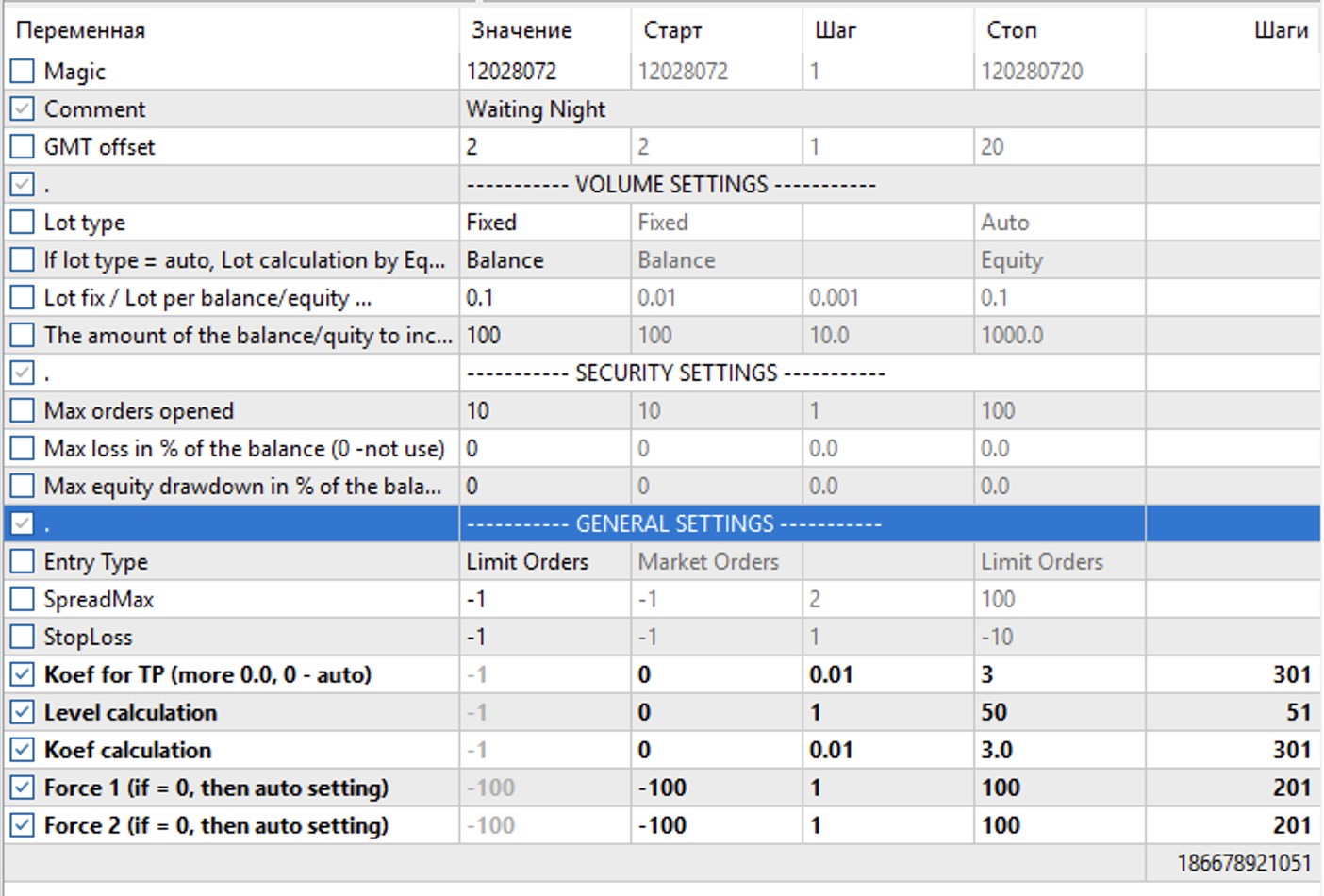 ❗️I recommend optimizing in the "Every tick based on real ticks" mode. But you can also optimize in the 1-minute OHLC mode - this will be a faster optimization, but not as accurate.
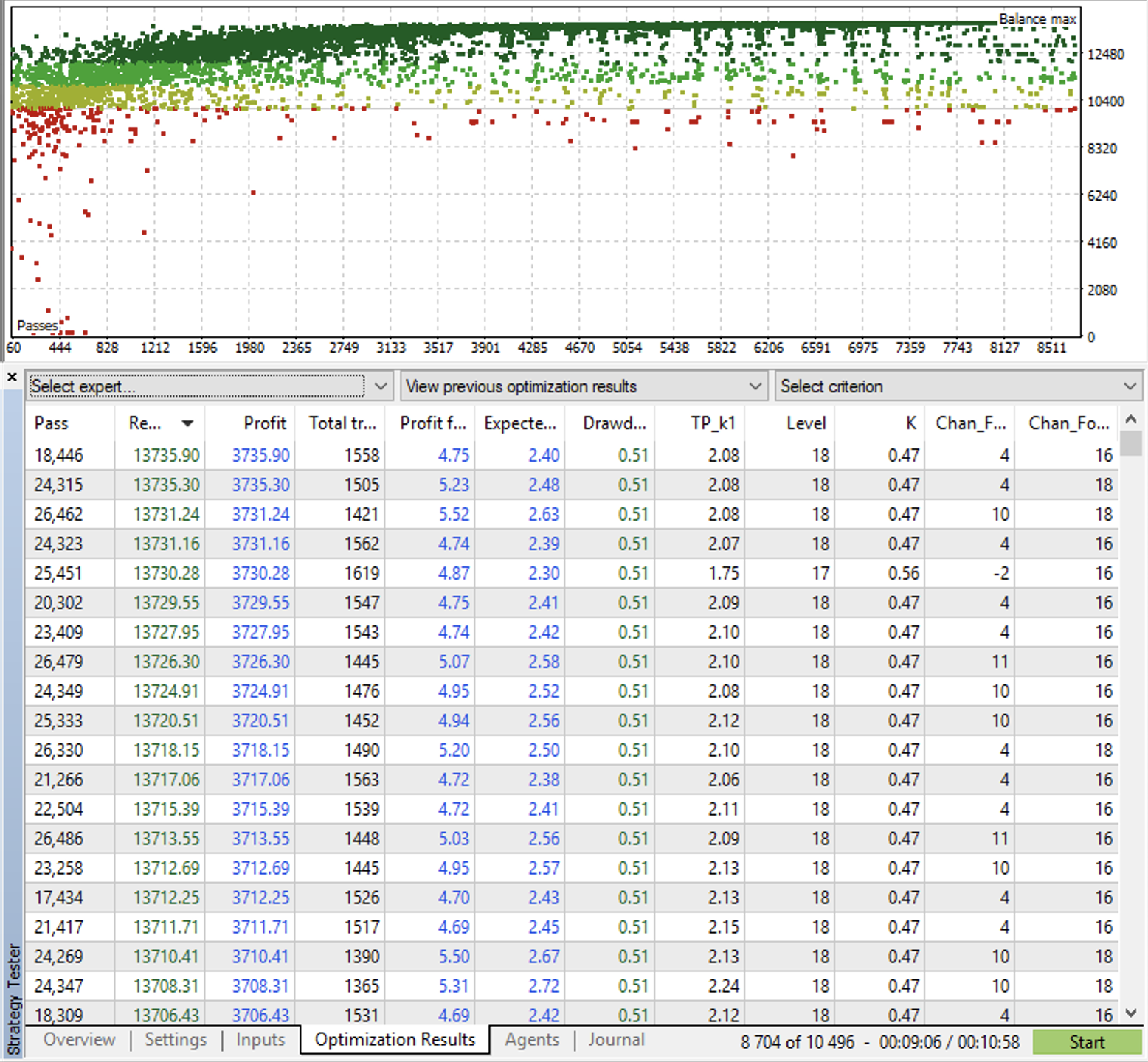
After the optimization is completed, you can select the result you like and save it in a set file.
A few tips from my experience:
A nice bonus for more advanced users:
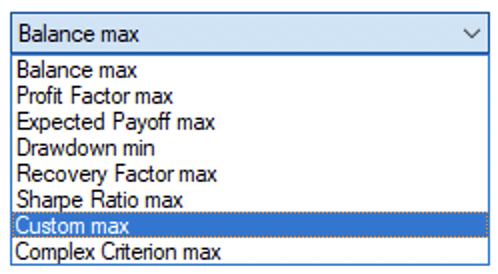
The Expert Advisor also contains my personal optimization criterion, according to which you can also find good parameters. This is convenient because it takes into account both the profit coefficient and the profit.
Please do not hesitate to contact us with questions.
Sincerely, Marat Baiburin