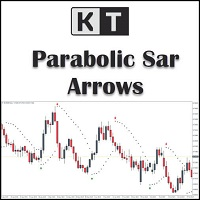
KT Psar Arrows MT5
30 USD
Download demo:
35
Publicado:
4 janeiro 2019
Versão atual:
2.1
Não encontrou o robô certo? Encomende um para você
no serviço Freelance.
Ir para o Freelance
no serviço Freelance.
Como comprar um robô de negociação ou indicador?
Execute seu EA na
hospedagem virtual
hospedagem virtual
Teste indicadores/robôs de negociação antes de comprá-los
Quer ganhar dinheiro no Mercado?
Como apresentar um produto para o consumidor final?

Você está perdendo oportunidades de negociação:
- Aplicativos de negociação gratuitos
- 8 000+ sinais para cópia
- Notícias econômicas para análise dos mercados financeiros
Registro
Login
Você concorda com a política do site e com os termos de uso
Se você não tem uma conta, por favor registre-se
I have set "Show PSAR Dots" False, however i am still seeing the dots. something i missed out in the settings?
I have set "Show PSAR Dots" False, however i am still seeing the dots. something i missed out in the settings?
Dear Darz,
To address this issue, I suggest trying the following workaround solution:
First, access the indicator's properties by right-clicking on the chart or using the designated settings menu.
Look for the "Colors" section within the indicator's properties.
In the "Colors" section, locate the PSAR color setting.
Change the PSAR color to "None" or a color that matches your chart's background color.
By setting the PSAR color to "None," the dots should no longer be visible on the chart.
Please let me know if you have any further questions or if there's anything else I can assist you with.
Best Regards,
Nitin.