市场 / MetaTrader 5 / 指标 / KT Psar Arrows MT5 5 30 USD 演示已下载: 35 已发布: 4 一月 2019 当前版本: 2.1 找不到合适的EA交易?请在自由职业者服务中订购您自己的EA交易 进入自由职业者服务 如何 购买 自动交易或指标 在 虚拟 主机运行您的EA 购买之前测试一个指标/EA交易 想要在市场 赚钱 吗? 如何介绍 用于流通销售的产品 概述 评分 (3) 评论 (2) 新特性 只有购买或租用产品的用户才可以进行评论 Darz 2023.06.04 22:14 #1 I have set "Show PSAR Dots" False, however i am still seeing the dots. something i missed out in the settings? Nitin Raj 2023.06.05 17:40 #2 Darz #: I have set "Show PSAR Dots" False, however i am still seeing the dots. something i missed out in the settings? Dear Darz, To address this issue, I suggest trying the following workaround solution: First, access the indicator's properties by right-clicking on the chart or using the designated settings menu. Look for the "Colors" section within the indicator's properties. In the "Colors" section, locate the PSAR color setting. Change the PSAR color to "None" or a color that matches your chart's background color. By setting the PSAR color to "None," the dots should no longer be visible on the chart. Please let me know if you have any further questions or if there's anything else I can assist you with.Best Regards,Nitin. 您错过了交易机会: 免费交易应用程序 8,000+信号可供复制 探索金融市场的经济新闻 注册 登录 拉丁字符(不带空格) 密码将被发送至该邮箱 发生错误 使用 Google 登录 您同意网站政策和使用条款 如果您没有帐号,请注册 可以使用cookies登录MQL5.com网站。 请在您的浏览器中启用必要的设置,否则您将无法登录。 忘记您的登录名/密码? 使用 Google 登录
Darz 2023.06.04 22:14 #1 I have set "Show PSAR Dots" False, however i am still seeing the dots. something i missed out in the settings?
Nitin Raj 2023.06.05 17:40 #2 Darz #: I have set "Show PSAR Dots" False, however i am still seeing the dots. something i missed out in the settings? Dear Darz, To address this issue, I suggest trying the following workaround solution: First, access the indicator's properties by right-clicking on the chart or using the designated settings menu. Look for the "Colors" section within the indicator's properties. In the "Colors" section, locate the PSAR color setting. Change the PSAR color to "None" or a color that matches your chart's background color. By setting the PSAR color to "None," the dots should no longer be visible on the chart. Please let me know if you have any further questions or if there's anything else I can assist you with.Best Regards,Nitin.
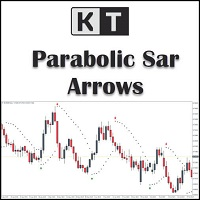

I have set "Show PSAR Dots" False, however i am still seeing the dots. something i missed out in the settings?
I have set "Show PSAR Dots" False, however i am still seeing the dots. something i missed out in the settings?
Dear Darz,
To address this issue, I suggest trying the following workaround solution:
First, access the indicator's properties by right-clicking on the chart or using the designated settings menu.
Look for the "Colors" section within the indicator's properties.
In the "Colors" section, locate the PSAR color setting.
Change the PSAR color to "None" or a color that matches your chart's background color.
By setting the PSAR color to "None," the dots should no longer be visible on the chart.
Please let me know if you have any further questions or if there's anything else I can assist you with.
Best Regards,
Nitin.