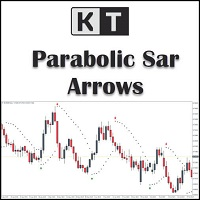
KT Psar Arrows MT5
30 USD
Démo téléchargée:
35
Publié:
4 janvier 2019
Version actuelle:
2.1
Vous ne trouvez aucun robot qui vous convient ?
Commandez le vôtre
dans la section Freelance
Aller à la section Freelance
Commandez le vôtre
dans la section Freelance
Comment acheter un robot de trading ou un indicateur
Exécutez votre EA sur
hébergement virtuel
hébergement virtuel
Test un indicateur/robot de trading avant d'acheter
Vous voulez gagner de l'argent sur Market ?
Comment présenter un produit pour qu'il se vende bien

Vous manquez des opportunités de trading :
- Applications de trading gratuites
- Plus de 8 000 signaux à copier
- Actualités économiques pour explorer les marchés financiers
Inscription
Se connecter
Vous acceptez la politique du site Web et les conditions d'utilisation
Si vous n'avez pas de compte, veuillez vous inscrire
I have set "Show PSAR Dots" False, however i am still seeing the dots. something i missed out in the settings?
I have set "Show PSAR Dots" False, however i am still seeing the dots. something i missed out in the settings?
Dear Darz,
To address this issue, I suggest trying the following workaround solution:
First, access the indicator's properties by right-clicking on the chart or using the designated settings menu.
Look for the "Colors" section within the indicator's properties.
In the "Colors" section, locate the PSAR color setting.
Change the PSAR color to "None" or a color that matches your chart's background color.
By setting the PSAR color to "None," the dots should no longer be visible on the chart.
Please let me know if you have any further questions or if there's anything else I can assist you with.
Best Regards,
Nitin.