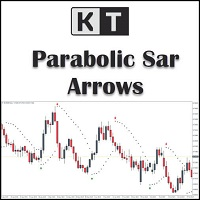
KT Psar Arrows MT5
30 USD
Descargado demo:
35
Publicado:
4 enero 2019
Versión actual:
2.1
¿No ha encontrado el robot adecuado?
Encargue el suyo
en la bolsa Freelance.
Pasar a la bolsa
Encargue el suyo
en la bolsa Freelance.
Cómo comprar un robot comercial o indicador
Inicia el robot en el
hosting virtual
hosting virtual
Pruebe un indicador/robot comercial antes de comprarlo
¿Quieres ganar en el Market?
Cómo ofrecer un producto para que lo compren

Está perdiendo oportunidades comerciales:
- Aplicaciones de trading gratuitas
- 8 000+ señales para copiar
- Noticias económicas para analizar los mercados financieros
Registro
Entrada
Usted acepta la política del sitio web y las condiciones de uso
Si no tiene cuenta de usuario, regístrese
I have set "Show PSAR Dots" False, however i am still seeing the dots. something i missed out in the settings?
I have set "Show PSAR Dots" False, however i am still seeing the dots. something i missed out in the settings?
Dear Darz,
To address this issue, I suggest trying the following workaround solution:
First, access the indicator's properties by right-clicking on the chart or using the designated settings menu.
Look for the "Colors" section within the indicator's properties.
In the "Colors" section, locate the PSAR color setting.
Change the PSAR color to "None" or a color that matches your chart's background color.
By setting the PSAR color to "None," the dots should no longer be visible on the chart.
Please let me know if you have any further questions or if there's anything else I can assist you with.
Best Regards,
Nitin.