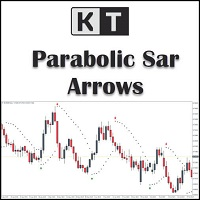
KT Psar Arrows MT5
30 USD
Versione demo scaricata:
35
Pubblicato:
4 gennaio 2019
Versione attuale:
2.1
Non hai trovato un robot adatto?
Ordina il tuo
su Freelance
Vai alla sezione Freelance
Ordina il tuo
su Freelance
Come acquistare un Robot di Trading o un indicatore
Esegui il tuo EA
hosting virtuale
hosting virtuale
Prova un indicatore/robot di trading prima di acquistarlo
Vuoi guadagnare nel Market?
Come presentare un prodotto per venderlo con successo

Ti stai perdendo delle opportunità di trading:
- App di trading gratuite
- Oltre 8.000 segnali per il copy trading
- Notizie economiche per esplorare i mercati finanziari
Registrazione
Accedi
Accetti la politica del sito e le condizioni d’uso
Se non hai un account, registrati
I have set "Show PSAR Dots" False, however i am still seeing the dots. something i missed out in the settings?
I have set "Show PSAR Dots" False, however i am still seeing the dots. something i missed out in the settings?
Dear Darz,
To address this issue, I suggest trying the following workaround solution:
First, access the indicator's properties by right-clicking on the chart or using the designated settings menu.
Look for the "Colors" section within the indicator's properties.
In the "Colors" section, locate the PSAR color setting.
Change the PSAR color to "None" or a color that matches your chart's background color.
By setting the PSAR color to "None," the dots should no longer be visible on the chart.
Please let me know if you have any further questions or if there's anything else I can assist you with.
Best Regards,
Nitin.