SyncTrade MT4 Local Copier
- Utilitários
-
Ida Bagus Githa Dyatmika
 ✅ My signal is only to use Live account, Not using Demo account because there will be Big differences in trading result due to Slippage, Spread, and Commission
❎ My products are ONLY SOLD via MQL5 website. If you see it somewhere else, be aware of scam.
⚠ HIGH RISK WARNING: ⚠ - Versão: 1.0
- Ativações: 5
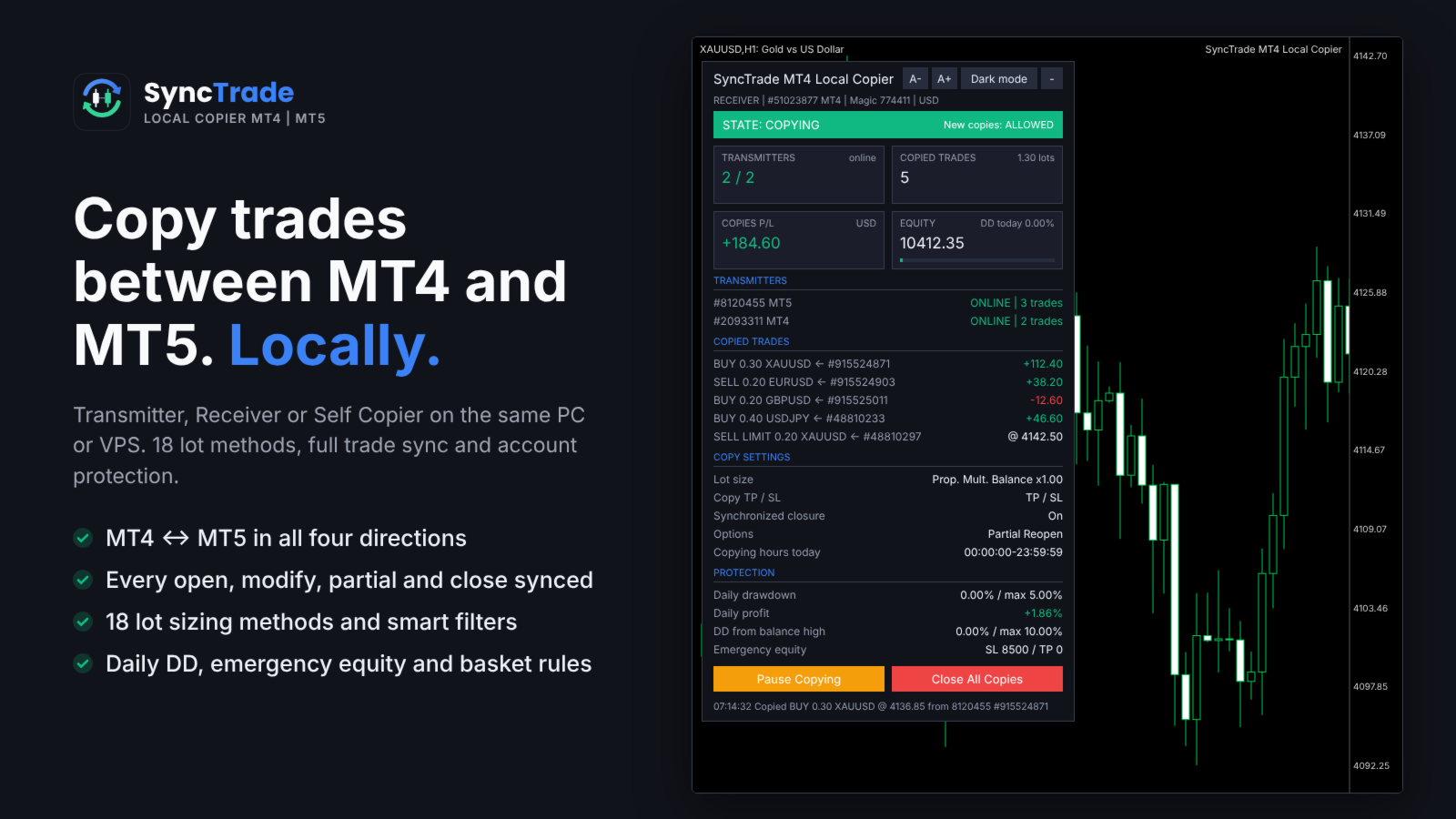
SyncTrade Local Copier copies trades between MetaTrader terminals on the same Windows PC or VPS, in milliseconds, with no internet relay, no DLL and no WebRequest.
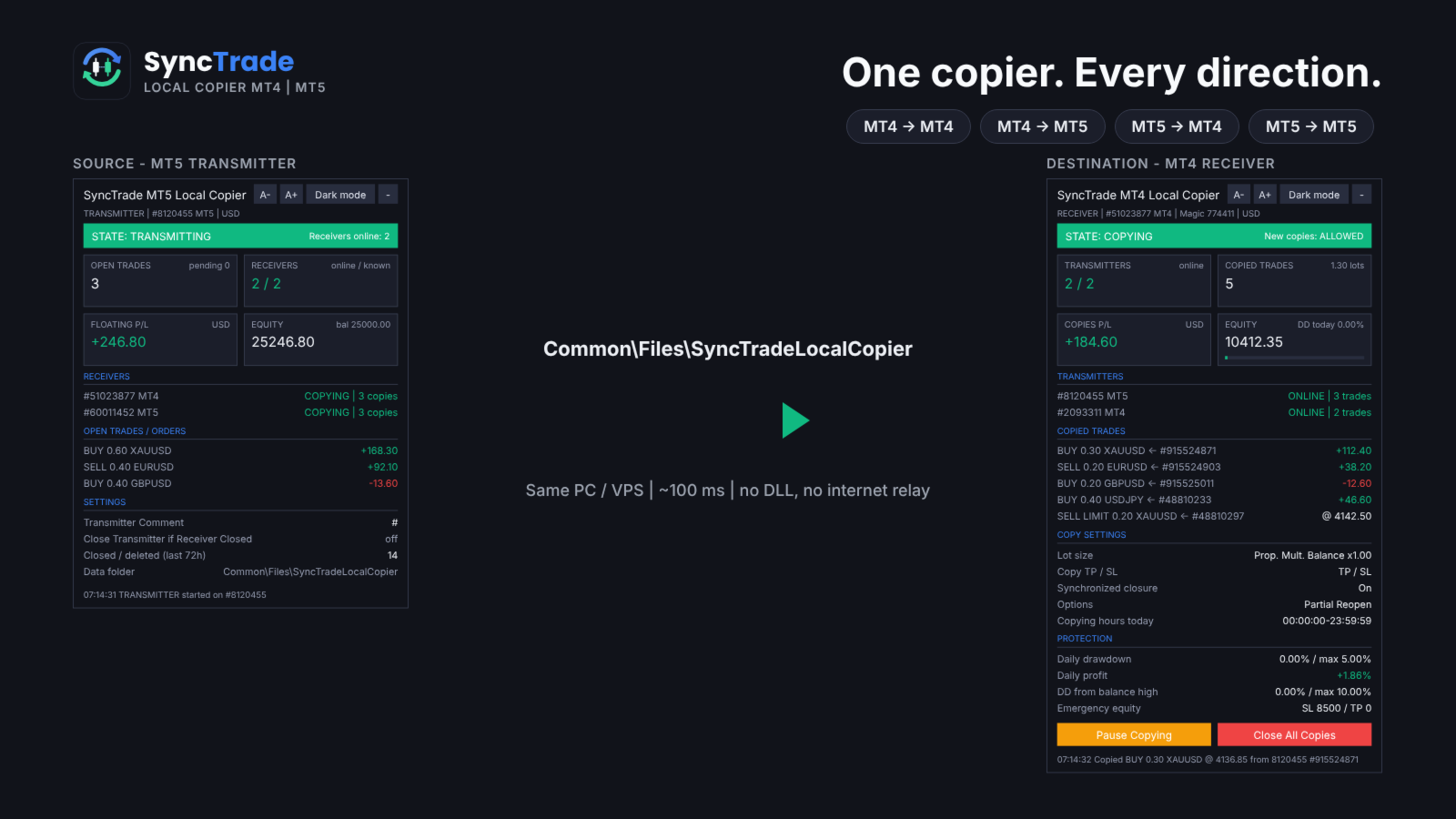
It works across platforms. Use SyncTrade MT4 Local Copier on MT4 and SyncTrade MT5 Local Copier on MT5. Both share the same local data folder, so all four directions work: MT4 → MT4, MT4 → MT5, MT5 → MT4, MT5 → MT5.
One EA, three roles:
- Transmitter: the source account.
- Receiver: the destination account that opens the copies.
- Self Copier: copies or multiplies trades inside the same account.
One Transmitter can feed any number of Receivers. One Receiver can follow several Transmitters, mixed MT4 and MT5.
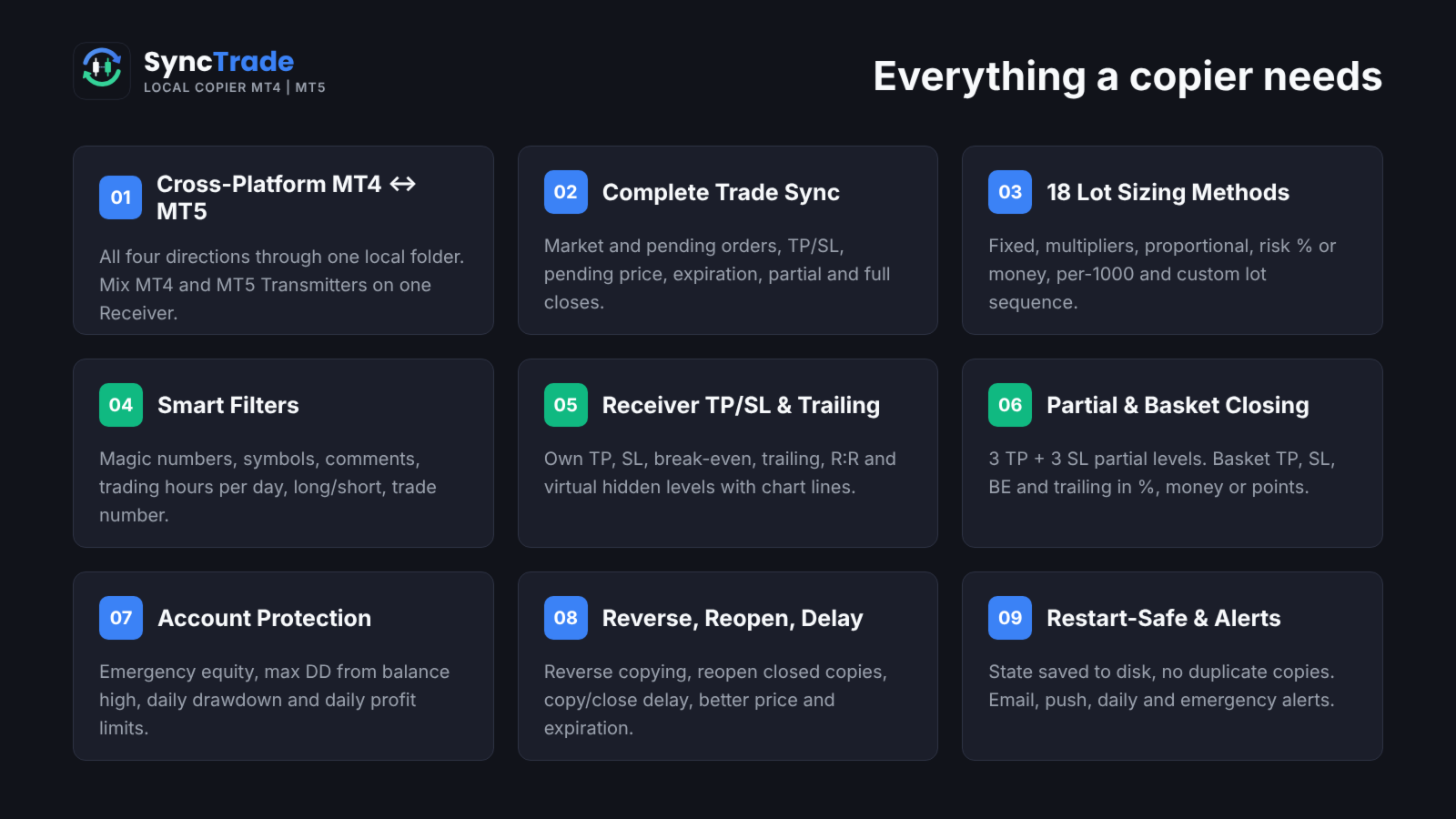
Main features
- MT4 ↔ MT5 copying in all directions, every ~100 ms.
- Market trades and pending orders, with TP/SL, pending price, expiration, partial and full closes kept in sync.
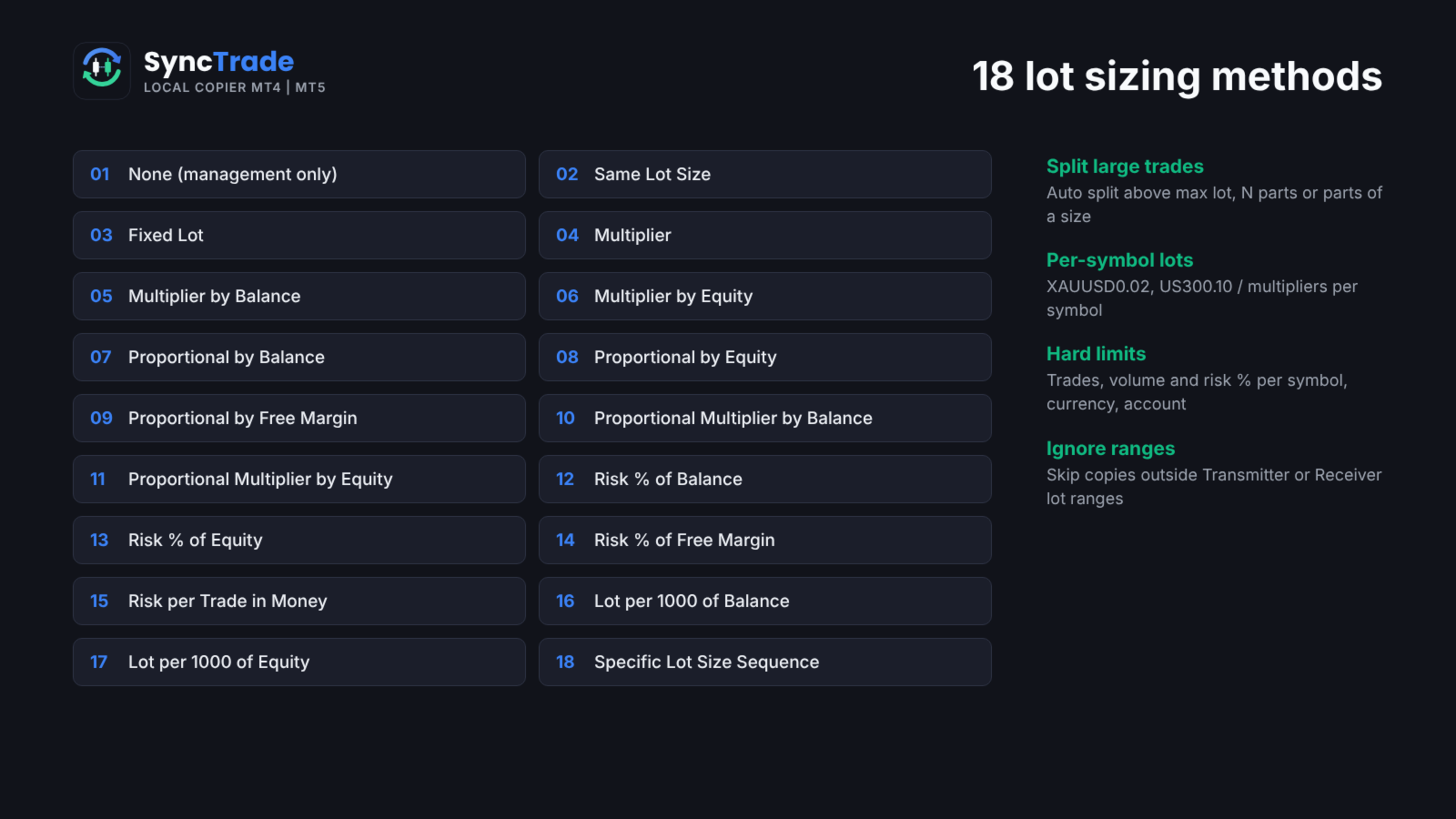
- 18 lot sizing methods, custom lots and multipliers per symbol, automatic split of large trades.
- Filters by magic number, symbol, comment, trading hours per day, direction and trade number.
- Reverse copying, reopen of closed copies, copy and close delay, better-price entry and exit.
- Receiver TP/SL, break-even, trailing stop, R:R target and hidden (virtual) levels.
- Partial closing at 3 TP and 3 SL levels; basket TP, SL, break-even and trailing.
- Emergency equity stop, max drawdown from balance high, daily drawdown and daily profit limits.
- Email, push, daily and emergency notifications.
- Symbol mapping with prefix, suffix and 30 special symbol pairs.
- State saved to disk: no duplicate copies after a restart.
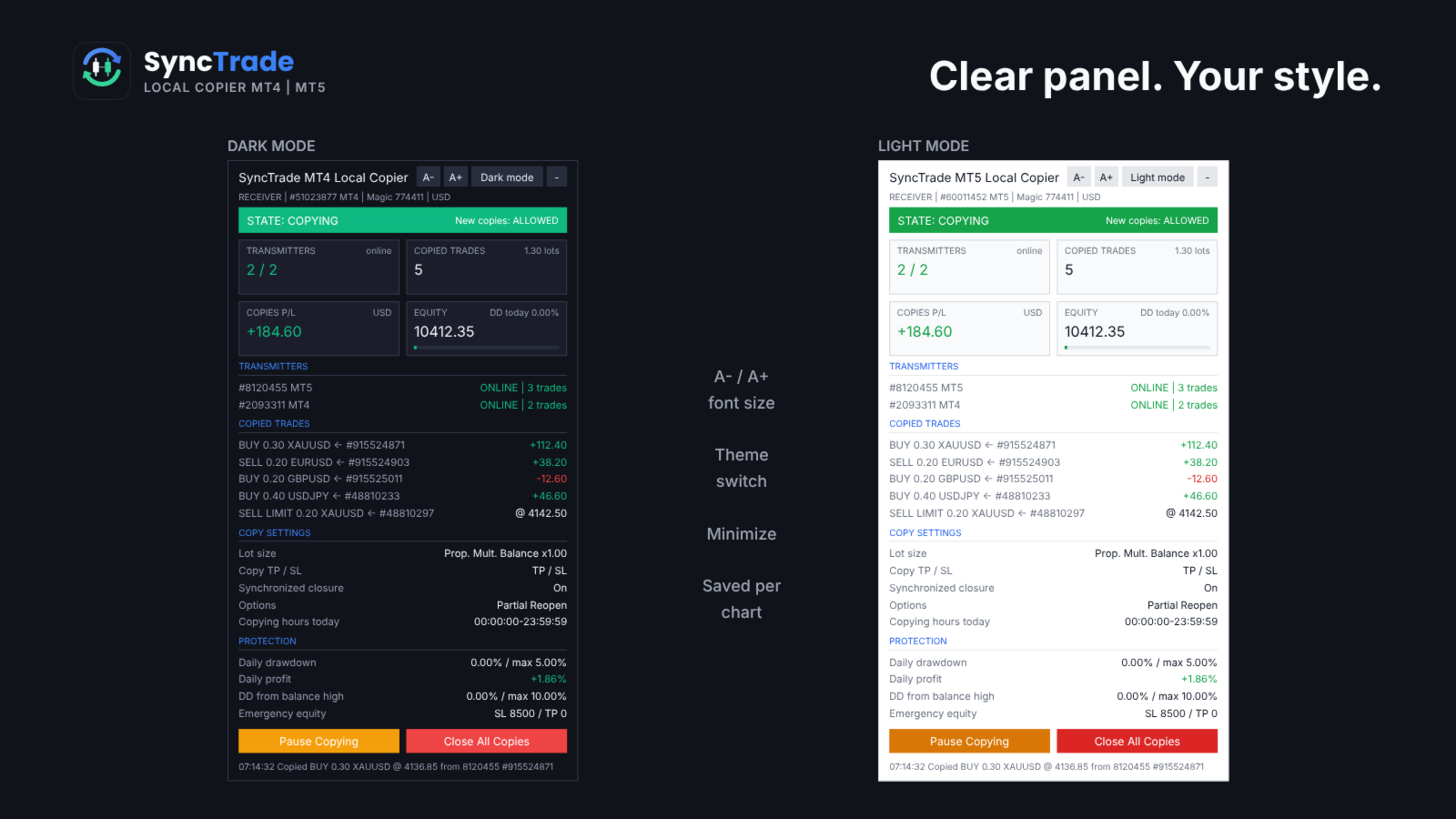
- On-chart panel with dark/light theme, font size and minimize.
Quick setup
- On the source terminal, attach SyncTrade and set Account Mode = Transmitter.
- On the destination terminal, attach SyncTrade and set Account Mode = Receiver.
- Enter the source account number in Transmitter Account Number (or leave it empty to follow all Transmitters on the PC).
- Choose the Lot Size Type and other options.
- Enable Algo Trading in both terminals.
- The Receiver panel should show the Transmitter as ONLINE and the state COPYING.
The panel shows the copier state, Transmitters (or Receivers) with platform and status, every copied trade with its source ticket and live P/L, copy settings and protection status. Buttons on the Receiver: Pause/Resume Copying, Close All Copies, and Reset Stop.
Requirements
- All terminals on the same Windows PC or VPS, same Windows user.
- Algo Trading enabled on every Receiver.
- MT5 Receivers: hedging account recommended (netting merges copies on one symbol).
- Copying needs two live terminals, so it cannot be tested in the Strategy Tester. Use demo accounts.
INPUT PARAMETERS
0 or an empty field = option off. Per-symbol format: first number for all symbols, then symbol + value, e.g. 30,XAUUSD60,BTCUSD2000 .
Account Setup
- Account Mode: Transmitter, Receiver or Self Copier.
- Transmitter Account Number: account(s) to follow, comma-separated, MT4 and MT5 mixed. Empty = all Transmitters on this PC.
- Transmitter Comment: comment sent with each trade. # = original comment, @ = original ticket, % = magic, & = Transmitter account.
- Receiver Comment: comment for copies; replaces the Transmitter Comment (max 31 characters).
General Settings & Trade Filters
- Magic Number: magic of copied trades. Not 0; use a different value per Receiver on one account.
- Magic Numbers to Copy: copy only these. Exact 3245 , partial (14) , range 100-200 ; 0 = manual trades.
- Maximum Number of Copied Magic Numbers: max different Transmitter magics copied at once.
- Maximum Receiver Account Magic Numbers: max different magics on the whole Receiver account.
- Magic Numbers Not to Copy: never copy these (same format).
- Symbols to Copy / Symbols Not to Copy: include or exclude Receiver symbols, e.g. EURUSD,XAUUSD .
- Maximum Number of Copied Symbols: max different symbols copied at once.
- Maximum Receiver Account Symbols: max different symbols on the whole Receiver account.
- Comments to Copy / Comments Not to Copy: exact comment or partial match in brackets, e.g. (Grid) .
Copying / Multiplying Options
- Copy on Monday … Sunday: copying hours per day (Receiver server time), e.g. 00:00:00-12:00:00,14:00:00-23:59:59 . Empty = no copying that day.
- Transmitter Server Offset Hours: hours added to Transmitter time to match Receiver time.
- Copy Long Trades / Copy Short Trades: copy BUY or SELL trades and orders.
- Copy Current Trades: copy trades already open when the Receiver starts.
- Copy New Trades: copy trades opened after the Receiver starts.
- Copy Take Profit / Copy Stop Loss: copy the Transmitter TP / SL.
- Take Profit Multiplier / Stop Loss Multiplier: multiply the TP / SL distance.
- Add/Subtract Points in TP Level / SL Level: add or subtract points (when the multiplier is 1).
- Do Not Copy Trades/Orders Without SL: skip trades with no SL.
- Allow TP/SL Manual Change: true = your manual TP/SL change on a copy is kept; false = the EA restores the synced levels.
- Copy Market Trades / Copy Pending Orders: copy open trades / pending orders. Pending off = the trade is copied when it triggers.
- Maximum Spread in Points: wait while the spread is higher. Per symbol.
- Maximum Slippage in Points: slippage for opening and closing.
- Maximum Copying Difference in Points: wait while the price is further than this from the Transmitter open price.
- Use Copying Expiration in Seconds / Copying Expiration in Seconds: stop trying to copy a trade after this time.
- Copying Delay in Seconds: delay before copying, fixed 5 or random 5,20 .
- Retry Attempts in Seconds: wait before retrying a failed order.
- Better Price / Better Price Difference in Points: copy only at a better price than the Transmitter by this many points (negative allows worse). Per symbol.
- Reverse Copying: BUY ↔ SELL, BUY LIMIT ↔ SELL STOP, BUY STOP ↔ SELL LIMIT, TP ↔ SL.
- Keep Original TP/SL Distances: measure TP/SL from the Receiver open price instead of using the Transmitter levels.
- Min Distance in Points for Same Symbol/Direction Trades/Orders: no new copy near an existing copy on the same symbol and direction.
Lot Size Management
- Lot Size Type: None (no new copies), Same Lot Size, Fixed Lot, Multiplier, Multiplier by Balance, Multiplier by Equity, Proportional by Balance / Equity / Free Margin, Proportional Multiplier by Balance / Equity, Risk per Trade in % of Balance / Equity / Free Margin, Risk per Trade in Money, Lot Size per 1000 of Balance / Equity, Specific Lot Size Sequence.
- Add/Subtract to Same Lot Size: added to the Transmitter lot.
- Fixed Lot Size: lot for every copy.
- Multiplier: Transmitter lot × value.
- Multiplier by Balance / Equity: Transmitter lot × Receiver balance (equity) ÷ value.
- Proportional Multiplier by Balance / Equity: Transmitter lot × Receiver/Transmitter balance (equity) ratio × value.
- Risk per Trade in % of Balance / Equity / Free Margin: lot so that the SL loses this %. No SL = not copied.
- Risk per Trade in Money: lot so that the SL loses this amount.
- Lot Size per 1000 of Balance / Equity: value × balance (equity) ÷ 1000.
- Specific Lot Size Sequence: lots for the 1st, 2nd, 3rd… copy on a symbol, e.g. 0.01,0.02,0.04 . End with 0 to stop after the list.
- Automatic Split of Copied Trades: split lots above the broker maximum.
- Split Copied Trades in Parts: split each copy into N trades.
- Split Copied Trades in Parts of: split each copy into trades of this size.
- Custom Symbol Fixed Lot Sizes / Custom Symbol Multipliers: per-symbol values, e.g. 0.05,XAUUSD0.02 .
- Copying from / Up to Symbol Trade/Order Number: copy only the N-th to M-th Transmitter trade on a symbol (e.g. grid levels). Per symbol.
- Total Symbol / Account Copied Trades: max open copies per symbol / account.
- Maximum Risk % per Symbol / per Currency / Account Risk %: max total SL risk of copies, in % of balance.
- Total Symbol / Account Copied Volume: max total lots of copies.
- Minimum / Maximum Receiver Lot Size: raise to the minimum; cap each copy at the maximum.
- Ignore Receiver Lot Size Below / Above: skip if the calculated lot is outside the range.
- Ignore Transmitter Lot Size Below / Above: skip Transmitter trades outside the range.
- Minimum Volume Step: rounding step for copy lots.
Limits on count, volume and risk make a copy wait; ignore rules skip it.
Trade Management
- Synchronized Trade Closure: False, True, True for Market Trades Only, True for Pending Orders Only, True for Same Trade/Order Type.
- Closure Delay in Seconds: delay before closing, fixed or random range.
- Closure Better Price / Difference in Points: close only at the Transmitter close price or better. Per symbol.
- Reopen Closed Copied Trades: when a copy closes on the Receiver while the Transmitter trade is open: False, Instantly, At Open Price or Better, At a Specific Time.
- Reopen Closed Copied Trades Time: time (HH:MM) for the time-based reopen.
- Apply Partial Closure: reduce copies proportionally when the Transmitter closes part of a trade.
- Close Transmitter if Receiver is Closed (Transmitter): close the original trade when a copy is closed on a Receiver.
Receiver TP/SL & Trailing Management
- Virtual/Hidden TP/SL Levels: TP/SL kept by the EA, not sent to the broker.
- Show Virtual Levels on Chart: draw virtual TP/SL lines.
- Use TP/SL Levels in: Points or Money.
- Take Profit / Stop Loss in Points (Money): fixed TP / SL for each copy.
- Break Even Profit in Points (Money): move SL to the open price at this profit.
- Trailing Start / Stop / Step in Points (Money): start profit, distance and step of the trailing SL.
- TP Based on Risk/Reward Ratio 1/: TP = SL distance × value.
Partial Closure Management
- Partial Closure Take Profit % 1-3 / TP Lot Size % 1-3: at X% of the way to TP, close Y% of the initial lot.
- Partial Closure Stop Loss % 1-3 / SL Lot Size % 1-3: at X% of the way to SL, close Y% of the initial lot.
Scheduled Trade Closure
- Close All Copied Market Trades on / Time: day (or Every Day) and time to close all copies.
- Delete All Copied Pending Orders on / Time: day and time to delete copied pending orders.
- Close Copied Trades in Minutes: close each copy after N minutes.
Basket Trade Management (in % of Balance, Money and Average Points)
- Use Basket Take Profit / Stop Loss: close all copies at this basket profit / loss.
- Use Basket Break Even: after this profit, close all if the basket returns to 0.
- Use Basket Trailing Stop Loss, Start / Stop / Step: trail a locked basket profit; close all when it is hit.
Emergency Account Protection
- Use Emergency Account Protection: enable the equity levels below.
- Receiver Account Stop Loss Equity / Take Profit Equity: close all copies and stop copying at this equity.
- Max Drawdown % from Balance High: close all and stop copying at this drawdown.
- Maximum Daily Drawdown from / in % / in Money: close all and pause until the next day (reference: Balance or Equity).
- Maximum Daily Profit from / in % / in Money: same, for daily profit.
- No Copying if Transmitter / Receiver Drawdown %>: no new copies above this drawdown.
- Copy Only if Transmitter Drawdown %> / per Symbol>: copy only above this drawdown.
After an emergency stop, copying resumes after re-attaching the EA or pressing Reset Stop on the panel.
Notification Settings
- Send Email / Push Notification: on each copy and protection event.
- Send Daily Notification / Time: daily account report at these times, e.g. 08:00,20:00 .
- Send Emergency Notification / Emergency Notification Equity: alert when equity falls below levels, e.g. 9000,8000 .
Symbol Mapping Settings
- Prefix / Suffix of the Transmitter Account: removed from source symbols.
- Prefix / Suffix of the Receiver Account: added to Receiver symbols.
- Special Symbol 1-30: direct pairs TRANSMITTER,RECEIVER , e.g. GOLD,XAUUSD .
Panel
- Show Panel, Panel theme (Dark/Light), Font size 7-16, Panel X / Y.
FAQ
Does it work between two computers? No. SyncTrade is a local copier; all terminals must run on the same PC or VPS.
Different brokers? Yes. Use prefix, suffix and Special Symbol inputs when names differ.
What if a terminal goes offline? The Receiver waits; nothing is opened or closed until the Transmitter is back. No trade is copied twice after a restart.
Several Receivers on one account? Yes, with a different Magic Number on each.
Trading involves risk. Test all settings on demo accounts first.