NHS Fair Value Gap
- Experts
- Versão: 1.0

An automated strategy based on Fair Value Gaps (price gaps left by strong moves). It waits for the bigger trend, then a sweep of recent highs/lows or a strong displacement candle (either suffices by default), then places a limit order in the middle of the gap, aiming for the nearest untapped liquidity above or below.
How it trades
- Trend first: the hourly chart must show a clear bullish or bearish structure — no trend, no trade.
- Right location: buys only in the lower (discount) part of the recent range, sells only in the upper (premium) part.
- Confirmation: price must sweep a recent high or low, or print a strong displacement candle, before any gap is accepted (both-required mode is optional).
- Precise entries: limit orders at the gap midpoint. Orders expire after 180 minutes and are skipped if price has already run too far.
- Defined risk: every trade has a stop-loss (behind the confirmation candle, sized to volatility) and a take-profit at the nearest liquidity pool, always risking at least twice the reward.
- Trade management: the stop moves to break-even once the trade is comfortably in profit; only one trade per symbol at a time.
- Protection: risk per trade is cut after a losing streak, trading halts for the day past a daily loss limit, and entries are blocked around major news, outside London/New York hours, and in dead-flat volatility (all adjustable).
Settings (defaults ready to run)
- Trading: trades EURUSDm on M15 entries with H1 trend confirmation, 2% risk per trade.
- Management: break-even at 1.5x risk, 180-minute order expiry, 0.5x-ATR SL buffer (min 0.5x), TP capped at 2.0x ATR, minimum 2:1 reward-to-risk enforced on every setup.
- Filters: London/New York session filter on (set your broker's time offset), news filter on for major events, volatility filter on. Bar-expiry and fixed-time exits are available but off by default.
On-chart display
A read-only panel shows the current session, news state (OK / blocked), daily loss vs limit, losing streak, lifetime wins/losses and profit factor, plus each symbol's trend direction. It has no buttons — it never opens or closes trades. Each copy of the EA draws its own panel, so several instances can share a chart without overwriting each other.
Getting started
- Copy the.mq5 file into MetaTrader 5 (File → Open Data Folder → MQL5 → Experts) and compile it.
- Drag the EA onto an M15 chart .
- Set the broker time offset in the settings so the London/New York session filter matches your broker, then tick Allow Algo Trading.
- Leave the symbol field to trade the default EURUSDm, empty it to follow the chart symbol, or list several symbols separated by commas.
Good to know
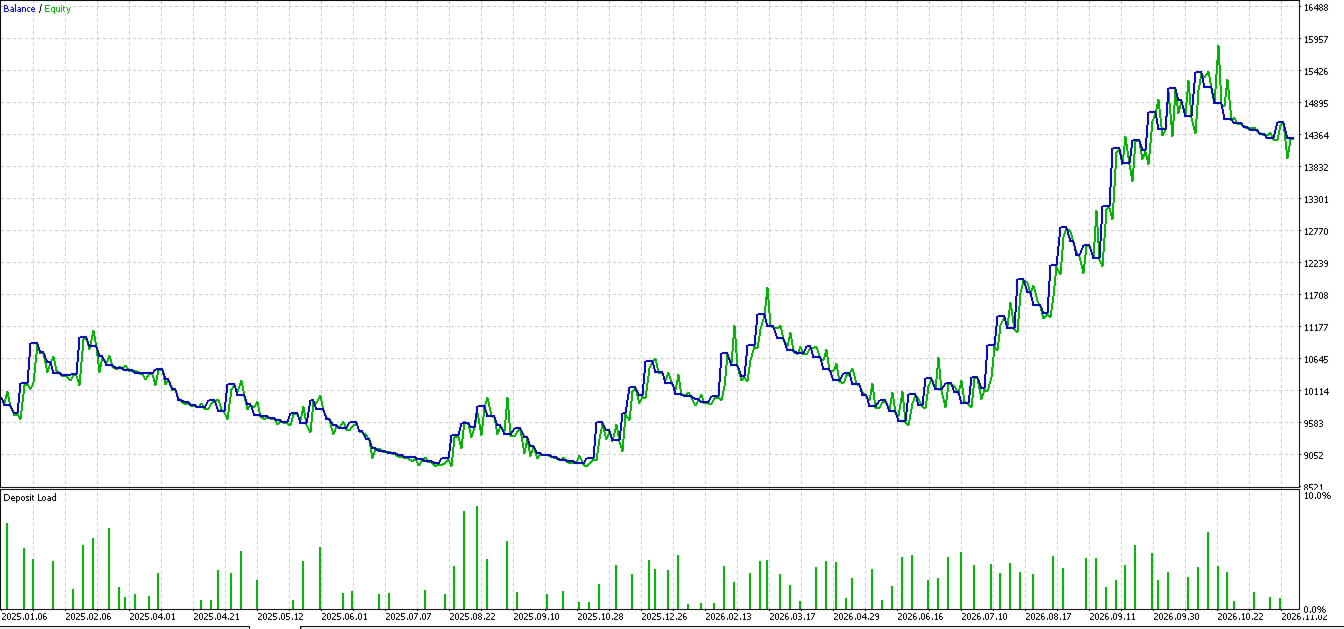
- Very few trades: around ten checks must all pass, so weeks can go by without a trade. That is normal — this is a sniper, not a scalper.
- Vanishing orders: pending orders auto-expire after 180 minutes or are skipped if price moved too far. By design, not an error.
- Small wins near zero: break-even exits at scratch are part of the plan; profit comes from a minority of large winners.
- It only touches its own trades (tracked by its trade ID). Manual trades and other EAs are never modified or closed.
- As with any strategy, losing months happen. Start on a demo account and never risk money you cannot afford to lose.
Requirements
MetaTrader 5 hedging account, M15 chart with M15/H1 history, correct broker time offset. No extra files, libraries or subscriptions needed.