NHS Grid Master
- Experts
- Versão: 1.0
- Ativações: 20

An automated grid trading system. It places a ladder of buy and sell levels around the current price and opens trades as price reaches those levels, closing each trade at its own take-profit. One copy of the EA can manage a whole basket of currency pairs from a single chart. Decisions are made once per closed candle.
How it trades
- Adaptive grid: the distance between levels follows market volatility — wider spacing in wild markets, tighter spacing in calm ones. The grid re-centres automatically when price drifts away.
- Take-profit per trade: every position carries its own profit target and is closed when price reaches it. No pending orders are used.
- Trend and calm-market pause: in very strong trends or extremely compressed markets the EA stops opening new grid levels while continuing to manage open trades, then resumes when conditions normalise.
- Basket intelligence: when trading several pairs, it measures how correlated they are and gives each pair a long, short or neutral bias, reduces size on highly correlated pairs, and halves exposure during market-wide correlation shocks.
- Risk scaling: position sizes follow a share of your equity and shrink automatically after losing periods (recovery mode); total portfolio risk is capped.
- Protection layers: equity stop, soft and hard equity locks that freeze new entries during drawdowns, a global drawdown halt, a daily loss limit, and optional news, spread, session and volatility filters.
Settings (defaults ready to run)
- Setup: trades GBPUSD on the H1 chart out of the box. Change the symbol list to trade other pairs or a basket — ten ready-made basket presets are included for reference.
- Grid: 1.25x volatility step, up to 10 levels per side, max 10 open trades per symbol, 0.10% of equity risked per level with 1.1x lot progression, total open risk capped at 8% of equity. Trailing stop and break-even are off by default and can be enabled.
- Safety: equity stop 20%, soft lock 6%, hard lock 15%, daily loss 5%, recovery mode from 10% drawdown. All thresholds are adjustable; contradictory combinations are rejected with a clear message.
- Filters: news blackout around major announcements is on; session, weekly, spread and time-exit filters are available but off by default.
On-chart display
A read-only status panel shows balance, equity, floating profit/loss, drawdown, risk usage, open trades, grid levels and a per-symbol table with regime and status flags (e.g. soft lock, recovery, news hold). Your grid levels are also drawn on the chart. The panel has no buttons — it never places, modifies or closes trades by itself. Each copy of the EA draws its own panel, so several instances can share a chart without overwriting each other.
Getting started
- Copy the.mq5 file into MetaTrader 5 (File → Open Data Folder → MQL5 → Experts) and compile it.
- Drag the EA onto a GBPUSD H1 chart, tick Allow Algo Trading, and leave the settings as they are.
- To trade other symbols, type them into the symbol list (comma-separated). For a basket, paste one of the included presets.
- If you run several copies, give each one its own trade ID number in the settings.
Good to know
- Quiet EA: it often goes days without opening a trade — paused by trend, calm-market, news or risk rules. Open trades are still managed during pauses.
- After a large loss it may stop: the equity stop or locks likely tripped. Read the reason on the panel and in the Experts log before restarting.
- It only touches its own trades (tracked by its trade ID). Manual trades and other EAs are never modified or closed.
- Grid trading means holding losing positions while price moves against the grid, so floating drawdowns can be large, especially in long one-sided trends. Start on a demo account and never risk money you cannot afford to lose.
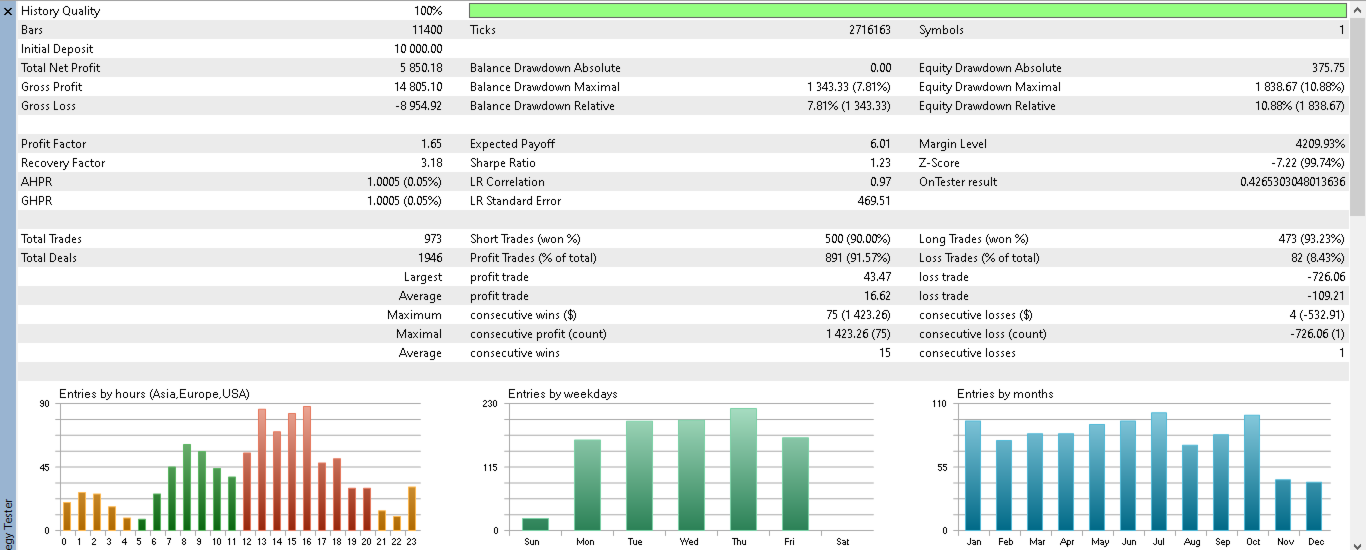
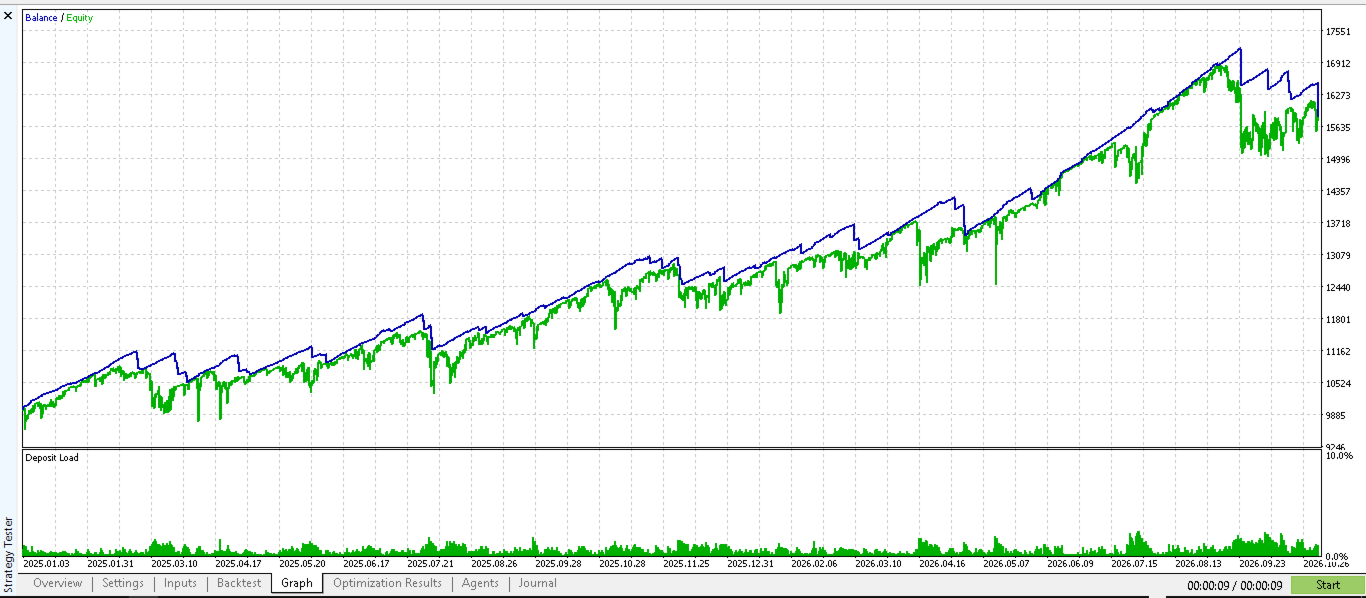
- Testing: works in the Strategy Tester, including basket mode (history for every symbol is required).
Requirements
MetaTrader 5 hedging account. No extra files, libraries or subscriptions needed.