QuantOS
- Experts
- Versão: 18.1
- Ativações: 5

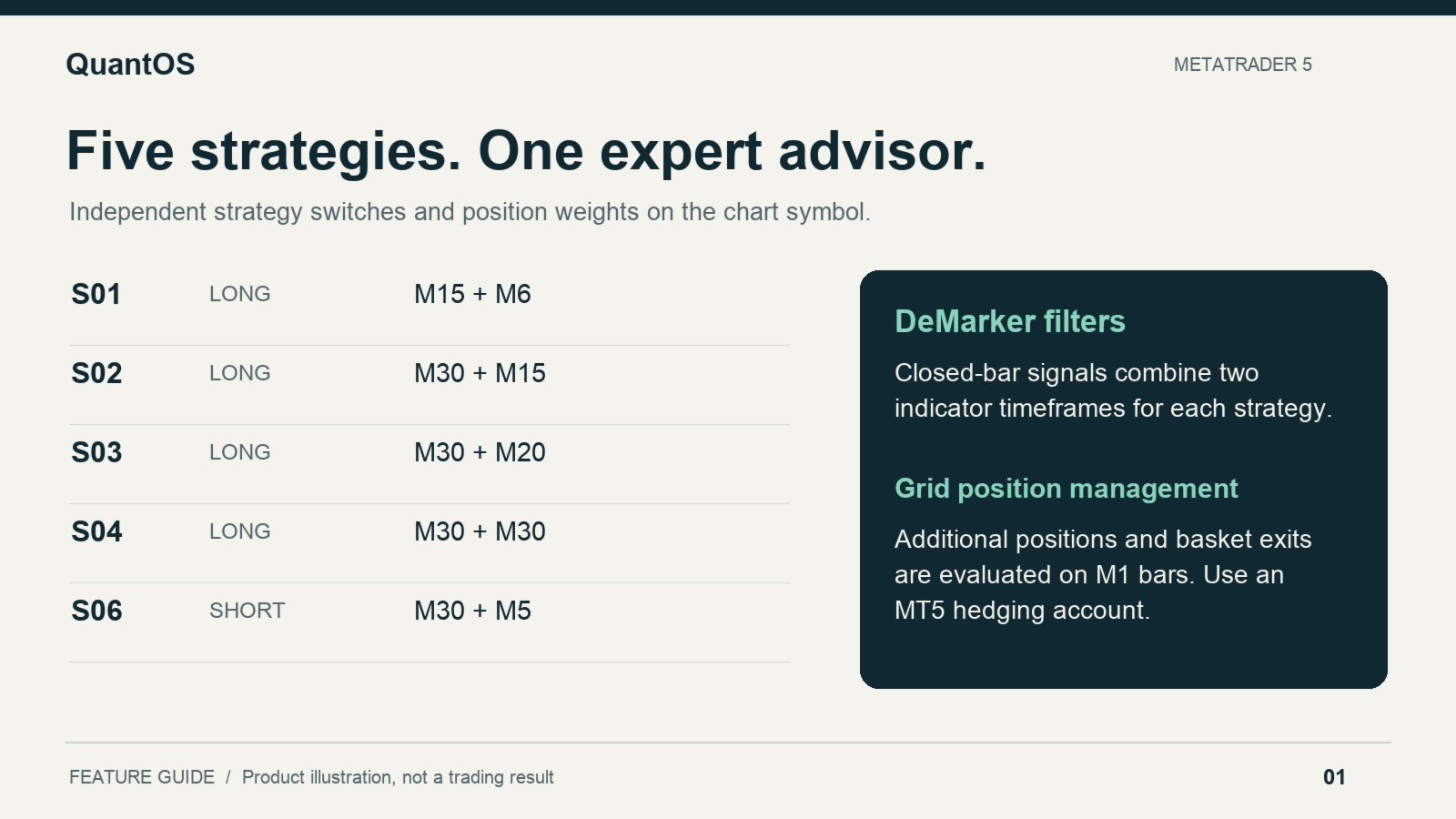
QuantOS is a MetaTrader 5 Expert Advisor that combines five independently selectable DeMarker strategies with grid position management. Four strategies open buy positions and one opens sell positions. Each strategy uses its own indicator timeframes, entry session and volume weight.
Trading approach
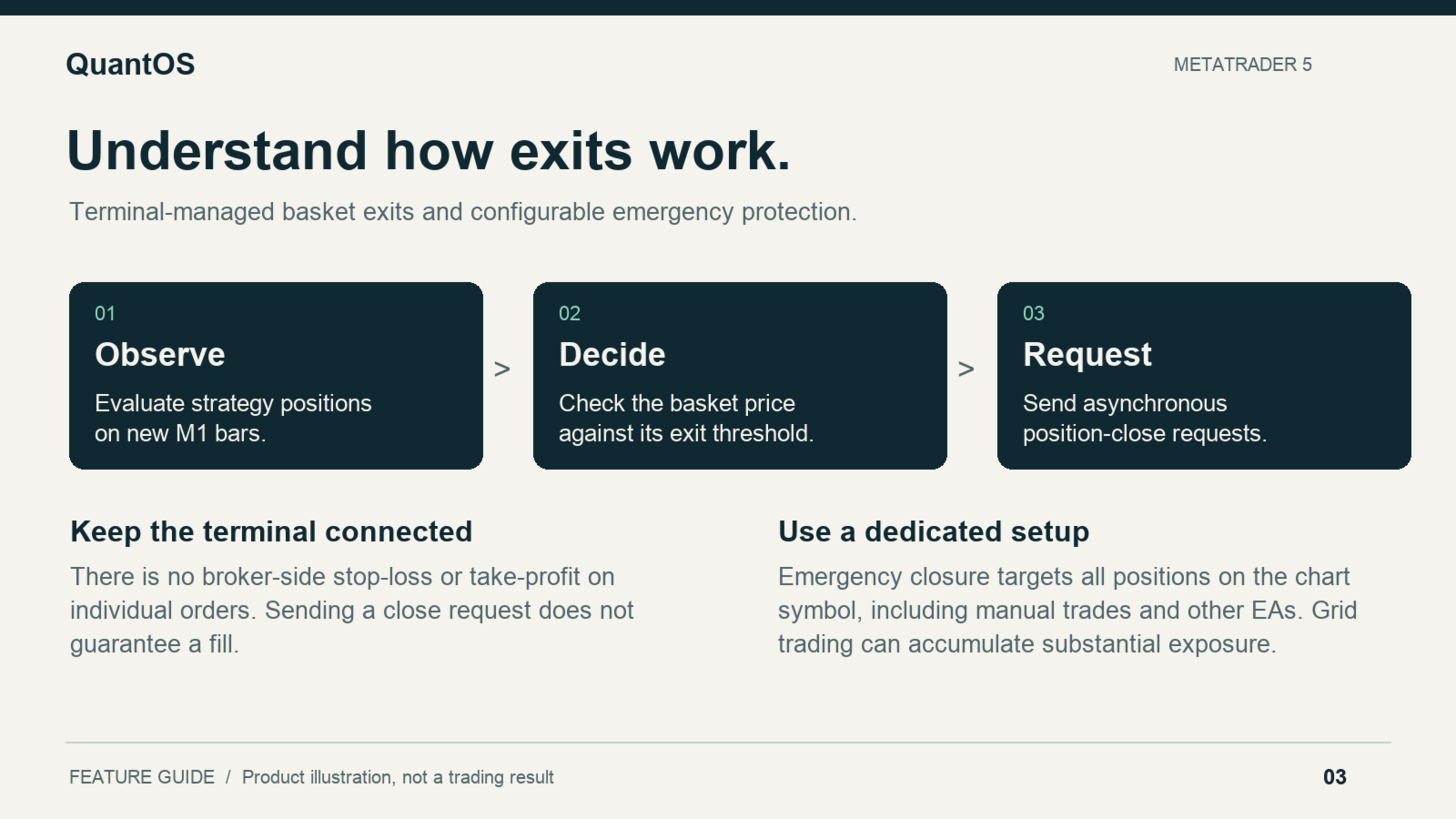
The EA trades the symbol of the chart to which it is attached. Initial entries use closed-bar DeMarker signals and predefined sessions based on broker server time. Existing baskets are evaluated on new M1 bars for additional entries and basket exits. Strategy exits send asynchronous close requests.
Use a hedging account so that separate strategy positions and opposite directions can coexist. Use one QuantOS instance per symbol. The strategies use fixed identifiers 1001, 1002, 1003, 1004 and 1006; avoid other programs using these identifiers on the same symbol.
Portfolio and sizing
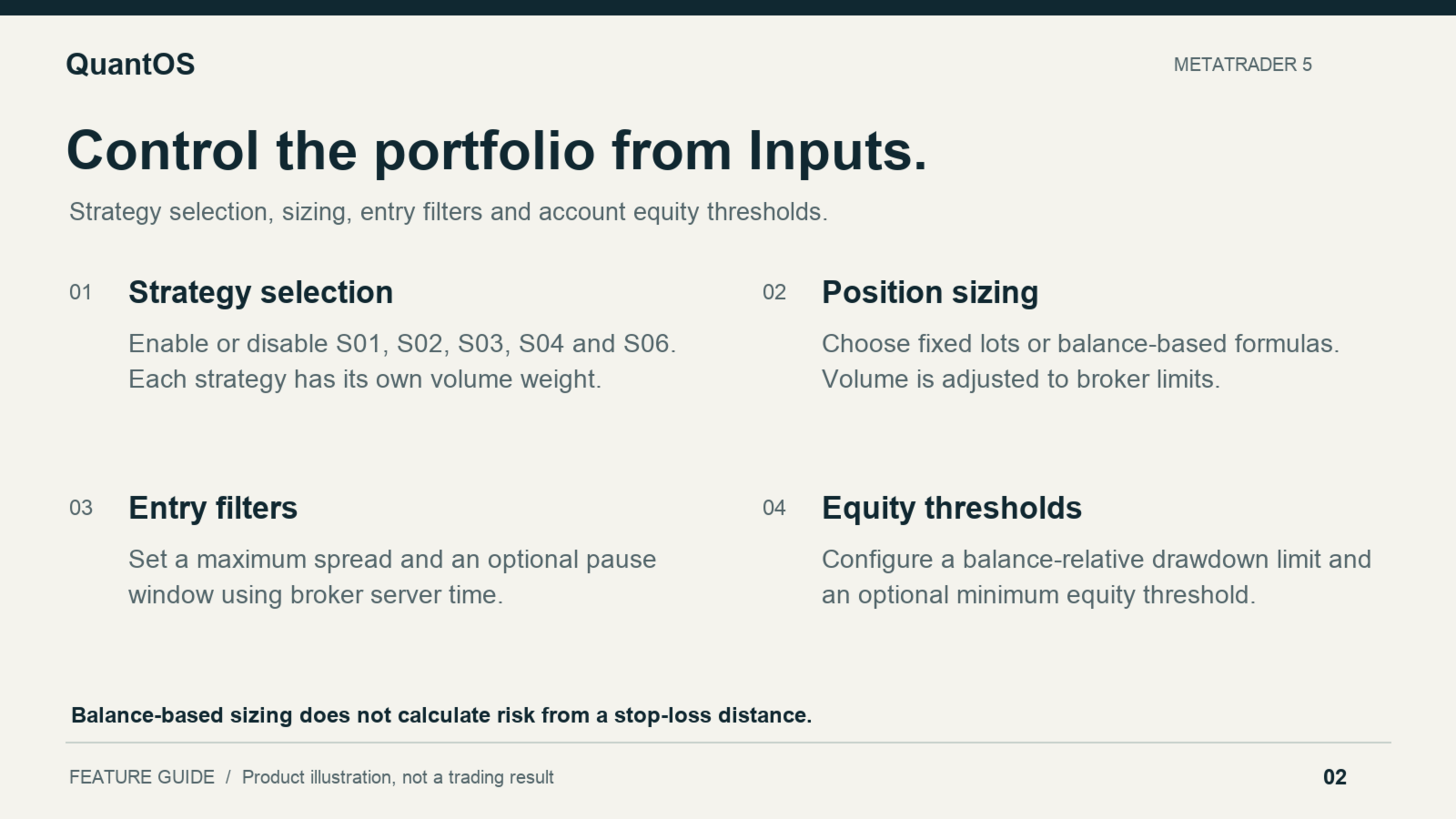
Enable only the strategies you wish to run and assign a separate volume weight to each. Three sizing modes are available: fixed volume, volume scaled by account balance, and an alternative balance-based formula. These formulas do not calculate a defined loss percentage from a stop-loss distance. Broker minimum volume can override very small requested volumes. Disable a strategy with its Enable switch rather than setting its weight to zero.
Entry and equity controls
Controls include a maximum entry spread, an optional trading pause, an account-equity threshold and a drawdown threshold measured against current account balance. The optional pause affects new entries; it does not remove existing positions. All time settings refer to the broker's server clock. Requests are checked against the trading sessions reported by the broker. New entries also check valid volume, current quotes, available margin and projected total account margin usage before submission.
When an emergency equity condition is triggered, the EA stops new entries and requests closure of all positions on the chart symbol, including positions opened manually or by another EA. It checks again on incoming ticks and retries unconfirmed closures at most once per server second while the symbol is open for trading. During a closed session it waits for trading to resume. After confirming no positions remain on the symbol, it stays halted until reinitialization. The condition uses total account balance and equity. A dedicated account or isolated symbol setup avoids interaction with unrelated positions.
Inputs: risk and time
- Inp_MaxSpread: maximum entry spread in symbol points. Default 100; values of 9999 or higher bypass this filter.
- Inp_MaxRiskDD: equity decline relative to current account balance, in percent. Default 20; zero disables this trigger. This is not a peak-equity drawdown limit or a guaranteed maximum loss.
- Inp_MinEquity: account equity threshold in account currency. Default zero disables this trigger.
- Inp_MaxMarginUsage: maximum projected total account margin as a percentage of projected equity after a new entry. Default 20; zero disables this entry filter. It includes margin used by other positions on the account. It is not a position-size allocation or a maximum-loss limit.
- Inp_UseTimeFilter: enables the entry pause. Disabled by default.
- Inp_FridayOnly: applies the pause only while the server date is Friday. Disabled by default.
- Inp_RestStartHour / Inp_RestStartMin: start of the pause; default 23:55.
- Inp_RestEndHour / Inp_RestEndMin: end of the pause; default 01:05. In this version, same-day windows use whole-hour comparisons, so their minute fields do not provide minute-level boundaries.
Inputs: volume
- Inp_MoneyMode: MONEY_FIXED uses BaseLots; MONEY_PER_1000 uses (balance / RiskParam) x BaseLots; MONEY_RISK_PERCENT uses (balance x RiskParam) / 10000. The selected strategy weight is then applied.
- Inp_BaseLots: base volume for fixed and proportional sizing. Default 0.01.
- Inp_RiskParam: formula parameter for the selected dynamic sizing mode. Default 1000 belongs to proportional sizing and should not be carried into the alternative formula without recalculation. It must be greater than zero for MONEY_PER_1000.
- Inp_MinBalance: below this balance, this version requests the broker's minimum volume. It does not stop new trading. Default 50 account-currency units.
Inputs: strategy selection
- Inp_S01_Enable / Inp_S01_Weight: S01 buy strategy and its volume weight.
- Inp_S02_Enable / Inp_S02_Weight: S02 buy strategy and its volume weight.
- Inp_S03_Enable / Inp_S03_Weight: S03 buy strategy and its volume weight.
- Inp_S04_Enable / Inp_S04_Weight: S04 buy strategy and its volume weight.
- Inp_S06_Enable / Inp_S06_Weight: S06 sell strategy and its volume weight.
All five strategies are enabled by default with 100 percent weight. These weights scale order volume; they are not an allocation cap or a maximum-loss percentage.
Setup and operating considerations
Install through MetaTrader 5, select the intended symbol on a hedging account, review its point size and volume limits, and test the same broker configuration before live use. The EA reads its internal timeframes independently of the chart timeframe. Keep the terminal connected and algorithmic trading enabled. No DLL is required. Diagnostic CSV files are created in the terminal's MQL5 Files sandbox.
Grid entries can accumulate multiple positions without a configured maximum layer count. Individual orders do not receive broker-side stop-loss or take-profit levels. Exits and emergency protection require the EA to remain operational; execution depends on connection, liquidity and broker responses. Price gaps, closed sessions and unavailable quotes can cause losses to exceed the equity trigger. Losses can be substantial, and historical results do not guarantee future performance.
For product support, use the MQL5 product comments or private messages.