Trend Compass Multi Timeframe Panel
- Indicadores
-
Liviu Poltorac
 MT5 indicators and Expert Advisors for traders who want clarity, not noise.
I am an independent trader and MQL5 developer with around 6 years of trading experience, mainly on gold (XAUUSD) and forex. - Versão: 1.0
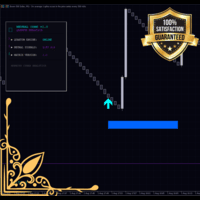
Trend Compass Multi Timeframe Panel tells you in one look what the market is doing across several timeframes, and whether it is a good moment to look for a trade or to stay out.
What the dashboard shows
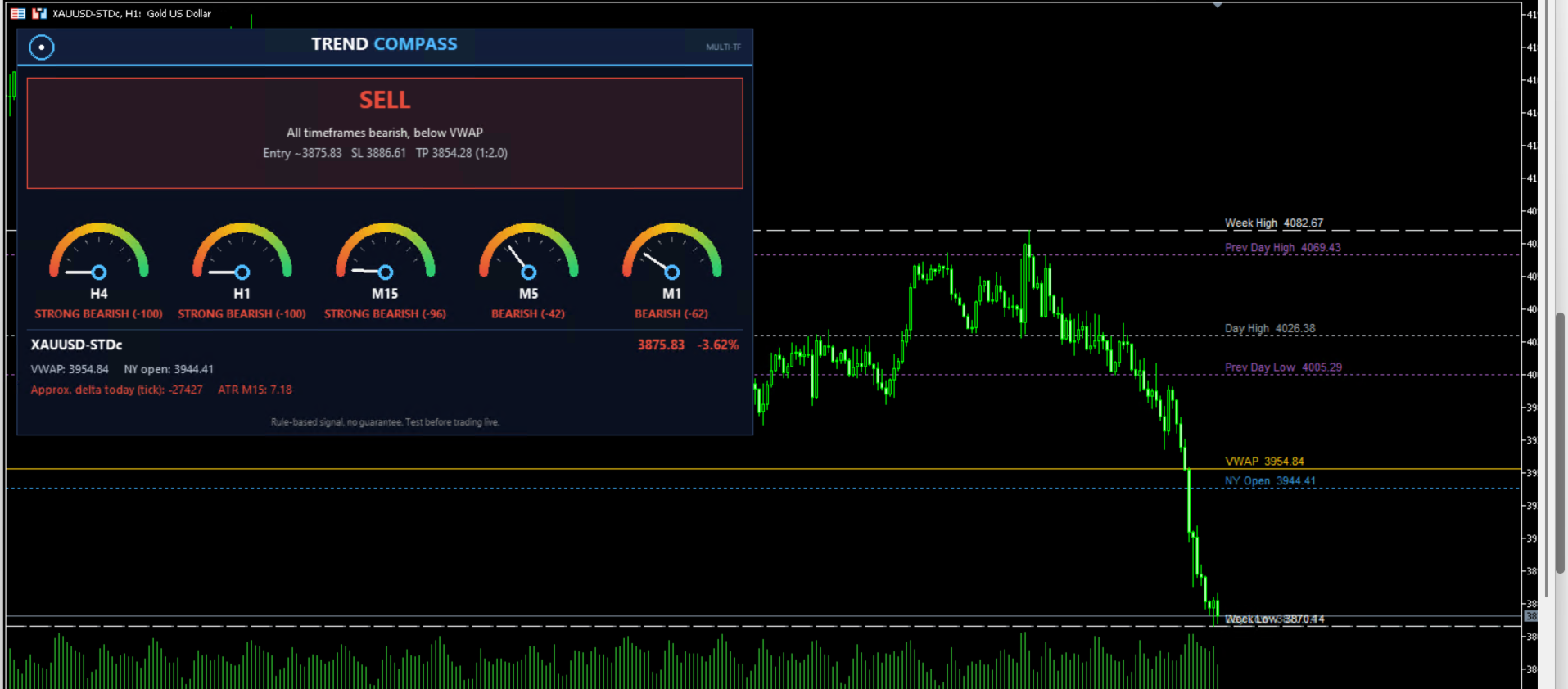
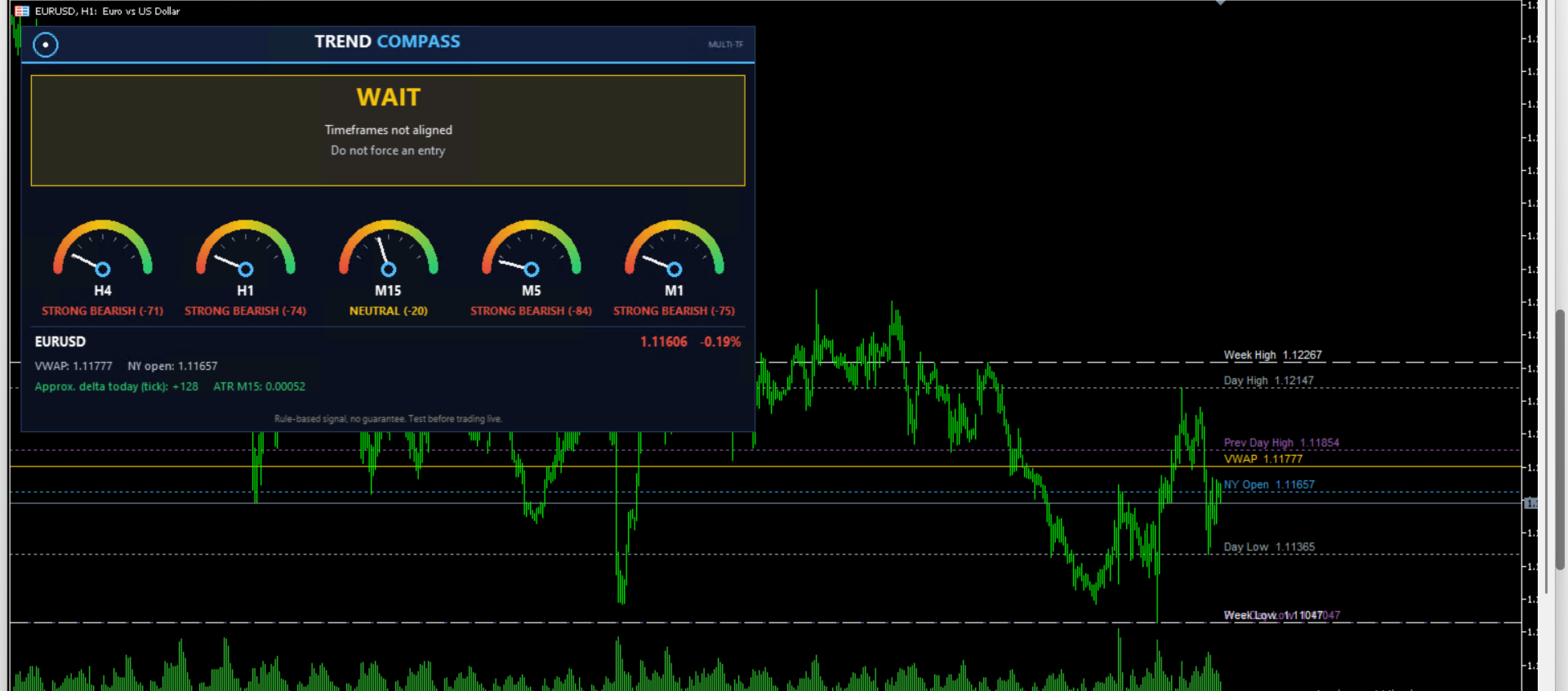
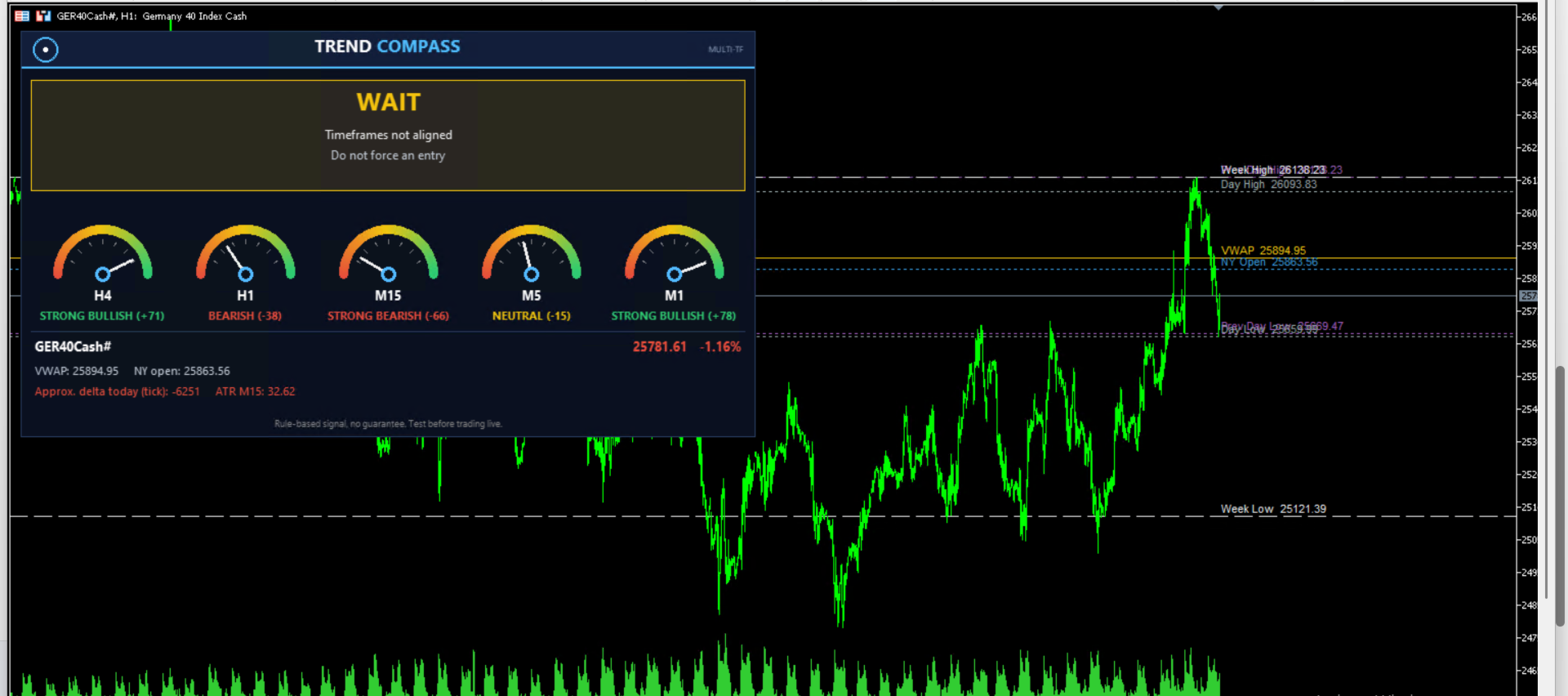
- A big signal box: STRONG BUY / BUY / WAIT / SELL / STRONG SELL, with the reason behind it.
- Up to 5 trend gauges (5 active by default: H4, H1, M15,M5,M1), each scored from -100 (bearish) to +100 (bullish).
- Suggested entry, Stop Loss and Take Profit based on ATR, with your own Risk:Reward ratio.
- Daily VWAP, New York open, approximate tick delta for today and the current ATR.
- Daily change of the symbol in percent.
How the signal works
Every gauge combines three filters that you can switch on or off independently:
- EMA: price position versus the slow EMA, fast EMA versus slow EMA, and the slope of the fast EMA.
- RSI: momentum around the 50 level.
- Market structure: higher highs / higher lows versus lower highs / lower lows, with structure breaks taking priority.
A BUY or SELL signal appears only when ALL selected timeframes agree. If you enable the VWAP filter, BUY is allowed only above VWAP and SELL only below VWAP. When timeframes disagree, the dashboard says WAIT and tells you not to force an entry.
Key levels drawn on the chart
- Daily VWAP
- New York open (you set the hour and minute in server time)
- Previous day high / low
- Today's high / low
- This week's high / low
If one of these levels sits very close to your entry in the trade direction, the dashboard shows a caution message, so you know when price may struggle to move.
Key features
- Works on any symbol and any chart timeframe.
- 1 to 5 gauges, each timeframe fully configurable.
- Every filter can be switched on or off; thresholds are adjustable.
- Pop-up alerts and push notifications to your phone on new signals.
- Fully customizable colors and panel position.
- Does not open, close or modify trades. It is a decision-support tool.
- The dashboard refreshes live, so gauge scores and the signal can change while the current candle is still forming.
Input parameters
- Gauges / Timeframes: number of gauges (1-5) and the timeframe of each gauge.
- Trend Calculation: use EMA with fast and slow periods; use RSI with its period; use market structure with swing bars and bars analysed; trend threshold and strong trend threshold (score 0-100).
- Signal: ATR timeframe and period, SL = ATR x, Risk:Reward, VWAP filter, level-proximity warning, alerts and push notifications.
- Chart Levels: show or hide VWAP, previous day, today, week and NY open lines; NY open hour and minute (server time).
- Appearance: panel position, bullish / bearish / wait colors, background color.
How to use
- Attach the indicator to any chart.
- Choose the timeframes you want to monitor (for example H4 / H1 / M15).
- Wait for the dashboard to show BUY or SELL with all gauges aligned.
- Check the suggested SL/TP and the caution message before deciding.
- Always confirm with your own analysis and risk management.
Notes
- The NY open uses SERVER time. Adjust the hour and minute inputs to match your broker.
- The tick delta is an approximation built from M1 tick volume.
- Make sure enough history is loaded for the selected timeframes; the dashboard shows "LOADING..." until it is.
- Signals are rule-based and are NOT a guarantee of profit. Trading involves risk. Test on a demo account first.